
Help...Help...Help___ I am stuck from last two months!
787 views
Skip to first unread message

Bilal Arif
Nov 4, 2015, 10:51:33 AM11/4/15
to vmitools
Please help to initialize my libvmi, I am loosing my hope,, please keep it alive
Installation information:
Qemu-kvm and patch is obtained by following link:
https://github.com/valerioa/libvmi/blob/master/tools/qemu-kvm-patch/README
robo@robo:~$ sudo virsh -c qemu:///system list
[sudo] password for robo:
Id Name State
----------------------------------------------------
6 win7 running
and Libvmi downloaded directly from https://github.com/libvmi/libvmi and config info is below:
LibVMI is configured as follows. Please verify that this configuration
matches your expectations.
Host system type: x86_64-unknown-linux-gnu
Build system type: x86_64-unknown-linux-gnu
Installation prefix: /usr/local
Feature | Option | Reason
-------------|---------------------------|----------------------------
Xen Support | --enable-xen=no | no
Xen Events | --enable-xen-events=no | no
KVM Support | --enable-kvm=yes | yes
File Support | --enable-file=yes | yes
Shm-snapshot | --enable-shm-snapshot=no | no
-------------|---------------------------|----------------------------
OS | Option
-------------|--------------------------------------------------------
Windows | --enable-windows=yes
Linux | --enable-linux=yes
Tools | Option | Reason
-------------|---------------------------|----------------------------
Examples | --enable-examples=yes | yes
VMIFS | --enable-vmifs=yes | yes
Extra features
----------------------------------------------------------------------
Support of Rekall profiles: yes
after successful installation ,i just followed instruction from /libvmi/tools/windowsoffsetfinder/README
Error:
I tried two ways to get symbols. but both showing no result just cursor in blinking, even two hours passed.
1st way:
robo@robo:~/libvmi-master/examples$ sudo ./dump-memory win7 win7.dd
[sudo] password for robo:
2nd way:
robo@robo:~/libvmi-master/tools/windows-offset-finder$ ./dumpPDB.py ntkrnlmp.pdb -o debugSymbols.txt
Installation information:
Qemu-kvm and patch is obtained by following link:
https://github.com/valerioa/libvmi/blob/master/tools/qemu-kvm-patch/README
robo@robo:~$ sudo virsh -c qemu:///system list
[sudo] password for robo:
Id Name State
----------------------------------------------------
6 win7 running
and Libvmi downloaded directly from https://github.com/libvmi/libvmi and config info is below:
LibVMI is configured as follows. Please verify that this configuration
matches your expectations.
Host system type: x86_64-unknown-linux-gnu
Build system type: x86_64-unknown-linux-gnu
Installation prefix: /usr/local
Feature | Option | Reason
-------------|---------------------------|----------------------------
Xen Support | --enable-xen=no | no
Xen Events | --enable-xen-events=no | no
KVM Support | --enable-kvm=yes | yes
File Support | --enable-file=yes | yes
Shm-snapshot | --enable-shm-snapshot=no | no
-------------|---------------------------|----------------------------
OS | Option
-------------|--------------------------------------------------------
Windows | --enable-windows=yes
Linux | --enable-linux=yes
Tools | Option | Reason
-------------|---------------------------|----------------------------
Examples | --enable-examples=yes | yes
VMIFS | --enable-vmifs=yes | yes
Extra features
----------------------------------------------------------------------
Support of Rekall profiles: yes
after successful installation ,i just followed instruction from /libvmi/tools/windowsoffsetfinder/README
Error:
I tried two ways to get symbols. but both showing no result just cursor in blinking, even two hours passed.
1st way:
robo@robo:~/libvmi-master/examples$ sudo ./dump-memory win7 win7.dd
[sudo] password for robo:
2nd way:
robo@robo:~/libvmi-master/tools/windows-offset-finder$ ./dumpPDB.py ntkrnlmp.pdb -o debugSymbols.txt

Bryan D. Payne
Nov 4, 2015, 12:23:43 PM11/4/15
to vmit...@googlegroups.com
Did you enable QMP for qemu? Without that, it will fall back to a very slow access mechanism. If you can provide the debug output from your runs, it will be easy to tell how it is accessing kvm.
Note also that introspection with qemu/kvm is much slower than with Xen today. The time it will take depends on your setup (as mentioned above), the size of the memory for the guest, and what operations you are trying to perform. Something like dump-memory is among the slowest possible operations, but it should work.
Running the python script adds another level of complexity because you need to ensure that pyvmi is installed and working correctly. Again, if you could provide the debug output from this run, it may be possible to let you know what is going wrong here.
-bryan
--
You received this message because you are subscribed to the Google Groups "vmitools" group.
To unsubscribe from this group and stop receiving emails from it, send an email to vmitools+u...@googlegroups.com.
To post to this group, send email to vmit...@googlegroups.com.
Visit this group at http://groups.google.com/group/vmitools.
For more options, visit https://groups.google.com/d/optout.
Bilal Arif
Nov 4, 2015, 2:25:52 PM11/4/15
to vmitools
Yes QMP is enabled and all dependencies mentioned in libvmi/tools/windowsoffsetfinder/README are installed and now its about 4 hours i have started the commands i posted before, still no output just cursor blinking, showing no output.
Commands:
robo@robo:~/qemu-2.4.0.1$ ./configure --enable-vhdx --enable-libssh2 --enable-libusb --enable-lzo --enable-linux-aio --enable-cap-ng --enable-attr --enable-uuid --enable-kvm --enable-curl --enable-vnc-png --enable-vnc-jpeg --enable-curses --enable-vnc-sasl --enable-vnc-tls --enable-vnc --enable-sdl --disable-xen
robo@robo:~/qemu-2.4.0.1$ sudo make install
ps faxu | grep qemu
tail -n 50 /var/log/syslog
Outputs:
robo@robo:~/qemu-2.4.0.1$ ./configure --enable-vhdx --enable-libssh2 --enable-libusb --enable-lzo --enable-linux-aio --enable-cap-ng --enable-attr --enable-uuid --enable-kvm --enable-curl --enable-vnc-png --enable-vnc-jpeg --enable-curses --enable-vnc-sasl --enable-vnc-tls --enable-vnc --enable-sdl --disable-xen
Install prefix /usr/local
BIOS directory /usr/local/share/qemu
binary directory /usr/local/bin
library directory /usr/local/lib
module directory /usr/local/lib/qemu
libexec directory /usr/local/libexec
include directory /usr/local/include
config directory /usr/local/etc
local state directory /usr/local/var
Manual directory /usr/local/share/man
ELF interp prefix /usr/gnemul/qemu-%M
Source path /home/robo/qemu-2.4.0.1
C compiler cc
Host C compiler cc
C++ compiler c++
Objective-C compiler cc
ARFLAGS rv
CFLAGS -O2 -U_FORTIFY_SOURCE -D_FORTIFY_SOURCE=2 -pthread -I/usr/include/glib-2.0 -I/usr/lib/x86_64-linux-gnu/glib-2.0/include -g
QEMU_CFLAGS -I/usr/include/pixman-1 -fPIE -DPIE -m64 -D_GNU_SOURCE -D_FILE_OFFSET_BITS=64 -D_LARGEFILE_SOURCE -Wstrict-prototypes -Wredundant-decls -Wall -Wundef -Wwrite-strings -Wmissing-prototypes -fno-strict-aliasing -fno-common -Wendif-labels -Wmissing-include-dirs -Wempty-body -Wnested-externs -Wformat-security -Wformat-y2k -Winit-self -Wignored-qualifiers -Wold-style-declaration -Wold-style-definition -Wtype-limits -fstack-protector-all -I/usr/include/p11-kit-1 -I/usr/include/p11-kit-1 -I/usr/include/libpng12 -I/usr/include/libusb-1.0
LDFLAGS -Wl,--warn-common -Wl,-z,relro -Wl,-z,now -pie -m64 -g
make make
install install
python python -B
smbd /usr/sbin/smbd
module support no
host CPU x86_64
host big endian no
target list aarch64-softmmu alpha-softmmu arm-softmmu cris-softmmu i386-softmmu lm32-softmmu m68k-softmmu microblaze-softmmu microblazeel-softmmu mips-softmmu mips64-softmmu mips64el-softmmu mipsel-softmmu moxie-softmmu or32-softmmu ppc-softmmu ppc64-softmmu ppcemb-softmmu s390x-softmmu sh4-softmmu sh4eb-softmmu sparc-softmmu sparc64-softmmu tricore-softmmu unicore32-softmmu x86_64-softmmu xtensa-softmmu xtensaeb-softmmu aarch64-linux-user alpha-linux-user arm-linux-user armeb-linux-user cris-linux-user i386-linux-user m68k-linux-user microblaze-linux-user microblazeel-linux-user mips-linux-user mips64-linux-user mips64el-linux-user mipsel-linux-user mipsn32-linux-user mipsn32el-linux-user or32-linux-user ppc-linux-user ppc64-linux-user ppc64abi32-linux-user ppc64le-linux-user s390x-linux-user sh4-linux-user sh4eb-linux-user sparc-linux-user sparc32plus-linux-user sparc64-linux-user unicore32-linux-user x86_64-linux-user
tcg debug enabled no
gprof enabled no
sparse enabled no
strip binaries yes
profiler no
static build no
pixman system
SDL support yes
GTK support no
GNUTLS support yes
GNUTLS hash yes
GNUTLS gcrypt yes
GNUTLS nettle no ()
VTE support no
curses support yes
curl support yes
mingw32 support no
Audio drivers oss
Block whitelist (rw)
Block whitelist (ro)
VirtFS support no
VNC support yes
VNC TLS support yes
VNC SASL support yes
VNC JPEG support yes
VNC PNG support yes
xen support no
brlapi support no
bluez support no
Documentation no
GUEST_BASE yes
PIE yes
vde support no
netmap support no
Linux AIO support yes
ATTR/XATTR support yes
Install blobs yes
KVM support yes
RDMA support no
TCG interpreter no
fdt support yes
preadv support yes
fdatasync yes
madvise yes
posix_madvise yes
sigev_thread_id yes
uuid support yes
libcap-ng support yes
vhost-net support yes
vhost-scsi support yes
Trace backends nop
spice support no
rbd support no
xfsctl support no
nss used no
libusb yes
usb net redir no
OpenGL support no
libiscsi support no
libnfs support no
build guest agent yes
QGA VSS support no
QGA w32 disk info no
seccomp support no
coroutine backend ucontext
coroutine pool yes
GlusterFS support no
Archipelago support no
gcov gcov
gcov enabled no
TPM support yes
libssh2 support yes
TPM passthrough yes
QOM debugging yes
vhdx yes
lzo support yes
snappy support no
bzip2 support no
NUMA host support no
tcmalloc support no
robo@robo:~/qemu-2.4.0.1$ sudo make install
GEN config-host.h
GEN trace/generated-tracers.h
GEN trace/generated-tcg-tracers.h
GEN trace/generated-helpers-wrappers.h
GEN trace/generated-helpers.h
GEN aarch64-softmmu/config-target.h
GEN trace/generated-helpers.c
GEN alpha-softmmu/config-target.h
GEN trace/generated-helpers.c
GEN arm-softmmu/config-target.h
GEN trace/generated-helpers.c
GEN cris-softmmu/config-target.h
GEN trace/generated-helpers.c
GEN i386-softmmu/config-target.h
GEN trace/generated-helpers.c
GEN lm32-softmmu/config-target.h
GEN trace/generated-helpers.c
GEN m68k-softmmu/config-target.h
GEN trace/generated-helpers.c
GEN microblaze-softmmu/config-target.h
GEN trace/generated-helpers.c
GEN microblazeel-softmmu/config-target.h
GEN trace/generated-helpers.c
GEN mips-softmmu/config-target.h
GEN trace/generated-helpers.c
GEN mips64-softmmu/config-target.h
GEN trace/generated-helpers.c
GEN mips64el-softmmu/config-target.h
GEN trace/generated-helpers.c
GEN mipsel-softmmu/config-target.h
GEN trace/generated-helpers.c
GEN moxie-softmmu/config-target.h
GEN trace/generated-helpers.c
GEN or32-softmmu/config-target.h
GEN trace/generated-helpers.c
GEN ppc-softmmu/config-target.h
GEN trace/generated-helpers.c
GEN ppc64-softmmu/config-target.h
GEN trace/generated-helpers.c
GEN ppcemb-softmmu/config-target.h
GEN trace/generated-helpers.c
GEN s390x-softmmu/config-target.h
GEN trace/generated-helpers.c
GEN sh4-softmmu/config-target.h
GEN trace/generated-helpers.c
GEN sh4eb-softmmu/config-target.h
GEN trace/generated-helpers.c
GEN sparc-softmmu/config-target.h
GEN trace/generated-helpers.c
GEN sparc64-softmmu/config-target.h
GEN trace/generated-helpers.c
GEN tricore-softmmu/config-target.h
GEN trace/generated-helpers.c
GEN unicore32-softmmu/config-target.h
GEN trace/generated-helpers.c
GEN x86_64-softmmu/config-target.h
GEN trace/generated-helpers.c
GEN xtensa-softmmu/config-target.h
GEN trace/generated-helpers.c
GEN xtensaeb-softmmu/config-target.h
GEN trace/generated-helpers.c
GEN aarch64-linux-user/config-target.h
GEN trace/generated-helpers.c
GEN alpha-linux-user/config-target.h
GEN trace/generated-helpers.c
GEN arm-linux-user/config-target.h
GEN trace/generated-helpers.c
GEN armeb-linux-user/config-target.h
GEN trace/generated-helpers.c
GEN cris-linux-user/config-target.h
GEN trace/generated-helpers.c
GEN i386-linux-user/config-target.h
GEN trace/generated-helpers.c
GEN m68k-linux-user/config-target.h
GEN trace/generated-helpers.c
GEN microblaze-linux-user/config-target.h
GEN trace/generated-helpers.c
GEN microblazeel-linux-user/config-target.h
GEN trace/generated-helpers.c
GEN mips-linux-user/config-target.h
GEN trace/generated-helpers.c
GEN mips64-linux-user/config-target.h
GEN trace/generated-helpers.c
GEN mips64el-linux-user/config-target.h
GEN trace/generated-helpers.c
GEN mipsel-linux-user/config-target.h
GEN trace/generated-helpers.c
GEN mipsn32-linux-user/config-target.h
GEN trace/generated-helpers.c
GEN mipsn32el-linux-user/config-target.h
GEN trace/generated-helpers.c
GEN or32-linux-user/config-target.h
GEN trace/generated-helpers.c
GEN ppc-linux-user/config-target.h
GEN trace/generated-helpers.c
GEN ppc64-linux-user/config-target.h
GEN trace/generated-helpers.c
GEN ppc64abi32-linux-user/config-target.h
GEN trace/generated-helpers.c
GEN ppc64le-linux-user/config-target.h
GEN trace/generated-helpers.c
GEN s390x-linux-user/config-target.h
GEN trace/generated-helpers.c
GEN sh4-linux-user/config-target.h
GEN trace/generated-helpers.c
GEN sh4eb-linux-user/config-target.h
GEN trace/generated-helpers.c
GEN sparc-linux-user/config-target.h
GEN trace/generated-helpers.c
GEN sparc32plus-linux-user/config-target.h
GEN trace/generated-helpers.c
GEN sparc64-linux-user/config-target.h
GEN trace/generated-helpers.c
GEN unicore32-linux-user/config-target.h
GEN trace/generated-helpers.c
GEN x86_64-linux-user/config-target.h
GEN trace/generated-helpers.c
install -d -m 0755 "/usr/local/share/qemu"
install -d -m 0755 "/usr/local/var"/run
install -d -m 0755 "/usr/local/bin"
libtool --quiet --mode=install install -c -m 0755 qemu-ga qemu-nbd qemu-img qemu-io "/usr/local/bin"
strip "/usr/local/bin/qemu-ga" "/usr/local/bin/qemu-nbd" "/usr/local/bin/qemu-img" "/usr/local/bin/qemu-io"
install -d -m 0755 "/usr/local/libexec"
libtool --quiet --mode=install install -c -m 0755 qemu-bridge-helper "/usr/local/libexec"
strip "/usr/local/libexec/qemu-bridge-helper"
set -e; for x in bios.bin bios-256k.bin sgabios.bin vgabios.bin vgabios-cirrus.bin vgabios-stdvga.bin vgabios-vmware.bin vgabios-qxl.bin vgabios-virtio.bin acpi-dsdt.aml q35-acpi-dsdt.aml ppc_rom.bin openbios-sparc32 openbios-sparc64 openbios-ppc QEMU,tcx.bin QEMU,cgthree.bin pxe-e1000.rom pxe-eepro100.rom pxe-ne2k_pci.rom pxe-pcnet.rom pxe-rtl8139.rom pxe-virtio.rom efi-e1000.rom efi-eepro100.rom efi-ne2k_pci.rom efi-pcnet.rom efi-rtl8139.rom efi-virtio.rom qemu-icon.bmp qemu_logo_no_text.svg bamboo.dtb petalogix-s3adsp1800.dtb petalogix-ml605.dtb multiboot.bin linuxboot.bin kvmvapic.bin s390-zipl.rom s390-ccw.img spapr-rtas.bin slof.bin palcode-clipper u-boot.e500; do \
install -c -m 0644 /home/robo/qemu-2.4.0.1/pc-bios/$x "/usr/local/share/qemu"; \
done
install -d -m 0755 "/usr/local/share/qemu/keymaps"
set -e; for x in da en-gb et fr fr-ch is lt modifiers no pt-br sv ar de en-us fi fr-be hr it lv nl pl ru th common de-ch es fo fr-ca hu ja mk nl-be pt sl tr bepo cz; do \
install -c -m 0644 /home/robo/qemu-2.4.0.1/pc-bios/keymaps/$x "/usr/local/share/qemu/keymaps"; \
done
install -c -m 0644 /home/robo/qemu-2.4.0.1/trace-events "/usr/local/share/qemu/trace-events"
for d in aarch64-softmmu alpha-softmmu arm-softmmu cris-softmmu i386-softmmu lm32-softmmu m68k-softmmu microblaze-softmmu microblazeel-softmmu mips-softmmu mips64-softmmu mips64el-softmmu mipsel-softmmu moxie-softmmu or32-softmmu ppc-softmmu ppc64-softmmu ppcemb-softmmu s390x-softmmu sh4-softmmu sh4eb-softmmu sparc-softmmu sparc64-softmmu tricore-softmmu unicore32-softmmu x86_64-softmmu xtensa-softmmu xtensaeb-softmmu aarch64-linux-user alpha-linux-user arm-linux-user armeb-linux-user cris-linux-user i386-linux-user m68k-linux-user microblaze-linux-user microblazeel-linux-user mips-linux-user mips64-linux-user mips64el-linux-user mipsel-linux-user mipsn32-linux-user mipsn32el-linux-user or32-linux-user ppc-linux-user ppc64-linux-user ppc64abi32-linux-user ppc64le-linux-user s390x-linux-user sh4-linux-user sh4eb-linux-user sparc-linux-user sparc32plus-linux-user sparc64-linux-user unicore32-linux-user x86_64-linux-user; do \
make --no-print-directory BUILD_DIR=/home/robo/qemu-2.4.0.1 TARGET_DIR=$d/ -C $d install || exit 1 ; \
done
install -d -m 0755 "/usr/local/bin"
libtool --quiet --mode=install install -c -m 0755 qemu-system-aarch64 "/usr/local/bin"
strip "/usr/local/bin/qemu-system-aarch64"
install -d -m 0755 "/usr/local/bin"
libtool --quiet --mode=install install -c -m 0755 qemu-system-alpha "/usr/local/bin"
strip "/usr/local/bin/qemu-system-alpha"
install -d -m 0755 "/usr/local/bin"
libtool --quiet --mode=install install -c -m 0755 qemu-system-arm "/usr/local/bin"
strip "/usr/local/bin/qemu-system-arm"
install -d -m 0755 "/usr/local/bin"
libtool --quiet --mode=install install -c -m 0755 qemu-system-cris "/usr/local/bin"
strip "/usr/local/bin/qemu-system-cris"
install -d -m 0755 "/usr/local/bin"
libtool --quiet --mode=install install -c -m 0755 qemu-system-i386 "/usr/local/bin"
strip "/usr/local/bin/qemu-system-i386"
install -d -m 0755 "/usr/local/bin"
libtool --quiet --mode=install install -c -m 0755 qemu-system-lm32 "/usr/local/bin"
strip "/usr/local/bin/qemu-system-lm32"
install -d -m 0755 "/usr/local/bin"
libtool --quiet --mode=install install -c -m 0755 qemu-system-m68k "/usr/local/bin"
strip "/usr/local/bin/qemu-system-m68k"
install -d -m 0755 "/usr/local/bin"
libtool --quiet --mode=install install -c -m 0755 qemu-system-microblaze "/usr/local/bin"
strip "/usr/local/bin/qemu-system-microblaze"
install -d -m 0755 "/usr/local/bin"
libtool --quiet --mode=install install -c -m 0755 qemu-system-microblazeel "/usr/local/bin"
strip "/usr/local/bin/qemu-system-microblazeel"
install -d -m 0755 "/usr/local/bin"
libtool --quiet --mode=install install -c -m 0755 qemu-system-mips "/usr/local/bin"
strip "/usr/local/bin/qemu-system-mips"
install -d -m 0755 "/usr/local/bin"
libtool --quiet --mode=install install -c -m 0755 qemu-system-mips64 "/usr/local/bin"
strip "/usr/local/bin/qemu-system-mips64"
install -d -m 0755 "/usr/local/bin"
libtool --quiet --mode=install install -c -m 0755 qemu-system-mips64el "/usr/local/bin"
strip "/usr/local/bin/qemu-system-mips64el"
install -d -m 0755 "/usr/local/bin"
libtool --quiet --mode=install install -c -m 0755 qemu-system-mipsel "/usr/local/bin"
strip "/usr/local/bin/qemu-system-mipsel"
install -d -m 0755 "/usr/local/bin"
libtool --quiet --mode=install install -c -m 0755 qemu-system-moxie "/usr/local/bin"
strip "/usr/local/bin/qemu-system-moxie"
install -d -m 0755 "/usr/local/bin"
libtool --quiet --mode=install install -c -m 0755 qemu-system-or32 "/usr/local/bin"
strip "/usr/local/bin/qemu-system-or32"
install -d -m 0755 "/usr/local/bin"
libtool --quiet --mode=install install -c -m 0755 qemu-system-ppc "/usr/local/bin"
strip "/usr/local/bin/qemu-system-ppc"
install -d -m 0755 "/usr/local/bin"
libtool --quiet --mode=install install -c -m 0755 qemu-system-ppc64 "/usr/local/bin"
strip "/usr/local/bin/qemu-system-ppc64"
install -d -m 0755 "/usr/local/bin"
libtool --quiet --mode=install install -c -m 0755 qemu-system-ppcemb "/usr/local/bin"
strip "/usr/local/bin/qemu-system-ppcemb"
install -d -m 0755 "/usr/local/bin"
libtool --quiet --mode=install install -c -m 0755 qemu-system-s390x "/usr/local/bin"
strip "/usr/local/bin/qemu-system-s390x"
install -d -m 0755 "/usr/local/bin"
libtool --quiet --mode=install install -c -m 0755 qemu-system-sh4 "/usr/local/bin"
strip "/usr/local/bin/qemu-system-sh4"
install -d -m 0755 "/usr/local/bin"
libtool --quiet --mode=install install -c -m 0755 qemu-system-sh4eb "/usr/local/bin"
strip "/usr/local/bin/qemu-system-sh4eb"
install -d -m 0755 "/usr/local/bin"
libtool --quiet --mode=install install -c -m 0755 qemu-system-sparc "/usr/local/bin"
strip "/usr/local/bin/qemu-system-sparc"
install -d -m 0755 "/usr/local/bin"
libtool --quiet --mode=install install -c -m 0755 qemu-system-sparc64 "/usr/local/bin"
strip "/usr/local/bin/qemu-system-sparc64"
install -d -m 0755 "/usr/local/bin"
libtool --quiet --mode=install install -c -m 0755 qemu-system-tricore "/usr/local/bin"
strip "/usr/local/bin/qemu-system-tricore"
install -d -m 0755 "/usr/local/bin"
libtool --quiet --mode=install install -c -m 0755 qemu-system-unicore32 "/usr/local/bin"
strip "/usr/local/bin/qemu-system-unicore32"
install -d -m 0755 "/usr/local/bin"
libtool --quiet --mode=install install -c -m 0755 qemu-system-x86_64 "/usr/local/bin"
strip "/usr/local/bin/qemu-system-x86_64"
install -d -m 0755 "/usr/local/bin"
libtool --quiet --mode=install install -c -m 0755 qemu-system-xtensa "/usr/local/bin"
strip "/usr/local/bin/qemu-system-xtensa"
install -d -m 0755 "/usr/local/bin"
libtool --quiet --mode=install install -c -m 0755 qemu-system-xtensaeb "/usr/local/bin"
strip "/usr/local/bin/qemu-system-xtensaeb"
install -d -m 0755 "/usr/local/bin"
libtool --quiet --mode=install install -c -m 0755 qemu-aarch64 "/usr/local/bin"
strip "/usr/local/bin/qemu-aarch64"
install -d -m 0755 "/usr/local/bin"
libtool --quiet --mode=install install -c -m 0755 qemu-alpha "/usr/local/bin"
strip "/usr/local/bin/qemu-alpha"
install -d -m 0755 "/usr/local/bin"
libtool --quiet --mode=install install -c -m 0755 qemu-arm "/usr/local/bin"
strip "/usr/local/bin/qemu-arm"
install -d -m 0755 "/usr/local/bin"
libtool --quiet --mode=install install -c -m 0755 qemu-armeb "/usr/local/bin"
strip "/usr/local/bin/qemu-armeb"
install -d -m 0755 "/usr/local/bin"
libtool --quiet --mode=install install -c -m 0755 qemu-cris "/usr/local/bin"
strip "/usr/local/bin/qemu-cris"
install -d -m 0755 "/usr/local/bin"
libtool --quiet --mode=install install -c -m 0755 qemu-i386 "/usr/local/bin"
strip "/usr/local/bin/qemu-i386"
install -d -m 0755 "/usr/local/bin"
libtool --quiet --mode=install install -c -m 0755 qemu-m68k "/usr/local/bin"
strip "/usr/local/bin/qemu-m68k"
install -d -m 0755 "/usr/local/bin"
libtool --quiet --mode=install install -c -m 0755 qemu-microblaze "/usr/local/bin"
strip "/usr/local/bin/qemu-microblaze"
install -d -m 0755 "/usr/local/bin"
libtool --quiet --mode=install install -c -m 0755 qemu-microblazeel "/usr/local/bin"
strip "/usr/local/bin/qemu-microblazeel"
install -d -m 0755 "/usr/local/bin"
libtool --quiet --mode=install install -c -m 0755 qemu-mips "/usr/local/bin"
strip "/usr/local/bin/qemu-mips"
install -d -m 0755 "/usr/local/bin"
libtool --quiet --mode=install install -c -m 0755 qemu-mips64 "/usr/local/bin"
strip "/usr/local/bin/qemu-mips64"
install -d -m 0755 "/usr/local/bin"
libtool --quiet --mode=install install -c -m 0755 qemu-mips64el "/usr/local/bin"
strip "/usr/local/bin/qemu-mips64el"
install -d -m 0755 "/usr/local/bin"
libtool --quiet --mode=install install -c -m 0755 qemu-mipsel "/usr/local/bin"
strip "/usr/local/bin/qemu-mipsel"
install -d -m 0755 "/usr/local/bin"
libtool --quiet --mode=install install -c -m 0755 qemu-mipsn32 "/usr/local/bin"
strip "/usr/local/bin/qemu-mipsn32"
install -d -m 0755 "/usr/local/bin"
libtool --quiet --mode=install install -c -m 0755 qemu-mipsn32el "/usr/local/bin"
strip "/usr/local/bin/qemu-mipsn32el"
install -d -m 0755 "/usr/local/bin"
libtool --quiet --mode=install install -c -m 0755 qemu-or32 "/usr/local/bin"
strip "/usr/local/bin/qemu-or32"
install -d -m 0755 "/usr/local/bin"
libtool --quiet --mode=install install -c -m 0755 qemu-ppc "/usr/local/bin"
strip "/usr/local/bin/qemu-ppc"
install -d -m 0755 "/usr/local/bin"
libtool --quiet --mode=install install -c -m 0755 qemu-ppc64 "/usr/local/bin"
strip "/usr/local/bin/qemu-ppc64"
install -d -m 0755 "/usr/local/bin"
libtool --quiet --mode=install install -c -m 0755 qemu-ppc64abi32 "/usr/local/bin"
strip "/usr/local/bin/qemu-ppc64abi32"
install -d -m 0755 "/usr/local/bin"
libtool --quiet --mode=install install -c -m 0755 qemu-ppc64le "/usr/local/bin"
strip "/usr/local/bin/qemu-ppc64le"
install -d -m 0755 "/usr/local/bin"
libtool --quiet --mode=install install -c -m 0755 qemu-s390x "/usr/local/bin"
strip "/usr/local/bin/qemu-s390x"
install -d -m 0755 "/usr/local/bin"
libtool --quiet --mode=install install -c -m 0755 qemu-sh4 "/usr/local/bin"
strip "/usr/local/bin/qemu-sh4"
install -d -m 0755 "/usr/local/bin"
libtool --quiet --mode=install install -c -m 0755 qemu-sh4eb "/usr/local/bin"
strip "/usr/local/bin/qemu-sh4eb"
install -d -m 0755 "/usr/local/bin"
libtool --quiet --mode=install install -c -m 0755 qemu-sparc "/usr/local/bin"
strip "/usr/local/bin/qemu-sparc"
install -d -m 0755 "/usr/local/bin"
libtool --quiet --mode=install install -c -m 0755 qemu-sparc32plus "/usr/local/bin"
strip "/usr/local/bin/qemu-sparc32plus"
install -d -m 0755 "/usr/local/bin"
libtool --quiet --mode=install install -c -m 0755 qemu-sparc64 "/usr/local/bin"
strip "/usr/local/bin/qemu-sparc64"
install -d -m 0755 "/usr/local/bin"
libtool --quiet --mode=install install -c -m 0755 qemu-unicore32 "/usr/local/bin"
strip "/usr/local/bin/qemu-unicore32"
install -d -m 0755 "/usr/local/bin"
libtool --quiet --mode=install install -c -m 0755 qemu-x86_64 "/usr/local/bin"
strip "/usr/local/bin/qemu-x86_64"
robo@robo:~$ ps faxu | grep qemu
robo 20482 0.0 0.0 16196 960 pts/4 S+ 00:19 0:00 | \_ grep --color=auto qemu
libvirt+ 13354 23.5 26.2 2772660 2087692 ? Sl نومبر04 70:05 qemu-system-x86_64 -enable-kvm -name win7 -S -machine pc-i440fx-trusty,accel=kvm,usb=off -m 2048 -realtime mlock=off -smp 3,sockets=3,cores=1,threads=1 -uuid f06a9147-60c2-5863-287d-b2e383c11b5b -no-user-config -nodefaults -chardev socket,id=charmonitor,path=/var/lib/libvirt/qemu/win7.monitor,server,nowait -mon chardev=charmonitor,id=monitor,mode=control -rtc base=localtime -no-shutdown -boot strict=on -device piix3-usb-uhci,id=usb,bus=pci.0,addr=0x1.0x2 -drive file=/var/lib/libvirt/images/win7.img,if=none,id=drive-ide0-0-0,format=raw -device ide-hd,bus=ide.0,unit=0,drive=drive-ide0-0-0,id=ide0-0-0,bootindex=1 -drive file=/home/robo/win7.iso,if=none,id=drive-ide0-1-0,readonly=on,format=raw -device ide-cd,bus=ide.1,unit=0,drive=drive-ide0-1-0,id=ide0-1-0 -netdev tap,fd=24,id=hostnet0 -device rtl8139,netdev=hostnet0,id=net0,mac=52:54:00:d6:7d:b2,bus=pci.0,addr=0x3 -chardev pty,id=charserial0 -device isa-serial,chardev=charserial0,id=serial0 -device usb-tablet,id=input0 -vnc 127.0.0.1:0 -device VGA,id=video0,bus=pci.0,addr=0x2 -device intel-hda,id=sound0,bus=pci.0,addr=0x4 -device hda-duplex,id=sound0-codec0,bus=sound0.0,cad=0 -device virtio-balloon-pci,id=balloon0,bus=pci.0,addr=0x5
robo@robo:~$ tail -n 50 /var/log/syslog
Nov 4 23:43:57 robo whoopsie[1034]: message repeated 5 times: [ offline]
Nov 4 23:44:03 robo whoopsie[1034]: online
Nov 4 23:44:09 robo ntpdate[6575]: adjust time server 91.189.89.199 offset 0.473997 sec
Nov 4 23:44:11 robo NetworkManager[824]: <info> (wlan0): IP6 addrconf timed out or failed.
Nov 4 23:44:11 robo NetworkManager[824]: <info> Activation (wlan0) Stage 4 of 5 (IPv6 Configure Timeout) scheduled...
Nov 4 23:44:11 robo NetworkManager[824]: <info> Activation (wlan0) Stage 4 of 5 (IPv6 Configure Timeout) started...
Nov 4 23:44:11 robo NetworkManager[824]: <info> Activation (wlan0) Stage 4 of 5 (IPv6 Configure Timeout) complete.
Nov 4 23:44:14 robo wpa_supplicant[849]: wlan0: CTRL-EVENT-SCAN-STARTED
Nov 4 23:44:15 robo dnsmasq[29641]: reading /etc/resolv.conf
Nov 4 23:44:15 robo dnsmasq[29641]: using nameserver 127.0.1.1#53
Nov 4 23:45:01 robo CRON[14634]: (root) CMD (if [ -x /etc/munin/plugins/apt_all ]; then munin-run apt_all update 7200 12 >/dev/null; elif [ -x /etc/munin/plugins/apt ]; then munin-run apt update 7200 12 >/dev/null; fi)
Nov 4 23:47:23 robo wpa_supplicant[849]: message repeated 3 times: [ wlan0: CTRL-EVENT-SCAN-STARTED ]
Nov 4 23:47:41 robo wpa_supplicant[849]: nl80211: send_and_recv->nl_recvmsgs failed: -33
Nov 4 23:49:06 robo wpa_supplicant[849]: wlan0: CTRL-EVENT-SCAN-STARTED
Nov 4 23:49:28 robo wpa_supplicant[849]: nl80211: send_and_recv->nl_recvmsgs failed: -33
Nov 4 23:50:01 robo CRON[19420]: (root) CMD (if [ -x /etc/munin/plugins/apt_all ]; then munin-run apt_all update 7200 12 >/dev/null; elif [ -x /etc/munin/plugins/apt ]; then munin-run apt update 7200 12 >/dev/null; fi)
Nov 4 23:51:06 robo wpa_supplicant[849]: wlan0: CTRL-EVENT-SCAN-STARTED
Nov 4 23:51:21 robo wpa_supplicant[849]: nl80211: send_and_recv->nl_recvmsgs failed: -33
Nov 4 23:53:06 robo wpa_supplicant[849]: wlan0: CTRL-EVENT-SCAN-STARTED
Nov 4 23:53:23 robo wpa_supplicant[849]: nl80211: send_and_recv->nl_recvmsgs failed: -33
Nov 4 23:55:01 robo CRON[23895]: (root) CMD (if [ -x /etc/munin/plugins/apt_all ]; then munin-run apt_all update 7200 12 >/dev/null; elif [ -x /etc/munin/plugins/apt ]; then munin-run apt update 7200 12 >/dev/null; fi)
Nov 4 23:55:06 robo wpa_supplicant[849]: wlan0: CTRL-EVENT-SCAN-STARTED
Nov 4 23:55:23 robo wpa_supplicant[849]: nl80211: send_and_recv->nl_recvmsgs failed: -33
Nov 4 23:57:06 robo wpa_supplicant[849]: wlan0: CTRL-EVENT-SCAN-STARTED
Nov 4 23:57:23 robo wpa_supplicant[849]: nl80211: send_and_recv->nl_recvmsgs failed: -33
Nov 4 23:59:06 robo wpa_supplicant[849]: wlan0: CTRL-EVENT-SCAN-STARTED
Nov 4 23:59:28 robo wpa_supplicant[849]: nl80211: send_and_recv->nl_recvmsgs failed: -33
Nov 5 00:00:01 robo CRON[28781]: (root) CMD (if [ -x /etc/munin/plugins/apt_all ]; then munin-run apt_all update 7200 12 >/dev/null; elif [ -x /etc/munin/plugins/apt ]; then munin-run apt update 7200 12 >/dev/null; fi)
Nov 5 00:01:06 robo wpa_supplicant[849]: wlan0: CTRL-EVENT-SCAN-STARTED
Nov 5 00:01:25 robo wpa_supplicant[849]: nl80211: send_and_recv->nl_recvmsgs failed: -33
Nov 5 00:03:06 robo wpa_supplicant[849]: wlan0: CTRL-EVENT-SCAN-STARTED
Nov 5 00:05:01 robo CRON[340]: (root) CMD (if [ -x /etc/munin/plugins/apt_all ]; then munin-run apt_all update 7200 12 >/dev/null; elif [ -x /etc/munin/plugins/apt ]; then munin-run apt update 7200 12 >/dev/null; fi)
Nov 5 00:05:06 robo wpa_supplicant[849]: wlan0: CTRL-EVENT-SCAN-STARTED
Nov 5 00:05:24 robo wpa_supplicant[849]: nl80211: send_and_recv->nl_recvmsgs failed: -33
Nov 5 00:07:06 robo wpa_supplicant[849]: wlan0: CTRL-EVENT-SCAN-STARTED
Nov 5 00:09:06 robo wpa_supplicant[849]: wlan0: CTRL-EVENT-SCAN-STARTED
Nov 5 00:09:24 robo wpa_supplicant[849]: nl80211: send_and_recv->nl_recvmsgs failed: -33
Nov 5 00:10:01 robo CRON[5933]: (root) CMD (if [ -x /etc/munin/plugins/apt_all ]; then munin-run apt_all update 7200 12 >/dev/null; elif [ -x /etc/munin/plugins/apt ]; then munin-run apt update 7200 12 >/dev/null; fi)
Nov 5 00:11:06 robo wpa_supplicant[849]: wlan0: CTRL-EVENT-SCAN-STARTED
Nov 5 00:11:23 robo wpa_supplicant[849]: nl80211: send_and_recv->nl_recvmsgs failed: -33
Nov 5 00:13:06 robo kernel: [21483.522597] perf samples too long (5033 > 5000), lowering kernel.perf_event_max_sample_rate to 25000
Nov 5 00:13:06 robo wpa_supplicant[849]: wlan0: CTRL-EVENT-SCAN-STARTED
Nov 5 00:15:01 robo CRON[13321]: (root) CMD (if [ -x /etc/munin/plugins/apt_all ]; then munin-run apt_all update 7200 12 >/dev/null; elif [ -x /etc/munin/plugins/apt ]; then munin-run apt update 7200 12 >/dev/null; fi)
Nov 5 00:15:06 robo wpa_supplicant[849]: wlan0: CTRL-EVENT-SCAN-STARTED
Nov 5 00:15:23 robo wpa_supplicant[849]: nl80211: send_and_recv->nl_recvmsgs failed: -33
Nov 5 00:17:01 robo CRON[28162]: (root) CMD ( cd / && run-parts --report /etc/cron.hourly)
Nov 5 00:17:06 robo wpa_supplicant[849]: wlan0: CTRL-EVENT-SCAN-STARTED
Nov 5 00:19:06 robo wpa_supplicant[849]: wlan0: CTRL-EVENT-SCAN-STARTED
Nov 5 00:19:25 robo wpa_supplicant[849]: nl80211: send_and_recv->nl_recvmsgs failed: -33
Nov 5 00:20:01 robo CRON[24384]: (root) CMD (if [ -x /etc/munin/plugins/apt_all ]; then munin-run apt_all update 7200 12 >/dev/null; elif [ -x /etc/munin/plugins/apt ]; then munin-run apt update 7200 12 >/dev/null; fi)
robo@robo:~$
Commands:
robo@robo:~/qemu-2.4.0.1$ ./configure --enable-vhdx --enable-libssh2 --enable-libusb --enable-lzo --enable-linux-aio --enable-cap-ng --enable-attr --enable-uuid --enable-kvm --enable-curl --enable-vnc-png --enable-vnc-jpeg --enable-curses --enable-vnc-sasl --enable-vnc-tls --enable-vnc --enable-sdl --disable-xen
robo@robo:~/qemu-2.4.0.1$ sudo make install
ps faxu | grep qemu
tail -n 50 /var/log/syslog
Outputs:
robo@robo:~/qemu-2.4.0.1$ ./configure --enable-vhdx --enable-libssh2 --enable-libusb --enable-lzo --enable-linux-aio --enable-cap-ng --enable-attr --enable-uuid --enable-kvm --enable-curl --enable-vnc-png --enable-vnc-jpeg --enable-curses --enable-vnc-sasl --enable-vnc-tls --enable-vnc --enable-sdl --disable-xen
Install prefix /usr/local
BIOS directory /usr/local/share/qemu
binary directory /usr/local/bin
library directory /usr/local/lib
module directory /usr/local/lib/qemu
libexec directory /usr/local/libexec
include directory /usr/local/include
config directory /usr/local/etc
local state directory /usr/local/var
Manual directory /usr/local/share/man
ELF interp prefix /usr/gnemul/qemu-%M
Source path /home/robo/qemu-2.4.0.1
C compiler cc
Host C compiler cc
C++ compiler c++
Objective-C compiler cc
ARFLAGS rv
CFLAGS -O2 -U_FORTIFY_SOURCE -D_FORTIFY_SOURCE=2 -pthread -I/usr/include/glib-2.0 -I/usr/lib/x86_64-linux-gnu/glib-2.0/include -g
QEMU_CFLAGS -I/usr/include/pixman-1 -fPIE -DPIE -m64 -D_GNU_SOURCE -D_FILE_OFFSET_BITS=64 -D_LARGEFILE_SOURCE -Wstrict-prototypes -Wredundant-decls -Wall -Wundef -Wwrite-strings -Wmissing-prototypes -fno-strict-aliasing -fno-common -Wendif-labels -Wmissing-include-dirs -Wempty-body -Wnested-externs -Wformat-security -Wformat-y2k -Winit-self -Wignored-qualifiers -Wold-style-declaration -Wold-style-definition -Wtype-limits -fstack-protector-all -I/usr/include/p11-kit-1 -I/usr/include/p11-kit-1 -I/usr/include/libpng12 -I/usr/include/libusb-1.0
LDFLAGS -Wl,--warn-common -Wl,-z,relro -Wl,-z,now -pie -m64 -g
make make
install install
python python -B
smbd /usr/sbin/smbd
module support no
host CPU x86_64
host big endian no
target list aarch64-softmmu alpha-softmmu arm-softmmu cris-softmmu i386-softmmu lm32-softmmu m68k-softmmu microblaze-softmmu microblazeel-softmmu mips-softmmu mips64-softmmu mips64el-softmmu mipsel-softmmu moxie-softmmu or32-softmmu ppc-softmmu ppc64-softmmu ppcemb-softmmu s390x-softmmu sh4-softmmu sh4eb-softmmu sparc-softmmu sparc64-softmmu tricore-softmmu unicore32-softmmu x86_64-softmmu xtensa-softmmu xtensaeb-softmmu aarch64-linux-user alpha-linux-user arm-linux-user armeb-linux-user cris-linux-user i386-linux-user m68k-linux-user microblaze-linux-user microblazeel-linux-user mips-linux-user mips64-linux-user mips64el-linux-user mipsel-linux-user mipsn32-linux-user mipsn32el-linux-user or32-linux-user ppc-linux-user ppc64-linux-user ppc64abi32-linux-user ppc64le-linux-user s390x-linux-user sh4-linux-user sh4eb-linux-user sparc-linux-user sparc32plus-linux-user sparc64-linux-user unicore32-linux-user x86_64-linux-user
tcg debug enabled no
gprof enabled no
sparse enabled no
strip binaries yes
profiler no
static build no
pixman system
SDL support yes
GTK support no
GNUTLS support yes
GNUTLS hash yes
GNUTLS gcrypt yes
GNUTLS nettle no ()
VTE support no
curses support yes
curl support yes
mingw32 support no
Audio drivers oss
Block whitelist (rw)
Block whitelist (ro)
VirtFS support no
VNC support yes
VNC TLS support yes
VNC SASL support yes
VNC JPEG support yes
VNC PNG support yes
xen support no
brlapi support no
bluez support no
Documentation no
GUEST_BASE yes
PIE yes
vde support no
netmap support no
Linux AIO support yes
ATTR/XATTR support yes
Install blobs yes
KVM support yes
RDMA support no
TCG interpreter no
fdt support yes
preadv support yes
fdatasync yes
madvise yes
posix_madvise yes
sigev_thread_id yes
uuid support yes
libcap-ng support yes
vhost-net support yes
vhost-scsi support yes
Trace backends nop
spice support no
rbd support no
xfsctl support no
nss used no
libusb yes
usb net redir no
OpenGL support no
libiscsi support no
libnfs support no
build guest agent yes
QGA VSS support no
QGA w32 disk info no
seccomp support no
coroutine backend ucontext
coroutine pool yes
GlusterFS support no
Archipelago support no
gcov gcov
gcov enabled no
TPM support yes
libssh2 support yes
TPM passthrough yes
QOM debugging yes
vhdx yes
lzo support yes
snappy support no
bzip2 support no
NUMA host support no
tcmalloc support no
robo@robo:~/qemu-2.4.0.1$ sudo make install
GEN config-host.h
GEN trace/generated-tracers.h
GEN trace/generated-tcg-tracers.h
GEN trace/generated-helpers-wrappers.h
GEN trace/generated-helpers.h
GEN aarch64-softmmu/config-target.h
GEN trace/generated-helpers.c
GEN alpha-softmmu/config-target.h
GEN trace/generated-helpers.c
GEN arm-softmmu/config-target.h
GEN trace/generated-helpers.c
GEN cris-softmmu/config-target.h
GEN trace/generated-helpers.c
GEN i386-softmmu/config-target.h
GEN trace/generated-helpers.c
GEN lm32-softmmu/config-target.h
GEN trace/generated-helpers.c
GEN m68k-softmmu/config-target.h
GEN trace/generated-helpers.c
GEN microblaze-softmmu/config-target.h
GEN trace/generated-helpers.c
GEN microblazeel-softmmu/config-target.h
GEN trace/generated-helpers.c
GEN mips-softmmu/config-target.h
GEN trace/generated-helpers.c
GEN mips64-softmmu/config-target.h
GEN trace/generated-helpers.c
GEN mips64el-softmmu/config-target.h
GEN trace/generated-helpers.c
GEN mipsel-softmmu/config-target.h
GEN trace/generated-helpers.c
GEN moxie-softmmu/config-target.h
GEN trace/generated-helpers.c
GEN or32-softmmu/config-target.h
GEN trace/generated-helpers.c
GEN ppc-softmmu/config-target.h
GEN trace/generated-helpers.c
GEN ppc64-softmmu/config-target.h
GEN trace/generated-helpers.c
GEN ppcemb-softmmu/config-target.h
GEN trace/generated-helpers.c
GEN s390x-softmmu/config-target.h
GEN trace/generated-helpers.c
GEN sh4-softmmu/config-target.h
GEN trace/generated-helpers.c
GEN sh4eb-softmmu/config-target.h
GEN trace/generated-helpers.c
GEN sparc-softmmu/config-target.h
GEN trace/generated-helpers.c
GEN sparc64-softmmu/config-target.h
GEN trace/generated-helpers.c
GEN tricore-softmmu/config-target.h
GEN trace/generated-helpers.c
GEN unicore32-softmmu/config-target.h
GEN trace/generated-helpers.c
GEN x86_64-softmmu/config-target.h
GEN trace/generated-helpers.c
GEN xtensa-softmmu/config-target.h
GEN trace/generated-helpers.c
GEN xtensaeb-softmmu/config-target.h
GEN trace/generated-helpers.c
GEN aarch64-linux-user/config-target.h
GEN trace/generated-helpers.c
GEN alpha-linux-user/config-target.h
GEN trace/generated-helpers.c
GEN arm-linux-user/config-target.h
GEN trace/generated-helpers.c
GEN armeb-linux-user/config-target.h
GEN trace/generated-helpers.c
GEN cris-linux-user/config-target.h
GEN trace/generated-helpers.c
GEN i386-linux-user/config-target.h
GEN trace/generated-helpers.c
GEN m68k-linux-user/config-target.h
GEN trace/generated-helpers.c
GEN microblaze-linux-user/config-target.h
GEN trace/generated-helpers.c
GEN microblazeel-linux-user/config-target.h
GEN trace/generated-helpers.c
GEN mips-linux-user/config-target.h
GEN trace/generated-helpers.c
GEN mips64-linux-user/config-target.h
GEN trace/generated-helpers.c
GEN mips64el-linux-user/config-target.h
GEN trace/generated-helpers.c
GEN mipsel-linux-user/config-target.h
GEN trace/generated-helpers.c
GEN mipsn32-linux-user/config-target.h
GEN trace/generated-helpers.c
GEN mipsn32el-linux-user/config-target.h
GEN trace/generated-helpers.c
GEN or32-linux-user/config-target.h
GEN trace/generated-helpers.c
GEN ppc-linux-user/config-target.h
GEN trace/generated-helpers.c
GEN ppc64-linux-user/config-target.h
GEN trace/generated-helpers.c
GEN ppc64abi32-linux-user/config-target.h
GEN trace/generated-helpers.c
GEN ppc64le-linux-user/config-target.h
GEN trace/generated-helpers.c
GEN s390x-linux-user/config-target.h
GEN trace/generated-helpers.c
GEN sh4-linux-user/config-target.h
GEN trace/generated-helpers.c
GEN sh4eb-linux-user/config-target.h
GEN trace/generated-helpers.c
GEN sparc-linux-user/config-target.h
GEN trace/generated-helpers.c
GEN sparc32plus-linux-user/config-target.h
GEN trace/generated-helpers.c
GEN sparc64-linux-user/config-target.h
GEN trace/generated-helpers.c
GEN unicore32-linux-user/config-target.h
GEN trace/generated-helpers.c
GEN x86_64-linux-user/config-target.h
GEN trace/generated-helpers.c
install -d -m 0755 "/usr/local/share/qemu"
install -d -m 0755 "/usr/local/var"/run
install -d -m 0755 "/usr/local/bin"
libtool --quiet --mode=install install -c -m 0755 qemu-ga qemu-nbd qemu-img qemu-io "/usr/local/bin"
strip "/usr/local/bin/qemu-ga" "/usr/local/bin/qemu-nbd" "/usr/local/bin/qemu-img" "/usr/local/bin/qemu-io"
install -d -m 0755 "/usr/local/libexec"
libtool --quiet --mode=install install -c -m 0755 qemu-bridge-helper "/usr/local/libexec"
strip "/usr/local/libexec/qemu-bridge-helper"
set -e; for x in bios.bin bios-256k.bin sgabios.bin vgabios.bin vgabios-cirrus.bin vgabios-stdvga.bin vgabios-vmware.bin vgabios-qxl.bin vgabios-virtio.bin acpi-dsdt.aml q35-acpi-dsdt.aml ppc_rom.bin openbios-sparc32 openbios-sparc64 openbios-ppc QEMU,tcx.bin QEMU,cgthree.bin pxe-e1000.rom pxe-eepro100.rom pxe-ne2k_pci.rom pxe-pcnet.rom pxe-rtl8139.rom pxe-virtio.rom efi-e1000.rom efi-eepro100.rom efi-ne2k_pci.rom efi-pcnet.rom efi-rtl8139.rom efi-virtio.rom qemu-icon.bmp qemu_logo_no_text.svg bamboo.dtb petalogix-s3adsp1800.dtb petalogix-ml605.dtb multiboot.bin linuxboot.bin kvmvapic.bin s390-zipl.rom s390-ccw.img spapr-rtas.bin slof.bin palcode-clipper u-boot.e500; do \
install -c -m 0644 /home/robo/qemu-2.4.0.1/pc-bios/$x "/usr/local/share/qemu"; \
done
install -d -m 0755 "/usr/local/share/qemu/keymaps"
set -e; for x in da en-gb et fr fr-ch is lt modifiers no pt-br sv ar de en-us fi fr-be hr it lv nl pl ru th common de-ch es fo fr-ca hu ja mk nl-be pt sl tr bepo cz; do \
install -c -m 0644 /home/robo/qemu-2.4.0.1/pc-bios/keymaps/$x "/usr/local/share/qemu/keymaps"; \
done
install -c -m 0644 /home/robo/qemu-2.4.0.1/trace-events "/usr/local/share/qemu/trace-events"
for d in aarch64-softmmu alpha-softmmu arm-softmmu cris-softmmu i386-softmmu lm32-softmmu m68k-softmmu microblaze-softmmu microblazeel-softmmu mips-softmmu mips64-softmmu mips64el-softmmu mipsel-softmmu moxie-softmmu or32-softmmu ppc-softmmu ppc64-softmmu ppcemb-softmmu s390x-softmmu sh4-softmmu sh4eb-softmmu sparc-softmmu sparc64-softmmu tricore-softmmu unicore32-softmmu x86_64-softmmu xtensa-softmmu xtensaeb-softmmu aarch64-linux-user alpha-linux-user arm-linux-user armeb-linux-user cris-linux-user i386-linux-user m68k-linux-user microblaze-linux-user microblazeel-linux-user mips-linux-user mips64-linux-user mips64el-linux-user mipsel-linux-user mipsn32-linux-user mipsn32el-linux-user or32-linux-user ppc-linux-user ppc64-linux-user ppc64abi32-linux-user ppc64le-linux-user s390x-linux-user sh4-linux-user sh4eb-linux-user sparc-linux-user sparc32plus-linux-user sparc64-linux-user unicore32-linux-user x86_64-linux-user; do \
make --no-print-directory BUILD_DIR=/home/robo/qemu-2.4.0.1 TARGET_DIR=$d/ -C $d install || exit 1 ; \
done
install -d -m 0755 "/usr/local/bin"
libtool --quiet --mode=install install -c -m 0755 qemu-system-aarch64 "/usr/local/bin"
strip "/usr/local/bin/qemu-system-aarch64"
install -d -m 0755 "/usr/local/bin"
libtool --quiet --mode=install install -c -m 0755 qemu-system-alpha "/usr/local/bin"
strip "/usr/local/bin/qemu-system-alpha"
install -d -m 0755 "/usr/local/bin"
libtool --quiet --mode=install install -c -m 0755 qemu-system-arm "/usr/local/bin"
strip "/usr/local/bin/qemu-system-arm"
install -d -m 0755 "/usr/local/bin"
libtool --quiet --mode=install install -c -m 0755 qemu-system-cris "/usr/local/bin"
strip "/usr/local/bin/qemu-system-cris"
install -d -m 0755 "/usr/local/bin"
libtool --quiet --mode=install install -c -m 0755 qemu-system-i386 "/usr/local/bin"
strip "/usr/local/bin/qemu-system-i386"
install -d -m 0755 "/usr/local/bin"
libtool --quiet --mode=install install -c -m 0755 qemu-system-lm32 "/usr/local/bin"
strip "/usr/local/bin/qemu-system-lm32"
install -d -m 0755 "/usr/local/bin"
libtool --quiet --mode=install install -c -m 0755 qemu-system-m68k "/usr/local/bin"
strip "/usr/local/bin/qemu-system-m68k"
install -d -m 0755 "/usr/local/bin"
libtool --quiet --mode=install install -c -m 0755 qemu-system-microblaze "/usr/local/bin"
strip "/usr/local/bin/qemu-system-microblaze"
install -d -m 0755 "/usr/local/bin"
libtool --quiet --mode=install install -c -m 0755 qemu-system-microblazeel "/usr/local/bin"
strip "/usr/local/bin/qemu-system-microblazeel"
install -d -m 0755 "/usr/local/bin"
libtool --quiet --mode=install install -c -m 0755 qemu-system-mips "/usr/local/bin"
strip "/usr/local/bin/qemu-system-mips"
install -d -m 0755 "/usr/local/bin"
libtool --quiet --mode=install install -c -m 0755 qemu-system-mips64 "/usr/local/bin"
strip "/usr/local/bin/qemu-system-mips64"
install -d -m 0755 "/usr/local/bin"
libtool --quiet --mode=install install -c -m 0755 qemu-system-mips64el "/usr/local/bin"
strip "/usr/local/bin/qemu-system-mips64el"
install -d -m 0755 "/usr/local/bin"
libtool --quiet --mode=install install -c -m 0755 qemu-system-mipsel "/usr/local/bin"
strip "/usr/local/bin/qemu-system-mipsel"
install -d -m 0755 "/usr/local/bin"
libtool --quiet --mode=install install -c -m 0755 qemu-system-moxie "/usr/local/bin"
strip "/usr/local/bin/qemu-system-moxie"
install -d -m 0755 "/usr/local/bin"
libtool --quiet --mode=install install -c -m 0755 qemu-system-or32 "/usr/local/bin"
strip "/usr/local/bin/qemu-system-or32"
install -d -m 0755 "/usr/local/bin"
libtool --quiet --mode=install install -c -m 0755 qemu-system-ppc "/usr/local/bin"
strip "/usr/local/bin/qemu-system-ppc"
install -d -m 0755 "/usr/local/bin"
libtool --quiet --mode=install install -c -m 0755 qemu-system-ppc64 "/usr/local/bin"
strip "/usr/local/bin/qemu-system-ppc64"
install -d -m 0755 "/usr/local/bin"
libtool --quiet --mode=install install -c -m 0755 qemu-system-ppcemb "/usr/local/bin"
strip "/usr/local/bin/qemu-system-ppcemb"
install -d -m 0755 "/usr/local/bin"
libtool --quiet --mode=install install -c -m 0755 qemu-system-s390x "/usr/local/bin"
strip "/usr/local/bin/qemu-system-s390x"
install -d -m 0755 "/usr/local/bin"
libtool --quiet --mode=install install -c -m 0755 qemu-system-sh4 "/usr/local/bin"
strip "/usr/local/bin/qemu-system-sh4"
install -d -m 0755 "/usr/local/bin"
libtool --quiet --mode=install install -c -m 0755 qemu-system-sh4eb "/usr/local/bin"
strip "/usr/local/bin/qemu-system-sh4eb"
install -d -m 0755 "/usr/local/bin"
libtool --quiet --mode=install install -c -m 0755 qemu-system-sparc "/usr/local/bin"
strip "/usr/local/bin/qemu-system-sparc"
install -d -m 0755 "/usr/local/bin"
libtool --quiet --mode=install install -c -m 0755 qemu-system-sparc64 "/usr/local/bin"
strip "/usr/local/bin/qemu-system-sparc64"
install -d -m 0755 "/usr/local/bin"
libtool --quiet --mode=install install -c -m 0755 qemu-system-tricore "/usr/local/bin"
strip "/usr/local/bin/qemu-system-tricore"
install -d -m 0755 "/usr/local/bin"
libtool --quiet --mode=install install -c -m 0755 qemu-system-unicore32 "/usr/local/bin"
strip "/usr/local/bin/qemu-system-unicore32"
install -d -m 0755 "/usr/local/bin"
libtool --quiet --mode=install install -c -m 0755 qemu-system-x86_64 "/usr/local/bin"
strip "/usr/local/bin/qemu-system-x86_64"
install -d -m 0755 "/usr/local/bin"
libtool --quiet --mode=install install -c -m 0755 qemu-system-xtensa "/usr/local/bin"
strip "/usr/local/bin/qemu-system-xtensa"
install -d -m 0755 "/usr/local/bin"
libtool --quiet --mode=install install -c -m 0755 qemu-system-xtensaeb "/usr/local/bin"
strip "/usr/local/bin/qemu-system-xtensaeb"
install -d -m 0755 "/usr/local/bin"
libtool --quiet --mode=install install -c -m 0755 qemu-aarch64 "/usr/local/bin"
strip "/usr/local/bin/qemu-aarch64"
install -d -m 0755 "/usr/local/bin"
libtool --quiet --mode=install install -c -m 0755 qemu-alpha "/usr/local/bin"
strip "/usr/local/bin/qemu-alpha"
install -d -m 0755 "/usr/local/bin"
libtool --quiet --mode=install install -c -m 0755 qemu-arm "/usr/local/bin"
strip "/usr/local/bin/qemu-arm"
install -d -m 0755 "/usr/local/bin"
libtool --quiet --mode=install install -c -m 0755 qemu-armeb "/usr/local/bin"
strip "/usr/local/bin/qemu-armeb"
install -d -m 0755 "/usr/local/bin"
libtool --quiet --mode=install install -c -m 0755 qemu-cris "/usr/local/bin"
strip "/usr/local/bin/qemu-cris"
install -d -m 0755 "/usr/local/bin"
libtool --quiet --mode=install install -c -m 0755 qemu-i386 "/usr/local/bin"
strip "/usr/local/bin/qemu-i386"
install -d -m 0755 "/usr/local/bin"
libtool --quiet --mode=install install -c -m 0755 qemu-m68k "/usr/local/bin"
strip "/usr/local/bin/qemu-m68k"
install -d -m 0755 "/usr/local/bin"
libtool --quiet --mode=install install -c -m 0755 qemu-microblaze "/usr/local/bin"
strip "/usr/local/bin/qemu-microblaze"
install -d -m 0755 "/usr/local/bin"
libtool --quiet --mode=install install -c -m 0755 qemu-microblazeel "/usr/local/bin"
strip "/usr/local/bin/qemu-microblazeel"
install -d -m 0755 "/usr/local/bin"
libtool --quiet --mode=install install -c -m 0755 qemu-mips "/usr/local/bin"
strip "/usr/local/bin/qemu-mips"
install -d -m 0755 "/usr/local/bin"
libtool --quiet --mode=install install -c -m 0755 qemu-mips64 "/usr/local/bin"
strip "/usr/local/bin/qemu-mips64"
install -d -m 0755 "/usr/local/bin"
libtool --quiet --mode=install install -c -m 0755 qemu-mips64el "/usr/local/bin"
strip "/usr/local/bin/qemu-mips64el"
install -d -m 0755 "/usr/local/bin"
libtool --quiet --mode=install install -c -m 0755 qemu-mipsel "/usr/local/bin"
strip "/usr/local/bin/qemu-mipsel"
install -d -m 0755 "/usr/local/bin"
libtool --quiet --mode=install install -c -m 0755 qemu-mipsn32 "/usr/local/bin"
strip "/usr/local/bin/qemu-mipsn32"
install -d -m 0755 "/usr/local/bin"
libtool --quiet --mode=install install -c -m 0755 qemu-mipsn32el "/usr/local/bin"
strip "/usr/local/bin/qemu-mipsn32el"
install -d -m 0755 "/usr/local/bin"
libtool --quiet --mode=install install -c -m 0755 qemu-or32 "/usr/local/bin"
strip "/usr/local/bin/qemu-or32"
install -d -m 0755 "/usr/local/bin"
libtool --quiet --mode=install install -c -m 0755 qemu-ppc "/usr/local/bin"
strip "/usr/local/bin/qemu-ppc"
install -d -m 0755 "/usr/local/bin"
libtool --quiet --mode=install install -c -m 0755 qemu-ppc64 "/usr/local/bin"
strip "/usr/local/bin/qemu-ppc64"
install -d -m 0755 "/usr/local/bin"
libtool --quiet --mode=install install -c -m 0755 qemu-ppc64abi32 "/usr/local/bin"
strip "/usr/local/bin/qemu-ppc64abi32"
install -d -m 0755 "/usr/local/bin"
libtool --quiet --mode=install install -c -m 0755 qemu-ppc64le "/usr/local/bin"
strip "/usr/local/bin/qemu-ppc64le"
install -d -m 0755 "/usr/local/bin"
libtool --quiet --mode=install install -c -m 0755 qemu-s390x "/usr/local/bin"
strip "/usr/local/bin/qemu-s390x"
install -d -m 0755 "/usr/local/bin"
libtool --quiet --mode=install install -c -m 0755 qemu-sh4 "/usr/local/bin"
strip "/usr/local/bin/qemu-sh4"
install -d -m 0755 "/usr/local/bin"
libtool --quiet --mode=install install -c -m 0755 qemu-sh4eb "/usr/local/bin"
strip "/usr/local/bin/qemu-sh4eb"
install -d -m 0755 "/usr/local/bin"
libtool --quiet --mode=install install -c -m 0755 qemu-sparc "/usr/local/bin"
strip "/usr/local/bin/qemu-sparc"
install -d -m 0755 "/usr/local/bin"
libtool --quiet --mode=install install -c -m 0755 qemu-sparc32plus "/usr/local/bin"
strip "/usr/local/bin/qemu-sparc32plus"
install -d -m 0755 "/usr/local/bin"
libtool --quiet --mode=install install -c -m 0755 qemu-sparc64 "/usr/local/bin"
strip "/usr/local/bin/qemu-sparc64"
install -d -m 0755 "/usr/local/bin"
libtool --quiet --mode=install install -c -m 0755 qemu-unicore32 "/usr/local/bin"
strip "/usr/local/bin/qemu-unicore32"
install -d -m 0755 "/usr/local/bin"
libtool --quiet --mode=install install -c -m 0755 qemu-x86_64 "/usr/local/bin"
strip "/usr/local/bin/qemu-x86_64"
robo@robo:~$ ps faxu | grep qemu
robo 20482 0.0 0.0 16196 960 pts/4 S+ 00:19 0:00 | \_ grep --color=auto qemu
libvirt+ 13354 23.5 26.2 2772660 2087692 ? Sl نومبر04 70:05 qemu-system-x86_64 -enable-kvm -name win7 -S -machine pc-i440fx-trusty,accel=kvm,usb=off -m 2048 -realtime mlock=off -smp 3,sockets=3,cores=1,threads=1 -uuid f06a9147-60c2-5863-287d-b2e383c11b5b -no-user-config -nodefaults -chardev socket,id=charmonitor,path=/var/lib/libvirt/qemu/win7.monitor,server,nowait -mon chardev=charmonitor,id=monitor,mode=control -rtc base=localtime -no-shutdown -boot strict=on -device piix3-usb-uhci,id=usb,bus=pci.0,addr=0x1.0x2 -drive file=/var/lib/libvirt/images/win7.img,if=none,id=drive-ide0-0-0,format=raw -device ide-hd,bus=ide.0,unit=0,drive=drive-ide0-0-0,id=ide0-0-0,bootindex=1 -drive file=/home/robo/win7.iso,if=none,id=drive-ide0-1-0,readonly=on,format=raw -device ide-cd,bus=ide.1,unit=0,drive=drive-ide0-1-0,id=ide0-1-0 -netdev tap,fd=24,id=hostnet0 -device rtl8139,netdev=hostnet0,id=net0,mac=52:54:00:d6:7d:b2,bus=pci.0,addr=0x3 -chardev pty,id=charserial0 -device isa-serial,chardev=charserial0,id=serial0 -device usb-tablet,id=input0 -vnc 127.0.0.1:0 -device VGA,id=video0,bus=pci.0,addr=0x2 -device intel-hda,id=sound0,bus=pci.0,addr=0x4 -device hda-duplex,id=sound0-codec0,bus=sound0.0,cad=0 -device virtio-balloon-pci,id=balloon0,bus=pci.0,addr=0x5
robo@robo:~$ tail -n 50 /var/log/syslog
Nov 4 23:43:57 robo whoopsie[1034]: message repeated 5 times: [ offline]
Nov 4 23:44:03 robo whoopsie[1034]: online
Nov 4 23:44:09 robo ntpdate[6575]: adjust time server 91.189.89.199 offset 0.473997 sec
Nov 4 23:44:11 robo NetworkManager[824]: <info> (wlan0): IP6 addrconf timed out or failed.
Nov 4 23:44:11 robo NetworkManager[824]: <info> Activation (wlan0) Stage 4 of 5 (IPv6 Configure Timeout) scheduled...
Nov 4 23:44:11 robo NetworkManager[824]: <info> Activation (wlan0) Stage 4 of 5 (IPv6 Configure Timeout) started...
Nov 4 23:44:11 robo NetworkManager[824]: <info> Activation (wlan0) Stage 4 of 5 (IPv6 Configure Timeout) complete.
Nov 4 23:44:14 robo wpa_supplicant[849]: wlan0: CTRL-EVENT-SCAN-STARTED
Nov 4 23:44:15 robo dnsmasq[29641]: reading /etc/resolv.conf
Nov 4 23:44:15 robo dnsmasq[29641]: using nameserver 127.0.1.1#53
Nov 4 23:45:01 robo CRON[14634]: (root) CMD (if [ -x /etc/munin/plugins/apt_all ]; then munin-run apt_all update 7200 12 >/dev/null; elif [ -x /etc/munin/plugins/apt ]; then munin-run apt update 7200 12 >/dev/null; fi)
Nov 4 23:47:23 robo wpa_supplicant[849]: message repeated 3 times: [ wlan0: CTRL-EVENT-SCAN-STARTED ]
Nov 4 23:47:41 robo wpa_supplicant[849]: nl80211: send_and_recv->nl_recvmsgs failed: -33
Nov 4 23:49:06 robo wpa_supplicant[849]: wlan0: CTRL-EVENT-SCAN-STARTED
Nov 4 23:49:28 robo wpa_supplicant[849]: nl80211: send_and_recv->nl_recvmsgs failed: -33
Nov 4 23:50:01 robo CRON[19420]: (root) CMD (if [ -x /etc/munin/plugins/apt_all ]; then munin-run apt_all update 7200 12 >/dev/null; elif [ -x /etc/munin/plugins/apt ]; then munin-run apt update 7200 12 >/dev/null; fi)
Nov 4 23:51:06 robo wpa_supplicant[849]: wlan0: CTRL-EVENT-SCAN-STARTED
Nov 4 23:51:21 robo wpa_supplicant[849]: nl80211: send_and_recv->nl_recvmsgs failed: -33
Nov 4 23:53:06 robo wpa_supplicant[849]: wlan0: CTRL-EVENT-SCAN-STARTED
Nov 4 23:53:23 robo wpa_supplicant[849]: nl80211: send_and_recv->nl_recvmsgs failed: -33
Nov 4 23:55:01 robo CRON[23895]: (root) CMD (if [ -x /etc/munin/plugins/apt_all ]; then munin-run apt_all update 7200 12 >/dev/null; elif [ -x /etc/munin/plugins/apt ]; then munin-run apt update 7200 12 >/dev/null; fi)
Nov 4 23:55:06 robo wpa_supplicant[849]: wlan0: CTRL-EVENT-SCAN-STARTED
Nov 4 23:55:23 robo wpa_supplicant[849]: nl80211: send_and_recv->nl_recvmsgs failed: -33
Nov 4 23:57:06 robo wpa_supplicant[849]: wlan0: CTRL-EVENT-SCAN-STARTED
Nov 4 23:57:23 robo wpa_supplicant[849]: nl80211: send_and_recv->nl_recvmsgs failed: -33
Nov 4 23:59:06 robo wpa_supplicant[849]: wlan0: CTRL-EVENT-SCAN-STARTED
Nov 4 23:59:28 robo wpa_supplicant[849]: nl80211: send_and_recv->nl_recvmsgs failed: -33
Nov 5 00:00:01 robo CRON[28781]: (root) CMD (if [ -x /etc/munin/plugins/apt_all ]; then munin-run apt_all update 7200 12 >/dev/null; elif [ -x /etc/munin/plugins/apt ]; then munin-run apt update 7200 12 >/dev/null; fi)
Nov 5 00:01:06 robo wpa_supplicant[849]: wlan0: CTRL-EVENT-SCAN-STARTED
Nov 5 00:01:25 robo wpa_supplicant[849]: nl80211: send_and_recv->nl_recvmsgs failed: -33
Nov 5 00:03:06 robo wpa_supplicant[849]: wlan0: CTRL-EVENT-SCAN-STARTED
Nov 5 00:05:01 robo CRON[340]: (root) CMD (if [ -x /etc/munin/plugins/apt_all ]; then munin-run apt_all update 7200 12 >/dev/null; elif [ -x /etc/munin/plugins/apt ]; then munin-run apt update 7200 12 >/dev/null; fi)
Nov 5 00:05:06 robo wpa_supplicant[849]: wlan0: CTRL-EVENT-SCAN-STARTED
Nov 5 00:05:24 robo wpa_supplicant[849]: nl80211: send_and_recv->nl_recvmsgs failed: -33
Nov 5 00:07:06 robo wpa_supplicant[849]: wlan0: CTRL-EVENT-SCAN-STARTED
Nov 5 00:09:06 robo wpa_supplicant[849]: wlan0: CTRL-EVENT-SCAN-STARTED
Nov 5 00:09:24 robo wpa_supplicant[849]: nl80211: send_and_recv->nl_recvmsgs failed: -33
Nov 5 00:10:01 robo CRON[5933]: (root) CMD (if [ -x /etc/munin/plugins/apt_all ]; then munin-run apt_all update 7200 12 >/dev/null; elif [ -x /etc/munin/plugins/apt ]; then munin-run apt update 7200 12 >/dev/null; fi)
Nov 5 00:11:06 robo wpa_supplicant[849]: wlan0: CTRL-EVENT-SCAN-STARTED
Nov 5 00:11:23 robo wpa_supplicant[849]: nl80211: send_and_recv->nl_recvmsgs failed: -33
Nov 5 00:13:06 robo kernel: [21483.522597] perf samples too long (5033 > 5000), lowering kernel.perf_event_max_sample_rate to 25000
Nov 5 00:13:06 robo wpa_supplicant[849]: wlan0: CTRL-EVENT-SCAN-STARTED
Nov 5 00:15:01 robo CRON[13321]: (root) CMD (if [ -x /etc/munin/plugins/apt_all ]; then munin-run apt_all update 7200 12 >/dev/null; elif [ -x /etc/munin/plugins/apt ]; then munin-run apt update 7200 12 >/dev/null; fi)
Nov 5 00:15:06 robo wpa_supplicant[849]: wlan0: CTRL-EVENT-SCAN-STARTED
Nov 5 00:15:23 robo wpa_supplicant[849]: nl80211: send_and_recv->nl_recvmsgs failed: -33
Nov 5 00:17:01 robo CRON[28162]: (root) CMD ( cd / && run-parts --report /etc/cron.hourly)
Nov 5 00:17:06 robo wpa_supplicant[849]: wlan0: CTRL-EVENT-SCAN-STARTED
Nov 5 00:19:06 robo wpa_supplicant[849]: wlan0: CTRL-EVENT-SCAN-STARTED
Nov 5 00:19:25 robo wpa_supplicant[849]: nl80211: send_and_recv->nl_recvmsgs failed: -33
Nov 5 00:20:01 robo CRON[24384]: (root) CMD (if [ -x /etc/munin/plugins/apt_all ]; then munin-run apt_all update 7200 12 >/dev/null; elif [ -x /etc/munin/plugins/apt ]; then munin-run apt update 7200 12 >/dev/null; fi)
robo@robo:~$
Bryan D. Payne
Nov 4, 2015, 2:31:25 PM11/4/15
to vmit...@googlegroups.com
Thanks. The output I would need is from libvmi, not qemu. Can you provide the libvmi configure, make, and runtime debug output?
-bryan
Bilal Arif
Nov 4, 2015, 2:36:36 PM11/4/15
to vmitools
robo@robo:~/libvmi-master$ ./autogen.sh
libtoolize: putting auxiliary files in `.'.
libtoolize: copying file `./ltmain.sh'
libtoolize: putting macros in AC_CONFIG_MACRO_DIR, `m4'.
libtoolize: copying file `m4/libtool.m4'
libtoolize: copying file `m4/ltoptions.m4'
libtoolize: copying file `m4/ltsugar.m4'
libtoolize: copying file `m4/ltversion.m4'
libtoolize: copying file `m4/lt~obsolete.m4'
robo@robo:~/libvmi-master$ ./configure --disable-xen
checking for a BSD-compatible install... /usr/bin/install -c
checking whether build environment is sane... yes
checking for a thread-safe mkdir -p... /bin/mkdir -p
checking for gawk... gawk
checking whether make sets $(MAKE)... yes
checking whether make supports nested variables... yes
checking build system type... x86_64-unknown-linux-gnu
checking host system type... x86_64-unknown-linux-gnu
checking for supported architecture... x86_64
checking for gcc... gcc
checking whether the C compiler works... yes
checking for C compiler default output file name... a.out
checking for suffix of executables...
checking whether we are cross compiling... no
checking for suffix of object files... o
checking whether we are using the GNU C compiler... yes
checking whether gcc accepts -g... yes
checking for gcc option to accept ISO C89... none needed
checking whether gcc understands -c and -o together... yes
checking for style of include used by make... GNU
checking dependency style of gcc... gcc3
checking how to print strings... printf
checking for a sed that does not truncate output... /bin/sed
checking for grep that handles long lines and -e... /bin/grep
checking for egrep... /bin/grep -E
checking for fgrep... /bin/grep -F
checking for ld used by gcc... /usr/bin/ld
checking if the linker (/usr/bin/ld) is GNU ld... yes
checking for BSD- or MS-compatible name lister (nm)... /usr/bin/nm -B
checking the name lister (/usr/bin/nm -B) interface... BSD nm
checking whether ln -s works... yes
checking the maximum length of command line arguments... 1572864
checking whether the shell understands some XSI constructs... yes
checking whether the shell understands "+="... yes
checking how to convert x86_64-unknown-linux-gnu file names to x86_64-unknown-linux-gnu format... func_convert_file_noop
checking how to convert x86_64-unknown-linux-gnu file names to toolchain format... func_convert_file_noop
checking for /usr/bin/ld option to reload object files... -r
checking for objdump... objdump
checking how to recognize dependent libraries... pass_all
checking for dlltool... no
checking how to associate runtime and link libraries... printf %s\n
checking for ar... ar
checking for archiver @FILE support... @
checking for strip... strip
checking for ranlib... ranlib
checking command to parse /usr/bin/nm -B output from gcc object... ok
checking for sysroot... no
checking for mt... mt
checking if mt is a manifest tool... no
checking how to run the C preprocessor... gcc -E
checking for ANSI C header files... yes
checking for sys/types.h... yes
checking for sys/stat.h... yes
checking for stdlib.h... yes
checking for string.h... yes
checking for memory.h... yes
checking for strings.h... yes
checking for inttypes.h... yes
checking for stdint.h... yes
checking for unistd.h... yes
checking for dlfcn.h... yes
checking for objdir... .libs
checking if gcc supports -fno-rtti -fno-exceptions... no
checking for gcc option to produce PIC... -fPIC -DPIC
checking if gcc PIC flag -fPIC -DPIC works... yes
checking if gcc static flag -static works... yes
checking if gcc supports -c -o file.o... yes
checking if gcc supports -c -o file.o... (cached) yes
checking whether the gcc linker (/usr/bin/ld -m elf_x86_64) supports shared libraries... yes
checking whether -lc should be explicitly linked in... no
checking dynamic linker characteristics... GNU/Linux ld.so
checking how to hardcode library paths into programs... immediate
checking whether stripping libraries is possible... yes
checking if libtool supports shared libraries... yes
checking whether to build shared libraries... yes
checking whether to build static libraries... yes
checking whether build environment is sane... yes
checking for pkg-config... /usr/bin/pkg-config
checking pkg-config is at least version 0.9.0... yes
checking for CHECK... yes
checking for GLIB... yes
checking for ceil in -lm... yes
checking for virConnectOpen in -lvirt... yes
checking for FUSE... yes
checking for bison... bison
Found yacc as bison.
checking for bison... (cached) bison
checking for lex... lex
Found lex as lex.
checking for flex... (cached) lex
checking lex output file root... lex.yy
checking lex library... -lfl
checking whether yytext is a pointer... yes
checking for JANSSON... yes
checking that generated files are newer than configure... done
checking that generated files are newer than configure... done
configure: creating ./config.status
config.status: creating tools/vmifs/Makefile
config.status: creating Makefile
config.status: creating libvmi.pc
config.status: creating libvmi/Makefile
config.status: creating libvmi/config/Makefile
config.status: creating examples/Makefile
config.status: creating tests/Makefile
config.status: creating config.h
config.status: config.h is unchanged
config.status: executing depfiles commands
config.status: executing libtool commands
-------------------------------------------------------------------------------
libtoolize: putting auxiliary files in `.'.
libtoolize: copying file `./ltmain.sh'
libtoolize: putting macros in AC_CONFIG_MACRO_DIR, `m4'.
libtoolize: copying file `m4/libtool.m4'
libtoolize: copying file `m4/ltoptions.m4'
libtoolize: copying file `m4/ltsugar.m4'
libtoolize: copying file `m4/ltversion.m4'
libtoolize: copying file `m4/lt~obsolete.m4'
robo@robo:~/libvmi-master$ ./configure --disable-xen
checking for a BSD-compatible install... /usr/bin/install -c
checking whether build environment is sane... yes
checking for a thread-safe mkdir -p... /bin/mkdir -p
checking for gawk... gawk
checking whether make sets $(MAKE)... yes
checking whether make supports nested variables... yes
checking build system type... x86_64-unknown-linux-gnu
checking host system type... x86_64-unknown-linux-gnu
checking for supported architecture... x86_64
checking for gcc... gcc
checking whether the C compiler works... yes
checking for C compiler default output file name... a.out
checking for suffix of executables...
checking whether we are cross compiling... no
checking for suffix of object files... o
checking whether we are using the GNU C compiler... yes
checking whether gcc accepts -g... yes
checking for gcc option to accept ISO C89... none needed
checking whether gcc understands -c and -o together... yes
checking for style of include used by make... GNU
checking dependency style of gcc... gcc3
checking how to print strings... printf
checking for a sed that does not truncate output... /bin/sed
checking for grep that handles long lines and -e... /bin/grep
checking for egrep... /bin/grep -E
checking for fgrep... /bin/grep -F
checking for ld used by gcc... /usr/bin/ld
checking if the linker (/usr/bin/ld) is GNU ld... yes
checking for BSD- or MS-compatible name lister (nm)... /usr/bin/nm -B
checking the name lister (/usr/bin/nm -B) interface... BSD nm
checking whether ln -s works... yes
checking the maximum length of command line arguments... 1572864
checking whether the shell understands some XSI constructs... yes
checking whether the shell understands "+="... yes
checking how to convert x86_64-unknown-linux-gnu file names to x86_64-unknown-linux-gnu format... func_convert_file_noop
checking how to convert x86_64-unknown-linux-gnu file names to toolchain format... func_convert_file_noop
checking for /usr/bin/ld option to reload object files... -r
checking for objdump... objdump
checking how to recognize dependent libraries... pass_all
checking for dlltool... no
checking how to associate runtime and link libraries... printf %s\n
checking for ar... ar
checking for archiver @FILE support... @
checking for strip... strip
checking for ranlib... ranlib
checking command to parse /usr/bin/nm -B output from gcc object... ok
checking for sysroot... no
checking for mt... mt
checking if mt is a manifest tool... no
checking how to run the C preprocessor... gcc -E
checking for ANSI C header files... yes
checking for sys/types.h... yes
checking for sys/stat.h... yes
checking for stdlib.h... yes
checking for string.h... yes
checking for memory.h... yes
checking for strings.h... yes
checking for inttypes.h... yes
checking for stdint.h... yes
checking for unistd.h... yes
checking for dlfcn.h... yes
checking for objdir... .libs
checking if gcc supports -fno-rtti -fno-exceptions... no
checking for gcc option to produce PIC... -fPIC -DPIC
checking if gcc PIC flag -fPIC -DPIC works... yes
checking if gcc static flag -static works... yes
checking if gcc supports -c -o file.o... yes
checking if gcc supports -c -o file.o... (cached) yes
checking whether the gcc linker (/usr/bin/ld -m elf_x86_64) supports shared libraries... yes
checking whether -lc should be explicitly linked in... no
checking dynamic linker characteristics... GNU/Linux ld.so
checking how to hardcode library paths into programs... immediate
checking whether stripping libraries is possible... yes
checking if libtool supports shared libraries... yes
checking whether to build shared libraries... yes
checking whether to build static libraries... yes
checking whether build environment is sane... yes
checking for pkg-config... /usr/bin/pkg-config
checking pkg-config is at least version 0.9.0... yes
checking for CHECK... yes
checking for GLIB... yes
checking for ceil in -lm... yes
checking for virConnectOpen in -lvirt... yes
checking for FUSE... yes
checking for bison... bison
Found yacc as bison.
checking for bison... (cached) bison
checking for lex... lex
Found lex as lex.
checking for flex... (cached) lex
checking lex output file root... lex.yy
checking lex library... -lfl
checking whether yytext is a pointer... yes
checking for JANSSON... yes
checking that generated files are newer than configure... done
checking that generated files are newer than configure... done
configure: creating ./config.status
config.status: creating tools/vmifs/Makefile
config.status: creating Makefile
config.status: creating libvmi.pc
config.status: creating libvmi/Makefile
config.status: creating libvmi/config/Makefile
config.status: creating examples/Makefile
config.status: creating tests/Makefile
config.status: creating config.h
config.status: config.h is unchanged
config.status: executing depfiles commands
config.status: executing libtool commands
-------------------------------------------------------------------------------
LibVMI is configured as follows. Please verify that this configuration
matches your expectations.
Host system type: x86_64-unknown-linux-gnu
Build system type: x86_64-unknown-linux-gnu
Installation prefix: /usr/local
Feature | Option | Reason
-------------|---------------------------|----------------------------
Xen Support | --enable-xen=no | no
Xen Events | --enable-xen-events=no | no
KVM Support | --enable-kvm=yes | yes
File Support | --enable-file=yes | yes
Shm-snapshot | --enable-shm-snapshot=no | no
-------------|---------------------------|----------------------------
OS | Option
-------------|--------------------------------------------------------
Windows | --enable-windows=yes
Linux | --enable-linux=yes
Tools | Option | Reason
-------------|---------------------------|----------------------------
Examples | --enable-examples=yes | yes
VMIFS | --enable-vmifs=yes | yes
Extra features
----------------------------------------------------------------------
Support of Rekall profiles: yes
If everything is correct, you can now run 'make' and (optionally)
'make install'. Otherwise, you can run './configure' again.
robo@robo:~/libvmi-master$ sudo make
[sudo] password for robo:
(CDPATH="${ZSH_VERSION+.}:" && cd . && /bin/bash /home/robo/libvmi-master/missing autoheader)
rm -f stamp-h1
touch config.h.in
cd . && /bin/bash ./config.status config.h
config.status: creating config.h
config.status: config.h is unchanged
make all-recursive
make[1]: Entering directory `/home/robo/libvmi-master'
Making all in libvmi
make[2]: Entering directory `/home/robo/libvmi-master/libvmi'
Making all in config
make[3]: Entering directory `/home/robo/libvmi-master/libvmi/config'
make[3]: Nothing to be done for `all'.
make[3]: Leaving directory `/home/robo/libvmi-master/libvmi/config'
make[3]: Entering directory `/home/robo/libvmi-master/libvmi'
make[3]: Nothing to be done for `all-am'.
make[3]: Leaving directory `/home/robo/libvmi-master/libvmi'
make[2]: Leaving directory `/home/robo/libvmi-master/libvmi'
Making all in examples/
make[2]: Entering directory `/home/robo/libvmi-master/examples'
make[3]: Entering directory `/home/robo/libvmi-master/examples'
make[3]: Nothing to be done for `all-am'.
make[3]: Leaving directory `/home/robo/libvmi-master/examples'
make[2]: Leaving directory `/home/robo/libvmi-master/examples'
Making all in tests
make[2]: Entering directory `/home/robo/libvmi-master/tests'
make[2]: Nothing to be done for `all'.
make[2]: Leaving directory `/home/robo/libvmi-master/tests'
Making all in tools/vmifs
make[2]: Entering directory `/home/robo/libvmi-master/tools/vmifs'
make[3]: Entering directory `/home/robo/libvmi-master/tools/vmifs'
make[3]: Nothing to be done for `all-am'.
make[3]: Leaving directory `/home/robo/libvmi-master/tools/vmifs'
make[2]: Leaving directory `/home/robo/libvmi-master/tools/vmifs'
make[2]: Entering directory `/home/robo/libvmi-master'
make[2]: Leaving directory `/home/robo/libvmi-master'
make[1]: Leaving directory `/home/robo/libvmi-master'
robo@robo:~/libvmi-master$ sudo make install
Making install in libvmi
make[1]: Entering directory `/home/robo/libvmi-master/libvmi'
Making install in config
make[2]: Entering directory `/home/robo/libvmi-master/libvmi/config'
make[3]: Entering directory `/home/robo/libvmi-master/libvmi/config'
make[3]: Nothing to be done for `install-exec-am'.
make[3]: Nothing to be done for `install-data-am'.
make[3]: Leaving directory `/home/robo/libvmi-master/libvmi/config'
make[2]: Leaving directory `/home/robo/libvmi-master/libvmi/config'
make[2]: Entering directory `/home/robo/libvmi-master/libvmi'
make[3]: Entering directory `/home/robo/libvmi-master/libvmi'
/bin/mkdir -p '/usr/local/lib'
/bin/bash ../libtool --mode=install /usr/bin/install -c libvmi.la '/usr/local/lib'
libtool: install: /usr/bin/install -c .libs/libvmi-0.11.so /usr/local/lib/libvmi-0.11.so
libtool: install: (cd /usr/local/lib && { ln -s -f libvmi-0.11.so libvmi.so || { rm -f libvmi.so && ln -s libvmi-0.11.so libvmi.so; }; })
libtool: install: /usr/bin/install -c .libs/libvmi.lai /usr/local/lib/libvmi.la
libtool: install: /usr/bin/install -c .libs/libvmi.a /usr/local/lib/libvmi.a
libtool: install: chmod 644 /usr/local/lib/libvmi.a
libtool: install: ranlib /usr/local/lib/libvmi.a
libtool: finish: PATH="/usr/local/sbin:/usr/local/bin:/usr/sbin:/usr/bin:/sbin:/bin:/sbin" ldconfig -n /usr/local/lib
----------------------------------------------------------------------
Libraries have been installed in:
/usr/local/lib
If you ever happen to want to link against installed libraries
in a given directory, LIBDIR, you must either use libtool, and
specify the full pathname of the library, or use the `-LLIBDIR'
flag during linking and do at least one of the following:
- add LIBDIR to the `LD_LIBRARY_PATH' environment variable
during execution
- add LIBDIR to the `LD_RUN_PATH' environment variable
during linking
- use the `-Wl,-rpath -Wl,LIBDIR' linker flag
- have your system administrator add LIBDIR to `/etc/ld.so.conf'
See any operating system documentation about shared libraries for
more information, such as the ld(1) and ld.so(8) manual pages.
----------------------------------------------------------------------
/bin/mkdir -p '/usr/local/include/libvmi'
/usr/bin/install -c -m 644 libvmi.h libvmi_extra.h x86.h peparse.h '/usr/local/include/libvmi'
make[3]: Leaving directory `/home/robo/libvmi-master/libvmi'
make[2]: Leaving directory `/home/robo/libvmi-master/libvmi'
make[1]: Leaving directory `/home/robo/libvmi-master/libvmi'
Making install in examples/
make[1]: Entering directory `/home/robo/libvmi-master/examples'
make[2]: Entering directory `/home/robo/libvmi-master/examples'
make[3]: Entering directory `/home/robo/libvmi-master/examples'
/bin/mkdir -p '/usr/local/bin'
/bin/bash ../libtool --mode=install /usr/bin/install -c module-list process-list shm-snapshot-process-list map-symbol map-addr dump-memory win-guid event-example msr-event-example singlestep-event-example interrupt-event-example step-event-example va-pages '/usr/local/bin'
libtool: install: /usr/bin/install -c .libs/module-list /usr/local/bin/module-list
libtool: install: /usr/bin/install -c .libs/process-list /usr/local/bin/process-list
libtool: install: /usr/bin/install -c .libs/shm-snapshot-process-list /usr/local/bin/shm-snapshot-process-list
libtool: install: /usr/bin/install -c .libs/map-symbol /usr/local/bin/map-symbol
libtool: install: /usr/bin/install -c .libs/map-addr /usr/local/bin/map-addr
libtool: install: /usr/bin/install -c .libs/dump-memory /usr/local/bin/dump-memory
libtool: install: /usr/bin/install -c .libs/win-guid /usr/local/bin/win-guid
libtool: install: /usr/bin/install -c .libs/event-example /usr/local/bin/event-example
libtool: install: /usr/bin/install -c .libs/msr-event-example /usr/local/bin/msr-event-example
libtool: install: /usr/bin/install -c .libs/singlestep-event-example /usr/local/bin/singlestep-event-example
libtool: install: /usr/bin/install -c .libs/interrupt-event-example /usr/local/bin/interrupt-event-example
libtool: install: /usr/bin/install -c .libs/step-event-example /usr/local/bin/step-event-example
libtool: install: /usr/bin/install -c .libs/va-pages /usr/local/bin/va-pages
make[3]: Nothing to be done for `install-data-am'.
make[3]: Leaving directory `/home/robo/libvmi-master/examples'
make[2]: Leaving directory `/home/robo/libvmi-master/examples'
make[1]: Leaving directory `/home/robo/libvmi-master/examples'
Making install in tests
make[1]: Entering directory `/home/robo/libvmi-master/tests'
make[2]: Entering directory `/home/robo/libvmi-master/tests'
make[2]: Nothing to be done for `install-exec-am'.
make[2]: Nothing to be done for `install-data-am'.
make[2]: Leaving directory `/home/robo/libvmi-master/tests'
make[1]: Leaving directory `/home/robo/libvmi-master/tests'
Making install in tools/vmifs
make[1]: Entering directory `/home/robo/libvmi-master/tools/vmifs'
make[2]: Entering directory `/home/robo/libvmi-master/tools/vmifs'
make[3]: Entering directory `/home/robo/libvmi-master/tools/vmifs'
/bin/mkdir -p '/usr/local/bin'
/bin/bash ../../libtool --mode=install /usr/bin/install -c vmifs '/usr/local/bin'
libtool: install: /usr/bin/install -c .libs/vmifs /usr/local/bin/vmifs
make[3]: Nothing to be done for `install-data-am'.
make[3]: Leaving directory `/home/robo/libvmi-master/tools/vmifs'
make[2]: Leaving directory `/home/robo/libvmi-master/tools/vmifs'
make[1]: Leaving directory `/home/robo/libvmi-master/tools/vmifs'
make[1]: Entering directory `/home/robo/libvmi-master'
make[2]: Entering directory `/home/robo/libvmi-master'
make[2]: Nothing to be done for `install-exec-am'.
/bin/mkdir -p '/usr/local/lib/pkgconfig'
/usr/bin/install -c -m 644 libvmi.pc '/usr/local/lib/pkgconfig'
make[2]: Leaving directory `/home/robo/libvmi-master'
make[1]: Leaving directory `/home/robo/libvmi-master'
'make install'. Otherwise, you can run './configure' again.
robo@robo:~/libvmi-master$ sudo make
[sudo] password for robo:
(CDPATH="${ZSH_VERSION+.}:" && cd . && /bin/bash /home/robo/libvmi-master/missing autoheader)
rm -f stamp-h1
touch config.h.in
cd . && /bin/bash ./config.status config.h
config.status: creating config.h
config.status: config.h is unchanged
make all-recursive
make[1]: Entering directory `/home/robo/libvmi-master'
Making all in libvmi
make[2]: Entering directory `/home/robo/libvmi-master/libvmi'
Making all in config
make[3]: Entering directory `/home/robo/libvmi-master/libvmi/config'
make[3]: Nothing to be done for `all'.
make[3]: Leaving directory `/home/robo/libvmi-master/libvmi/config'
make[3]: Entering directory `/home/robo/libvmi-master/libvmi'
make[3]: Nothing to be done for `all-am'.
make[3]: Leaving directory `/home/robo/libvmi-master/libvmi'
make[2]: Leaving directory `/home/robo/libvmi-master/libvmi'
Making all in examples/
make[2]: Entering directory `/home/robo/libvmi-master/examples'
make[3]: Entering directory `/home/robo/libvmi-master/examples'
make[3]: Nothing to be done for `all-am'.
make[3]: Leaving directory `/home/robo/libvmi-master/examples'
make[2]: Leaving directory `/home/robo/libvmi-master/examples'
Making all in tests
make[2]: Entering directory `/home/robo/libvmi-master/tests'
make[2]: Nothing to be done for `all'.
make[2]: Leaving directory `/home/robo/libvmi-master/tests'
Making all in tools/vmifs
make[2]: Entering directory `/home/robo/libvmi-master/tools/vmifs'
make[3]: Entering directory `/home/robo/libvmi-master/tools/vmifs'
make[3]: Nothing to be done for `all-am'.
make[3]: Leaving directory `/home/robo/libvmi-master/tools/vmifs'
make[2]: Leaving directory `/home/robo/libvmi-master/tools/vmifs'
make[2]: Entering directory `/home/robo/libvmi-master'
make[2]: Leaving directory `/home/robo/libvmi-master'
make[1]: Leaving directory `/home/robo/libvmi-master'
robo@robo:~/libvmi-master$ sudo make install
Making install in libvmi
make[1]: Entering directory `/home/robo/libvmi-master/libvmi'
Making install in config
make[2]: Entering directory `/home/robo/libvmi-master/libvmi/config'
make[3]: Entering directory `/home/robo/libvmi-master/libvmi/config'
make[3]: Nothing to be done for `install-exec-am'.
make[3]: Nothing to be done for `install-data-am'.
make[3]: Leaving directory `/home/robo/libvmi-master/libvmi/config'
make[2]: Leaving directory `/home/robo/libvmi-master/libvmi/config'
make[2]: Entering directory `/home/robo/libvmi-master/libvmi'
make[3]: Entering directory `/home/robo/libvmi-master/libvmi'
/bin/mkdir -p '/usr/local/lib'
/bin/bash ../libtool --mode=install /usr/bin/install -c libvmi.la '/usr/local/lib'
libtool: install: /usr/bin/install -c .libs/libvmi-0.11.so /usr/local/lib/libvmi-0.11.so
libtool: install: (cd /usr/local/lib && { ln -s -f libvmi-0.11.so libvmi.so || { rm -f libvmi.so && ln -s libvmi-0.11.so libvmi.so; }; })
libtool: install: /usr/bin/install -c .libs/libvmi.lai /usr/local/lib/libvmi.la
libtool: install: /usr/bin/install -c .libs/libvmi.a /usr/local/lib/libvmi.a
libtool: install: chmod 644 /usr/local/lib/libvmi.a
libtool: install: ranlib /usr/local/lib/libvmi.a
libtool: finish: PATH="/usr/local/sbin:/usr/local/bin:/usr/sbin:/usr/bin:/sbin:/bin:/sbin" ldconfig -n /usr/local/lib
----------------------------------------------------------------------
Libraries have been installed in:
/usr/local/lib
If you ever happen to want to link against installed libraries
in a given directory, LIBDIR, you must either use libtool, and
specify the full pathname of the library, or use the `-LLIBDIR'
flag during linking and do at least one of the following:
- add LIBDIR to the `LD_LIBRARY_PATH' environment variable
during execution
- add LIBDIR to the `LD_RUN_PATH' environment variable
during linking
- use the `-Wl,-rpath -Wl,LIBDIR' linker flag
- have your system administrator add LIBDIR to `/etc/ld.so.conf'
See any operating system documentation about shared libraries for
more information, such as the ld(1) and ld.so(8) manual pages.
----------------------------------------------------------------------
/bin/mkdir -p '/usr/local/include/libvmi'
/usr/bin/install -c -m 644 libvmi.h libvmi_extra.h x86.h peparse.h '/usr/local/include/libvmi'
make[3]: Leaving directory `/home/robo/libvmi-master/libvmi'
make[2]: Leaving directory `/home/robo/libvmi-master/libvmi'
make[1]: Leaving directory `/home/robo/libvmi-master/libvmi'
Making install in examples/
make[1]: Entering directory `/home/robo/libvmi-master/examples'
make[2]: Entering directory `/home/robo/libvmi-master/examples'
make[3]: Entering directory `/home/robo/libvmi-master/examples'
/bin/mkdir -p '/usr/local/bin'
/bin/bash ../libtool --mode=install /usr/bin/install -c module-list process-list shm-snapshot-process-list map-symbol map-addr dump-memory win-guid event-example msr-event-example singlestep-event-example interrupt-event-example step-event-example va-pages '/usr/local/bin'
libtool: install: /usr/bin/install -c .libs/module-list /usr/local/bin/module-list
libtool: install: /usr/bin/install -c .libs/process-list /usr/local/bin/process-list
libtool: install: /usr/bin/install -c .libs/shm-snapshot-process-list /usr/local/bin/shm-snapshot-process-list
libtool: install: /usr/bin/install -c .libs/map-symbol /usr/local/bin/map-symbol
libtool: install: /usr/bin/install -c .libs/map-addr /usr/local/bin/map-addr
libtool: install: /usr/bin/install -c .libs/dump-memory /usr/local/bin/dump-memory
libtool: install: /usr/bin/install -c .libs/win-guid /usr/local/bin/win-guid
libtool: install: /usr/bin/install -c .libs/event-example /usr/local/bin/event-example
libtool: install: /usr/bin/install -c .libs/msr-event-example /usr/local/bin/msr-event-example
libtool: install: /usr/bin/install -c .libs/singlestep-event-example /usr/local/bin/singlestep-event-example
libtool: install: /usr/bin/install -c .libs/interrupt-event-example /usr/local/bin/interrupt-event-example
libtool: install: /usr/bin/install -c .libs/step-event-example /usr/local/bin/step-event-example
libtool: install: /usr/bin/install -c .libs/va-pages /usr/local/bin/va-pages
make[3]: Nothing to be done for `install-data-am'.
make[3]: Leaving directory `/home/robo/libvmi-master/examples'
make[2]: Leaving directory `/home/robo/libvmi-master/examples'
make[1]: Leaving directory `/home/robo/libvmi-master/examples'
Making install in tests
make[1]: Entering directory `/home/robo/libvmi-master/tests'
make[2]: Entering directory `/home/robo/libvmi-master/tests'
make[2]: Nothing to be done for `install-exec-am'.
make[2]: Nothing to be done for `install-data-am'.
make[2]: Leaving directory `/home/robo/libvmi-master/tests'
make[1]: Leaving directory `/home/robo/libvmi-master/tests'
Making install in tools/vmifs
make[1]: Entering directory `/home/robo/libvmi-master/tools/vmifs'
make[2]: Entering directory `/home/robo/libvmi-master/tools/vmifs'
make[3]: Entering directory `/home/robo/libvmi-master/tools/vmifs'
/bin/mkdir -p '/usr/local/bin'
/bin/bash ../../libtool --mode=install /usr/bin/install -c vmifs '/usr/local/bin'
libtool: install: /usr/bin/install -c .libs/vmifs /usr/local/bin/vmifs
make[3]: Nothing to be done for `install-data-am'.
make[3]: Leaving directory `/home/robo/libvmi-master/tools/vmifs'
make[2]: Leaving directory `/home/robo/libvmi-master/tools/vmifs'
make[1]: Leaving directory `/home/robo/libvmi-master/tools/vmifs'
make[1]: Entering directory `/home/robo/libvmi-master'
make[2]: Entering directory `/home/robo/libvmi-master'
make[2]: Nothing to be done for `install-exec-am'.
/bin/mkdir -p '/usr/local/lib/pkgconfig'
/usr/bin/install -c -m 644 libvmi.pc '/usr/local/lib/pkgconfig'
make[2]: Leaving directory `/home/robo/libvmi-master'
make[1]: Leaving directory `/home/robo/libvmi-master'
On Wednesday, November 4, 2015 at 8:51:33 PM UTC+5, Bilal Arif wrote:
Bilal Arif
Nov 4, 2015, 2:39:23 PM11/4/15
to vmitools
Bryan Payne i am getting what is meant by runtime debug output of Libvmi?
On Wednesday, November 4, 2015 at 8:51:33 PM UTC+5, Bilal Arif wrote:
Bryan D. Payne
Nov 4, 2015, 4:37:28 PM11/4/15
to vmit...@googlegroups.com
Uncomment the line linked below. Then recompile and run. You'll see lots of debug data sent to stdout.
-bryan
Bilal Arif
Nov 4, 2015, 11:28:28 PM11/4/15
to vmit...@googlegroups.com
Memory assigned to my VM in 2 GB. This is the output after 8 hours apprx.
robo@robo:~/libvmi-master/examples$
sudo ./dump-memory win7 win7.dd
VMI_ERROR:
--requesting PA [0x80000000] beyond max physical address
[0x80000000]
VMI_ERROR: paddr: 7ffff000, length 1000, vmi->max_physical_address 80000000
VMI_ERROR: create_new_entry failed
command:VMI_ERROR: paddr: 7ffff000, length 1000, vmi->max_physical_address 80000000
VMI_ERROR: create_new_entry failed
robo@robo:~/libvmi-master/examples$ sudo ./dump-memory win7 win7.dd
output:
this is continuous output running very fast so i could not copy from terminal, screen shot is pasted below:--
You received this message because you are subscribed to a topic in the Google Groups "vmitools" group.
To unsubscribe from this topic, visit https://groups.google.com/d/topic/vmitools/8Zk143HP4ZY/unsubscribe.
To unsubscribe from this group and all its topics, send an email to vmitools+u...@googlegroups.com.
Bilal Arif
Nov 5, 2015, 4:22:34 AM11/5/15
to vmitools
now after i uncomment #define VMI_DEBUG __VMI_DEBUG_ALL. and reinstalling LibVMI. The results:
command:
command:
robo@robo:~/libvmi-master/examples$
sudo ./dump-memory win7 win7.dd
--MEMORY cache set 0x7ffe6000
--qmp: virsh qemu-monitor-command win7 '{"execute": "human-monitor-command", "arguments": {"command-line": "xp /1024wx 0x7ffe6000"}}'
--MEMORY cache set 0x7ffe7000
--qmp: virsh qemu-monitor-command win7 '{"execute": "human-monitor-command", "arguments": {"command-line": "xp /1024wx 0x7ffe7000"}}'
--MEMORY cache set 0x7ffe8000
--qmp: virsh qemu-monitor-command win7 '{"execute": "human-monitor-command", "arguments": {"command-line": "xp /1024wx 0x7ffe8000"}}'
--MEMORY cache set 0x7ffe9000
--qmp: virsh qemu-monitor-command win7 '{"execute": "human-monitor-command", "arguments": {"command-line": "xp /1024wx 0x7ffe9000"}}'
--MEMORY cache set 0x7ffea000
--qmp: virsh qemu-monitor-command win7 '{"execute": "human-monitor-command", "arguments": {"command-line": "xp /1024wx 0x7ffea000"}}'
--MEMORY cache set 0x7ffeb000
--qmp: virsh qemu-monitor-command win7 '{"execute": "human-monitor-command", "arguments": {"command-line": "xp /1024wx 0x7ffeb000"}}'
--MEMORY cache set 0x7ffec000
--qmp: virsh qemu-monitor-command win7 '{"execute": "human-monitor-command", "arguments": {"command-line": "xp /1024wx 0x7ffec000"}}'
--MEMORY cache set 0x7ffed000
--qmp: virsh qemu-monitor-command win7 '{"execute": "human-monitor-command", "arguments": {"command-line": "xp /1024wx 0x7ffed000"}}'
--MEMORY cache set 0x7ffee000
--qmp: virsh qemu-monitor-command win7 '{"execute": "human-monitor-command", "arguments": {"command-line": "xp /1024wx 0x7ffee000"}}'
--MEMORY cache set 0x7ffef000
--qmp: virsh qemu-monitor-command win7 '{"execute": "human-monitor-command", "arguments": {"command-line": "xp /1024wx 0x7ffef000"}}'
--MEMORY cache set 0x7fff0000
--qmp: virsh qemu-monitor-command win7 '{"execute": "human-monitor-command", "arguments": {"command-line": "xp /1024wx 0x7fff0000"}}'
--MEMORY cache set 0x7fff1000
--qmp: virsh qemu-monitor-command win7 '{"execute": "human-monitor-command", "arguments": {"command-line": "xp /1024wx 0x7fff1000"}}'
--MEMORY cache set 0x7fff2000
--qmp: virsh qemu-monitor-command win7 '{"execute": "human-monitor-command", "arguments": {"command-line": "xp /1024wx 0x7fff2000"}}'
--MEMORY cache set 0x7fff3000
--qmp: virsh qemu-monitor-command win7 '{"execute": "human-monitor-command", "arguments": {"command-line": "xp /1024wx 0x7fff3000"}}'
--MEMORY cache set 0x7fff4000
--qmp: virsh qemu-monitor-command win7 '{"execute": "human-monitor-command", "arguments": {"command-line": "xp /1024wx 0x7fff4000"}}'
--MEMORY cache set 0x7fff5000
--qmp: virsh qemu-monitor-command win7 '{"execute": "human-monitor-command", "arguments": {"command-line": "xp /1024wx 0x7fff5000"}}'
--MEMORY cache set 0x7fff6000
--qmp: virsh qemu-monitor-command win7 '{"execute": "human-monitor-command", "arguments": {"command-line": "xp /1024wx 0x7fff6000"}}'
--MEMORY cache set 0x7fff7000
--qmp: virsh qemu-monitor-command win7 '{"execute": "human-monitor-command", "arguments": {"command-line": "xp /1024wx 0x7fff7000"}}'
--MEMORY cache set 0x7fff8000
--qmp: virsh qemu-monitor-command win7 '{"execute": "human-monitor-command", "arguments": {"command-line": "xp /1024wx 0x7fff8000"}}'
--MEMORY cache set 0x7fff9000
--qmp: virsh qemu-monitor-command win7 '{"execute": "human-monitor-command", "arguments": {"command-line": "xp /1024wx 0x7fff9000"}}'
--MEMORY cache set 0x7fffa000
--qmp: virsh qemu-monitor-command win7 '{"execute": "human-monitor-command", "arguments": {"command-line": "xp /1024wx 0x7fffa000"}}'
--MEMORY cache set 0x7fffb000
--qmp: virsh qemu-monitor-command win7 '{"execute": "human-monitor-command", "arguments": {"command-line": "xp /1024wx 0x7fffb000"}}'
--MEMORY cache set 0x7fffc000
--qmp: virsh qemu-monitor-command win7 '{"execute": "human-monitor-command", "arguments": {"command-line": "xp /1024wx 0x7fffc000"}}'
--MEMORY cache set 0x7fffd000
--qmp: virsh qemu-monitor-command win7 '{"execute": "human-monitor-command", "arguments": {"command-line": "xp /1024wx 0x7fffd000"}}'
--MEMORY cache set 0x7fffe000
--qmp: virsh qemu-monitor-command win7 '{"execute": "human-monitor-command", "arguments": {"command-line": "xp /1024wx 0x7fffe000"}}'
--MEMORY cache set 0x7ffff000
--qmp: virsh qemu-monitor-command win7 '{"execute": "human-monitor-command", "arguments": {"command-line": "xp /1024wx 0x7ffe6000"}}'
--MEMORY cache set 0x7ffe7000
--qmp: virsh qemu-monitor-command win7 '{"execute": "human-monitor-command", "arguments": {"command-line": "xp /1024wx 0x7ffe7000"}}'
--MEMORY cache set 0x7ffe8000
--qmp: virsh qemu-monitor-command win7 '{"execute": "human-monitor-command", "arguments": {"command-line": "xp /1024wx 0x7ffe8000"}}'
--MEMORY cache set 0x7ffe9000
--qmp: virsh qemu-monitor-command win7 '{"execute": "human-monitor-command", "arguments": {"command-line": "xp /1024wx 0x7ffe9000"}}'
--MEMORY cache set 0x7ffea000
--qmp: virsh qemu-monitor-command win7 '{"execute": "human-monitor-command", "arguments": {"command-line": "xp /1024wx 0x7ffea000"}}'
--MEMORY cache set 0x7ffeb000
--qmp: virsh qemu-monitor-command win7 '{"execute": "human-monitor-command", "arguments": {"command-line": "xp /1024wx 0x7ffeb000"}}'
--MEMORY cache set 0x7ffec000
--qmp: virsh qemu-monitor-command win7 '{"execute": "human-monitor-command", "arguments": {"command-line": "xp /1024wx 0x7ffec000"}}'
--MEMORY cache set 0x7ffed000
--qmp: virsh qemu-monitor-command win7 '{"execute": "human-monitor-command", "arguments": {"command-line": "xp /1024wx 0x7ffed000"}}'
--MEMORY cache set 0x7ffee000
--qmp: virsh qemu-monitor-command win7 '{"execute": "human-monitor-command", "arguments": {"command-line": "xp /1024wx 0x7ffee000"}}'
--MEMORY cache set 0x7ffef000
--qmp: virsh qemu-monitor-command win7 '{"execute": "human-monitor-command", "arguments": {"command-line": "xp /1024wx 0x7ffef000"}}'
--MEMORY cache set 0x7fff0000
--qmp: virsh qemu-monitor-command win7 '{"execute": "human-monitor-command", "arguments": {"command-line": "xp /1024wx 0x7fff0000"}}'
--MEMORY cache set 0x7fff1000
--qmp: virsh qemu-monitor-command win7 '{"execute": "human-monitor-command", "arguments": {"command-line": "xp /1024wx 0x7fff1000"}}'
--MEMORY cache set 0x7fff2000
--qmp: virsh qemu-monitor-command win7 '{"execute": "human-monitor-command", "arguments": {"command-line": "xp /1024wx 0x7fff2000"}}'
--MEMORY cache set 0x7fff3000
--qmp: virsh qemu-monitor-command win7 '{"execute": "human-monitor-command", "arguments": {"command-line": "xp /1024wx 0x7fff3000"}}'
--MEMORY cache set 0x7fff4000
--qmp: virsh qemu-monitor-command win7 '{"execute": "human-monitor-command", "arguments": {"command-line": "xp /1024wx 0x7fff4000"}}'
--MEMORY cache set 0x7fff5000
--qmp: virsh qemu-monitor-command win7 '{"execute": "human-monitor-command", "arguments": {"command-line": "xp /1024wx 0x7fff5000"}}'
--MEMORY cache set 0x7fff6000
--qmp: virsh qemu-monitor-command win7 '{"execute": "human-monitor-command", "arguments": {"command-line": "xp /1024wx 0x7fff6000"}}'
--MEMORY cache set 0x7fff7000
--qmp: virsh qemu-monitor-command win7 '{"execute": "human-monitor-command", "arguments": {"command-line": "xp /1024wx 0x7fff7000"}}'
--MEMORY cache set 0x7fff8000
--qmp: virsh qemu-monitor-command win7 '{"execute": "human-monitor-command", "arguments": {"command-line": "xp /1024wx 0x7fff8000"}}'
--MEMORY cache set 0x7fff9000
--qmp: virsh qemu-monitor-command win7 '{"execute": "human-monitor-command", "arguments": {"command-line": "xp /1024wx 0x7fff9000"}}'
--MEMORY cache set 0x7fffa000
--qmp: virsh qemu-monitor-command win7 '{"execute": "human-monitor-command", "arguments": {"command-line": "xp /1024wx 0x7fffa000"}}'
--MEMORY cache set 0x7fffb000
--qmp: virsh qemu-monitor-command win7 '{"execute": "human-monitor-command", "arguments": {"command-line": "xp /1024wx 0x7fffb000"}}'
--MEMORY cache set 0x7fffc000
--qmp: virsh qemu-monitor-command win7 '{"execute": "human-monitor-command", "arguments": {"command-line": "xp /1024wx 0x7fffc000"}}'
--MEMORY cache set 0x7fffd000
--qmp: virsh qemu-monitor-command win7 '{"execute": "human-monitor-command", "arguments": {"command-line": "xp /1024wx 0x7fffd000"}}'
--MEMORY cache set 0x7fffe000
--qmp: virsh qemu-monitor-command win7 '{"execute": "human-monitor-command", "arguments": {"command-line": "xp /1024wx 0x7fffe000"}}'
--MEMORY cache set 0x7ffff000
VMI_ERROR: --requesting PA [0x80000000] beyond max physical address [0x80000000]
VMI_ERROR: paddr: 7ffff000, length 1000, vmi->max_physical_address 80000000
VMI_ERROR: create_new_entry failed
On Wednesday, November 4, 2015 at 8:51:33 PM UTC+5, Bilal Arif wrote:
Bilal Arif
Nov 5, 2015, 9:31:56 AM11/5/15
to vmitools
First I install KVM with apt-get
and win7 with virt-manager.
then according to this link:
https://github.com/valerioa/libvmi/blob/master/tools/qemu-kvm-patch/README
I install QEMU from source after patching (patch i got from https://groups.google.com/forum/#!topic/vmitools/zYLtPBCcR8o )
and then i install libvmi from source. according to below output my patch is not working . i don't know what is wrong.
robo@robo:~/libvmi-master/examples$ sudo ./dump-memory win7 win77.dd
[sudo] password for robo:
LibVMI Version 0.11.0
--found KVM
LibVMI Mode 4
--completed driver init.
--got id from name (win7 --> 6)
**set image_type = win7
--libvirt version 1002002
--qmp: virsh qemu-monitor-command win7 '{"execute": "pmemaccess", "arguments": {"path": "/tmp/vmiqO0Cgg"}}'
--kvm: didn't find patch, falling back to slower native access
**set allocated_ram_size = 80000000, max_physical_address = 0x80000000
--qmp: virsh qemu-monitor-command win7 '{"execute": "human-monitor-command", "arguments": {"command-line": "info registers"}}'
--qmp: virsh qemu-monitor-command win7 '{"execute": "human-monitor-command", "arguments": {"command-line": "info registers"}}'
**set pae = 1
**set pse = 1
--qmp: virsh qemu-monitor-command win7 '{"execute": "human-monitor-command", "arguments": {"command-line": "info registers"}}'
**set lme = 0
--qmp: virsh qemu-monitor-command win7 '{"execute": "human-monitor-command", "arguments": {"command-line": "info registers"}}'
**PAE paging
**sanity checking cr3 = 0x0000000000185000
--succesfully completed architecture init.
--MEMORY cache set 0x0
--qmp: virsh qemu-monitor-command win7 '{"execute": "human-monitor-command", "arguments": {"command-line": "xp /1024wx 0x0"}}'
--MEMORY cache set 0x1000
--qmp: virsh qemu-monitor-command win7 '{"execute": "human-monitor-command", "arguments": {"command-line": "xp /1024wx 0x1000"}}'
--MEMORY cache set 0x2000
--qmp: virsh qemu-monitor-command win7 '{"execute": "human-monitor-command", "arguments": {"command-line": "xp /1024wx 0x2000"}}'
--MEMORY cache set 0x3000
--MEMORY cache set 0x9000
--qmp: virsh qemu-monitor-command win7 '{"execute": "human-monitor-command", "arguments": {"command-line": "xp /1024wx 0x9000"}}'
.
.
.
.
and win7 with virt-manager.
then according to this link:
https://github.com/valerioa/libvmi/blob/master/tools/qemu-kvm-patch/README
I install QEMU from source after patching (patch i got from https://groups.google.com/forum/#!topic/vmitools/zYLtPBCcR8o )
and then i install libvmi from source. according to below output my patch is not working . i don't know what is wrong.
robo@robo:~/libvmi-master/examples$ sudo ./dump-memory win7 win77.dd
[sudo] password for robo:
LibVMI Version 0.11.0
--found KVM
LibVMI Mode 4
--completed driver init.
--got id from name (win7 --> 6)
**set image_type = win7
--libvirt version 1002002
--qmp: virsh qemu-monitor-command win7 '{"execute": "pmemaccess", "arguments": {"path": "/tmp/vmiqO0Cgg"}}'
--kvm: didn't find patch, falling back to slower native access
**set allocated_ram_size = 80000000, max_physical_address = 0x80000000
--qmp: virsh qemu-monitor-command win7 '{"execute": "human-monitor-command", "arguments": {"command-line": "info registers"}}'
--qmp: virsh qemu-monitor-command win7 '{"execute": "human-monitor-command", "arguments": {"command-line": "info registers"}}'
**set pae = 1
**set pse = 1
--qmp: virsh qemu-monitor-command win7 '{"execute": "human-monitor-command", "arguments": {"command-line": "info registers"}}'
**set lme = 0
--qmp: virsh qemu-monitor-command win7 '{"execute": "human-monitor-command", "arguments": {"command-line": "info registers"}}'
**PAE paging
**sanity checking cr3 = 0x0000000000185000
--succesfully completed architecture init.
--MEMORY cache set 0x0
--qmp: virsh qemu-monitor-command win7 '{"execute": "human-monitor-command", "arguments": {"command-line": "xp /1024wx 0x0"}}'
--MEMORY cache set 0x1000
--qmp: virsh qemu-monitor-command win7 '{"execute": "human-monitor-command", "arguments": {"command-line": "xp /1024wx 0x1000"}}'
--MEMORY cache set 0x2000
--qmp: virsh qemu-monitor-command win7 '{"execute": "human-monitor-command", "arguments": {"command-line": "xp /1024wx 0x2000"}}'
--MEMORY cache set 0x3000
--MEMORY cache set 0x9000
--qmp: virsh qemu-monitor-command win7 '{"execute": "human-monitor-command", "arguments": {"command-line": "xp /1024wx 0x9000"}}'
.
.
.
.
--qmp: virsh qemu-monitor-command win7 '{"execute": "human-monitor-command", "arguments": {"command-line": "xp /1024wx 0x7fffe000"}}'
--MEMORY cache set 0x7ffff000
VMI_ERROR: --requesting PA [0x80000000] beyond max physical address [0x80000000]
VMI_ERROR: paddr: 7ffff000, length 1000, vmi->max_physical_address 80000000
VMI_ERROR: create_new_entry failed
On Wednesday, November 4, 2015 at 8:51:33 PM UTC+5, Bilal Arif wrote:
Bryan D. Payne
Nov 5, 2015, 11:08:27 AM11/5/15
to vmit...@googlegroups.com
--qmp: virsh qemu-monitor-command win7 '{"execute": "pmemaccess", "arguments": {"path": "/tmp/vmiqO0Cgg"}}'
--kvm: didn't find patch, falling back to slower native access
Looks like the QEMU library isn't patched for LibVMI.
-bryan
Bilal Arif
Nov 6, 2015, 10:55:10 AM11/6/15
to vmitools
Bryan Payne i have tried different patches provided as well as that one provided by Valerio. I follow the this thread;
https://groups.google.com/forum/#!topic/vmitools/zYLtPBCcR8o
but after installing version of Qemu with patch refurbished by Valerio, #virt-install is not installed error and when i run virt-manager, that show kvm system is not installed, so when i install kvm from sudo apt-get install, than problem mentioned above apears.. please help me in getting out of this challenge. Consider it a request. Please (
https://groups.google.com/forum/#!topic/vmitools/zYLtPBCcR8o
but after installing version of Qemu with patch refurbished by Valerio, #virt-install is not installed error and when i run virt-manager, that show kvm system is not installed, so when i install kvm from sudo apt-get install, than problem mentioned above apears.. please help me in getting out of this challenge. Consider it a request. Please (
On Wednesday, November 4, 2015 at 8:51:33 PM UTC+5, Bilal Arif wrote:
Bryan D. Payne
Nov 6, 2015, 6:24:19 PM11/6/15
to vmit...@googlegroups.com
It sounds like you are having trouble building and installing kvm. For this, you'll get better help on the qemu mailing list. Once you get everything running, I can certainly help with the libvmi side of things.
Cheers,
-bryan
Bilal Arif
Nov 7, 2015, 12:31:14 AM11/7/15
to vmit...@googlegroups.com
Yes obviously this issue is from KVM , thanks for help Bryan.
Stay awesome,
Bilal
--
You received this message because you are subscribed to a topic in the Google Groups "vmitools" group.
To unsubscribe from this topic, visit https://groups.google.com/d/topic/vmitools/8Zk143HP4ZY/unsubscribe.
To unsubscribe from this group and all its topics, send an email to vmitools+u...@googlegroups.com.
Bilal Arif
Nov 7, 2015, 2:49:23 PM11/7/15
to vmitools
I am getting error in xl create, this is due to
wrong path of my ISO and LV info in my WIN.CFG file. I am sending you my
disk info and path of my ISO along with my win.cfg file. please make
this correct so i could move forward, and many many thanks for helping
me :-). many thanks .
Path of my ISO: /home/bilal/win7.iso
bilal@bilal:~$ sudo fdisk -l
Disk /dev/sda: 500.1 GB, 500107862016 bytes
255 heads, 63 sectors/track, 60801 cylinders, total 976773168 sectors
Units = sectors of 1 * 512 = 512 bytes
Sector size (logical/physical): 512 bytes / 4096 bytes
I/O size (minimum/optimal): 4096 bytes / 4096 bytes
Disk identifier: 0x0004cf2c
Device Boot Start End Blocks Id System
/dev/sda1 * 2048 628426751 314212352 83 Linux
/dev/sda2 960456702 976771071 8157185 5 Extended
Partition 2 does not start on physical sector boundary.
/dev/sda3 628426752 843268095 107420672 83 Linux
/dev/sda4 843268096 960454655 58593280 8e Linux LVM
/dev/sda5 960456704 976771071 8157184 82 Linux swap / Solaris
bilal@bilal:~$ lvdisplay
/dev/mapper/control: open failed: Permission denied
Failure to communicate with kernel device-mapper driver.
WARNING: Running as a non-root user. Functionality may be unavailable.
No volume groups found
bilal@bilal:~$ sudo lvdisplay
--- Logical volume ---
LV Path /dev/winvg/winlv
LV Name winlv
VG Name winvg
LV UUID sasGkI-atrT-gezf-AlkH-JlK2-LpJU-CWkbjy
LV Write Access read/write
LV Creation host, time ubuntu, 2015-11-07 23:51:08 +0500
LV Status NOT available
LV Size 25.00 GiB
Current LE 6400
Segments 1
Allocation inherit
Read ahead sectors auto
arch = 'x86_64'
name = "win7"
maxmem = 3000
memory = 3000
vcpus = 1
maxcpus = 1
builder = "hvm"
boot = "hd"
hap = 1
acpi = 1
on_poweroff = "destroy"
on_reboot = "destroy"
on_crash = "destroy"
vnc=1
vnclisten="0.0.0.0"
usb = 1
usbdevice = "tablet"
vif = ['type=ioemu,model=e1000,
Error:
root@bilal:/home# xl create /home/bilal/win7.cfg
Parsing config from /home/bilal/win7.cfg
libxl: error: libxl_device.c:283:libxl__
Path of my ISO: /home/bilal/win7.iso
bilal@bilal:~$ sudo fdisk -l
Disk /dev/sda: 500.1 GB, 500107862016 bytes
255 heads, 63 sectors/track, 60801 cylinders, total 976773168 sectors
Units = sectors of 1 * 512 = 512 bytes
Sector size (logical/physical): 512 bytes / 4096 bytes
I/O size (minimum/optimal): 4096 bytes / 4096 bytes
Disk identifier: 0x0004cf2c
Device Boot Start End Blocks Id System
/dev/sda1 * 2048 628426751 314212352 83 Linux
/dev/sda2 960456702 976771071 8157185 5 Extended
Partition 2 does not start on physical sector boundary.
/dev/sda3 628426752 843268095 107420672 83 Linux
/dev/sda4 843268096 960454655 58593280 8e Linux LVM
/dev/sda5 960456704 976771071 8157184 82 Linux swap / Solaris
bilal@bilal:~$ lvdisplay
/dev/mapper/control: open failed: Permission denied
Failure to communicate with kernel device-mapper driver.
WARNING: Running as a non-root user. Functionality may be unavailable.
No volume groups found
bilal@bilal:~$ sudo lvdisplay
--- Logical volume ---
LV Path /dev/winvg/winlv
LV Name winlv
VG Name winvg
LV UUID sasGkI-atrT-gezf-AlkH-JlK2-LpJU-CWkbjy
LV Write Access read/write
LV Creation host, time ubuntu, 2015-11-07 23:51:08 +0500
LV Status NOT available
LV Size 25.00 GiB
Current LE 6400
Segments 1
Allocation inherit
Read ahead sectors auto
#win.cfg
arch = 'x86_64'
name = "win7"
maxmem = 3000
memory = 3000
vcpus = 1
maxcpus = 1
builder = "hvm"
boot = "hd"
hap = 1
acpi = 1
on_poweroff = "destroy"
on_reboot = "destroy"
on_crash = "destroy"
vnc=1
vnclisten="0.0.0.0"
usb = 1
usbdevice = "tablet"
vif = ['type=ioemu,model=e1000,
bridge=xenbr0,mac=00:06:5B:BA:7C:01']
disk = [
'phy:/dev/winvg/winlv,sda4,w',
'file:/home/bilal/win7.iso,hdc:cdrom,r'
]
disk = [
'phy:/dev/winvg/winlv,sda4,w',
'file:/home/bilal/win7.iso,hdc:cdrom,r'
]
Error:
root@bilal:/home# xl create /home/bilal/win7.cfg
Parsing config from /home/bilal/win7.cfg
libxl: error: libxl_device.c:283:libxl__
device_disk_set_backend: Disk vdev=sda4 failed to stat: /dev/winvg/winlv: No such file or directory
libxl: error: libxl_create.c:906:initiate_domain_create: Unable to set disk defaults for disk 0
libxl: error: libxl_dm.c:1956:kill_device_model: unable to find device model pid in /local/domain/4/image/device-model-pid
libxl: error: libxl.c:1628:libxl__destroy_domid: libxl__destroy_device_model failed for 4
libxl: error: libxl.c:1591:libxl__destroy_domid: non-existant domain 4
libxl: error: libxl.c:1549:domain_destroy_callback: unable to destroy guest with domid 4
libxl: error: libxl.c:1476:domain_destroy_cb: destruction of domain 4 failed
libxl: error: libxl_create.c:906:initiate_domain_create: Unable to set disk defaults for disk 0
libxl: error: libxl_dm.c:1956:kill_device_model: unable to find device model pid in /local/domain/4/image/device-model-pid
libxl: error: libxl.c:1628:libxl__destroy_domid: libxl__destroy_device_model failed for 4
libxl: error: libxl.c:1591:libxl__destroy_domid: non-existant domain 4
libxl: error: libxl.c:1549:domain_destroy_callback: unable to destroy guest with domid 4
libxl: error: libxl.c:1476:domain_destroy_cb: destruction of domain 4 failed
On Wednesday, November 4, 2015 at 8:51:33 PM UTC+5, Bilal Arif wrote:
Bilal Arif
Nov 8, 2015, 1:11:24 AM11/8/15
to vmitools
I have solved my above problem that was because my lvm lv status says not available.
On Wednesday, November 4, 2015 at 8:51:33 PM UTC+5, Bilal Arif wrote:
Bilal Arif
Nov 10, 2015, 9:15:55 AM11/10/15
to vmitools
Bryan Payne I facing this error while loading VM with xl create. I apologize if it is very basic. From previous two days i am trying to solve this
bilal@bilal:~#sudo xl create /home/bilal/win7.cfg
Parsing config from /home/bilal/win7.cfg
xc: error: Could not allocate memory for HVM guest as we cannot claim memory! (12 = Cannot allocate memory): Internal error
libxl: error: libxl_dom.c:999:libxl__build_hvm: hvm building failed
libxl: error: libxl_create.c:1142:domcreate_rebuild_done: cannot (re-)build domain: -3
libxl: error: libxl_dm.c:1956:kill_device_model: unable to find device model pid in /local/domain/2/image/device-model-pid
libxl: error: libxl.c:1628:libxl__destroy_domid: libxl__destroy_device_model failed for 2
libxl: error: libxl.c:1591:libxl__destroy_domid: non-existant domain 2
libxl: error: libxl.c:1549:domain_destroy_callback: unable to destroy guest with domid 2
libxl: error: libxl.c:1476:domain_destroy_cb: destruction of domain 2 failed
bilal@bilal:~#sudo xl create /home/bilal/win7.cfg
Parsing config from /home/bilal/win7.cfg
xc: error: Could not allocate memory for HVM guest as we cannot claim memory! (12 = Cannot allocate memory): Internal error
libxl: error: libxl_dom.c:999:libxl__build_hvm: hvm building failed
libxl: error: libxl_create.c:1142:domcreate_rebuild_done: cannot (re-)build domain: -3
libxl: error: libxl_dm.c:1956:kill_device_model: unable to find device model pid in /local/domain/2/image/device-model-pid
libxl: error: libxl.c:1628:libxl__destroy_domid: libxl__destroy_device_model failed for 2
libxl: error: libxl.c:1591:libxl__destroy_domid: non-existant domain 2
libxl: error: libxl.c:1549:domain_destroy_callback: unable to destroy guest with domid 2
libxl: error: libxl.c:1476:domain_destroy_cb: destruction of domain 2 failed
Bryan D. Payne
Nov 10, 2015, 11:59:25 AM11/10/15
to vmit...@googlegroups.com
This is an error with Xen (likely not enough memory?). I suggest checking on the Xen mailing lists for help.
-bryan
Bilal Arif
Nov 11, 2015, 8:25:41 AM11/11/15
to vmitools
Bryan Payne have fixed my issue with XEN, this time i am facing
error when i run libvmi make command. Have a look may be you could help
me solving this issue.
LibVMI is configured as follows. Please verify that this configuration
matches your expectations.
Host system type: x86_64-unknown-linux-gnu
Build system type: x86_64-unknown-linux-gnu
Installation prefix: /usr/local
Feature | Option | Reason
-------------|----------------
-----------|----------------------------
Xen Support | --enable-xen=yes | yes
Xen Events | --enable-xen-events=yes | yes
Xen Support | --enable-xen=yes | yes
Xen Events | --enable-xen-events=yes | yes
KVM Support | --enable-kvm=yes | yes
File Support | --enable-file=yes | yes
Shm-snapshot | --enable-shm-snapshot=no | no
-------------|---------------------------|----------------------------
OS | Option
-------------|--------------------------------------------------------
Windows | --enable-windows=yes
Linux | --enable-linux=yes
Tools | Option | Reason
-------------|---------------------------|----------------------------
Examples | --enable-examples=yes | yes
VMIFS | --enable-vmifs=yes | yes
Extra features
----------------------------------------------------------------------
Support of Rekall profiles: yes
bilal@bilal:~/libvmi$ sudo make
.
.
.driver/xen/xen_events_legacy.c:529:9: warning: format '%u' expects argument of type 'unsigned int', but argument 2 has type 'uint64_t' [-Wformat=]
req.gfn, (req.gfn<<12) + req.offset, out_access);
^
driver/xen/xen_events_legacy.c: In function 'xen_events_destroy':
driver/xen/xen_events_legacy.c:606:66: error: 'HVMPME_mode_disabled' undeclared (first use in this function)
rc = xc_set_hvm_param(xch, dom, HVM_PARAM_MEMORY_EVENT_INT3, HVMPME_mode_disabled);
^
driver/xen/xen_events_legacy.c:606:66: note: each undeclared identifier is reported only once for each function it appears in
driver/xen/xen_events_legacy.c: In function 'xen_events_init':
driver/xen/xen_events_legacy.c:808:29: warning: assignment makes pointer from integer without a cast [enabled by default]
xe->mem_event.ring_page =
^
driver/xen/xen_events_legacy.c: In function 'xen_set_reg_access':
driver/xen/xen_events_legacy.c:906:17: error: 'HVMPME_mode_disabled' undeclared (first use in this function)
int value = HVMPME_mode_disabled;
^
driver/xen/xen_events_legacy.c:921:21: error: 'HVMPME_mode_sync' undeclared (first use in this function)
value = HVMPME_mode_sync;
^
driver/xen/xen_events_legacy.c:923:25: error: 'HVMPME_mode_async' undeclared (first use in this function)
value = HVMPME_mode_async;
^
driver/xen/xen_events_legacy.c:927:26: error: 'HVMPME_onchangeonly' undeclared (first use in this function)
value |= HVMPME_onchangeonly;
^
driver/xen/xen_events_legacy.c: In function 'xen_set_int3_access':
driver/xen/xen_events_legacy.c:1053:17: error: 'HVMPME_mode_disabled' undeclared (first use in this function)
int param = HVMPME_mode_disabled;
^
driver/xen/xen_events_legacy.c:1066:17: error: 'HVMPME_mode_sync' undeclared (first use in this function)
param = HVMPME_mode_sync;
^
driver/xen/xen_events_legacy.c: In function 'xen_start_single_step':
driver/xen/xen_events_legacy.c:1082:49: error: 'HVMPME_mode_sync' undeclared (first use in this function)
HVM_PARAM_MEMORY_EVENT_SINGLE_STEP, HVMPME_mode_sync);
^
driver/xen/xen_events_legacy.c: In function 'xen_shutdown_single_step':
driver/xen/xen_events_legacy.c:1134:49: error: 'HVMPME_mode_disabled' undeclared (first use in this function)
HVM_PARAM_MEMORY_EVENT_SINGLE_STEP, HVMPME_mode_disabled);
^
make[3]: *** [driver/xen/libvmi_la-xen_events_legacy.lo] Error 1
make[3]: Leaving directory `/home/bilal/libvmi/libvmi'
make[2]: *** [all-recursive] Error 1
make[2]: Leaving directory `/home/bilal/libvmi/libvmi'
make[1]: *** [all-recursive] Error 1
make[1]: Leaving directory `/home/bilal/libvmi'
make: *** [all] Error 2
.
.
.driver/xen/xen_events_legacy.c:529:9: warning: format '%u' expects argument of type 'unsigned int', but argument 2 has type 'uint64_t' [-Wformat=]
req.gfn, (req.gfn<<12) + req.offset, out_access);
^
driver/xen/xen_events_legacy.c: In function 'xen_events_destroy':
driver/xen/xen_events_legacy.c:606:66: error: 'HVMPME_mode_disabled' undeclared (first use in this function)
rc = xc_set_hvm_param(xch, dom, HVM_PARAM_MEMORY_EVENT_INT3, HVMPME_mode_disabled);
^
driver/xen/xen_events_legacy.c:606:66: note: each undeclared identifier is reported only once for each function it appears in
driver/xen/xen_events_legacy.c: In function 'xen_events_init':
driver/xen/xen_events_legacy.c:808:29: warning: assignment makes pointer from integer without a cast [enabled by default]
xe->mem_event.ring_page =
^
driver/xen/xen_events_legacy.c: In function 'xen_set_reg_access':
driver/xen/xen_events_legacy.c:906:17: error: 'HVMPME_mode_disabled' undeclared (first use in this function)
int value = HVMPME_mode_disabled;
^
driver/xen/xen_events_legacy.c:921:21: error: 'HVMPME_mode_sync' undeclared (first use in this function)
value = HVMPME_mode_sync;
^
driver/xen/xen_events_legacy.c:923:25: error: 'HVMPME_mode_async' undeclared (first use in this function)
value = HVMPME_mode_async;
^
driver/xen/xen_events_legacy.c:927:26: error: 'HVMPME_onchangeonly' undeclared (first use in this function)
value |= HVMPME_onchangeonly;
^
driver/xen/xen_events_legacy.c: In function 'xen_set_int3_access':
driver/xen/xen_events_legacy.c:1053:17: error: 'HVMPME_mode_disabled' undeclared (first use in this function)
int param = HVMPME_mode_disabled;
^
driver/xen/xen_events_legacy.c:1066:17: error: 'HVMPME_mode_sync' undeclared (first use in this function)
param = HVMPME_mode_sync;
^
driver/xen/xen_events_legacy.c: In function 'xen_start_single_step':
driver/xen/xen_events_legacy.c:1082:49: error: 'HVMPME_mode_sync' undeclared (first use in this function)
HVM_PARAM_MEMORY_EVENT_SINGLE_STEP, HVMPME_mode_sync);
^
driver/xen/xen_events_legacy.c: In function 'xen_shutdown_single_step':
driver/xen/xen_events_legacy.c:1134:49: error: 'HVMPME_mode_disabled' undeclared (first use in this function)
HVM_PARAM_MEMORY_EVENT_SINGLE_STEP, HVMPME_mode_disabled);
^
make[3]: *** [driver/xen/libvmi_la-xen_events_legacy.lo] Error 1
make[3]: Leaving directory `/home/bilal/libvmi/libvmi'
make[2]: *** [all-recursive] Error 1
make[2]: Leaving directory `/home/bilal/libvmi/libvmi'
make[1]: *** [all-recursive] Error 1
make[1]: Leaving directory `/home/bilal/libvmi'
make: *** [all] Error 2
On Wednesday, November 4, 2015 at 8:51:33 PM UTC+5, Bilal Arif wrote:

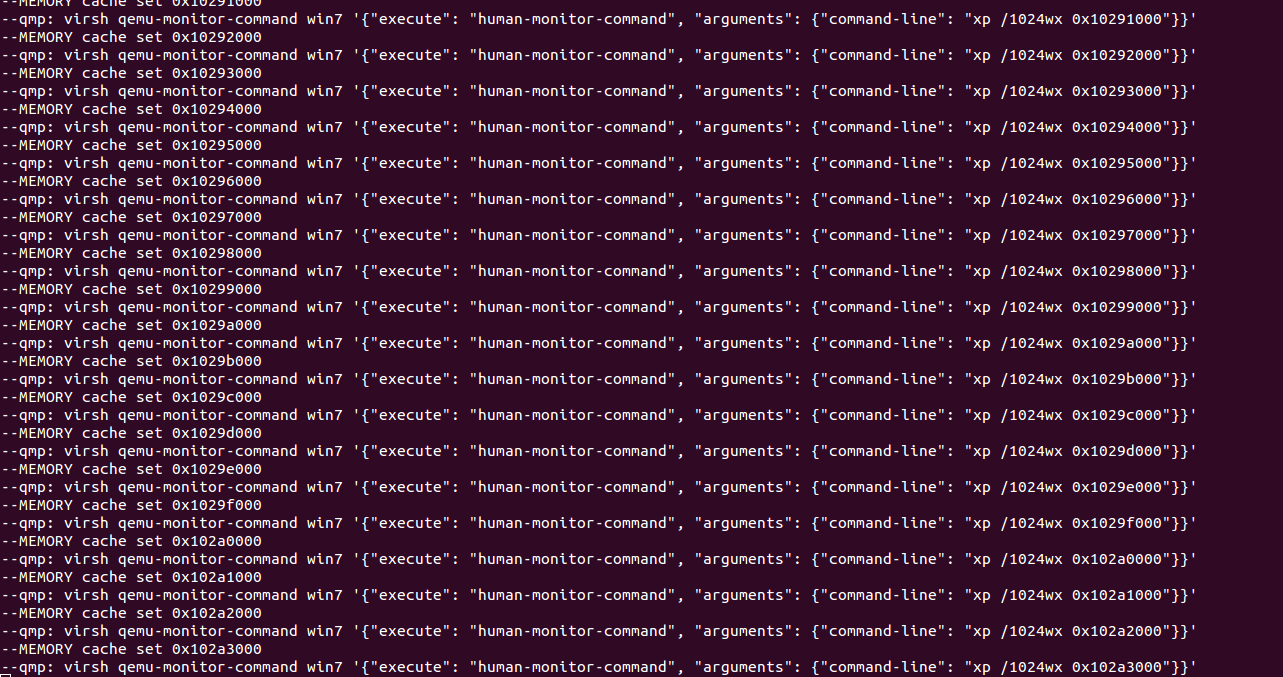
Tamas K Lengyel
Nov 11, 2015, 9:19:43 AM11/11/15
to vmit...@googlegroups.com
This is likely caused by installing Xen 4.6 on top of an earlier installation of Xen so you have a mix of different version of the headers on your system.
Bilal Arif
Nov 11, 2015, 5:12:31 PM11/11/15
to vmit...@googlegroups.com
Yes indeed, now i fix this by installing fresh linux box. Thanks Tamas K Lengyel, Stay awesome
--
You received this message because you are subscribed to a topic in the Google Groups "vmitools" group.
To unsubscribe from this topic, visit https://groups.google.com/d/topic/vmitools/8Zk143HP4ZY/unsubscribe.
To unsubscribe from this group and all its topics, send an email to vmitools+u...@googlegroups.com.
Bilal Arif
Nov 17, 2015, 8:57:50 AM11/17/15
to vmitools
Hi Bryan Payne
I am using DRAKVUF with XEN for introspection. Well I have a very basic question. I create my windows VM with xl create. XM is not working, i try to install xen-utills to make XM work but no success. please tell me how I could see my VM interface with XL. I also try libvirt but the error due to XEN installation from source i have discussed http://www.xenproject.org/help/questions-and-answers/xen-error-in-virt-manager-connection.html#replies here. I also discussed this on mailing list but no success. So please help me to solve this or suggest an other way to manage VM's.
I am using DRAKVUF with XEN for introspection. Well I have a very basic question. I create my windows VM with xl create. XM is not working, i try to install xen-utills to make XM work but no success. please tell me how I could see my VM interface with XL. I also try libvirt but the error due to XEN installation from source i have discussed http://www.xenproject.org/help/questions-and-answers/xen-error-in-virt-manager-connection.html#replies here. I also discussed this on mailing list but no success. So please help me to solve this or suggest an other way to manage VM's.
On Wednesday, November 4, 2015 at 8:51:33 PM UTC+5, Bilal Arif wrote:
Tamas K Lengyel
Nov 17, 2015, 11:30:31 AM11/17/15
to vmit...@googlegroups.com
XM is no longer available for Xen, it has been replaced by XL. If by interface you mean the VNC screen you would use a vnc viewer application and connect to your dom0's IP address. By default the VM will listen on port 5900.
Bilal Arif
Nov 17, 2015, 1:38:17 PM11/17/15
to vmitools
I got my answer here: http://www.xenproject.org/help/questions-and-answers/xen-error-in-virt-manager-connection.html#replies
The time I post questions , that questions was not answered
The time I post questions , that questions was not answered
On Wednesday, November 4, 2015 at 8:51:33 PM UTC+5, Bilal Arif wrote:
Bilal Arif
Nov 18, 2015, 1:12:44 AM11/18/15
to vmit...@googlegroups.com
Tamas K Lengyel Thanks.
-Stay awesome--
You received this message because you are subscribed to a topic in the Google Groups "vmitools" group.
To unsubscribe from this topic, visit https://groups.google.com/d/topic/vmitools/8Zk143HP4ZY/unsubscribe.
To unsubscribe from this group and all its topics, send an email to vmitools+u...@googlegroups.com.
Bilal Arif
Nov 27, 2015, 5:55:58 AM11/27/15
to vmit...@googlegroups.com
I am stuck at REKALL this time... I have my presentation Tomorrow, where I am going to present my hole work with DRAKVUF. My bad luck Due to some issues i reinstall my LINUXBOX , but this time installation does not working for me, I have only 14 hours so plz help me to get ride of this problem. PLZ
robot@robot:~/rekall$ sudo python setup.py install
.
.
.
Installed /usr/local/lib/python2.7/dist-
robot@robot:~/rekall$ sudo python setup.py install
.
.
.
Installed /usr/local/lib/python2.7/dist-
packages/rekall-1.1.0.beta-py2.7.egg
Processing dependencies for rekall==1.1.0.beta
Searching for ipython>=2.0.0
Reading https://pypi.python.org/simple/ipython/
Best match: ipython 4.0.1
Downloading https://pypi.python.org/packages/source/i/ipython/ipython-4.0.1.zip#md5=274fe8b87d9c1a5816579933f0825c66
Processing ipython-4.0.1.zip
Writing /tmp/easy_install-QMk_9V/ipython-4.0.1/setup.cfg
Running ipython-4.0.1/setup.py -q bdist_egg --dist-dir /tmp/easy_install-QMk_9V/ipython-4.0.1/egg-dist-tmp-jxWJMB
error: Setup script exited with error in ipython setup command: Invalid environment marker: sys_platform == "darwin" and platform_python_implementation == "CPython"
robot@robot:/tmp$ sudo rekall fetch_pdb --pdb_filename ntkrpamp.pdb --guid 684da42a30cc450f81c535b4d18944b12
Traceback (most recent call last):
File "/usr/local/bin/rekall", line 5, in <module>
from pkg_resources import load_entry_point
File "/usr/lib/python2.7/dist-packages/pkg_resources.py", line 2749, in <module>
working_set = WorkingSet._build_master()
File "/usr/lib/python2.7/dist-packages/pkg_resources.py", line 444, in _build_master
ws.require(__requires__)
File "/usr/lib/python2.7/dist-packages/pkg_resources.py", line 725, in require
needed = self.resolve(parse_requirements(requirements))
File "/usr/lib/python2.7/dist-packages/pkg_resources.py", line 628, in resolve
raise DistributionNotFound(req)
pkg_resources.DistributionNotFound: pytz>=2012
robot@robot:/tmp$ sudo rekall parse_pdb ntkrpamp.pdb > windows7-sp1.rekall.json
Traceback (most recent call last):
File "/usr/local/bin/rekall", line 5, in <module>
from pkg_resources import load_entry_point
File "/usr/lib/python2.7/dist-packages/pkg_resources.py", line 2749, in <module>
working_set = WorkingSet._build_master()
File "/usr/lib/python2.7/dist-packages/pkg_resources.py", line 444, in _build_master
ws.require(__requires__)
File "/usr/lib/python2.7/dist-packages/pkg_resources.py", line 725, in require
needed = self.resolve(parse_requirements(requirements))
File "/usr/lib/python2.7/dist-packages/pkg_resources.py", line 628, in resolve
raise DistributionNotFound(req)
pkg_resources.DistributionNotFound: pytz>=2012
Processing dependencies for rekall==1.1.0.beta
Searching for ipython>=2.0.0
Reading https://pypi.python.org/simple/ipython/
Best match: ipython 4.0.1
Downloading https://pypi.python.org/packages/source/i/ipython/ipython-4.0.1.zip#md5=274fe8b87d9c1a5816579933f0825c66
Processing ipython-4.0.1.zip
Writing /tmp/easy_install-QMk_9V/ipython-4.0.1/setup.cfg
Running ipython-4.0.1/setup.py -q bdist_egg --dist-dir /tmp/easy_install-QMk_9V/ipython-4.0.1/egg-dist-tmp-jxWJMB
error: Setup script exited with error in ipython setup command: Invalid environment marker: sys_platform == "darwin" and platform_python_implementation == "CPython"
robot@robot:/tmp$ sudo rekall fetch_pdb --pdb_filename ntkrpamp.pdb --guid 684da42a30cc450f81c535b4d18944b12
Traceback (most recent call last):
File "/usr/local/bin/rekall", line 5, in <module>
from pkg_resources import load_entry_point
File "/usr/lib/python2.7/dist-packages/pkg_resources.py", line 2749, in <module>
working_set = WorkingSet._build_master()
File "/usr/lib/python2.7/dist-packages/pkg_resources.py", line 444, in _build_master
ws.require(__requires__)
File "/usr/lib/python2.7/dist-packages/pkg_resources.py", line 725, in require
needed = self.resolve(parse_requirements(requirements))
File "/usr/lib/python2.7/dist-packages/pkg_resources.py", line 628, in resolve
raise DistributionNotFound(req)
pkg_resources.DistributionNotFound: pytz>=2012
robot@robot:/tmp$ sudo rekall parse_pdb ntkrpamp.pdb > windows7-sp1.rekall.json
Traceback (most recent call last):
File "/usr/local/bin/rekall", line 5, in <module>
from pkg_resources import load_entry_point
File "/usr/lib/python2.7/dist-packages/pkg_resources.py", line 2749, in <module>
working_set = WorkingSet._build_master()
File "/usr/lib/python2.7/dist-packages/pkg_resources.py", line 444, in _build_master
ws.require(__requires__)
File "/usr/lib/python2.7/dist-packages/pkg_resources.py", line 725, in require
needed = self.resolve(parse_requirements(requirements))
File "/usr/lib/python2.7/dist-packages/pkg_resources.py", line 628, in resolve
raise DistributionNotFound(req)
pkg_resources.DistributionNotFound: pytz>=2012
Bilal Arif
Nov 27, 2015, 6:25:42 AM11/27/15
to vmit...@googlegroups.com
Solved... Thanks man
Reply all
Reply to author
Forward
0 new messages