
Wait Until %QTIME Problem

Matthew Redmond

Matt R
Matt
Matthew Redmond
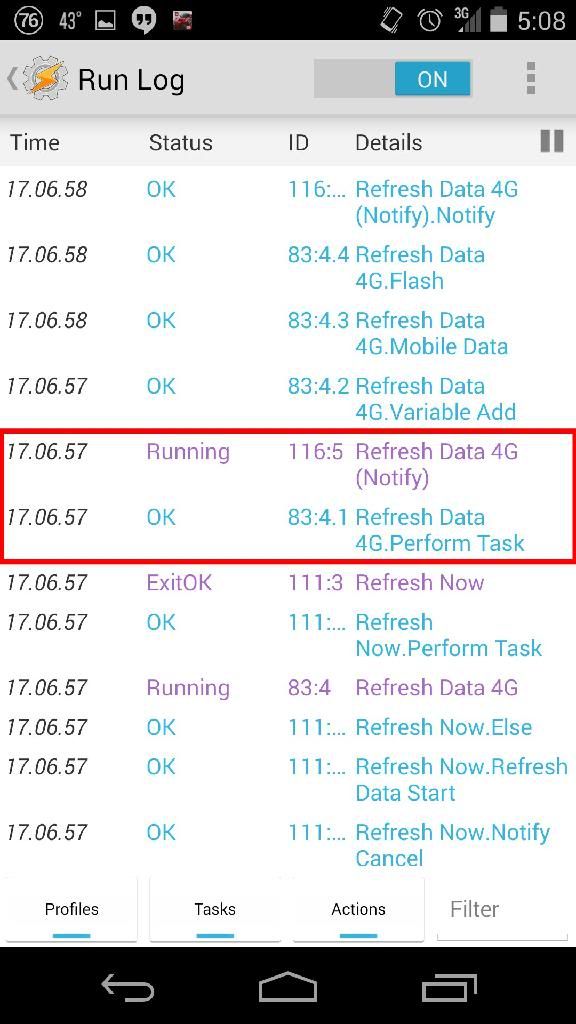
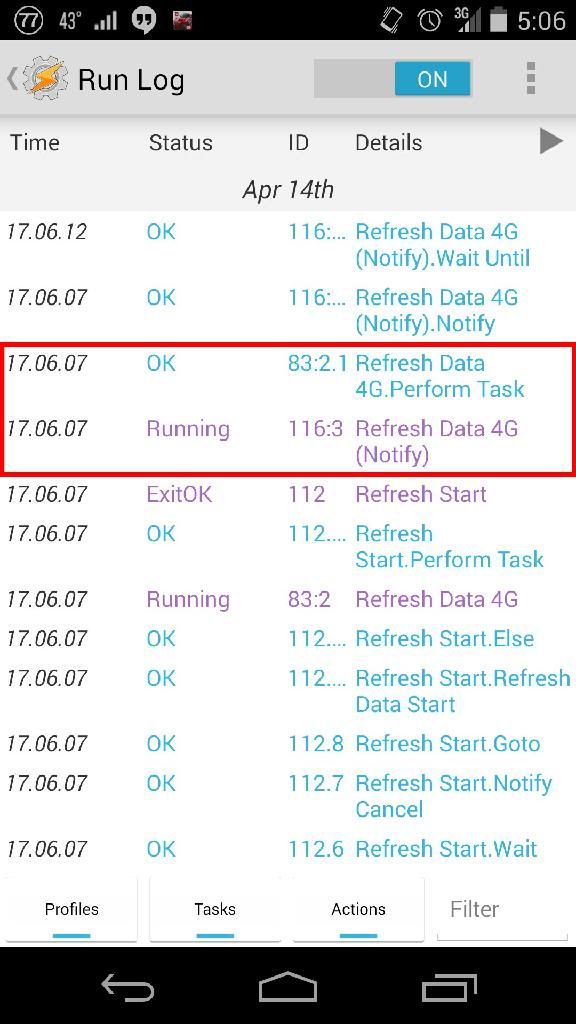
Neither increasing nor decreasing the perform task priority for the notify action helps; the run log shows it keeps getting stuck at this same place.
Matt R
Matt
Matthew Redmond
When you changed the task priority (should be lowered), did you fully exit Tasker using the back button to apply your changes?
Matt
--
You received this message because you are subscribed to a topic in the Google Groups "Tasker" group.
To unsubscribe from this topic, visit https://groups.google.com/d/topic/tasker/rfzHXlIvoEw/unsubscribe.
To unsubscribe from this group and all its topics, send an email to tasker+un...@googlegroups.com.
Visit this group at http://groups.google.com/group/tasker.
For more options, visit https://groups.google.com/d/optout.
Matthew Redmond

Brandon Horwath
For example, wait 2 minutes
For %wait do 1:120
Wait for 1 second IF condition desired matches
End for
Matt R
Matt

Manu Pinazo
It can save me an action here and there in some tasks where I try to achieve the same.
I tried just the same you are doing it in a test task and for me it exits just fine when qtime is bigger than desired timeout, however you can try to use what I was using until now to achieve this same thing:
Variable Set [ Name:%timeout To: %TIMES + 20 Do Maths:On Append:Off ]
Wait Until [ MS:0 Seconds:5 Minutes:0 Hours:0 Days:0 ] If [ %Data ~ On | %TIMES > %timeout ]

Rich D
>
> Maybe try shortening a test case to only have the one perform task without other things running?
+1
It could be a longer wait from a previous task. Waits are not shown in the run log when they are started. To stop the endless loop you can open any task in the task edit screen and press the stop button . This will stop all tasks. Then check the run log to see what tasks have been stopped.
Matthew Redmond
Matthew Redmond
Matt R
Matt
Matthew Redmond
Matt R
Pent, any ideas why this could happen? Last bit of priority weirdness that needs to get fixed?
Matt
Rich D
:
>
> Sorry, I should have explained that. No, it is launching "Refresh Data 4G", and then "Refresh Data 4G" is supposed to launch "Refresh Data 4G (Notify)." There are two ways the Refresh Data can be launched: either through a notification button
Could you explain exactly what you mean by a 'notification button'
Could you also post the Refresh now' , 'Refresh data' and the 'Refresh start' tasks
Thanks, Rich.