
wxGrid grid lines invisible in dark mode (Issue #23768)

PB
Description
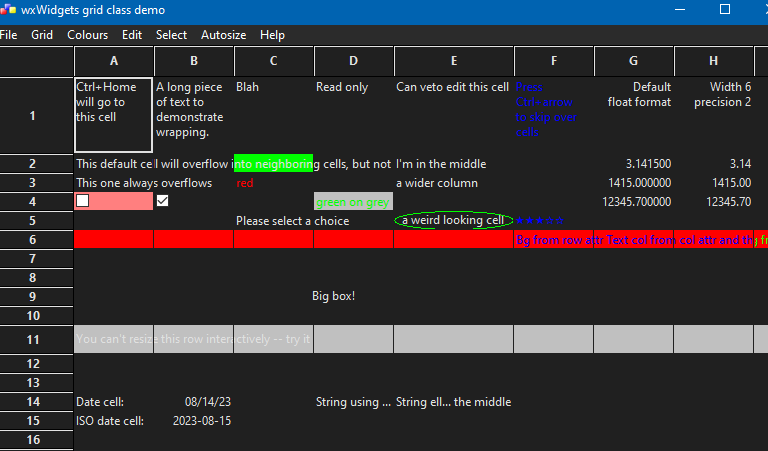
When wxGrid is used on Windows in dark mode (i.e., the cell background is black), the grid lines are not visible in the grid itself. The grid lines are visible in column and row headers (but perhaps too bright?):
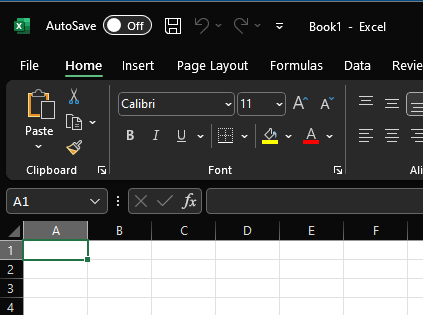
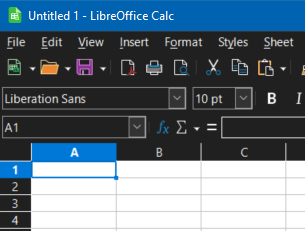
FWIW, both Microsoft Office Excel and LibreOffice Calc (in their last versions) show the grid itself white even when the Windows is in the dark mode and they are set to use the system theme (since the documents are often printed?):
Platform and version information
- wxWidgets version: the current master
- wxWidgets port: wxMSW
- OS: Windows 10 22H2 v. 31.05.2020
I cannot test how wxGrid and Excel/Calc look on Linux or macOS.
—
Reply to this email directly, view it on GitHub, or unsubscribe.
You are receiving this because you are subscribed to this thread.
PB
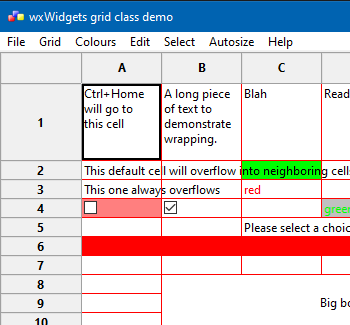
I have also noticed another wxGrid dark mode issue. The lines for the columns and rows headers and the grid itself are not aligned (off by one pixel or so). This can be tested with unmodified grid sample, changing grid line colour from its Colours menu.
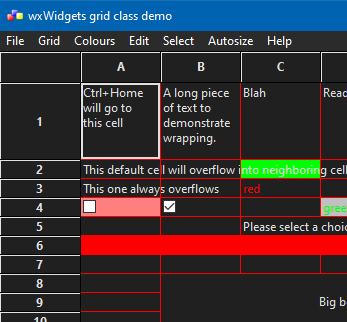
vs
—
Reply to this email directly, view it on GitHub, or unsubscribe.
You are receiving this because you are subscribed to this thread.
VZ
I'm not sure what colours should be used for the grid in dark mode. Any opinions?
—
Reply to this email directly, view it on GitHub, or unsubscribe.
You are receiving this because you are subscribed to this thread.
Daniel Kulp
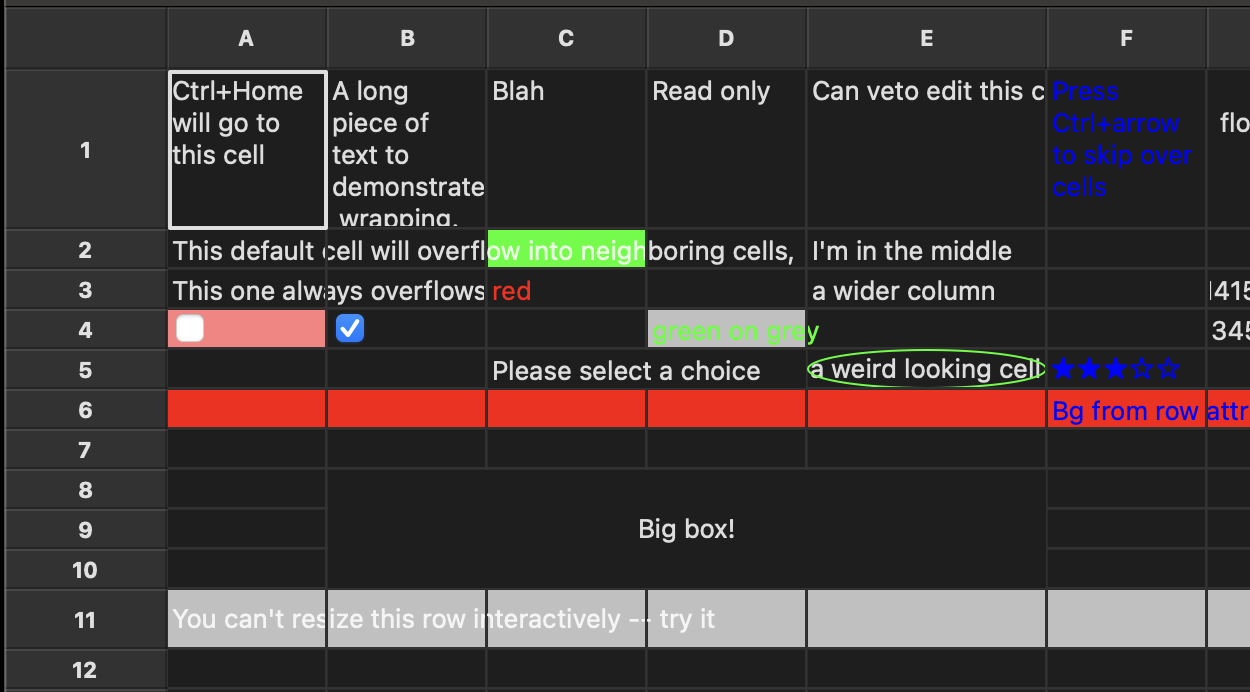
My preference would be to match macOS for consistency, but not sure it matters. The borders around the headers and everything would need adjusting.
—
Reply to this email directly, view it on GitHub, or unsubscribe.
You are receiving this because you are subscribed to this thread.
VZ
Sorry, but what does macOS use?
—
Reply to this email directly, view it on GitHub, or unsubscribe.
You are receiving this because you are subscribed to this thread.
Daniel Kulp
Actually, not sure it would work on Windows. On macOS, the row/col headers seem to be a lighter 0x32 grey (I assume wxSYS_COLOUR_BTNFACE) and the background of the cells are a darker 0x1E ( I assume wxSYS_COLOUR_LISTBOX). The gridlines match the row/col headers. The 3d highlight on the headers are 0x26 and 0x42.
Windows doesn't seem to use different colors for the headers compared to the cells. Thus, using the header color wouldn't work there.
—
Reply to this email directly, view it on GitHub, or unsubscribe.
You are receiving this because you are subscribed to this thread.
PB
 PBfordev left a comment (wxWidgets/wxWidgets#23768)
Just an update regarding whether the grid should follow the dark mode or not.
Both Microsoft Excel (View/Switch Modes) and LibreOffice Calc (Options/Appearance/Use white document background) now allow switching the grid to the dark mode, it is not the default in either.
—
Reply to this email directly, view it on GitHub, or unsubscribe.
Triage notifications, keep track of coding agent tasks and review pull requests on the go with GitHub Mobile for iOS and Android. Download it today!
You are receiving this because you are subscribed to this thread.
VZ
 vadz left a comment (wxWidgets/wxWidgets#23768)
Thanks, this behaviour makes sense to me, so I guess ideal would be to
- Always use black-on-white colours for
wxGrid. - Provide a way to opt in using dark mode (white-on-black).
This shouldn't be especially difficult to do...
—
Reply to this email directly, view it on GitHub, or unsubscribe.
Triage notifications, keep track of coding agent tasks and review pull requests on the go with GitHub Mobile for iOS and Android. Download it today!
You are receiving this because you are subscribed to this thread.