
web2py return list of uploaded files with original filenames
747 views
Skip to first unread message

Vladimiras Lomovas
Aug 2, 2015, 7:56:37 PM8/2/15
to web2py-users

I'm using web2py as a back-and for android app to get and transfer data.
I need to return list of user uploaded files( in JSON ) but web2py save files with unique name.
I find most accurate solution to my problem: http://stackoverflow.com/questions/8008213/web2py-upload-with-original-filename but it's not working for some reason
and some functions is not listed in "exposes:"(shwon in picture). why?

Massimo Di Pierro
Aug 2, 2015, 8:55:12 PM8/2/15
to web2py-users
web2py exposes only actions, not all functions. An action is a function in a controller that takes no arguments and does not start with two underscores.
Be very careful with using the original filename as name of the file. There are many possible vulnerabilities associated with this behavior, including directory traversal. This is why most frameworks, including web2py, rename files on upload. Consider that the sender can inject any character it in filename and that character may have a special meaning on your filesystem (think of / \ : for example). Also consider a file with that name many already exist.
Massimo
Vladimiras Lomovas
Aug 3, 2015, 3:52:19 PM8/3/15
to web2py-users
Thank you for such quick answer.
Could you suggest solution(or where to look) on returning list of uploaded files(without renaming them or otherwise) for the user to view or download them?
Could you suggest solution(or where to look) on returning list of uploaded files(without renaming them or otherwise) for the user to view or download them?

Anthony
Aug 3, 2015, 4:33:56 PM8/3/15
to web2py-users
You could follow this method to store the original filenames: http://web2py.com/books/default/chapter/29/07/forms-and-validators#Storing-the-original-filename.
Anthony
Anthony
Vladimiras Lomovas
Aug 12, 2015, 8:00:27 AM8/12/15
to web...@googlegroups.com

Hello Anthony,
I'll try to do according to the book but unfortunately it won't work.
import os
user_name = request.vars['user_name']
path_ = "/var/www-data/web2py/applications/app_name/uploads/%s" % user_name
db.define_table('media',
Field('user_name', 'string', length=30, required=True),
Field('file_name', 'string', length=30, required =True),
Field('file_', uploadfolder=path)) #uploadfolder=os.path.join(request.user_name, path))), 'upload')
Upload function in the controller
# Create folder(name it as username) upload file to that folder.
def upload_File():
if request.vars['user_name'] is not None:
user_name = request.vars['user_name']
file_name = request.vars['file_name']
row = db(db.driver.user_name==user_name).select().first()
path = "/var/www-data/web2py/applications/app_name/uploads/%s" % user_name
if row is not None:
if not os.path.exists(path):
os.makedirs(path)
if request.vars['upload'] is not None:
uploadedFile = request.vars['upload']
inserted_id = db.media.insert(user_name=user_name,file_name=file_name, file_=uploadedFile)
return "Inserted file ID: %s, folder created %s" % (inserted_id, user_name)
return 'Username "%s" does not exist or file wasn\'t chosen' % user_name
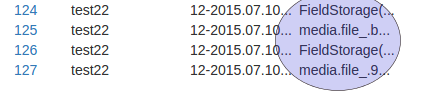
if i user 'upload' file uploaded in the uploads folder (as it should) and I can download file by clicking "file" link in the "Database db select" as shown in the pic 1
https://lh3.googleusercontent.com/-Fw4lgUUChZE/Vcs1x2WWAzI/AAAAAAAAAC8/488bLLkzOdk/s1600/Selection_005.png
But if I use:
import os
user_name = request.vars['user_name']
path_ = "/var/www-data/web2py/applications/app_name/uploads/%s" % user_name
db.define_table('media',
Field('user_name', 'string', length=30, required=True),
Field('file_name', 'string', length=30, required =True),
Field('file_', uploadfolder=path)) # or this -> uploadfolder=os.path.join(request.user_name, path))),
In "database db select" changes file downloading link "file" as shown in pic2.:
https://lh3.googleusercontent.com/-5NBxevJLglM/Vcs2CygnxgI/AAAAAAAAADE/jRtUSIJ6Gd0/s1600/pic2.png
is this therefore download function? if it is how should I modify it or create new one? if not please redirect to the solution.
Thank you.
I'll try to do according to the book but unfortunately it won't work.
import os
user_name = request.vars['user_name']
path_ = "/var/www-data/web2py/applications/app_name/uploads/%s" % user_name
db.define_table('media',
Field('user_name', 'string', length=30, required=True),
Field('file_name', 'string', length=30, required =True),
Field('file_', uploadfolder=path)) #uploadfolder=os.path.join(request.user_name, path))), 'upload')
Upload function in the controller
# Create folder(name it as username) upload file to that folder.
def upload_File():
if request.vars['user_name'] is not None:
user_name = request.vars['user_name']
file_name = request.vars['file_name']
row = db(db.driver.user_name==user_name).select().first()
path = "/var/www-data/web2py/applications/app_name/uploads/%s" % user_name
if row is not None:
if not os.path.exists(path):
os.makedirs(path)
if request.vars['upload'] is not None:
uploadedFile = request.vars['upload']
inserted_id = db.media.insert(user_name=user_name,file_name=file_name, file_=uploadedFile)
return "Inserted file ID: %s, folder created %s" % (inserted_id, user_name)
return 'Username "%s" does not exist or file wasn\'t chosen' % user_name
if i user 'upload' file uploaded in the uploads folder (as it should) and I can download file by clicking "file" link in the "Database db select" as shown in the pic 1
https://lh3.googleusercontent.com/-Fw4lgUUChZE/Vcs1x2WWAzI/AAAAAAAAAC8/488bLLkzOdk/s1600/Selection_005.png
But if I use:
import os
user_name = request.vars['user_name']
path_ = "/var/www-data/web2py/applications/app_name/uploads/%s" % user_name
db.define_table('media',
Field('user_name', 'string', length=30, required=True),
Field('file_name', 'string', length=30, required =True),
Field('file_', uploadfolder=path)) # or this -> uploadfolder=os.path.join(request.user_name, path))),
In "database db select" changes file downloading link "file" as shown in pic2.:
https://lh3.googleusercontent.com/-5NBxevJLglM/Vcs2CygnxgI/AAAAAAAAADE/jRtUSIJ6Gd0/s1600/pic2.png
is this therefore download function? if it is how should I modify it or create new one? if not please redirect to the solution.
Thank you.

Val K
Aug 12, 2015, 7:08:23 PM8/12/15
to web2py-users
Hi!
Here is my solution for upload/download files with originals filename. I hope it help you.
1. Make a modUle file (don't confuse with mOdel ) with name file_serv.py:
# coding: utf8
#
# --------- file_serv.py -------
from gluon import *
import os
import shutil
# --------------------- custom store file with original file name ---------------
# BEWARE: !!! this fun overwrites existing files without any warnings!!!
# BE CAREFUL: !!! it not sanitize filename, but you MUST do it !!!
# it works properly with English filenames only (I couldn't to win utf-8 win-style filenames with spaces and other nightmares - too lazy to do it yet)
def store_file(file, filename=None, path=None):
path=path or current._files_dir # _files_dir - must be defined in any mOdel-file (in db.py for example). it's ABSOLUTE path
if not os.path.exists(path):
os.makedirs(path)
pathfilename = os.path.join(path,filename)
dest_file = open(pathfilename, 'wb')
try:
shutil.copyfileobj(file, dest_file)
finally:
dest_file.close()
return filename # filename is what will be store in db upload field (in fact it's just string-field) , so you can store file with name filename+... and return it
# --------------------- custom retrieve file with name=db.uploadfield ---------------
# keep in mind that this fun is sharpened for call from ordinary web2py controller -
# filename-arg/default/download upfieldvalue
# upfieldvalue == filename was returned by function store_file() (see upper)
path=path or current._files_dir # or something else
strip_filename=filename.split('.',2)[2] # fetch filename, i.e. remove tablename.upfieldname - prefix
pathfilename=os.path.join(path,strip_filename)
return (strip_filename, open(pathfilename,'rb') ) # strip_filename in returning - is just a suggestion, so it can be any what you like
2. Include in any model file at least:
#--- in any model file --------------------
import file_serv
_files_dir='Z:/any_folder/and_so_on/any_uploads_dir'
# or _files_dir=os.path.join(request.folder, 'any_relative_uploads_dir')
#represent fun returning filename with ordinary default/download controller
def file_repr(v,r):
href = URL('default','download', args=['tablename.upfieldname
return A(v, _href=href)
def file_img_repr(v,r):
href=URL('default','download', args=['tablename.upfieldname.%s'%v ])
if os.path.splitext(v)[-1].lower() in ('.tiff', '.tif', '.jpg', '.bmp', '.png', '.gif'):
return DIV(
DIV( A( v,_href=href)), # ref for download full image
IMG(_src=href ) # try add args: _style='width:200px' or _class='your_img_css_class' or something else
)
else:
return A(v, _href=href)
db.define_table( 'tablename',
Field('upfieldname', 'upload', # db.tablename[id].upfieldname - return original filename
uploadfolder = _files_dir,
custom_store = file_serv.store_file,
custom_retrieve = file_serv.retrieve_file,
represent = file_reprfile_img_repr
)
3. That's all! but:
- This example will work only with DAL object with 'db'- name (not 'my_db' or 'db_file_storage' or some one else ). If you want to solve this problem you have a choice:
- change default/download fun to:@cache.action()
def download():
"""
allows downloading of uploaded files
http://..../[app]/default/download/[filename]
"""
return response.download(request, my_db_file_storage) # ATTENTION: all upload fields of other DAL objects (including db) will not work! - write your own default/download (just copy one upper and change it to):
# ATTENTION: in this case you mustexplicitlyURL('default','my_download'wherever it's used!
# at least in the file_repr() definition: _href=URL('default','my_download'
def my_download():
return response.download(request, my_db_file_storage)
- or more web2pythonic:
@cache.action()
"""
allows downloading of uploaded files
http://..../[app]/default/download/[filename]
"""
if not request.vars.db_file_storage:return response.download(request, db) # download from dbby defaultelse:# download from specify DAL obj which name is passed indb_file_storage
#it's necessaryexplicitly
# = URL('default', 'download', vars=dict(db_file_storage='any_DAL_obj_name'
return response.download(request, globals()[request.vars.db_file_storage])
4. Some useful functions:
def upload_from_dir(path, fld_obj):
"""
Copy files to fld_obj.uploadfolderopulate table with filenames from existing folder
- path - existing absolute path
- fld_obj - upload field-object, for example: db.table.my_files
return filenames list
"""
from os import listdir
from os.path import isfile, join
all_files = [f for f in sorted(listdir(path)) if isfile(join(path,f))]
for f_name in all_files:
with open(join(path,f_name), 'rb') as stream
fld_obj.table.insert( **{fld_obj.name:fld_obj.store_file(stream, f_name, fld_obj.uploadfolder
return all_files
def fake_upload_from_dir(path, fld_obj):
"""
Populate table with filenames from existing folder
- path - existing absolute path
- fld_obj - upload field-object, for example: db.table.my_files
return filenames list
"""
from os import listdir
from os.path import isfile, join
all_files = [f for f in sorted(listdir(path)) if isfile(join(path,f))]
for f_name in all_files:
#stream = open(join(path,f_name), 'rb')
fld_obj.table.insert(**{fld_obj.name:f_name})
return all_files
Reply all
Reply to author
Forward
0 new messages