
Kibana server is not ready yet
221 views
Skip to first unread message

Fawwas Hamdi
Mar 23, 2022, 12:00:42 AM3/23/22
to Wazuh mailing list
Hello guys i hope one of you can help me on this problem.


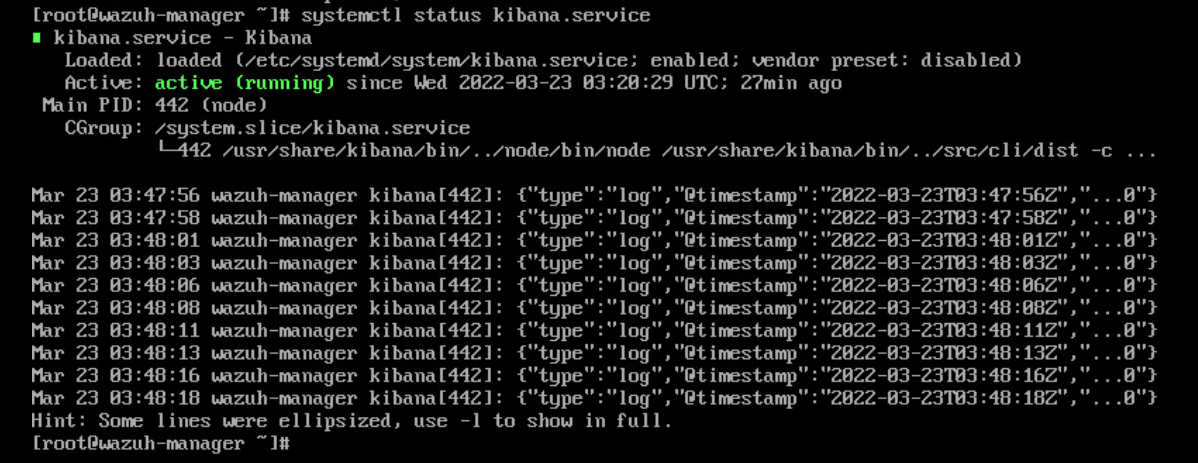
All of the services seem running ok FIlebeat, Kibana and Elasticsearch as you can see below in the screenshot 

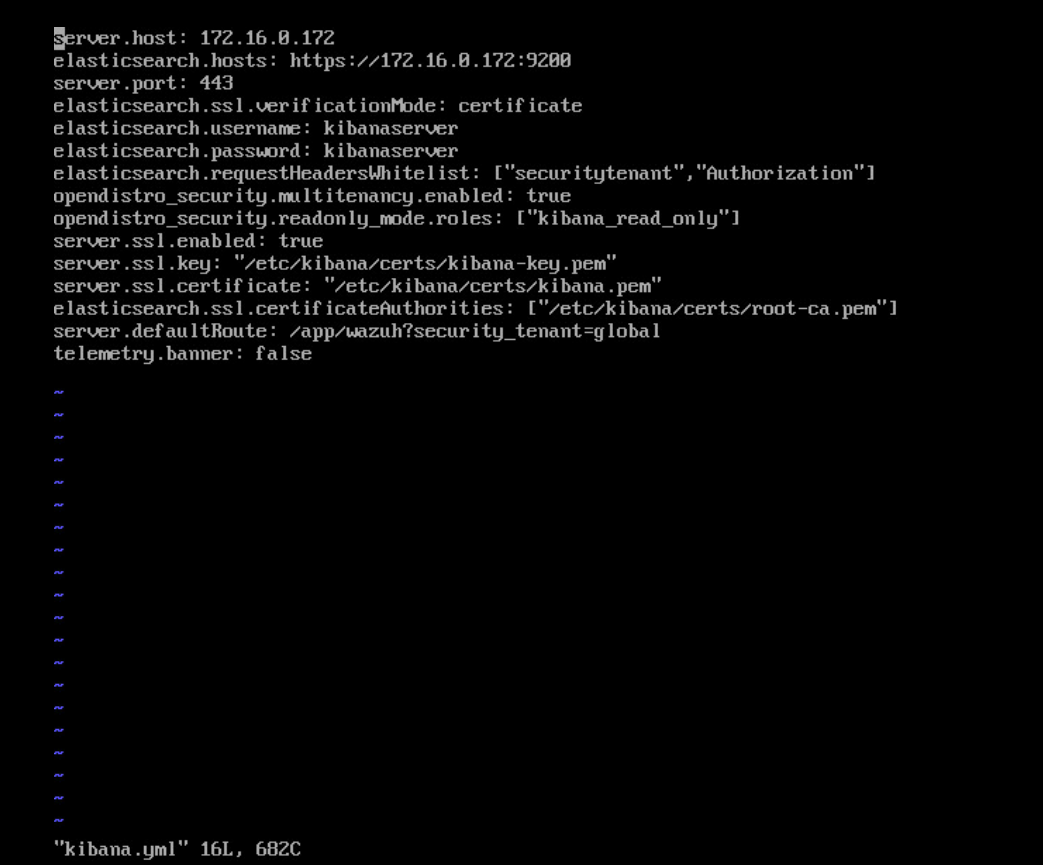
and here its the configuration for each yml file
all seems ok but still i cant access the dashboard
does anyone know how to solve this problem? as im using the OVA file and installed it on our VMware environment. would be glad if anyone can response if im missing something in the configuration or the installation process

Alberto Rodriguez
Mar 23, 2022, 3:20:17 AM3/23/22
to Wazuh mailing list
Hello
Regards,
The message "Kibana server is not ready yet" is normally related to an elasticsearch issue. Could you please check the elasticsearch logs? It's probably located at: `/var/log/elasticsearch/wazuh-cluster.log`.
In addition to this, I can see in your filebeat status image an error, but not the complete message. Could you please check `/var/log/filebeat/filebeat`? Or `systemctl status filebeat -l` and expand to right.
In addition to this, I can see in your filebeat status image an error, but not the complete message. Could you please check `/var/log/filebeat/filebeat`? Or `systemctl status filebeat -l` and expand to right.
Regards,
Alberto R
Fawwas Hamdi
Mar 23, 2022, 3:49:31 AM3/23/22
to Wazuh mailing list
here you go the result for systemctl status filebeat -l

Alberto Rodriguez
Mar 23, 2022, 4:38:57 AM3/23/22
to Wazuh mailing list
Ok, I see that you have installed all the components in the same host. And the certificates created are associated with the 127.0.0.1 address, which is correct for an installation with all the components within the same host.
So, you need to replace in filebeat.yml configuration file the output.elasticsearch.hosts: IP 172.16.0.172 by 127.0.0.1. Do the same in the file kibana.yml: elasticsearch.hosts: https://127.0.0.1:9200
Then, restart both services:
Please let me know if it works.systemctl restart filebeat and systemctl restart kibanaRegards,
Alberto R
Fawwas Hamdi
Mar 23, 2022, 4:49:58 AM3/23/22
to Wazuh mailing list
thank for your reply but still its not working. FYI when the OVA first installed there is no IP assigned to the server and i manually add the IP does it affect the wazuh manager in any way? or does this OVA need internet connection to be functional?
Alberto Rodriguez
Mar 23, 2022, 4:56:40 AM3/23/22
to Wazuh mailing list
When you import the OVA, depending on your virtualization tool, it will take or not automatically an IP. The OVA is configured to try a DHCP. You should configure your tool accordingly, or enter the VM and type `dhclient`. Or assign manually an IP. But you should not change the IPs of configuration files in the OVA.
What error presents now? Try to change the `network.host` of `elasticsearch.yml` from the IP to `0.0.0.0` and restart with `systemctl restart elasticsearch`.
Could you please attach the `wazuh-cluster.log` and `filebeat` log files?
Could you please attach the `wazuh-cluster.log` and `filebeat` log files?
Fawwas Hamdi
Mar 23, 2022, 5:21:51 AM3/23/22
to Wazuh mailing list
Thank you so much for your help Alberto its working right now
Reply all
Reply to author
Forward
0 new messages