
Downloadable Kibana dashboards for Wazuh v.4.1?
3,834 views
Skip to first unread message

mauro....@cmcc.it
May 7, 2021, 10:31:10 AM5/7/21
to Wazuh mailing list
Dear Users,
Do you know if there are some Kibana dashboards ready to be downloaded and used for Wazuh?
Many thanks in advance,
Mauro

Rafael Antonio Rodriguez Otero
May 9, 2021, 10:56:56 PM5/9/21
to mauro....@cmcc.it, Wazuh mailing list
WAZUH has its dashboard already installed in the module that you install for Kibana. Have you installed this?
https://github.com/wazuh/wazuh-kibana-app.
Here are the available dashboard depending on the Wazuh version and the version of Elk.
https://github.com/wazuh/wazuh-kibana-app.
Here are the available dashboard depending on the Wazuh version and the version of Elk.
--
You received this message because you are subscribed to the Google Groups "Wazuh mailing list" group.
To unsubscribe from this group and stop receiving emails from it, send an email to wazuh+un...@googlegroups.com.
To view this discussion on the web visit https://groups.google.com/d/msgid/wazuh/acf66687-62dc-42a0-ae48-a03cefff69fan%40googlegroups.com.
Mauro Tridici
May 10, 2021, 3:07:47 AM5/10/21
to Rafael Antonio Rodriguez Otero, Wazuh mailing list
Hi Rafael,
thank you very much for your answer.
I installed WAZUH using the all-in-one unattended installation.
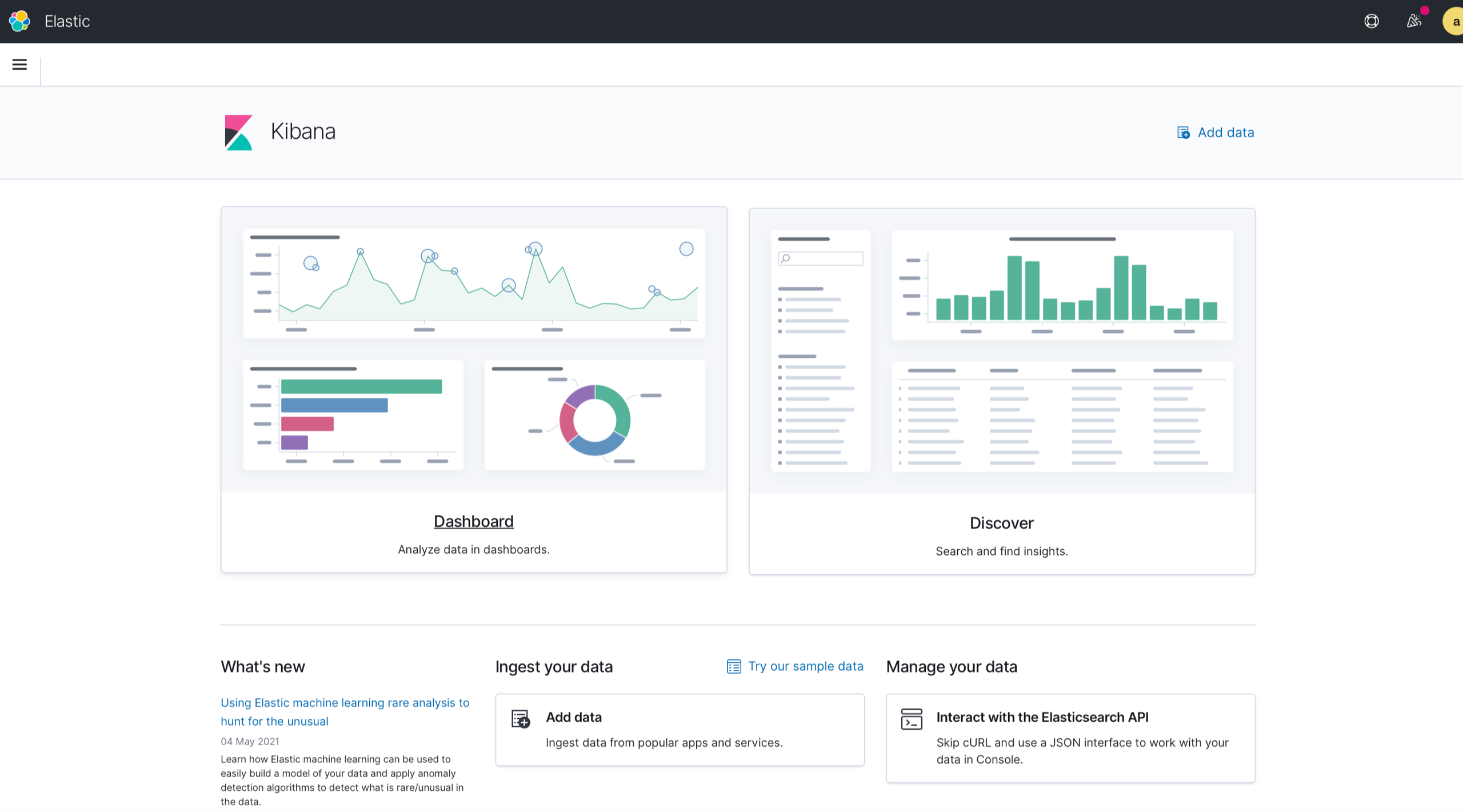
I noticed that WAZUH has its dashboards for each agent, but I can see also that there is a Kibana section (in the left navigation bar) that should/could be configured to have an overview of main (cumulative) statistics.
Do you know if also some “standard” kibana dashboards can be downloaded?
I’m a newbie, sorry for my trivial question.
Thank you,
Mauro
Rafael Antonio Rodriguez Otero
May 10, 2021, 11:51:28 AM5/10/21
to Mauro Tridici, Wazuh mailing list
take easy, there are no stupid questions but stupid ones that don't ask. hehehehe.
First, tell me what version of Wazuh and ELK system do you have?
You have to do these steps correctly.
https://documentation.wazuh.com/current/installation-guide/more-installation-alternatives/elastic-stack/distributed-deployment/step-by-step-installation/kibana/
Then in the kibana panel look for the wazuh plugins app.
When you finish the installation you will be able to see the dashboards.
First, tell me what version of Wazuh and ELK system do you have?
You have to do these steps correctly.
https://documentation.wazuh.com/current/installation-guide/more-installation-alternatives/elastic-stack/distributed-deployment/step-by-step-installation/kibana/
Then in the kibana panel look for the wazuh plugins app.
When you finish the installation you will be able to see the dashboards.
Mauro Tridici
May 10, 2021, 1:19:58 PM5/10/21
to Rafael Antonio Rodriguez Otero, Wazuh mailing list
Hello Rafael,


many thanks for your patience.
I recently installed Wazuh v.4.1 (latest available version).
I installed everything using the ALL-IN-ONE unattended-installation -> https://documentation.wazuh.com/current/installation-guide/open-distro/all-in-one-deployment/unattended-installation.html
I checked all the steps and everything seems to be up & running.
As you can see from the screenshot below, Agents dashboards are ok in the "Wazuh section"
Unfortunately, I’m not able to create the Kibana Dashboards in the “Kibana section” (I’m referring to “Create your first dashboard” page)
I’m only struggling about the last point 😊
I’m looking for some cumulative (and already existing) Kibana Dashboards with GeoIp Statistics (for example) and some main “summary” statistics in order to have a centralised view of what it’s happening.
Thank you in advance,
Mauro
On 10 May 2021, at 17:51, Rafael Antonio Rodriguez Otero <rafaell.ro...@gmail.com> wrote:
take easy, there are no stupid questions but stupid ones that don't ask. hehehehe.
First, tell me what version of Wazuh and ELK system do you have?
You have to do these steps correctly.
https://documentation.wazuh.com/current/installation-guide/more-installation-alternatives/elastic-stack/distributed-deployment/step-by-step-installation/kibana/
Then in the kibana panel look for the wazuh plugins app.
When you finish the installation you will be able to see the dashboards.
El lun, 10 de may. de 2021 a la(s) 03:07, Mauro Tridici (mauro....@cmcc.it) escribió:
Hi Rafael,thank you very much for your answer.I installed WAZUH using the all-in-one unattended installation.I noticed that WAZUH has its dashboards for each agent, but I can see also that there is a Kibana section (in the left navigation bar) that should/could be configured to have an overview of main (cumulative) statistics.
<Screenshot 2021-05-10 at 09.03.05.png>
Rafael Antonio Rodriguez Otero
May 10, 2021, 2:25:58 PM5/10/21
to Mauro Tridici, Wazuh mailing list
Well. To do GEO-IP you have to show me the data that you are accumulating, that is, you must have public IP addresses.
Of course you have to create custom dashboards, but you must know how to do it, first you must create visualizations and then in bashboard you have to join your visualizations.
But in the case of creating a map where an activity appears by public IP addresses, you have to create the visualization with the criteria you need. This already depends on your criteria. if it is due to authentication failures or if it is due to VPN connections.
https://www.elastic.co/es/blog/geoip-in-the-elastic-stack
You can use this document, it is in Spanish, but you can translate it.
Of course you have to create custom dashboards, but you must know how to do it, first you must create visualizations and then in bashboard you have to join your visualizations.
But in the case of creating a map where an activity appears by public IP addresses, you have to create the visualization with the criteria you need. This already depends on your criteria. if it is due to authentication failures or if it is due to VPN connections.
https://www.elastic.co/es/blog/geoip-in-the-elastic-stack
You can use this document, it is in Spanish, but you can translate it.
Rafael Antonio Rodriguez Otero
May 10, 2021, 2:32:24 PM5/10/21
to Mauro Tridici, Wazuh mailing list
remember.
You have to review the fields that you are going to use for the map. You can check it in the template that is created in elasticsearch for the wazuh indexes. I believe that this template already has the configuration of some fields with GEO IP, those fields are the ones that are accepted in the map.
You tell me anything. Do not worry.
You have to review the fields that you are going to use for the map. You can check it in the template that is created in elasticsearch for the wazuh indexes. I believe that this template already has the configuration of some fields with GEO IP, those fields are the ones that are accepted in the map.
You tell me anything. Do not worry.
Rafael Antonio Rodriguez Otero
May 10, 2021, 2:47:25 PM5/10/21
to Mauro Tridici, Wazuh mailing list
Good to make you an example, more specific, you must do the following:
1.) enter aircraft displays.
2.) select the wazuh alert indices.
3.) enter coordinate point display.
4.) select the GeoLocarion.Location field where within the GeoHash aggregation (this may vary depending on the wazuh template).
5.) Put in the filter the criteria you need. (If you do not put any criteria, it will show you all the geo points of all the criteria that the template has, in my case they appear, do not place any criteria.)
1.) enter aircraft displays.
2.) select the wazuh alert indices.
3.) enter coordinate point display.
4.) select the GeoLocarion.Location field where within the GeoHash aggregation (this may vary depending on the wazuh template).
5.) Put in the filter the criteria you need. (If you do not put any criteria, it will show you all the geo points of all the criteria that the template has, in my case they appear, do not place any criteria.)
where it says "search", under share or insecpt or refresh. There the criterion or filter is placed.
Rafael Antonio Rodriguez Otero
May 10, 2021, 4:44:21 PM5/10/21
to Mauro Tridici, Wazuh mailing list
Sorry.
1.) entra en el plugin de visualizaciones en kibana.
my translator mistranslates me hehehe.
Rafael Antonio Rodriguez Otero
May 10, 2021, 4:45:12 PM5/10/21
to Mauro Tridici, Wazuh mailing list
my translator mistranslates me hehehe. again.
1.) enter the visualizations plugin in kibana.
Mauro Tridici
May 11, 2021, 3:26:13 AM5/11/21
to Rafael Antonio Rodriguez Otero, Wazuh mailing list
Good morning Rafael,
I would like to thank you for the time you spent for my case.
II really appreciated your patience and availability.
I just created my first “spanish” visualization 😂😁✌️
I will try to reproduce my old (already existing) “OSSEC” Kibana Dashboards in my new Wazuh environment.
If it is possible, I would like to ask you my last question.
I recentky activated WAZUH active response, it is a very basic rule, I know it:
<active-response>
<disabled>no</disabled>
<command>firewall-drop</command>
<location>all</location>
<level>8</level>
<timeout>600</timeout>
</active-response>
It works, but this setting seems to be ok only for our FTP servers.
Unfortunately, it is not ok for our WEB (data portal) server because users “from the world” need to start multiple downloads.
How can I specify that, only for our WEB server, the active response should be activated after “level” 10 (for example)?
Please, let me know if you have some other suggestion that could be useful.
Many thanks for you help.
Mauro
On 10 May 2021, at 22:44, Rafael Antonio Rodriguez Otero <rafaell.ro...@gmail.com> wrote:
my translator mistranslates me hehehe. again.1.) enter the visualizations plugin in kibana.
El lun, 10 de may. de 2021 a la(s) 16:44, Rafael Antonio Rodriguez Otero (rafaell.ro...@gmail.com) escribió:
Sorry.1.) enter aircraft displays.
El lun, 10 de may. de 2021 a la(s) 14:47, Rafael Antonio Rodriguez Otero (rafaell.ro...@gmail.com) escribió:
Good to make you an example, more specific, you must do the following:
1.) enter aircraft displays.
2.) select the wazuh alert indices.
3.) enter coordinate point display.
4.) select the GeoLocarion.Location field where within the GeoHash aggregation (this may vary depending on the wazuh template).
5.) Put in the filter the criteria you need. (If you do not put any criteria, it will show you all the geo points of all the criteria that the template has, in my case they appear, do not place any criteria.)<Captura de pantalla_2021-05-10_14-40-33.png>
where it says "search", under share or insecpt or refresh. There the criterion or filter is placed.
El lun, 10 de may. de 2021 a la(s) 14:32, Rafael Antonio Rodriguez Otero (rafaell.ro...@gmail.com) escribió:
remember.
You have to review the fields that you are going to use for the map. You can check it in the template that is created in elasticsearch for the wazuh indexes. I believe that this template already has the configuration of some fields with GEO IP, those fields are the ones that are accepted in the map.
You tell me anything. Do not worry.
El lun, 10 de may. de 2021 a la(s) 14:25, Rafael Antonio Rodriguez Otero (rafaell.ro...@gmail.com) escribió:
Well. To do GEO-IP you have to show me the data that you are accumulating, that is, you must have public IP addresses.
Of course you have to create custom dashboards, but you must know how to do it, first you must create visualizations and then in bashboard you have to join your visualizations.
But in the case of creating a map where an activity appears by public IP addresses, you have to create the visualization with the criteria you need. This already depends on your criteria. if it is due to authentication failures or if it is due to VPN connections.
https://www.elastic.co/es/blog/geoip-in-the-elastic-stack
You can use this document, it is in Spanish, but you can translate it.
El lun, 10 de may. de 2021 a la(s) 13:19, Mauro Tridici (mauro....@cmcc.it) escribió:
Hello Rafael,many thanks for your patience.I recently installed Wazuh v.4.1 (latest available version).I installed everything using the ALL-IN-ONE unattended-installation -> https://documentation.wazuh.com/current/installation-guide/open-distro/all-in-one-deployment/unattended-installation.htmlI checked all the steps and everything seems to be up & running.As you can see from the screenshot below, Agents dashboards are ok in the "Wazuh section"Unfortunately, I’m not able to create the Kibana Dashboards in the “Kibana section” (I’m referring to “Create your first dashboard” page)I’m only struggling about the last point 😊I’m looking for some cumulative (and already existing) Kibana Dashboards with GeoIp Statistics (for example) and some main “summary” statistics in order to have a centralised view of what it’s happening.Thank you in advance,Mauro
<Screenshot 2021-05-10 at 19.10.57.png><Screenshot 2021-05-10 at 18.59.50.png><Screenshot 2021-05-10 at 18.59.29.png>
Rafael Antonio Rodriguez Otero
May 11, 2021, 5:43:14 PM5/11/21
to Mauro Tridici, Wazuh mailing list
Sorry, I was very busy.
First
What are the criteria you are taking to trigger the active response?
There I only see that it must be level 8 or higher?
what is the event you want to block?
show me the log of the web service, if it is apache or nginx or IIS?
First
What are the criteria you are taking to trigger the active response?
There I only see that it must be level 8 or higher?
what is the event you want to block?
show me the log of the web service, if it is apache or nginx or IIS?
Mauro Tridici
May 11, 2021, 6:06:45 PM5/11/21
to Rafael Antonio Rodriguez Otero, Wazuh mailing list
Hello Rafael,
don’t worry, please take youe time.
Wazuh configuration is very basic now. My first goal is to block brute force attacks to every agents.
I would like to block multiple and unauthorized authentication attempts.
At this moment, I’m testing Wazuh against 5 agents (4 FTP servers and 1 ESGF data node).
I’m not able to send you the log of the web interface since the ESGF data node is managed by another team.
I can say that the data node uses THREDDS to serve catalog and OPeNDAP endpoints, but uses Nginx for direct file
serving which should be more performant than THREDDS.
Brute force defense is working as expected fro FTP servers, but some ESGF user has been blocked due to the “multiple download concurrent sessions”.
As I said, I’m a newbie and I’m trying to start from very basic configuration (adding some improvements step by step).
So, we can say that Wazuh configuratioin is the almost the default one.
Tomorrow morning, I will send you the log of the web service.
Thank you very much,
Mauro
Rafael Antonio Rodriguez Otero
May 11, 2021, 6:36:51 PM5/11/21
to Mauro Tridici, Wazuh mailing list
with this document:
https://wazuh.com/blog/blocking-attacks-active-response/
you can try solve de problem. Just you need create decoder and rules for block in a server. But if no can't, tell me, i can help you.
See you.
https://wazuh.com/blog/blocking-attacks-active-response/
you can try solve de problem. Just you need create decoder and rules for block in a server. But if no can't, tell me, i can help you.
See you.
Mauro Tridici
May 12, 2021, 8:28:15 AM5/12/21
to Rafael Antonio Rodriguez Otero, Wazuh mailing list
Hi Rafael,
I just succcessfully implemented tthe SSH brute force response following the technote you suggested.
So, also this step has been completed. Many many thanks for your help.
I also activated all the capabilities (FIM, SCA, virustotal, etc…) provided by Wazuh. Fantastic! 😊
Now, I would like to cconfigure the final active response plan.
I don’t know if I can ask you the following questions too. Please, stop me if I have to create a new case or other.
My final goal should be the following one:
For VSFTP servers:
- detect and block all brute force attacks (not only SSH attacks, but also VSFTP brute force attacks and so on);
- detect and block all general dangerous attacks to make OS and services more protected;
- activate additional defenses suggested by your experience
For ESGF server:
- detect and block all brute force attacks (not only SSH attacks, but also NGINX/WEB brute force attacks and so on);
- detect and block all general dangerous attacks to make OS and services more protected;
- activate additional defenses suggested by your experience
Moreover, I would like to know if a list of available rules, rules groups is available in order to choose the rules or rules groups I should use.
How can I understand the list of rules that a specific alert level can cover?
In other words, I would like to activate some like that, but I don’t know how to select the right rules/rules group/mitre rules to implement a robust defense plan:
<!-- HOST DENY ACTIONS DEFINITION -->
<active-response>
<disabled>no</disabled>
<command>host-deny</command>
<location>defined-agent</location>
(Agents names here)
<rules_id>(rules list or groups for vsftp servers)</rules_id>
<timeout>600</timeout>
</active-response>
<active-response>
<disabled>no</disabled>
<command>host-deny</command>
<location>defined-agent</location>
(Agents names here)
<rules_id>(rules list or groups for nginx servers)</rules_id>
<timeout>600</timeout>
</active-response>
<!-- FIREWALL DROP ACTIONS DEFINITION -->
<active-response>
<disabled>no</disabled>
<command>firewall-drop</command>
<location>defined-agent</location>
(Agents names here)
<rules_id>(rules list or groups for vsftp servers)</rules_id>
<timeout>600</timeout>
</active-response>
<active-response>
<disabled>no</disabled>
<command>firewall-drop</command>
<location>defined-agent</location>
(Agents names here)
<rules_id>(rules list or groups for nginx servers)</rules_id>
<timeout>600</timeout>
</active-response>
<active-response>
<repeated_offenders>30,60,120,180</repeated_offenders>
</active-response>
Thank you in advance for your support.
Kind Regards,
Mauro
Rafael Antonio Rodriguez Otero
May 13, 2021, 1:41:00 PM5/13/21
to Mauro Tridici, Wazuh mailing list
Hello
Forgive me that I cannot answer you quickly. I've been very busy
Well, these questions or suggestions that you are asking are very specialized, I can help you solve this problem, but for that you must give me information that you should not give publicly.
Basically when you talk about monitoring and detecting attacks from a technology that uses (SSH, HTTP, HTTPS, VSFTP), I know all that as an improvement in use cases, these improvements do not come included in Wazuh, or in any other always, since By default wazuh comes with some use cases with rules and decoficidators, which are very up-to-date. But, as I say, they depend a lot on defining an alert on what you want to detect, either for compliance (ISO27001 or PCI DSS or etc).
But to guide you, you must make this improvement according to the monitoring use case. Assuming that you have to comply with ISO27001 (they commonly ask for this for companies but compliance depends on what the company does, since if it works with a credit card, PCI DSS is usually used), you must do the following:
1.) They must carry out a study of the assets used in the company's processes using an Informatics Security framework Ex ISO27001.
Important: Based on this study, you must define what is important in the services or applications. And define how you are going to monitor it.
Assuming this case, the following should be done:
-Prenetration tests.
-Effectiveness tests.
-Risks detected.
-Recommendations and Conclusions.
2.) Carry out the monitoring rules.
It is important that with the penetration test report a study is made of what can affect the asset and make the rules in Wazuh to detect attacks.
Assuming the case:
The HTTP service has DDoS vulnerabilities, so a remediation must be applied and then you create the rule to block this attack with Wazuh.
If the application has XSS vulnerabilities then you must remedy the code so that it does not suffer these attacks, a rule can be made to detect the attack and block certain XSS behaviors, but the remediation is at the code level.
This study has to be carried out based on all those penetration test criteria and that has an Order, to give you information that it is important or not complex to tell you, because I do not know how they are using the service or what they use it for.
Therefore the recommendations, do some penetration tests and see how the system behaves and then make the rules to remedy those vulnerabilities, this will help you to defend and monitor your applications or servers.
I hope that with this you can solve.
Forgive me that I cannot answer you quickly. I've been very busy
Well, these questions or suggestions that you are asking are very specialized, I can help you solve this problem, but for that you must give me information that you should not give publicly.
Basically when you talk about monitoring and detecting attacks from a technology that uses (SSH, HTTP, HTTPS, VSFTP), I know all that as an improvement in use cases, these improvements do not come included in Wazuh, or in any other always, since By default wazuh comes with some use cases with rules and decoficidators, which are very up-to-date. But, as I say, they depend a lot on defining an alert on what you want to detect, either for compliance (ISO27001 or PCI DSS or etc).
But to guide you, you must make this improvement according to the monitoring use case. Assuming that you have to comply with ISO27001 (they commonly ask for this for companies but compliance depends on what the company does, since if it works with a credit card, PCI DSS is usually used), you must do the following:
1.) They must carry out a study of the assets used in the company's processes using an Informatics Security framework Ex ISO27001.
Important: Based on this study, you must define what is important in the services or applications. And define how you are going to monitor it.
Assuming this case, the following should be done:
-Prenetration tests.
-Effectiveness tests.
-Risks detected.
-Recommendations and Conclusions.
2.) Carry out the monitoring rules.
It is important that with the penetration test report a study is made of what can affect the asset and make the rules in Wazuh to detect attacks.
Assuming the case:
The HTTP service has DDoS vulnerabilities, so a remediation must be applied and then you create the rule to block this attack with Wazuh.
If the application has XSS vulnerabilities then you must remedy the code so that it does not suffer these attacks, a rule can be made to detect the attack and block certain XSS behaviors, but the remediation is at the code level.
This study has to be carried out based on all those penetration test criteria and that has an Order, to give you information that it is important or not complex to tell you, because I do not know how they are using the service or what they use it for.
Therefore the recommendations, do some penetration tests and see how the system behaves and then make the rules to remedy those vulnerabilities, this will help you to defend and monitor your applications or servers.
I hope that with this you can solve.
Reply all
Reply to author
Forward
0 new messages