
[vim/vim] Setting g:netrw_brosex_viewer has no effect. (#5592)

gui-souza
Describe the bug
I'm trying to preview .png and .jpg files in Vim using NERDTree as an explorer.
For this I set g:netrw_brosex_viewer variable to the image viewer feh. However, feh only launches the image if Vim is opened in the directory the file is located. If I'm in the root of my project and navigate to the /img folder using NERDTree or the default netrw's :Explore, and gx on a file, Gimp is launched.
I have feh as the OS's default image viewer.
Already tried echo "image/jpg=feh" >> ~/.local/share/applications/mimeapps.list to no avail.
To Reproduce
Detailed steps to reproduce the behaviour:
- Have this folder structure:
project/
├── img/
⠀⠀⠀⠀├── image.jpg
... - Run
vim --clean(orgvim --clean, etc.) onproject/ - Navigate to
img/and do agxonimage.jpgto preview it. - Gimp launches despite I have set
feh.
Expected behavior
Tthe correct image viewer program to launch.
Screenshots
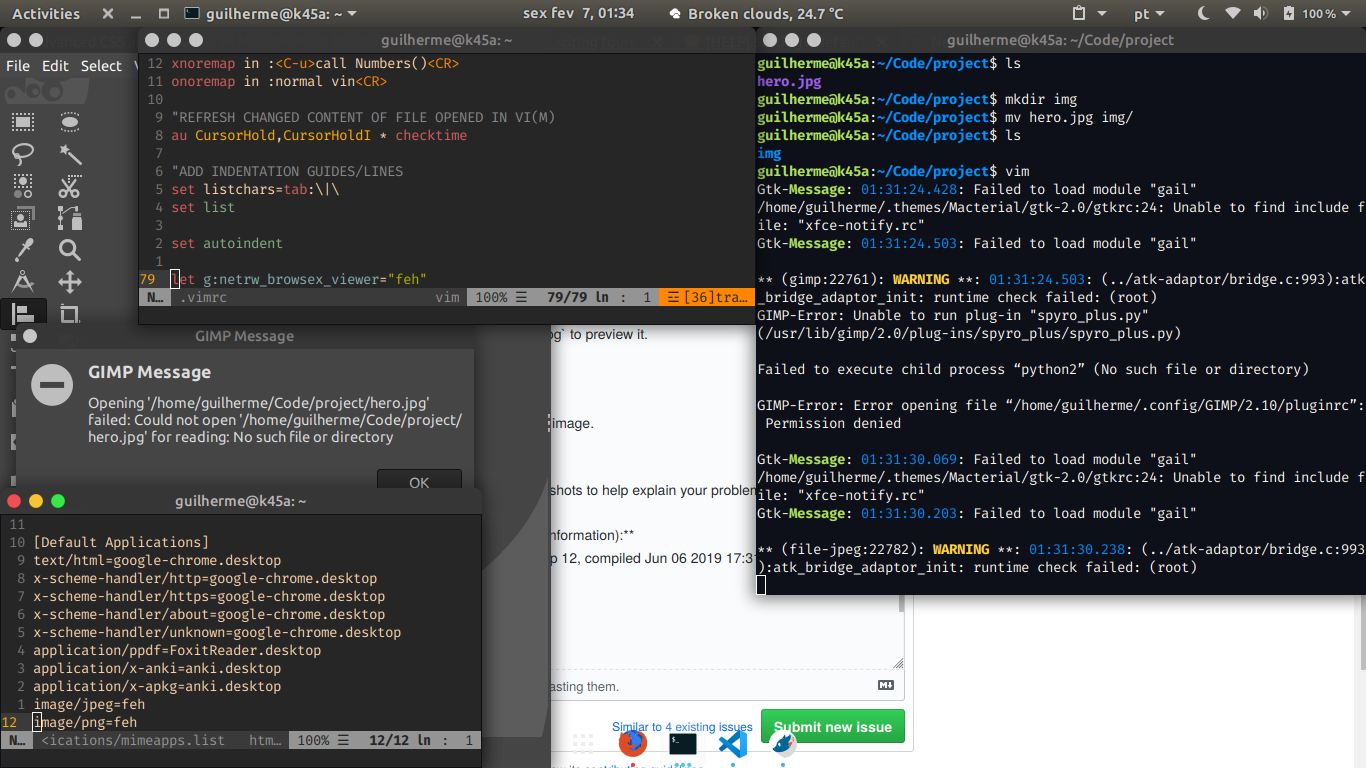
Environment:
- Vim version: VIM - Vi IMproved 8.0 (2016 Sep 12, compiled Jun 06 2019 17:31:41). Included patches: 1-1453
- OS: Ubuntu 18.04, Gnome DE.
- Terminal: GNOME Terminal
—
You are receiving this because you are subscribed to this thread.
Reply to this email directly, view it on GitHub, or unsubscribe.
K.Takata
Does it occur with the latest Netrw? http://www.drchip.org/astronaut/vim/#NETRW
gui-souza
@k-takata
Updated.
Gimp still opening and after closing it I get a warning in Vim:
**warning** (netrw) shell signalled an error
LouGit
@k-takata Updated. Gimp still opening and after closing it I get a warning in Vim:
**warning** (netrw) shell signalled an error
I'm having a similar issue: a purple text is constantly displayed upon my vim, and I can't find a way to remove it (except by stopping vim and starting it again).
—
Reply to this email directly, view it on GitHub.
You are receiving this because you are subscribed to this thread.