
[vim/vim] Vim visual glitch on resize and scroll (Issue #10419)

leimath
Steps to reproduce
- Type
vimin the console. - Resize to fit screen.
- (Optional) Resize again to small box.
- To break further, press + Mouse wheel to adjust text size and then resize.

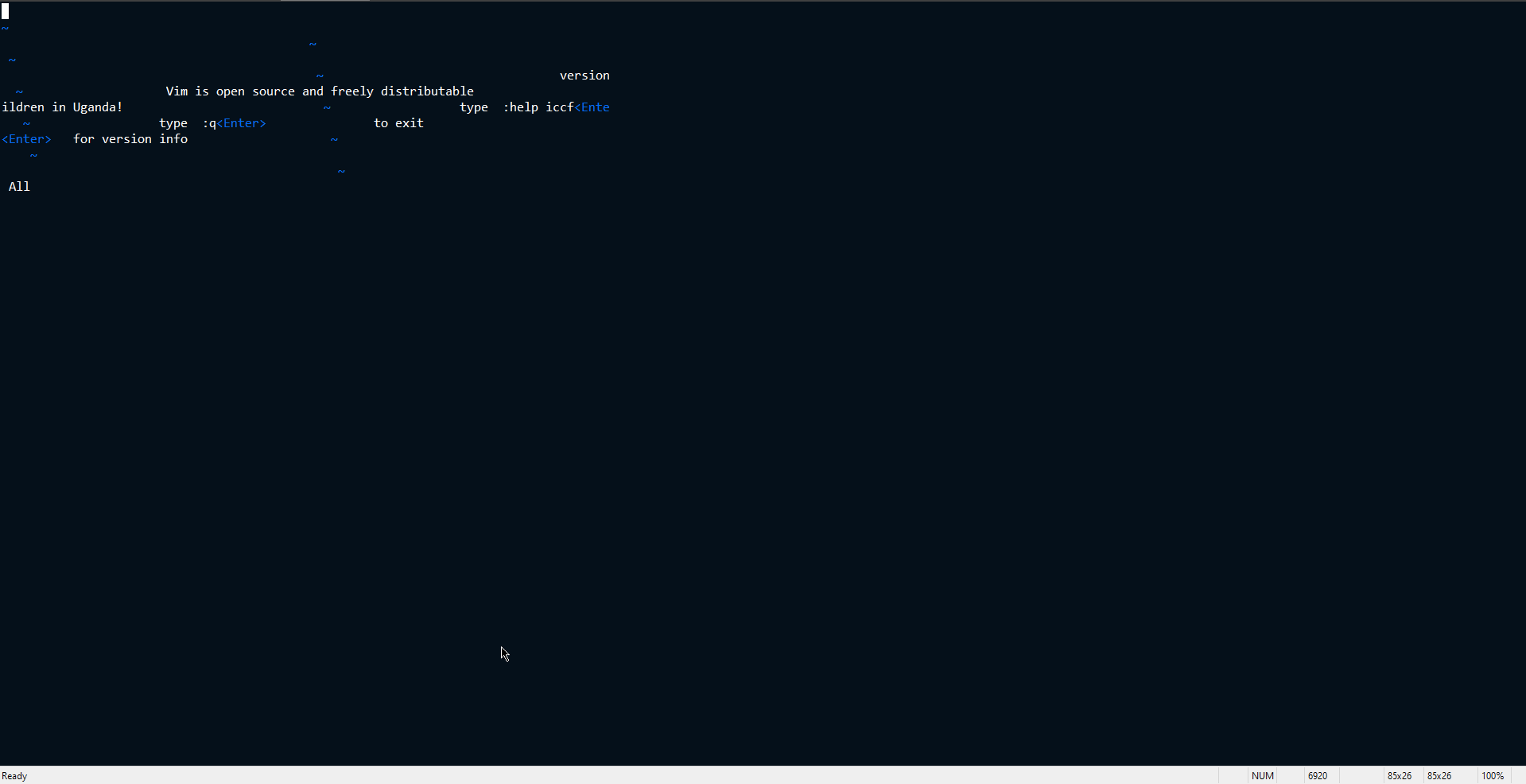
Command Prompt just crashes if I try to resize it too much.
Expected behaviour
Should just redraw.
Version of Vim
VIM - Vi IMproved 8.2 (2019 Dec 12, compiled May 2 2021 18:02:30) MS-Windows 32-bit console version
Environment
Operating System: Windows 10 Home
Terminal (Broke in): Windows Terminal ((1.11.3471.0), Command Prompt), Alacritty, ConsoleZ(1.19.0.19104, Command Prompt), TCC, Tabby
Logs and stack traces
No response
—
Reply to this email directly, view it on GitHub.
You are receiving this because you are subscribed to this thread.
Dominique Pellé
VIM - Vi IMproved 8.2 (2019 Dec 12, compiled May 2 2021 18:02:30) MS-Windows 32-bit console version
Is that Vim-8.2.0? If yes, it's a bit old.
Consider providing the output of :version.
And consider installing the latest Vim (in git it's vim-8.2.4950).
On Windows, you can use https://github.com/vim/vim-win32-installer/releases to install a recent version.
I'm not a Windows user, but I think that the default terminal in Vim is really bad, or at least used to be bad,
so it's likely to be a problem with the terminal rather than Vim.
There are more modern terminals for Windows but I don't know which one is recommended on Windows.
—
Reply to this email directly, view it on GitHub.
You are receiving this because you are subscribed to this thread.
leimath
VIM - Vi IMproved 8.2 (2019 Dec 12, compiled May 2 2021 18:02:30) MS-Windows 32-bit console version
Is that Vim-8.2.0? If yes, it's a bit old. Consider providing the output of
:version. And consider installing the latest Vim (in git it's vim-8.2.4950). On Windows, you can use https://github.com/vim/vim-win32-installer/releases to install a recent version.
I'm not a Windows user, but I think that the default terminal in Vim is really bad, or at least used to be bad, so it's likely to be a problem with the terminal rather than Vim. There are more modern terminals for Windows but I don't know which one is recommended on Windows.
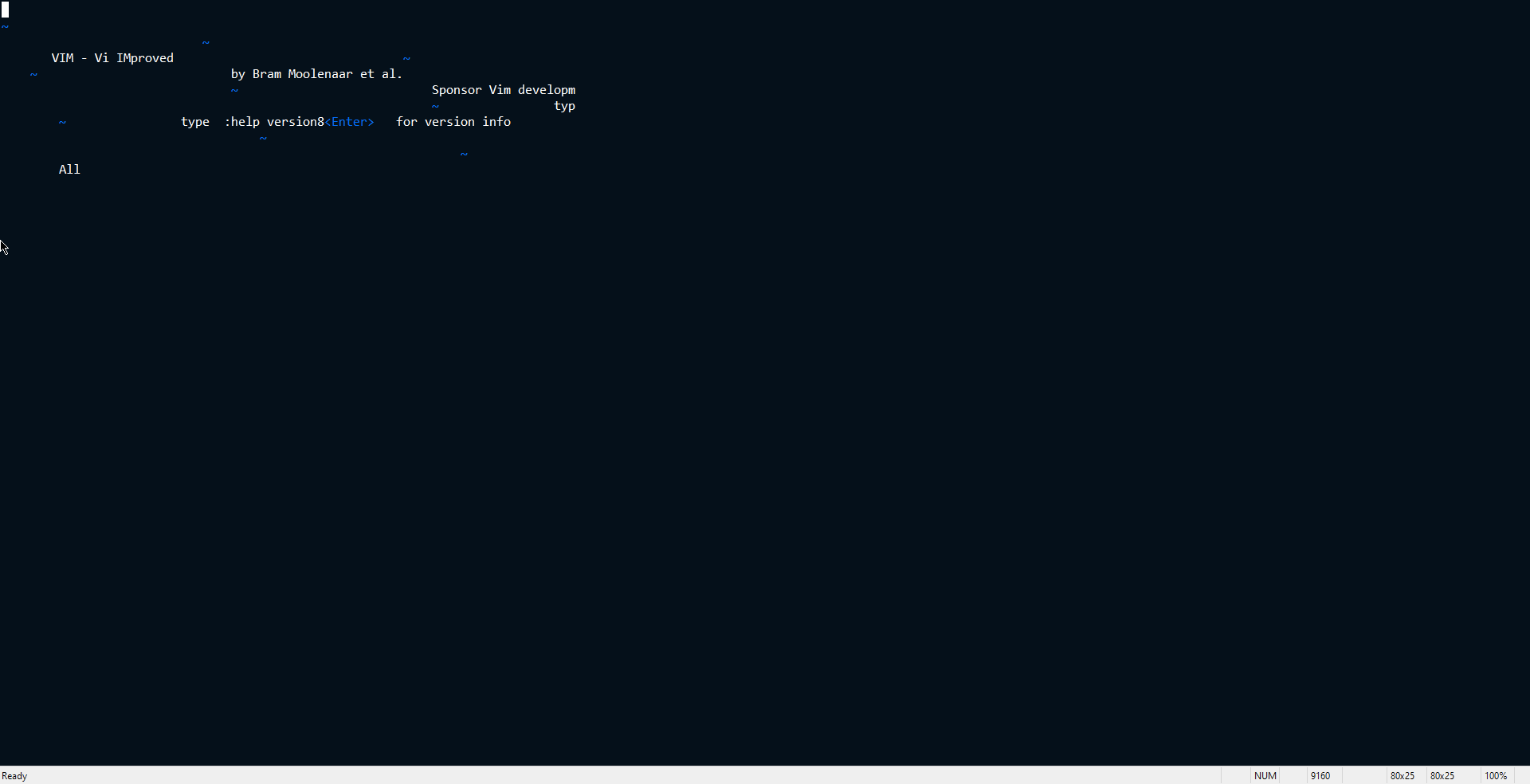
Using the win32-installer, version 8.2.4950. Still broken. The old version was from the scoop package manager which strangely is still the latest in it. I do not use the git version due to using MinGit which does not include vim.
I have tried all the terminal emulators and cygwin & friends as well. On the windows side of things, windows terminal is the latest thing which is supposed to be better but it breaks easily. Last time I used cygwin & friends (friends here being conemu / cmder / msys-mingw shells) it was still the same broken thing. I mention all other emulators available above for native shells above. Even it breaks on WezTerm.
If you mean powershell then the behaviour is still glitched.
:version dump
VIM - Vi IMproved 8.2 (2019 Dec 12, compiled May 13 2022 22:03:23)
MS-Windows 64-bit console version
Included patches: 1-4950
Compiled by appveyor@APPVYR-WIN
Huge version without GUI.  Features included (+) or not (-):
+acl                +comments           +find_in_path       +listcmds           +popupwin           +statusline         +vartabs
+arabic             +conceal            +float              +localmap           -postscript         -sun_workshop       +vertsplit
+autocmd            +cryptv             +folding            +lua/dyn            +printer            +syntax             +vim9script
+autochdir          +cscope             -footer             +menu               +profile            +tag_binary         +viminfo
+autoservername     +cursorbind         +gettext/dyn        +mksession          +python/dyn         -tag_old_static     +virtualedit
-balloon_eval       +cursorshape        -hangul_input       +modify_fname       +python3/dyn        -tag_any_white      +visual
+balloon_eval_term  +dialog_con         +iconv/dyn          +mouse              +quickfix           -tcl                +visualextra
-browse             +diff               +insert_expand      -mouseshape         +reltime            +termguicolors      +vreplace
++builtin_terms     +digraphs           +ipv6               +multi_byte_ime/dyn +rightleft          +terminal           +vtp
+byte_offset        -dnd                +job                +multi_lang         +ruby/dyn           -termresponse       +wildignore
+channel            -ebcdic             +jumplist           +mzscheme/dyn       +scrollbind         +textobjects        +wildmenu
+cindent            +emacs_tags         +keymap             -netbeans_intg      +signs              +textprop           +windows
+clientserver       +eval               +lambda             +num64              +smartindent        -tgetent            +writebackup
+clipboard          +ex_extra           +langmap            +packages           +sodium/dyn         +timers             -xfontset
+cmdline_compl      +extra_search       +libcall            +path_extra         +sound              +title              -xim
+cmdline_hist       -farsi              +linebreak          +perl/dyn           +spell              -toolbar            -xpm_w32
+cmdline_info       +file_in_path       +lispindent         +persistent_undo    +startuptime        +user_commands      -xterm_save
   system vimrc file: "$VIM\vimrc"
     user vimrc file: "$HOME\_vimrc"
 2nd user vimrc file: "$HOME\vimfiles\vimrc"
 3rd user vimrc file: "$VIM\_vimrc"
      user exrc file: "$HOME\_exrc"
  2nd user exrc file: "$VIM\_exrc"
       defaults file: "$VIMRUNTIME\defaults.vim"
Compilation: cl -c /W3 /GF /nologo -I. -Iproto -DHAVE_PATHDEF -DWIN32  -DFEAT_CSCOPE -DFEAT_TERMINAL -DFEAT_SOUND  -DFEAT_JOB_CHANNEL -DFEAT_IPV6    -DHAVE_SODIUM -DDYNAMIC_SODIUM -DDYNAMIC_SODIUM_DLL=\"libsodium.dll\" /I "C:\libsodium\include" -DWINVER=0x0501 -D_WIN32_WINNT=0x0501 /source-charset:utf-8 /MP -DHAVE_STDINT_H /Ox /GL -DNDEBUG /Zl /MT /D_CRT_SECURE_NO_DEPRECATE /D_CRT_NONSTDC_NO_DEPRECATE -DFEAT_MBYTE_IME -DDYNAMIC_IME -DDYNAMIC_ICONV -DDYNAMIC_GETTEXT -DFEAT_LUA -DDYNAMIC_LUA -DDYNAMIC_LUA_DLL=\"lua54.dll\" -DFEAT_PYTHON -DDYNAMIC_PYTHON -DDYNAMIC_PYTHON_DLL=\"python27.dll\" -DFEAT_PYTHON3 -DDYNAMIC_PYTHON3 -DDYNAMIC_PYTHON3_DLL=\"python310.dll\" -DFEAT_MZSCHEME -I "C:\racket\include" -DMZ_PRECISE_GC -DDYNAMIC_MZSCHEME -DDYNAMIC_MZSCH_DLL=\"libracket3m_da32rk.dll\" -DDYNAMIC_MZGC_DLL=\"libracket3m_da32rk.dll\" -DFEAT_PERL -DPERL_IMPLICIT_CONTEXT -DPERL_IMPLICIT_SYS -DDYNAMIC_PERL -DDYNAMIC_PERL_DLL=\"perl532.dll\" -DFEAT_RUBY -DDYNAMIC_RUBY -DDYNAMIC_RUBY_DLL=\"x64-msvcrt-ruby300.dll\" -DRUBY_VERSION=30 -DFEAT_HUGE /Fd.\ObjCULYHRZAMD64/ /Zi
Linking: link /nologo /opt:ref /LTCG oldnames.lib kernel32.lib advapi32.lib shell32.lib gdi32.lib  comdlg32.lib ole32.lib netapi32.lib uuid.lib user32.lib  /machine:AMD64   libcmt.lib   /nodefaultlib:lua54.lib  /STACK:8388608  /nodefaultlib:python27.lib /nodefaultlib:python310.lib  winmm.lib WSock32.lib Ws2_32.lib   /PDB:vim.pdb -debug
I will keep the issue open for a few days, if no solution turns up then maybe I will open one in the windows terminal repo. Thank you for the input.
—
Reply to this email directly, view it on GitHub, or unsubscribe.
You are receiving this because you are subscribed to this thread.
Bram Moolenaar
Does it work OK if you resize the terminal before starting Vim?
—
Reply to this email directly, view it on GitHub.
You are receiving this because you are subscribed to this thread.
leimath
Does it work OK if you resize the terminal before starting Vim?
Yes, of course. If there is no resizing happening then no visual glitch happens.
However I should mention that specifically on windows terminal you get a scroll bar that can scroll 'above' vim, not an issue.

Now if you say, open a file in vim -> make some changes -> close vim -> resize the terminal to another size, then this happens (see attached screenshot)
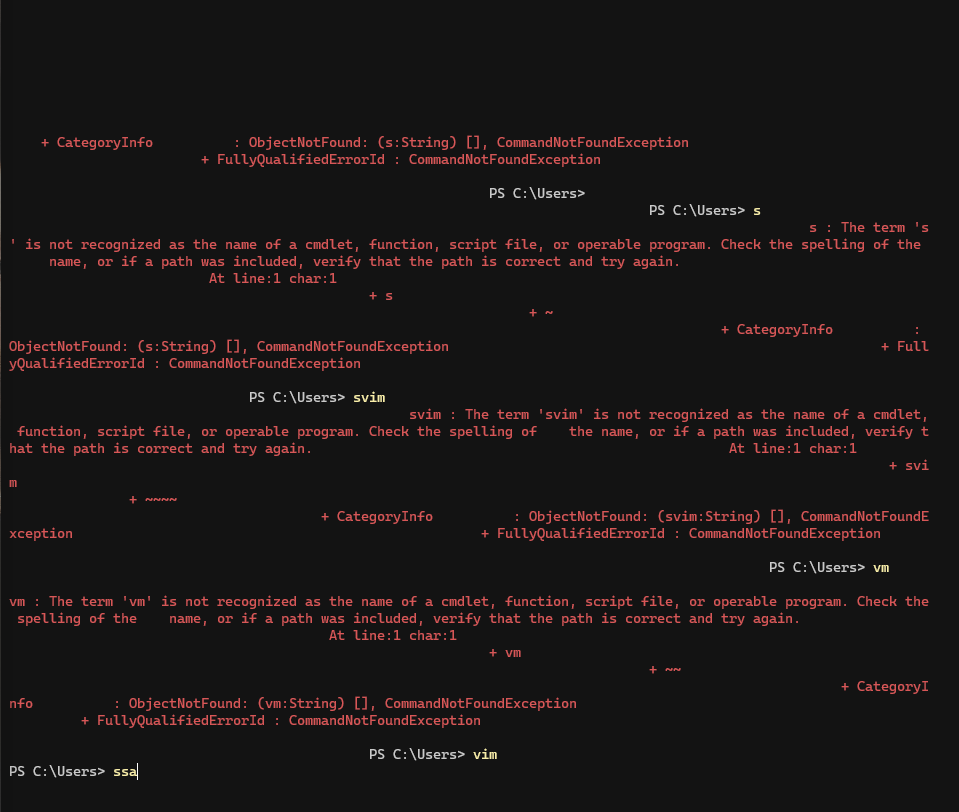
Not really an issue unless I have something of worth above vim printed but thought I will mention this.
—
Reply to this email directly, view it on GitHub.
You are receiving this because you are subscribed to this thread.