
[vim/vim] Not able to turn off colors by default using "set t_Co=0" (Issue #9377)

wgmayer0
Steps to reproduce
- open your vimrc in a text editor
- write
set t_Co=0 - save the file
- close the file
- open vim
- check if changes are applied
Expected behaviour
Colors are supposed to be turned off. They are not off when I start vim - but when I start vim and then type ``
Version of Vim
VIM - Vi IMproved 8.2 (2019 Dec 12, compiled Dec 02 2021 19:44:33) Included patches: 1-3582, 3602
Environment
Arch Linux
Kitty
xterm
Bash
Logs and stack traces
No response
—
Reply to this email directly, view it on GitHub.
Triage notifications on the go with GitHub Mobile for iOS or Android.
You are receiving this because you are subscribed to this thread.
matveyt
Cannot reproduce. Did you do $vim --clean? Especially, what is :set tgc?
—
Reply to this email directly, view it on GitHub.
Triage notifications on the go with GitHub Mobile for iOS or Android.
You are receiving this because you are subscribed to this thread.
wgmayer0
vim --clean did not change anything when I ran it in the terminal. set tgc just turned everything blue (see attachment
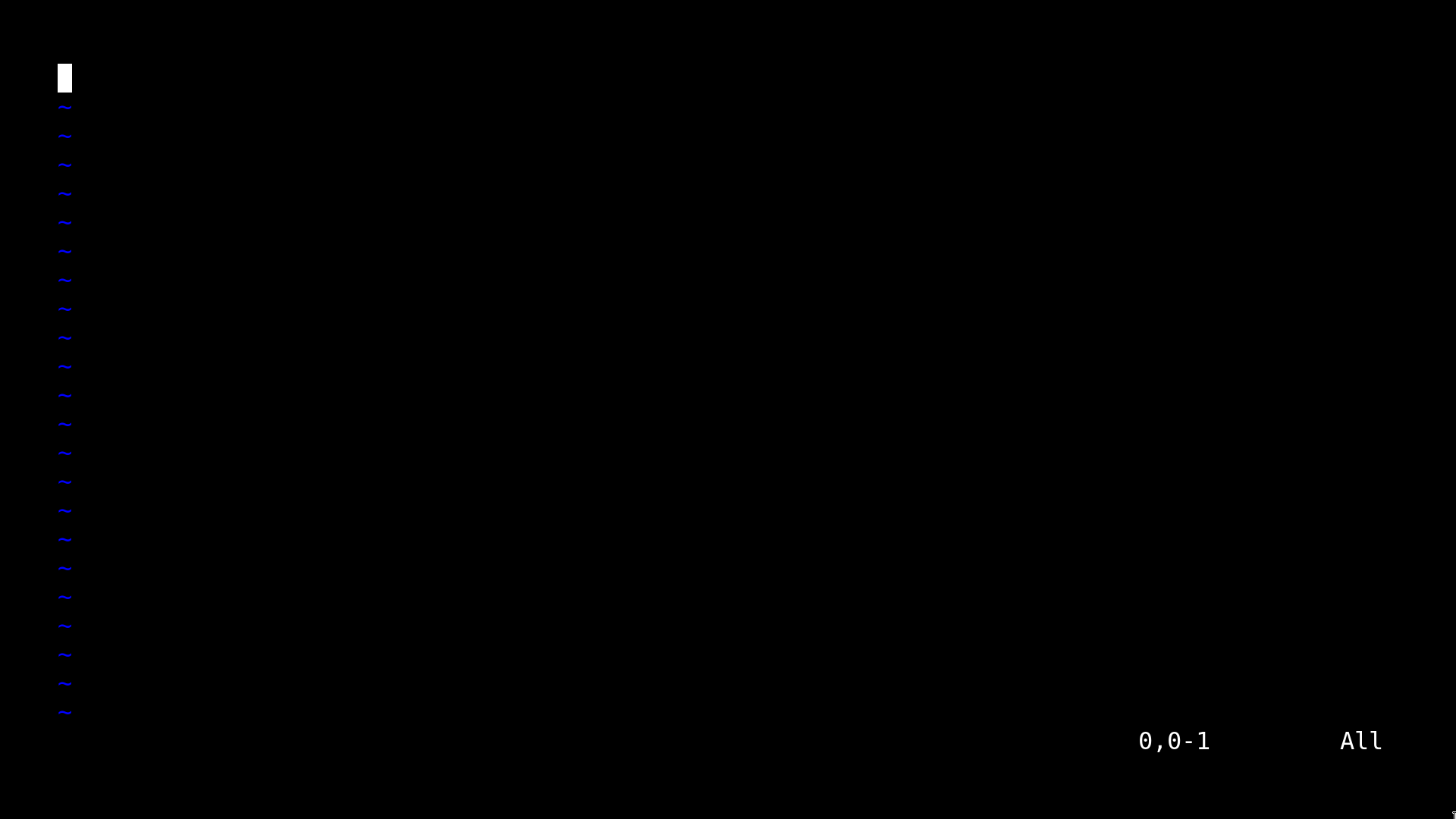
)
—
Reply to this email directly, view it on GitHub.
Triage notifications on the go with GitHub Mobile for iOS or Android.
You are receiving this because you are subscribed to this thread.
wgmayer0
Here is my /home/my_username/.vimrc:
`
" vim configuration
set noerrorbells
set tabstop=4
set softtabstop=4
set shiftwidth=4
set expandtab
set smartcase
set noswapfile
set nobackup
set undodir=~/.vim/undodir
set undofile
set incsearch
set wrap
set nofoldenable
set clipboard=unnamedplus
set belloff=all
" turn off all colors
syntax off
set nohlsearch
set t_Co=0
let mapleader = "'"
" Switch off all auto-indenting
set nocindent
set nosmartindent
set noautoindent
set indentexpr=
filetype indent off
filetype plugin indent off
" Add attachment using vifm in mutt when composing a message in vim
nnoremap a :6r !vifm_attach
" Add contact from contacts data
nnoremap c :r !/home/wgm/archive/address_book/contact_selector
nnoremap
nnoremap
" vim plug configuration
call plug#begin('~/.vim/plugged')
Plug 'lervag/vimtex'
let g:vimtex_view_method = 'zathura'
Plug 'sirver/ultisnips'
" better key bindings for UltiSnipsExpandTrigger
let g:UltiSnipsExpandTrigger = ""
let g:UltiSnipsJumpForwardTrigger = ""
let g:UltiSnipsJumpBackwardTrigger = ""
Plug 'ycm-core/YouCompleteMe'
" make YCM compatible with UltiSnips (using supertab)
let g:ycm_key_list_select_completion = ['', '']
let g:ycm_key_list_previous_completion = ['', '']
let g:SuperTabDefaultCompletionType = ''
Plug 'ervandew/supertab'
call plug#end()
`
—
Reply to this email directly, view it on GitHub.
Triage notifications on the go with GitHub Mobile for iOS or Android.
You are receiving this because you are subscribed to this thread.
wgmayer0
The question is, if it says in my vimrc: set t_Co=0, then why wouldn't those changes apply right when I start vim? The code is perfect
—
Reply to this email directly, view it on GitHub.
Triage notifications on the go with GitHub Mobile for iOS or Android.
You are receiving this because you are subscribed to this thread.
lacygoill
In your vimrc, these commands probably don't work as you expect:
syntax off
...
filetype indent off
filetype plugin indent off
Because vim-plug executes these commands which have the opposite effect:
filetype plugin indent on
syntax enable
For these to work, you would need to move them after the call to plug#end(), as documented in the README of the plugin:
You can revert the settings after the call. e.g. filetype indent off, syntax off, etc.
why wouldn't those changes apply right when I start vim?
Maybe because there is something else in your vimrc/plugins/environment which has the opposite effect. Like the previously mentioned call to plug#end().
vim --clean did not change anything when I ran it in the terminal.
Does that mean that you still have colors when running this shell command?
vim --clean +'set t_Co=0'
And what about this one:
vim -Nu NONE +'set t_Co=0'
—
Reply to this email directly, view it on GitHub.
Triage notifications on the go with GitHub Mobile for iOS or Android.
You are receiving this because you are subscribed to this thread.
wgmayer0
In your vimrc, these commands probably don't work as you expect:
syntax off
...
filetype indent off
filetype plugin indent off
Because vim-plug executes these commands which have the opposite effect:
filetype plugin indent on
syntax enable
For these to work, you would need to move them after the call to
plug#end(), as documented in the README of the plugin:You can revert the settings after the call. e.g. filetype indent off, syntax off, etc.
Great catch here - this helped me solve another problem I was having as I thought this may be the case.
—
Reply to this email directly, view it on GitHub.
Triage notifications on the go with GitHub Mobile for iOS or Android.
You are receiving this because you are subscribed to this thread.
wgmayer0
vim --clean +'set t_Co=0' does show colors still. Same with vim -Nu NONE +'set t_Co=0'. To be more specific about my configuration, let me explain:
I am trying to have a monochrome terminal because I like the aesthetic. Everything works mostly fine but the issue I am having is that I cannot see the messages at the bottom. For example when I type :vimtest (I know this is not a command, I am just trying to generate an error for this demonstration), I am not able to see anything except a white block.

After running :set t_Co=0, I am able to see the error when I run the same command.
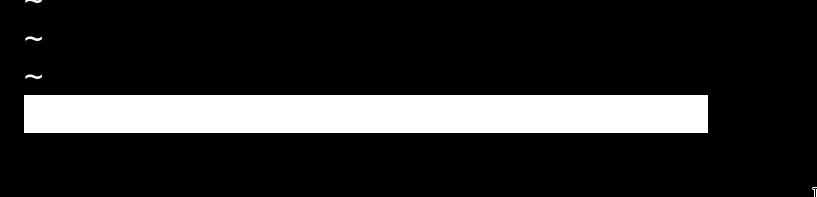
I want vim to be configured such that I can run it out of the box and be able to see the messages in the lower left corner.
I tried putting set t_Co=0 at the end of the config and that did not do it - probably for the same or similar reason that vim --clean +'set t_Co=0' did not work.
—
Reply to this email directly, view it on GitHub.
Triage notifications on the go with GitHub Mobile for iOS or Android.
You are receiving this because you are subscribed to this thread.
lacygoill
Same with vim -Nu NONE +'set t_Co=0'
After starting Vim with this shell command, can you confirm that the output of the Ex command :scriptnames is empty?
Could you try this other shell command?
vim -Nu NONE --cmd 'set t_Co=0'
—
Reply to this email directly, view it on GitHub.
Triage notifications on the go with GitHub Mobile for iOS or Android.
You are receiving this because you are subscribed to this thread.
lacygoill
Also, what's the output of echo $TERM in the shell?
And what's the output of :echo &term in Vim?
—
Reply to this email directly, view it on GitHub.
Triage notifications on the go with GitHub Mobile for iOS or Android.
You are receiving this because you are subscribed to this thread.
wgmayer0
Same with vim -Nu NONE +'set t_Co=0'
After starting Vim with this shell command, can you confirm that the output of the Ex command
:scriptnamesis empty?
Yes, it is empty.
Could you try this other shell command?
vim -Nu NONE --cmd 'set t_Co=0'
This launched but it is still showing the white text color at the bottom.
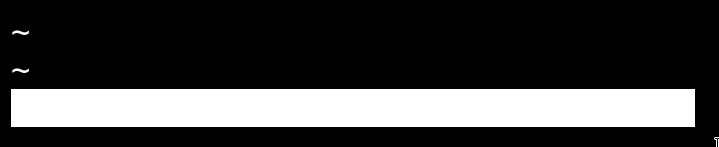
—
Reply to this email directly, view it on GitHub.
Triage notifications on the go with GitHub Mobile for iOS or Android.
You are receiving this because you are subscribed to this thread.
wgmayer0
Also, what's the output of
echo $TERMin the shell?
xterm
And what's the output of
:echo &termin Vim?
Also
xterm
—
Reply to this email directly, view it on GitHub.
Triage notifications on the go with GitHub Mobile for iOS or Android.
You are receiving this because you are subscribed to this thread.
lacygoill
Thank you for the feedback. I can't help further because I can't reproduce. Although, maybe that's because I use a light background in my terminal.
As a temporary workaround, maybe you could try to clear the ErrorMsg highlight group:
vim -Nu NONE +'highlight clear ErrorMsg'
FWIW, if I had this issue, I would try to reproduce in a new docker container, to rule out any possible interference from the environment (terminal config, shell config, ...):
# install docker
$ sudo apt install docker.io

# start Ubuntu 21.10 in a docker container
$ sudo docker run --interactive=true --tty=true --rm=true ubuntu:21.10

# install dependencies
$ apt update
$ apt --yes install git make gcc libncurses-dev

# compile Vim
$ git clone --depth=1 https://github.com/vim/vim
$ cd vim
$ make

# reproduce the issue
VIMRUNTIME=runtime ./src/vim -Nu NONE -U NONE -i NONE +'set t_Co=0'
:vimtest
—
Reply to this email directly, view it on GitHub.
Triage notifications on the go with GitHub Mobile for iOS or Android.
You are receiving this because you are subscribed to this thread.
wgmayer0
The work around didn't work but ok I will give the reproduction in docker a try!
—
Reply to this email directly, view it on GitHub.
Triage notifications on the go with GitHub Mobile for iOS or Android.
You are receiving this because you are subscribed to this thread.
wgmayer0
Just ran it in Docker using those exact instructions. I still had the exact same issue. The only work around I can think of is creating a file called vim in /usr/local/sbin/ and then writing vim -c "set t_Co=0" but that doesn't work either so I am out of ideas. I just find it strange that I can manually type it in and it works. But it doesn't work automatically? Very strange.
Here are some more details when it comes to reproducing it:
OS: Arch Linux 5.10.87-1-lts
Terminal: Kitty (https://sw.kovidgoyal.net/kitty/)
Terminal config:
clear_all_shortcuts no

font_family      DejaVuSansMono.ttf

bold_font        DejaVuSansMono-Bold.ttf

italic_font      DejaVuSansMono-Oblique.ttf

bold_italic_font DejaVuSansMono-BoldOblique.ttf

font_size 24.0

force_ltr no

adjust_line_height  0

adjust_column_width 0

adjust_baseline 0

disable_ligatures never

box_drawing_scale 0.001, 1, 1.5, 2

cursor #ffffff

cursor_text_color #000000

cursor_shape block

cursor_beam_thickness 1.5

cursor_underline_thickness 2.0

cursor_blink_interval 0

cursor_stop_blinking_after 0

scrollback_lines 2000

scrollback_pager less --chop-long-lines --RAW-CONTROL-CHARS +INPUT_LINE_NUMBER

scrollback_pager_history_size 0

scrollback_fill_enlarged_window no

wheel_scroll_multiplier 5.0

touch_scroll_multiplier 1.0

mouse_hide_wait 3.0

url_color #ffffff

url_style single

open_url_with default

url_prefixes http https file ftp gemini irc gopher mailto news git

detect_urls yes

copy_on_select yes

strip_trailing_spaces always

select_by_word_characters @-./_~?&=%+#

click_interval -1.0

focus_follows_mouse no

pointer_shape_when_grabbed arrow

default_pointer_shape beam

pointer_shape_when_dragging beam

clear_all_mouse_actions yes

mouse_map left            click ungrabbed mouse_click_url_or_select

mouse_map shift+left      click grabbed,ungrabbed mouse_click_url_or_select

mouse_map ctrl+shift+left release grabbed,ungrabbed mouse_click_url

mouse_map ctrl+shift+left press grabbed discard_event

mouse_map middle        release ungrabbed paste_from_selection

mouse_map left          press ungrabbed mouse_selection normal

mouse_map ctrl+alt+left press ungrabbed mouse_selection rectangle

mouse_map left          doublepress ungrabbed mouse_selection word

mouse_map left          triplepress ungrabbed mouse_selection line

mouse_map ctrl+alt+left triplepress ungrabbed mouse_selection line_from_point

mouse_map right press ungrabbed mouse_selection extend

mouse_map shift+middle        release ungrabbed,grabbed paste_selection

mouse_map shift+left          press ungrabbed,grabbed mouse_selection normal

mouse_map shift+ctrl+alt+left press ungrabbed,grabbed mouse_selection rectangle

mouse_map shift+left          doublepress ungrabbed,grabbed mouse_selection word

mouse_map shift+left          triplepress ungrabbed,grabbed mouse_selection line

mouse_map shift+ctrl+alt+left triplepress ungrabbed,grabbed mouse_selection line_from_point

mouse_map shift+right press ungrabbed,grabbed mouse_selection extend

repaint_delay 10

input_delay 1

sync_to_monitor no

enable_audio_bell no

visual_bell_duration 0.0

window_alert_on_bell no

bell_on_tab yes

command_on_bell none

remember_window_size  no

initial_window_width  640

initial_window_height 400

enabled_layouts *

window_resize_step_cells 2

window_resize_step_lines 2

window_border_width 0.5pt

draw_minimal_borders yes

window_margin_width 55

single_window_margin_width -1

window_padding_width 0

placement_strategy center

active_border_color #000000

inactive_border_color #000000

bell_border_color #000000

inactive_text_alpha 1.0

hide_window_decorations yes

resize_debounce_time 0.1

resize_draw_strategy static

resize_in_steps no

confirm_os_window_close 0

tab_bar_edge top

tab_bar_margin_width 0.0

tab_bar_margin_height 0.0 0.0

tab_bar_style hidden

tab_bar_min_tabs 2

tab_switch_strategy previous

tab_fade 0.25 0.5 0.75 1

tab_separator " �"

tab_powerline_style angled

tab_activity_symbol none

tab_title_template "{title}"

active_tab_title_template none

active_tab_foreground   #ffffff

active_tab_background   #000000

active_tab_font_style   bold-italic

inactive_tab_foreground #000000

inactive_tab_background #ffffff

inactive_tab_font_style normal

tab_bar_background #000000

foreground #ffffff

background #000000

background_opacity 1.0

background_image none

background_image_layout tiled

background_image_linear no

dynamic_background_opacity no

background_tint 0.0

dim_opacity 0.75

selection_foreground #000000

selection_background #ffffff

mark1_foreground #ffffff

mark1_background #000000

mark2_foreground #ffffff

mark2_background #000000

mark3_foreground #ffffff

mark3_background #000000

shell .

editor .

close_on_child_death no

allow_remote_control no

listen_on none

update_check_interval 0

startup_session none

clipboard_control write-clipboard write-primary

clipboard_max_size 0

allow_hyperlinks yes

term xterm

wayland_titlebar_color system

kitty_mod ctrl+shift

map kitty_mod+p       paste_from_clipboard

map ctrl+minus        change_font_size all -2.0

map ctrl+equal        change_font_size all +2.0

map kitty_mod+equal  change_font_size all 0

map ctrl+f open_url_with_hints

color0 #000000

color1 #ffffff

color2 #ffffff

color3 #ffffff

color4 #ffffff

color5 #ffffff

color6 #ffffff

color7 #ffffff

color8 #ffffff

color9 #ffffff

color10 #ffffff

color11 #ffffff

color12 #ffffff

color13 #ffffff

color14 #ffffff

color15 #ffffff

color16 #ffffff

color17 #ffffff

color18 #ffffff

color19 #ffffff

color20 #ffffff

color21 #ffffff

color22 #ffffff

color23 #ffffff

color24 #ffffff

color25 #ffffff

color26 #ffffff

color27 #ffffff

color28 #ffffff

color29 #ffffff

color30 #ffffff

color31 #ffffff

color32 #ffffff

color33 #ffffff

color34 #ffffff

color35 #ffffff

color36 #ffffff

color37 #ffffff

color38 #ffffff

color39 #ffffff

color40 #ffffff

color41 #ffffff

color42 #ffffff

color43 #ffffff

color44 #ffffff

color45 #ffffff

color46 #ffffff

color47 #ffffff

color48 #ffffff

color49 #ffffff

color50 #ffffff

color51 #ffffff

color52 #ffffff

color53 #ffffff

color54 #ffffff

color55 #ffffff

color56 #ffffff

color57 #ffffff

color58 #ffffff

color59 #ffffff

color60 #ffffff

color61 #ffffff

color62 #ffffff

color63 #ffffff

color64 #ffffff

color65 #ffffff

color66 #ffffff

color67 #ffffff

color68 #ffffff

color69 #ffffff

color70 #ffffff

color71 #ffffff

color72 #ffffff

color73 #ffffff

color74 #ffffff

color75 #ffffff

color76 #ffffff

color77 #ffffff

color78 #ffffff

color79 #ffffff

color80 #ffffff

color81 #ffffff

color82 #ffffff

color83 #ffffff

color84 #ffffff

color85 #ffffff

color86 #ffffff

color87 #ffffff

color88 #ffffff

color89 #ffffff

color90 #ffffff

color91 #ffffff

color92 #ffffff

color93 #ffffff

color94 #ffffff

color95 #ffffff

color96 #ffffff

color97 #ffffff

color98 #ffffff

color99 #ffffff

color100 #ffffff

color101 #ffffff

color102 #ffffff

color103 #ffffff

color104 #ffffff

color105 #ffffff

color106 #ffffff

color107 #ffffff

color108 #ffffff

color109 #ffffff

color110 #ffffff

color111 #ffffff

color112 #ffffff

color113 #ffffff

color114 #ffffff

color115 #ffffff

color116 #ffffff

color117 #ffffff

color118 #ffffff

color119 #ffffff

color120 #ffffff

color121 #ffffff

color122 #ffffff

color123 #ffffff

color124 #ffffff

color125 #ffffff

color126 #ffffff

color127 #ffffff

color128 #ffffff

color129 #ffffff

color130 #ffffff

color131 #ffffff

color132 #ffffff

color133 #ffffff

color134 #ffffff

color135 #ffffff

color136 #ffffff

color137 #ffffff

color138 #ffffff

color139 #ffffff

color140 #ffffff

color141 #ffffff

color142 #ffffff

color143 #ffffff

color144 #ffffff

color145 #ffffff

color146 #ffffff

color147 #ffffff

color148 #ffffff

color149 #ffffff

color150 #ffffff

color151 #ffffff

color152 #ffffff

color153 #ffffff

color154 #ffffff

color155 #ffffff

color156 #ffffff

color157 #ffffff

color158 #ffffff

color159 #ffffff

color160 #ffffff

color161 #ffffff

color162 #ffffff

color163 #ffffff

color164 #ffffff

color165 #ffffff

color166 #ffffff

color167 #ffffff

color168 #ffffff

color169 #ffffff

color170 #ffffff

color171 #ffffff

color172 #ffffff

color173 #ffffff

color174 #ffffff

color175 #ffffff

color176 #ffffff

color177 #ffffff

color178 #ffffff

color179 #ffffff

color180 #ffffff

color181 #ffffff

color182 #ffffff

color183 #ffffff

color184 #ffffff

color185 #ffffff

color186 #ffffff

color187 #ffffff

color188 #ffffff

color189 #ffffff

color190 #ffffff

color191 #ffffff

color192 #ffffff

color193 #ffffff

color194 #ffffff

color195 #ffffff

color196 #ffffff

color197 #ffffff

color198 #ffffff

color199 #ffffff

color200 #ffffff

color201 #ffffff

color202 #ffffff

color203 #ffffff

color204 #ffffff

color205 #ffffff

color206 #ffffff

color207 #ffffff

color208 #ffffff

color209 #ffffff

color210 #ffffff

color211 #ffffff

color212 #ffffff

color213 #ffffff

color214 #ffffff

color215 #ffffff

color216 #ffffff

color217 #ffffff

color218 #ffffff

color219 #ffffff

color220 #ffffff

color221 #ffffff

color222 #ffffff

color223 #ffffff

color224 #ffffff

color225 #ffffff

color226 #ffffff

color227 #ffffff

color228 #ffffff

color229 #ffffff

color230 #ffffff

color231 #ffffff

color232 #ffffff

color233 #ffffff

color234 #ffffff

color235 #ffffff

color236 #ffffff

color237 #ffffff

color238 #ffffff

color239 #ffffff

color240 #ffffff

color241 #ffffff

color242 #ffffff

color243 #ffffff

color244 #ffffff

color245 #ffffff

color246 #ffffff

color247 #ffffff

color248 #ffffff

color249 #ffffff

color250 #ffffff

color251 #ffffff

color252 #ffffff

color253 #ffffff

color254 #ffffff

color255 #ffffff
—
Reply to this email directly, view it on GitHub, or unsubscribe.
You are receiving this because you are subscribed to this thread.
lacygoill
What happens if you remove this line from your terminal config:
color1 #ffffff
—
Reply to this email directly, view it on GitHub.
Triage notifications on the go with GitHub Mobile for iOS or Android.
You are receiving this because you are subscribed to this thread.
wgmayer0
It brings back the color.

Is that only the background color of red that it is changing?
—
Reply to this email directly, view it on GitHub.
Triage notifications on the go with GitHub Mobile for iOS or Android.
You are receiving this because you are subscribed to this thread.
wgmayer0
It also doesn't solve other problems namely visual select mode.
—
Reply to this email directly, view it on GitHub.
Triage notifications on the go with GitHub Mobile for iOS or Android.
You are receiving this because you are subscribed to this thread.
lacygoill
Is that only the background color of red that it is changing?
Yes. Without config (-Nu NONE), ctermfg has the value 7 which – when the terminal's palette is not configured – is usually white, and ctermbg has the value 1 which is usually red.
It also doesn't solve other problems namely visual select mode.
I guess that's not what you want definitively, but try to temporarily comment out all these lines:
color1 #ffffff

color2 #ffffff

color3 #ffffff

color4 #ffffff

color5 #ffffff

color6 #ffffff

color7 #ffffff

color8 #ffffff

color9 #ffffff

color10 #ffffff

color11 #ffffff

color12 #ffffff

color13 #ffffff

color14 #ffffff

color15 #ffffff
Can you reproduce in xterm without any terminal config? That is temporarily comment out everything in ~/.Xresources. Then, try with only these lines in ~/.Xresources:
*.color0:  #ffffff

*.color1:  #ffffff

*.color2:  #ffffff

*.color3:  #ffffff

*.color4:  #ffffff

*.color5:  #ffffff

*.color6:  #ffffff

*.color7:  #ffffff

*.color8:  #ffffff

*.color9:  #ffffff

*.color10:  #ffffff

*.color11:  #ffffff

*.color12:  #ffffff

*.color13:  #ffffff

*.color14:  #ffffff

*.color15:  #ffffff
—
Reply to this email directly, view it on GitHub, or unsubscribe.
You are receiving this because you are subscribed to this thread.
lacygoill
Can you reproduce in xterm without any terminal config? That is temporarily comment out everything in ~/.Xresources. Then, try with only these lines in ~/.Xresources:
After any change to ~/.Xresources, you need to run this shell command:
xrdb ~/.Xresources
And start a new xterm window.
—
Reply to this email directly, view it on GitHub.
Triage notifications on the go with GitHub Mobile for iOS or Android.
You are receiving this because you are subscribed to this thread.
lacygoill
Try to set 't_Co' with a timer:
vim -Nu NONE +'autocmd VimEnter * call timer_start(10, {-> execute("set t_Co=0")})'
If that doesn't work, try to increase the waiting time of the timer to 100ms or more:
vim -Nu NONE +'autocmd VimEnter * call timer_start(100, {-> execute("set t_Co=0")})'
                                                   ^^^
—
Reply to this email directly, view it on GitHub.
Triage notifications on the go with GitHub Mobile for iOS or Android.
You are receiving this because you are subscribed to this thread.
wgmayer0
Doing it in xterm yields the exact same result. Could there be a bug with set t_Co=0? I'll try the timer. That's a hack - but it will do.
—
Reply to this email directly, view it on GitHub.
Triage notifications on the go with GitHub Mobile for iOS or Android.
You are receiving this because you are subscribed to this thread.
wgmayer0
The timer works so that should do for now. I wonder if we'll ever find out why vimrc won't read it... hmmm...
—
Reply to this email directly, view it on GitHub.
Triage notifications on the go with GitHub Mobile for iOS or Android.
You are receiving this because you are subscribed to this thread.
lacygoill
Doing it in xterm yields the exact same result.
Not for me. Which version of xterm are you using? I have this one:
$ xterm -v
XTerm(353)
Could there be a bug with set t_Co=0?
I don't know. I can reproduce what you observe in kitty, but not in xterm. I was thinking that maybe there was some terminal option which Vim set differently for xterm, but it doesn't seem to be the cause of the difference (although, I'm not entirely sure).
—
Reply to this email directly, view it on GitHub.
Triage notifications on the go with GitHub Mobile for iOS or Android.
You are receiving this because you are subscribed to this thread.
wgmayer0
XTerm(370)
—
Reply to this email directly, view it on GitHub.
Triage notifications on the go with GitHub Mobile for iOS or Android.
You are receiving this because you are subscribed to this thread.
lacygoill
I can reproduce in xterm now, but only if I compile it from source, without any configuration:
$ git clone https://github.com/ThomasDickey/xterm-snapshots
$ cd xterm-snapshots
$ ./configure
$ make
$ ./xterm
I cannot reproduce with the xterm package installed by Ubuntu 20.04.
I guess it means that there is some compile-time configuration option which is involved.
—
Reply to this email directly, view it on GitHub.
Triage notifications on the go with GitHub Mobile for iOS or Android.
You are receiving this because you are subscribed to this thread.
wgmayer0
Ok dang... I don't know what the next step is... I guess wait for someone to chime in. But we are getting closer
—
Reply to this email directly, view it on GitHub.
Triage notifications on the go with GitHub Mobile for iOS or Android.
You are receiving this because you are subscribed to this thread.
wgmayer0
I will be able to survive with the timer for now I put the code in /usr/local/sbin/xterm
—
Reply to this email directly, view it on GitHub.
Triage notifications on the go with GitHub Mobile for iOS or Android.
You are receiving this because you are subscribed to this thread.
wgmayer0
#!/bin/bash

/usr/bin/kitty "$@"
—
Reply to this email directly, view it on GitHub.
Triage notifications on the go with GitHub Mobile for iOS or Android.
You are receiving this because you are subscribed to this thread.
lacygoill
You could also simply install the autocmd from your vimrc:
autocmd VimEnter * ++once call timer_start(10, {-> execute('set t_Co=0')})
—
Reply to this email directly, view it on GitHub.
Triage notifications on the go with GitHub Mobile for iOS or Android.
You are receiving this because you are subscribed to this thread.
wgmayer0
Oh nice thank you!
—
Reply to this email directly, view it on GitHub.
Triage notifications on the go with GitHub Mobile for iOS or Android.
You are receiving this because you are subscribed to this thread.
wgmayer0
autocmd VimEnter * ++once call timer_start(10, {-> execute('set t_Co=0')})
Weird... This way doesn't work
—
Reply to this email directly, view it on GitHub.
Triage notifications on the go with GitHub Mobile for iOS or Android.
You are receiving this because you are subscribed to this thread.
lacygoill
Weird... This way doesn't work
It works for me.
Make sure your vimrc is sourced. Confirm its presence in the output of :scriptnames.
Make sure the autocmd has been installed. Confirm its presence in the output of :autocmd VimEnter, after removing ++once:
autocmd VimEnter * call timer_start(10, {-> execute('set t_Co=0')})
As a last resort, try to increase the waiting time to 100ms or more (maybe 1s):
autocmd VimEnter * call timer_start(1000, {-> execute('set t_Co=0')})
                                    ^--^
—
Reply to this email directly, view it on GitHub.
Triage notifications on the go with GitHub Mobile for iOS or Android.
You are receiving this because you are subscribed to this thread.
Gary Johnson
> autocmd VimEnter * ++once call timer_start(10, {-> execute('set t_Co=0')})
>
> Weird... This way doesn't work
set t_RV=
I could replicate at least part of your issue and that fixed it for
me.
Regards,
Gary
vim-dev ML
—
Reply to this email directly, view it on GitHub.
Triage notifications on the go with GitHub Mobile for iOS or Android.
You are receiving this because you are subscribed to this thread.
wgmayer0
That worked - any clue why?
—
Reply to this email directly, view it on GitHub.
Triage notifications on the go with GitHub Mobile for iOS or Android.
You are receiving this because you commented.
lacygoill
That worked - any clue why?
Which issue did it fix? The one about the timer which was not working? Or the original issue?
Anyway, clearing this option might sometimes avoid weird issues in xterm:
- mapping ignored in xterm when t_RV is set
- mapping wrongly triggered on startup when setting a terminal key
- Executing "set =\eP" causes spurious command execution
That's why I clear it in my vimrc.
If t_RV is set, Vim sends CSI > Ps c to the terminal:
CSI > Ps c
Send Device Attributes (Secondary DA).
Ps = 0 or omitted -> request the terminal's identification
code. The response depends on the decTerminalID resource set-
ting. It should apply only to VT220 and up, but xterm extends
this to VT100.
xterm answers with another sequence (including its patch level number) which Vim stores in v:termresponse. I think that if the answer describes a valid xterm terminal, Vim automatically sets a few other terminal options. For more info, see :help t_RV.
—
Reply to this email directly, view it on GitHub.
Triage notifications on the go with GitHub Mobile for iOS or Android.
You are receiving this because you commented.
lacygoill
OK, I think I know what happens. When Vim receives the answer from xterm, it probably resets t_Co to 256.
—
Reply to this email directly, view it on GitHub.
Triage notifications on the go with GitHub Mobile for iOS or Android.
You are receiving this because you commented.
Gary Johnson
> That worked - any clue why?
database and what it sets internally, but if Vim thinks it's running
in a terminal that supports the termresponse feature (see, e.g.,
":help TermResponse"), it will send the t_RV sequence to it. That
prompts the terminal to respond with the termresponse sequence,
which describes some of the features the terminal supports,
including the number of colors.
This response comes back from the terminal sometime after vimrc is
read, if it comes back at all.
So, your vimrc sets t_Co=0. Sometime after vimrc is read, Vim sends
t_RV to the terminal. In a short time--on the order of 10s of
milliseconds, I think--the terminal responds with the number of
colors it supports and Vim sets t_Co to that value, probably 256.
Then you set t_Co=0 from the keyboard and you get your monochrome
display back.
If you set t_RV= in your vimrc, Vim sees that and doesn't send the
sequence, hence the terminal doesn't send the termresponse and your
t_Co setting is not overridden.
If you want to receive the rest of the termresponse from the
terminal, you might be able to override the t_Co setting with
something like this in your vimrc:
autocmd TermResponse * set t_Co=0
I've had mixed results with TermResponse autocommands.
Regards,
Gary
vim-dev ML
—
Reply to this email directly, view it on GitHub.
Triage notifications on the go with GitHub Mobile for iOS or Android.
You are receiving this because you are subscribed to this thread.
wgmayer0
That worked - any clue why?
Which issue did it fix? The one about the timer which was not working? Or the original issue?
The original. I didn't try the autocommand since it's no longer needed.
Thanks to both of you!
—
Reply to this email directly, view it on GitHub.
Triage notifications on the go with GitHub Mobile for iOS or Android.
You are receiving this because you commented.
lacygoill
Thank you very much for the detailed explanation.
If you want to receive the rest of the termresponse from the
terminal, you might be able to override the t_Co setting with
something like this in your vimrc:
autocmd TermResponse * set t_Co=0
I thought about that too, but it doesn't work. I had similar issues in the past with t_RV, and trying to fix them from an autocmd listening to TermResponse never worked either. I guess Vim doesn't set terminal options right away, but a few milliseconds afterward.
—
Reply to this email directly, view it on GitHub.
Triage notifications on the go with GitHub Mobile for iOS or Android.
You are receiving this because you commented.
wgmayer0
Here's a related thread to your answer, I was just lost on if that was actually what was happening internally but Rich seems to think the same: https://vi.stackexchange.com/questions/8751/how-to-completely-turn-off-colorscheme
—
Reply to this email directly, view it on GitHub.
Triage notifications on the go with GitHub Mobile for iOS or Android.
You are receiving this because you commented.
lacygoill
The original. I didn't try the autocommand since it's no longer needed.
Thanks to both of you!
Nice. Then I guess the issue can be closed, because I doubt this behavior will be changed (see here). Although, I might be wrong.
—
Reply to this email directly, view it on GitHub.
Triage notifications on the go with GitHub Mobile for iOS or Android.
You are receiving this because you commented.
lacygoill
Although, maybe Vim could set an internal flag when t_Co is manually set from a config file (like the vimrc), and respect whetever value it was set with, even after receiving xterm's answer.
—
Reply to this email directly, view it on GitHub.
Triage notifications on the go with GitHub Mobile for iOS or Android.
You are receiving this because you commented.
Gary Johnson
> Although, maybe Vim could set an internal flag when t_Co is manually set from a
> config file (like the vimrc), and respect whetever value it was set with, even
> after receiving xterm's answer.
wants to set a default in their vimrc, then wants it overridden if
a termresponse is received? You can't win.
Regards,
Gary
vim-dev ML
—
Reply to this email directly, view it on GitHub.
Triage notifications on the go with GitHub Mobile for iOS or Android.
You are receiving this because you are subscribed to this thread.
Bram Moolenaar
When using a real xterm, when Vim receives the termresponse and it is version 141 or later, Vim will request various codes from the xterm. That is because it can be build and configured in various ways and a termcap/termlib only describes part of it. One of these is the actual number of colors. So Vim could start assuming 16 colors, and later find out the terminal supports more and t_Co is set accordingly.
It might actually be useful to disable this mechanism. One side effect is that it can trigger a redraw.
—
Reply to this email directly, view it on GitHub.
Triage notifications on the go with GitHub Mobile for iOS or Android.
You are receiving this because you commented.
Christian Brabandt
On a related note there is: https://no-color.org/ which suggest to use the environment variable NO_COLOR to indicate that no colors should be used:
Command-line software which adds ANSI color to its output by default should check for the presence of a NO_COLOR environment variable that, when present (regardless of its value), prevents the addition of ANSI color.
—
Reply to this email directly, view it on GitHub.
Triage notifications on the go with GitHub Mobile for iOS or Android.
You are receiving this because you commented.
lacygoill
The patch 8.2.3864 provides the 'xtermcodes' option. The latter can be used to prevent Vim from requesting key codes, and resetting 't_Co'. Also, the issue is now documented at :help xterm-codes, which recommends to reset 'xtermcodes' as a solution:
One of the codes that can change is 't_Co', the number of colors. This will
trigger a redraw. If this is a problem, reset the 'xtermcodes' option as
early as possible: >
set noxtermcodes
So, if you experience this issue, write this in your vimrc:
set noxtermcodes
set t_Co=0
I guess the issue can be closed now.
—
Reply to this email directly, view it on GitHub.
Triage notifications on the go with GitHub Mobile for iOS or Android.
You are receiving this because you commented.
Christian Brabandt
Closed #9377.
—
Reply to this email directly, view it on GitHub.
Triage notifications on the go with GitHub Mobile for iOS or Android.
You are receiving this because you commented.
chdiza
If the terminal is kitty, then $TERM has to by xterm-kitty, not xterm.
—
Reply to this email directly, view it on GitHub.
Triage notifications on the go with GitHub Mobile for iOS or Android.
You are receiving this because you commented.