
[vim/vim] Different behavior of italic highlight across range of terminals during vim startup (#7834)

reportaman
hi Comment cterm=italic in a vimrc file doesn't italicize the comments on startup in all terminal emulators. But running this command after fvim is loaded does italicize the comments. I have a minimal vimrc file below, and steps to reproduce it. I tested a matrix of terminal emulators and font families on machine (macOS Big Sur 11.2, Apple Silicon):
✅iTerm2
✅Alacritty
❌WezTerm
❌Terminal (inbuilt)
To Reproduce
>>vim --noplugin -u italics.vim italics.vim
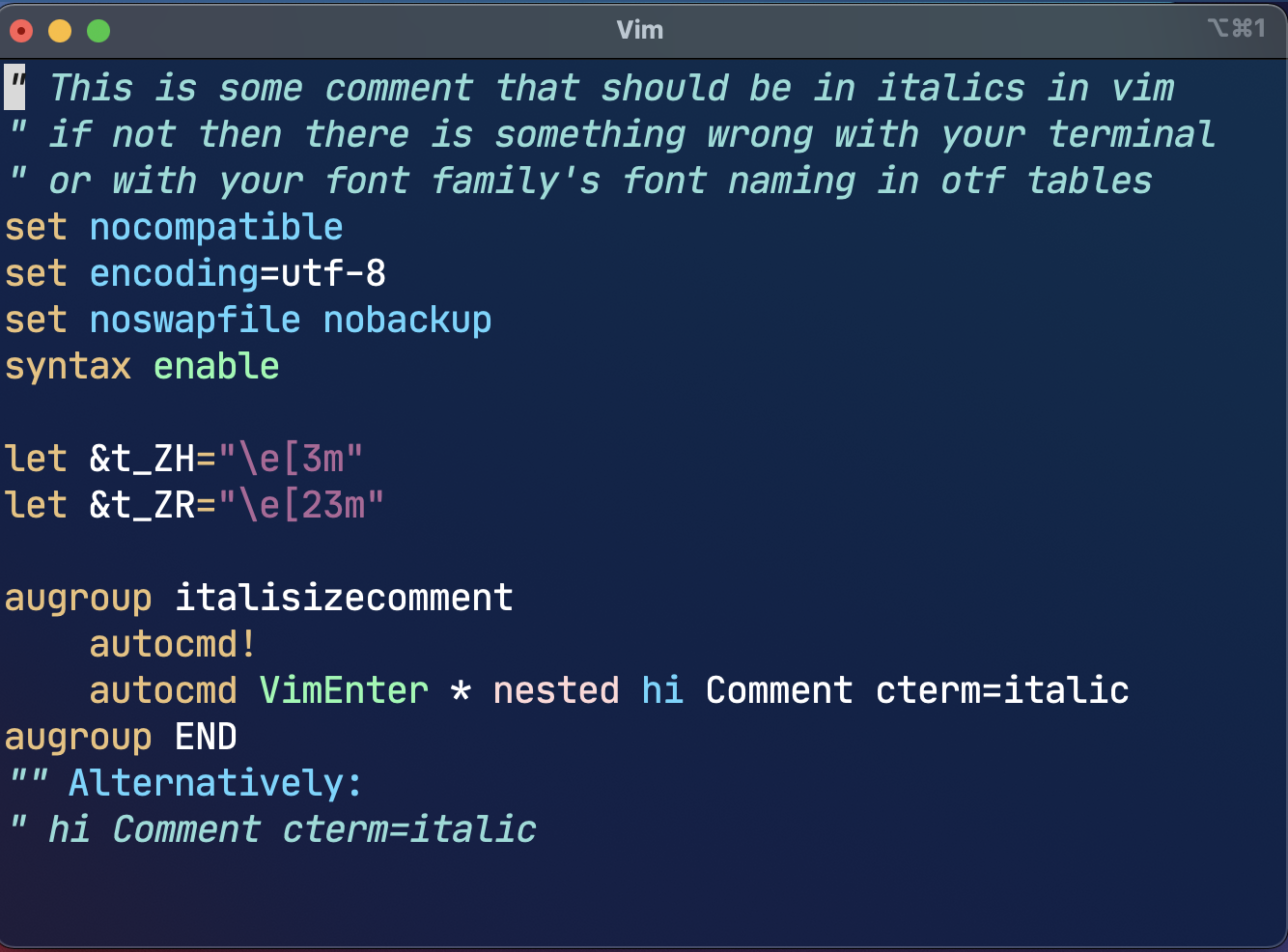
Contents of italics.vim:
" This is some comment that should be in italics in vim

" if not then there is something wrong with your terminal

" or with your font family's font naming in otf tables

set nocompatible

set encoding=utf-8

set noswapfile nobackup

syntax enable


let &t_ZH="\e[3m"

let &t_ZR="\e[23m"


augroup italisizecomment

    autocmd!

    autocmd VimEnter * nested hi Comment cterm=italic

augroup END

"" Alternatively:

"hi Comment cterm=italic
Log
I ran :hi Comment cterm=italic in all the terminals. Here's its output for groups:
❌ For terminals that don't italicize on vim startup:
:verbose highlight Comment

Comment        xxx term=bold ctermfg=14 guifg=#80a0ff

        Last set from /opt/homebrew/Cellar/macvim/8.2-169_2/MacVim.app/Contents/Resources/vim/runtime/syntax/syncolor.vim line 34
✅ For terminals that do italicize on vim startup:
:verbose highlight Comment

Comment        xxx term=bold cterm=italic ctermfg=14 guifg=#80a0ff

        Last set from ~/italics.vim line 14
Screenshots
❌WezTerm

✅ iTerm2
—
You are receiving this because you are subscribed to this thread.
Reply to this email directly, view it on GitHub, or unsubscribe.
lacygoill
What's the value of $TERM in the non-working terminals?
What's the output of:
$ infocmp -1x $TERM | grep '[sr]itm'
reportaman
Something odd is going on @brammool @lacygoill
In my tests, even if infocmp -1x $TERM | grep '[sr]itm' does not return anything (i.e. italics are not enabled in terminfo), adding the following line to the above minimal vimrc file italics.vim makes it work across all terminals (irrespective of terminfo).
set background= or set background=dark or set background=light
What does this option have to do with italics??
As a side note @lacygoill, thanks for that question. I tried without set background= by setting $TERM to use terminfo that had correct italics for sitm/ritm, that still didn't do trick for Terminal that ships with macOS (it worked for other terminals).
lacygoill
What does this option have to do with italics??
Setting this option has many side-effects. From :h 'background':
Setting this option does not change the background color, it tells Vim
what the background color looks like.[...]
When 'background' is set Vim will adjust the default color groups for
the new value.
When a color scheme is loaded (the "g:colors_name" variable is set)
setting 'background' will cause the color scheme to be reloaded.[...]
When the |t_RB| option is set, Vim will use it to request the background
color from the terminal. If the returned RGB value is dark/light and
'background' is not dark/light, 'background' will be set and the
screen is redrawn.[...]
When this option is set, the default settings for the highlight groups
will change.
that still didn't do trick for Terminal that ships with macOS (it worked for other terminals though, without set background=).
So, IIUC, the issue is fixed in all terminals except the terminal from macOS. That sounds like an issue with this particular terminal. A quick google search suggests that it didn't support italics in the past. Nowadays, it should support italics, but its terminfo description might not declare this capability. As a suggestion, you could try to add a custom entry in the terminfo database.
lacygoill
Also, what's $TERM in the macOS terminal? And does its terminfo description contains the sitm and ritm capabilities? If it does not, you might need to update the terminfo database. You could install packages which contain more up-to-date descriptions; I don't know about macOS, but on Ubuntu that would be ncurses-base and ncurses-term:
sudo aptitude install ncurses-base ncurses-term
Alternatively, you coul fetch them directly from the maintainer website:
curl -LO http://invisible-island.net/datafiles/current/terminfo.src.gz
gunzip terminfo.src.gz
tic -sx -e $TERM terminfo.src
If you want to update all terminal descriptions, and not just the one for the current terminal, replace the last shell command with:
tic -sx terminfo.src
lacygoill
Also, what's $TERM in the macOS terminal? And does its terminfo description contains the sitm and ritm capabilities?
Any update?
reportaman
@lacygoill I did what you mentioned there #7834 (comment),
>> echo $TERM
xterm-256color

>> infocmp -1x $TERM | grep '[sr]itm'
	ritm=\E[23m,
	sitm=\E[3m,
It still doesn't enable italics. The only thing that still works is to have set background=dark
lacygoill
I suspect Apple's Terminal.app doesn't let terminfo files that reside in ~/.terminfo to take effect, as its UI has a pre-baked dropdown list to pick from.
That could explain the issue, indeed. To be sure, you could try to get a trace. On Linux, it could be obtained with strace(1) like this:
strace -o log -e trace=open vim
Then quit Vim, and look for the pattern terminfo inside the file log. I'm not sure strace(1) works on MacOS. I've heard about another shell utility: dtruss.
On my machine, in xterm, here's what I find:
open("/home/user/.terminfo/x/xterm-256color", O_RDONLY) = 4
This confirms that Vim picks up the terminal description in my local database; the one in my home directory.
Anyway, if that's the issue, I guess the only reliable solution is to update the default terminal descriptions in /usr/share. But I don't know how to do that on MacOS.
Am currently ok with having set background=dark in my .vimrc for it to work in Terminal.app. Note: This is not needed for any other terminal I tested so far, as other terminals like wezterm started displaying italics after putting updated files in ~/.terminfo, without the need to have set background=dark in .vimrc. So I think this issue can be closed...
Yes, I think the issue can be closed too. The fact that this is specific to Terminal.app, and that MacOS uses an old version of ncurses which might not always work as expected, makes me think that this is an OS issue; not a Vim issue:
As of January 2020, MacOS and OpenBSD provide ncurses 5.7 (from 2008) for their system curses library.
Due to its age, ncurses 5.7 may not work as expected. For instance, the command tput ed was seen to not work with MacOS.
reportaman
@lacygoill Ah thanks. Btw, I had installed latest ncurses, and have been successfully using it with applications like sc-im. I mean I linked it to the newer version I installed from homebrew.
Its dtrace apparently. It apparently needs me to specify appropriate probes. Would you know what options should I set? I tried searching, but could not get probe to set to get that information.sudo dtrace -o log -l all vim -u italics.vim italics.vim, didn't print that info. Sorry, I have never used anything like s/dtrace, and don't understand them :)
Usage: dtrace [-aACeFHlqSvVwZ] [-arch i386|x86_64] [-b bufsz] [-c cmd] [-D name[=def]]
	[-I path] [-L path] [-o output] [-p pid] [-s script] [-U name]
	[-x opt[=val]]

	[-P provider [[ predicate ] action ]]
	[-m [ provider: ] module [[ predicate ] action ]]
	[-f [[ provider: ] module: ] func [[ predicate ] action ]]
	[-n [[[ provider: ] module: ] func: ] name [[ predicate ] action ]]
	[-i probe-id [[ predicate ] action ]] [ args ... ]

	predicate -> '/' D-expression '/'
	   action -> '{' D-statements '}'

	-arch Generate programs and Mach-O files for the specified architecture

	-a  claim anonymous tracing state
	-A  generate plist(5) entries for anonymous tracing
	-b  set trace buffer size
	-c  run specified command and exit upon its completion
	-C  run cpp(1) preprocessor on script files
	-D  define symbol when invoking preprocessor
	-e  exit after compiling request but prior to enabling probes
	-f  enable or list probes matching the specified function name
	-F  coalesce trace output by function
	-h  generate a header file with definitions for static probes
	-H  print included files when invoking preprocessor
	-i  enable or list probes matching the specified probe id
	-I  add include directory to preprocessor search path
	-l  list probes matching specified criteria
	-L  add library directory to library search path
	-m  enable or list probes matching the specified module name
	-n  enable or list probes matching the specified probe name
	-o  set output file
	-p  grab specified process-ID and cache its symbol tables
	-P  enable or list probes matching the specified provider name
	-q  set quiet mode (only output explicitly traced data)
	-s  enable or list probes according to the specified D script
	-S  print D compiler intermediate code
	-U  undefine symbol when invoking preprocessor
	-v  set verbose mode (report stability attributes, arguments)
	-V  report DTrace API version
	-w  permit destructive actions
	-W  wait for specified process and exit upon its completion
	-x  enable or modify compiler and tracing options
	-Z  permit probe descriptions that match zero probes
lacygoill
No sorry, I only know about strace(1). But there exists a stack exchange site dedicated to anything related to Apple, where you could get more info. For example, I found this answer which suggests a shell utility named opensnoop:
sudo opensnoop -p PID
reportaman
Never mind, thanks for your help. I get this probe description syscall::open:entry does not match any probes. System Integrity Protection is on. Maybe worth an investigation some other day.
reportaman
Closed #7834.