
[vim/vim] vim9: line continuation in commands and autocmds is awkward (#8620)

Martin Tournoij
(Bit of a follow-up to #8609).
I currently have this in my vimrc:
# Convert buffer to and from scratch.

command S

	\ if &buftype == 'nofile'  | setl swapfile buftype= bufhidden=

	| else                     | setl noswapfile buftype=nofile bufhidden=hide | endif

	| echo printf('swapfile=%s buftype=%s bufhidden=%s', &swapfile, &buftype, &bufhidden)


# Call uni on current character or visual selection.

command -range UnicodeName {

	| var save = @a

	| if <count> == -1

	|     @a = strcharpart(strpart(getline('.'), col('.') - 1), 0, 1)

	| else

	|     exe 'normal! gv"ay'

	| endif

	| echo system('uni -q i', @a)[: -2]

	| @a = save

|}


au Filetype dirvish

    #\ Remap as I often use q to close the Vim pager.

    | silent! nunmap <buffer> q

    | nmap <buffer> Q <Plug>(dirvish_quit)

    #\ Add tab mappings

    | nnoremap <buffer> t :call dirvish#open('tabedit', 0)<CR>

    | xnoremap <buffer> t :call dirvish#open('tabedit', 0)<CR>

    #\ Launch shell in cwd

    | nnoremap <silent> <buffer> <C-t> :lcd %<CR>:silent exec '!' .. (has('gui_running') ? 'st -e ' : '') .. $SHELL<CR><C-l>
Just posting some large-ish examples as some real-world use cases.
The line continuations aren't super-great IMO, and kind of non-obvious: especially in the :S commands since the first needs to be a \, and the rest |. In UnicodeName you can use all bars, but the closing } also needs one, which is not very obvious, and having to use those bars in the first place is a bit meh.
If you want to add a comment or two it gets kinda tricky/non-obvious as well, as you need to use #, and blank ("blank") lines need to be written as | or #\.
If { .. } blocks were to allow using any commands without line continuations,
then above could be written as:
# Convert buffer to and from scratch.

command S {

	if &buftype == 'nofile'  | setl swapfile buftype= bufhidden=

	else                     | setl noswapfile buftype=nofile bufhidden=hide | endif

	echo printf('swapfile=%s buftype=%s bufhidden=%s', &swapfile, &buftype, &bufhidden)

}


# Call uni on current character or visual selection.

command -range UnicodeName {

	var save = @a

	if <count> == -1

		@a = strcharpart(strpart(getline('.'), col('.') - 1), 0, 1)

	else

		exe 'normal! gv"ay'

	endif


	echo system('uni -q i', @a)[: -2]

	@a = save

}


au Filetype dirvish {

    # Remap as I often use q to close the Vim pager.

    silent! nunmap <buffer> q

    nmap <buffer> Q <Plug>(dirvish_quit)


    # Add tab mappings

    nnoremap <buffer> t :call dirvish#open('tabedit', 0)<CR>

    xnoremap <buffer> t :call dirvish#open('tabedit', 0)<CR>


    # Launch shell in cwd

    nnoremap <silent> <buffer> <C-t> :lcd %<CR>:silent exec '!' .. (has('gui_running') ? 'st -e ' : '') .. $SHELL<CR><C-l>

}
Which, IMHO, is rather nice, and much more obvious. It's also a lot easier to type and get all the indentation correct, or move it to a function if you want to expand your little 5-line prototype.
Especially for autocmds I often want to add comments.
Aside: a big reason I looked at vim9script for my vimrc is because I got tired of typing all those \ line continuations 😅
Getting the line continuations with | to work for #8609 took quite a bit of effort/experimentation, as did figuring out that you need to use #\ for comments; I tried #, \#, |# – the way this breaks is quite confusing too: it will silently comment out the rest of the autocmd. It's documented that you need to use #\ in :help vim9, but it's pretty counter-intuitive IMHO.
People don't read the entire documentation from cover-to-cover; I've written my fair share of plugins and am a bit more invested than most, but for a lot of users it's "only" a language to configure their Vim not – not a language they actually write significant amount of code in beyond the occasional simple thing.
For something like VimScript it would be a good thing to reduce surprises/oddities, as it's not a language people will spend a lot of time with; they modify their vimrc maybe once every few months, rather than spend their full-time job with it.
—
You are receiving this because you are subscribed to this thread.
Reply to this email directly, view it on GitHub, or unsubscribe.
Martin Tournoij
Another oddity I just noticed:
# Get the syntax name of character under the cursor.
command -bang SyntaxName {
    | echo <bang>0
    \ ? synstack(line('.'), col('.'))->mapnew((_, id) => synIDattr(id, 'name'))
    \ : synIDattr(synID(line('.'), col('.'), 1), 'name')
|}
The echo and } need a |, but the ?and:need ` as they're not new commends but continuation of the expression.
Inside a function you can just do:
def g:Test(t: number)
    echo t
        ? synstack(line('.'), col('.'))->mapnew((_, id) => synIDattr(id, 'name'))
        : synIDattr(synID(line('.'), col('.'), 1), 'name')
enddef
lacygoill
I agree that getting rid of explicit continuation lines – entirely – should be a goal of Vim9.
If I look at my config, Vim9 has done a good job in that regard; I almost have no backslash at the start of a line anymore, except for a few commands.
As you noticed, user Ex commands and autocmds are part of those exceptions (which can be alleviated by moving the right-hand side in a function).
I like the suggestion of using a block; I hope Vim's parser can leverage those to automatically join the lines inside:
command Cmd {

    echo 'first command'

    echo 'second command'

    echo 'third line'

}
If it can't, then we'll have to wait until functions are provided, which IMO are necessary anyway. As soon as a command has a syntax which gets a little too complicated, a function helps a lot.
This includes all commands which install some interface:
:command:autocmd:map
As well as:
:syntax:highlight
And it makes sense. Ex commands are OK for an interactive usage (and for a script if they have a simple syntax). But how often do you install a user command interactively? I never do that.
FWIW, I've started to learn C just to submit a PR for these 5 functions. No idea when I'll come up with something; probably not before a very long time, maybe never.
I might have a look at how @yegappan implemented the sign_*( functions in the PR #3652
Because the goal was exactly the same: providing builtin functions as alternatives to Ex commands with complicated syntaxes. Maybe there is some insight to extract from the PR, which can be transferred over a new one dedicated to other Ex commands.
lacygoill
If it can't, then we'll have to wait until functions are provided, which IMO are necessary anyway.
In case I wasn't clear enough, here is an example of what I mean.
Martin Tournoij
:map is kind of special at the moment: everything on the rhs is a key as typed, both in the regular VimScript and Vim9 (and in Vim9 it runs in VimScript context right now). I'm not sure if it needs to be considered here, or if it can be changed in a backwards-compatible way without jumping though all sort of hoops. I mean, I don't disagree it can be improved, it's just that this requires a lot more than just "don't require line continuations for { ... } blocks".
:syntax and :highlight don't really run code, so that's something different too, although if it comes rolling out of any potential change that gets made automatically then that might be nice. Actually, for :syntax what I'd mostly like is something like re.VERBOSE in Python, Ruby, and some other languages. But that's a different issue altogether (and also not really related to Vim9). I did some work on this some time ago (just a VimScript "compiler"), but I didn't finish it because splitting strings over multiple lines is awkward too (seems this is still the case: I'll open a new issue for this). I've rarely wanted to split a :highlight over multiples lines btw.
If it can't, then we'll have to wait until functions are provided, which IMO are necessary anyway. As soon as a command has a syntax which gets a little too complicated, a function helps a lot.
Not sure if I follow what you mean "wait until functions are provided"? As in, we have def so I assume you mean something else?
lacygoill
:map is kind of special at the moment
I'm not sure if it needs to be considered here
Yes, I agree. I still think that a map() function would be helpful, but I admit the issue is much more complicated than for the other commands, so I won't mention it here anymore.
:syntax and :highlight don't really run code, so that's something different too
Whether the commands run code or not is irrelevant; the issue is exactly the same: we have commands which can easily get too long to fit on a single line. So, to make the code more readable, we split them on multiple lines. And to do so, we need explicit continuation lines when the linebreak is not before/after a binary operator.
But explicit continuation lines are annoying. You don't want to write this backslash:
command S
        \ if &buftype == 'nofile'  | setl swapfile buftype= bufhidden=
        ^
Other people don't want to write these backslashes:
syntax match vim9Continuation /^\s*\\/
    \ nextgroup=
    \     vim9SynContains,
    \     vim9SynContinuePattern,
    \     vim9SynMatchgroup,
    \     vim9SynNextgroup,
    \     vim9SynRegOpt,
    \     vim9SynRegStartSkipEnd
    \ skipwhite
    ^
With a function, we could get rid of them:
syntax('match', 'vim9Continuation', {
    regex: '^\s*\\',
    nextgroup: [
        'vim9SynContains',
        'vim9SynContinuePattern',
        'vim9SynMatchgroup',
        'vim9SynNextgroup',
        'vim9SynRegOpt',
        'vim9SynRegStartSkipEnd'
    ],
    skipwhite: true,
})
However, I very much like your suggestion of using a block. It might be better than a function.
Let's compare using your very first example. With a block, we would write:
command S {
    if &buftype == 'nofile'
        setl swapfile buftype= bufhidden=
    else
        setl noswapfile buftype=nofile bufhidden=hide
    endif
    echo printf('swapfile=%s buftype=%s bufhidden=%s', &swapfile, &buftype, &bufhidden)
}
That's very nice to read. And it makes a lot of sense. A block can be thought of as an unnamed function. So, when we're too lazy to wrap the right-hand side in a proper function, we could wrap it in a block instead.
With a command() function, we would write:
command('S', "if &buftype == 'nofile'"
          .. ' | setl swapfile buftype= bufhidden='
    .. ' | else'
    .. ' | setl noswapfile buftype=nofile bufhidden=hide'
    .. ' | endif'
    .. " | echo printf('swapfile=%s buftype=%s bufhidden=%s', &swapfile, &buftype, &bufhidden)")
Possible attributes (like -buffer, -range, ...) would be passed via an optional dictionary.
Ugh. I admit it's ugly. Maybe functions make sense in some cases, but not always; not sure.
I've rarely wanted to split a :highlight over multiples lines btw.
I had a few cases, but I agree it's not that common. But we definitely need a highlight() function for other reasons (mainly introspection: "what's the value of the foo attribute of the bar highlight group?").
Again, I won't mention highlight() here anymore either.
Martin Tournoij
Whether the commands run code or not is irrelevant
I was mostly thinking from an implementation POV, where it's probably a bit more relevant. I only took a fairly quick look at the implementation of Vim9Script so I could be wrong, but if I understand how things roughly work correctly this seems a lot harder/more complex to add.
I'm not against any of this or anything, it would be nice to have! And maybe I'm wrong and it's not so hard to add after all. It's good that it's mentioned in any case.
So, when we're too lazy to wrap the right-hand side in a proper function, we could wrap it in a block instead.
I wouldn't say "lazy" necessarily, it's just that it's nice if single things are, well, single things, rather than two things. I find it a better way to organise things.
Bram Moolenaar
as an argument to :command. You are basically making one long command
where the argument is a list of commands separated by "|".
As it currently works, starting a line with "|" is handled as line
continuation at a fairly low level, when reading the script file. It's
hard to do otherwise. And it's consistent this way.
> If { .. } blocks were to allow using any commands without line continuations,
> then above could be written as:
>
> # Convert buffer to and from scratch.
> command S {
> if &buftype == 'nofile' | setl swapfile buftype= bufhidden=
> else | setl noswapfile buftype=nofile bufhidden=hide | endif
> echo printf('swapfile=%s buftype=%s bufhidden=%s', &swapfile, &buftype, &bufhidden)
> }
# Convert buffer to and from scratch.
command S {
if &buftype == 'nofile'
setl swapfile buftype= bufhidden=
else
setl noswapfile buftype=nofile bufhidden=hide
endif
echo printf('swapfile=%s buftype=%s bufhidden=%s', &swapfile, &buftype, &bufhidden)
}
reading lines until finding one that starts with "}".
However, what about nested blocks? And how about using heredoc
commands, as used with Perl? What if there is an inline function that
also ends with a "}"? This quickly ends up needing to be parsed like a
function, where we handle this nesting (with quite a bit of effort).
I don't think we should go down this rabbit hole, and instead recommend
to call a function. Then you don't need the extra block scope, and when
using a compiled function get a speed improvement too.
--
hundred-and-one symptoms of being an internet addict:
239. You think "surfing" is something you do on dry land.
/// Bram Moolenaar -- Br...@Moolenaar.net -- http://www.Moolenaar.net \\\
/// \\\
\\\ sponsor Vim, vote for features -- http://www.Vim.org/sponsor/ ///
\\\ help me help AIDS victims -- http://ICCF-Holland.org ///
Martin Tournoij
However, what about nested blocks? And how about using heredoc commands, as used with Perl? What if there is an inline function that also ends with a "}"? This quickly ends up needing to be parsed like a function, where we handle this nesting (with quite a bit of effort).
Indeed; personally I'd just not allow nesting and heredoc commands and call it a day.
I think this solves the fairly common use case where people want to write just a few lines of code for a command or autocmd with maybe a comment in their vimrc. It doesn't need to solve every use case or be fully flexible. I mean, it's possible now (and is with current VimScript too), just more awkward than it needs to be IMO, and this (or something along these lines) would make it a lot easier for people who are not deeply invested in VimScript (which are the overwhelming majority of users).
Also see my other comment on "Vim(9)Script as a configuration language".
Bram Moolenaar
Martin Tournoij wrote:
> > However, what about nested blocks? And how about using heredoc
> > commands, as used with Perl? What if there is an inline function
> > that also ends with a "}"? This quickly ends up needing to be
> > parsed like a function, where we handle this nesting (with quite a
> > bit of effort).
>
> Indeed; personally I'd just not allow nesting and heredoc commands and
> call it a day.
>
> I think this solves the fairly common use case where people want to
> write just a few lines of code for a command or autocmd with maybe a
> comment in their vimrc. It doesn't need to solve every use case or be
> fully flexible. I mean, it's possible now (and is with current
> VimScript too), just more awkward than it needs to be IMO, and this
> (or something along these lines) would make it a lot easier for people
> who are not deeply invested in VimScript (which are the overwhelming
> majority of users).
we can just disallow nesting and anything confusing then it can work.
Please try out patch 8.2.3228. It uses Vim9 syntax, since the {} block
is specific for Vim9.
--
Emacs is a nice OS - but it lacks a good text editor.
That's why I am using Vim. --Anonymous
/// Bram Moolenaar -- ***@***.*** -- http://www.Moolenaar.net \\\
/// \\\
\\\ sponsor Vim, vote for features -- http://www.Vim.org/sponsor/ ///
\\\ help me help AIDS victims -- http://ICCF-Holland.org ///
—
Martin Tournoij
Thank you :-) I did some testing and converted some things I previously had in functions and found the following issues:
This:
command Test {

	echo [1, 2, 3]->map((_, v) => v + 1)

}
Gives:
:command Test

	Name              Args Address Complete    Definition

	Test              0                        {<NL>    echo [1, 2, 3]->map((_, v) => v + 1)<NL>}


:vim9cmd echo [1, 2, 3]->map((_, v) => v + 1)

[2, 3, 4]


:Test

E342: Out of memory!  (allocating 18446744073709551615 bytes)

Error detected while compiling function <lambda>14:

line    1:

E488: Trailing characters: )

E116: Invalid arguments for function map((_, v) => v + 1)<00>}
Not supporting lambdas is perhaps a reasonably limitation (although it did work before with |), but (trying to) allocate 8TB of memory is obviously a bug.
Using normal! also seems to cause problems:
command Test {

	normal! dd

	echom 'xx'

}


:command Test

	Name              Args Address Complete    Definition

	Test              0                        {<NL>    normal! dd<NL>    echom 'xx'<NL>}


:Test

:  █
It leaves me in in the command prompt, where █ is the cursor.
Seems to be because :normal takes the rest of the line as input, but the newline isn't taken as the "end of the line" in this case. exe 'normal! dd' works around this.
Interestingly, this issue doesn't seem to exist for e.g. nnoremap; that works as expected.
With the following:
vim9script


command -range Test {

	| echom 'asd'

|}


g:dict = {

}
No error on startup, but:
:command Test

	Name              Args Address Complete    Definition

	Test              0    .                   { | echom 'asd' |}<NL><NL>g:dict = {<NL>}
Because it doesn't see the |} as the end of the opening { it takes everything between that and the closing } of the dict as part of the block. In my case, I still had the "old" syntax in my vimrc it, didn't get any error on startup, but over half of the file got ignored.
I'm not sure if this actually an issue that people will run in to or something that really needs fixing, but thought I'd mention it nonetheless.
Bram Moolenaar
> Thank you :-) I did some testing and converted some things I
> previously had in functions and found the following issues:
>
>
> This:
>
> command Test {
> echo [1, 2, 3]->map((_, v) => v + 1)
> }
>
> Gives:
>
> :command Test
> Name Args Address Complete Definition
> Test 0 {<NL> echo [1, 2, 3]->map((_, v) => v + 1)<NL>}
>
> :vim9cmd echo [1, 2, 3]->map((_, v) => v + 1)
> [2, 3, 4]
>
> :Test
> E342: Out of memory! (allocating 18446744073709551615 bytes)
> Error detected while compiling function <lambda>14:
> line 1:
> E488: Trailing characters: )
> E116: Invalid arguments for function map((_, v) => v + 1)<00>}
>
> Not supporting lambdas is perhaps a reasonably limitation (although it
> did work before with `|`), but (trying to) allocate 8TB of memory is
> obviously a bug.
Fixed by patch 8.2.3235.
> Using `normal!` also seems to cause problems:
>
> command Test {
> normal! dd
> echom 'xx'
> }
>
> :command Test
> Name Args Address Complete Definition
> Test 0 {<NL> normal! dd<NL> echom 'xx'<NL>}
>
> :Test
> : █
>
> It leaves me in in the command prompt, where █ is the cursor.
>
> Seems to be because :normal takes the rest of the line as input, but
> the newline isn't taken as the "end of the line" in this case. `exe
> 'normal! dd'` works around this.
of another way to join the lines that would work. Just disallowing the
use of :normal directly and documenting that :exe should be used seems
to be the only solution.
> Interestingly, this issue doesn't seem to exist for e.g. `nnoremap`;
> that works as expected.
>
>
> With the following:
>
> vim9script
>
> command -range Test {
> | echom 'asd'
> |}
>
> g:dict = {
> }
>
> No error on startup, but:
>
> :command Test
> Name Args Address Complete Definition
> Test 0 . { | echom 'asd' |}<NL><NL>g:dict = {<NL>}
>
> Because it doesn't see the `|}` as the end of the opening `{` it takes
> everything between that and the closing `}` of the dict as part of the
> block. In my case, I still had the "old" syntax in my vimrc it, didn't
> get any error on startup, but over half of the file got ignored.
>
> I'm not sure if this actually an issue that people will run in to or
> something that really needs fixing, but thought I'd mention it
> nonetheless.
find. It's the price you pay. You can check what the command got
defined to, so at least there is an easy way to debug this.
--
Two fish in a tank. One says to the other:
"Do you know how to drive this thing?"
/// Bram Moolenaar -- ***@***.*** -- http://www.Moolenaar.net \\\
/// \\\
\\\ sponsor Vim, vote for features -- http://www.Vim.org/sponsor/ ///
\\\ help me help AIDS victims -- http://ICCF-Holland.org ///
—
lacygoill
Because it doesn't see the |} as the end of the opening { it takes everything between that and the closing } of the dict as part of the block.
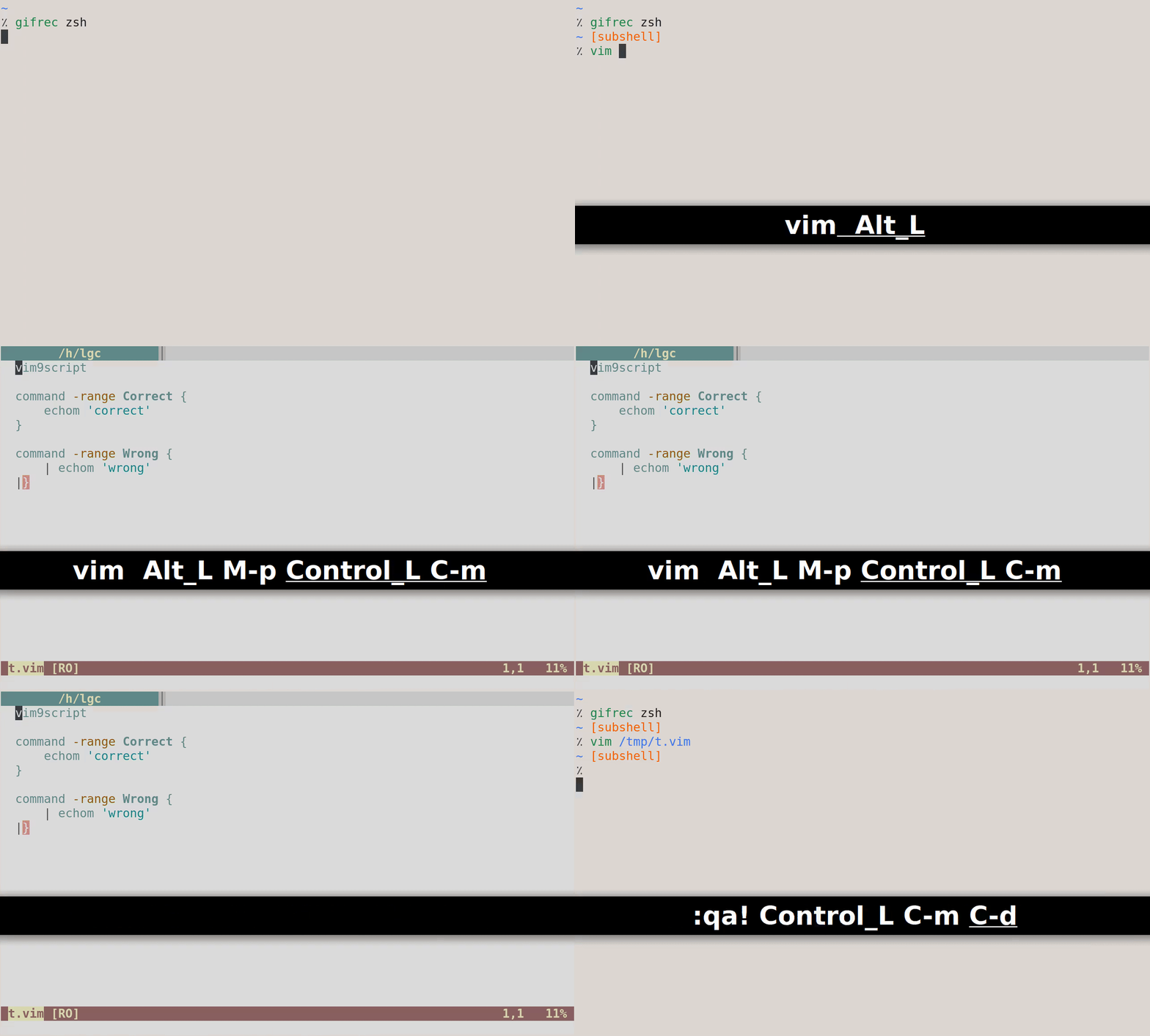
FWIW, my Vim9 syntax plugin highlights the } in |} as an error:
Martin Tournoij
Yes, :normal sees the line break as part of its argument. I can't think of another way to join the lines that would work. Just disallowing the use of :normal directly and documenting that :exe should be used seems to be the only solution.
Yeah, I think that's fine; :normal is already a somewhat unnormal command anyway.
That is exactly what I mentioned earlier, that errors might be hard to find. It's the price you pay. You can check what the command got defined to, so at least there is an easy way to debug this.
It's not ideal, but the parser can always be improved in the future. Like I mentioned, the biggest use case is just ~15 lines at the most (but usually much less) in your vimrc; if you write your entire plugin like this then you're probably not taking the best approach.
Might be a good idea to add a word of warning about this in the docs nonetheless. Actually, the docs still uses the old syntax with pipes that will no longer work (line 324), and probably about :normal as well?
Would you consider adding support for autocmd Filetype vim { ... } as well?
FWIW, my Vim9 syntax plugin highlights the } in |} as an error:
It's nice, but, gosh, this is way too colourful for my personal tastes 😅
lacygoill
Would you consider adding support for autocmd Filetype vim { ... } as well?
Yes:
When we are happy with how this works for :command, we can also do this
for :au.
It's nice, but, gosh, this is way too colourful for my personal tastes sweat_smile
Fair enough. I had the exact same reaction when updating the code from legacy to Vim9.
My first goal was to be accurate as possible. The old syntax plugin made too many mistakes in Vim9. Even in legacy, I kept finding issues all the time, to the point that I didn't care about the highlighting anymore (except for big red errors obviously). For example, in legacy:
let undo = 123
let name = undo
Why is the 2nd undo highlighted as a command? It's a variable name.
And here:
let undo = 12
let abbrev = 34
if undo || abbrev
endif
Why is abbrev highlighted as a command? Again, it's a variable.
And here:
augroup Group
    delete 3
augroup END
Why is delete highlighted as a Vim function? It's an Ex command.
And here:
let l =<< trim END
    aaa
    bbb
    ccc
END
Why is =<< highlighted with Special? It's an assignment operator; it should be highlighted like all other assignment operators.
And here:
let name = 1
if 2 == 3
endif
IMO, = and == should not be highlighted with the same group (even though they're both operators). I often mix the two because they're so similar which leads to confusing errors; the highlighting should help me distinguish them. That's why I highlight = like var (i.e. with Identifier).
Also, all the variables are highlighted (with Identifier), but IMO that's noise. I had a look at some other syntax plugins for popular languages (python, typescript), they don't highlight the variables. Which makes sense; it adds little information. A variable could contain any type of data.
Also, the logical blocks (if, for, try, ...) were highlighted like any other commands, so they didn't stand out; but that's not how other syntax plugins handle them; in the latter, logical blocks do stand out with dedicated colors (if with Conditional, for with Repeat, try or similar with Exception, ...).
There were too many other inconsistencies / issues to list them all here. I fixed most of them; but not all. Still some work to do.
But I think there are 2 reasons why it looks too colorful. First, Vim script is first and foremost centered around Ex commands, not functions. And the former often have a complex syntax. When the legacy plugin dealt with one of them (e.g. :syntax or :highlight), it tried to highlight their arguments with dedicated colors; I think it was a way to give some feedback to the user: "yes, you wrote the argument correctly", or "no, you misspelled something". I tried to follow the same approach.
The other reason is the new types in the declarations which add a lot of colors.
Maybe I'll disable the highlighting of the most noisy groups, and allow them to be highlighted again on-demand via a configurable dictionary variable. Which groups would you disable by default? I guess Vim builtin functions + Vim9 data types, right?
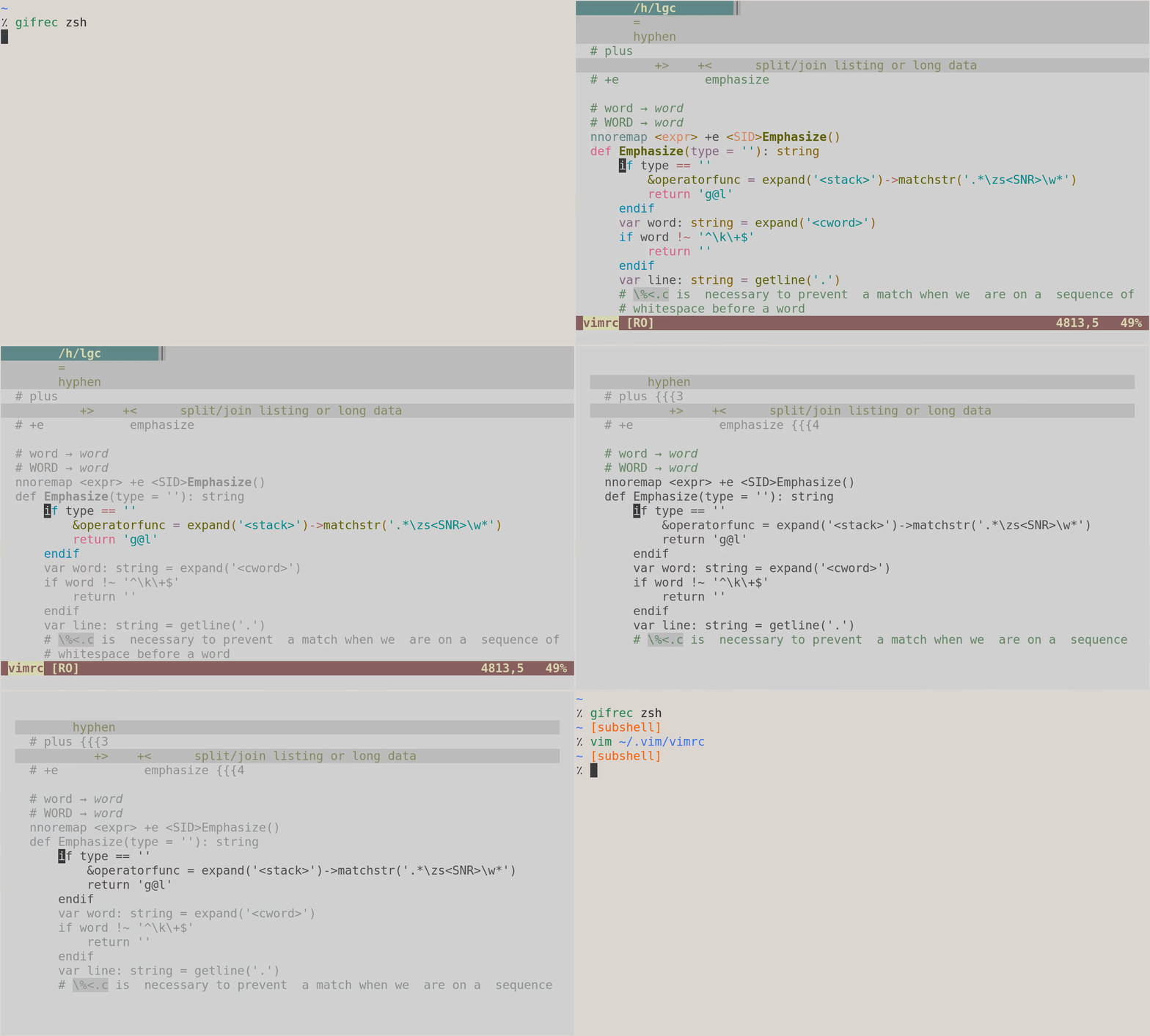
BTW, while we're on the subject of "too much colors", which often comes with remarks such as "syntax highlighting is just noise". IMO, the best approach is not "no syntax higlihgting"; the best one is "syntax highlighting + goyo/limelight". Even after disabling the syntax highlighting, there is still a lot of noise (Vim statusline, Vim tabline, tmux statusline, ...). With goyo you can hide everything; with limelight you can dim down everything except the block of code on which you're working.
lacygoill
the best one is "syntax highlighting + goyo/limelight"
To illustrate:
lacygoill
FWIW, I pushed a commit to disable the highlighting of builtin functions and data types by default. You still get a red error if you misspell a function name by accident. You can re-enable the highlighting with:
g:vim9_syntax = {
    builtin_functions: true,
    data_types: true,
}
Martin Tournoij
Which groups would you disable by default? I guess Vim builtin functions + Vim9 data types, right?
There were a bunch of things that didn't map to any of the standard Vim highlights (Function, Identifier, etc) that introduced some "new" highlights, I'd have to check again. I don't overly care for the Vim highlights as shipped with Vim either actually, but I'm used to it now. I've always just used the default colour scheme, and I'm generally fairly aversive to change about these sort of things. When I switched to termguicolors I made a colour scheme that more closely resembles the 256 colours (with some minor tweaks). Actually, I ran the 16 colours version of xterm for a long time because that's just what I was used to 🤷
Bram Moolenaar
Martin Tournoij wrote:
> > Yes, :normal sees the line break as part of its argument. I can't
> > think of another way to join the lines that would work. Just
> > disallowing the use of :normal directly and documenting that :exe
> > should be used seems to be the only solution.
>
> Yeah, I think that's fine; :normal is already a somewhat unnormal
> command anyway.
> > That is exactly what I mentioned earlier, that errors might be hard
> > to find. It's the price you pay. You can check what the command
> > got defined to, so at least there is an easy way to debug this.
>
> It's not ideal, but the parser can always be improved in the future.
> Like I mentioned, the biggest use case is just ~15 lines at the most
> (but usually much less) in your vimrc; if you write your entire plugin
> like this then you're probably not taking the best approach.
>
> Might be a good idea to add a word of warning about this in the docs
> nonetheless. Actually, the docs still uses the old syntax with pipes
> that will no longer work (line 324), and probably about :normal as
> well?
> Would you consider adding support for `autocmd Filetype vim { ... }` as well?
than trying to put it all in one line with bar separators.
So we can also use it for autocommands.
--
Experience is what you get when you don't get what you want.
/// Bram Moolenaar -- ***@***.*** -- http://www.Moolenaar.net \\\
/// \\\
\\\ sponsor Vim, vote for features -- http://www.Vim.org/sponsor/ ///
\\\ help me help AIDS victims -- http://ICCF-Holland.org ///
—
lacygoill
That should be gone since the most recent runtime files update.
I'm on 8.2.3269 (i.e. after the last update of the runtime filese), and the bars are still there:
This is especially useful in a user command: >
command -range Rename {
| var save = @A
| @A = 'some expression'
| echo 'do something with ' .. @A
| @A = save
|}
And with autocommands: >
au BufWritePre *.go {
| var save = winsaveview()
| silent! exe ':%! some formatting command'
| winrestview(save)
|}
diff --git a/runtime/doc/vim9.txt b/runtime/doc/vim9.txt
index 0ea74840f..943d4fd55 100644
--- a/runtime/doc/vim9.txt
+++ b/runtime/doc/vim9.txt
@@ -324,19 +324,19 @@ used: >
 This is especially useful in a user command: >

 	command -range Rename {
-		| var save = @a
-		| @a = 'some expression'
-		| echo 'do something with ' .. @a
-		| @a = save
-		|}
+		 var save = @a
+		 @a = 'some expression'
+		 echo 'do something with ' .. @a
+		 @a = save
+		}

 And with autocommands: >

    au BufWritePre *.go {
-		| var save = winsaveview()
-		| silent! exe ':%! some formatting command'
-		| winrestview(save)
-		|}
+		 var save = winsaveview()
+		 silent! exe ':%! some formatting command'
+		 winrestview(save)
+		}

 Although using a :def function probably works better.
With regards to this new syntax, it works in a legacy function:
vim9script
function Func()
    com Test {
        echomsg 'one'
        echomsg 'two'
    }
    com Test
endfunction
Func()
Test 0 {<NL> echomsg 'one'<NL> echomsg 'two'<NL> }
But not in a :def one:
vim9script
def Func()
    com Test {
        echomsg 'one'
        echomsg 'two'
    }
    com Test
enddef
defcompile
E1025: Using } outside of a block scope
It seems inconsistent. Is it working as intended? If so, we might want to document this limitation. (It would be nice if it could work though.)
lacygoill
Also, :help command-repl states that nesting is not supported:
No nesting is supported, inline functions cannot be used. Using
:normal
directly does not work, you can use it indirectly with:execute.
I guess it refers to this:
vim9script
autocmd CursorHold * {
    {
        echomsg 'one'
        echomsg 'two'
    }
}
E1128: } without {: }
That is nesting a block.
But what about nesting an autocmd?
vim9script
autocmd CursorHold * autocmd SafeState * ++once {
    echomsg 'one'
    echomsg 'two'
}
E1128: } without {: }
It doesn't work. Is it working as intended? Should we document this limitation too? Or is it already covered by the current "No nesting is supported"?
Bram Moolenaar
> > That should be gone since the most recent runtime files update.
>
> I'm on 8.2.3269 (i.e. after the last update of the runtime filese), and the bars are still there:
>
> > This is especially useful in a user command: >
>
> > command -range Rename {
> > | @a = 'some expression'
> > | echo 'do something with ' .. @a
> > | @a = save
> > |}
>
> > And with autocommands: >
>
> > au BufWritePre *.go {
> > | var save = winsaveview()
> > | silent! exe ':%! some formatting command'
> > | winrestview(save)
> > |}
> With regards to this new syntax, it works in a legacy function:
> vim9script
> function Func()
> com Test {
> echomsg 'one'
> echomsg 'two'
> }
> com Test
> endfunction
> Func()
> ```
> Test 0 {<NL> echomsg 'one'<NL> echomsg 'two'<NL> }
>
> But not in a `:def` one:
> vim9script
> def Func()
> com Test {
> echomsg 'one'
> echomsg 'two'
> }
> com Test
> enddef
> defcompile
> ```
> E1025: Using } outside of a block scope
>
> It seems inconsistent. Is it working as intended? If so, we might
> want to document this limitation. (It would be nice if it could work
> though.)
--
I'd like to meet the man who invented sex and see what he's working on now.
/// Bram Moolenaar -- ***@***.*** -- http://www.Moolenaar.net \\\
/// \\\
\\\ sponsor Vim, vote for features -- http://www.Vim.org/sponsor/ ///
\\\ help me help AIDS victims -- http://ICCF-Holland.org ///
—
Bram Moolenaar
> Also, `:help command-repl` states that nesting is not supported:
>
> > No nesting is supported, inline functions cannot be used. Using `:normal`
>
> I guess it refers to this:
> vim9script
> autocmd CursorHold * {
> {
> echomsg 'one'
> echomsg 'two'
> }
> }
> ```
> E1128: } without {: }
>
> That is nesting a block.
>
> But what about nesting an autocmd?
> vim9script
> autocmd CursorHold * autocmd SafeState * ++once {
> echomsg 'one'
> echomsg 'two'
> }
> ```
> E1128: } without {: }
>
> It doesn't work. Is it working as intended? Should we document this
> limitation too? Or is it already covered by the current "No nesting
> is supported"?
autocmd CursorHold * {
   autocmd SafeState * ++once | echomsg 'one' | echomsg 'two'
}
a block" - "be" instead of "use".
--
Yah, well, we had to carve our electrons out of driftwood we'd
find. In the winter. Uphill. Both ways.
/// Bram Moolenaar -- ***@***.*** -- http://www.Moolenaar.net \\\
/// \\\
\\\ sponsor Vim, vote for features -- http://www.Vim.org/sponsor/ ///
\\\ help me help AIDS victims -- http://ICCF-Holland.org ///
—
lacygoill
The block must be the only command:
autocmd CursorHold * { autocmd SafeState * ++once | echomsg 'one' | echomsg 'two' }
It looks like it works because no error is given on installation; but it doesn't work when triggered:
vim9script
autocmd CursorHold * {
    autocmd SafeState * ++once echomsg 'one' | echomsg 'two'
}
doautocmd CursorHold
E1128: } without {: }
lacygoill
It looks like it works because no error is given on installation; but it doesn't work when triggered:
Ah, that's the same limitation as for :normal. So, the help should not simply focus on the latter command.
No nesting is supported, inline functions cannot be used. Using
:normal
directly does not work, you can use it indirectly with
:execute.
It should explain that any command which sees | as its argument cannot be contained in this kind of block (unless wrapped in a string and then :executed); :normal being just one example. As a suggestion, here is a patch:
diff --git a/runtime/doc/map.txt b/runtime/doc/map.txt
index a10c85b7a..f190d1bd4 100644
--- a/runtime/doc/map.txt
+++ b/runtime/doc/map.txt
@@ -1580,8 +1580,10 @@ Example: >
 		echo 'hello'
 		g:calledMyCommand = true
 	    }
-No nesting is supported, inline functions cannot be used.  Using `:normal`
-directly does not work, you can use it indirectly with `:execute`.
+No nesting is supported, inline functions cannot be used.  Using a command
+which sees a bar as their argument (like `:normal` and any other command
+listed in |:bar|) does not work directly; you can use it indirectly with
+`:execute`.

 The replacement text {repl} for a user defined command is scanned for special
 escape sequences, using <...> notation.  Escape sequences are replaced with
—
You are receiving this because you are subscribed to this thread.
Reply to this email directly, view it on GitHub, or unsubscribe.
Triage notifications on the go with GitHub Mobile for iOS or Android.
Bram Moolenaar
That seems too limiting, there are quite a few commands that include "|" in the argument.
Let's see if we can make this work...