
[vim/vim] [Regression][Windows] visualbell causes permanent color inversion in 9.0.856 (Issue #11532)

Kevin Locke
Steps to reproduce
- Install Vim 9.0.0856 x64
- Run
vim --clean --cmd "set visualbell"in PowerShell orcmd.exe - Press k
Observe that the terminal colors are now inverted:
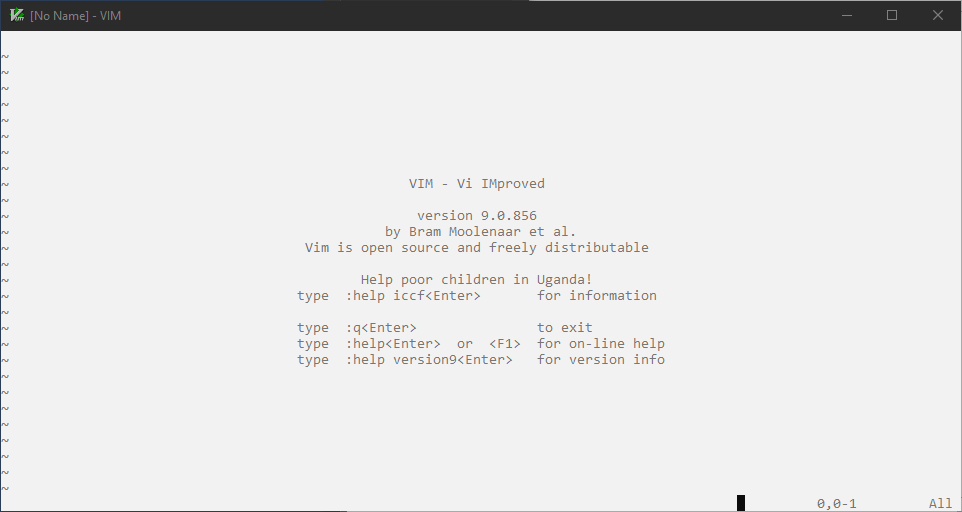
They are incrementally un-inverted as text is inserted:
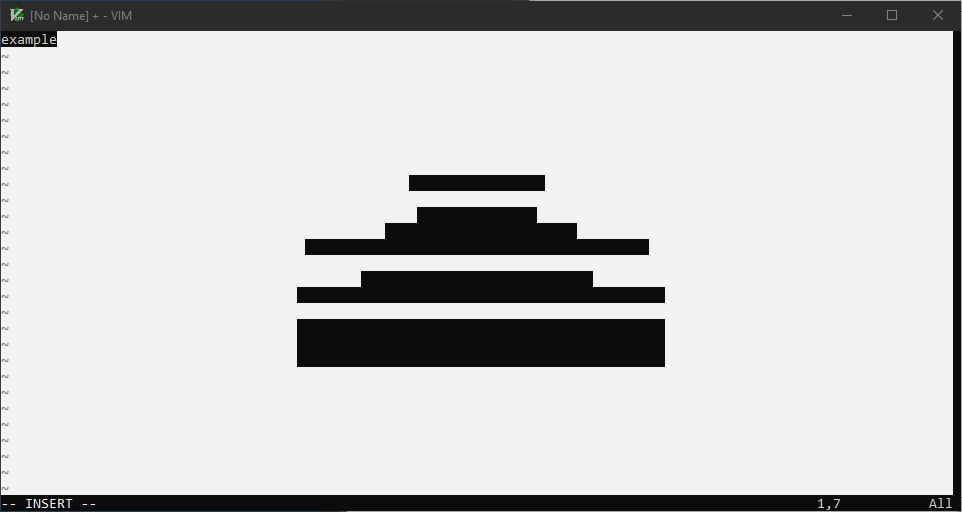
And fully un-inverted by pressing Ctrl+L:
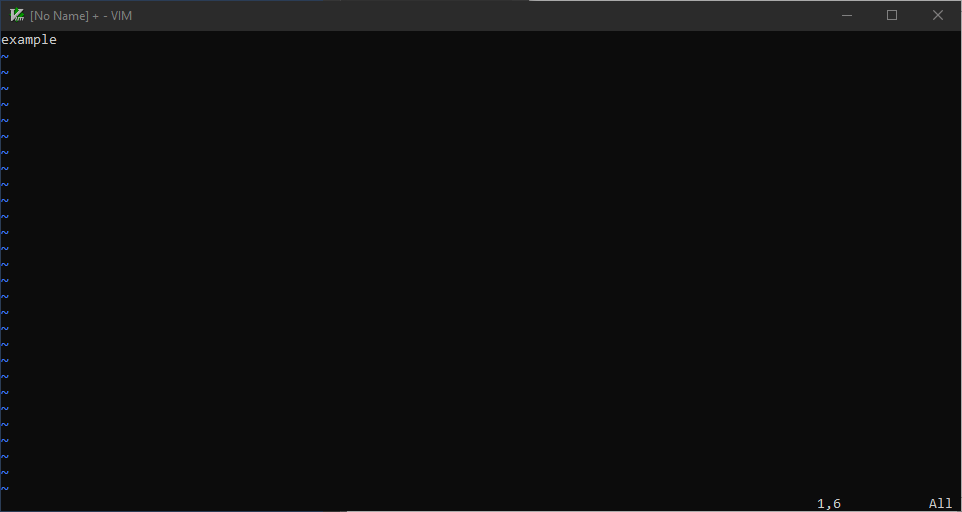
Expected behaviour
Terminal colors would invert very briefly on alerts, as they did in 9.0.848.
Version of Vim
9.0.856 and 9.0.861
Environment
Windows 10.0.19043.2251
ConHost with PowerShell or cmd.exe
Logs and stack traces
No response
—
Reply to this email directly, view it on GitHub.
You are receiving this because you are subscribed to this thread.
Nobuhiro Takasaki
The problem is in v9.0.0850.
This patch kills all ConPTY support I wrote earlier.
Why?
The 16-color mode has been completely crushed. I'm going to fix it steadily, but my heart is a little heavy.
—
Reply to this email directly, view it on GitHub.
You are receiving this because you are subscribed to this thread.
Christopher Plewright
FYI - Windows was not reporting the correct 16 color table for the console. It was only reporting what it considers "default" values, but if the user has customised their consoles 16 colour scheme, vim was overwriting those customisations.
—
Reply to this email directly, view it on GitHub.
You are receiving this because you are subscribed to this thread.
Christopher Plewright
For example;
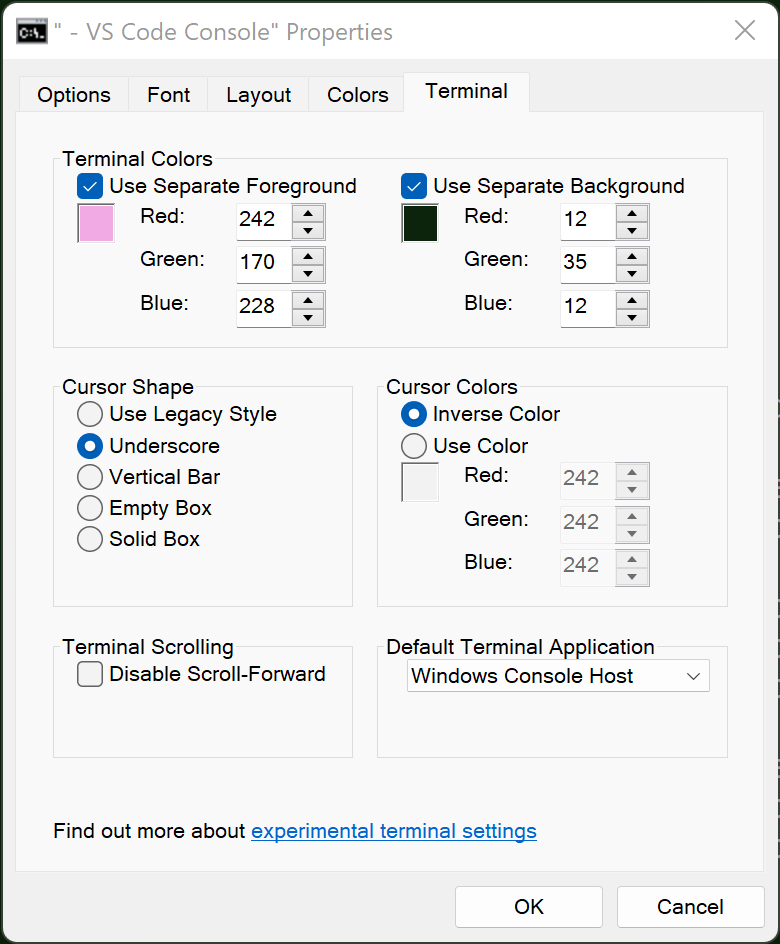
set the text and background colours to something "customised", see the attached picture for example.
Then, see what old vim use to do to those colours. Windows would report the colors based on a 16 colortable that has nothing to do with the actual current console colors. Vim would save these values, assuming that they are the correct ones to restore after Vim exits. BUT, they are not the correct colors to restore after the session.
—
Reply to this email directly, view it on GitHub.
You are receiving this because you are subscribed to this thread.
Christopher Plewright
more from that example - setting a bunch of odd "custom" colors;

And, the new vim is correctly using those colors;
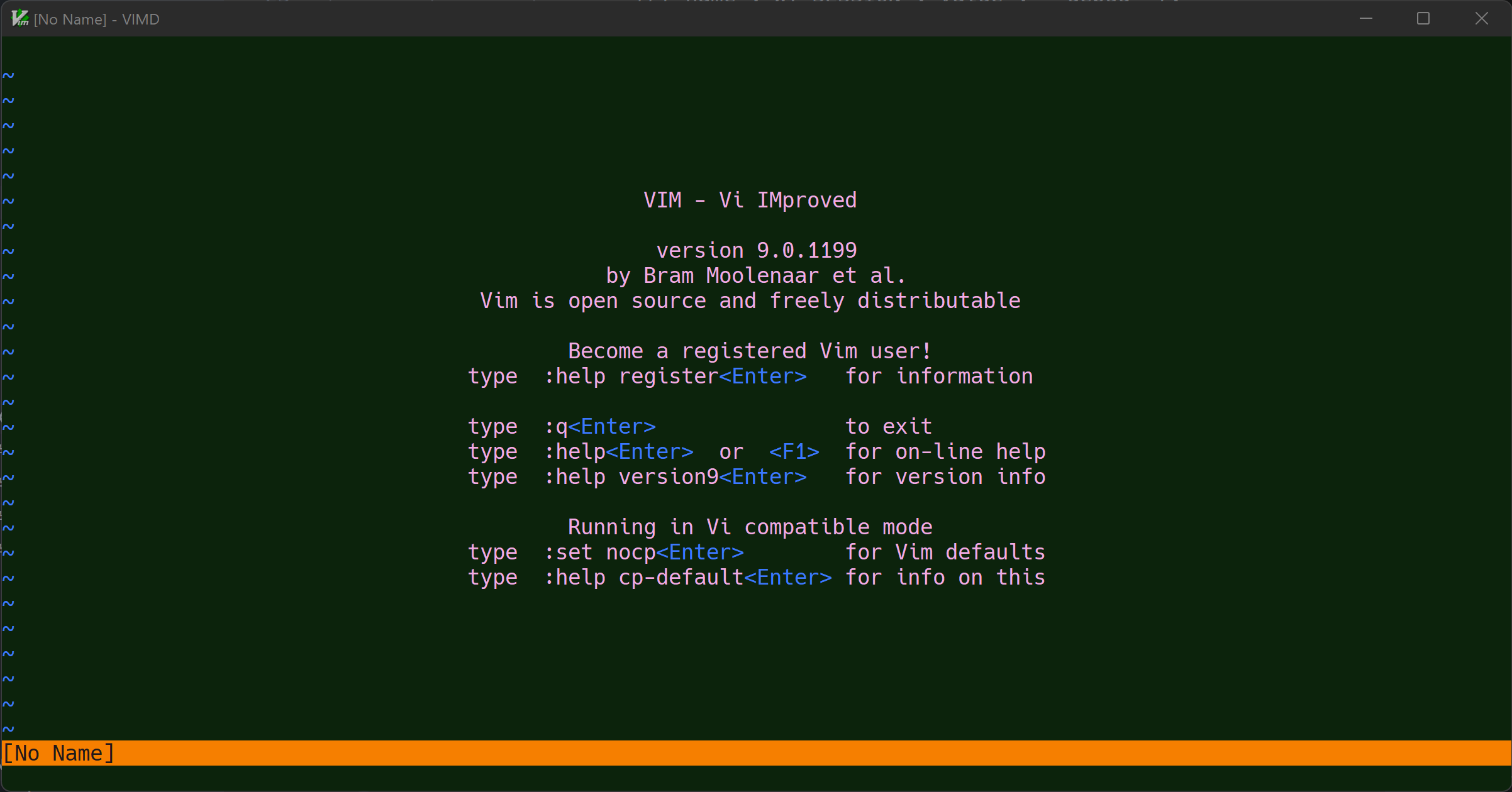
Please dont break this
—
Reply to this email directly, view it on GitHub.
You are receiving this because you are subscribed to this thread.
Christopher Plewright
So, when tgc is enabled; it looks like this in the new version;
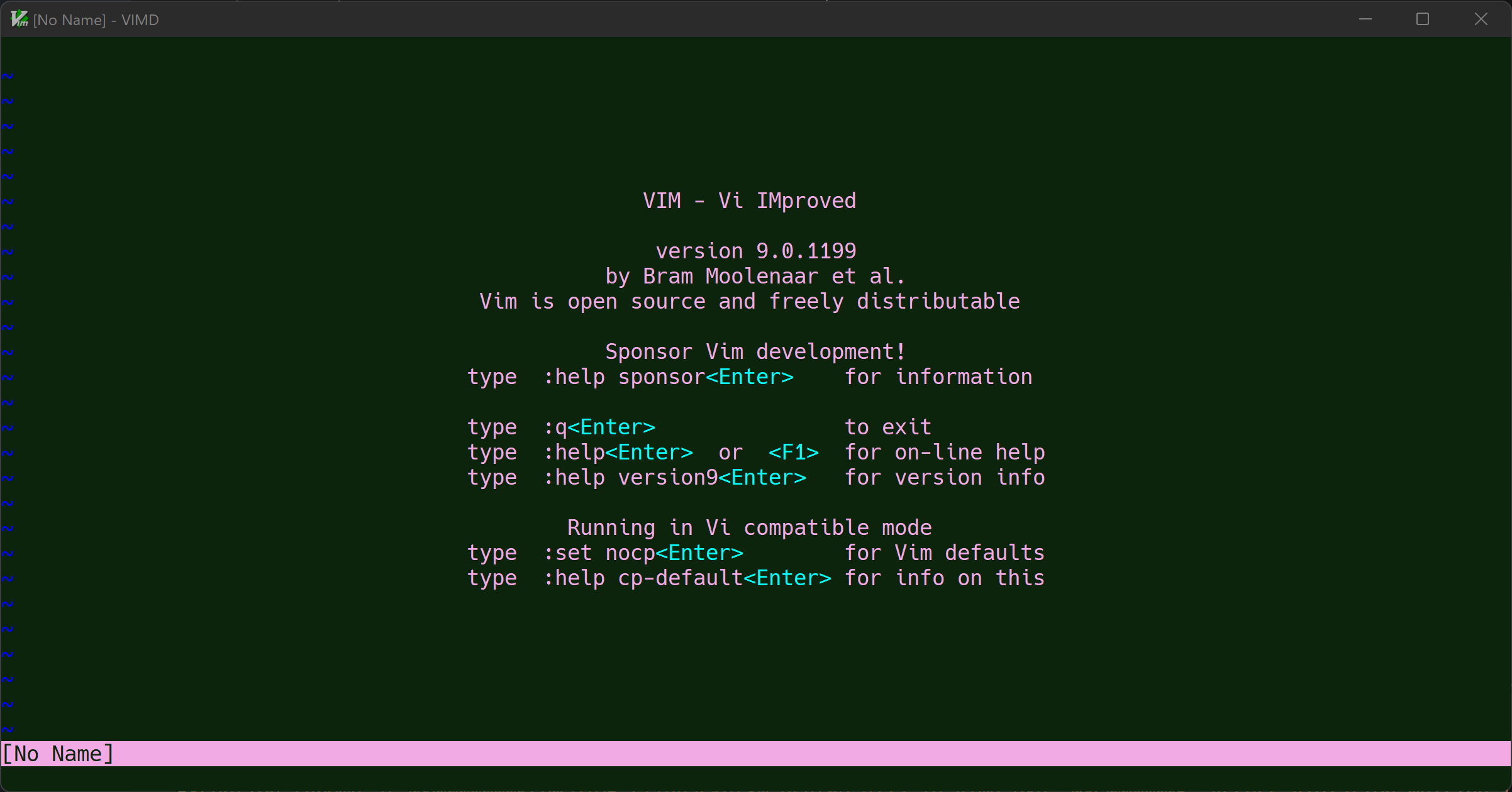
OK, its ugly, but isn't this correct according to the 16 colortable set by the user.
BUT, see how it looks like in the old version of vim, before I made changes to the colors;
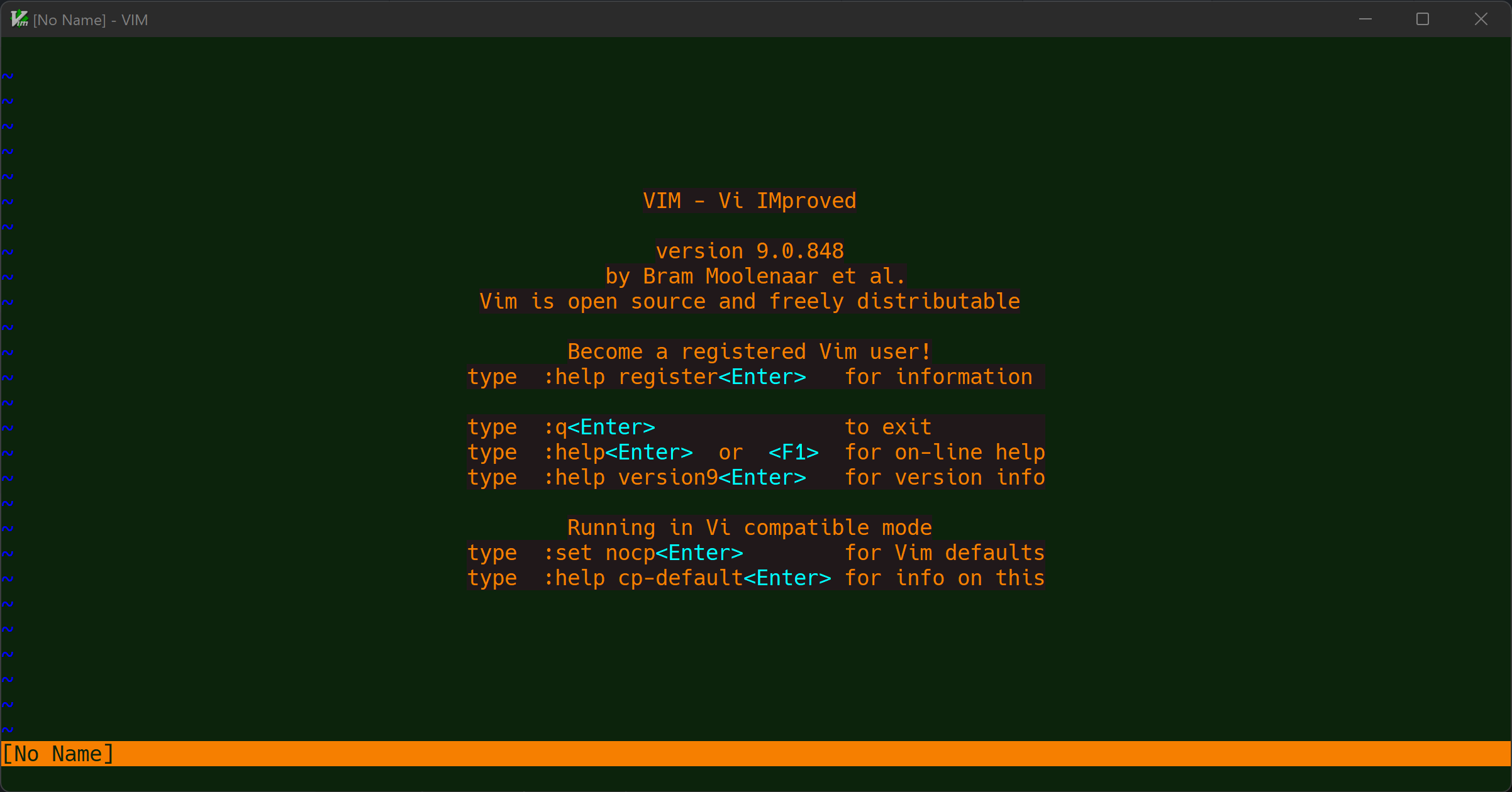
This looks wrong - for example it has changed the color of the text from the user setting "Use Separate Foreground" color was pink - but now its orange.
—
Reply to this email directly, view it on GitHub.
You are receiving this because you are subscribed to this thread.
Nobuhiro Takasaki
Please stop it.
In visual_bell(),
ReadConsoleOutputAttribute() saves the color attribute of each character on the entire screen in an array,
Add a reverse color attribute to each character on the entire screen with FillConsoleOutputAttribute().
Restore the color attribute of each character saved in the array by WriteConsoleOutputAttribute().
You removed the 16-color mode detection from USE_WTP. if(!USE_VTP) is the condition if it is in 16 color mode. If it's 16 colors, do a WriteConsole...() and undo the inverted colors, which you did in dead code.
Why?
—
Reply to this email directly, view it on GitHub.
You are receiving this because you are subscribed to this thread.
Nobuhiro Takasaki
Windows consoleYou can get all 16 non-default currently set colors with CONSOLE_SCREEN_BUFFER_INFOEX.ColorTable[16] .
vim.exe is not overriding the default.
ColorTable[16] is saved at startup, and the saved ColorTable[16] is restored at shutdown.
In v9.0.0850 vtp_init() you have dead code the code that saves ColorTable[16] on startup.
—
Reply to this email directly, view it on GitHub.
You are receiving this because you are subscribed to this thread.
Christopher Plewright
My change has obviously frustrated you - and I'm truly sorry about that. Please accept my apology.
I think I'm getting defensive and some issues muddled up.
ColorTable[16] is saved at startup, and the saved ColorTable[16] is restored at shutdown.
Well, yeah, Vim was doing this and other things for restoring the buffer. And yes, I tried to completely bypass it from reading or writing anything related to the ColorTable[16]. Because there were problems with reading from it - which could all be avoided if it has working VTP - then it should not be necessary to touch that table, VTP enables us to use the alternate screen buffer - so restoring the console is not something Vim should have anything to do with - especially because it was restoring incorrectly in a number of ways with newer versions of windows consoles (both WT as well as old console).
Sorry I can't recall all the correct details off the top of my head right now - but I can dig them up tomorrow evening - and I can go through them more carefully.
I'm not saying I haven't made any mistakes. I probably have. But my main point for today, is that my change did actually fix real problems - so please be mindful of them.
—
Reply to this email directly, view it on GitHub.
You are receiving this because you are subscribed to this thread.