
[vim/vim] Last character being duplicated as a result of set columns (#6022)

Stephen Huan
Describe the bug
When adjusting the number of columns with the command :set columns=number,
the last character is sometimes visually duplicated when there is only one character in the file.
To Reproduce
Detailed steps to reproduce the behavior:
Download this source file: https://github.com/stephen-huan/TJCubing/blob/master/cube.py
vim --clean cube.py:set columns=110- Go to the end of the file with G
- On the right side, characters are duplicated when they were not in the source file. They also are right of the column limit.
Expected behavior
Characters should wrap around and fit within the character limit.
Screenshots
If applicable, copy/paste the text or add screenshots to help explain your problem.

On line 631 the period is visually duplicated when it is not in the source file.
The vertical line was drawn with set colorcolumn, and it also is visually incorrect.

A close up of what I mean.
Environment (please complete the following information):
VIM - Vi IMproved 8.2 (2019 Dec 12, compiled Apr 19 2020 22:40:28)
macOS version
Included patches: 1-600
Compiled by Homebrew
Huge version without GUI.  Features included (+) or not (-):
+acl               -farsi             +mouse_sgr         +tag_binary
+arabic            +file_in_path      -mouse_sysmouse    -tag_old_static
+autocmd           +find_in_path      +mouse_urxvt       -tag_any_white
+autochdir         +float             +mouse_xterm       -tcl
-autoservername    +folding           +multi_byte        +termguicolors
-balloon_eval      -footer            +multi_lang        +terminal
+balloon_eval_term +fork()            -mzscheme          +terminfo
-browse            +gettext           +netbeans_intg     +termresponse
++builtin_terms    -hangul_input      +num64             +textobjects
+byte_offset       +iconv             +packages          +textprop
+channel           +insert_expand     +path_extra        +timers
+cindent           +ipv6              +perl              +title
-clientserver      +job               +persistent_undo   -toolbar
+clipboard         +jumplist          +popupwin          +user_commands
+cmdline_compl     +keymap            +postscript        +vartabs
+cmdline_hist      +lambda            +printer           +vertsplit
+cmdline_info      +langmap           +profile           +virtualedit
+comments          +libcall           -python            +visual
+conceal           +linebreak         +python3           +visualextra
+cryptv            +lispindent        +quickfix          +viminfo
+cscope            +listcmds          +reltime           +vreplace
+cursorbind        +localmap          +rightleft         +wildignore
+cursorshape       +lua               +ruby              +wildmenu
+dialog_con        +menu              +scrollbind        +windows
+diff              +mksession         +signs             +writebackup
+digraphs          +modify_fname      +smartindent       -X11
-dnd               +mouse             -sound             -xfontset
-ebcdic            -mouseshape        +spell             -xim
+emacs_tags        +mouse_dec         +startuptime       -xpm
+eval              -mouse_gpm         +statusline        -xsmp
+ex_extra          -mouse_jsbterm     -sun_workshop      -xterm_clipboard
+extra_search      +mouse_netterm     +syntax            -xterm_save
   system vimrc file: "$VIM/vimrc"
     user vimrc file: "$HOME/.vimrc"
 2nd user vimrc file: "~/.vim/vimrc"
      user exrc file: "$HOME/.exrc"
       defaults file: "$VIMRUNTIME/defaults.vim"
  fall-back for $VIM: "/usr/local/share/vim"
Compilation: clang -c -I. -Iproto -DHAVE_CONFIG_H   -DMACOS_X -DMACOS_X_DARWIN  -g -O2 -U_FORTIFY_SOURCE -D_FORTIFY_SOURCE=1
Linking: clang   -L. -fstack-protector-strong -L/usr/local/lib -L/usr/local/opt/libyaml/lib -L/usr/local/opt/openssl@1.1/lib -L/usr/local/opt/readline/lib  -L/usr/local/lib -o vim        -lncurses -liconv -lintl -framework AppKit  -L/usr/local/opt/lua/lib -llua5.3 -mmacosx-version-min=10.15 -fstack-protector-strong -L/usr/local/lib  -L/usr/local/Cellar/perl/5.30.2_1/lib/perl5/5.30.2/darwin-thread-multi-2level/CORE -lperl -lm -lutil -lc  -L/usr/local/opt/python/Frameworks/Python.framework/Versions/3.7/lib/python3.7/config-3.7m-darwin -lpython3.7m -framework CoreFoundation  -lruby.2.7
- macOS 10.15.4 (Catalina)
- Terminal: kitty
Additional context
There does not seem to be a duplication if set columns is not ran.
—
You are receiving this because you are subscribed to this thread.
Reply to this email directly, view it on GitHub, or unsubscribe.
Christian Brabandt
Hm, not sure what you expect. the columns number tells vim how large the screen is. Setting this option in a gui, will make it resize, so that the this reflects the correct number of columns it can display. In a terminal it does not make sense to set it (except for the correct value of course, in case vim cannot automatically detect it). So don't do that.
Bram Moolenaar
Several terminals will resize, when Vim has the right escape codes. Perhaps Kitty has an off-by-one error in that escape code? Try resizing the window and check the value of 'columns' that Vim detects.
Tony Mechelynck
I don't have kitty, nor is it available in my Linux distro. In an xterm, if I change the 'columns' value in Vim, it resizes the xterm to that value; but I cannot reproduce the problem. However, here vim --clean doesn't display line numbers the way your screenshot does. Are you sure you didn't change some other setting (besides 'number') without mentioning it, 'list' and 'listchars' maybe? Or did the Mac OSX distribution include a non-standard $VIMRUNTIME/defaults.vim maybe? (In the latter case all hell may break loose, depending on what they changed.)
I don't see any change that might affect what you're seeing between your 8.2.600 and the current 8.2.671 but maybe I missed something; there is a list of patches (with a one-line description of each of them) at http://ftp.vim.org/pub/vim/patches/8.2/ — otherwise I don't know what hit you.
Maybe trying to compile your own Vim might help you; or maybe it mightn't; but I don't know what else to tell you; and if you don't know how to do it, I have a HowTo page for Unix-like systems at http://users.skynet.be/antoine.mechelynck/vim/compunix.htm — it ought to work on OSX too as long as you don't try to build a GUI.
Best regards,
Tony.

Christian Brabandt
Am 01.05.2020 um 14:21 schrieb Bram Moolenaar (Vim Github Repository) <vim-dev...@256bit.org>:
Several terminals will resize, when Vim has the right escape codes. Perhaps Kitty has an off-by-one error in that escape code? Try resizing the window and check the value of 'columns' that Vim detects.
—
You are receiving this because you are subscribed to this thread.
Reply to this email directly, view it on GitHub, or unsubscribe.

--
--
You received this message from the "vim_dev" maillist.
Do not top-post! Type your reply below the text you are replying to.
For more information, visit http://www.vim.org/maillist.php
---
You received this message because you are subscribed to the Google Groups "vim_dev" group.
To unsubscribe from this group and stop receiving emails from it, send an email to vim_dev+u...@googlegroups.com.
To view this discussion on the web visit https://groups.google.com/d/msgid/vim_dev/vim/vim/issues/6022/622366016%40github.com.

Tony Mechelynck
Oh vim can resize the terminal? Wow did not know that.

Yegappan Lakshmanan
Oh vim can resize the terminal? Wow did not know that.
Stephen Huan
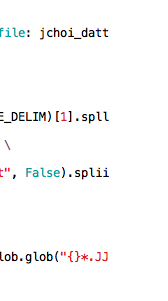
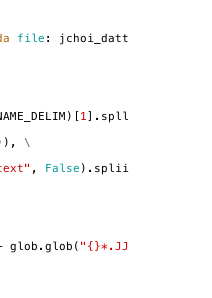
The screenshot I sent was from not a clean version of vim, sorry.
From iTerm2:
From kitty (clean):
Finally, from the default Terminal app in MacOS:
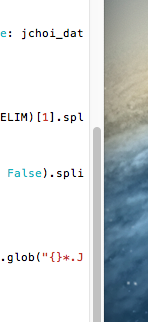
"if I change the 'columns' value in Vim, it resizes the xterm to that value"
It seems the default terminal app behaves similarly, which prevents the duplicate characters from being seen since they are off the screen, however, iTerm and kitty don't resize when the columns are changed, so the characters are visible.
The size of my terminal is 79 274 and the problems persist when resizing to 76 133.
Tony Mechelynck
Well, maybe there is an off-by-one error in the termcaps for the misbehaving terminals then, like Bram said.
That's the kind of problem which is far above my capacity to debug; but maybe Bram (or someone) could see something if (in a misbehaving terminal) you do the following:
:redir @+
:verbose set term? termcap
:redir END
then immediately paste here what Vim (in response to the above) has just put into the clipboard. Don't set your hopes too high though.
Oh, and another possibility which could (but I think probably won't) help you is
:let $TERM = &term
:set invttybuiltin term=$TERM tbi? term?
Setting 'term' to some value (including, like here, to the value it already has) is necessary for the change to 'ttybuiltin' to take effect.
Best regards,
Tony.
Stephen Huan
The result of Vim is:
  term=xterm-kitty
--- Terminal codes ---
  t_AL=^[[%p1%dL      t_ce=^[[K           t_CV=               t_EI=               t_ks=^[[?1h^[=      t_ms=y              t_RI=^[[%p1%dC      t_SC=^[]12;         t_so=^[[7m          t_TE=^[[>4;m        t_ue=^[[m           t_vs=^[[?12h
  t_al=^[[L           t_cl=^[[H^[[2J      t_da=               t_fs=^G             t_le=^H             t_nd=^[[C           t_Ri=^[[23;1t       t_se=^[[27m         t_SR=               t_ti=^[[?1049h      t_us=^[[4m          t_xn=y
  t_bc=               t_Ce=               t_db=               t_GP=^[[13t         t_mb=               t_op=^[[39;49m      t_RS=^[P$q q^[\     t_Sf=               t_sr=^[M            t_TI=^[[>4;2m       t_ut=y              t_xs=
  t_BE=^[[?2004h      t_Co=256            t_DL=^[[%p1%dM      t_IE=^G             t_md=^[[1m          t_RF=^[]10;?^G      t_RT=^[[23;2t       t_SH=^[[%p1%d q     t_ST=^[[22;2t       t_Ts=^[[9m          t_ve=^[[?25h        t_ZH=^[[3m
  t_BD=^[[?2004l      t_CS=               t_dl=^[[M           t_IS=^[]1;          t_me=^[[m           t_RB=^[]11;?^G      t_RV=^[[>c          t_SI=               t_Te=^[[29m         t_ts=^[]2;          t_vi=^[[?25l        t_ZR=^[[23m
  t_cd=^[[J           t_Cs=               t_EC=^G             t_ke=^[[?1l^[>      t_mr=^[[7m          t_RC=^[[?12$p       t_Sb=               t_Si=^[[22;1t       t_te=^[[?1049l      t_u7=^[[6n          t_VS=^[[?12l
  t_AB=^[[%?%p1%{8}%<%t4%p1%d%e%p1%{16}%<%t10%p1%{8}%-%d%e48;5;%p1%d%;m
  t_AF=^[[%?%p1%{8}%<%t3%p1%d%e%p1%{16}%<%t9%p1%{8}%-%d%e38;5;%p1%d%;m
  t_cm=^[[%i%p1%d;%p2%dH
  t_cs=^[[%i%p1%d;%p2%dr
  t_vb=^[[?5h$<100/>^[[?5l
  t_WP=^[[3;%p1%d;%p2%dt
  t_WS=^[[8;%p1%d;%p2%dt
  t_8f=^[[38;2;%lu;%lu;%lum
  t_8b=^[[48;2;%lu;%lu;%lum
--- Terminal keys ---
t_#2 <S-Home>    ^[[1;2H   t_F2 <F12>       ^[[24;*~  t_KC <k0>        ^[O*p     t_KJ <k7>        ^[O*w     t_k2 <F2>        ^[OQ      t_k6 <F6>        ^[[17;*~  t_kI <Insert>    ^[[2;*~   t_kl <Left>      ^[O*D          <xF3>       ^[O*R          <xDown>     ^[[1;*B
t_#4 <S-Left>    ^[[1;2D   t_K6 <kPlus>     ^[O*k     t_KD <k1>        ^[O*q     t_KK <k8>        ^[O*x     t_k2 <F2>        ^[[12;*~  t_k7 <F7>        ^[[18;*~  t_kN <PageDown>  ^[[6;*~   t_kr <Right>     ^[O*C          <xF4>       ^[O*S          <xLeft>     ^[[1;*D
t_%i <S-Right>   ^[[1;2C   t_K7 <kMinus>    ^[O*m     t_KE <k2>        ^[O*r     t_KL <k9>        ^[O*y     t_k3 <F3>        ^[OR      t_k8 <F8>        ^[[19;*~  t_kP <PageUp>    ^[[5;*~   t_ku <Up>        ^[O*A          <xEnd>      ^[O*F          <xRight>    ^[[1;*C
t_*7 <S-End>     ^[[1;2F   t_K8 <kDivide>   ^[O*o     t_KF <k3>        ^[O*s     t_PE <PasteEnd>  ^[[201~   t_k3 <F3>        ^[[13;*~  t_k9 <F9>        ^[[20;*~  t_kb <BS>        ^?             <SgrMouse>  ^[[<*M         <zEnd>      ^[[8;*~        <kDel>      ^[[3;*~
t_@7 <End>       ^[OF      t_K9 <kMultiply> ^[O*j     t_KG <k4>        ^[O*t     t_PS <PasteStart> ^[[200~  t_k4 <F4>        ^[OS      t_k; <F10>       ^[[21;*~  t_kd <Down>      ^[O*B          <Mouse>     ^[[M           <xHome>     ^[O*H
t_@7 <End>       ^[[1;*F   t_KA <kEnter>    ^[O*M     t_KH <k5>        ^[O*u     t_k1 <F1>        ^[OP      t_k4 <F4>        ^[[14;*~  t_kB <S-Tab>     ^[[Z      t_kh <Home>      ^[OH           <xF1>       ^[O*P          <zHome>     ^[[7;*~
t_F1 <F11>       ^[[23;*~  t_KB <kPoint>    ^[O*n     t_KI <k6>        ^[O*v     t_k1 <F1>        ^[[11;*~  t_k5 <F5>        ^[[15;*~  t_kD <Del>       ^[[3~     t_kh <Home>      ^[[1;*H        <xF2>       ^[O*Q          <xUp>       ^[[1;*A
     <SgrMouseRelelase> ^[[<*m
The second two commands do not appear to have an effect.
Christian Brabandt
> Am 01.05.2020 um 22:31 schrieb Stephen Huan <notifi...@github.com>:
>
>
Stephen Huan
Sorry, I guess I should have specified this earlier. The actual "goal" of the set columns was to force soft wrapping of lines, but I filed an issue because I thought this was buggy behavior.
Tony Mechelynck
Update: When I set 'columns' to a lower value in a maximized xterm, the xterm doesn't change size but the area used by Vim does, and I see a spurious repeated character just right of the rightmost place accessible by the cursor, just like @stephen-huan
In konsole, on the contrary, I can't reproduce the problem even though the terminal doesn't resize.
Best regards,
Tony.
Christian Brabandt
Am 01.05.2020 um 23:14 schrieb Stephen Huan (Vim Github Repository) <vim-dev...@256bit.org>:
Sorry, I guess I should have specified this earlier. The actual "goal" of the set columns was to force soft wrapping of lines, but I filed an issue because I thought this was buggy behavior.
—
You are receiving this because you are subscribed to this thread.
Reply to this email directly, view it on GitHub, or unsubscribe.

--
--
You received this message from the "vim_dev" maillist.
Do not top-post! Type your reply below the text you are replying to.
For more information, visit http://www.vim.org/maillist.php
---
You received this message because you are subscribed to the Google Groups "vim_dev" group.
To unsubscribe from this group and stop receiving emails from it, send an email to vim_dev+u...@googlegroups.com.
To view this discussion on the web visit https://groups.google.com/d/msgid/vim_dev/vim/vim/issues/6022/622570990%40github.com.
thecrazzymouse
This is an intentional behaviour in VIM according to the source. See https://github.com/vim/vim/blob/v8.0.0275/src/screen.c line 5720 "First make sure we are at the end of the screen line, then output the same character again to let the terminal know about the wrap. If the terminal doesn't auto-wrap, we overwrite the character"
—
Reply to this email directly, view it on GitHub.
You are receiving this because you are subscribed to this thread.
Christian Brabandt
closing then.
—
Reply to this email directly, view it on GitHub.
You are receiving this because you are subscribed to this thread.
Christian Brabandt
Closed #6022.
—
Reply to this email directly, view it on GitHub.
You are receiving this because you are subscribed to this thread.