
[vim/vim] SCSS Syntax Highlighting Not Working (Issue #9252)

Andres Rodriguez
Steps to reproduce
Open an SCSS file.
Expected behaviour
Syntax highlighting to work.
I was using Vim on Ubuntu 20.04.3 LTS with Vim 8.1.2269 and the SCSS syntax highlighting didn't work. But if you use the plugin,
https://github.com/cakebaker/scss-syntax.vim,
this was no longer an issue.
However, I switched to Arch Linux with Vim 8.2.3582, and the plugin no longer fixes the issue.
Strangely the syntax highlight does work inside at-rules but not outside them.
https://developer.mozilla.org/en-US/docs/Web/CSS/At-rule
Here's a screenshot of what I mean.

Operating system
Arch Linux
Version of Vim
8.2.3582
Logs and stack traces
No response
—
You are receiving this because you are subscribed to this thread.
Reply to this email directly, view it on GitHub.
Triage notifications on the go with GitHub Mobile for iOS or Android.

lacygoill
Open an SCSS file.
Providing some text file would have helped. I had to manually type all the text from the screenshot.
the SCSS syntax highlighting didn't work
I can't reproduce. The code is syntax highlighted:
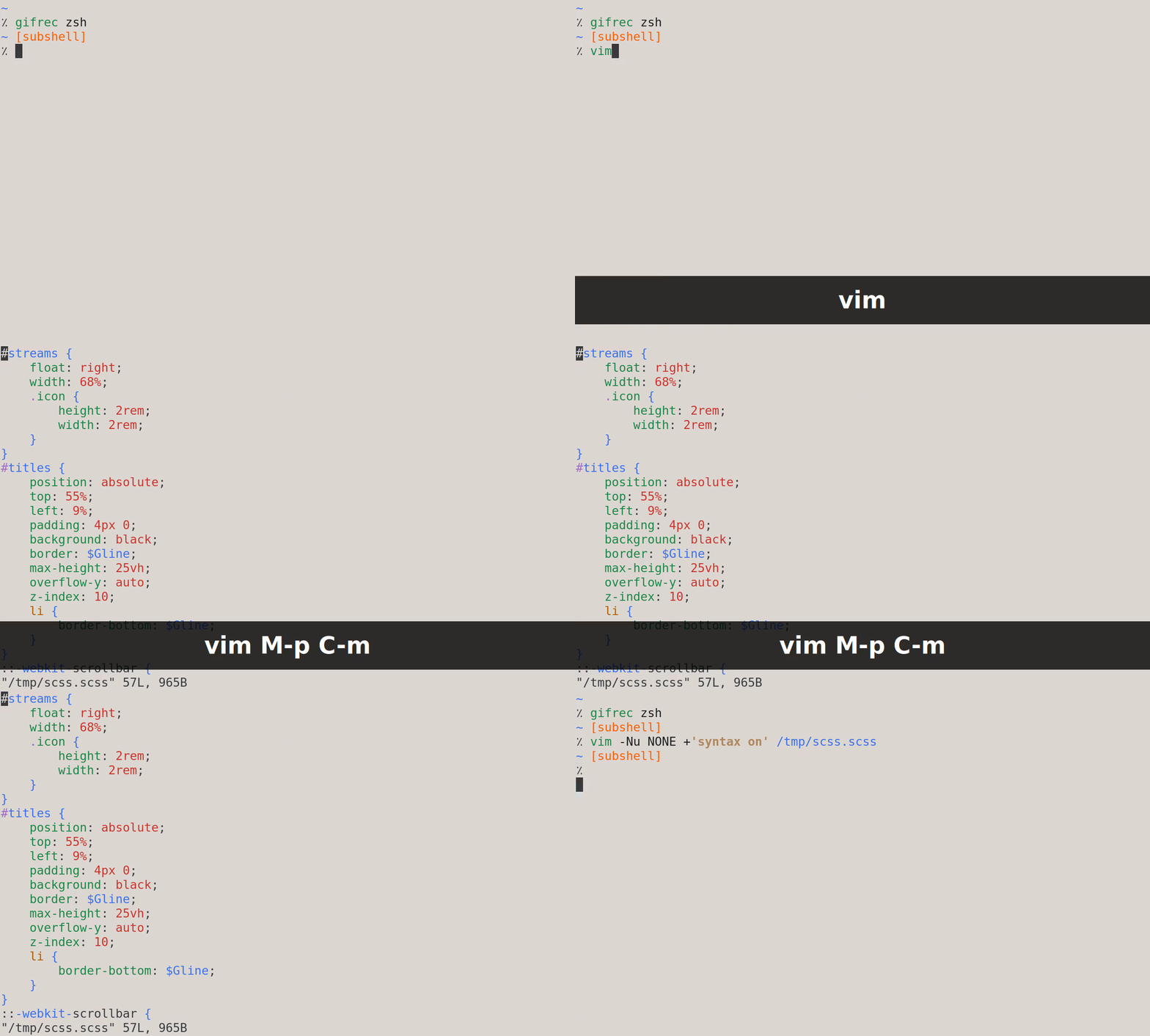
Whether the highlighting is correct is another story. I don't know SCSS. If it's incorrect, you'll have to be more specific as to where exactly.
To debug your issue, try to reproduce without config:
vim -Nu NONE +'syntax on' /path/to/file
And from the latest commit (8.2.3717 as I'm writing this).
Text from the screenshot for anyone else who want to test:
#streams {
    float: right;
    width: 68%;
    .icon {
        height: 2rem;
        width: 2rem;
    }
}
#titles {
    position: absolute;
    top: 55%;
    left: 9%;
    padding: 4px 0;
    background: black;
    border: $Gline;
    max-height: 25vh;
    overflow-y: auto;
    z-index: 10;
    li {
        border-bottom: $Gline;
    }
}
::-webkit-scrollbar {
    background: #000;
    -webkit-border-radius: 10px;
}
::-webkit-scrollbar-thumb {
    background: grey;
    -webkit-border-radius: 10px;
}
@media screen and (max-width: 1920px) {
    #center {
        width: 60%;
    }
    #show {
        width: 60%;
        left: 20%;
    }
}
@media screen and (max-width: 1200px) {
    aside a {
        font-size: 1.2rem;
    }
    .cover-season {
        width: 60%;
    }
    .info {
        width: 40%;
    }
    #clear, #list {
        padding: .5rem;
    }
    #content aside {
        font-size: 1.5rem;
        width: 17.5% !important;
    }
    #show {
Andres Rodriguez
@lacygoill thank you for looking into this issue. My apologies you must have written all that SCSS by hand.
The original reason why my SCSS syntax highlighting wasn't working was because of this plugin.
https://github.com/thaerkh/vim-indentguides
The plugin was messing with Vim's syntax highlighting. Strangely only mess up SCSS syntax.
And the reason why,
https://github.com/cakebaker/scss-syntax.vim,
wasn't working was because I had my own .vim/syntax/scss.vim. I was originally trying to fix it on my own but was too time consuming so I let the plugin fix it for me instead. I forgot to delete that file from my repo. So when switched to Arch Linux scss.vim was messing up my syntax highlighting.
Christian Brabandt
so closing.
Christian Brabandt
Closed #9252.