
show log from TortoiseBlame doesn't count added files as affected paths
41 views
Skip to first unread message

Sterpu Mihai
Nov 15, 2021, 11:38:23 AM11/15/21
to TortoiseSVN
Hi,
While in the TortoiseBlame window on a certain file ie. file.txt you can go to any line on the left panel, right click and select the "Show log" option in order to display the revision at which the line was modified\added.
However, in the Log Messages window that appears there is no entry if the file.txt was added at the respective revision and the "Show only affected paths" option is enabled.
Basically, it's like if the file was added at a revision this doesn't count as an affected path.
Surely, this is wrong.
Best regards,
Mihai
Daniel Sahlberg
Nov 15, 2021, 4:35:57 PM11/15/21
to TortoiseSVN
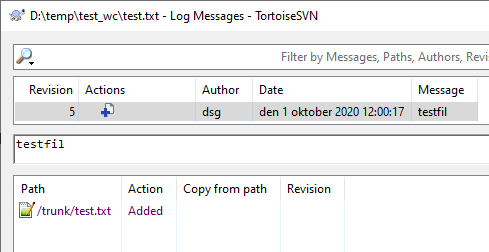
I'm not sure I follow the steps you describe. For me the file is listed no matter what boxes I have checked. Have you checked whether any of the other options are relevant in your case?
Kind regards,
Daniel
Sterpu Mihai
Nov 16, 2021, 1:33:20 AM11/16/21
to TortoiseSVN
Hi,
I managed to reproduce it, you need branches as well.
So, start with a trunk where you have a single file1.txt with some text in it
Create a branch b1
Checkout b1
Add a file file2.txt (with some text inside) on b1
Modify file1.txt on b1
Commit to b1 (REVISION X)
Checkout trunk
Merge b1 to trunk's working copy
Commit the merge (REVISION Y)
Now your working copy should contain file1.txt and file2.txt
Right click on file2.txt -> Blame
You can now see that for the lines of file2.txt TortoiseBlame displays revision X
Right click on any revision X, show Log
Now, if the "
Show only affected paths" option is enabled, then you can't see any path because at revision X the path was /b1.
Keep in mind that the blame option was triggered on a trunk working copy. Therefore, it is expected that the revisions displayed in the TortoiseBlame window
correspond to trunk revisions.
Expected behaviour:
- in the Blame Window the lines of file2.txt correspond to revision Y, the revision of b1's merge to trunk
Reply all
Reply to author
Forward
0 new messages