Topbraid Composer dark theme

156 views
Skip to first unread message

David Rouquet

unread,
Nov 5, 2019, 12:29:38 PM11/5/19
to TopBraid Suite Users
Hi everyone,

I am using Topbraid Composer in (Arch) Linux with a dark theme.
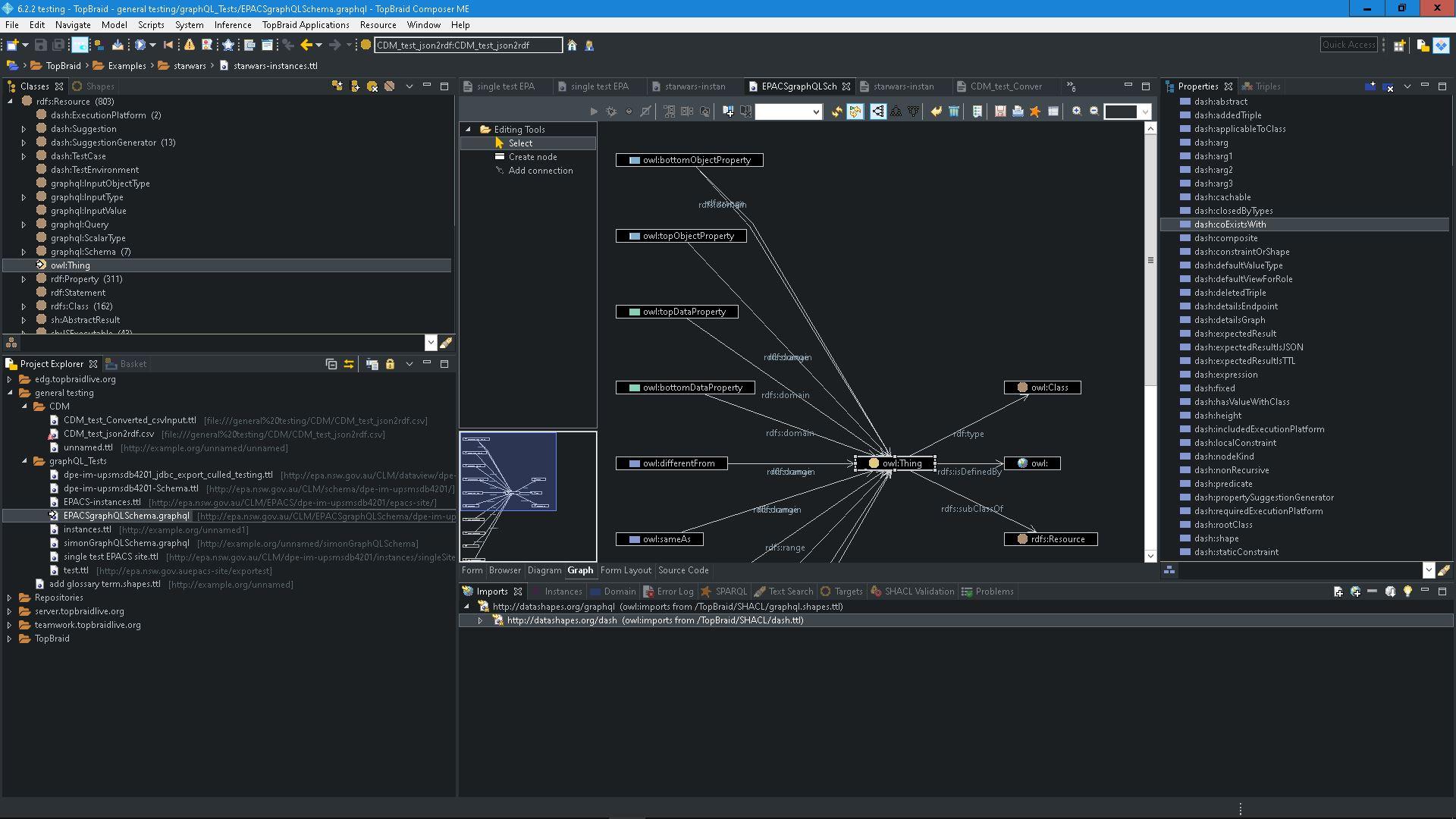
TBC renders nearly OK, except for the forms in which the text is white, so I can't see it except when I selected (see attached screenshot).

Anyone having experience with this ?

I tried different things like Eclipse Color Themes but no chance so far.
I'm also taking any suggestion to tell TBC not to use the desktop dark theme  (passing a GTK_THEME env variable  when launching TBC modifies only part of the UI, it is ugly and does not solve the issue, see second screenshot)

Best regards


Simon Opper

unread,
Nov 5, 2019, 5:20:10 PM11/5/19
to TopBraid Suite Users
Hi David

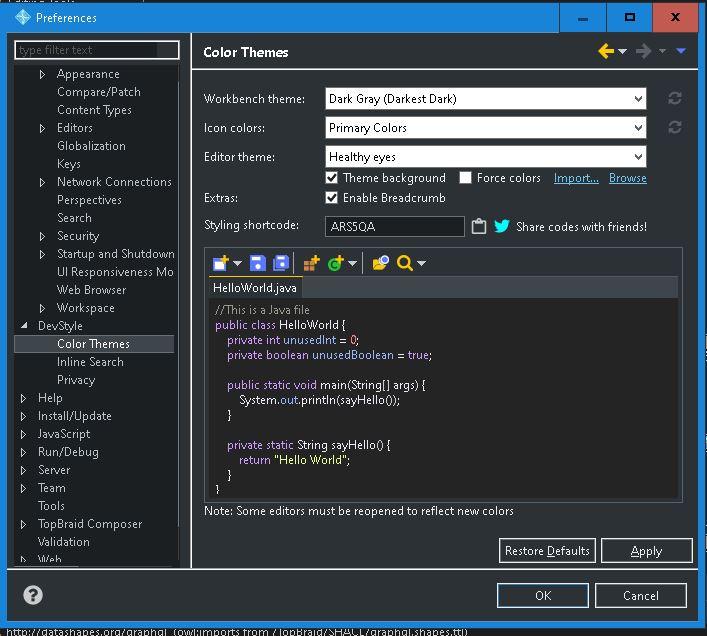
I've been using the Dev Style eclipse plugin for a while now.  https://www.genuitec.com/products/devstyle/.
I've only tried it on Winows 10 TBCME.

Initially using Dev Style I had the same issue as you, with bad colours in the form boxes and also what I found more problematic, in graph node and edge labels. I tried finding the font setting for the elements in question via the appearance pref's in TBC / eclipse without success. There are many many fonts to customise but it seemed that it just was't available to change. A low level artifact of eclipse config/build I guess.

As an interim solution I found that putting windows 10 in high contrast mode was the only way I could get a dark theme to work. But using high contrast was whacky for the rest of my windows apps. So I gave up again.

I tried dev style periodically to find a setting that worked with no success for ages. 

In the end I think it came down to a WIndows 10 update which added theme settings. Without changing anything in dev style it seemed to change the way fonts were rendered. There are settings now in windows 10 for dark themes in both Apps and desktop elements, and while these don't actually change the appearance of TBCME at all, it seemed to make Dev Style work...

So sorry a vague solution to the problem and maybe not at all relevant for Linux... but give Dev Style a try.

Cheers

Simon

view1.JPG

view2.JPG


theme settings.JPG


font prefs.JPG

Holger Knublauch

unread,
Nov 6, 2019, 12:32:36 AM11/6/19
to topbrai...@googlegroups.com

Hi David,

while I don't have a Linux machine to test this with, I do sympathize with dark theme users. I just played with this a bit too, trying to figure out where this color comes from, but could not yet identify the culprit. The Eclipse/SWT component of the text fields on the TBC forms is called StyledText, and the closest setting that I could find was under Preferences > General > Appearance > Colors and Fonts > TopBraid Composer > Text Editor Font. Changing that does change the font but I don't see an option to change the color. I also don't see where we (in our code) might modify the default behavior of Eclipse w.r.t. color selection. While I do notice that calling getControl().setForeground(...) does change the color in those text boxes, I set a breakpoint and couldn't find a scenario where it is actually called when TBC is used.

Where does this leave us? Could it be that this is a general bug in the version of Eclipse that we bundle? Hard to say, but it wouldn't be the first time either.

Even if we fixed that, are you certain that there are no other issues with that theme? We do have some colors hard-coded against some default expectations in the platform.

The maximum we could offer is to add a Preference for users like yourself to change that color, yet I cannot promise anything at this stage as we are about to wrap up the development cycle for the 6.3 beta release.

Holger

--
You received this message because you are subscribed to the Google Groups "TopBraid Suite Users" group.
To unsubscribe from this group and stop receiving emails from it, send an email to topbraid-user...@googlegroups.com.
To view this discussion on the web visit https://groups.google.com/d/msgid/topbraid-users/ae2c346f-235a-4d75-b8c1-2fb863f2b9fe%40googlegroups.com.
Message has been deleted

David Rouquet

unread,
Nov 7, 2019, 8:15:11 AM11/7/19
to TopBraid Suite Users
Well, DevStyle plugin made a wonderfull job !

Thanks a lot @Simon Opper, you totally made my day !

Everything looks great so far, especially forms that are now  white text on black backgroung... living the dream !
I had not the chance to test graph views, being on TBC-Free edition at the moment.

Thanks a lot for your help :-)

Simon Opper

unread,
Nov 7, 2019, 3:36:22 PM11/7/19
to topbrai...@googlegroups.com
Great to hear mate ! 

--
You received this message because you are subscribed to the Google Groups "TopBraid Suite Users" group.
To unsubscribe from this group and stop receiving emails from it, send an email to topbraid-user...@googlegroups.com.

Fan Li

unread,
Aug 23, 2022, 11:26:49 PM8/23/22
to TopBraid Suite Users
Hello, I recently installed TBC Free Edition 6.0.1 on a Ubuntu box for an educational project and experienced the same issue. When trying to install the DevStyle plugin, I have trouble connecting to the DevStyle update site through the "Install New Software" option within TBC: https://www.codetogether.com/updates/ci/

Unable to read repository at https://www.codetogether.com/updates/ci/content.xml.
java.security.cert.CertificateException: No X509TrustManager implementation available

Changing from https to http allows me to list the available software but the installation will revert to https and hence fail. 

I use OpenJDK v11. Thanks!

Fan Li

unread,
Aug 24, 2022, 4:48:17 PM8/24/22
to TopBraid Suite Users
The solution is to add the following SSL certificates into topbraid/jre/lib/security/cacerts. Then I am able to install the DevStyle plugin. I agree this plugin works very well in dark theme.

Reply all
Reply to author
Forward
0 new messages