
TestNG Eclipse Plugin
465 views
Skip to first unread message

Tom Baku
Oct 29, 2015, 10:29:44 AM10/29/15
to testng-users
Hi TestNG Groups,
i have installed the TestNG 6.9.8 Eclipse plugin.
My project java compiler setting is set to 1.6 because the application currently requires that version.
If i execute an Test with TestNG i got following error:
"VM version 1.6.0 is invalid, Java 1.7 or above is required for running TestNG."
I can change the JRE in the "Run Configurations" for the executed test. Than all is fine. But i want it to set 1.7 as default.
A Java 1.7 Version is installed on the system, but it looks like, that the plugin use the JRE configuration from my project.
Is there a possibility to set a default JRE Version for all executed TestNG tests, different from that configured in the project settings?
Thanks and regards
i have installed the TestNG 6.9.8 Eclipse plugin.
My project java compiler setting is set to 1.6 because the application currently requires that version.
If i execute an Test with TestNG i got following error:
"VM version 1.6.0 is invalid, Java 1.7 or above is required for running TestNG."
I can change the JRE in the "Run Configurations" for the executed test. Than all is fine. But i want it to set 1.7 as default.
A Java 1.7 Version is installed on the system, but it looks like, that the plugin use the JRE configuration from my project.
Is there a possibility to set a default JRE Version for all executed TestNG tests, different from that configured in the project settings?
Thanks and regards

XuQing Tan
Nov 2, 2015, 11:37:07 AM11/2/15
to testng-users
Hi Tom
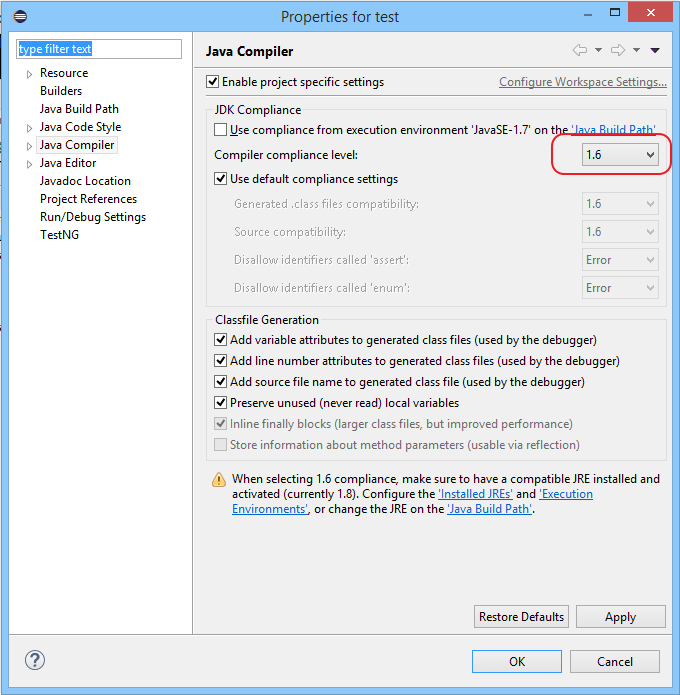
I'm not sure if this tip works for you:

XuQing Tan
Nov 2, 2015, 11:38:25 AM11/2/15
to testng-users

Tom Baku
Nov 3, 2015, 12:15:59 AM11/3/15
to testng-users
Hi XuQing Tan,
as i have written, the application requires Java 1.6 as compiler settings. I can not change the compiler and build path to 1.7 because of legacy code.
I only want to start the Tests with another Java Version.
I have not found an option to change these.
Does anyone have another idea?
Thanks
as i have written, the application requires Java 1.6 as compiler settings. I can not change the compiler and build path to 1.7 because of legacy code.
I only want to start the Tests with another Java Version.
I have not found an option to change these.
Does anyone have another idea?
Thanks
XuQing Tan
Nov 3, 2015, 2:12:12 AM11/3/15
to testng-users
Hi Tom
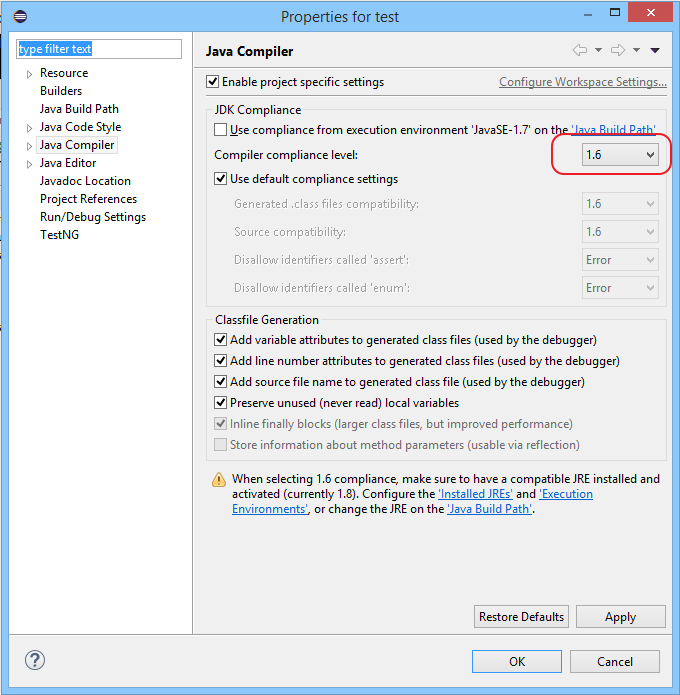
if you can't set the compiler level to 1.6 (note, it's NOT 1.7), i don't see other option but downgrade plugin to old version, or change it in the run configuration.
Reply all
Reply to author
Forward
0 new messages