
Libre office users
6 views
Skip to first unread message

ShreeDevi Kumar
Sep 29, 2016, 8:36:35 AM9/29/16
to technic...@googlegroups.com
If any of you use libre office in Hindi, I would appreciate feedback regarding display of 'Hindi' numerals, which actually displays them in Arabic.
I have filed a bug report about the same but would appreciate if members can share their experiences.

हरिराम
Sep 29, 2016, 9:22:26 AM9/29/16
to technic...@googlegroups.com
We use Windows version with Hindi Traditional default (Inscript) Keyboard. For Devanagari Numerals Right Alt or "AltGr+Numeral" keypress is used.
We shifted the ₹ symbol to "AltGr+Shift+4" from "AltGr+4" of standardised Inscript keyboard.
2016-09-29 18:06 GMT+05:30 ShreeDevi Kumar <shree...@gmail.com>:
If any of you use libre office in Hindi, I would appreciate feedback regarding display of 'Hindi' numerals, which actually displays them in Arabic.
I have filed a bug report about the same but would appreciate if members can share their experiences.
--
आपको यह संदश इसलिए मिला है क्योंकि आपने Google समूह के "Scientific and Technical Hindi (वैज्ञानिक तथा तकनीकी हिन्दी)" समूह की सदस्यता ली है.
इस समूह की सदस्यता समाप्त करने और इससे ईमेल प्राप्त करना बंद करने के लिए, technical-hindi+unsubscribe@googlegroups.com को ईमेल भेजें.
अधिक विकल्पों के लिए, https://groups.google.com/d/optout में जाएं.
ShreeDevi Kumar
Sep 29, 2016, 9:33:00 AM9/29/16
to technic...@googlegroups.com
Thank you, HariRamji.
Options
Language Settings
Complex Text Layout
Numerals
Under that dropdown - choosing Hindi leads to arabic numbers, Choosing Arabic shows numbers in English.
Please check, if you notice same behavior.
I am requesting them to change the label at least from Hindi to Eastern Arabic.
Appreciate the feedback.
ShreeDevi
____________________________________________________________
भजन - कीर्तन - आरती @ http://bhajans.ramparivar.com
____________________________________________________________
भजन - कीर्तन - आरती @ http://bhajans.ramparivar.com

लीना मेहेंदळे (Leena Mehendale)
Sep 30, 2016, 4:01:53 AM9/30/16
to technic...@googlegroups.com, Shree Devi Kumar
आप मराठी का पर्याय चुनेंगे तो देेवनागरी अक्षर मिलेंगे लेकिन हिंदी या संस्कृतका पर्याय देनेपर रोमन मिलता है।
29 सितंबर 2016 को 6:06 pm को, ShreeDevi Kumar <shree...@gmail.com> ने लिखा:
If any of you use libre office in Hindi, I would appreciate feedback regarding display of 'Hindi' numerals, which actually displays them in Arabic.
I have filed a bug report about the same but would appreciate if members can share their experiences.
--
आपको यह संदश इसलिए मिला है क्योंकि आपने Google समूह के "Scientific and Technical Hindi (वैज्ञानिक तथा तकनीकी हिन्दी)" समूह की सदस्यता ली है.
इस समूह की सदस्यता समाप्त करने और इससे ईमेल प्राप्त करना बंद करने के लिए, technical-hindi+unsubscribe@googlegroups.com को ईमेल भेजें.
अधिक विकल्पों के लिए, https://groups.google.com/d/optout में जाएं.
ॐ ईशावास्यमिदं सर्वं यत्किंच जगत्यां जगत्।
तेन त्यक्तेन भुञ्जीथाः मा गृधः कस्य स्विद्धनम्।।
तेन त्यक्तेन भुञ्जीथाः मा गृधः कस्य स्विद्धनम्।।
---- गायत्री छन्दसामहम् ----
for learning easy HINDI TYPING click here बालसुलभ भारतीय टंकलिपी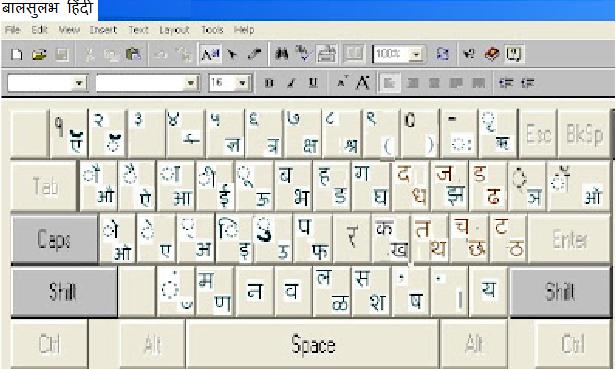
for learning easy HINDI TYPING click here बालसुलभ भारतीय टंकलिपी
लीना मेहेंदळे -Leena Mehendale
मुख्य सूचना आयुक्त गोवा (निवृत्त)
पौड रोड, पुणे 411038
Ph (Res) 020-25383472
Ph (Res) 020-25383472

Anunad Singh
Sep 30, 2016, 5:33:30 AM9/30/16
to Scientific and Technical Hindi (वैज्ञानिक तथा तकनीकी हिन्दी)
मेरे कम्प्यूटर पर उबन्तू 15.4 पर लिब्रऑफिस 4.4.6.3 है। इस पर देवनागरी अंक भी लिख सकते हैं और तथाकथित 'अन्तरराष्ट्रीय अंक' भी। जैसे १२३४५६ 23456। यह 'राइटर' (writer) में भी सही है और कैल्क (Calc) में भी।
Anunad Singh
Sep 30, 2016, 7:03:59 AM9/30/16
to Scientific and Technical Hindi (वैज्ञानिक तथा तकनीकी हिन्दी)
मेरे उसी कम्प्यूटर पर विण्डोज एक्स-पी बूटिंग भी है जिस पर ओपेनऑफिस 4.1.1 है। उसमें भी देवनागरी तथा अन्तरराष्ट्रीय दोनों ही अंक ठीक दिख रहे हैं।
-x-x-x-वैसे, आप जो समस्या बता रहे हैं उस तरह की कुछ समस्या आयी थी। शायद वह मेरे पुराने कम्प्यूतर पर विण्डोज एक्स पी पर ओपेन ऑफिस के किसी पुराने संस्करण में थी। यह भी नहीं याद आ रहा है कि किस जगह पर यह समस्या आयी थी। हल्का सा याद आ रहा है कि कुछ विकल्प चुनने में अरबी के अंक (1, 2, 3, नहीं) दिखने लगते थे।
ShreeDevi Kumar
Sep 30, 2016, 7:18:10 AM9/30/16
to technic...@googlegroups.com
Thanks everyone for testing. I was using the latest version 5.2.
A fix has been made for the bug - https://bugs.documentfoundation.org/show_bug.cgi?id=102235
Basically, the label for numerals has been changed from 'Hindi' to 'Eastern Arabic', since those were the numbers being displayed (in Arabic script). The numbers in English ie. 1 2 3 etc will be accessed as before by Arabic.
To get the Hindi numbers, use the 'System' or 'Context' setting, which should be the default for Locale=Hindi.
ShreeDevi
____________________________________________________________
भजन - कीर्तन - आरती @ http://bhajans.ramparivar.com
____________________________________________________________
भजन - कीर्तन - आरती @ http://bhajans.ramparivar.com
Anunad Singh
Sep 30, 2016, 7:58:39 AM9/30/16
to Scientific and Technical Hindi (वैज्ञानिक तथा तकनीकी हिन्दी)
शायद पूरी समस्या ठीक से अब समझ आयी है।
अभी तक जो मैने लिखा वह tools-->Options-->Language settings-->Complex Text layout--->General Options-->Numerals के अन्तर्गत में Arabic (अरबी) था। जब मैने इसे Hindi (हिन्दी) किया सब बिगड़ने लगा। कुञ्जीपटल के 1,2,3,4,5,6 आदि को दबाने पर अरबी के अंक प्रकट होने लगे। किन्तु कहीं अन्यत्र से देवनागरी के अंक १२३४५६ आदि कॉपी करके पेस्ट करें तो वे अरबी में नहीं बदलते (देवनागरी ही बने रहते हैं)।
यहाँ लगता है कि सब कुछ उलटा-पुलटा हो गया है, अर्थात हिन्दी के जगह पर अरबी और अरबी के जगह पर हिन्दी हो गया है। हिन्दी<-->अरबी का चक्कर है! यह ध्यान देने योग्य है कि यह सब तब हो रहा है जब CTL में 'Default Hindi' चुना हुआ है।
अभी तक जो मैने लिखा वह tools-->Options-->Language settings-->Complex Text layout--->General Options-->Numerals के अन्तर्गत में Arabic (अरबी) था। जब मैने इसे Hindi (हिन्दी) किया सब बिगड़ने लगा। कुञ्जीपटल के 1,2,3,4,5,6 आदि को दबाने पर अरबी के अंक प्रकट होने लगे। किन्तु कहीं अन्यत्र से देवनागरी के अंक १२३४५६ आदि कॉपी करके पेस्ट करें तो वे अरबी में नहीं बदलते (देवनागरी ही बने रहते हैं)।
यहाँ लगता है कि सब कुछ उलटा-पुलटा हो गया है, अर्थात हिन्दी के जगह पर अरबी और अरबी के जगह पर हिन्दी हो गया है। हिन्दी<-->अरबी का चक्कर है! यह ध्यान देने योग्य है कि यह सब तब हो रहा है जब CTL में 'Default Hindi' चुना हुआ है।
ShreeDevi Kumar
Sep 30, 2016, 8:40:24 AM9/30/16
to technic...@googlegroups.com
Here 'Arabic' numerals refers to Hindu-Arabic numbers - 0-9 which are displayed in 'Latin' script (English).
The numbers in Arabic script were being referred to as 'Hindi' - now the label for it will be changed to 'Eastern Arabic'
ShreeDevi
____________________________________________________________
भजन - कीर्तन - आरती @ http://bhajans.ramparivar.com
____________________________________________________________
भजन - कीर्तन - आरती @ http://bhajans.ramparivar.com
Anunad Singh
Sep 30, 2016, 9:17:21 AM9/30/16
to Scientific and Technical Hindi (वैज्ञानिक तथा तकनीकी हिन्दी)
यदि 'अरैबिक न्युमरल्स' से मतलब है -- 'हिन्दू नम्बर्स इन लैटिन स्क्रिप्ट' तो 'हिन्दी न्युमरल्स' का क्या मतलब है?
क्या यह विकल्प चुनने के बाद 5 दबाने पर ५ (पाँच, देवनागरी में) आना चाहिये? जिसके बजाय अरबी में पाँच आ रहा है?
क्या यह विकल्प चुनने के बाद 5 दबाने पर ५ (पाँच, देवनागरी में) आना चाहिये? जिसके बजाय अरबी में पाँच आ रहा है?
ShreeDevi Kumar
Sep 30, 2016, 10:27:38 AM9/30/16
to technic...@googlegroups.com
मैंने लिबरे ऑफिस का अधिक प्रयोग नहीं किया है. टेम्पलेट बनाने के चक्कर में उसे चलाया और 'हिंदी' न्युमेरल चुने तो देखा कि अरबी में आ रहे हैं (Table of Contents, page number, bulleted numbers में)
वर्शन ५.३ से इन्हें 'Eastern Arabic' कहा जाएगा .
न्युमेरल्स में 'System' या 'Context' चुनने पर यदि हिंदी लोकेल है तो नंबर हिंदी में ही आने चाहिए .
यदि आप में से कोई 'Daily Build' try कर के बताये की हिंदी के लिए सब ठीक है या नहीं .
ShreeDevi
____________________________________________________________
भजन - कीर्तन - आरती @ http://bhajans.ramparivar.com
____________________________________________________________
भजन - कीर्तन - आरती @ http://bhajans.ramparivar.com
Reply all
Reply to author
Forward
0 new messages