
TeaVM Demo: WebCode - an in-browser IDE for TeaVM and SnapKit
180 views
Skip to first unread message

Jeff Martin
May 19, 2017, 12:25:52 PM5/19/17
to TeaVM
I'm jumping the gun on this demo, but it's interesting enough that I have to share it in it's current state.
My goal with WebCode is to provide an in-browser IDE, like I've seen for other tools and languages (like TypeScript and Kotlin). The idea is to show a number of working examples that can be run directly, or modified/compiled on the server with javac and TeaVM and the result is returned to the browser and launched in a separate window.
This preview version has the basic SnapCode project file manager and shows a few sample source files from our SnapCode/TeaVM demo page. The source files have Java syntax coloring and can be edited. When you hit the run button, it launches one of our existing TeaVM samples.
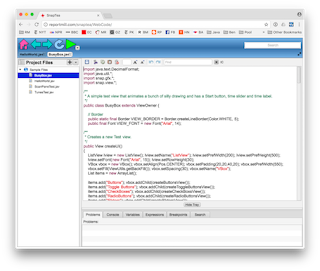
I only have a few days of work in this so far (using SnapKit and skeleton files from SnapCode). The current version is client side only, so it doesn't compile anything. My next step is to add the server component so the client can post modified source, do the compile and return a link to a launch html.
I hope this demo will help promote TeaVM, so more of the Java community finds out how amazing it is!
Let me know what you think!
jeff

Kirill Prazdnikov
May 22, 2017, 3:12:29 AM5/22/17
to TeaVM
I try try demo, it works. But it shows very blury text. It seems you editor does not support in-browser scaling.
пятница, 19 мая 2017 г., 19:25:52 UTC+3 пользователь Jeff Martin написал:

пятница, 19 мая 2017 г., 19:25:52 UTC+3 пользователь Jeff Martin написал:
Jeff Martin
May 22, 2017, 9:17:32 AM5/22/17
to TeaVM
I haven't spent much time looking at HiDPI support, but I did just run a quick test that solved significantly improved the rendering on my HiDPI machine. All I did was double the requested size of the canvas, but then set the real size for the style width/height:
_canvas.setWidth(w*2); _canvas.setHeight(h*2);
_canvas.getStyle().setProperty("width", String.valueOf(w) + "px");
_canvas.getStyle().setProperty("height", String.valueOf(h) + "px");
Thought I'm not sure yet how to do this conditionally for HiDPI devices.

Alexey Andreev
May 22, 2017, 9:21:29 AM5/22/17
to te...@googlegroups.com
And please, create Maven build configuration for your project!
Jeff Martin
May 22, 2017, 10:45:16 AM5/22/17
to TeaVM
Alexey, thanks for the link. I guess the essential part is getting the "ratio" of device dpi to canvas dpi. I don't know how to turn the sample JavaScript from that link into something I can compile with TeaVM:
public static int getDeviceDPIRatio(Window window, CanvasRenderingContext2D)
{
int devicePixelRatio = window.devicePixelRatio || 1,
int backingStoreRatio = context.webkitBackingStorePixelRatio ||
context.mozBackingStorePixelRatio ||
context.msBackingStorePixelRatio ||
context.oBackingStorePixelRatio ||
context.backingStorePixelRatio || 1,
return devicePixelRatio / backingStoreRatio;
}
I guess I need to learn to work with the @JSBody() annotations.
Jeff Martin
May 22, 2017, 10:46:25 AM5/22/17
to TeaVM
Maven is on my list to learn. Maybe I would be fine if I just ran the "Convert to Maven Project" in Eclipse.
Reply all
Reply to author
Forward
0 new messages