Hello Developer: Meet your community.

0 views
Skip to first unread message

Apple Developer

unread,
May 12, 2026, 2:52:06 PMMay 12
to dtn...@gmail.com
In this edition: Meet inspiring developers, advocates, and educators, download the Apple Developer app for WWDC26, check out a video about Accessibility Nutrition Labels, and meet the team behind the stylish open-world adventure Infinity Nikki.

MAY 2026

Hello Developer

A grid of 20 headshot portraits arranged in four rows, showing a diverse group of people of varying ages, genders, and ethnicities. Each person is photographed against a different background — ranging from plain studio backdrops to outdoor settings and colorful environments — and most are smiling or have a friendly, approachable expression.

RECOGNIZING IMPACT

To those who build community

All around the world, developers do meaningful work that extends beyond great apps and games. As we move into an inspiring season, here are some of the inspiring developers, advocates, and educators who are making a difference in the developer community through their technical contributions, thoughtful mentorship, and a commitment to helping others succeed.

Six die-cut stickers are displayed against a black background, arranged in two rows of three. The top row features a chocolate-frosted donut with rainbow sprinkles, a rainbow-striped '50' merged with the classic Apple logo, and a minimalist white outline of a small trotting dog. The bottom row includes a holographic 'WWDC26' wordmark with iridescent lettering, a bouquet of orange California poppies, and a cartoon flying saucer with small alien silhouettes visible through its dome.

WWDC26

Experience WWDC26 on the Apple Developer app

Download the app to be ready for WWDC26 — and get an all-new batch of stickers too.

A grid of rounded-square icons on a blue background, all rendered in a monochromatic blue-on-blue style, representing Apple's suite of accessibility features.

DEVELOPER VIDEOS

Prepare your app for Accessibility Nutrition Labels

Learn how to make the most of Accessibility Nutrition Labels by supporting essential accessibility features. Discover how you can enhance interaction methods like VoiceOver and Voice Control, support larger text sizes using Dynamic Type, and make your app more inclusive with Dark Mode and Differentiate Without Color.

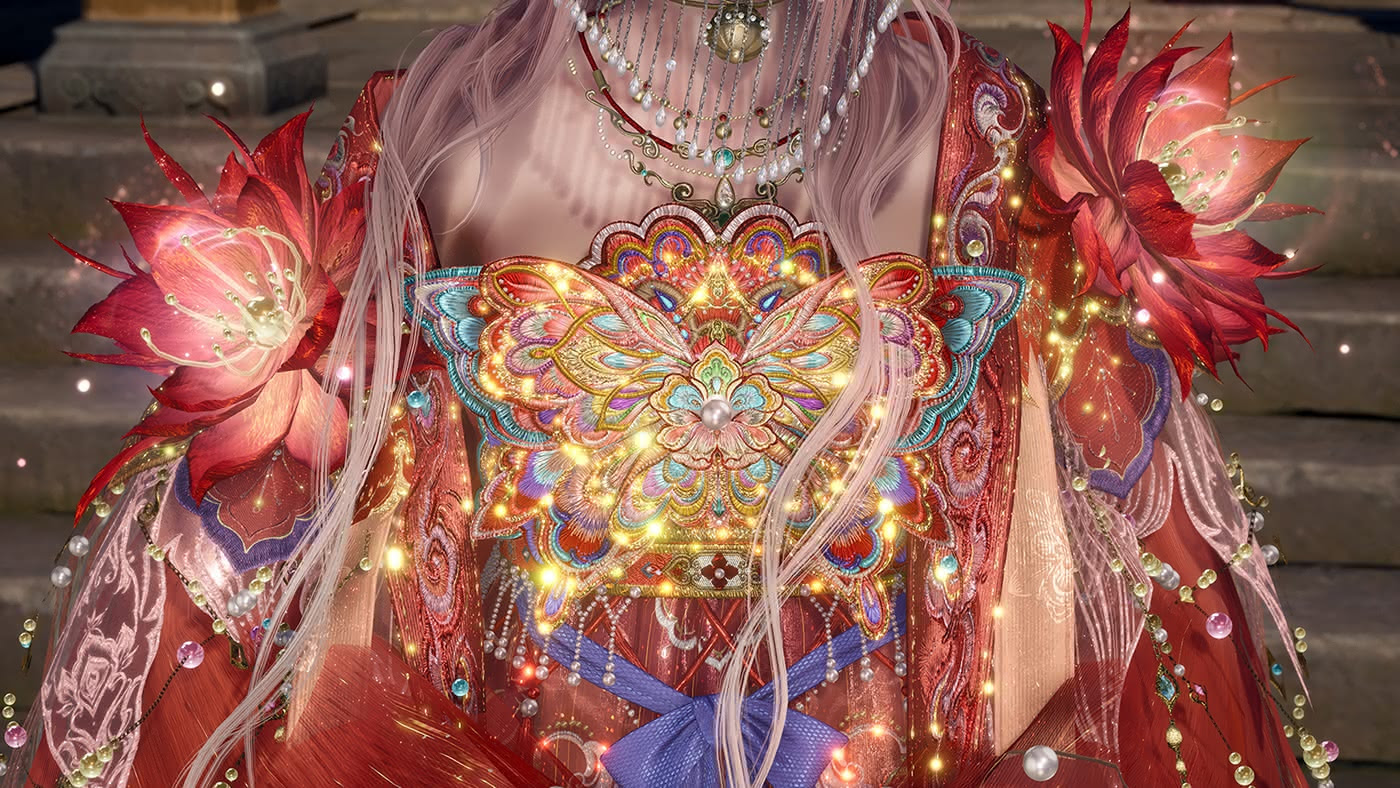
A close-up screenshot from Infinity Nikki, showing the torso of a female character with long silver-white hair, wearing an extraordinarily ornate red costume. The centerpiece is a large embroidered bodice panel featuring a glowing butterfly motif rendered in gold, teal, and multicolored thread, surrounded by radiating golden light particles and scattered pearl-like beads. Large crimson flower ornaments adorn each shoulder, and layered pearl necklaces drape across the neckline.

DEVELOPER STORIES

How Infold Games fashioned an open world for Infinity Nikki

This fifth installment in the franchise finds its resourceful heroine collecting enchanted outfits across wondrous lands — each one unlocking new ways to solve puzzles. We caught up with the Infold team to find out how they made it all happen.

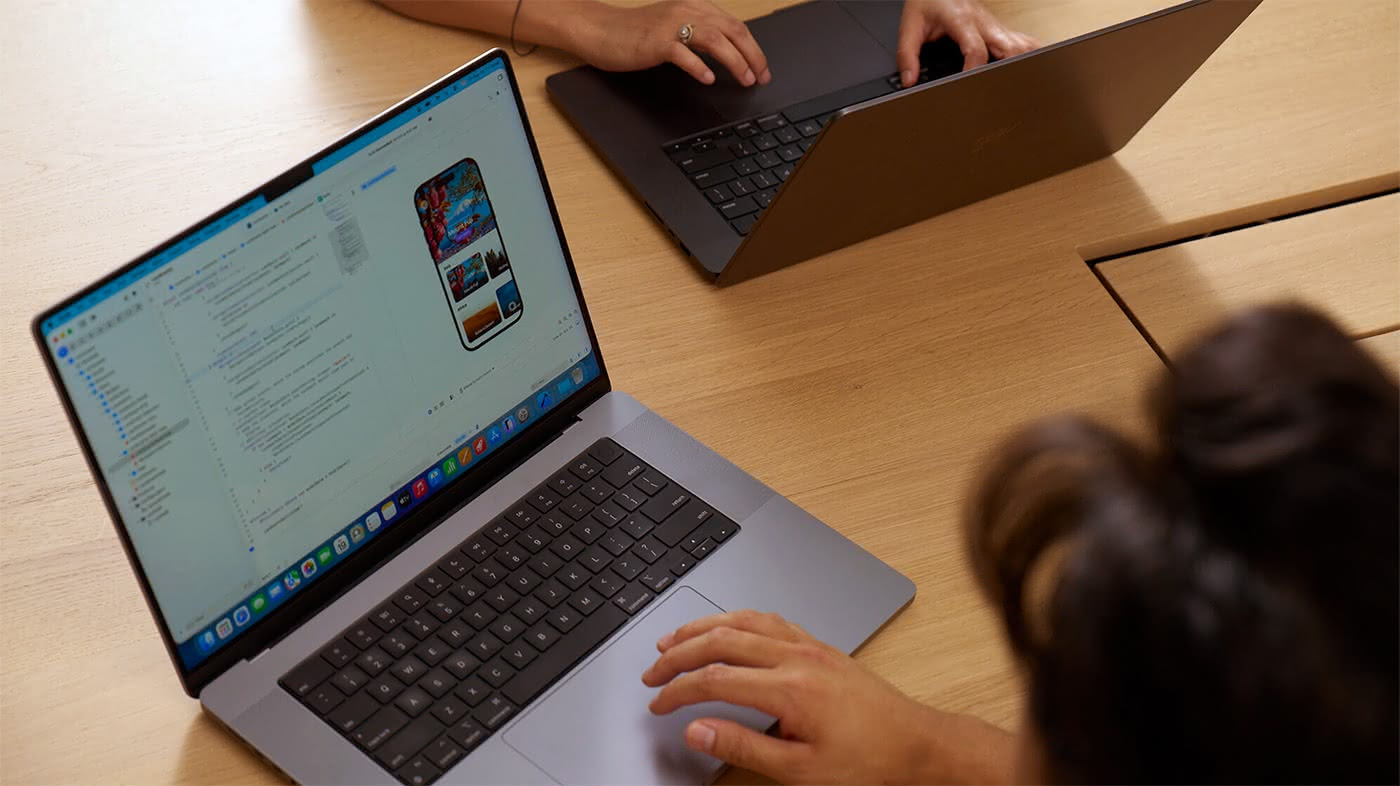
An overhead view of two people working side by side at a light wood table, each on a MacBook Pro. The foreground laptop displays Xcode with an iOS app simulator showing a colorful travel or photo-browsing app on a virtual iPhone screen. The second person's hands are visible in the upper portion of the frame, typing on their MacBook, suggesting a collaborative development or code review session.

EXPLORE YOUR BENEFITS

Get the most out of your Apple Developer account

A free Apple Developer account unlocks a wealth of tools and resources, including beta versions of Xcode and operating systems, and access to Meet with Apple online events. Here’s a breakdown of what’s available.

A MacBook Pro in Space Black finish is photographed head-on against a pure black background, making the laptop nearly dissolve into the darkness. The screen displays a dark abstract wallpaper featuring smooth, glowing serpentine curves in shades of gray and silver, creating a sense of depth and subtle luminosity.

NEWS

Update your Intel-based Mac apps to Apple silicon

macOS 27 will be the final release to support Rosetta, after which Intel-only apps will no longer run on Macs with Apple silicon (with the exception of older gaming titles that rely on Intel-based frameworks). If you haven’t updated your app yet, it’s time to start.

Follow our socials

Share your thoughts

We’d love to hear from you. If you have suggestions for activities or stories, please let us know.

MAY 2026

Hello Developer

A grid of 20 headshot portraits arranged in four rows, showing a diverse group of people of varying ages, genders, and ethnicities. Each person is photographed against a different background — ranging from plain studio backdrops to outdoor settings and colorful environments — and most are smiling or have a friendly, approachable expression.

RECOGNIZING IMPACT

To those who
build community

All around the world, developers do meaningful work that extends beyond great apps and games. As we move into an inspiring season, here are some of the inspiring developers, advocates, and educators who are making a difference in the developer community through their technical contributions, thoughtful mentorship, and a commitment to helping others succeed.

Meet the community
Six die-cut stickers are displayed against a black background, arranged in two rows of three. The top row features a chocolate-frosted donut with rainbow sprinkles, a rainbow-striped '50' merged with the classic Apple logo, and a minimalist white outline of a small trotting dog. The bottom row includes a holographic 'WWDC26' wordmark with iridescent lettering, a bouquet of orange California poppies, and a cartoon flying saucer with small alien silhouettes visible through its dome.

WWDC26

Experience WWDC26 on the
Apple Developer app

Download the app to be ready for WWDC26 — and get an all-new batch of stickers too.

View on the App Store
A grid of rounded-square icons on a blue background, all rendered in a monochromatic blue-on-blue style, representing Apple's suite of accessibility features.

DEVELOPER VIDEOS

Prepare your app for
Accessibility Nutrition Labels

Learn how to make the most of Accessibility Nutrition Labels by supporting essential accessibility features. Discover how you can enhance interaction methods like VoiceOver and Voice Control, support larger text sizes using Dynamic Type, and make your app more inclusive with Dark Mode and Differentiate Without Color.

Watch now
A close-up screenshot from Infinity Nikki, showing the torso of a female character with long silver-white hair, wearing an extraordinarily ornate red costume. The centerpiece is a large embroidered bodice panel featuring a glowing butterfly motif rendered in gold, teal, and multicolored thread, surrounded by radiating golden light particles and scattered pearl-like beads. Large crimson flower ornaments adorn each shoulder, and layered pearl necklaces drape across the neckline.

DEVELOPER STORIES

How Infold Games fashioned an open world
for Infinity Nikki

This fifth installment in the franchise finds its resourceful heroine collecting enchanted outfits across wondrous lands — each one unlocking new ways to solve puzzles. We caught up with the Infold team to find out how they made it all happen.

Read the story
An overhead view of two people working side by side at a light wood table, each on a MacBook Pro. The foreground laptop displays Xcode with an iOS app simulator showing a colorful travel or photo-browsing app on a virtual iPhone screen. The second person's hands are visible in the upper portion of the frame, typing on their MacBook, suggesting a collaborative development or code review session.

EXPLORE YOUR BENEFITS

Get the most out of your Apple Developer account

A free Apple Developer account unlocks a wealth of tools and resources, including beta versions of Xcode and operating systems, and access to Meet with Apple online events. Here’s a breakdown of what’s available.

Learn more
A MacBook Pro in Space Black finish is photographed head-on against a pure black background, making the laptop nearly dissolve into the darkness. The screen displays a dark abstract wallpaper featuring smooth, glowing serpentine curves in shades of gray and silver, creating a sense of depth and subtle luminosity.

NEWS

Update your Intel-based Mac apps to Apple silicon

macOS 27 will be the final release to support Rosetta, after which Intel-only apps will no longer run on Macs with Apple silicon (with the exception of older gaming titles that rely on Intel-based frameworks). If you haven’t updated your app yet, it’s time to start.

Learn more about Apple silicon
Port your macOS apps to Apple silicon
Tuning your code’s performance for Apple silicon

DOCUMENTATION

New in foundation models, asset resources, and the HIG

Technotes: Managing the on-device foundation model’s
context window
Technotes: Low-latency communication with RDMA over Thunderbolt
Uploading asset resources in the background
New class in the TelephonyMessagingKit framework
Updates to HIG guidance
View all Apple Developer Documentation updates
Follow our socials
YouTube Bilibili LinkedIn WeChat
Share your thoughts

We’d love to hear from you. If you have suggestions for activities or stories,
please let us know.

Copyright © 2026 Apple Inc. One Apple Park Way, MS 923‑4DEV, Cupertino, CA 95014

All Rights Reserved  |  Privacy Policy  |  Account

You can update your Apple Developer email preferences or unsubscribe.

Reply all
Reply to author
Forward
0 new messages