
Unable to run task when Bluetooth device connected
364 views
Skip to first unread message

Granger Moch
Apr 1, 2021, 12:00:38 PM4/1/21
to Tasker
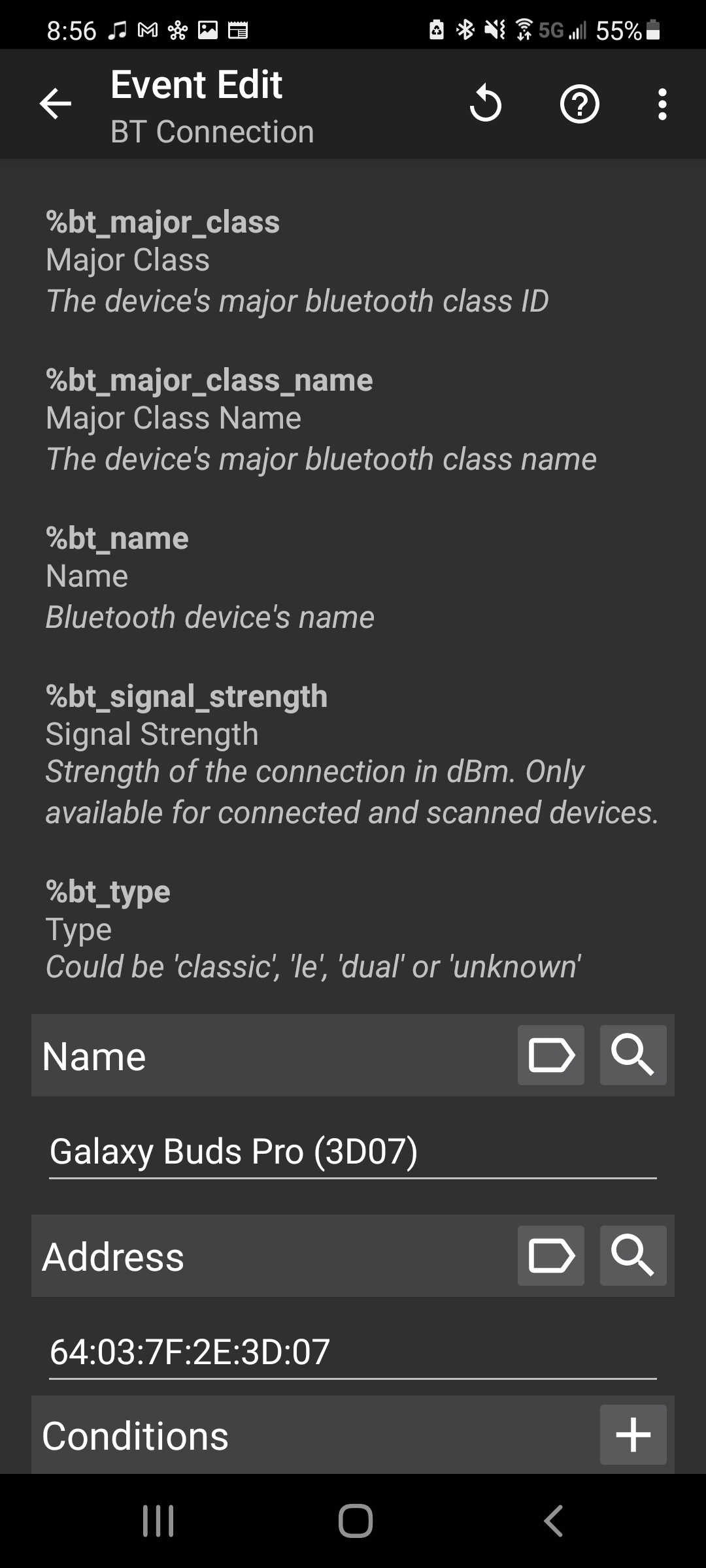
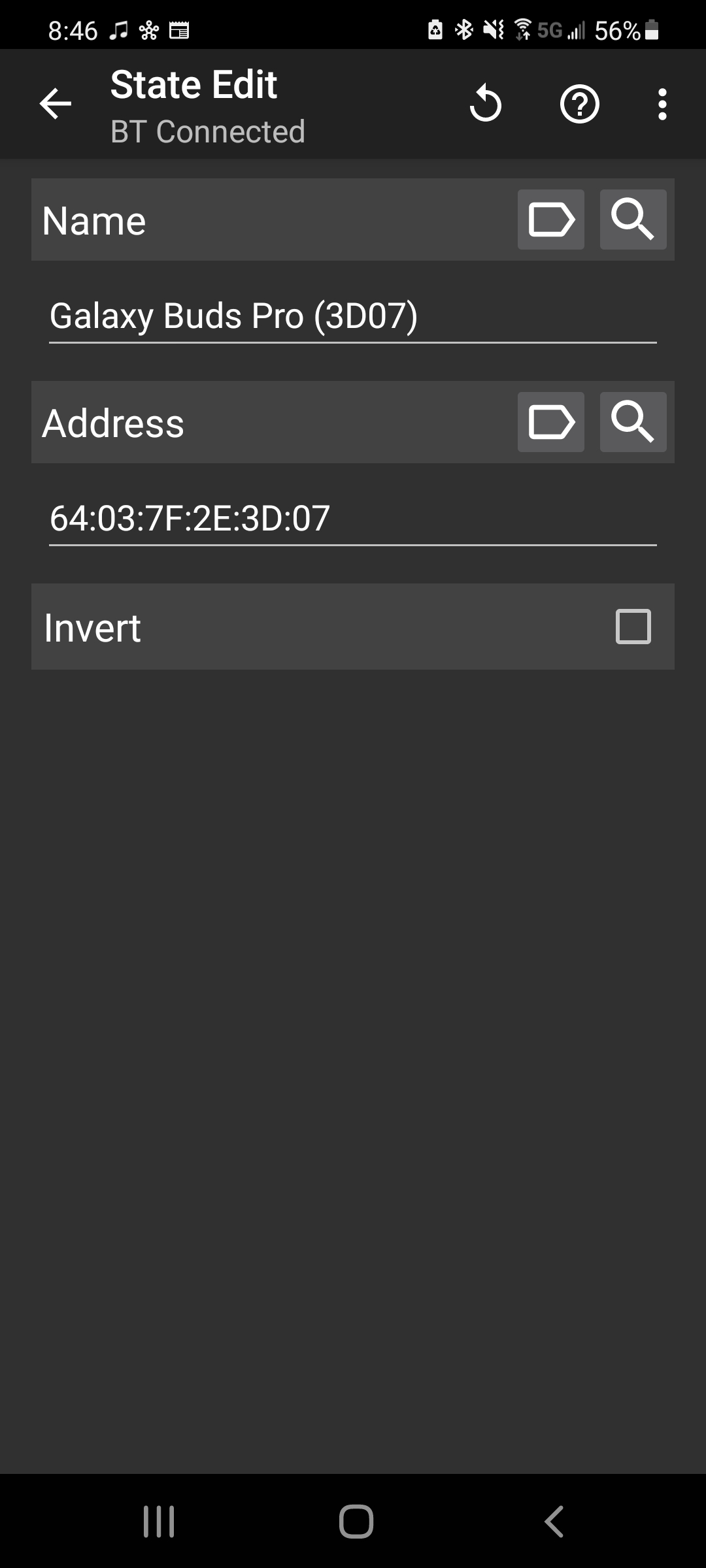
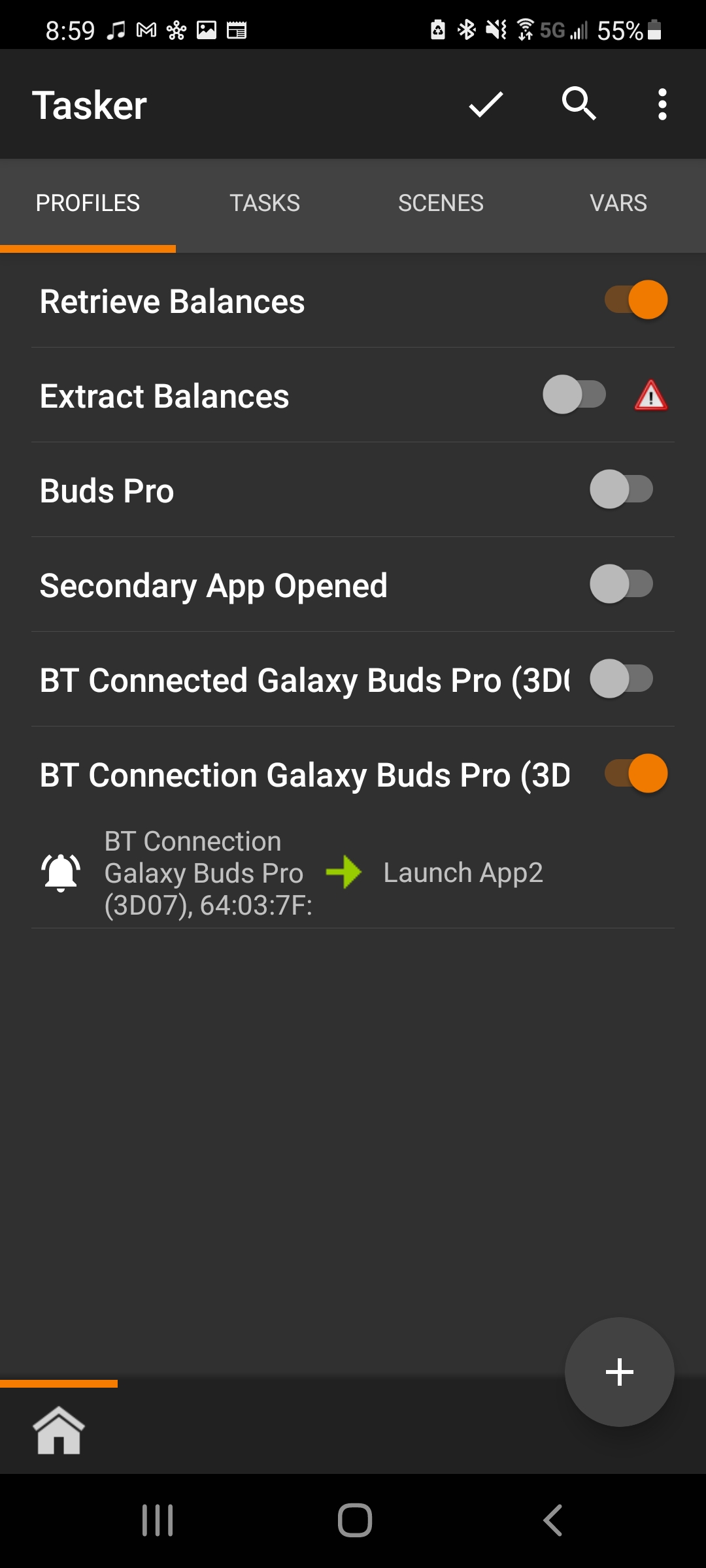
I have tried using a BT connected event, as well as a BT connected state, to trigger a task to run. The task was initially to launch an app along with some other actions, but when they weren't working I have the task configured to simply wait for a few seconds, and then show a test alert. When running the task manually, I see the alert as expected. When connecting to the Bluetooth device, the task will not run and I cannot figure out why.I tried using the Bluetooth device friendly name, as well as the MAC address, to no avail. Screenshots below. Thanks for the help!
.jpg?part=0.1&view=1)

Manis
Apr 1, 2021, 12:12:48 PM4/1/21
to Tasker
Try removing both name and address in the BT connected state. If you get your alert, then you know that the issue is in those 2 parameters.
I have set my profile to call a task when BT connected state is true. I make the determination on the BT device, within the task after getting BT info.
On Thu, Apr 1, 2021 at 11:00 AM Granger Moch <grang...@gmail.com> wrote:
I have tried using a BT connected event, as well as a BT connected state, to trigger a task to run. The task was initially to launch an app along with some other actions, but when they weren't working I have the task configured to simply wait for a few seconds, and then show a test alert. When running the task manually, I see the alert as expected. When connecting to the Bluetooth device, the task will not run and I cannot figure out why.I tried using the Bluetooth device friendly name, as well as the MAC address, to no avail. Screenshots below. Thanks for the help!


.jpg?part=0.1&view=1)

--
You received this message because you are subscribed to the Google Groups "Tasker" group.
To unsubscribe from this group and stop receiving emails from it, send an email to tasker+un...@googlegroups.com.
To view this discussion on the web visit https://groups.google.com/d/msgid/tasker/899569c2-02d5-411a-95af-a1751f2cb3a3n%40googlegroups.com.
Granger Moch
Apr 1, 2021, 5:27:53 PM4/1/21
to Tasker
Hello, thanks for the reply. I had only added the MAC address in addition to the device name because device name alone was not working either. I have also tried MAC address by itself. This seems like a pretty basic Tasker function so I am not sure why it isn't working. Any other ideas?
Thanks again,
Granger Moch
Apr 1, 2021, 5:41:59 PM4/1/21
to Tasker
And removing both Mac address and device name from the BT Connection event, the task will still not run :/
Manis
Apr 1, 2021, 7:35:30 PM4/1/21
to Tasker
Try removing them both. Use get BT info inside the task.
This works for me
Sent from my phone
To view this discussion on the web visit https://groups.google.com/d/msgid/tasker/5c61695c-de09-4f9d-8a3f-b473c798123en%40googlegroups.com.
Granger Moch
Apr 1, 2021, 8:33:06 PM4/1/21
to tas...@googlegroups.com
I played with this more and found that it may be related to the Bluetooth device I am connecting to. – Galaxy Buds Pro earbuds. When I disconnect from the Buds in my Bluetooth settings, the Tasker profile shows it is still active (which would imply the Buds are still connected to Bluetooth). When I put the Buds in their charger case, the profile is inactivated. I take them out of the case, the task runs perfectly. So it seems like the Buds aren't being fully disconnected from Bluetooth as long as they are out of their case?
Granger Moch
Is it possible to somehow "kill" the Tasker profile after it runs the task once (upon one Bluetooth connection?) and then wait for the next "new" Bluetooth connection? Thanks for your help.
Best Regards,
To view this discussion on the web visit https://groups.google.com/d/msgid/tasker/CALPrvpe8fWtRKUu13UO1be7iHz4tiRiGz7p8qaecXkObqtiVuA%40mail.gmail.com.

Rich D
Apr 2, 2021, 4:45:44 PM4/2/21
to Tasker Google Groups Post
Is it possible to somehow "kill" the Tasker profile after it runs the task once (upon one Bluetooth connection?) and then wait for the next "new" Bluetooth connection? Thanks for your help.
I don't think anything like that will work as long as Tasker still thinks you're connected to the device.
Check the help text for the Bluetooth connected state context. Tasker cannot detect if it is connected to a Bluetooth device it can only detect the actual connection and the disconnection.
How exactly are you disconnecting from the device?
After you disconnect from the device is there anything shown as connected in your Android Bluetooth settings?
Rich D
Apr 2, 2021, 4:55:43 PM4/2/21
to Tasker Google Groups Post
On second thought... If you're only looking to monitor for the connection and not the disconnection. You could try disabling the profile from within the task , Wait 3 seconds and then re-enable the profile from within the task. That should reset it so it would detect the next connection. It might be worth a try..
Reply all
Reply to author
Forward
0 new messages