
AutoInput for Data on or off
158 views
Skip to first unread message

Paul Steel
Jul 14, 2022, 9:53:28 AM7/14/22
to Tasker
I am trying to set up a tasker task to switch my data on or off.
Following a youtube video (or trying to :-( ), I cannot get AutoInput to recognise the data page.?
Even following another YouTube video re AutoInput and not looking at the notification page immediately does not work.
I tried this group on my phone, but could not see the New Conversation button, so typing on my laptop.
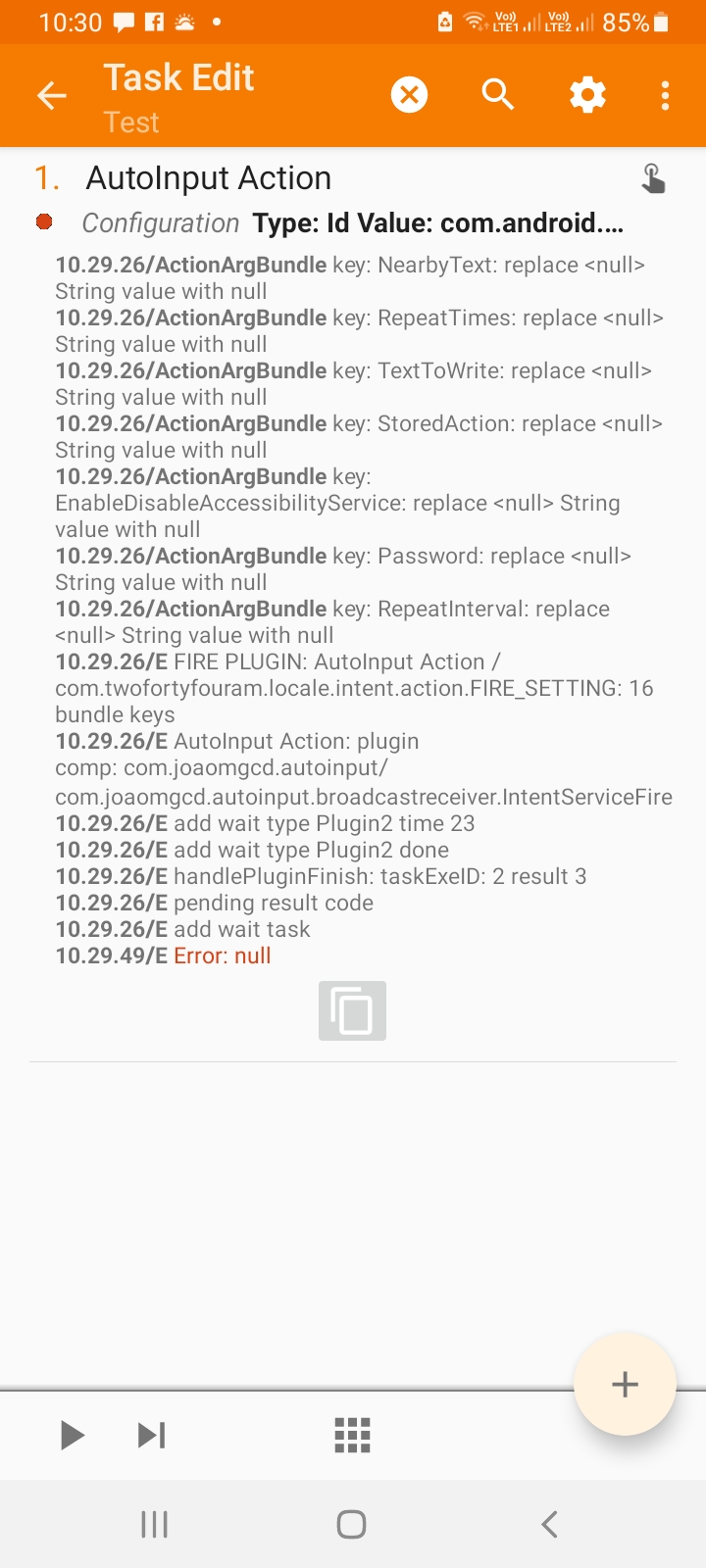
This is the result of the AutoInput run. Can anyone please explain what it is missing?
Following a youtube video (or trying to :-( ), I cannot get AutoInput to recognise the data page.?
Even following another YouTube video re AutoInput and not looking at the notification page immediately does not work.
I tried this group on my phone, but could not see the New Conversation button, so typing on my laptop.
This is the result of the AutoInput run. Can anyone please explain what it is missing?

João Dias
Jul 14, 2022, 9:57:41 AM7/14/22
to Tasker
Hi. You're not opening the settings page in that task. AutoInput can only touch what's on the screen so if the settings page is not showing it can't click it :)
 Join
Join
Paul Steel
Jul 14, 2022, 10:30:56 AM7/14/22
to Tasker
Thank you for the quick reply.
The notification keeps saying Recent as I have been opening Settings a fair deal, switching the data on and off, hence trying to do it via tasker,
Do you have a link to the definitive steps please? I use the Easy option as I have no clue what the element ids are?
I have tried this way.
Press Easy option.
Press Close on the autoinput dialogue.
Look at the notification prompt.
Go to Home screen, Settings, connections, data
Back to notification and press Add
Back to Data screen, and press the on/off slider
Back to notification and Accept.
Back in Autoinput, select Element by ID
Click the tick icon.
Even tried it not closing the dialogue, until both screen and slider selected.
I have now tried on my tablet. That at least shows Text Value:Mobile Data Action:Click and getting the same result. :-(
João Dias
Jul 14, 2022, 11:08:24 AM7/14/22
to Tasker
Maybe this helps? https://forum.joaoapps.com/index.php?resources/toggle-airplane-mode-at-1-20-pm.84/
You need to make Tasker open the Settings > Connections > data screen too, or else AutoInput won't be able to click what you want it to click :)
Paul Steel
Jul 14, 2022, 11:18:06 AM7/14/22
to Tasker
Ah, that is where I am going wrong then?, plus I did not see that in the videos?. They just navigated to that particular screen from within AutoInput. :-(
Thank you.
Paul Steel
Jul 14, 2022, 11:47:12 AM7/14/22
to Tasker
Never mind, Got it working via ADB and the ADB easy setup.
Thank you.
Thank you.
João Dias
Jul 14, 2022, 12:00:47 PM7/14/22
to Tasker
Great! :)
Reply all
Reply to author
Forward
0 new messages