
Continuous swipe two directions

Jeremy Harris
I'm trying to emulate the gesture that turns on the information steam on the s6 edge+ when the display is off.
I've tried
event > display off
Task
run shell [input swipe xxx.x yyy.y xxx.x yyy.y]
Jeremy Harris
Run Shell [input swipe xxx.x yyy.y xxx.x yyy.y
input swipe xxx.x yyy.y xxx.x yyy.y]
But that isn't working. I can't tell if it's not working because the display is off when the swipe is executed or if the swipe is executed as two distinct command (as if the finger was lifted before the second swipe).
Jeremy Harris
I need to emulate a swipe up and down the side of my screen, in a single touch. I'm trying to go from x=1350 y=1350 to x=1350 y=750 and back down to x=1350 y=1350
I can do this in two distinct touches with:
input swipe 1350 1350 1350 750
input swipe 1350 750 1350 1350
But I need it completed in one single touch, so I'm trying to use sendevent for the first time. I thought this would get me there, but I'm not doing something right:
sendevent /dev/input/event1 3 57 0
sendevent /dev/input/event1 3 53 1350
sendevent /dev/input/event1 3 54 1350
sendevent /dev/input/event1 0 2 0
sendevent /dev/input/event1 0 0 0
sendevent /dev/input/event1 3 57 0
sendevent /dev/input/event1 3 53 1350
sendevent /dev/input/event1 3 54 750
sendevent /dev/input/event1 0 2 0
sendevent /dev/input/event1 0 0 0
sendevent /dev/input/event1 3 57 0
sendevent /dev/input/event1 3 53 1350
sendevent /dev/input/event1 3 54 1350
sendevent /dev/input/event1 0 2 0
sendevent /dev/input/event1 0 0 0
When I do this, I don't get any swipe at all, and my touchscreen gets extremely laggy, then unresponsive to single taps or swipe gestures...but double taps work.
I need to reboot by Vol Down + Power to rescue the device.
I have successfully emulated a single swipe with the device off, to scroll the cocktail feeds. It works. I'm fairly confident I can launch the cocktailbarservice if I can just emulate this multipoint single touch swipe gesture.

Rich D
> But I need it completed in one single touch, so I'm trying to use sendevent for the first time. I thought this would get me there, but I'm not doing something right:
Hard to say. I found that different devices will have different data for send event. How did you get this data? There used to be a nice app on this forum that would capture the send event data for you.
Rich D
There used to be a nice app on this forum that would capture the send event data for you.
Here is the app/code I was referring to. If you are feeling adventurous. I used this a long time ago and it did work but I remember having a hard time extracting the exact codes
Jeremy Harris
Hard to say. I found that different devices will have different data for send event. How did you get this data? There used to be a nice app on this forum that would capture the send event data for you.
I entered a code in Terminal Emulator to determine that the device name of sec_touchscreen for my device was /dev/input/event1
I studied this website and others to determine how to use sendevent:
http://ktnr74.blogspot.com/2013/06/emulating-touchscreen-interaction-with.html?m=1
And I've tried both with and without the release code at the bottom of the page. I get the same result...no swipe, funky touchscreen behavior for a few seconds, then unresponsive...need to cold reboot.
Here is the app/code I was referring to. If you are feeling adventurous. I used this a long time ago and it did work but I remember having a hard time extracting the exact codes
That looks awesome! I thought I had exhausted Google and XDA with searches before I posted this. Thank you!
...I don't know how to run it though.
There used to be a nice app on this forum that would capture the send event data for you.
Here is the app/code I was referring to. If you are feeling adventurous. I used this a long time ago and it did work but I remember having a hard time extracting the exact codes
You received this message because you are subscribed to a topic in the Google Groups "Tasker" group.
To unsubscribe from this topic, visit https://groups.google.com/d/topic/tasker/lxejVzwG8C8/unsubscribe.
To unsubscribe from this group and all its topics, send an email to tasker+un...@googlegroups.com.
Visit this group at https://groups.google.com/group/tasker.
For more options, visit https://groups.google.com/d/optout.
Rich D
> That looks awesome!
Don't get to excited. I was just playing with it and so far can not get a swipe to work. Yet..
I thought I had exhausted Google and XDA with searches before I posted this. Thank you!
>
> ...I don't know how to run it though.
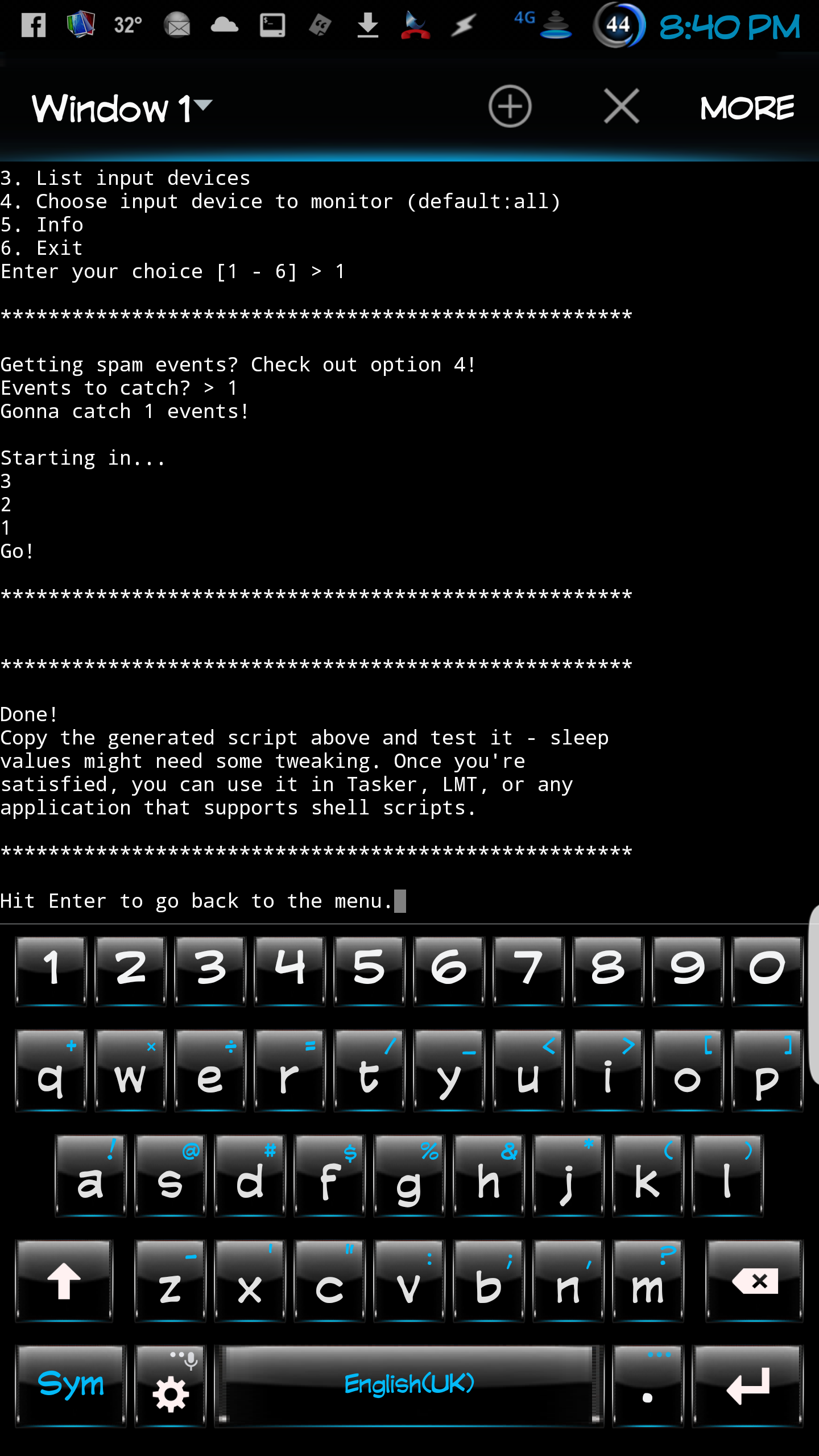
After download run this in terminal emulator.
exec sh /storage/sdcard0/Download/geteventsendevent.sh
Rich D
> Okay, I figured out how to run sh in Terminal Emulator and got it to run. ...I don't see a script to copy though? I'll keep playing...this looks promising.
>
When I long press in terminal emulator I get a 'copy all' option. Then you need to paste it to a text editor and select and copy.
Rich D
I just ran across this as well. Have not tried it yet..
I know it is answered, but I answered to deliver an extremely easy way to simulate touch events for future searchers.
One easy way is blind copying!
Instead of reading getevent output and figuring it out, then give to sendevent which is really slow. Simply blind copy the gestures from a real device with the same Android version, then blindly paste them.
You can copy the touch input in real device by:
1- In adb shell run dd if=/dev/input/event2 of=/sdcard/left.
2- Do the gesture you like to simulate (swipe).
3- This wall create a file (/sdcad/left) named file with the data generated by your real touch.
4- Move the file to any location in your AVD, lets say (/sdcad/left).
5- In AVD adb shell, run dd if=/sdcard/left of=/dev/input/event2
Viola! the simulated touch event will happen.
NOTE: In my device the file who has touch events is /dev/input/event2 , it might differ from a device to another, so you may use trial and error first.
In short, if you record and play on the same device:
1- dd if=/dev/input/event2 of=/sdcard/left
2- Do the touch for real
3- dd if=/sdcard/left of=/dev/input/event2
4- Repeat step 3, as much as you need.
Cheers :)
http://stackoverflow.com/questions/6933626/android-how-to-emulate-swipe-gestures-in-avd
Rich D
I got this one working....
Jeremy Harris
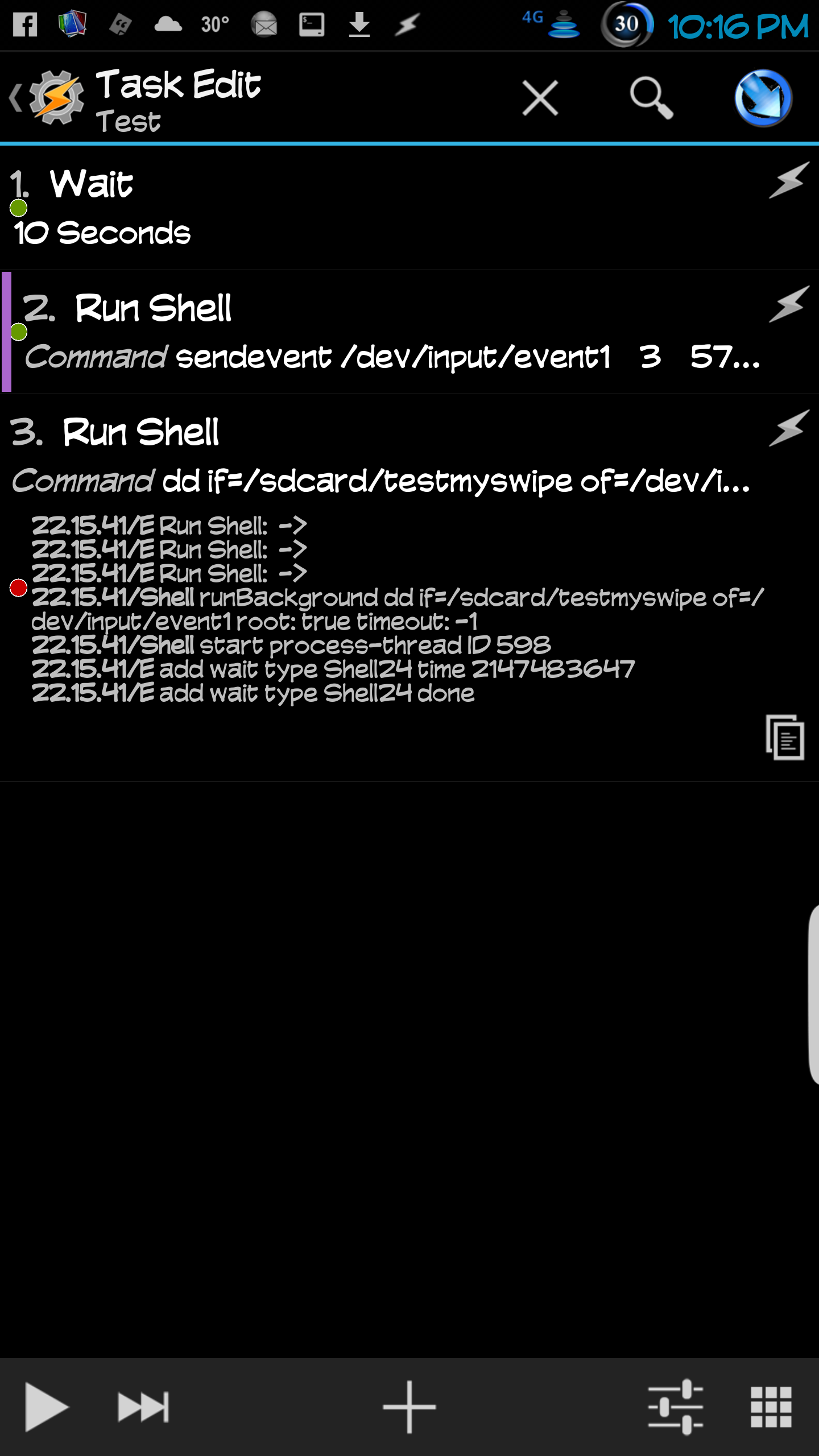
You got dd working? I get an error:
22.15.41/E Run Shell: ->
22.15.41/E Run Shell: ->
22.15.41/E Run Shell: ->
22.15.41/Shell runBackground dd if=/sdcard/testmyswipe of=/dev/input/event1 root: true timeout: -1
22.15.41/Shell start process-thread ID 598
22.15.41/E add wait type Shell24 time 2147483647
22.15.41/E add wait type Shell24 done

Jeremy Harris
In spite of the error, when I run in Terminal Emulator, I do get something like a longpress...the copy/edit popup came up.
I got the sendevent to do at least part of a swipe. I read it was slow....but this was s l o w....about one event per second. Which also produces a longpress (selected text appears) depending on what is in the foregrounds on the initial coordinates.
Rich D
> You got dd working? I get an error:
Sorry had to go to bed.. :)
Yes, this I what i have so far. Using only terminal emulator and a app called 'touch test' to show the swipe.
-Start with a fresh blank file in sd called 'left' ( this code seems to append to the file so I use a fresh blank file for every test.
-Terminal emulator in 'su'
dd if=/dev/input/event4 of=/storage/sdcard0/left.
Then do the swipe and kill that window
-re-open terminal emulator ('su') and start the code with a
sleep 10;
To give 10 seconds to start 'touch test' , So it looks like this.
Sleep 10;dd if=/storage/sdcard0/left of=/dev/input/event4
- Run that code and quickly switch to 'touch test'
Seems to work... thats as far as i got..... :)
Rich D
>
> Seems to work... thats as far as i got..... :)
This works very fast on my device. You can barely see the swipe in 'touch test'
>
>
Jeremy Harris
Good morning, and thanks! I was not creating a blank file first. Perhaps that's the issue.
I'll be in meetings all day today. Hopefully I can reproduce your results later tonight!
:)
>
> Seems to work... thats as far as i got..... :)This works very fast on my device. You can barely see the swipe in 'touch test'
>
>
--
Rich D
> Good morning, and thanks! I was not creating a blank file first. Perhaps that's the issue.
>
> I'll be in meetings all day today. Hopefully I can reproduce your results later tonight!
Before you do too much experimenting with the dd command you should google it. It would seem it could do some major damage if misused.
With that said, it does seem to work 'kinda'.. I can not figure out how to make it stop recording. After I do the command then the swipe I was closing the emulator window (tapping the x in the upper corner) however this gets included in the file and plays back after the swipe. This also happens if I hit the back button.
Rich D
Ok. Just to be clear this dd command seems to work great however as noted before I believe if mis-used could be very harmful...
This is what I found without bricking my device.... :)
For some reason I can not get any manual or help information from my terminal emulator so after some searching ran across this..
*****************************
This is really just a look back at the dd command, and its usage in the world of rooting. For the sake of this guide, we'll be using an HTC Vision. Let's start with something that looks similar to a command that was used before gfree was available.
Code:
dd if=/dev/block/mmcblk0p18 of=/sdcard/hboot-eng.img
dd is the command that allows you to copy files from certain areas that normally aren't accessible in a UNIX/Linux filesystem via a command line. However, a risk factor does come in when using this command because a small mistake such as reversing the "if" and "of" parameters can result in loss of data and/or a brick. This is why it often garners the nickname of "disk destroyer" etc.
if" is a parameter stands for "input file" so /dev/block/ is the directory in which the file is contained.
mmcblk0p18 is an Android specific partition that contains the current SPL (Secondary Program Loader).
"of" stands for output file. in this case, we have "of=/sdcard/hboot-eng.img" which means that the output file will be an .img file in the sdcard of your device.
In total, the above command "dd if=/dev/block/mmcblk0p18 of=/sdcard/hboot-eng.img" copies the files that is in partition 18 and then pastes it on the root of your sdcard as the file "hboot-eng.img"
The dd command was used to install the Engineering SPL as a means to achieve S-OFF since the G2/Desire Z/Vision couldn't be S-OFF at the time without the use of the Engineering SPL. Also, the dd command can be used as a method to manually edit the misc partition in order to unroot the device if you don't care for misc_version OR don't have access to it at present moment,
However, present root/unroot methods pretty much renders the dd command as obsolete when it comes to Android devices.
4 users say Thank You to teh5abiking for this useful post
dhkr234
2011-07-05, 4:35PM |#2
Account currently disabledThanks: 157
That is quite a superficial look at the 'dd' command. In fact, the dd command is not much more than a pipe. In its standard form, it just conveys standard input to standard output. "cat filename | dd > destination". Or even more simply "cat filename > destination" -- remove the 'dd' command altogether -- this is the equivalent of 'dd if=filename of=destination'.
Unix "sees" things as big linear chunks of memory, laid out as files within the filesystem. It is just a matter of reading and writing it, and this is done no differently than reading and writing any other file... that is why these devices are visible as parts of the regular filesystem and not as some magical background devices that need special hacker voodoo to play with.
The power of the 'dd' command isn't in a straight copy (what is used in above example), but in its ability to "seek" and to limit lengths and other such fun things. You can also alter the sizes of reads/writes to synchronize with the media you are reading/writing. For example "dd if=infile of=outfile skip=500 seek=500 ibs=1024 obs=1024 count=2048"
This command will read from infile starting 500 blocks of 1024 bytes (i.e. 500x1024 bytes) from the start of the file, and write beginning at 500 blocks of 1024 bytes past the start of the output file, and will copy a total of 2048 input blocks.
**********************************
So adding the "obs= " will regulate how many bytes are transfered.
This is working for me.
-In your android devloper settings turn on 'show pointer locations' to see your swipe
-Open Terminal Emulator (TE) with root
Run this command.
dd if=/dev/input/event4 of=/storage/sdcard0/left.txt obs=20000
-Do your swipe
-Close the TE window
Re-open TE with root
Run this command
dd if=/storage/sdcard0/left.txt of=/dev/input/event4 obs=20000
You should see your swipe.
You can change the obs= in both commands to get more or less data. If you get too much data it will include you closing the TE window.
I was not correct about starting with a fresh file. This will create a file and over write it without issues.
Jeremy Harris
Thank you Rich. Sorry for the delayed response, I've been tied up with work. I found this solution to work too, but ultimately I chose a different path. I discovered a secret key code that can be used to emulate the gesture. Shhhhhh.....
Jeremy Harris
Can you describe the gesture that is used to turn on your information feed? I don't have a note 4 edge.
Jeremy Harris
Bernard, I would recommend the dd method that Rich mentioned above. It works, just be careful and make a nandroid before playing with it.