
How to open the menu of a tasker scene without a menu button

Andy P
Im using tasker on a kindle fire to display a scene with no Bar (Activity, blocking, no bar). But I need a way to open the menu on the scene. Currently the only way I can find is to hide the scene and then show the scene with the bar visible which give me a menu button I can press. This works but take a second or so and looks quite bad.
I cant find anything in Tasks that will let me open the menu of a scsne.

Rich D
> Anybody know how to open the menu of a tasker scene without a menu button?
>
> Im using tasker on a kindle fire to display a scene with no Bar (Activity, blocking, no bar). But I need a way to open the menu on the scene. Currently the only way I can find is to hide the scene and then show the scene with the bar visible which give me a menu button I can press. This works but take a second or so and looks quite bad.
>
> I cant find anything in Tasks that will let me open the menu of a scsne.
>
This is not very clear to me. Perhaps a few screen shots would help.
Andy P
On Sunday, 7 August 2016 12:17:10 UTC+1, Rich D wrote:
> Anybody know how to open the menu of a tasker scene without a menu button?
>
This is not very clear to me. Perhaps a few screen shots would help.
Erm!
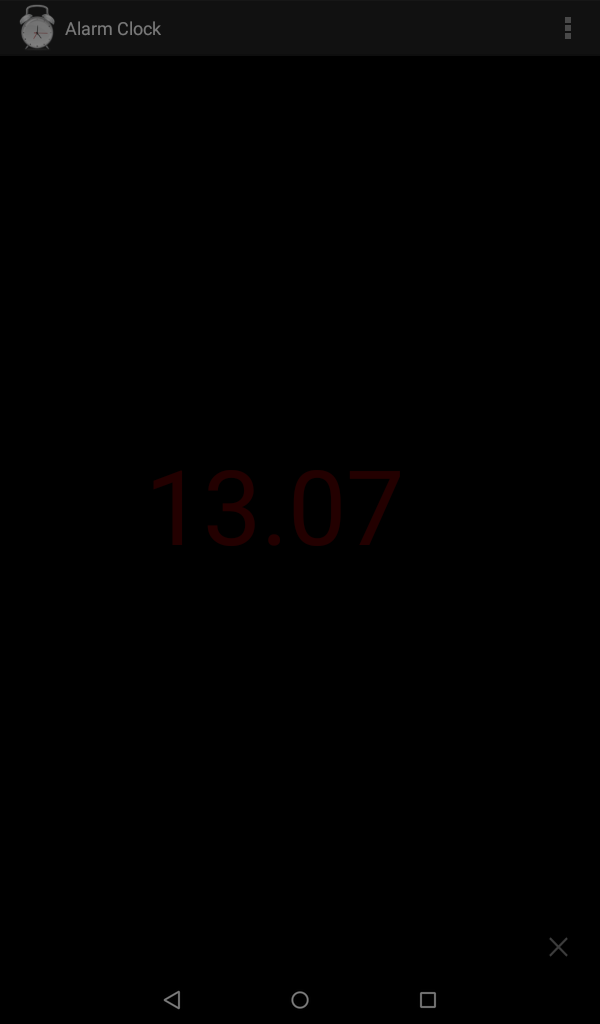
Screenshots with and without the menu bar attached. THe one with the menu bar has the onscreen menu button top right.
I want to do the same action as the menu button without havign to show that button. Ideally Id like to be able to open the scene's menu from another button on the scene.
Note this is a standard fire. The buttons at the bottom are, back, home and Task switcher.
Rich D
> Erm!
>
> Screenshots with and without the menu bar attached. THe one with the menu bar has the onscreen menu button top right.
>
> I want to do the same action as the menu button without havign to show that button. Ideally Id like to be able to open the scene's menu from another button on the scene.
>
> Note this is a standard fire. The buttons at the bottom are, back, home and Task switcher.
Still a little fuzzy but have you tried capturing the back button from the scene. From within the scene edit screen. menu / properties / key . See user guide as well. 'Scene Properties Edit'
Andy P
On Sunday, 7 August 2016 13:52:48 UTC+1, Rich D wrote:
Still a little fuzzy but have you tried capturing the back button from the scene. From within the scene edit screen. menu / properties / key . See user guide as well. 'Scene Properties
Ive already got back captured for Exit, but how would I choose the other options in the menu. What I really need is away of opening the menu shown without having to first show the bar with the menu button.



Jay M
i asked the same question and never got an answer so no one knows. bottom of 1st post here.
https://groups.google.com/forum/m/?fromgroups#!topic/tasker/TgCcpPCZLQA
--
You received this message because you are subscribed to the Google Groups "Tasker" group.
To unsubscribe from this group and stop receiving emails from it, send an email to tasker+un...@googlegroups.com.
Visit this group at https://groups.google.com/group/tasker.
For more options, visit https://groups.google.com/d/optout.
Jay M ︻芫══一
Rich D
> Ive already got back captured for Exit,
Sorry, still not getting it. Why not show that menu on the press of back button then you can choose exit or other?
Andy P
On Sunday, 7 August 2016 15:18:04 UTC+1, Rich D wrote:
> Ive already got back captured for Exit,Sorry, still not getting it. Why not show that menu on the press of back button then you can choose exit or other?
So what action in tasker do I use to show the menu that is already part of the scene?
Rich D
>
> So what action in tasker do I use to show the menu that is already part of the scene?
You can hide and show scene elements with action //scene / element visibility
Andy P
On Sunday, 7 August 2016 15:51:51 UTC+1, Rich D wrote:
>
> So what action in tasker do I use to show the menu that is already part of the scene?You can hide and show scene elements with action //scene / element visibility
Yes, you can hide and show scene elements. Unfortunately as far as I can see, the Actions Tab for a scene does not form an element of the scene, so you cant be shown or hidden.
Rich D
> Yes, you can hide and show scene elements. Unfortunately as far as I can see, the Actions Tab for a scene does not form an element of the scene, so you cant be shown or hidden.
Ahh, this might be where the confusion is. You want to dynamically show the action bar in a scene 'Not a menu element'. Is that correct?
Jay M
He wants to show the contents of the overflow menu (3dots on the toolbar);
> Yes, you can hide and show scene elements. Unfortunately as far as I can see, the Actions Tab for a scene does not form an element of the scene, so you cant be shown or hidden.Ahh, this might be where the confusion is. You want to dynamically show the action bar in a scene 'Not a menu element'. Is that correct?
--
You received this message because you are subscribed to the Google Groups "Tasker" group.
To unsubscribe from this group and stop receiving emails from it, send an email to tasker+un...@googlegroups.com.
Visit this group at https://groups.google.com/group/tasker.
For more options, visit https://groups.google.com/d/optout.
Rich D
> He wants to show the contents of the overflow menu (3dots on the toolbar);
ok.. details and correct names of options are everything.... I think I finally have it. You would like to programmatically show The "Action bar" so you can access the "Menu on the action bar" or simply programmatically show the "Menu on the action bar"
Is that correct ???
Andy P
The one I'm after is - programmatically show the "Menu on the action bar"
FYI I can show the action bar by hiding the scene and then showing the scene with the action bar present. That works as it allows access to the action bar menu, but it flashes whatever was running before.
Rich D
> He wants to show the contents of the overflow menu (3dots on the toolbar);
Thanks Jay...
Rich D
> The one I'm after is - programmatically show the "Menu on the action bar"
Wheewhhh..
>
> FYI I can show the action bar by hiding the scene and then showing the scene with the action bar present. That works as it allows access to the action bar menu, but it flashes whatever was running before.
To the best of my knowledge this can not be done programmatically.
A few options.
Create a blank full screen scene and show that first. Then that will be shown when you re-show the second scene. You can add some text like "Please Wait"
Create a exact duplicate scene and show that first.
Or use a duplicate scene to show over the first.
You could also try to simulate the action bar with tasker scene elements.
I did not say they would be great options... :(
Andy P
On Sunday, 7 August 2016 22:07:05 UTC+1, Rich D wrote:
> The one I'm after is - programmatically show the "Menu on the action bar"Wheewhhh..
>
> FYI I can show the action bar by hiding the scene and then showing the scene with the action bar present. That works as it allows access to the action bar menu, but it flashes whatever was running before.To the best of my knowledge this can not be done programmatically.
Pity. Mabe in a later version of Tasker.
A few options.
Hmm! Ive gone with a third option... Have a button with an "menu" image that opens a Menu action with tasks to replicate the action bar's menu.
Looks entirely differant to the action bars menu, but it works.
Thanks for the help.