Slide show in Tasker

549 views
Skip to first unread message

Logan Fury

unread,
Mar 1, 2017, 9:24:25 PM3/1/17
to Tasker
Hello,

I have found the shell commands here on the forums to seamlessly launch QuickPic and display a single image or animated.gif.

Im looking now to do a slideshow instead of a single image. Can anyone please provide the proper shell command or send intent or whatever is necessary to accomplish this?

Thank you for reading,

Logan

Rich D

unread,
Mar 2, 2017, 5:05:45 AM3/2/17
to Tasker Google Groups Post

Im looking now to do a slideshow instead of a single image. Can anyone please provide the proper shell command or send intent or whatever is necessary to accomplish this?


I did a search for 
"tasker quick pic slide show" 
 and found this 
"Ideas for displaying photos, please" 
As the first result. 

Logan Fury

unread,
Mar 2, 2017, 5:12:01 AM3/2/17
to tas...@googlegroups.com
Ironically, thats the very page here on the forums I was talking about lol.

They covered single pictures extensively, and the command worked for my ani.gifs as well, but I didnt see anywhere in there that covered a slideshow.

--
You received this message because you are subscribed to a topic in the Google Groups "Tasker" group.
To unsubscribe from this topic, visit https://groups.google.com/d/topic/tasker/euLGoELHzOA/unsubscribe.
To unsubscribe from this group and all its topics, send an email to tasker+unsubscribe@googlegroups.com.
Visit this group at https://groups.google.com/group/tasker.
For more options, visit https://groups.google.com/d/optout.

Logan Fury

unread,
Mar 2, 2017, 5:19:35 AM3/2/17
to Tasker
I was hoping there was a slight editing of the code presented in that thread that would launch a slideshow instead of an individual image, but thought it better to start my own slideshow thread than "hijack" the image thread off on a tangent :)


Rich D

unread,
Mar 2, 2017, 5:27:03 AM3/2/17
to Tasker Google Groups Post

I was hoping there was a slight editing of the code presented in that thread that would launch a slideshow instead of an individual image, but thought it better to start my own slideshow thread than "hijack" the image thread off on a tangent :)


did you read it all  the way through?  There is plenty of info on uri and slide   shows.


Intent - Slideshow (124)
        A1: Variable Set [ Name:%path To:file:///storage/sdcard1/DCIM/PerfectlyClear/2013-07-04_20-15-11_HDR_PerfectlyClear_0001.jpg Do Maths:Off Append:Off ]
        <Open slide show in QuickPic>
        A2: Send Intent [ Action:android.intent.action.VIEW Cat:Default Mime Type:image/* Data:%path Extra:QuickPic.slide_show:true Extra: Package:com.alensw.PicFolder Class: Target:Activity ]


Logan Fury

unread,
Mar 2, 2017, 5:30:22 AM3/2/17
to tas...@googlegroups.com
Im so sorry I thought I had read thru the post thoroughly.

Rich thank you for saving me from myself and extracting that code that I missed. Going to begin my edits and tests now.

Logan Fury

unread,
Mar 2, 2017, 6:16:34 AM3/2/17
to tas...@googlegroups.com
OK I re-read all of Mr Hansen's dialog with you, and tried this without setting variable and just putting the path directly into Sent Intent.

It is opening the picture specified, but its a static display of the picture, its not starting a slideshow even though there are 8 pictures in the folder. I double checked QuickPic setting and its supposed to change picture every 3 seconds but theres been no change for several minutes.

I tried backing out the name of the first image and just leaving the directory name, and this makes quickpic open a thumbnails view of the 8 pictures.

Ive had some errors with Send Intent and QuickPic Tasks in the past and you came to the rescue with your Shell Command solution:

Run Shell [ Command:am start -a android.intent.action.MAIN -d "file:///storage/extSdCard/media/ch.gif" -c android.intent.category.LAUNCHER -n com.alensw.PicFolder/com.alensw.PicFolder.GalleryActivity --user 0 --activity-clear-task --activity-clear-top Timeout (Seconds):0 Use Root:Off Store Output In: Store Errors In: Store Result In: ]

could THIS^ please be edited to be slideshow rather than single picture? Id feel much more comfortable with this method as its already proven a problem solver :)

Logan Fury

unread,
Mar 2, 2017, 8:02:50 AM3/2/17
to tas...@googlegroups.com
On a whim I tried what seemed a logical edit on my own. I didnt break anything and it still opens the first picture, but no slideshow. I even tried enabling root:

Shell Slideshoe (201)
A1: Run Shell [ Command:am start -a android.intent.action.SLIDE_SHOW -d "file:///storage/emulated/0/Download/iPhone Wallpapers/slideshow/001.jpg" -c android.intent.category.LAUNCHER -n com.alensw.PicFolder/com.alensw.PicFolder.GalleryActivity --user 0 --activity-clear-task --activity-clear-top Timeout (Seconds):0 Use Root:On Store Output In: Store Errors In: Store Result In: ]

Logan Fury

unread,
Mar 2, 2017, 9:38:22 AM3/2/17
to tas...@googlegroups.com
Send Intent just started working!

I had installed the script, rebooted phone, tried it, and it was just a static picture. Then it started having fails to load after working fine. I rebooted the phone again, changed the picture at the end of the file to one of the middle pictures, and wham! its working! 

Ive tested my other shell commands for individual animated .gifs and they all still work unglitched. 

This is fantastic! I dont understand why the code didnt work before simply because another image name was set. I checked multiple times for case-sensitive correct spelling and it never looked bad.

Sorry it took so long to settle in and behave for me. I cant explain that. But thanks again so much for digging that code for me out of the long thread. I had searched it for "slideshow" and come up blank which I cant understand as discussion of slides is clearly there. 

Logan Fury

unread,
Mar 2, 2017, 10:02:43 AM3/2/17
to tas...@googlegroups.com
and its stopped working again that quickly.

I created a simple task from this. run slideshow, play single music track, wait for %MTRACK to return untrue, input keyevent 3 (simulate home key press to quit QuickPic after music stops)

Now that ive done this, every time I try to repeat the Task, the QuickPic opens up a 3/4 sized preview of the last image shown on the working firing of the task, and just leaves it there. Never fills to fullscreen, and doesnt perform a slideshow. I presume it will work again after a phone reboot, but a script that only works once per reboot is very depressing lol.

I know ive been hitting the forums hard since I discovered Tasker, but if I could please get a Shell Command version of this im certain it would defeat the run once then fail glitch just like it solved the errors in my animated .gif display tasks.

Has anyone time to work out an edit for me (or let me know if Shell Command isnt an option here?)

Thank you.

Rich D

unread,
Mar 2, 2017, 11:00:39 AM3/2/17
to Tasker Google Groups Post

Could you post a exported description of the intent that did does work just after reboot?

Logan Fury

unread,
Mar 2, 2017, 12:12:53 PM3/2/17
to tas...@googlegroups.com
Here you are, thank you for looking into it!

A1: Send Intent [ Action:android.intent.action.VIEW Cat:Default Mime Type:image/* Data:file:///storage/emulated/0/Download/iPhone Wallpapers/slideshow/003.jpg Extra:QuickPic.slide_show:true Extra: Extra: Package:com.alensw.PicFolder Class: Target:Activity Continue Task After Error:On ] 

On Thu, Mar 2, 2017 at 8:00 AM, Rich D <ricp...@gmail.com> wrote:

Could you post a exported description of the intent that did does work just after reboot?

--

Logan Fury

unread,
Mar 2, 2017, 1:53:48 PM3/2/17
to tas...@googlegroups.com
I made another task pointing to a different directory and set of pictures, and Send Intent is opening QuickPic at its last folder/opened picture instead of in the path designated in the script.

This is exactly what was happening when I was trying to use multiple Send Intent tasks to open different single animated .gifs

Logan Fury

unread,
Mar 2, 2017, 7:38:20 PM3/2/17
to tas...@googlegroups.com
Im trying to brute force around this now. After my send intent and start music, ive got

wait 1 second
run shell - input keyevent 82 <this brings up the menu with Slideshow at top of list>
wait 2 seconds
run shell - input tap -5 -1 

That input tap is placed to squarely hit that Slideshow option, but it appears that the tap is happening UNDER the menu. Root is selected for both shell commands

I just cant get a win with this guys >.< 

Is there another keystroke command to tap in the menu not under it?

This is all moot if a Shell Command script can replace the Send Intent but its keeping me busy while I wait for help from coders :)

Logan Fury

unread,
Mar 2, 2017, 7:55:23 PM3/2/17
to tas...@googlegroups.com
I DID IT I DID IT I DID IT!!!!

Run Shell

Command: input keyevent 82 <bring up menu>
                 input tap -5 -1       <position over Slideshow option in menu>
                 input keyevent 23 <center DPAD to simulate a click, this highlights Slideshow>
                 input keyevent 66 <enter to act on selected Slideshow option>

This is pure brute force, it is clunky, basic, and inelegant, but it works.

I would happily replace this with a Run Shell script command in place of the Send Intent making this all unnecessary, but for now it has my task working and I hope it can help anyone else having issues with QuickPic slideshows. Root is required unfortunately.

Logan Fury

unread,
Mar 2, 2017, 7:56:31 PM3/2/17
to tas...@googlegroups.com
I DID IT I DID IT I DID IT!!!!

Run Shell

Command: input keyevent 82 <bring up menu>
                 input tap -5 -1      <position over Slideshow option in menu>
                 input keyevent 23 <center DPAD to simulate a click, this highlights Slideshow>
                 input keyevent 66 <enter to act on selected Slideshow option>

This is pure brute force, it is clunky, basic, and inelegant, but it works.

I would happily replace this with a Run Shell script command in place of the Send Intent making this all unnecessary, but for now it has my task working and I hope it can help anyone else having issues with QuickPic slideshows. Root is required unfortunately.
On Thu, Mar 2, 2017 at 4:38 PM, Logan Fury <logan...@gmail.com> wrote:

Logan Fury

unread,
Mar 2, 2017, 8:24:56 PM3/2/17
to tas...@googlegroups.com
This fix is very buggy still:

If i use any of my other tasks that send QuickPic to any other directory, the new slideshow task ignores its path information and opens the last picture it was using in previous task.

This is the identical bug I had with send intent commands opening animated .gifs. Send Intent seems incapable of reading its own Data field and defaults to last remembered path.

is there some piece of pre-code I could use before the Send Intent that would flush or clear its memory of last file path used?

Rich D

unread,
Mar 3, 2017, 5:17:22 AM3/3/17
to Tasker Google Groups Post
sorry,  have not had time to look look at this. These are always just trial and error for me..

Logan Fury

unread,
Mar 3, 2017, 5:32:29 AM3/3/17
to tas...@googlegroups.com
Sir you need apologize to NO ONE after all the tremendous work you do for this community.

Being new to Tasker and smartphones, im still in the novelty stage, where this is all facinating to me, and theres a feeling akin to physical hunger to get completion of concept when a new Profile/Task occurs to me.

I know Ive been hitting the help forums relentlessly with edit and coding requests but im always aware of the rest of the community and their right to the time of the advanced coders, so please dont take my flood of posts as an attempt to monopolize anyone's precious time. Ive simply got these many ideas bouncing inside my skull at the present time and this is the place to get them out. Im always happy to be as patient as necessary for the wonderful help provided here.


On Fri, Mar 3, 2017 at 2:16 AM, Rich D <ricp...@gmail.com> wrote:
sorry,  have not had time to look look at this. These are always just trial and error for me..

--

Logan Fury

unread,
Mar 5, 2017, 8:53:31 AM3/5/17
to tas...@googlegroups.com
I just figured out another brute force help for this.

Im preceeding the Sent Intent with the Shell Command that I use to call up single pics, as this navigates QuickPic properly.

In fact, with this and the inputs, I can eliminate the Sent Intent completely I believe.

Rich D

unread,
Mar 5, 2017, 8:16:53 PM3/5/17
to Tasker Google Groups Post
Ok.... This one was a real PIA...  I could be wrong but It appears to set "QuickPic.slide_show true" in a shell command requires root. Tasker most likely is sending the intents using using a java function wich does not require root.

I also tried the 'intent task' plug in but it appears that Tasker sends a plain file uri while Intent task sends a content provider uri. It appears the content provider uri is not compatible with the quick pic app because the app has not been updated to the latest android requirements. 

So for non rooted devices you will have to construct a java function intent. This is definitely beyond my skills. 

For rooted devices you should be able to use the tasker shell action and put the following in the command line. You will need to replace 

storage/sdcard0/my lobster/IMG_20141027_204357_937.jpg

 with the file path of any pic within the folder you want to show in a quick pic slide show. 


am start -a android.intent.action.VIEW -d "file:///storage/sdcard0/my lobster/IMG_20141027_204357_937.jpg" -c android.intent.category.DEFAULT -n com.alensw.PicFolder/com.alensw.PicFolder.GalleryActivity --ez QuickPic.slide_show true --activity-clear-task --activity-clear-top


This works on my  rooted Motorola Droid 4 / Stock ROM   / Tasker  /  Version: 4.9u3m/ Android version 4.1.2 

There is a possibility it might not work on more recent android versions. 

Logan Fury

unread,
Mar 5, 2017, 11:39:47 PM3/5/17
to tas...@googlegroups.com
Hello Rich,

I hope youre well today.

The script youve provided doesnt work on my 5.1.1 Lollipop but it does run flawlessly on my rooted Note 3 KitKat! I did the crucial test of launching quickpic tasks that led to other image directories and then running your script and its correctly navigating where I intend it to and starting the slideshow immediately and smoothly.

Thank you very much!

Logan

--

Rich D

unread,
Mar 6, 2017, 4:47:32 AM3/6/17
to Tasker Google Groups Post
The script youve provided doesnt work on my 5.1.1 Lollipop


I assume this device does not have root?


I believe the only hope for non root would be if a java savvy passer by would construct the intent out of java functions, or the quick pic developer updates the  way the app handles the uri. 

Logan Fury

unread,
Mar 6, 2017, 4:56:11 AM3/6/17
to tas...@googlegroups.com
Good Evening Rich,

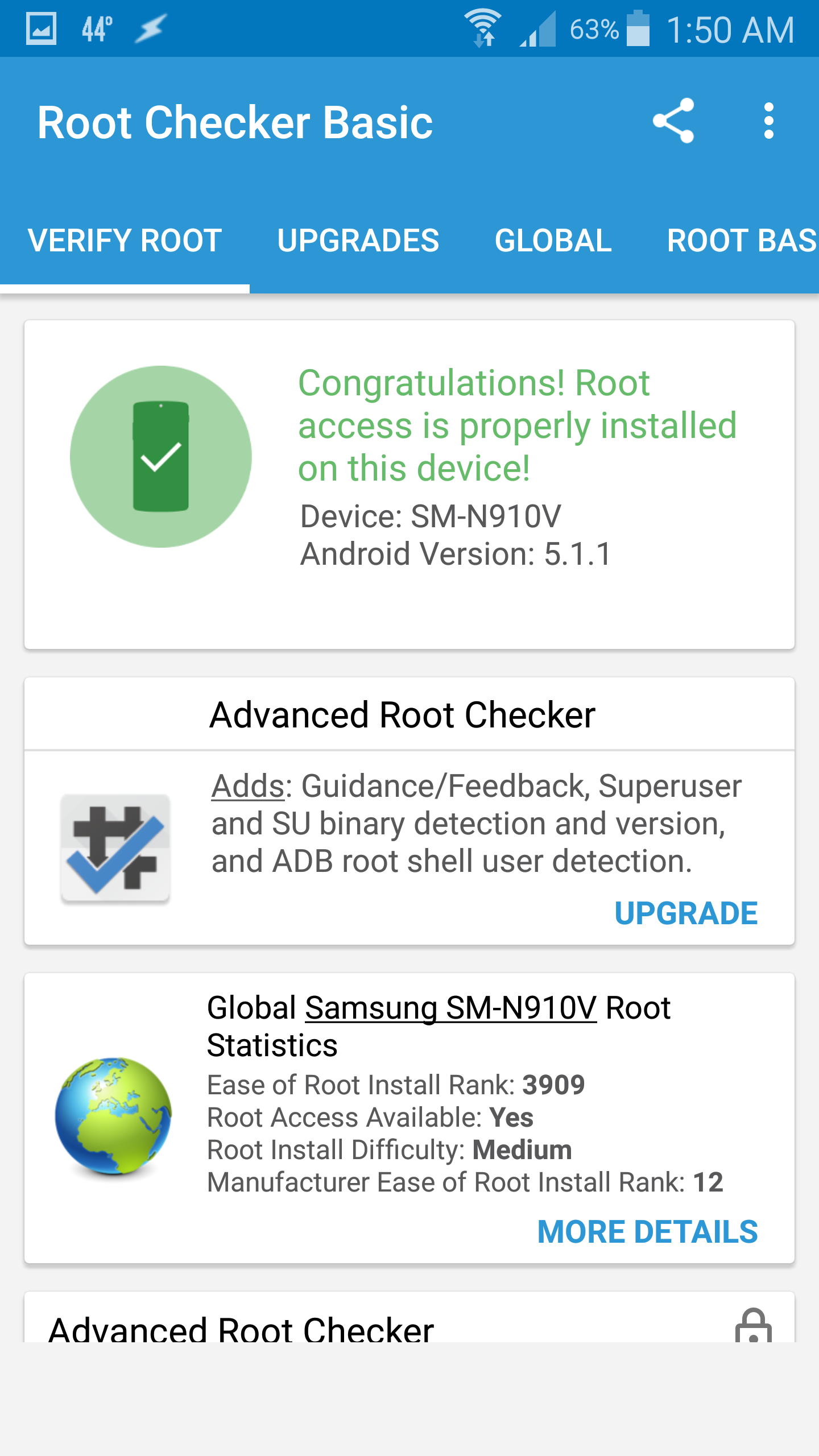
Actually the 5.1.1 Lollipop is a Note 4 SM-N910V rooted with SuperSU and KingORoot.

You had warned it might not work on newer OS's hadnt you?

--
Screenshot_2017-03-06-01-50-20.png
Screenshot_2017-03-06-01-50-01.png

Rich D

unread,
Mar 11, 2017, 8:01:58 AM3/11/17
to Tasker Google Groups Post
Refusing to accept defeat I have finally hammered out a  Java intent that seems to work. The flags where one of the hardest parts as I was trying to start a new activity because that is how I had done it in the other quick pic intents. For some reason when adding the 'QuickPic.slide_show.true'  it "seems" just one flag "FLAG_ACTIVITY_BROUGHT_TO_FRONT" does the job.  It might require more flags but this seems to work for now.

I used the following information to achieve this..


java slide show (149)
A1: Variable Set [ Name:%new_path To:/storage/emulated/0/A Pic Folders/All pics/2004 gmc work truck/2013-06-24_08-20-42_705.jpg Recurse Variables:Off Do Maths:Off Append:Off ] 
A2: Java Function [ Return:myfile Class Or Object:File Function:new
{File} (String) Param:%new_path Param: Param: Param: Param: Param: Param: ] 
A3: Java Function [ Return:myuri Class Or Object:Uri Function:fromFile
{Uri} (File) Param:myfile Param: Param: Param: Param: Param: Param: ] 
A4: Java Function [ Return:slideintent Class Or Object:Intent Function:new
{Intent} () Param: Param: Param: Param: Param: Param: Param: ] 
A5: Java Function [ Return: Class Or Object:slideintent Function:setAction
{Intent} (String) Param:android.intent.action.VIEW Param: Param: Param: Param: Param: Param: ] 
A6: Java Function [ Return: Class Or Object:slideintent Function:addCategory
{Intent} (String) Param:android.intent.category.DEFAULT Param: Param: Param: Param: Param: Param: ] 
A7: Java Function [ Return: Class Or Object:slideintent Function:setDataAndTypeAndNormalize
{Intent} (Uri, String) Param:myuri Param:image/* Param: Param: Param: Param: Param: ] 
A8: Java Function [ Return: Class Or Object:slideintent Function:setPackage
{Intent} (String) Param:com.alensw.PicFolder Param: Param: Param: Param: Param: Param: ] 
A9: Java Function [ Return: Class Or Object:slideintent Function:setComponent
{Intent} (ComponentName) Param:com.alensw.PicFolder/.GalleryActivity Param: Param: Param: Param: Param: Param: ] 
A10: Java Function [ Return: Class Or Object:slideintent Function:putExtra
{Intent} (String, boolean) Param:QuickPic.slide_show Param:true Param: Param: Param: Param: Param: ] 
A11: Java Function [ Return: Class Or Object:slideintent Function:setFlags
{Intent} (int) Param:slideintent.FLAG_ACTIVITY_BROUGHT_TO_FRONT Param: Param: Param: Param: Param: Param: ] 
A12: Java Function [ Return: Class Or Object:CONTEXT Function:startActivity
{} (Intent) Param:slideintent Param: Param: Param: Param: Param: Param: ] 

java_slide_show.tsk.xml

Logan Fury

unread,
Mar 11, 2017, 8:23:08 AM3/11/17
to tas...@googlegroups.com
On marshmallow 6.0.1the task got to action 12, then gave this error. About to test on 5.0.1 & 4.4.0

05.14.53/E Java Function:  -> 
05.14.53/JU analyse: target: CONTEXT expected: null
05.14.53/JU target: analyse done: CONTEXT: class: android.app.Application  obj: android.app.Application@a488636 partWithoutMods: null static: false const false casted: false
05.14.53/JU analyse: returnval: java.lang.Void expected: null
05.14.53/JU returnval: analyse done: java.lang.Void: class: java.lang.Void  obj: null partWithoutMods: null static: true const false casted: false
05.14.53/JU initClass: class: java.lang.Void  obj: null partWithoutMods: java.lang.Void static: true const false casted: false
05.14.53/JU initClass: retnovar: init with array handling -> class java.lang.Void
05.14.53/JU initClass: class: android.app.Application  obj: android.app.Application@a488636 partWithoutMods: CONTEXT static: false const false casted: false
05.14.53/JU initclass: target: use object class: android.app.Application
05.14.53/JU analyse: param0: slideintent expected: class android.content.Intent
05.14.53/JU param0: analyse done: slideintent: class: android.content.Intent  obj: Intent { act=android.intent.action.VIEW cat=[android.intent.category.DEFAULT] dat=file:///storage/emulated/0/Download/iPhone wallpapers/slideshow/001.jpg typ=image/* flg=0x400000 pkg=com.alensw.PicFolder (has extras) } partWithoutMods: null static: false const false casted: false
05.14.53/E param 0 class: class android.content.Intent
05.14.53/E targetClass: class android.app.Application
05.14.53/E object: android.app.Application@a488636
05.14.53/E method: public void android.content.ContextWrapper.startActivity(android.content.Intent)
05.14.53/E arg0 class android.content.Intent value Intent { act=android.intent.action.VIEW cat=[android.intent.category.DEFAULT] dat=file:///storage/emulated/0/Download/iPhone wallpapers/slideshow/001.jpg typ=image/* flg=0x400000 pkg=com.alensw.PicFolder (has extras) }
05.14.53/E Java Function: java.lang.reflect.InvocationTargetException
05.14.53/ Caused by: android.util.AndroidRuntimeException: Calling startActivity() from outside of an Activity  context requires the FLAG_ACTIVITY_NEW_TASK flag. Is this really what you want?
05.14.53/ android.app.ContextImpl.startActivity(ContextImpl.java:734)
05.14.53/ android.app.ContextImpl.startActivity(ContextImpl.java:721)
05.14.53/ android.content.ContextWrapper.startActivity(ContextWrapper.java:345)
05.14.53/ java.lang.reflect.Method.invoke(Native Method)
05.14.53/ net.dinglisch.android.taskerm.ExecuteService.c(Unknown Source)
05.14.53/ net.dinglisch.android.taskerm.ExecuteService.a(Unknown Source)
05.14.53/E result: stop task (error)
05.14.53/E Error: 1
05.14.53/MacroEdit action finished exeID 1 action no 11 code 664 status: Err next 11

Logan Fury

unread,
Mar 11, 2017, 8:34:31 AM3/11/17
to tas...@googlegroups.com
unfortunately, same error at action 12 on both my Lollipop 5.1.1 and KitKat 4.4.0 platforms.

Rich D

unread,
Mar 11, 2017, 8:39:10 AM3/11/17
to Tasker Google Groups Post

unfortunately, same error at action 12 on both my Lollipop 5.1.1 and KitKat 4.4.0 platforms.

could you post the exported description?   I just tried importing to my droid 4 and it did not import correctly.. 

Logan Fury

unread,
Mar 11, 2017, 8:40:23 AM3/11/17
to tas...@googlegroups.com
im happy to if you can tell me how to get to that info please

On Sat, Mar 11, 2017 at 5:38 AM, Rich D <ricp...@gmail.com> wrote:

unfortunately, same error at action 12 on both my Lollipop 5.1.1 and KitKat 4.4.0 platforms.

could you post the exported description?   I just tried importing to my droid 4 and it did not import correctly.. 

Rich D

unread,
Mar 11, 2017, 8:41:32 AM3/11/17
to Tasker Google Groups Post


im happy to if you can tell me how to get to that info please


To post your profile or task here...  Long press on the profile or task name / ( 3 dot menu with 4.0+ ) export / export "DESCRIPTION" to clipboard (not XML)

Any linked tasks will be exported with the profile they are linked to..

To be able to export, The beginner mode needs to be off and the profile needs to be named by you (Not the Tasker listed name.  Tasker will list your profile with the context name if you have not given it one).


Logan Fury

unread,
Mar 11, 2017, 8:48:29 AM3/11/17
to tas...@googlegroups.com
ah gotcha, here you are, as run with my edits:

java slide show (94)
A1: Variable Set [ Name:%new_path To:/storage/emulated/0/Download/iPhone wallpapers/slideshow/001.jpg Recurse Variables:Off Do Maths:Off Append:Off ] 
A2: Java Function [ Return:myfile Class Or Object:File Function:new
{File} (String) Param:%new_path Param: Param: Param: Param: Param: Param: ] 
A3: Java Function [ Return:myuri Class Or Object:Uri Function:fromFile
{Uri} (File) Param:myfile Param: Param: Param: Param: Param: Param: ] 
A4: Java Function [ Return:slideintent Class Or Object:Intent Function:new
{Intent} () Param: Param: Param: Param: Param: Param: Param: ] 
A5: Java Function [ Return: Class Or Object:slideintent Function:setAction
{Intent} (String) Param:android.intent.action.VIEW Param: Param: Param: Param: Param: Param: ] 
A6: Java Function [ Return: Class Or Object:slideintent Function:addCategory
{Intent} (String) Param:android.intent.category.DEFAULT Param: Param: Param: Param: Param: Param: ] 
A7: Java Function [ Return: Class Or Object:slideintent Function:setDataAndTypeAndNormalize
{Intent} (Uri, String) Param:myuri Param:image/* Param: Param: Param: Param: Param: ] 
A8: Java Function [ Return: Class Or Object:slideintent Function:setPackage
{Intent} (String) Param:com.alensw.PicFolder Param: Param: Param: Param: Param: Param: ] 
A9: Java Function [ Return: Class Or Object:slideintent Function:setComponent
{Intent} (ComponentName) Param:com.alensw.PicFolder/.GalleryActivity Param: Param: Param: Param: Param: Param: ] 
A10: Java Function [ Return: Class Or Object:slideintent Function:putExtra
{Intent} (String, boolean) Param:QuickPic.slide_show Param:true Param: Param: Param: Param: Param: ] 
A11: Java Function [ Return: Class Or Object:slideintent Function:setFlags
{Intent} (int) Param:slideintent.FLAG_ACTIVITY_BROUGHT_TO_FRONT Param: Param: Param: Param: Param: Param: ] 
A12: Java Function [ Return: Class Or Object:CONTEXT Function:startActivity
{} (Intent) Param:slideintent Param: Param: Param: Param: Param: Param: ] 

Rich D

unread,
Mar 11, 2017, 8:52:53 AM3/11/17
to Tasker Google Groups Post

ah gotcha, here you are, as run with my edits:


Arrrrgh...   that looks correct. I got it to import correctly on my droid and I am getting the same error... 

Back to the drawring board...   :(

Logan Fury

unread,
Mar 11, 2017, 8:55:25 AM3/11/17
to tas...@googlegroups.com
Happy to have been of service for testing, and very sorry your code errored. 12 actions in before an issue though you must be close to success!

Rich D

unread,
Mar 11, 2017, 9:05:40 AM3/11/17
to Tasker Google Groups Post
could you try this one.  You might have to open quick pic through the home icon once and back all the way out then try the tasker task again.
java_slide_show.tsk.xml

Logan Fury

unread,
Mar 11, 2017, 9:14:01 AM3/11/17
to tas...@googlegroups.com
Working like a charm on KitKat 4.4.0

one moment and ill have results for you on 5.1.1 and 6.0.1

congratulations!

On Sat, Mar 11, 2017 at 6:05 AM, Rich D <ricp...@gmail.com> wrote:
could you try this one.  You might have to open quick pic through the home icon once and back all the way out then try the tasker task again.

--

Logan Fury

unread,
Mar 11, 2017, 9:18:29 AM3/11/17
to tas...@googlegroups.com
Working perfectly on Lollipop 5.1.1

Rich D

unread,
Mar 11, 2017, 9:23:33 AM3/11/17
to Tasker Google Groups Post


Working perfectly on Lollipop 5.1.1


Great...  I am not sure it is 100% bullit proof  yet, Let me know if you encounter any issues...  

Logan Fury

unread,
Mar 11, 2017, 9:24:47 AM3/11/17
to tas...@googlegroups.com
No Tasker errors in Marshmallow 6.0.1 but a Load Failed from QuickPic even though I previously navagated to the directory and opened the first image

Rich D

unread,
Mar 11, 2017, 9:31:35 AM3/11/17
to Tasker Google Groups Post


No Tasker errors in Marshmallow 6.0.1 but a Load Failed from QuickPic even though I previously navagated to the directory and opened the first image

I am getting similar issues.  try opening quick pic from the home screen and then back out with back button. then try intent. 

Logan Fury

unread,
Mar 11, 2017, 9:33:31 AM3/11/17
to tas...@googlegroups.com
identical result, QuickPic "Load Failed" Screen

On Sat, Mar 11, 2017 at 6:31 AM, Rich D <ricp...@gmail.com> wrote:


No Tasker errors in Marshmallow 6.0.1 but a Load Failed from QuickPic even though I previously navagated to the directory and opened the first image

I am getting similar issues.  try opening quick pic from the home screen and then back out with back button. then try intent. 

Rich D

unread,
Mar 11, 2017, 9:41:07 AM3/11/17
to Tasker Google Groups Post

identical result, QuickPic "Load Failed" Screen


on both deviuces?

Logan Fury

unread,
Mar 11, 2017, 9:44:13 AM3/11/17
to tas...@googlegroups.com
Only on Marshmallow 6.0.1 platform. 

Both the Note 3 KitKat 4.4.0, and the Note 4 Lollipop 5.1.1 run the task perfectly whether QuickPic was backed out of the image directly completely with multiple presses of the back button, or a single click of the home button.

On Sat, Mar 11, 2017 at 6:40 AM, Rich D <ricp...@gmail.com> wrote:

identical result, QuickPic "Load Failed" Screen


on both deviuces?

Logan Fury

unread,
Mar 11, 2017, 9:49:47 AM3/11/17
to tas...@googlegroups.com
Sorry bad report, im seeing now that its opening the picture but not starting the slideshow on homescreen button tap, but it is starting the slideshow after backing out completely on 4.4.0 and 5.1.1

Logan Fury

unread,
Mar 11, 2017, 9:51:47 AM3/11/17
to tas...@googlegroups.com
using the home button to stop the task seems to upset the script as well. When I try to launch it a second time after using home, it opens the last pic it was at and stays at that picture rather than starting slideshow

Rich D

unread,
Mar 11, 2017, 10:28:52 AM3/11/17
to Tasker Google Groups Post

using the home button to stop the task seems to upset the script as well. When I try to launch it a second time after using home, it opens the last pic it was at and stays at that picture rather than starting slideshow


Thanks for  the info... I will try some other flags..... 

Logan Fury

unread,
Mar 11, 2017, 10:30:37 AM3/11/17
to tas...@googlegroups.com
My pleasure, ive 3 platforms to perform tests on as soon as I see that youve posted new edits

On Sat, Mar 11, 2017 at 7:28 AM, Rich D <ricp...@gmail.com> wrote:

using the home button to stop the task seems to upset the script as well. When I try to launch it a second time after using home, it opens the last pic it was at and stays at that picture rather than starting slideshow


Thanks for  the info... I will try some other flags..... 

Rich D

unread,
Mar 11, 2017, 1:44:23 PM3/11/17
to Tasker Google Groups Post


OK, this one seems to work for all (I hope)

Java_Slide_Show_3.tsk.xml

Rich D

unread,
Mar 11, 2017, 5:00:07 PM3/11/17
to Tasker Google Groups Post

Disregard last post.   This one seems very stable.

Java Slide Show_4 (64)
A1: Variable Set [ Name:%new_path To:/storage/sdcard0/my lobster/IMG_20141027_204357_937.jpg Recurse Variables:Off Do Maths:Off Append:Off ]

A2: Java Function [ Return:myfile Class Or Object:File Function:new
{File} (String) Param:%new_path Param: Param: Param: Param: Param: Param: ]
A3: Java Function [ Return:myuri Class Or Object:Uri Function:fromFile
{Uri} (File) Param:myfile Param: Param: Param: Param: Param: Param: ]
A4: Java Function [ Return:slideintent Class Or Object:Intent Function:new
{Intent} () Param: Param: Param: Param: Param: Param: Param: ]
A5: Java Function [ Return: Class Or Object:slideintent Function:setAction
{Intent} (String) Param:android.intent.action.VIEW Param: Param: Param: Param: Param: Param: ]
A6: Java Function [ Return: Class Or Object:slideintent Function:addCategory
{Intent} (String) Param:android.intent.category.DEFAULT Param: Param: Param: Param: Param: Param: ]
A7: Java Function [ Return: Class Or Object:slideintent Function:setDataAndTypeAndNormalize
{Intent} (Uri, String) Param:myuri Param:image/* Param: Param: Param: Param: Param: ]
A8: Java Function [ Return: Class Or Object:slideintent Function:setPackage
{Intent} (String) Param:com.alensw.PicFolder Param: Param: Param: Param: Param: Param: ]
A9: Java Function [ Return: Class Or Object:slideintent Function:setComponent
{Intent} (ComponentName) Param:com.alensw.PicFolder/.GalleryActivity Param: Param: Param: Param: Param: Param: ]
A10: Java Function [ Return: Class Or Object:slideintent Function:putExtra
{Intent} (String, boolean) Param:QuickPic.slide_show Param:true Param: Param: Param: Param: Param: ]
A11: Java Function [ Return: Class Or Object:slideintent Function:setFlags

{Intent} (int) Param:slideintent.FLAG_ACTIVITY_NEW_TASK Param: Param: Param: Param: Param: Param: ]
A12: Java Function [ Return: Class Or Object:slideintent Function:addFlags
{Intent} (int) Param:slideintent.FLAG_ACTIVITY_MULTIPLE_TASK Param: Param: Param: Param: Param: Param: ]
A13: Java Function [ Return: Class Or Object:slideintent Function:addFlags
{Intent} (int) Param:slideintent.FLAG_ACTIVITY_CLEAR_TOP Param: Param: Param: Param: Param: Param: ]
A14: Java Function [ Return: Class Or Object:CONTEXT Function:startActivity

Java_Slide_Show_4.tsk.xml

Rich D

unread,
Mar 11, 2017, 5:03:28 PM3/11/17
to Tasker Google Groups Post

Trying the export again...

Java_Slide_Show_4.tsk.xml

Logan Fury

unread,
Mar 11, 2017, 8:22:36 PM3/11/17
to tas...@googlegroups.com
Good Morning (subjectively)

Hello Rich,

Sorry to dissapear but im a bit ill atm and I had to head to bed for a bit.

I have downloaded and installed version 4 to the Marshmallow 6.0.1, navigated to my directory, opened first image and backed out with home button. Ran script, perfect results, immediate slideshow.

Im about to test the other two platforms in decending order, ill have data for you shortly

On Sat, Mar 11, 2017 at 2:03 PM, Rich D <ricp...@gmail.com> wrote:

Trying the export again...

Logan Fury

unread,
Mar 11, 2017, 8:28:39 PM3/11/17
to tas...@googlegroups.com
Lollipop 5.1.1, navigated to my directory, opened first image and backed out with home button. Ran script, perfect results, immediate slideshow.

Logan Fury

unread,
Mar 11, 2017, 8:39:59 PM3/11/17
to tas...@googlegroups.com
KitKat 4.4.0, navigated to my directory, opened first image and backed out with home button. Ran script, perfect results, immediate slideshow.

Thats 3 for 3 success on my platforms.

Beautiful script, Rich!

Logan Fury

unread,
Mar 11, 2017, 8:47:17 PM3/11/17
to tas...@googlegroups.com
so looking at this I see this potential as an all-in-one script.

- eliminate action 1, save as Java Slideshow Task

- launch any music/image folder slideshow you want with additional tasks:

A1 Variable Set (assign %new_path to appropriate directory)
A2 Music Play (assign your music folder)
A3 Perform Task Java Slideshow Task

This is really good stuff Rich!

Logan Fury

unread,
Mar 12, 2017, 1:22:19 AM3/12/17
to tas...@googlegroups.com
I just came up with a way (on rooted device) to eliminate having to manually open quickpic first, inputing these as new actions 1 and 2:

A1 Open File (navigate to first image of the dir you need)
A2 Run Shell input keyevent 3 (use root checked, emulates pressing the home button)

Logan Fury

unread,
Mar 12, 2017, 1:46:47 AM3/12/17
to tas...@googlegroups.com
well the above worked a few times and now is failing after clearing apps from memory >.<

Logan Fury

unread,
Mar 12, 2017, 3:13:16 AM3/12/17
to tas...@googlegroups.com
sorry to flood the post but this seems to be working now:

A1 Launch App QuickPic
A2 Open File (navigate to first image of the dir you need)

the home button emulation wasnt necessary. this seems to be working consistantly ive been clearing all apps and spamming it for some time now.

Logan Fury

unread,
Mar 12, 2017, 4:00:01 AM3/12/17
to tas...@googlegroups.com
Doing these experiments on Lollipop 5.1.1 btw.

Phone reboot and trying this killed it. and brought back the Load failed! error.

This is frustrating lol

Rich D

unread,
Mar 12, 2017, 9:50:20 AM3/12/17
to Tasker Google Groups Post
Doing these experiments on Lollipop 5.1.1 btw.

Phone reboot and trying this killed it. and brought back the Load failed! error.

This is frustrating lol

yup, this one is a PIA.... 

Anyway, the part about opening Quick  Pic and then backing out should only need to be done once. This is just to reset the stack from prior testing. It appears that if you send the incorrect flags to QP the app gets confused and does not behave as expected. Opening from the home screen icon and backing out should reset the stack and if the intent has the proper flags it should work every time without resetting the stack. 

Please be sure you are not trying to access files on a external sd . this can cause other permission issues. 


This version does seem to  work 100% of the time on my pixel c tablet  /  Android 6.0.1

I will keep at it.... 


BTW.  just A FWI. I did find this when searching around. It is a post that describing a intent for a different picture viewer that will accept a intent.  I have not done any further research on this. 


I'm the developer of digital photo frame. First of all, thank you for buying the premium version. Some other user figured out how to autolaunch with tasker. I can't post the link yet (new user ...) but the title of the google group post is "Tasker, Digital Photo Frame Premium, and Autorun"

Anyway, the settings should be 

Quote:

Action: android.intent.action.view
Cat:None
Mime Type:
Data:file:///PathToYourPhotoAlbum
Extra:be.wyseur.photo.recursive:recursive
Extra: 
Package:be.wyseur.photo.buy
Class:be.wyseur.photo.PhotoFrameActivity_
Target:Activity


Good luck. Let me know if you have further questions

Rich D

unread,
Mar 12, 2017, 10:03:53 AM3/12/17
to Tasker Google Groups Post
Could you also check in you quick pic settings. Under 'Browser'  Do you have the " Open last folder" checked ?   If so try unchecking to see if it makes a difference.

Thanks,  Rich..  

Logan Fury

unread,
Mar 12, 2017, 10:57:51 AM3/12/17
to tas...@googlegroups.com
Good Morning Rich,

Under my settings it looks like all my tests have been with default unchecked for Open Last Folder. This is actually first time ive gone into them for this app.

On Sun, Mar 12, 2017 at 7:03 AM, Rich D <ricp...@gmail.com> wrote:
Could you also check in you quick pic settings. Under 'Browser'  Do you have the " Open last folder" checked ?   If so try unchecking to see if it makes a difference.

Thanks,  Rich..  

--

Logan Fury

unread,
Mar 13, 2017, 7:54:46 AM3/13/17
to tas...@googlegroups.com
Rich I got it!!

I think

I rebooted the Lolli 5.1.1 platform and went into Tasker, and added the following to your script:

A1 Launch App - QuickPic *NO DETAILS IN DATA*
A2 Run Shell - input keyevent 3 *use root enabled*
A3 Wait - 2 seconds

and it launched like a charm.

I then launched the following QuickPic Task to navigate away from the image directory your script is edited to use:

Ani Grand Illusion (147)
A1: Variable Set [ Name:%files(%rand) To:Download/iPhone Wallpapers/GrnFRAME.png Recurse Variables:Off Do Maths:Off Append:Off ] 
A2: Show Scene [ Name:Random Image Display As:Overlay, Blocking, Full Window Horizontal Position:100 Vertical Position:100 Animation:System Show Exit Button:On Show Over Keyguard:On Continue Task Immediately:On ] 
A3: Run Shell [ Command:am start -a android.intent.action.MAIN -d "file:///storage/emulated/0/Download/iPhone Wallpapers/agi.gif" -c android.intent.category.LAUNCHER -n com.alensw.PicFolder/com.alensw.PicFolder.GalleryActivity --user 0 --activity-clear-task --activity-clear-top Timeout (Seconds):0 Use Root:Off Store Output In: Store Errors In: Store Result In: ]

Then I tried my addition and it worked perfectly, navigating right back to slideshow directory from iPhone Wallpapers and starting a slideshow.

I knew it had to be possible for Tasker to automate setting up your script, I just started complicated instead of simple last time I played with Launch App.

Would you care to try this on your platform and see if it works with any consistancy?

Rich D

unread,
Mar 13, 2017, 10:40:30 AM3/13/17
to Tasker Google Groups Post


> I rebooted the Lolli 5.1.1 platform and went into Tasker, and added the following to your script:
>
> A1 Launch App - QuickPic *NO DETAILS IN DATA*
> A2 Run Shell - input keyevent 3 *use root enabled*
> A3 Wait - 2 seconds
>
> and it launched like a charm.
>
> I then launched the following QuickPic Task to navigate away from the image directory your script is edited to use:
>
> Ani Grand Illusion (147)
> A1: Variable Set [ Name:%files(%rand) To:Download/iPhone Wallpapers/GrnFRAME.png Recurse Variables:Off Do Maths:Off Append:Off ] 
> A2: Show Scene [ Name:Random Image Display As:Overlay, Blocking, Full Window Horizontal Position:100 Vertical Position:100 Animation:System Show Exit Button:On Show Over Keyguard:On Continue Task Immediately:On ] 
> A3: Run Shell [ Command:am start -a android.intent.action.MAIN -d "file:///storage/emulated/0/Download/iPhone Wallpapers/agi.gif" -c android.intent.category.LAUNCHER -n com.alensw.PicFolder/com.alensw.PicFolder.GalleryActivity --user 0 --activity-clear-task --activity-clear-top Timeout (Seconds):0 Use Root:Off Store Output In: Store Errors In: Store Result In: ]
>
> Then I tried my addition and it worked perfectly, navigating right back to slideshow directory from iPhone Wallpapers and starting a slideshow.
>

It is not clear how you are starting the slide show.  The intent in A3 will not start it.

I have already found a similar work around that does not require root. You just need to use the Tasker launch app action as you did followed by a intent with the correct flags.   I can post that for you later.  I am still not satisfied with this approach. It should be possible to get it with just one intent. So I am still working on it. It turns out the only thing that puts it into the state where I get a load failed is when QP is either killed by android or rebooted.

Logan Fury

unread,
Mar 13, 2017, 10:53:00 AM3/13/17
to tas...@googlegroups.com
I did find another way of breaking this: If you add more media to your phone, QuickPic seems to detect it and as soon as its launched it has an option screen to go direct to the new media. Thats playing a bit of choas with the script as well.

the A3 intent in the posted Task is opening a single animated .gif, not a second slideshow as you noted. I only launched that to navigate QuickPic away from the directory I have your java script pointed to, for testing purposes, and posted it here so you could see how I utilized Tasker before running the test of your script.

Just dumping all the info on you I can that may be relevant while in this testing phase.

--

Rich D

unread,
Mar 14, 2017, 9:32:52 AM3/14/17
to Tasker Google Groups Post

I believe I was incorrect about the shell action requiring root.  These 2 intents are working on both of my devices.  The first intent just opens the main QP app with no data. Then the next intent will start the slide show. I am starting to think this is a bug in the QP app. It seems that once QP has been killed by android or a reboot it requires the app to be launched as just the root app before you can start the slide show with a intent. You may need to increase the wait to give the first iteration time to load. 

Shell Slide (66)
A1: Run Shell [ Command:am start -a android.intent.action.MAIN -c android.intent.category.LAUNCHER -n com.alensw.PicFolder/com.alensw.PicFolder.GalleryActivity --user 0 Timeout (Seconds):0 Use Root:Off Store Output In: Store Errors In: Store Result In: ]
A2: Wait [ MS:501 Seconds:0 Minutes:0 Hours:0 Days:0 ]
A3: Run Shell [ Command:am start -a android.intent.action.MAIN -d "file:///storage/sdcard0/my lobster/IMG_20141027_204357_937.jpg" -c android.intent.category.LAUNCHER -n com.alensw.PicFolder/com.alensw.PicFolder.GalleryActivity --user 0 --ez QuickPic.slide_show true --activity-clear-task --activity-clear-top --activity-no-history Timeout (Seconds):0 Use Root:Off Store Output In: Store Errors In: Store Result In: ]

Shell_Slide.tsk.xml

Rich D

unread,
Mar 14, 2017, 9:48:59 AM3/14/17
to Tasker Google Groups Post

I did send several emails to the developer of QP but so far they have been unresponsive.

Logan Fury

unread,
Mar 14, 2017, 11:39:24 PM3/14/17
to tas...@googlegroups.com
Good Evening Rich,

Im sorry it took so long to respond. Ive installed the new Task on 5.1.1 and it worked flawlessly after initial download. I then added a new image to my phone, which usually puts QuickPic into an uncooperative state with the Tasker scripts, yet your new code controlled QuickPic like a champ and bypassed all the "are you perhaps looking for this new image" section and went right into a seemless slideshow.

Excellent work! Ill give you a quick beta run on 6.0.1 and 4.4.0.

On Tue, Mar 14, 2017 at 6:48 AM, Rich D <ricp...@gmail.com> wrote:

I did send several emails to the developer of QP but so far they have been unresponsive.

--

Logan Fury

unread,
Mar 15, 2017, 12:20:16 AM3/15/17
to tas...@googlegroups.com
well the script is now giving load failed errors for no discernible reason. I can run it, it will work and then I can launch it a second time and it gives load failed.

This is happening on the rooted 5.1.1 lollipop platform.

Rich D

unread,
Mar 15, 2017, 12:50:28 AM3/15/17
to Tasker Google Groups Post


> well the script is now giving load failed errors for no discernible reason. I can run it, it will work and then I can launch it a second time and it gives load failed.
>
> This is happening on the rooted 5.1.1 lollipop platform.

The folder you are using is not on a external sd card correct?

Did you try increasing the wait time. I found 1 second works every time on my droid 4.,  You should see the first iteration of QP load completely, then the slide show should load.

Logan Fury

unread,
Mar 15, 2017, 12:52:20 AM3/15/17
to tas...@googlegroups.com
all my tests point to a phone storage directory. Ill extend the time and do some more testing.

--

Logan Fury

unread,
Mar 15, 2017, 12:58:55 AM3/15/17
to tas...@googlegroups.com
One second Wait seems to have it behaving well now. Launching fine on back to backs, and after launching other Tasks navigating QuickPic to completely other directories.

Rich D

unread,
Mar 15, 2017, 1:11:13 AM3/15/17
to Tasker Google Groups Post


> One second Wait seems to have it behaving well now. Launching fine on back to backs, and after launching other Tasks navigating QuickPic to completely other directories.

Good to hear...  The real test is the device reboot....

Logan Fury

unread,
Mar 15, 2017, 1:17:06 AM3/15/17
to tas...@googlegroups.com
did a reboot and gave my phone a few mins to settle down, ran the script first thing, and got a Load failed! error.

arrrrgh!

On Tue, Mar 14, 2017 at 10:11 PM, Rich D <ricp...@gmail.com> wrote:


> One second Wait seems to have it behaving well now. Launching fine on back to backs, and after launching other Tasks navigating QuickPic to completely other directories.

Good to hear...  The real test is the device reboot....

--

Rich D

unread,
Mar 15, 2017, 1:23:12 AM3/15/17
to Tasker Google Groups Post


> did a reboot and gave my phone a few mins to settle down, ran the script first thing, and got a Load failed! error.
>
> arrrrgh!

Maybe try setting the wait to 2 sec.

Logan Fury

unread,
Mar 15, 2017, 1:29:29 AM3/15/17
to tas...@googlegroups.com
2 second Wait did the trick. It just fired fine following another reboot.

--

Rich D

unread,
Mar 15, 2017, 1:29:49 AM3/15/17
to Tasker Google Groups Post

One more thing you could try is to replace the first intent with the tasker 'launch app' action for QP.  Check all three options.   Start new copy, exclude from recents, continue after error.   

Logan Fury

unread,
Mar 15, 2017, 1:32:46 AM3/15/17
to tas...@googlegroups.com
On Tue, Mar 14, 2017 at 10:29 PM, Rich D <ricp...@gmail.com> wrote:

One more thing you could try is to replace the first intent with the tasker 'launch app' action for QP.  Check all three options.   Start new copy, exclude from recents, continue after error.   


Does this keep the two second wait or disgard it? 

Rich D

unread,
Mar 15, 2017, 1:37:38 AM3/15/17
to Tasker Google Groups Post


> Does this keep the two second wait or disgard it? 

You would still need the wait.  I would leave it as is unless it acts up again...

Rich D

unread,
Mar 15, 2017, 2:26:29 AM3/15/17
to Tasker Google Groups Post


> 2 second Wait did the trick. It just fired fine following another reboot.
>

Hopefully it keeps working... :)   Not the most elegant approach but I do not there is another way with QP unless they change the app, which seems doubtful as they won't even respond to emails...  

Logan Fury

unread,
Mar 28, 2017, 2:05:47 AM3/28/17
to tas...@googlegroups.com
Just as a follow up to this great thread,

I created a multimedia Task: It randomized a number from 1-3, followed by IF conditionals for each possible result, pointing 1 to a Perform Task firing an animated gif with music, 2 to a Perform Task firing a scene with images and music, and pointing 3 with Perform Task to both the Shell Slide and Java Slide 4 scripts that you composed.

I found that trying to make it as short and simple as possible with Perform Task caused both the Java and Shell scripts to give the Load failed! error from QuickPic. However, as soon as I replaced the Perform Task with the full code for your Shell Slide, just the elegant, streamlined 3 action shell/wait/shell you composed, it fired perfectly. I was also able to add a Music Play and a Wait upon %MTRACK variable to clear before running a Keyevent 3 to close out QuickPic cleanly when the music ended and all is performing just fine.

You came up with great stuff here Rich, Thank you again!

(im juggling hospitalizations, feeling horrible and Tasker experiments all at the same time but Ill have some results for you regarding your advice about AutoInput in the other thread soon)

On Tue, Mar 14, 2017 at 11:26 PM, Rich D <ricp...@gmail.com> wrote:


> 2 second Wait did the trick. It just fired fine following another reboot.
>

Hopefully it keeps working... :)   Not the most elegant approach but I do not there is another way with QP unless they change the app, which seems doubtful as they won't even respond to emails...  

--

Logan Fury

unread,
Apr 30, 2017, 3:57:23 PM4/30/17
to tas...@googlegroups.com
Hello Rich,

Sorry to resurrect this but something occurred to me (doesnt it allways?)

Is it possible thru the coding in this Task to control if QuickPic runs thru the folder of picture names sequentially/alphabetically OR randomly, as is an option in Slideshow details. I would suspect that may be too deep in the settings to manipulate, but you do amazing things with code so I figured it couldnt hurt to ask!

Whats the verdict please?

Rich D

unread,
Apr 30, 2017, 7:03:19 PM4/30/17
to Tasker Google Groups Post


Is it possible thru the coding in this Task to control if QuickPic runs thru the folder of picture names sequentially/alphabetically OR randomly, as is an option in Slideshow details.

I have never tested to see if the shuffle option is not selected exactly how quick pic will display the pics in the folder. 

Are you sure it will show them alphabetically?

I do not see any way to change this setting directly with tasker. Looks like 2 options to me.

1. Have auto input do the appropriate screen taps to change the settings. (not a very good approach)

2. Have quickpic set to alphabetical and then take the array created from the 'list files action' and copy perhaps 20 random pics to a new folder. Start the slide show with that folder. Then wait a few minutes and copy 20 more pics to a different folder and send the intent to start Slide show again to that folder. Wait again and then go back to the first random file action. So you are basically restarting quick pics every few minutes with a folder containing 20 random pics from the original folder. This should simulate the shuffle action. 

All untested... Let me know if you are going to try to implement one of the options. 

Logan Fury

unread,
Apr 30, 2017, 7:40:54 PM4/30/17
to tas...@googlegroups.com
Hello Rich,

Thank you very much for the informed answer. Actually, the autoinput automation appeals to me more, but im having a nightmare of a time setting it up to navigate thru QuickPic. I think ill go ahead and go the root route and use input Shell Commands to simulate the 3 clicks necessary to check Shuffle.

Done, and it works fine and quickly, and is automated which was my wish, hands-free setting change. Thank you for the idea and suggestions to accomplish this Rich.

Have a wonderful evening

--

Logan Fury

unread,
Apr 30, 2017, 7:51:22 PM4/30/17
to tas...@googlegroups.com
Heres what I put together, with coords good for Note 4 screen:

QuickPic Shuffle Toggle (368)
A1: Launch App [ App:QuickPic Data: Exclude From Recent Apps:Off Always Start New Copy:Off ] 
A2: Wait [ MS:0 Seconds:2 Minutes:0 Hours:0 Days:0 ] 
A3: Run Shell [ Command:input keyevent 82
input tap 895 1190
input tap 560 1200
input tap 1300 1065
input keyevent 3 Timeout (Seconds):0 Use Root:On Store Output In: Store Errors In: Store Result In: ]
Reply all
Reply to author
Forward
0 new messages