
Notify sound not present
989 views
Skip to first unread message

adam P
Jun 14, 2019, 5:21:38 PM6/14/19
to Tasker
Hi, I need some advise since at the end of task the sound is not present and I'm running out of ideas.
This is my configuration which I transferred from my defective phone and It was working before, but not on this new one.
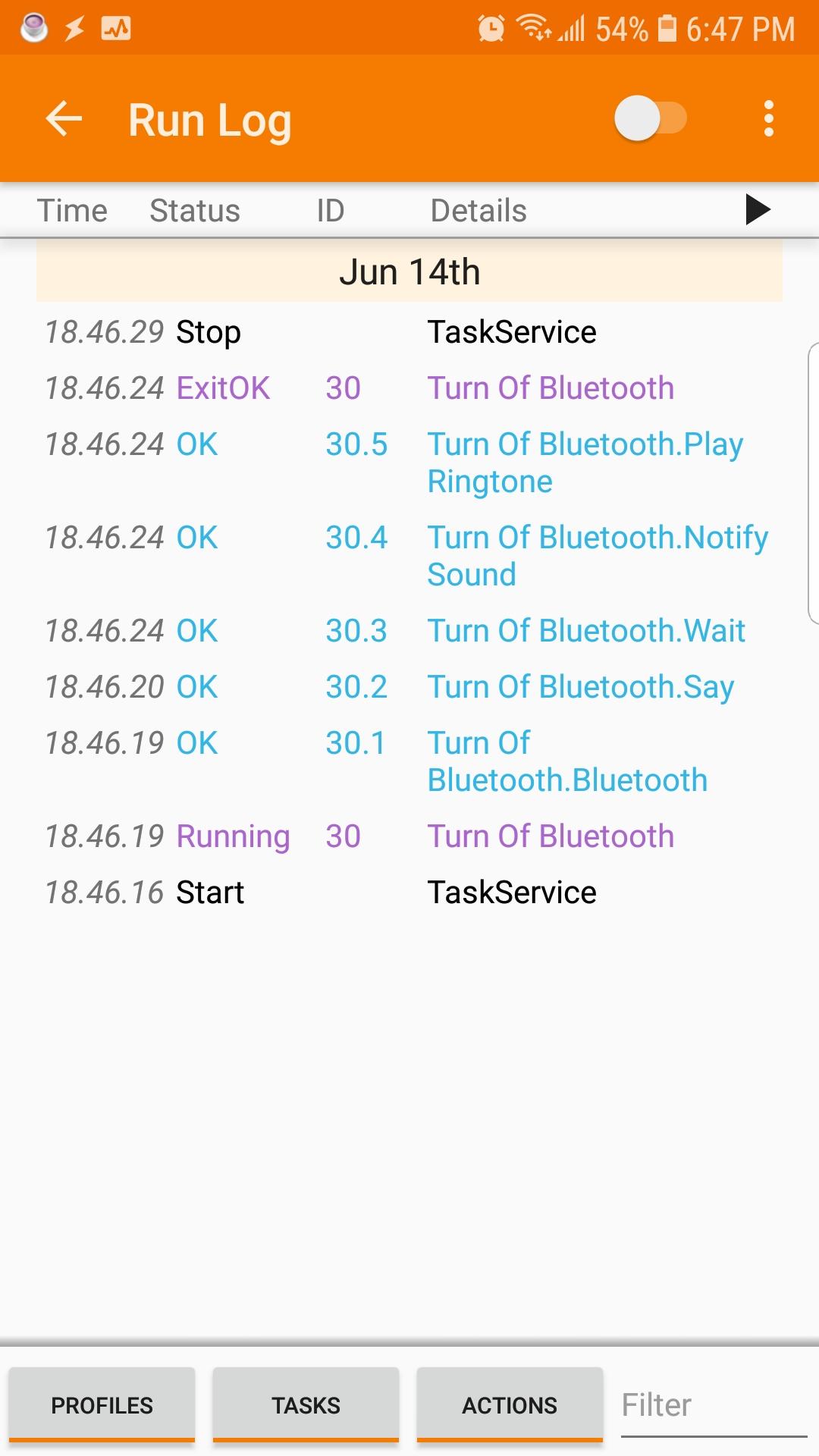
1.Bluetooth Set off if %PACTIVE!~*,BTTest,*
2.Say text BT disconnected Engine:Voice (stream -media) Pitch 4 speed 4 respect audio F
3.Wait 3sec
4. Notify Sound Title BT Disconnected sound file .ogg -- is pointed to directory of the file correctly but is no sound comming.
My other Tasks as well do not have a sound comming out (any of mp3 or.ogg file selected).I can use external player and I hear the sound.The volumes are set to max.All tests are passing green.Please advice.
Thank you
Adam
adam P
Jun 14, 2019, 7:44:45 PM6/14/19
to Tasker
I did add play ringtone - notification and is working fine only notify sound not function.
Maybe is a Tasker bag 5.7.1
On Friday, June 14, 2019 at 5:21:38 PM UTC-4, adam P wrote:

Robert Ryan
Jun 14, 2019, 7:57:29 PM6/14/19
to tas...@googlegroups.com
I'm assuming you have Android 8+
Android 8 introduced the concept of Notification Channels (categories). This was intended to give the user more control of how and when notifications were shown.
However, this complicates the creation and modification of notifications in Tasker:
- If you don't assign a category, Tasker will use the default User Notifications category and ignore the settings you have assigned in the Notify action.
- If you assign a category that has already been created, Tasker will use the settings of that category and ignore the settings you have assigned in the Notify action.
- If you assign a category that has never been used before, Tasker will create a new category with that name that has the settings defined in the Notify action.
- Once created, the settings of a category can no longer be changed by Tasker. They can only be changed manually, by going into Tasker's system settings. You can still change the title, text and icon with the Notify action, but thats about it.
This was not a decision made by Tasker's developer. It was decided by Google.

João Dias
Jun 17, 2019, 4:34:59 AM6/17/19
to tas...@googlegroups.com
Hi there.
Can you please set the notification Category option in the Notify action (not Notify Sound) and then try again? That should make it work. :)
Hope this helps!
Can you please set the notification Category option in the Notify action (not Notify Sound) and then try again? That should make it work. :)
Hope this helps!
 Join
Join
--
You received this message because you are subscribed to the Google Groups "Tasker" group.
To unsubscribe from this group and stop receiving emails from it, send an email to tasker+un...@googlegroups.com.
Visit this group at https://groups.google.com/group/tasker.
To view this discussion on the web visit https://groups.google.com/d/msgid/tasker/6f612ba1-b2b9-432b-9faa-c88dc2ba4a42%40googlegroups.com.
For more options, visit https://groups.google.com/d/optout.

John W.
Jun 17, 2019, 8:11:11 PM6/17/19
to Tasker
Didn't read all, but had same problem. Tasker doesn't care if you specify a ringtone or alarm as a notification sound, but Android won't allow it. If you set a non-notification-folder sound, Android will set your notification channel to "no sound".

Jarek Chabros
Jul 25, 2019, 7:33:50 AM7/25/19
to Tasker
Hi all,
I had the same issue and couldn't get over it, so instead of Notify I used Play Ringtone - Adam inspired me with that in one of the posts. Additionally, Play Ringtone gave me a variety of output channels to choose from and thus different sound files, provided I copied the sound files to the respective sound folders (ringtones, notifications, etc). Now I use Notify and Notify Cancel only if I need icons to appear/disappear in my status bar and Play Ringtone for the sound.
Jarek
Reply all
Reply to author
Forward
0 new messages