
Random Wait Time Help

Gadget G
Hello Guys fairly new to using Tasker and need some guidance.
So I've made a simple task that taps by screen at a location then it waits 5 seconds and taps again in a loop.
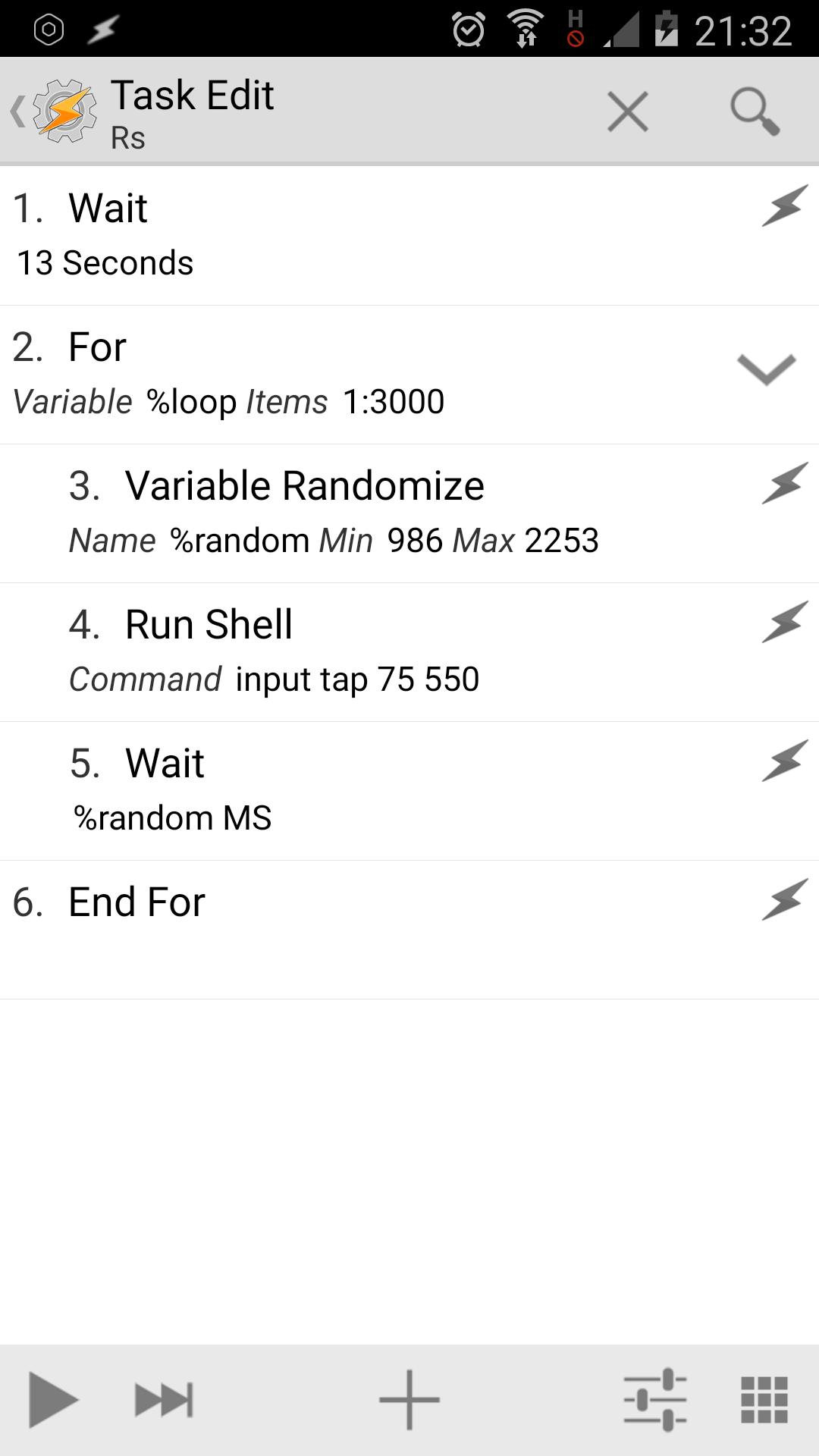
Now my questions is there a ways to make my second wait of 5 secs a random wait time between 1-3 seconds including milliseconds?
I would really appreciate any help or tips you may have all i want to do is have it tap my screen at random intervals of between 1-3 seconds on a continues loop.


Rich D
> Now my questions is there a ways to make my second wait of 5 secs a random wait time between 1-3 seconds including milliseconds?
Tasker has a random number action. Set the parameters to you millisecond extremes and use that variable in the wait action. You may need to turn off beginner mode to see the variables option in the wait action time option.
Gadget G
Rich D
> alright think i have done it.
Looks correct. For future reference when posting for help or to show examples always include a exported description of your profiles/ tasks..
To post your profile or task here... Long press on the profile or task name / ( 3 dot menu with 4.0+ ) export / export "DESCRIPTION" to clipboard (not XML)
Any linked tasks will be exported with the profile they are linked to..
To be able to export, The beginner mode needs to be off and the profile needs to be named by you (Not the Tasker listed name. Tasker will list your profile with the context name if you have not given it one).
To post your profile or task here... Long press on the profile or task name / ( 3 dot menu with 4.0+ ) export / export "DESCRIPTION" to clipboard (not XML)
Any linked tasks will be exported with the profile they are linked to..
To be able to export, The beginner mode needs to be off and the profile needs to be named by you (Not the Tasker listed name. Tasker will list your profile with the context name if you have not given it one).
To post your profile or task here... Long press on the profile or task name / ( 3 dot menu with 4.0+ ) export / export "DESCRIPTION" to clipboard (not XML)
Any linked tasks will be exported with the profile they are linked to..
To be able to export, The beginner mode needs to be off and the profile needs to be named by you (Not the Tasker listed name. Tasker will list your profile with the context name if you have not given it one).
One more beginner self help tip is to use the run log to diagnose problems (menu / more / run log). There is a section that covers the run log in the user guide.