
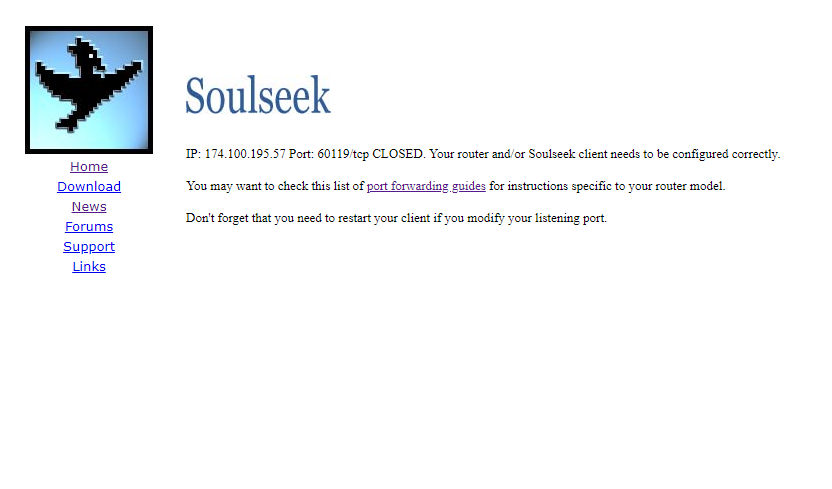
Ports closed even though they are forwarded through my router
322 views
Skip to first unread message

Scuz
Jul 3, 2023, 3:18:16 PM7/3/23
to Soulseek Technical Discussion
Windows 10


Soulseek QT

Nick Polak
Jul 3, 2023, 4:03:54 PM7/3/23
to Soulseek Technical Discussion
Here is a post I made on Reddit - it may be helpful:
Dunno if this will help, but in my own case, using a Sky router, the port-forwarding is a three step process.
- First you must determine your machine's IP address and, if necessary, reserve it, so that it remains static.
- Next you need to add Soulseek to the list of Services allowed access through the Firewall.
- Finally, you must create Firewall rules to allow traffic to and from that address through the Firewall to the IP address of your machine.
In my case, it was the second step I had missed which showed the port as closed. Once I set the rule, the port showed as open.
I found all the help I needed on Youtube, and I imagine you can too.
I hope this helps.

Mad Madecki
Jul 4, 2023, 12:46:14 AM7/4/23
to Soulseek Technical Discussion
Fiewalls neded to open too , two in my case !

Àlex Mañé
Jul 22, 2023, 11:17:09 PM7/22/23
to Soulseek Technical Discussion
Ports closed even though they are forwarded through my router or trasmission ports
¡¡¡¡¡ In my case was a Double-NAT from my Internet provider !!!!!!
Reply all
Reply to author
Forward
0 new messages