
Skanect - resolution, exporting and post processing?
639 views
Skip to first unread message

Keith McCabe
Sep 22, 2015, 11:12:47 PM9/22/15
to Skanect
I apologize if this duplicates a previous topic - I searched but couldn't find the information I was looking for.
We have a Skanect with a Kinect, and a motorized turn table and lift for the Kinect to scan entire body, and we're looking at making 3D Portraits of people. When we view the scans in Skanect they look... okay, but when importing .obj's to 3D Studio Max they have extremely disjointed UV's. I feel like I'm not quite getting things right, I see other people's success with scanning and have not been able to duplicate it. The system we're using is a i7 with 8 GB of RAM and a 1 GB NVidia Quadro card, we're getting about 13-15 frames per second speed rate with the Skanect.
My questions are:
What is a good baseline resolution speed while scanning?
How can you increase the resolution?
What is the best format to export to?
When exporting .obj's how many faces should one export to? Is higher better? Skanect recommends 20K.
For post processing what it a good mesh adjusting program?
Any help with these issues would be greatly appreciated!
Thank you in advance,
Keith

Tobby Ryan
Sep 23, 2015, 10:18:33 AM9/23/15
to Skanect
Higher poly count = higher quality model and higher quality texture map. my uploads to shapeways for a decent model/texuture is between 80k to 98k. Shapeways will not take over 100k. Sketchfab will however take up to 2million.
Make sure when you "Colorize" the model to drop the "Resolution" to 1mm, and check the "Highest Quality" boxes.
at 20k, i have seen a bunch of textures look blurry/pretty bad.
for giggles you can try scanning someone in medium quality (yes this really only applies to the live scan output when you do this) and then do an offline reconstruction in High, in the Reconstruction tab.
This will give you a better frame rate during capture, as to get more capture data. It will however make the reconstruction longer to do. When doing the reconstruction you can shrink the bounding box to the model better and you will also get better results.
I did this method on my i7 laptop with 8gb ram and unsupported video card (intel hd3000). It helped me overcome the lost tracking issues i had. i cannot scan at high quality with my laptop without possble tracking loss, hence i select medium during the live data render.
all the data is captured during the capture so offline was the route for me before i updated my desktop and just scan with it now.
as always the bigger the model in 3dsmax, the more ram it will take to process it.
I post process with Autodesk MeshMixer (free application). it lets me iron out the parts that didnt get captured properly.
Make sure when you "Colorize" the model to drop the "Resolution" to 1mm, and check the "Highest Quality" boxes.
at 20k, i have seen a bunch of textures look blurry/pretty bad.
for giggles you can try scanning someone in medium quality (yes this really only applies to the live scan output when you do this) and then do an offline reconstruction in High, in the Reconstruction tab.
This will give you a better frame rate during capture, as to get more capture data. It will however make the reconstruction longer to do. When doing the reconstruction you can shrink the bounding box to the model better and you will also get better results.
I did this method on my i7 laptop with 8gb ram and unsupported video card (intel hd3000). It helped me overcome the lost tracking issues i had. i cannot scan at high quality with my laptop without possble tracking loss, hence i select medium during the live data render.
all the data is captured during the capture so offline was the route for me before i updated my desktop and just scan with it now.
as always the bigger the model in 3dsmax, the more ram it will take to process it.
I post process with Autodesk MeshMixer (free application). it lets me iron out the parts that didnt get captured properly.
Keith McCabe
Sep 24, 2015, 9:13:39 PM9/24/15
to Skanect
Tobby,
Thanks for the suggestions. We have just been scanning at the medium quality setting in Skanect, high quality we were losing the subject too much.
I found out our printer accepts up to 500K polygon resolution. So I colorized at 1 mm, as suggested, and exported at 496K polygon count .obj. This is what is looks like imported into 3D Studio Max:

And that is with a 4096x4096 texture.
I am severely underwhelmed by the quality that we are getting with the Skanect. We're trying to open a 3D Portrait Studio but with results like these it's impossible.
Tobby Ryan
Sep 25, 2015, 9:23:06 AM9/25/15
to Skanect
umm, i left out a zero in my polygon counts. i export 800k to 900k to shapeways, (just under the 1m limit) Sketchfab takes up to 2m polygons.sorry.
Tobby Ryan
Oct 16, 2015, 4:54:54 PM10/16/15
to Skanect
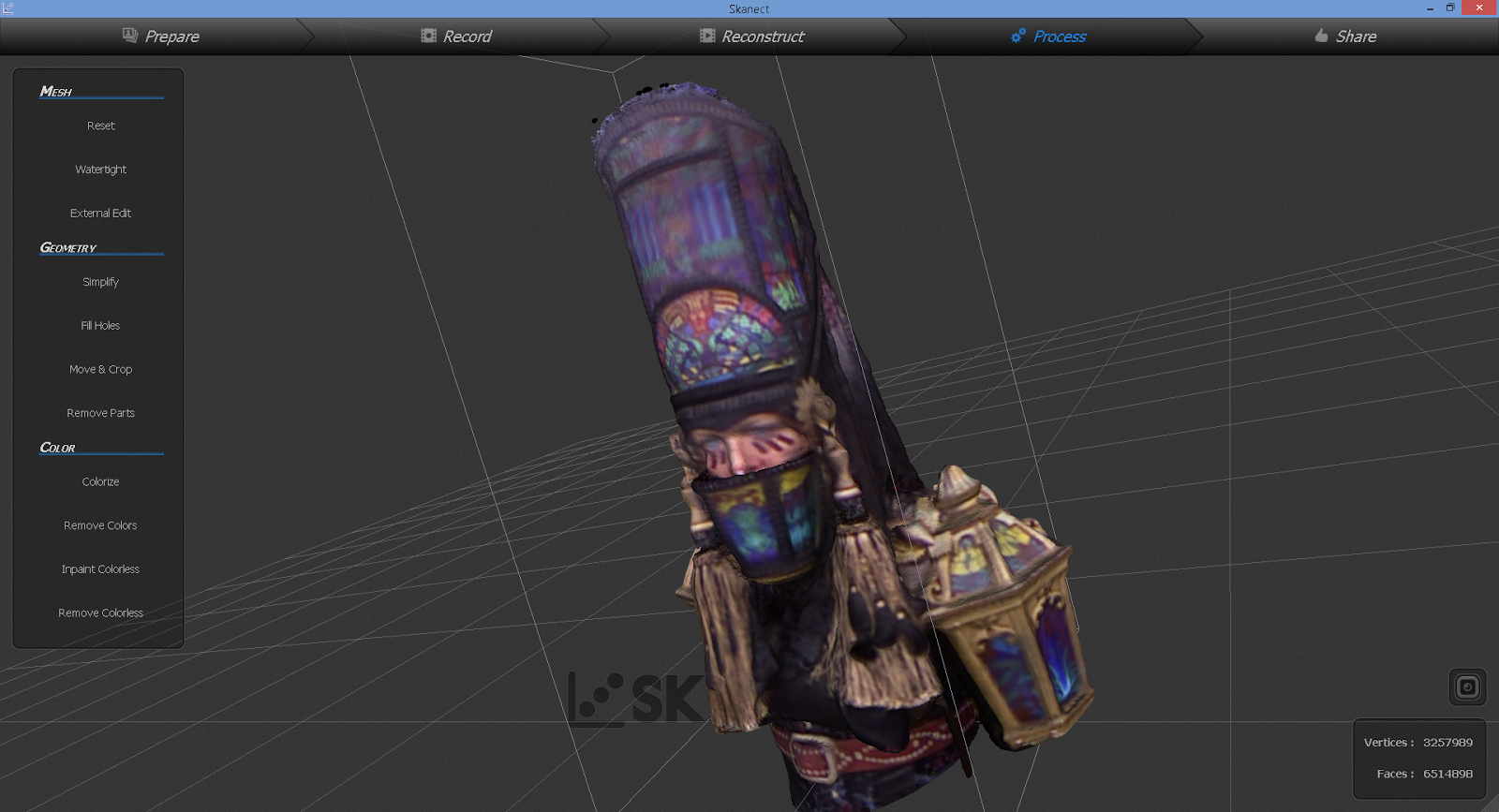
The first and Second are the same render for a 4 inch Shapeways model. Notice the cut down faces.
The third is the same model, with the bounding box move in, and rendering just a partial piece of the mode.
l (several offlines will need to be pieced to make a full body this way)


Reply all
Reply to author
Forward
0 new messages