
Ubuntu server runs shiny-server but shows 'application failed to start'
1,808 views
Skip to first unread message

Ragu Spag
Mar 10, 2016, 12:51:34 AM3/10/16
to Shiny - Web Framework for R
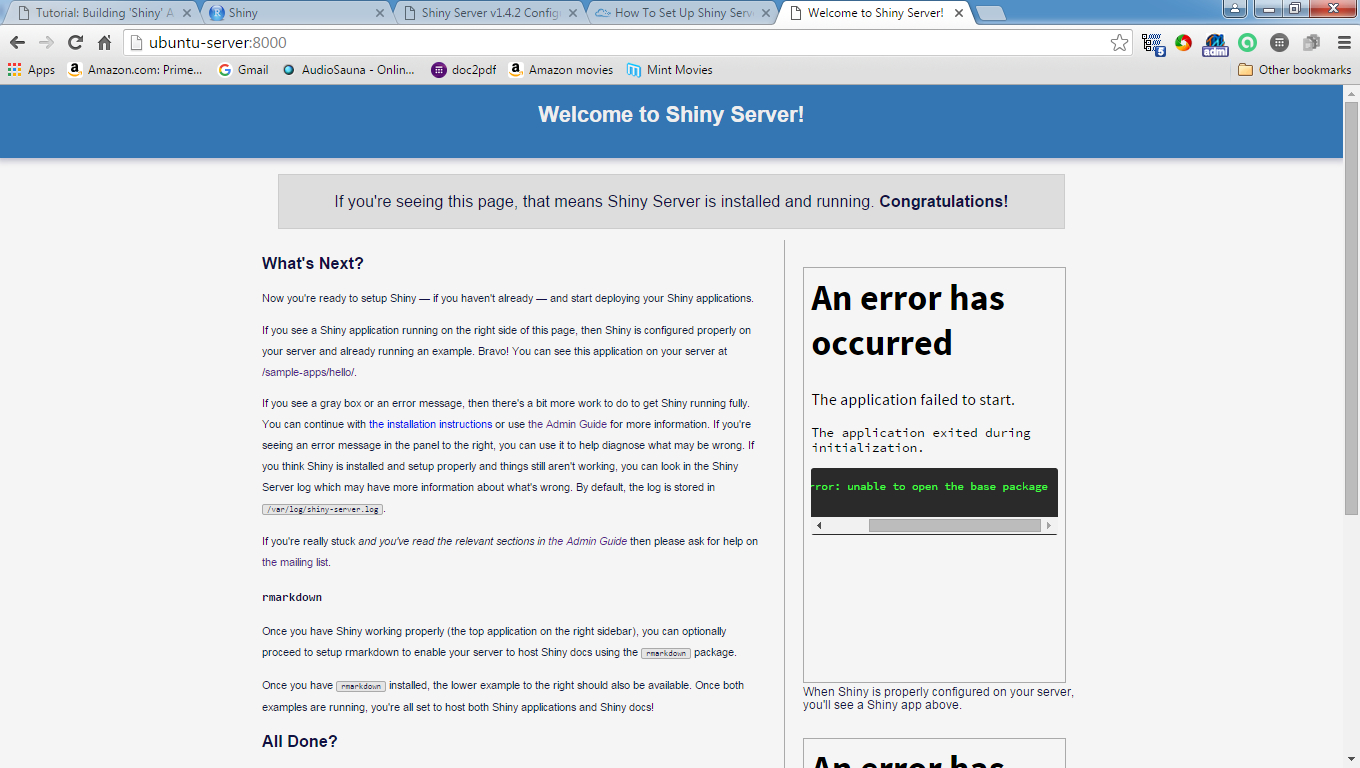
I installed the free opensource shiny-server on a Ubuntu server :
Linux ubuntu-server 3.16.0-62-lowlatency #83~14.04.1-Ubuntu SMP PREEMPT Fri Feb 26 23:33:34 UTC 2016 x86_64 x86_64 x86_64 GNU/Linux
Ubuntu 14.04.4 LTS \n \l
When I run "sudo service shiny-server restart" and go to the page I get the following error: Browser error
Any suggestions on how to get the backend to work?

Fereshteh Karimeddini
Mar 10, 2016, 5:12:07 PM3/10/16
to Shiny - Web Framework for R
Do you have "shiny" package installed? It should be installed globally, available to shiny user. Please refer to this section of Admin Guide:
Ragu Spag
Mar 11, 2016, 5:15:49 PM3/11/16
to Shiny - Web Framework for R
Just to make sure I reinstalled shiny on linux Ubuntu Rscript -e 'install.packages("shiny",dependencies=TRUE)'
which installs it system wide. Does shiny install in another location besides the standard R library?
Get the same error
my log shows [2016-03-11 16:06:57.742]
[WARN] shiny-server - Running as root unnecessarily is a security risk! You could be running more securely as non-root.
[2016-03-11 16:06:57.745] [INFO] shiny-server - Starting listener on 0.0.0.0:8000
[2016-03-11 16:06:59.700] [INFO] shiny-server - Error getting worker: Error: The application exited during initialization.
[2016-03-11 16:06:59.709] [INFO] shiny-server - Error getting worker: Error: The application exited during initialization.
which installs it system wide. Does shiny install in another location besides the standard R library?
Get the same error
my log shows [2016-03-11 16:06:57.742]
[WARN] shiny-server - Running as root unnecessarily is a security risk! You could be running more securely as non-root.
[2016-03-11 16:06:57.745] [INFO] shiny-server - Starting listener on 0.0.0.0:8000
[2016-03-11 16:06:59.700] [INFO] shiny-server - Error getting worker: Error: The application exited during initialization.
[2016-03-11 16:06:59.709] [INFO] shiny-server - Error getting worker: Error: The application exited during initialization.
Fereshteh Karimeddini
Mar 14, 2016, 10:27:10 AM3/14/16
to Shiny - Web Framework for R
A couple of suggestions:
- Depending on the version of Shiny Server you can define the following in your /etc/shiny-server/shiny-server.conf file:
preserve_logs true;
And restart server. Then access the Welcome page again. With this setting, now the application log files will remain. You can check /var/log/shiny/server directory for the latest version of the application logs; there might be more information in the log file.
Fereshteh
Reply all
Reply to author
Forward
0 new messages