
Quickly Lock Your Windows - Keyboard Shortcut

Umair Shaikh
|
|
There are many ways to quickly lock your Windows and the soul purpose of doing that is to protect your computer from anyone's access. At offices you should lock your Windows so that when you are not at your seat, no one else can take a look at what you were doing or they cannot steal anything from your computer and beleive me you should do that (make it a practice). To make it more secure, you can lock your PC with a single click and Unlock It With USB. | |||
Please keep sending me your replies / feedback after reading the article and keep asking me the questions about the things which you want to learn about. WHAT I NEED IS JUST A REPLY OR A FEEDBACK FROM YOU GUYS.
You can like my Facebook page or follow me on Twitter or Google+ Community where you can ask me questions and you will also get the notifications of all the new articles which I post on my blog.
The traditional method to lock your Windows is to press CTRL+ALT+Delete button
and than select Lock
this Computer option in Win 7 and Lock Computer option
in WinXP.
In WinXP

in Win 7
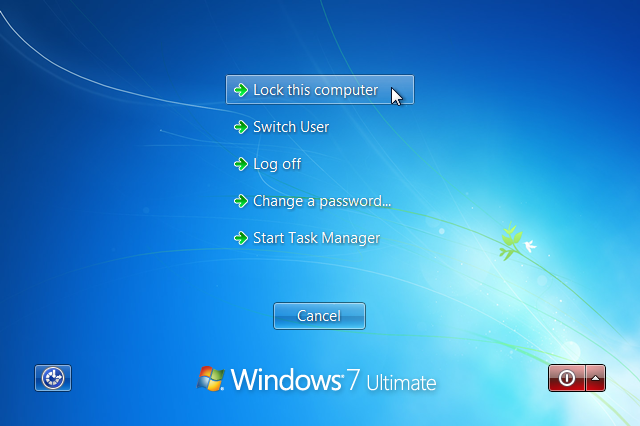
Though it's already a very simple and easy method but still it takes a bit time to bring that option on your screen. In order to make the whole process more fast in 1 click, you can simply press WIN Key (windows key) + L.

What do you think about this Keyboard Shortcut? Reply me with your comments / feedback.
--

Website : www.omgureka.com
Contact me : omgu...@gmail.com
Click Facebook or Twitter or Google+ to join my Network and never miss an article again
SOCIAL PROFILES


 Subscribe via Email