
Q Lab 5 Problem to set up UDP triggering
366 views
Skip to first unread message

Next Level Escape Kloten
Jan 5, 2023, 9:58:35 AM1/5/23
to QLab
Hi guys
We've been using q lab 4 with our escape room company since 2019. we've been using os mojave and never had any problems with udp sending/receiving
now we built a new room and bought the new q lab license 5 on a mac os big sur. now we are having problems with osc/udp strings.
first we thaught it must be a codeing problem so we tested the code on q lab 4... but it worked fine. so the problem is defently within q lab 5.
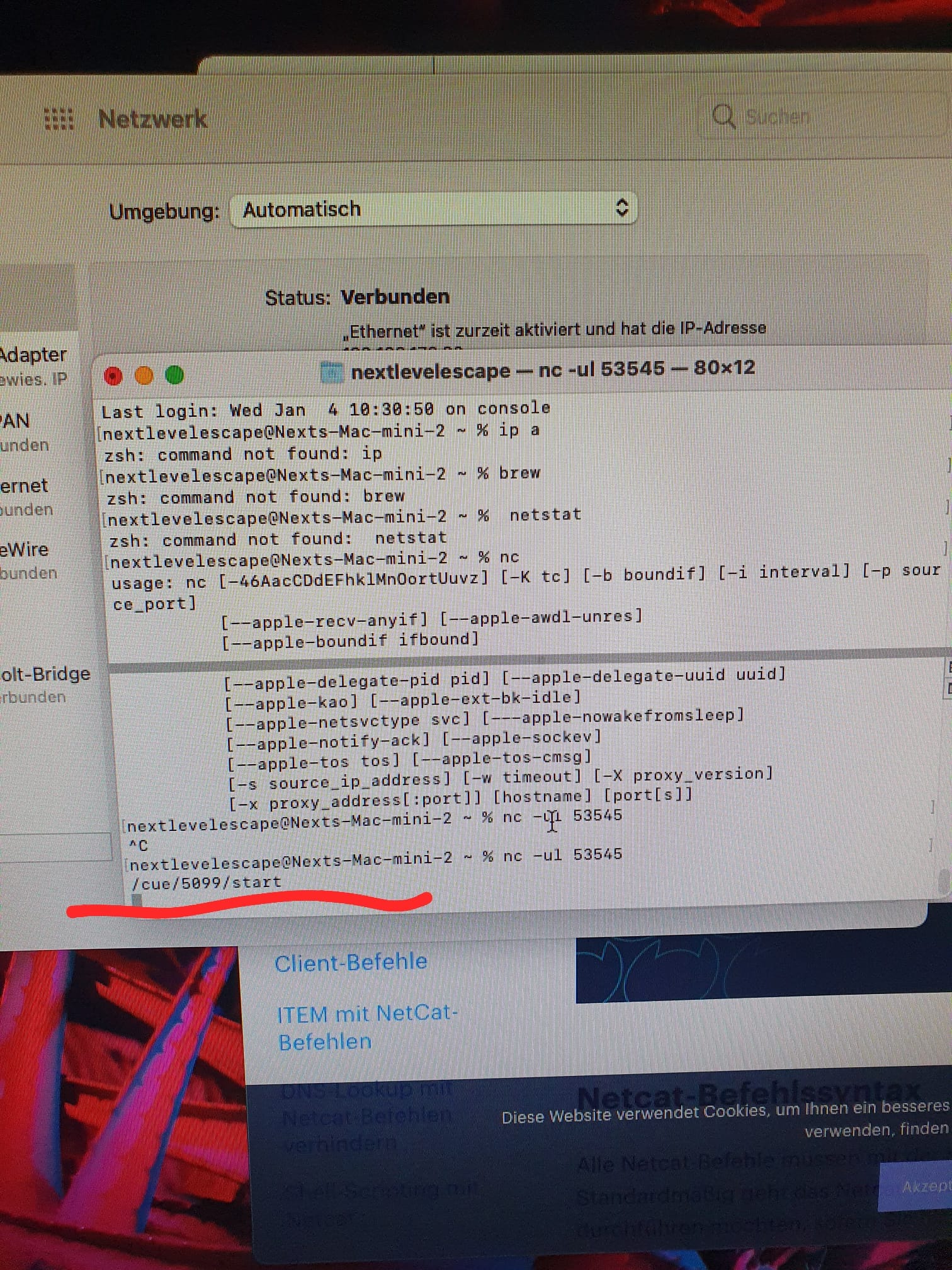
in the example we're using the cue nr 5099, wich obviously is arriving on the mac. (but not q lab 5)
we also tried different ports such as 53535
did anyone experience the same problem?? any help??


Chris Ashworth
Jan 5, 2023, 11:12:28 AM1/5/23
to Next Level Escape Kloten, ql...@googlegroups.com
Hi there,
In the screenshots here, you have to output patches configured, but it looks like you may expect one of them to define how QLab accepts OSC input.
The second network patch that is set to port 53545 would be used to send network messages OUT to that port; it does tell QLab to listen to that port.

Chris Ashworth
Jan 5, 2023, 11:13:50 AM1/5/23
to ql...@googlegroups.com, Next Level Escape Kloten
Oops, typo. Meant to write:
In the screenshots here, you have two output patches configured,
Next Level Escape Kloten
Jan 5, 2023, 1:26:24 PM1/5/23
to QLab

Next Level Escape Kloten
Jan 5, 2023, 1:27:07 PM1/5/23
to QLab

Next Level Escape Kloten schrieb am Donnerstag, 5. Januar 2023 um 19:26:24 UTC+1:

Sam Kusnetz
Jan 5, 2023, 2:07:52 PM1/5/23
to ql...@googlegroups.com
Hello
With all three checkboxes next to “No Passcode” unchecked, you’re effectively rejecting all OSC messages to the workspace.
Try checking the “View" checkbox, which will permit incoming OSC messages in general, and the “Control” checkbox, which will permit incoming OSC messages to start and stop cues and control the playhead.
--
Contact support anytime: sup...@figure53.com
Follow QLab on Twitter: https://twitter.com/QLabApp
User Group Code of Conduct: https://qlab.app/code-of-conduct/
---
You received this message because you are subscribed to the Google Groups "QLab" group.
To unsubscribe from this group and stop receiving emails from it, send an email to qlab+uns...@googlegroups.com.
To view this discussion on the web visit https://groups.google.com/d/msgid/qlab/660805fb-40e0-46de-b6d6-004c13e33937n%40googlegroups.com.

Next Level Escape Kloten
Jan 8, 2023, 10:06:24 AM1/8/23
to QLab
Thank you!!! That solved the problem
Reply all
Reply to author
Forward
0 new messages