
Issues with Hatch....
276 views
Skip to first unread message

Emmanuel Bardiere
Mar 29, 2017, 10:04:42 AM3/29/17
to python-ezdxf
Hello Manfred,
I'am trying to transform 2 closed polylines (one external and one internal) as boundary with hatching.
My code is linked.
Where are my mistakes ?
Thank's again, this library is fantastic for me.
Regards, Emmanuel.
I'am trying to transform 2 closed polylines (one external and one internal) as boundary with hatching.
My code is linked.
Where are my mistakes ?
Thank's again, this library is fantastic for me.
Regards, Emmanuel.

Manfred Moitzi
Apr 4, 2017, 1:25:11 AM4/4/17
to python-ezdxf
Hi!
I can not find any errors, I just colored the hatch red for better recognition.


จักรี ติยะวงศ์สุวรรณ
Apr 7, 2017, 2:54:32 AM4/7/17
to python-ezdxf
import ezdxf
import os
# Trying to have an hatch with hole.
now = datetime.now()
name = 'test_%d-%d-%d_%d.%d.%d'%(now.year,now.month,now.day,now.hour,now.minute,now.second)+'.dxf'
dwg = ezdxf.new('AC1015') # hatch requires the DXF R2000 (AC1015) format or later
msp = dwg.modelspace() # adding entities to the model space
dwg.layers.new('HATCH', dxfattribs={'linetype': 'Continuous', 'color': 8})
hatch = msp.add_hatch(color=253,dxfattribs={'layer': 'HATCH'})
hatch.set_pattern_fill('AR-CONC',scale=1.,angle=0,style=0,color=0)
with hatch.edit_boundary() as boundary:
# every boundary path is always a 2D element
boundary.add_polyline_path([(0, 0), (1000, 0), (1000, 1000), (0, 1000)], is_closed=1 , flags=1) # External
boundary.add_polyline_path([(300, 300), (700, 300), (700, 700), (300, 700)], is_closed=1 , flags=16) # Internal
filePath, fileName = os.path.split(__file__)
dwg.saveas(filePath+os.sep+name)
from Source Code above,
When open the DXF file,hatch in dxf file will be solid, after I double-click to re-edit then can see the concrete pattern.
But If use small dimension of part, (10, 10),(3,3),(7,3) ...
But If use small dimension of part, (10, 10),(3,3),(7,3) ...

Emmanuel Bardiere
Apr 10, 2017, 8:16:22 AM4/10/17
to python-ezdxf
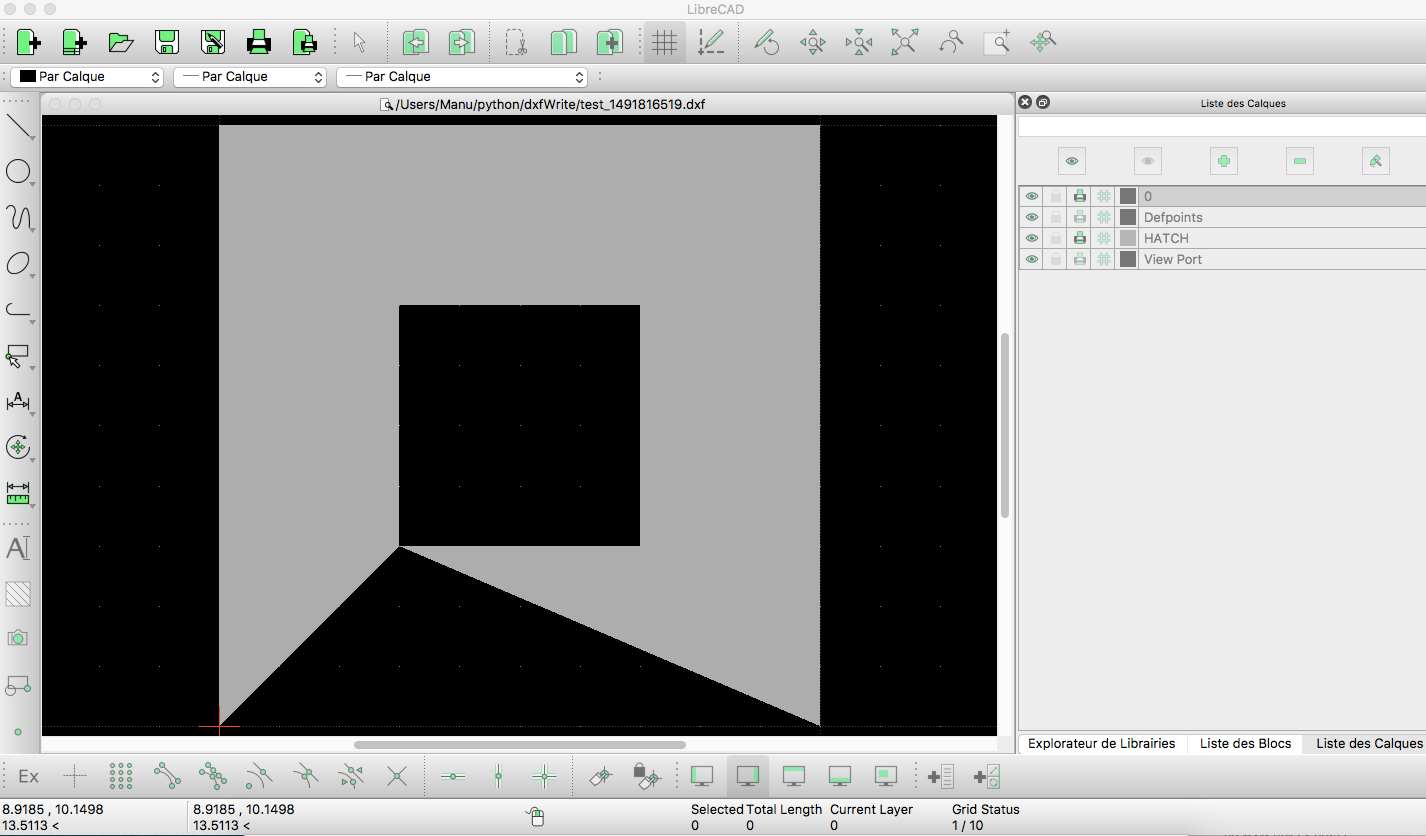
Indeed, it's working with Autocad, but not with LibreCAD (on mac).
But it's working on Autocad, and it's the most important.
Thank you again, Emmanuel.
But it's working on Autocad, and it's the most important.
Thank you again, Emmanuel.
0 new messages