Creating a custom Stenoboard.

688 views
Skip to first unread message

Lenno Liu

unread,
Sep 9, 2015, 2:50:50 AM9/9/15
to Plover
This is my first time posting in the Plover google group (and my first stenotype post ever).

First things first: I am a stenotype enthusiast? If you can even call me that. I find stenotype to be very interesting and I wish to learn it when I have more time (currently entering senior year high school, got an ACT coming up in a few days). I currently am typing on a Dvorak layout, and a USB keyboard that supports N-Key rollover.
When I found Plover, I felt a huge wave of relief. It gave me the possibility to type extremely fast with open software. However, I was quickly discouraged by price of keyboards and the lack of dedicated steno keyboards on the market today.

While I know that I do not need a dedicated steno keyboard to use, I know that if I make one myself (and/or post here), it'll motivate me to finish it and take up steno later on.

I know that currently, the stenoboard is in production and the stenosaurus will be coming up soon, but I decided that I wanted to make my own. Because I am no programmer, I decided to use and modify the stenoboard's firmware instead of programming from scratch myself.
Yes, I have very very little expertise with programming. However, I have help from my brother (mostly me asking him if something will work or not like I think it would to my logic).

So this is what I have done.

I have looked at the Stenoboard's PCB and made sense of how all the connections are wired together. (It's a 5x6 diode-switch matrix connected to pins 2-13 on the Arduino Leonardo)

NOTE: THIS NEXT SECTION INCLUDES CUSTOM MODIFICATIONS TO THE STENOBOARD FIRMWARE/HARDWARE
I know that the next part is mostly to do with my own irks personal urges, but I decided that I will use an Arduino Pro Micro instead of an Arduino Leonardo.
Why? I dislike the amount of unused stuff on the Leonardo. External power supply not needed, it's bigger than necessary, tons of unused pins, etc. Perhaps you can call me obsessed with optimization for both size and efficiency... I just had to.

So using a Pro Micro creates a few problems.
Instead of pins 2-13, the pro micro only has pins 2-10. After that the pins go to: 16, 14, 15, A0/18, A1...

I took a quick look inside the programming and I saw that to switch around the pins, all I needed to do was to change the numbers. Okay! That's done.
Now, the pins are routed 2-10 + 16, 14 and 15.

However, I realized another thing. Firstly, the LED pin is pin 3, whereas Column 5 goes to Pin 2. This is bizarre; it separates Column 5 from the rest of the columns. So I switched it around.

Lastly, when it's configured this way, Pin 9 is on the opposite side of the pins 10, 16, 14, 15 and A0... etc. This means that ONE Row pin has to jump across the board. Again, I was irked out at this and decided to move the pin to pin 10 and shift everything up one more.

So here is the end result:

LED pin: Pin 2                                (originally Pin 3)
Column Pins: Pins 4-9                    (originally Pin 2, 4-8)
Row Pins: 10, 16, 14, 15, 18/A0.     (originally Pin 9-13)

The end result of this is that the Stenoboard Arduino Sketch SHOULD be able to run on an Arduino Pro Micro. Again, I do not have an arduino at the moment (and it would be my first foray into programming) so I cannot confirm if this will work or not.

I also added a reset button (advised from my brother). This just resets the RAM and stuff on the Arduino and boots it up again (does NOT reset flash memory, so the program is still on there). In case something strange happens.
It's very simple. Just connect a button between the Reset pin and Ground pin.


Additional features:

The Arduino interprets the columns and rows originally as this:
{'q', 'w', 'e', 'r', 't', ' '},
{'a', 's', 'd', 'f', 'g', ' '},
{'c', 'v', 'n', 'm', '3', ' '},
{'u', 'i', 'o', 'p', '[', ' '},
{'j', 'k', 'l', ';', '\'', ' '}

This is the matrix that it uses to tell what keys are being pressed down. You'll note that there are five empty spaces at the far right. The top two are used for the Fn1 and Fn2 (function 1 and function 2) keys on the Stenoboard.
Those buttons are (Row 0, Column 5) and (Row 1, Column 5).

What I found out was that the asterisks on the main/right hand board are mapped to the left hand board.
So I decided to add in separate letters to differentiate between left hand asterisk and right hand asterisk. The end result is this:

{'q', 'w', 'e', 'r', 't', ' '},
{'a', 's', 'd', 'f', 'g', ' '},
{'c', 'v', 'n', 'm', '3', ' '},
{'u', 'i', 'o', 'p', '[', 'y'},
{'j', 'k', 'l', ';', '\'', 'h'}

Notice that at the bottom two rows, Y and H are added (they are the qwerty equivalents of right hand asterisks).

Why did I do this? Well right now it's a dream but I think it would be wonderful to type on a stenoboard like one types on a full keyboard. How? By mapping this: Top button only = top row. Top + Bottom = home row. Bottom only = bottom row. Of course, right now it's a fanciful thought. However, I need to implement it in the hardware before it even has a chance to be able to do it in the software, so here it is.

This makes right hand asterisks different from left hand asterisks until interpreted by plover. 

Additional changes I needed to make because of this: Gemini Protocol's asterisk needed to be expanded. It now looks like 

if (currentChord[0][4] || currentChord[1][4] || currentChord[3][5] || currentChord[4][5]) {

instead of

if (currentChord[0][4] || currentChord[1][4]) {

The same thing applies to the TX Bolt protocol. This enables right hand asterisks to work with Gemini and TX Bolt as well. 


This is pretty much where I've gotten so far with about 2 days of dedicated thought-work. There are a few additions that I want to make and will be listed below. This list contains things that I want that I don't know how to implement or just haven't gotten around to doing so, and includes everything above. Note that pretty much everything on this list is not required for the circuit to work.

1: Keyboard imitation. Of course this is going to be very complicated, but this is NOT a priority.

2: Fn2 key: I personally want this key to toggle Plover On/Off.*

3: An extension to #1, keyboard imitation in firmware-level Dvorak layout via mechanical switch. (Why? Well, if i'm going to use steno at school, I'm going to be carrying it around. I typically can't take the time to go and switch someone else's computer into Dvorak, nor can I really take the time to install Plover. So perhaps as a bizarre middle ground I can type dvorak on my stenoboard that can be quickly swapped in and out).


*I don't know how to do this. I can't toggle Plover on or off with any keystrokes inputted on my NKRO keyboard. It is NOT running on admin mode. I have a custom .json file that maps a keystroke to the {PLOVER:TOGGLE} command but it refuses to work. I also have other keystrokes mapped to Plover's Resume and Suspend commands but they do not work either. (I have tried when Plover is running or stopped (red/green P)).


Anyway, sorry for the incredibly lengthy post on my ventures into a custom stenoboard. I hope that with some luck, I can produce this dream board of mine. Currently I am in the process of acquiring a cheap Arduino Pro Micro (Yes, a cheap chinese knockoff version. My brother recommended it to me because it's much cheaper and according to him, the functionality was exactly the same. I'm having him guide me through what I need to do so I don't accidentally brick it.) Later on I plan to get some switches and assembling my product.


TL;DR version:
I looked at a stenoboard and was inspired to make my own but with a few changes.
Arduino Pro Micro instead of Leonardo
Shifted a bunch of pins around. 
Added Right-hand asterisks (in firmware level, in NKRO, gemini and TX Bolt)
Personally want to: Add keyboard imitation, Fn2 key to toggle Plover.

I would much appreciate constructive criticism and feedback. I know that even though right now it is in very early and theoretical stages, I hope it can advance very far.

-Lenno Liu

Robert Fontaine

unread,
Sep 9, 2015, 4:35:18 AM9/9/15
to plove...@googlegroups.com
Have you thought about what you are using for a plate/switches/keycaps.

I have been looking at the planck/quark 40% case or nice 60% case are
readily available but probably bigger than necessary and having a
custom plate made.

Hot glue and hand wiring switches. Not really sure about the keycaps
other than flat and tight so that chording isn't the pain in the bum
it is on a qwerty keyboard.

There are quite a few firmwares out there for custom keyboards that
can be used to support nkro. (geekhack discussion/github source)

I'm pretty darn sure you can build a very nice little plover custom
for under $400 all in.
> *NOTE: THIS NEXT SECTION INCLUDES CUSTOM MODIFICATIONS TO THE STENOBOARD
> FIRMWARE/HARDWARE*
> I know that the next part is mostly to do with my own irks personal urges,
> but I decided that I will use an Arduino Pro Micro instead of an Arduino
> Leonardo.
> Why? I dislike the amount of unused stuff on the Leonardo. External power
> supply not needed, it's bigger than necessary, tons of unused pins, etc.
> Perhaps you can call me obsessed with optimization for both size and
> efficiency... I just had to.
>
> So using a Pro Micro creates a few problems.
> Instead of pins 2-13, the pro micro only has pins 2-10. After that the pins
>
> go to: 16, 14, 15, A0/18, A1...
>
> I took a quick look inside the programming and I saw that to switch around
> the pins, all I needed to do was to change the numbers. Okay! That's done.
> Now, the pins are routed 2-10 + 16, 14 and 15.
>
> However, I realized another thing. Firstly, the LED pin is pin 3, whereas
> Column 5 goes to Pin 2. This is bizarre; it separates Column 5 from the
> rest of the columns. So I switched it around.
>
> Lastly, when it's configured this way, Pin 9 is on the opposite side of the
>
> pins 10, 16, 14, 15 and A0... etc. This means that ONE Row pin has to jump
> across the board. Again, I was irked out at this and decided to move the
> pin to pin 10 and shift everything up one more.
>
> So here is the end result:
>
> LED pin: Pin 2 (originally Pin 3)
> Column Pins: Pins 4-9 (originally Pin 2, 4-8)
> Row Pins: 10, 16, 14, 15, 18/A0. (originally Pin 9-13)
>
> *The end result of this is that the Stenoboard Arduino Sketch SHOULD be
> able to run on an Arduino Pro Micro. Again, I do not have an arduino at the
>
> moment (and it would be my first foray into programming) so I cannot
> confirm if this will work or not.*
>
> I also added a reset button (advised from my brother). This just resets the
>
> RAM and stuff on the Arduino and boots it up again (does NOT reset flash
> memory, so the program is still on there). In case something strange
> happens.
> It's very simple. Just connect a button between the Reset pin and Ground
> pin.
>
>
> Additional features:
>
> The Arduino interprets the columns and rows originally as this:
> {'q', 'w', 'e', 'r', 't', ' '},
> {'a', 's', 'd', 'f', 'g', ' '},
> {'c', 'v', 'n', 'm', '3', ' '},
> {'u', 'i', 'o', 'p', '[', ' '},
> {'j', 'k', 'l', ';', '\'', ' '}
>
> This is the matrix that it uses to tell what keys are being pressed down.
> You'll note that there are five empty spaces at the far right. The top two
> are used for the Fn1 and Fn2 (function 1 and function 2) keys on the
> Stenoboard.
> Those buttons are (Row 0, Column 5) and (Row 1, Column 5).
>
> What I found out was that *the asterisks on the main/right hand board are
> mapped to the left hand board.*
> So I decided to add in separate letters to differentiate between left hand
> asterisk and right hand asterisk. The end result is this:
>
> {'q', 'w', 'e', 'r', 't', ' '},
> {'a', 's', 'd', 'f', 'g', ' '},
> {'c', 'v', 'n', 'm', '3', ' '},
> {'u', 'i', 'o', 'p', '[', 'y'},
> {'j', 'k', 'l', ';', '\'', 'h'}
>
> Notice that at the bottom two rows, Y and H are added (they are the qwerty
> equivalents of right hand asterisks).
>
> Why did I do this? Well right now it's a dream but I think it would be
> wonderful to type on a stenoboard like one types on a full keyboard. How?
> By mapping this: Top button only = top row. Top + Bottom = home row. Bottom
>
> only = bottom row. Of course, right now it's a fanciful thought. However, I
>
> need to implement it in the hardware before it even has a chance to be able
>
> to do it in the software, so here it is.
>
> *This makes right hand asterisks different from left hand asterisks until
> interpreted by plover. *
>
> Additional changes I needed to make because of this: Gemini Protocol's
> asterisk needed to be expanded. It now looks like
>
> if (currentChord[0][4] || currentChord[1][4] || currentChord[3][5] ||
> currentChord[4][5]) {
>
> instead of
>
> if (currentChord[0][4] || currentChord[1][4]) {
>
> The same thing applies to the TX Bolt protocol. *This enables right hand
> asterisks to work with Gemini and TX Bolt as well. *
>
>
> This is pretty much where I've gotten so far with about 2 days of dedicated
>
> thought-work. There are a few additions that I want to make and will be
> listed below. This list contains things that I want that I don't know how
> to implement or just haven't gotten around to doing so, and includes
> everything above. *Note that pretty much everything on this list is not
> required for the circuit to work.*
> --
> You received this message because you are subscribed to the Google Groups
> "Plover" group.
> To unsubscribe from this group and stop receiving emails from it, send an
> email to ploversteno...@googlegroups.com.
> For more options, visit https://groups.google.com/d/optout.
>


--
Thank you,

Robert Fontaine
204 293 6253

Lenno Liu

unread,
Sep 9, 2015, 11:40:06 AM9/9/15
to Plover
Not really. I currently have in mind Cherry MX switches (very fancy, yes), panel mounted.
This means that I'm going to have to get a plate with 28 keys (well, 30 if you include the number bar) cut. I feel like right now it's a bit ambitious, especially since the number bars would need stabilizers.

The problem though is with the keycaps. I would need to get custom keycaps that fit the switches and dimensions so my fingers don't slip between the gaps. I don't know where to get them at all, and I've been reconsidering what switches to get because of them.

Charles Shattuck

unread,
Sep 9, 2015, 2:01:09 PM9/9/15
to Plover
I would recommend looking at these sites while you're doing your research...

   http://ortholinearkeyboards.com/

For the Planck 40% top plate and...

   https://github.com/CharleyShattuck/myforth-arduino/tree/master/doc

For info about how I made some keyboards using the Planck top plate and Cherry MX reds. The "BuildingaStenoKeyboard.pdf" document there has a bill of materials and sources for the parts I used.

I'm still experimenting with the design. I just replaced the row of number keys on top with two extra thumb keys and so far I like it.

You may not like the way I did the software since it's in Forth rather that C.

Anyway, it shouldn't hurt to see what other people are doing.

By the way, I learned about the Planck switch plates from this article...

http://syntaxblitz.net/ploverboard/

Best of luck in your project!
Charley.

Lenno Liu

unread,
Sep 11, 2015, 1:05:19 AM9/11/15
to Plover
Very interesting.

I have yet another question to ask.
How often do you use the number bars above the top row of letters?

I am considering getting rid of the number bars completely and shifting the two main rows up and leaving one row empty (for more space between fingers and thumb)
Then, adding a number button (instead of a number bar) between the thumb keys (to be activated by the left thumb).

I know this is pretty un-standard but it's to make my hands more comfortable (or I think more comfortable.) Hence why I ask. If the number bar is used quite often, I'll consider using spacebars above the keys (but then I'd be at the mercy of spacebar configurations. I suppose I'll have to go with single keys in that case but I hope it won't get there).

I also decided to shift Fn1 and Fn2 keys from the far left side to the middle of the asterisks (I recently found a post by Mirabai saying that she had a few problems on the stenoboard because of the extra keys to the left side of the left hand keys)

I've also added another function key to the stenoboard (and coded it in; I hope it won't crash!). This key is below the two function keys and thus would be the only key in the entire 3rd row.

So far I have contacted my local metal shop and they say that they can't do hole punching; suddenly, ortholinearkeyboards seems like a great place to get cheap plates and everything. Which means that I will be stuck with cherry mx reds (I was considering the new Matias quiet linear switches, but the inability for me to find a 19 gauge plate (0.042 in / 1.066 mm (ideally 1.1mm)) has worked against me. Also they can't punch the holes.). Not a big deal I suppose, it just means that I'll have to wait for the stenosaurus if I really want to go do serious stenotyping. Which reminded me that this is supposed to be a cheap casual project, which reinforced the idea that I should just go with the grid layout from Ortholinear.


Thank you very much for this much needed information. It has greatly boosted this project along, at least on the mechanical side of things.
Lenno Liu

Charles Shattuck

unread,
Sep 11, 2015, 2:21:31 AM9/11/15
to Plover
Just this week I added two thumb keys, one to the left of the A key and one to the right of the U key, and wired them up as number keys. I like it quite a bit and have removed the key caps across the top. I wanted one for each hand because I'm also thinking about making a split keyboard. It never occurred to me to put one key in the middle. I was worried about learning a not so standard way of doing numbers, thinking it might be hard to switch to another steno machine, but I don't care anymore. I like making my own.

Glad to hear about your project and I hope you'll post some pictures.

Charley.

Robert Fontaine

unread,
Sep 11, 2015, 4:55:03 AM9/11/15
to plove...@googlegroups.com
Thanks for making the pdf. This is a very practical solution.
>>> <https://github.com/CharleyShattuck/myforth-arduino/blob/master/doc/BuildingaStenoKeyboard.pdf>"

Theodore Morin

unread,
Sep 11, 2015, 9:17:22 AM9/11/15
to plove...@googlegroups.com
For number bar alternatives, I've considered that of the 4 asterisks (if you have two inside each hand), the top-left one could be a number button. Should work for most all numbers, except if you have an "R-" in your number key stroke (unlikely).

Ted

Mirabai Knight

unread,
Sep 11, 2015, 9:18:50 AM9/11/15
to ploversteno
I use R- and -R for Roman Numerals.

IX (#R-T)
VIII (#R-L)
XII (#ST-R)

etc.
Mirabai Knight, CCP, RDR
StenoKnight CART Services
917 576 4989
m...@stenoknight.com
http://stenoknight.com

Ted Morin

unread,
Sep 11, 2015, 9:22:01 AM9/11/15
to Plover
I used them for my F-keys. It just means that I'd have to find an alternative if I went with a single number key option. I'm considering it for a custom build I'd like to attempt.

Glen Warner

unread,
Sep 12, 2015, 1:46:52 AM9/12/15
to Plover
I was taught to stroke RO- EPL /RO-EPL followed by the number-out to appear as a Roman numeral, but I think I'm going to have to adopt Jade King's method and just use R*O-EPL and follow that with the appropriate number.

I'll get around to it ... one of these days!

Lenno Liu

unread,
Sep 13, 2015, 1:51:14 AM9/13/15
to Plover
Okay. Status update!
(I just finished the september ACT this morning, so i'm still a bit rattled as of right now).
During the US trip I managed to visit a radioshack and get a pack of 50 diodes (1N914, they're essentially the same as 1N4148's.) Also picked up a pack of assorted LED's, 22 gauge solid wire, and a little solder.

Anyway, here's an image to help simplify what I meant. Also, I realized i meant to say RIGHT hand thumb instead of left hand thumb because left hand thumb is used for 5 and 0. (Green is mostly standard (maybe with the exception of left hand asterisk?), yellow is not standard).

Again, the biggest reason why I ask 'do you use the number bar often' is really a question of how often you type out the arabic numerals instead of the words themselves. If I end up rarely using the number bar, I might as well do a custom thing. But if it's just as important as the words themselves then i'll reconsider.

Another thing that would make me reconsider is if the number bar is used at the same time as a thumb button (apart from A and O because those are for 5 and 0, so really is # + E/U ever used at the same time as A/O? To remedy this I just need to add more number keys to the sides of the thumbs, but even that won't allow a full #AOEU).


That said, I think I'm going to use Row 4 keycaps for MOST things and use Row 3 keycaps for the thumbs, to add at least some kind of height difference. I haven't decided on the keycaps for the function keys yet; I might choose to make them lower to have a visual effect but I might end up regretting it.


If I use Row 4 and Row 3 keycaps (Let's say I use Row 4 keycaps for the top two rows and row 3 for the rest), I will need:
24 Row 4 keycaps
6 Row 3 keycaps
30 keycaps in total (and 30 cherry MX switches in total). 
That said, I did see that Ortholinear has the option of using Matias key holes for the Planck grid... There is still a slight chance that I may use Matias Quiet Linears (Yes, those) as long as I can find the keycaps.

So here is the fork in the road. I can either go down the Cherry MX road or the Matias QL road. I'll admit I'm slightly biased towards the Matias side, but the problem again is finding appropriate keycaps.
I am going to post on olkb reddit to see if I can get a diagram of what the matias keycaps look like from the side, and see if I can get a custom number of keys. (So far from what I can see from side-pictures, it looks like I'm going to need Row 4's and Row 3's just like the Cherry path).

I'm going to make a list for each of the paths:

Cherry MX:
30x Cherry Reds
24x Row 4
6x Row 3
1x Planck Top Plate (Cherry MX)
1x Plank Bottom Plate

Matias QL:
30x Matias Quiet Linears
24x Row...? Tall, straight keycaps.
6x Row.... Short, straight keycaps.
1x Planck Top Plate for Matias buttons
1x Planck Bottom Plate

Electronic stuff that applies to both:
Arduino Pro Micro
A bunch of diodes for the keyboard matrix
Wires to wire up columns and rows

I must say that currently this project is still very much in the planning stages; don't expect pictures in a while!

-Lenno Liu

Charles Shattuck

unread,
Sep 14, 2015, 1:58:40 PM9/14/15
to Plover
I wasn't able to find a reasonable source of keycaps for Matius keys so I gave up and used Cherry MX red. I'm pretty happy with them, but maybe I just don't know what I'm missing.

I'm no speed demon nor expert but I never got happy with the number keys across the top. I never was very good with numbers in qwerty or dvorak either. I like having the number keys on the thumb row now, so there's one data point. I'm never going to be writing at 200 wpm either.

I think you should experiment before you solder it together with the thumb keys in various places. I'm not sure I'd like the gap between the fingers and thumbs, but everyone's different and maybe you will. It's kind of fun to have the choices! I feel like it would be a long reach having the number thumb key in the middle instead of two on the sides. I reserve the right to change my mind at any time though!

Charley.

Lenno Liu

unread,
Sep 24, 2015, 3:07:52 AM9/24/15
to Plover
Okay. Yet another status update.

I've ordered two arduino pro micros (5V/16Mhz), and a bunch of connectors because I don't trust myself in soldering.

I still have yet to decide on cherry switches or matias switches. I'm now leaning towards the Matias switches because I'm thinking of making my own keycaps.
Making aluminium keycaps seems to be very far away from me. However, I have found out that I could possible use Shapeways to 3d print my own keycaps.
A set of 40 keys (No, I don't need all of them) for around 22$ is a steal (other suppliers sell 1 keycap for 1$, and good luck finding matias keycaps). Sure it took me a few hours to learn the basics of Blender and make the model then optimize it for machine spacing (my first attempt was 19$ for 20 keys, then I managed to get 12.2$ for 20 keys, then I made my current solution of 22$ for 40 keys), but I think it was worth the trouble.
My only concern is about the depth of the matias keyswitch mount. Matias gives the length and width as 4.5mm and 2.2 mm but doesn't give the depth. They did say that the travel was 3.5mm so I assumed that much, but I have a feeling that I'm completely wrong. In which case I'll need to redo my keycaps because the stems are wrong.

Another thing that I'm unsure about is the spacing between keys: Is it 19mm? I know that 19mm is standard for cherry mx keys, and the Planck plates seem to follow that (even with the matias ones). The keycaps I designed are 18mm x 18mm which is supposed to leave 1mm gap (it's supposed to). But again, I'm not 100% sure.

Anyway now that I feel like I've gotten a hang of the mechanical side, I feel like this project is starting to see rays of light and hope. Matias quiet linear keyswitches, custom 3d printed keycaps, a planck matias plate + bottom... I feel like it's definitely in reach.

-Lenno Liu

Mirabai Knight

unread,
Sep 24, 2015, 8:54:56 AM9/24/15
to ploversteno
$22 for 40 keys is an awesome price. Really excited to see this project take shape!

--
You received this message because you are subscribed to the Google Groups "Plover" group.
To unsubscribe from this group and stop receiving emails from it, send an email to ploversteno...@googlegroups.com.
For more options, visit https://groups.google.com/d/optout.

Lenno Liu

unread,
Sep 25, 2015, 2:01:24 AM9/25/15
to Plover
I just found out that my shapeways link does not work.

Please note that currently these keycaps are not tested and I cannot guarantee that they will work!
I'm currently still very busy with high school (senior year is a mess especially at a prestigious private school), so this might take a while. I'm also temporarily alone at home so I'm cooking for myself and etc.

Currently my sights are set on this:
Planck Top Plate (Matias/ALPS Grid layout): 14$
Planck Formed Bottom: 16$
Shipping cost: 10$
Shapeways Keycaps: 22$
Shipping cost: 12$
Matias Quiet Linear Keyswitches: 200 for 50$
Shipping cost: 10$

(Already bought:
Pro Micro: 4$
1M Resistors: 1$
1N914/1N4148 Diodes: 5$
Connectors: 2$)

Total estimated cost: 146$. (so about 150$)

Some of that has to do with the fact that since I'm in Canada, shipping costs are either more expensive or I have to cross the border and pay 3$ per parcel. Shapeways won't even let me do that, so I must use their 12$ canadian shipping route.
Another thing: 50$ for 200 keyswitches. I only need 30.

The next steno board I make may cost quite a bit less since I would only be paying for keycaps and the case, but that would still be about 80$ (30$ for case, 22$ for caps, 22$ for shipping)

I'm still very unsure of what I'm supposed to do when I order things online. So far I have ordered the keycaps as well, which should come in two weeks or so. Kinda excited, but also unsure because I have no idea if they'll work or not.

-Lenno Liu

Mirabai Knight

unread,
Sep 25, 2015, 8:48:39 AM9/25/15
to ploversteno
This is seriously ingenious. I love watching DIY steno machines take flight! X'D
Message has been deleted

Lenno Liu

unread,
Oct 3, 2015, 11:33:55 PM10/3/15
to Plover


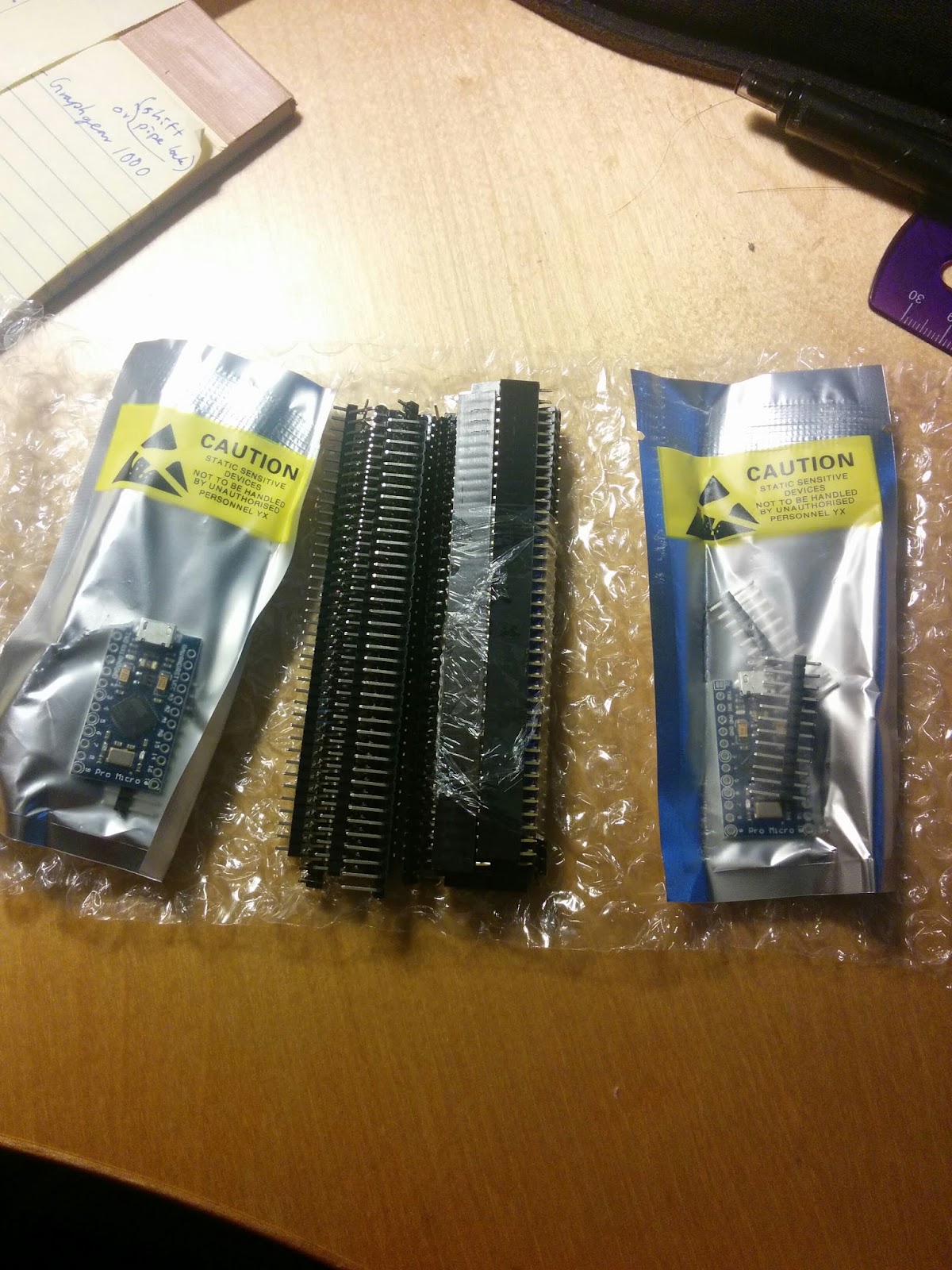
A new milestone! My cheap knockoff arduinos from China have arrived, along with headers.
And wow, the pro micro was quite a bit smaller than I expected. Which reminds me I've been overestimating the size of surface mount components.
Well, anyway. I like the efficiency (perhaps I'm a bit too obsessive over it).

I hope to get started on some basic soldering and stuff, such as attaching the angled male headers to the arduino and wiring up the female side before the switches and top plate arrive.
That said, I'm now waiting on only a few things:
Top Plate/Bottom Plate (this is gonna take a while. 2-4 weeks? for processing then shipping...)
Matias Quiet Linear Keyswitches (Ordered these a couple of days ago, the shipping said 2 days...)
Custom 3d printed keycaps (In production)
100x 1M ohm resistors. I've been told that this is pretty important to bring the input pins down to a low value instead of relying on the pin's leakage current by my brother, so I'm adding these to the Stenoboard's original design.

I'm really starting to see the rays shine through. Meanwhile I've also started to teach myself the basics of steno with all of the amazing resources provided by this community. To which I must say: Thank you all so much. This has been so inspirational and helped me propel through all of these hardships.
(I deleted the last comment because of a bizarre formatting error)

-Lenno Liu

Lenno Liu

unread,
Oct 5, 2015, 2:41:06 AM10/5/15
to Plover
And a slew of new hardships has come up to confront them.

Firstly: Shapeways cancelled my order because the sprues supporting the keycaps were too fragile, even though they are designed to be snapped off. Ah well. I decided to upload a design with 50 keys (for a full Planck) and print it with Print it Anyway (which will make them print even if the sprues are broken). Still, 50 keys for 28$ (without shipping costs factored in).

So that problem is just a little bit of a time setback.

Second is a more annoying problem. The two arduinos? One of them's bricked and the other one's in limbo. The first one never worked (plugged it in and just heated up a bunch, not even a light coming on). The second one would have the power LED go on, but won't appear to the computer.
I suppose I got what I paid for. I decided to hell with it and ordered a genuine one for 5x the price. Or, 20$.

On another side note, I've decided to modify the programming even more. Since I decided that I might as well use the keyboard like a normal keyboard, I might as well go for a full keyboard matrix. This means that I'm using all but 2 of the I/O pins solely on the keyboard matrix. I have ideas for the other two pins:
1: Keep the LED backlight. I'm not too fond of this idea, however, since the matias switches I'm using do not have a socket for the LED's. Instead, they rely on LED's being soldered down onto a PCB underneath the switch, since the switches are transparent. However, since I'm not using the Planck PCB, this means I don't have anything to solder the LED's to.

2: Add some switches. Again, I'm not fond of this idea, but the reason for this one is because there isn't really any way to access the inside cover of the Planck. I would like to use one as a switch between Steno and Normal keyboard (though I could just do this via firmware and special key combinations).

Technically I COULD also drill new holes into the Planck... but that's kind of destroying a special beauty to the planck. Or maybe I'm just obsessive.

Other than that I don't really have any ideas for what to do with those pins. On the previous version I had them light up LEDs to indicate what protocol was in use, but now that there's no more holes in the Planck case itself, there isn't anywhere to place those LED's.

I would love feedback on this.
Another note: I'm leaving on a school trip for the next three days, so don't expect a reply too soon!
-Lenno Liu

Lenno Liu

unread,
Oct 17, 2015, 12:37:54 AM10/17/15
to Plover
Alrighty.
Big update.
I've got another ACT to write in a week so again this is going to be put on a bit of a hold.

I've managed to resurrect one of the cheap chinese arduinos (somehow), and got it working a couple of days ago. It blinks its LEDs when I uploaded the test blink sketch to it, so it seems to be working fine. I believe the original cable I used wasn't transmitting data, which is bizarre because I thought I'd thrown away all of my charge-only cables.

With my two remaining pins, I've decided to go and use them both to drive LED's via transistor. However, to prevent the keyboard from drawing too much power, I've decided to cut down on the number of LED's I'll use, down to one for every 4 keys (12 total).

What I decided to do was to change the lit areas according to what mode it was on at the time. If being used as a stenotype, only the top row and two middle bottom ones would light up. If it was being used as a normal keyboard, all of them would light. And lastly, if it was being used as a firmware-coded dvorak keyboard, only the bottom corners would light up.

Which means, now I have to code all this into the arduino IDE. I've got most of it down (I think), but there's a few hitches that I need to solve.
Edit: With some help from my brother, the code does compile. Whether it will work or not is something else, but that'll have to wait until I can get the physical keyboard set up.

So, now the checklist is nearing completion.
My set of 50 keycaps have finished printing. Last time I checked, they were in transit (at Saint-Laurent in Quebec). Expected time of delivery was 3-7 days.
Code seems to be working, but truely testing out the code will have to wait until I can assemble it.
My electrical components are all here, with the exception of some resistors to be used for the LED backlighting.

The only thing that's missing now is the Planck top and bottom plates.

-Lenno Liu

Lenno Liu

unread,
Oct 20, 2015, 3:33:38 AM10/20/15
to Plover
Another update.

Turns out I did quite well on the ACT (Nice, slow score reporting there, ACT. Thanks.) so I won't be taking it again. Yes! A little bit of a breather for once.

The keycaps have arrived, and I've mounted them onto the switches already. Turns out, I have to get a small file and file down the nub just a little bit before I can force the nub into the receiver, but the fit is very tight and it's not going to come off unless I really pull at it.


Just waiting on the top and bottom plates now before I wire everything up.
I've posted a question on the AMA that Jack Humbert does on reddit (he's the person who runs Ortholinear Keyboards and makes the plates), just to see how he's doing with the orders.

In the meantime, here is the code that I modified from the StenoFW used in the Utopen Stenoboard. It compiles in the Arduino IDE (version 1.6), but I cannot test it yet (I don't have a key matrix). I must apologize because it's my first foray into coding and it's probably very, very messy. Look at your own risk, I suppose. Maybe later I'll tidy it up.

-Lenno Liu
StenoFWProMicrov4.2.ino

Robert Fontaine

unread,
Oct 20, 2015, 6:01:14 AM10/20/15
to plove...@googlegroups.com

Watching carefully.   I ordered a milled blank bottom  from mass drop.   Eta January.   Curious to see how your keycaps work out.

Lenno Liu

unread,
Oct 22, 2015, 3:40:13 AM10/22/15
to Plover
The tops are a little fuzzy/rough, there's a little bit of powder left, and the edges aren't all the same. But with a little sanding, it should be all fine. There's no ridges creating a weird pattern, at least none that I can discern. Overall, I'm quite pleased with how they turned out.

If you're curious of the 3d model I made, here's a link to the company's website and the model I uploaded. Unfortunately, I cannot be certain if they'll tell you it's 'unprintable' (My previous model of only 40 keycaps was said to be unprintable because of the sprues that held all the keycaps together; I explained to them that it wasn't integral to the product at all and was there to cut down on labour/production costs. I printed my set via 'Print it anyway' to avoid this problem with my set of 50. AFAIK they don't let people other than the maker to use the print it anyway option.)


Side note:
I placed my order for a formed bottom planck and matias top plate on sept 25th. It's been four weeks, but he said that he'll be sending it soon by 2-day mail. I hope it gets there before the first week of November so I can pick it up in one go from Blaine.

Robert Fontaine

unread,
Oct 22, 2015, 7:01:02 AM10/22/15
to plove...@googlegroups.com

They look sharp.   I'm more likely to go with cherry mx.   Did you consider going with a custom plate?

Message has been deleted

Lenno Liu

unread,
Oct 23, 2015, 2:23:48 AM10/23/15
to Plover
The keys on half of the keycaps have 'sharp' edges where the plastic has kind-of flowed while settling, whereas on the other half they're rounded because of the same effect. Of course, a little polishing will fix that up in no time.

I didn't consider custom plates because I'm a massive cheapskate and this is a budgeted semi-dedicated build.

I know I'm biased when I say that I recommend you use the Matias Quiet Linear keys, but hey. They're specifically made for stenotypes, need very little force, very quiet, etc. But again, keycaps are a huge problem so I definitely understand.
(Deleted last post because of a formatting error)

Robert Fontaine

unread,
Oct 23, 2015, 11:56:20 AM10/23/15
to plove...@googlegroups.com

Supporting a Canadian company would feel good but I know that one of the big  keycap suppliers has reasonably priced flat square cherry mx keycaps for my first efforts.

I have a poker 2 for regular typing that I am quite happy with.   Not sure if my steno speed will ever allow me to drop the qwerty board entirely.

On Oct 23, 2015 1:23 AM, "Lenno Liu" <lenn...@gmail.com> wrote:
The keys on half of the keycaps have 'sharp' edges where the plastic has kind-of flowed while settling, whereas on the other half they're rounded because of the same effect. Of course, a little polishing will fix that up in no time.

I didn't consider custom plates because I'm a massive cheapskate and this is a budgeted semi-dedicated build.

I know I'm biased when I say that I recommend you use the Matias Quiet Linear keys, but hey. They're specifically made for stenotypes, need very little force, very quiet, etc. But again, keycaps are a huge problem so I definitely understand.

Lenno Liu

unread,
Oct 25, 2015, 10:02:21 PM10/25/15
to Plover
(I've given up on trying to properly format the quote text, it never works)

Personally, I'm more concerned with the problem of having to carry a steno board everywhere along with plover (again, the stenosaurus would solve all of those problems), but I mean it's still vastly better than anything else I can think of apart from the Stenosaurus.

I've taken the original StenoFW (firmware) from the Stenoboard and rewritten it for my purposes, but again because I'm no coder, I have no idea if it will work.
What I did was add normal keyboard functionality to the StenoFW code, then decide to simplify it because I was using two separate functions to read the keys and it turned into a pretty big mess.

So here is the code. I would greatly appreciate it if someone would be willing to go over any mistakes found in the code.

Sidenote: It's been a month since I ordered the Planck plates. Jack says he has everything so he should be shipping soon (via 2-day mail), but it's still processing.

-Lenno Liu
PlanckProMicro_v5.ino

Lenno Liu

unread,
Nov 25, 2015, 4:04:57 AM11/25/15
to Plover
Time for a big update.

My Planck case has arrived and I've already soldered my diode array. The switches didn't fit tight enough to my liking so I decided to supplement it with epoxy along the outer edges.
It takes some time to solder all the diodes, and it takes more time to selectively strip wire to bridge the diode leads for the column rows. I've got that to work on.

I've gotten a short micro usb extension cable so I don't have to secure the pro micro itself or wear its connector out.

The biggest hurdle is realizing that the switches' leads extended so far down into the keyboard itself, I barely have room to cram in my components. I desoldered my right angle headers because even those are too thick to fit (it's about 10 mm, and the switches take up about 6 mm already). So instead, I've soldered the connecting wires directly onto the arduino.

I don't think I'm going to be able to work with the LED's unless they're just small indicator LED's. 

I've also run into some trouble with the extension itself; the plug is thick enough to be a problem during the mounting process. But if I sand it down as much as I can, I think I should be able to cheat through it.


-Lenno Liu


Paul Beaudet

unread,
Nov 27, 2015, 9:57:01 PM11/27/15
to Plover
Lenno,

Seeing the diff from the original code would be helpful in formulating a quick feedback I might be able to offer on the code side of things. Using git would enable that. You can PM me for a primer, but I sure there are YouTube videos that do more a justice. Just keep in mind you'll probably only ever use "add", "commit -m" "push" and "diff" commands so using version control isn't as complicated as people make it out to be. Unless you need it to be.

Looking over it quickly I'm kinda curious why keyboard.begin is being called at all. Isn't this code using serial protocol to communicate with plover? I had looked at the original code the other day too, and I think this was there too. I didn't think the 32u4 was capable of NKRO without some serious messing around.

Lenno Liu

unread,
Nov 27, 2015, 11:36:52 PM11/27/15
to Plover
First, I must apologize for my ineptitude at coding. I have very little knowledge of proper coding practices (ie: is it good form to capitalize programming variables? Spacing?).
The modified code now is somewhat different than the original code. 
Here's what's in the code:

1: Define variables
2: Keyboard inputs to toggle Plover (left to be modified by the user). I haven't changed these yet.
3: Setup (I decided to blink the LED's as a visible check). Seems to work.
4: Loop. Seems to work.
5:
Read what keys are pressed
Debounce them
Check the debounces

6: Coded macros. (There are sections for different functionality modes) Some of these don't seem to work for some reason.

A big block of information matrixes that map keys being pressed to what info to send.

7: Send keyboard press/release commands according to what has been pressed/released, taking in account of functionality modes.

8: Clear all matrixes command. This seems to work.

9: Toggling functionality. Works.
10: LED brightness control. Works.
11: Protocol toggle. Never tried.
12 and etc: Old code copy-pasted for use with Gemini and TXBolt transmission. Never tried.

Okay, so most of the code actually works. I've tested it out with the physical keyboard, and there are only a few things that do not work.
5/7: The key presses work fine. I can type on the keyboard normally without there ever being a problem. I can switch between Steno, Dvorak, Qwerty, and my currently blank gaming layouts.
There are two problems, however. The first is that the 'raise' and 'lower' buttons don't actually work (that is, [3][4] and [7][1] being pressed down doesn't swap the keymapping array to the raised keymap or lowered keymap). Upon closer inspection I can see that the arduino is actually not sending any information at all to the computer. I'm not quite sure what's going on with this.
The second problem is that if I press a lot of buttons at once (say, QWERASDFCV all at once for the steno equivalent of STKPWHRAO), I usually have one letter that fails to be sent. Plover will report something like STKP HRAO or similar, with one letter missing. Is this a speed limit of the arduino itself, or something else? If I press down the buttons one-by-one or slowly, they all register.

6: Some macros work, some don't:
The toggle between steno, dvorak, qwerty and gaming works.
My custom macro of typing the question mark using right shift and backspace does not work.
The macros to increase and decrease LED brightness does work.
I haven't tested the last macro of toggling between protocols (Gemini and TXBolt)
Lastly, I want to add a macro where if I press the right shift without typing anything else, it sends enter instead of shift. This isn't coded in.

Here's a document of what each layout is supposed to be.

I'm not too sure how to work with Git and Github but here's my attempt to do so.

I very much appreciate your help.
Lenno Liu

Paul Beaudet

unread,
Nov 28, 2015, 3:29:33 PM11/28/15
to Plover
Honestly code practices depend on the individual unfortunately. I favor readability, but it is subjective what is readable to who so that's not saying much. Did notice some inline if statements, which drives me a bit nuts but I think it was a readability choice by the author. camelCase variables -> likeThis or mayBeThis <- of course much more descriptive
Definitely use newlines between your functions, I even separate some of mine with comments to be part of a group
e.g.
//------------- Functions that do all things ------------------
There are some pretty detailed guides on coding standards for various languages, more detailed than I care to scare you with. The important thing is ask yourself how easy will it be to read in a couple of weeks once you've forgot about the weeds and details of the problem.

Now keep in mind I still have a poor grip on exactly how your code is working but I'm noticing a few patterns that you may want to take a closer look at.

The big one that comes to mind is that it is fine to use the delay function while setting things up but it's going to get it in the way if you are using it in a function that operates in the main loop. It took me a long time for this to click with me on my own projects but you have to think asynchronously as opposed to "this function after that function" type of thinking. Meaning instead of sitting around and "doing nothing" till executing the next function desired, just check if it is time to execute at the end of every loop and move on with the next loop. It would be a bad idea to look at the clock the whole time while in class to know when the class was done because it would block you from (effectively) taking notes and listening, but that's basically the strategy used whenever delay is called. Delay blocks other things from happening. In your case I'm seeing a lot of half second ones in there which must be annoying even if it's just used for a layout switch. Check out "setTimeout()" instead of writing a solution yourself it'll save time. It's done in a similar way for javascript, so it's applicable outside arduino world. The difference is you explicitly call for the event loop to run in void loop() with a run() method whereas javascript it's built into how the language works. http://playground.arduino.cc/Code/SimpleTimer

Raise and Lower: I'm going to have to take a closer look. In macro(); You probably should be using 'else if' statements because you are still testing conditions after you have waited a half a second. That is; say you test the first condition and it's true the action is executed and then the next if is tested even though you probably want to move on after a truth is found. I guess I understand the concept of layering the keyboard, but I'm not sure what you are doing to raise or lower. By the code is looks like some key is pressed in combination?

Multi-button issue: This is why I was asking about keyboard.begin vs serial only. The default way USB HID is set-up limits how many keys can be sent at once to 6KRO (from what I remember its a 16bit packet) Though plover can sometimes detect more, I think based on how it detects keys async. Unless you emulate multiple keyboards at once or explicitly report a 64bit HID packet you're only going to get so many keys per HID report. The folks in the Geekhack forum go into a lot more detail about this / collectively know way more than me. Speed is definitely not an issue, its data types being passed around that you have to be concerned about.

Right shift as enter: Be prepared for that to be more difficult that you expect. It comes down to when you are actuating keyevent. In tenkey I do time based actuation (press and release). Where single keys are actuated 20 or so ms after detection times for chords. I don't think that's the way this code is written, press and releases are probably sent separately as they are traditionally. I'll have to take a closer look. You could timeout shift to enter given no chord, but I think it will actually get in the way of using shift. You will have to test to see if it makes sense.

BTW, I like how you managed to cram so much into one keyboard, it's an interesting design.

I'm going to read through the code more, if I could run it that would be more helpful but its not really needed for the formatting stuff. So it is tempting point out a few more things in that department but don't really want to mention too much format / organizational things because that could be a bit overwhelming considering just the timing suggestion will really blow things up if it clicks with you and has actually consequences on functionality. Right now exploring the hows before I decide to touch anything. Then maybe I can actually be more helpful. 

Sorry about the length of this, a lot of things were mentioned at once. Focus on one bug at a time and make a git commit for each one as you fix them. (He who chases two rabbits catches none.) By "micro committing" you always have a previous working state and will be easily able to see change mistakes from the diff files. Worrying about making mistakes will slow you down. This is the real reason I use version control like git, I rarely use previous versions to be honest, but I constantly look at the diffs because of unexpected behaviour. Also I would remove things that are not being used to make the code more readable, once it's in the version control you can go back and get it again, if you really need it.

Lenno Liu

unread,
Dec 1, 2015, 1:51:54 AM12/1/15
to Plover
Sorry, I had university applications to finish in the past couple of days.

About the delays: Yeah. I'm going to try and mess around and take out a few. I put delays into the macros to switch between functionalities mostly to prevent accidental inputs when switching, then I realize it didn't do much because my clearmatrixes function cleared the presskey and releasekey booleans so the key would remain stuck pressed down because no keyboard.release thing was run. Well, I've been pondering about some bodge solutions (such as using keyboard.print backspace x2 to get rid of the inputs from holding down the otherwise raise/lower keys, but if I change around how the things are input, it wouldn't be so much of a problem).

Multi-button issue: The original code here https://github.com/caru/StenoFW actually does its own system of recording key presses by pressing the first key, then pressing down the second key and releasing the first, then pressing the third and releasing the second, etc. This way the chord is actually electronically 'rolled' across at however fast the communication is run, and only when all keys are released.

Maybe I can use that instead, but implementing it might take a while. The reason why I thought I could get away with cramming it all into one was because I didn't expect there to be a problem with the data type. But hey, thank you very much for telling me.

Also about the Raise and Lower: I'm not actually sure if I finished coding that bit. I don't remember what I did but let me double check in a few days to see if I coded it like I meant to.

Right shift as enter: I'm going to put this on hold. It's not as important as some of the other things right now, haha. If I can fix the Raise and Lower issue I can put Shift on one of the alternate layers.
The simplest solution that comes to mind is: when left shift is held, start checking if any other key has been pressed. If any other key is pressed, return a boolean as true. If the boolean is true (some other key has been pressed), then nothing happens. If the boolean is false (no other key has been pressed), then shift is released and enter is pressed, and that boolean is turned to false.
Question: Since the macros function runs every loop, it will always try to do whatever I tell it to do in the if(presskey[right shift]) statement, right? So could I possibly tuck this boolean scan/toggle thing in there?
Which reminds me, releasekey[right shift] is going to have to trigger the check for the boolean if I do choose to do it this way.

Sorry, things are pretty hectic over at my end for the moment. I hope that I can take the time out to do some coding and fixing, but I can't guarantee it for now.

Lenno Liu

Paul Beaudet

unread,
Dec 4, 2015, 3:16:07 PM12/4/15
to Plover
Multi-button issue: The original code here https://github.com/caru/StenoFW actually does its own system of recording key presses by pressing the first key, then pressing down the second key and releasing the first, then pressing the third and releasing the second, etc. This way the chord is actually electronically 'rolled' across at however fast the communication is run, and only when all keys are released.

This same strategy (which is fine for steno) will make it impossible / difficult to type over 40wpm with a standard keyboard layout. This is because keys are normally arpeggiated to achieve high speeds. Which means in the best case situation when faced with a fast typist, they might type the word "the" before keystrokes are sent as HID events. Most of us release all "t-h-e" keys after all of the press events to type that word.

I solved the "sending chords on press" problem on my chorded keyer by waiting a certain amount of time for certain sized cords (Just like a debounce). This way single keystrokes wouldn't be sent before the chords as "premature strokes". Just took waiting longer to detect smaller chords or single keys. This "waiting" is completely opaque to the user because it only occurs over the course of under 200 milliseconds which is to say, it's detected much faster than a chord can be composed. The issue here though is that my layout at most detected a 4 key chord. There may end up being a timing issue taking the same strategy with larger chords for slow stenographers because the thresholds between detections need to be much shorter to stay under a reasonable detect time for single keys. If the stenographer is fast enough though 20ms thresholds are probably enough for them to never notice a "premature stroke".

I'm curious from a more experienced stenographer that might remember by experience. What's the largest chord in your dictionary?
Scrolling through the plover dict really quick just saw one up to 10 keys, looking at my cheat sheet "giants" would be 14 keys.
200 ms / 14 time separations = 14ms thresholds  ( probably too short to filter a premature stroke )

Although I think at a certain point if the desired keys aren't all pressed the premature stroke might as well be sent, it would be a rare case. Maybe bug by design that tells newbies to press faster.

Theodore Morin

unread,
Dec 4, 2015, 3:52:58 PM12/4/15
to Plover
Grindings in my dictionary is: TKPWRAOEUPBGDZ → 14.

Grepping the default I found:

"STKPWHRAOEUPBS": "guidelines",
"TKPWHRAOEUPBTDZ": "guidelines",

The second, weighing in at an impressive 15 keys, is a misstroke (I think) for guidelines.

Why is giants 14 for you? SKWRAOEUPBTS → 12.

--

Paul Beaudet

unread,
Dec 4, 2015, 4:15:55 PM12/4/15
to Plover
Why is giants 14 for you? SKWRAOEUPBTS → 12

haha, because I'm bad at counting 
( was actually counting part of a previous word I thought might be large also, "glides" and conflated the count of gl- with j-. Is it odd that I can remember that, but not do the counting properly to begin with? )

This is why I have computers do all my counting.  
Reply all
Reply to author
Forward
0 new messages