
Re: [tulios/json-viewer] Doesn't work at all, nothing happens when I open Json files in Chrome (#60)

Anonymous Kid
Can somebody tell me where to configure maxJsonSize I can't find this option file
Thanks!
—
You are receiving this because you are subscribed to this thread.
Reply to this email directly, view it on GitHub, or mute the thread.
Túlio Ornelas
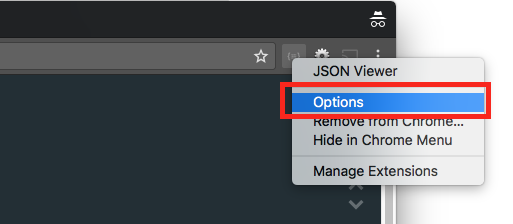
Hi @ryh95, you have this config in the options page. You can go there in two ways: using the "gear" icon on your top right corner, or right clicking the extension and then clicking on "options"


Wonderbird_Pointyshoes
For me, JSON viewer awesome was not working due to another Chrome Extension: ghostery. Once I disabled that, it worked fine.
—
You are receiving this because you are subscribed to this thread.
Reply to this email directly, view it on GitHub, or unsubscribe.
Rushan Khan
@Missypointyshoes Wierd, same thing happened with me.
Evaldas
regular users follow this pattern: install plugin -> drop some json -> doesn't work -> uninstall. This is something that ought to work out of the box, just like opening a txt file with gedit..
after I repeated this with 3 different chrome extensions, I finally just opened firefox -> drop json (no extension needed) -> works
Alan-Blanchet
For me I installed the extension and nothing worked apart from on the example websites.
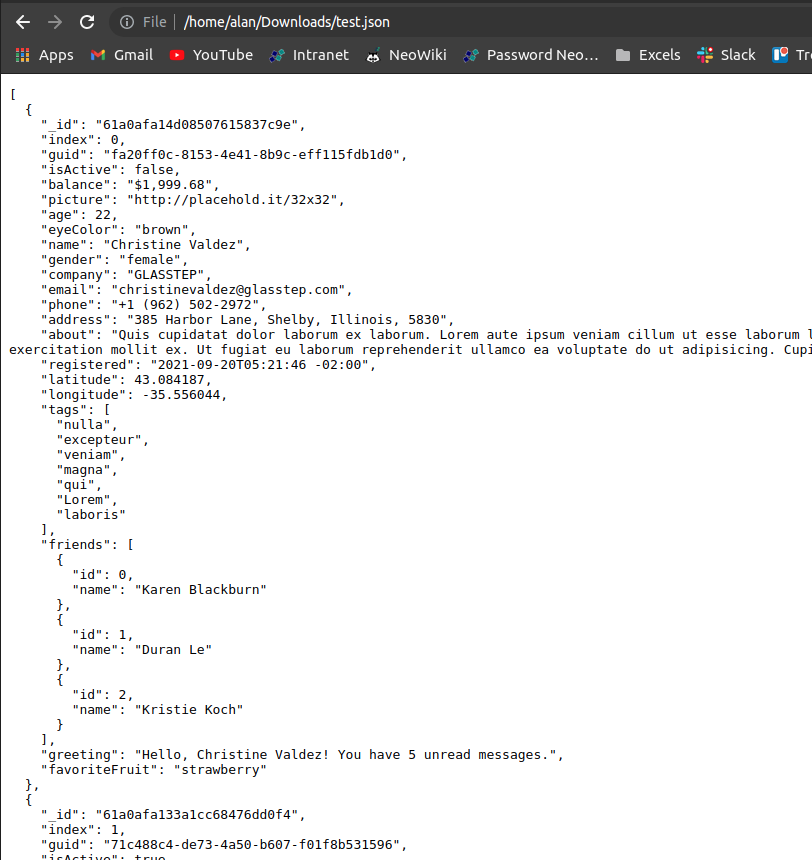
On local filesystem files it doesn't work for some reason.
I don't have any other extensions that would make it break.
—
You are receiving this because you are subscribed to this thread.
Reply to this email directly, view it on GitHub, or unsubscribe.
Triage notifications on the go with GitHub Mobile for iOS or Android.

Benjamin
I do not have that "Options" option.
I tried the Firefox solution which showed me a error message: "SyntaxError: JSON.parse..."
After fixing it, this plugin worked.
-> Suggestion: If Content-Type is application/json - show an error if JSON is invalid.
—
Reply to this email directly, view it on GitHub, or unsubscribe.
You are receiving this because you are subscribed to this thread.