
Bottom Camera - can't change settings?

jamoiam


mark maker
No, these slider settings are simply immediately made effective,
no need to press Apply (but also no way to Reset). It was always
like that (no changes in the versions there).
If you are using an ELP camera, the exposure is usually quite low
(-9 or lower).
Please try again: Make sure to switch off Auto first, otherwise the slider has no effect. And I'm not sure if you need to let go of the slider for it to become effective. And wait for a second for the camera image to adapt.
It might also help to read this:
https://makr.zone/camera-fps-cpu-load-and-lighting-exposure/519/

_Mark
--
You received this message because you are subscribed to the Google Groups "OpenPnP" group.
To unsubscribe from this group and stop receiving emails from it, send an email to openpnp+u...@googlegroups.com.
To view this discussion on the web visit https://groups.google.com/d/msgid/openpnp/f07f0905-55db-4a60-ad9b-30bd957090e7n%40googlegroups.com.
jamoiam
mark maker
> thanks for the reply. Yes I am trying with auto off. The slider is very unresponsive. An adjust or drag takes 30 seconds or so to get a response, and the setting is not saved and is lost if restarted for example.
This is strange. Can you name the camera? Unfortunately, some
cheap cameras only support auto-exposure, but usually the Auto-checkbox
is then disabled. Yours would be the first camera I hear of, that
"fakes" manual control.
You simply cannot use an auto-exposure cameras for OpenPnP! Some users still try, but this is just a recipe for constant troubles.
If this is the case,
buy a better one. The
ELP 720p cameras are recommended.
The only "hack" that
I can think of, is to use a diffuser that is partially in the
view of the camera (at the sides, only looking through a
square hole in the middle), so you have a constant "brightest"
area in the image and the auto-exposure is forced to use it as
the white-point. You can then crop the view in OpenPnP.
> and this doesn't address the nozzle background pipeline problems I am having. Or is it an unrelated separate problem?
You can't really solve this problem, before the first one is solved. You need exposure Auto off, otherwise you never get stable background calibration.
More in the Wiki:
https://github.com/openpnp/openpnp/wiki/Nozzle-Tip-Background-Calibration
_Mark
To view this discussion on the web visit https://groups.google.com/d/msgid/openpnp/086a9447-ffac-4fd3-9097-1b61d1ed926fn%40googlegroups.com.
jamoiam
mark maker
Hi jamoiam,
I cannot explain why the camera behaves differently. I'm also not
aware of any code changes in this area in the last two years or
so. So I strongly doubt it is the OpenPnP version ... but with
software you can never be absolutely sure 😅.
Can you exclude it is a problem of the PC? Or the PC's cabling/ports/hubs etc?
> I can not get background calibration to work at all. See my image above with completely black color wheel. There is no mention of this in the wiki. Is this normal?
Just to make sure this is not a misunderstanding: are you aware
that Background Calibration is performed as a part of
the Nozzle Tip Calibration? Your screen shot looks as if it
was never run.
https://github.com/openpnp/openpnp/wiki/Nozzle-Tip-Background-Calibration
_Mark
To view this discussion on the web visit https://groups.google.com/d/msgid/openpnp/c7455814-28f1-4331-ad72-6bcec23cdba3n%40googlegroups.com.
jamoiam
mark maker
> the camera is stable and functional.
Glad to hear.
> I initially could not figure out why the color wheel was still black even after setting to color. However I discovered it needs to be set to color BEFORE calibration.
- There are two methods: you have to
select the right one:
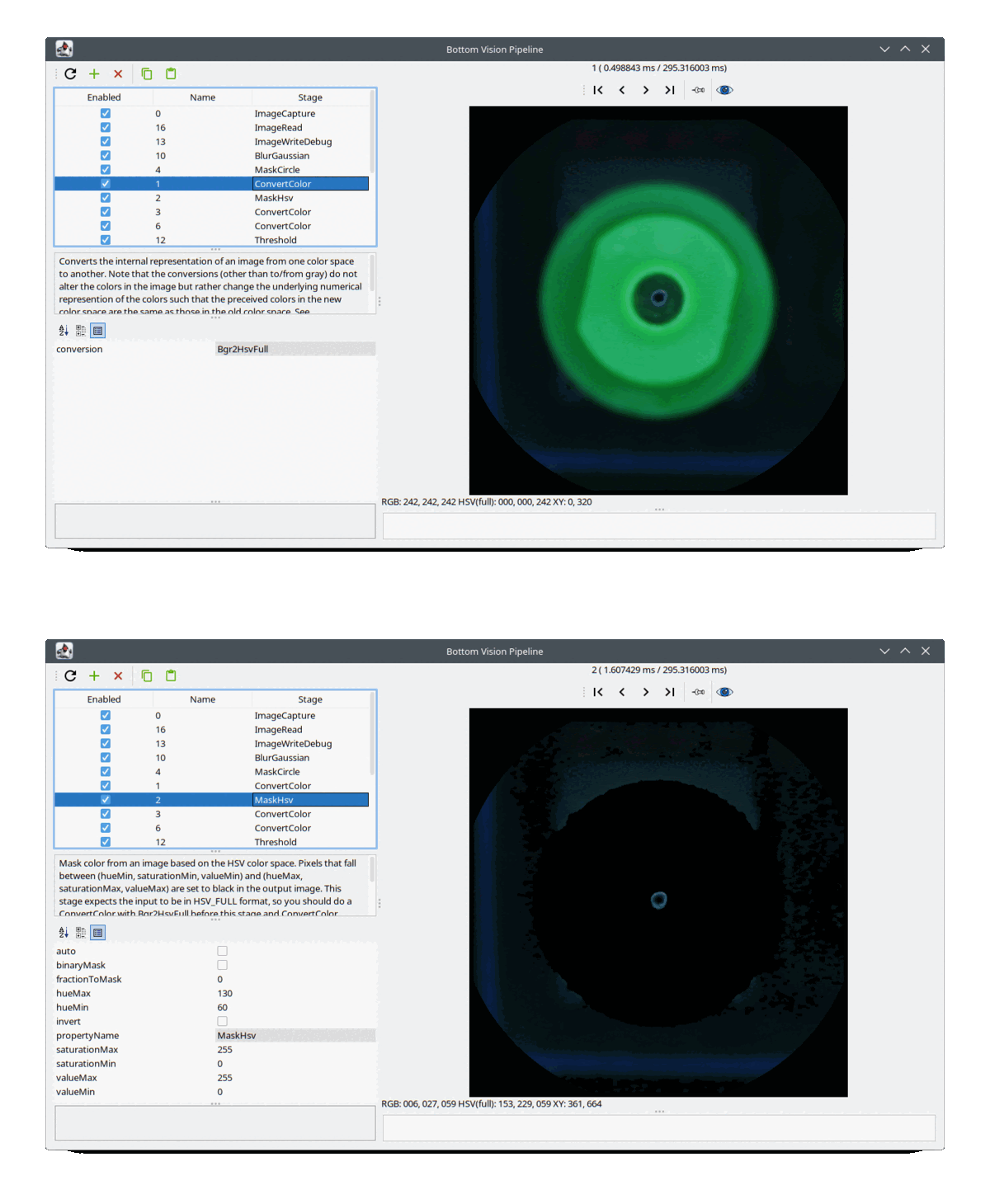
- If you have Juki nozzle tips (the green ones) or a green shade behind the nozzle (or any other single vivid color), you can use BrightnessAndKeyColor.
- Otherwise (e.g. with CP40 nozzle tips) just use Brightness.
- Nozzle tip calibration runs and records images.
- The same images are then reused by the Background
Calibration to determine the Key Color (if you
use BrightnessAndKeyColor).
- The key color bounding box is then highlighted in the HSV
wheel (if you use BrightnessAndKeyColor):

- This color bounding box is subsequently parametrized into Bottom
Vision, to blot out the nozzle tip:
To view this discussion on the web visit https://groups.google.com/d/msgid/openpnp/8f9c6c99-5297-4fe7-b8db-653ddfa52796n%40googlegroups.com.