
Basics for networking with Huzzah

JNewcomb

chris1howell .
The quick guide to uploading the code is...
Setup Arduino for the Huzzah module with the guide on Adafruit.com
Download the RAPI ESP8266 sketch from Github under user chris1howell.
Pick the huzzah board and comm port and programmer esptool
Press and hold Gpio 0 button and press reset to go into bootloader mode.
Upload sketch.

Danny ter Haar

Craig Kirkpatrick
Hi, been lurking on the list trying to absorb enough information to get my OpenEVSE on my home network. I managed to get a Huzzah (ESP8266) WiFi module for playing around from Adafruit. Also have a new OpenEVSE ver 4 board on my desktop and would like to get it communicating before I swap out for working unit in my garage. I have been happily using it to charge my 2015 Spark EV for a couple of months now and would like to get more information than what the Onstar service provides.Can someone give me some pointers on what I need to load into the Huzzah, how to configure the FTDI port, and accessible 12 volt pins on the OpenEVSE board. I am using the Arduino 1.65 IDE on Ubuntu 15.04.Thanks
You received this message because you are subscribed to the Google Groups "OpenEVSE" group.
To unsubscribe from this group and stop receiving emails from it, send an email to openevse+u...@googlegroups.com.
For more options, visit https://groups.google.com/d/optout.
Danny ter Haar
On Friday, July 24, 2015 at 11:27:42 AM UTC-7, Craig Kirkpatrick wrote:
I found that powering the Huzzah from the 12V was not necessary and also it created a lot of heat. So just connect the FTDI bus and the Huzzah will steal some available milliamps from the 5V on the FTDI bus. Swap the RX and TX within your FTDI wiring so you don't end up with RX facing RX.The firmware Chris wrote will upload data to an Emoncms server and now he is hosting such a server.
JNewcomb
chris1howell .
--
Craig Kirkpatrick
You are right that Emoncms is its own learning but you'll have fun figuring it out and crafting your own dashboard design.
JNewcomb
My plan was to get this working on the bench, but I have moved on to installing it in the enclosure. The version 4 board has different mounting holes, so maybe I will modify my old version 2.5? board. The terminals are a bit different also, may need some research before replacing the older board. Removing the surface mount resistor, R28, is not for the squeamish. I got it off, but it is not pretty.
JNewcomb
Okay, another silly question. Does the firmware need to be greater than 3.7.8? When I fired up with new version 4 board I do not see options for power. With wireless PC, I see the OpenEVSE and can connect to that access point, but no page ever loads at 192.168.4.1.
JNewcomb
I found my serial connection was in error, did not skip first pin on Huzzah board. Now I am getting connecting on OpenEVSE RGB display. Still, when I point wireless at OPENEVSE and connect using password openevse, I can not bring up webpage to enter home network information. At this point I will remove Huzzah and upload latest from Git Clone command.
Craig Kirkpatrick
chris1howell .
I will have to do some testing as well...
I just brought up a new user on the Server today. All seems okay.
JNewcomb
Craig Kirkpatrick
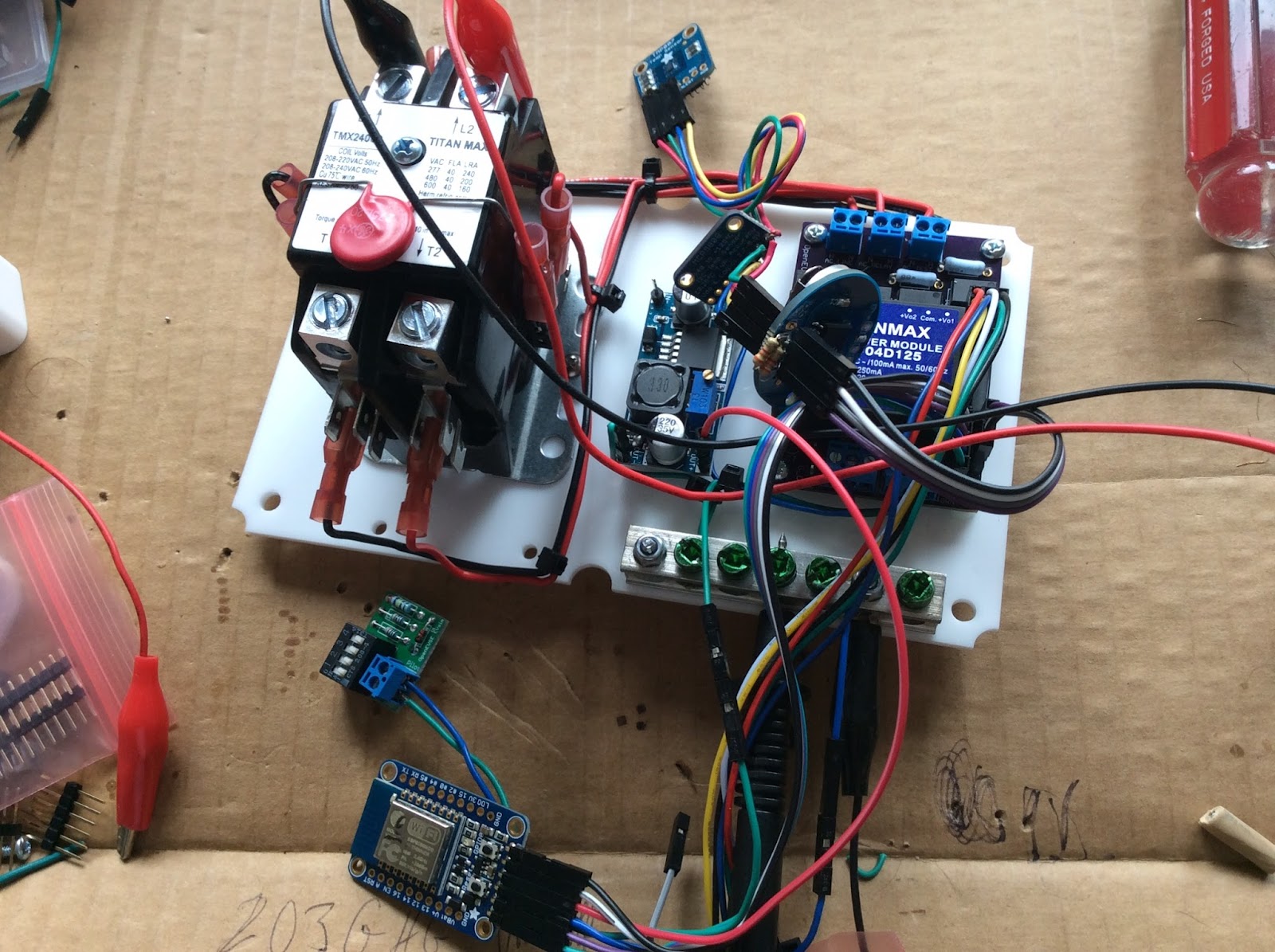
Alan
Thanks,
Alan
Craig Kirkpatrick
Glenn Drayer
-------- Original Message --------
Subject: Re: Basics for networking with Huzzah
From: Alan <alansni...@gmail.com>
Date: Sat, July 25, 2015 7:23 pm
To: OpenEVSE <open...@googlegroups.com>
This looks like fun. Does the DIY board have the minimum load resistor? I have the version with the power supply on board but external relays. It has the resistors standing up to save room. V2 I think
Thanks,
Alan
Craig Kirkpatrick
On Saturday, July 25, 2015 at 12:36:00 PM UTC-7, JNewcomb wrote:
chris1howell .
Okay, I will check. Sounds like everyone is having the same issue.
--
chris1howell .
Danny ter Haar
On Monday, July 27, 2015 at 1:33:20 PM UTC-7, Chris wrote:
I cleaned up the web server code a bit. Unfortunately, I was unable to reproduce the issue with a fresh module and the Arduino Environment I setup a few weeks ago.I will have to test Craig's theory that the newest board manager breaks the code.BTW... Danny this is the output I get from the Arduino IDE when uploading.Sketch uses 214,772 bytes (40%) of program storage space. Maximum is 524,288 bytes.Uploading 37264 bytes from C:\Users\Chris\AppData\Local\Temp\build2092018949119281335.tmp/OpenEVSE_RAPI_WiFi_ESP8266.cpp_00000.bin to flash at 0x00000000.....................................Uploading 177544 bytes from C:\Users\Chris\AppData\Local\Temp\build2092018949119281335.tmp/OpenEVSE_RAPI_WiFi_ESP8266.cpp_40000.bin to flash at 0x00040000..............................................................................................................................................................................
Sketch uses 246,564 bytes (47%) of program storage space. Maximum is 524,288 bytes.
Uploading 34816 bytes from /tmp/build2577457243085396515.tmp/OpenEVSE_RAPI_WiFi_ESP8266.cpp_00000.bin to flash at 0x00000000
..................................
Uploading 211784 bytes from /tmp/build2577457243085396515.tmp/OpenEVSE_RAPI_WiFi_ESP8266.cpp_10000.bin to flash at 0x00010000
...............................................................................................................................................................................................................

chris1howell .
On Monday, July 27, 2015 at 1:33:20 PM UTC-7, Chris wrote:I cleaned up the web server code a bit. Unfortunately, I was unable to reproduce the issue with a fresh module and the Arduino Environment I setup a few weeks ago.I will have to test Craig's theory that the newest board manager breaks the code.BTW... Danny this is the output I get from the Arduino IDE when uploading.Sketch uses 214,772 bytes (40%) of program storage space. Maximum is 524,288 bytes.Uploading 37264 bytes from C:\Users\Chris\AppData\Local\Temp\build2092018949119281335.tmp/OpenEVSE_RAPI_WiFi_ESP8266.cpp_00000.bin to flash at 0x00000000.....................................Uploading 177544 bytes from C:\Users\Chris\AppData\Local\Temp\build2092018949119281335.tmp/OpenEVSE_RAPI_WiFi_ESP8266.cpp_40000.bin to flash at 0x00040000..............................................................................................................................................................................I just received 3 fresh huzzah boards today from arduinoI tried a bit with minicom and the serial commands to control the LED.Then I pulled the latest code with git, compiled and uploaded and was greeted with the OPENEVSE SSID.I pulled out my "old" huzzah board from my openevse, uploaded same code:Sketch uses 246,564 bytes (47%) of program storage space. Maximum is 524,288 bytes.
Uploading 34816 bytes from /tmp/build2577457243085396515.tmp/OpenEVSE_RAPI_WiFi_ESP8266.cpp_00000.bin to flash at 0x00000000
..................................
Uploading 211784 bytes from /tmp/build2577457243085396515.tmp/OpenEVSE_RAPI_WiFi_ESP8266.cpp_10000.bin to flash at 0x00010000
...............................................................................................................................................................................................................
The only thing different from yours is that my second batch of code is loaded at 0x10000 vs your 0x40000I used my tablet to log on to the web server, copied my local ssid/passwd and my write API .
Danny ter Haar
On Monday, July 27, 2015 at 4:43:02 PM UTC-7, Chris wrote:
Danny I see data... but I messed up...I had changed the default node id from 0 to 1 at some point in my coding. So I took the opportunity to add a configurable node ID on the setup page for those who have more than 1 OpenEVSE setup.Try the new code I sent up to GITHUB (Danny chose 0 that is where your charts are looking).

Craig Kirkpatrick
I really like your enhancement Chris. I have six modules I use. After finishing the Steampunk OpenEVSE four of the modules are in functioning EVSEs and I have another two I use in experiments. I have been editing the node number in the source code and keeping it aligned with each module. I'll enjoy just entering in the setup page when I have that working again.
chris1howell .
Sorry the node ID took so long Craig... I wrote the HTML side when we talked about the idea last. It took messing up the node ID on Github to motivate me. The EEPROM code was so confusing i deleted most of it and started over. It is so much easier to understand now...
I hope 9 IDs is enough...
I find it odd that our sketch sizes are so completely different and that mine says up to 1M of code space exists and you guys are getting 512K code space shown available. That is why I suspect the board manager entry for the Huzzah module is leading to trouble. Now that I moved to the latest board manager entry I'm wondering how I can undo it and step back a month. I'm not sure if it is possible. When I get home I'll check the Adafruit discussion board to see if it seems to be a known problem or not.
I really like your enhancement Chris. I have six modules I use. After finishing the Steampunk OpenEVSE four of the modules are in functioning EVSEs and I have another two I use in experiments. I have been editing the node number in the source code and keeping it aligned with each module. I'll enjoy just entering in the setup page when I have that working again.
Craig Kirkpatrick
Craig Kirkpatrick
There was a change "Add Adafruit HUZZAH board" on July 23rd. JNewcomb began his efforts on July 24.
JNewcomb
Craig, thanks so much for working this issue. I have only found one reference on ESP8266 community forum:
Craig Kirkpatrick
Craig Kirkpatrick
Craig Kirkpatrick
chris1howell .
I saw the Arduino ESP github page has a old release listed as Stable and the July 30 as Staging. Is it possible to load the old Stable release?
--
Craig Kirkpatrick

chris1howell .
Craig. Do you have the jumper wire from GPIO 16 to RST, it is required to wake up.
Craig Kirkpatrick
chris1howell .
I forgot the same thing on the module I sent to Danny...
Craig Kirkpatrick
- Use this URL in the Arduino preferences: http://arduino.esp8266.com/stable/package_esp8266com_index.json
- Then Tools: Board: Boards Manager... be sure to install the ESP8266 (scroll to the bottom to find it)
- Go back to the preferences and replace the URL with http://arduino.esp8266.com/versions/1.6.4-673-g8cd3697/package_esp8266com_index.json
- Then Tools: Board: Boards Manager... be sure to install the ESP8266 again or be sure it shows already installed
- Then Tools: Board: Generic ESP8266 Module (Huzzah isn't listed in this old board manager but it works just fine as Generic)
- I found the default settings for the board are fine. I still need to learn what the SPIFFS thing is all about but it doesn't seem to matter really if you leave it as the default.
- compiling it as of today says "Sketch uses 246,252 bytes (46%) of program storage space. Maximum is 524,288 bytes."
- If you get something saying ...Maximum is a megabyte then begin at step 1 and pay closer attention this time. :-)
JNewcomb
Hi Craig, I got a chance to try out your instructions this afternoon and I got a little farther, but now I am stuck. It now shows me the webpage and after entering my SSID, password, & Emoncms write key, I am presented with saving and restarting network. Wireless OpenEVSE drops off my network wireless connection for a short time, but comes back as same I/P address of 192.168.4.1. The RGBLCD never changes, keeps displaying same I/P and password. So I can now login and enter my credentials, just does not stick.
Craig Kirkpatrick
Then the LCD stays quiet. The module posts the amperage and temperatures and a bit more data to the server. Check your server and click on inputs and you should see the stuff updating about every 30 seconds.
JNewcomb
Craig, I tried the reboot and it is in a tug of war on the display, part I/P, part current/watts. My little Spark started charging from unplug/plug operation. I will give it a try with a fresh module from Adafruit tomorrow.
Craig Kirkpatrick
Danny ter Haar
On Saturday, August 1, 2015 at 6:51:20 PM UTC-7, JNewcomb wrote:
What else would cause it to go back to default state and not join my network?I really appreciate the help, I am so close to logging data.
Craig Kirkpatrick
chris1howell .
A couple notes...
note is if your wifi password has special characters they may need to be added. There are a couple in the code now but I doubt we got them all.
You need the write key from http://data.openevse.com/emoncms/
Another good approach is to keep it connected to your FTDI cable after programming the module from the Arduino IDE. Then open the serial monitor in the IDE and click the reset button on the Huzzah module. With the serial monitor set to 115200 with both NL and CR, you will see debug status. You can actually leave it connected to the serial monitor while you set your SSID and password etc. Then click the reset again and you'll watch it send queries to the OpenEVSE that is not connected and the result is it will try to post a 0 for two of the data items to the emoncms server.Give that a try since it gives you more visibility as to what is going on behind the scenes.
--
JNewcomb
Danny, my router uses (WPA2-PSK/WPA-PSK) for the wireless AP. It is using DD-WRT and gives me the ability to scan for other networks.
JNewcomb
Just saw your post Chris, yes I have a dollar sign, is that a problem?
chris1howell .
Maybe, I will have to see if it is passes by the browser as a special code (like %23).
I bet it is. I will fix and see if i can find a complete list to fix for all possible characters.
Just saw your post Chris, yes I have a dollar sign, is that a problem?
--
JNewcomb
Yeah, looking again, I have parentheses also. Just looked at that replace command around 380, was wondering if that translated something.
chris1howell .
Yes, the replace commands are for special characters.
chris1howell .
Here are some of the common ones...
space %20
! %21
" %22
# %23
$ %24
% %25
& %26
' %27
( %28
) %29
* %2A
+ %2B
, %2C
- %2D
. %2E
/ %2F
JNewcomb
Okay Chris, Craig, & Danny, thanks to your clues, I have made it really far in configuration of the Huzzah board. After adding some more code around line 380 to cover my password special characters, it seems to be working. I got some good results in the serial monitor by uploading the modified sketch and adding my AP information with write key through web interface. It shows some lines with Emoncms.org and data packet I think. Now, just for an instant, I see the Huzzah's mac address flashing in my wireless client list. It is now installed in the OpenEVSE enclosure and if I hold my mouth right, I can see the LCD dim for an instant, indicating a transmit. The Huzzah board sits with very dim red LED until a flash occurs and then blue LED flickers indicating a transmission.
Craig Kirkpatrick

You can use this tiny sketch to wipe your eeprom settings that Chris' code writes to store the SSID and password etc. Maybe he made a better method but I've used this reliably to wipe the eeprom Chris' code looks at.
#include "ESP8266WiFi.h"
#include <EEPROM.h>
void setup() {
Serial.begin(115200);
EEPROM.begin(512);
delay(1000);
Serial.println("Erasing EEPROM");
for (int i = 0; i < 128; ++i) {
EEPROM.write(i, 0);
Serial.print("#");
}
EEPROM.commit();
Serial.println("#");
Serial.println("Finished...");
}
void loop() {
// put your main code here, to run repeatedly:
JNewcomb
Craig, good call, it was trying to post to Chris's server. I found and edited one line. Used your snippet to erase EEPROM. I was wondering, seems like Adafruit example used 4 meg setting for flash, could this miss the erase range code is saving this to? First try, it is still hitting my AP without re-entering my credentials. Chris has some code that is similar, just do not know what triggers it.
chris1howell .
Don't forget the jumper from GPIO 16 to Reset to wake up from deep sleep.
It will get easier, I plan to sell modules soldered with headers and jumper 6 pin cable with pre-loaded firmware. So you just plug it in...
I am also working on the server side, they have application specific templates. Hopefully I can customize one to fit out needs...
--
Craig Kirkpatrick
JNewcomb
JNewcomb
Guess I misunderstood you Craig, I see some debug around line 51. How do I un-comment to get more debug information? More learning curves ahead.
chris1howell .
You will not see the OK unless you build a serial sniffer with have 2 serial USB devices one on each line.
Your output looks okay. Are you seeing anything on your input tab?
Guess I misunderstood you Craig, I see some debug around line 51. How do I un-comment to get more debug information? More learning curves ahead.Thanks,
--
Craig Kirkpatrick

JNewcomb
Craig, you would think so, but no, nothing is showing up for my emoncms.org inputs. Somehow it is not constructing the correct string for the server, but looks like their example API on API the helper page. I have clicked on the example there and it posts to my account with a dummy number, but nothing from my device. It has to be a wrong character in that string, but I can't see it.
Craig Kirkpatrick
JNewcomb
Craig Kirkpatrick
Alan
I put the Huzzah on the serial monitor and I get an "Error setting up MDNS responder!" as the last line. No more commuincations are sent.
Any ideas? I used Arduino IDE 1.6.5 to load the sketch.
Thanks!
Alan
Craig Kirkpatrick
Craig K
Alan
Craig Kirkpatrick
Unfortunately I need to setup a new PC for my development work and I'm traveling a bunch until the 23rd. I should have plenty of time to dedicate to this beginning that week.
Best Wishes,
Craig K
On Aug 14, 2015, at 8:32 PM, Alan <alansni...@gmail.com> wrote:
Thanks Craig. I see the post about switching the board managers on Aug 1. I will give that a try.

Bobby Chung
On Friday, July 24, 2015 at 11:51:54 AM UTC-4, JNewcomb wrote:
Hi, been lurking on the list trying to absorb enough information to get my OpenEVSE on my home network. I managed to get a Huzzah (ESP8266) WiFi module for playing around from Adafruit. Also have a new OpenEVSE ver 4 board on my desktop and would like to get it communicating before I swap out for working unit in my garage. I have been happily using it to charge my 2015 Spark EV for a couple of months now and would like to get more information than what the Onstar service provides.Can someone give me some pointers on what I need to load into the Huzzah, how to configure the FTDI port, and accessible 12 volt pins on the OpenEVSE board. I am using the Arduino 1.65 IDE on Ubuntu 15.04.Thanks
Craig Kirkpatrick
My usual process when updating the Huzzah over an FTDI cable from Arduino IDE is immediately after download I open the serial monitor and tap the reset button on the Huzzah. I watch the serial output to be sure it is attaching to my home's WiFi, or can easily recognize if it is going into its setup. Once I see it working fine I attach it to my OpenEVSE and power it on and it works fine.
The only thing I can imagine in your case is if your DC regulator you chose is somehow giving a troublesome voltage ramp on powerup. I can imagine an extremely slow power ramp could leave the module in limbo. Probably there is some specification somewhere for the acceptable risetime. Realize this is just my best guess at the moment.
Bobby Chung
Craig Kirkpatrick

GoldServe
I did hack the code to hard code my network, password, and api key though so I don't need the config page.
Bobby Chung
Craig Kirkpatrick
Bobby Chung
Bobby
Craig Kirkpatrick

Presently the one in the bottom of this photo is supplying my Huzzah module on my bench setup by taking available power from the OpenEVSE 12V (found on the middle screw of the AC_Relay). It is super inexpensive and tiny. The picture is of the regulators on a credit-card sized blank. I've used each of these regulators with good results powering Huzzah.
I'm able to order QTY 5 of the tiny one in the bottom from Banggood.com for $4.20 http://www.banggood.com/5Pcs-Mini-DC-Adjustable-Power-Supply-Buck-Module-Step-Down-Module-p-952402.html
I have a few I'm not using so if you want me to mail you one to play with just let me know craigk46 at comcast dot net.
Danny ter Haar
The last highlighted area is the DC-DC converter and I needed to use a completely new one capable of higher current output for the 3.3V rail because of the high current requirement of the WiFi module during transmit. I was not expecting so much based on the spec I see of the ESP8622 the transmit current was at around 220 to 250mA but that is probably just the average. I used an oscilloscope to measure the current and is around 470 to 480mA for those periods when transmit is active
Craig Kirkpatrick


.
Danny ter Haar
On Saturday, November 14, 2015 at 2:32:44 PM UTC-8, Craig Kirkpatrick wrote:
I have to agree that the new code seems rock solid.
The middle one is cheap and not a bad waveform on powerup. The bottom one I've been offering to send to anyone who wants one, and now I really will be extra happy to send them away to anyone who wants them. :-)