
Itaxsoftware.net

itaxsoftware.net
Itaxsoftware.net |
|
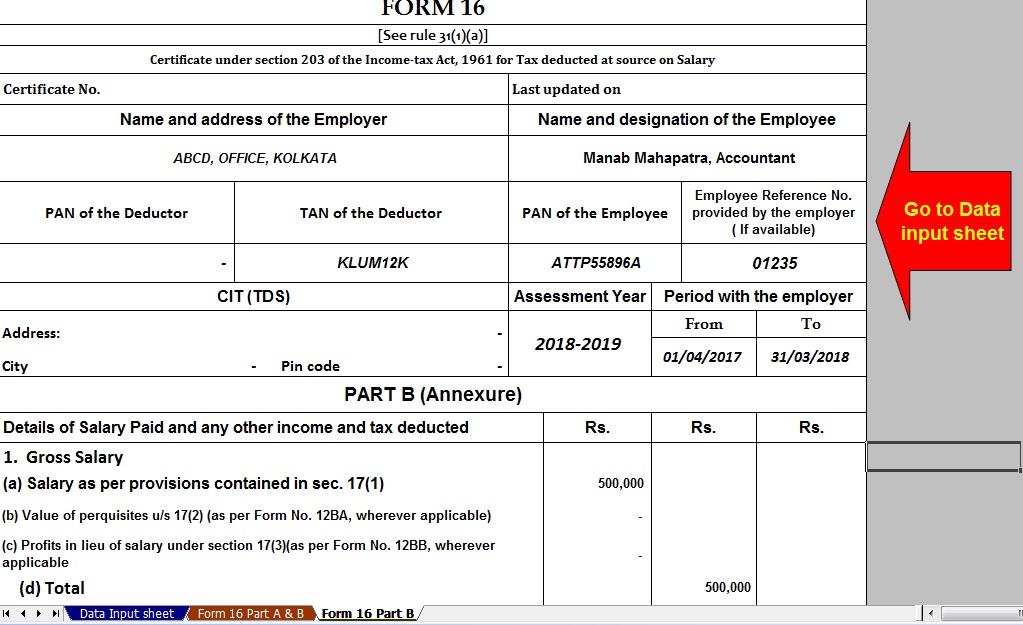
Posted: 24 Apr 2018 05:49 AM PDT For a person earning income from Salary, documents Form 16, and Form 12 BA are provided by an employer which has details about his salary, perquisites, and tax deducted at source(TDS) by his employer. These are used while calculating Tax liability. Tax on income we looked into details of Form 16. Form 12 BA give details of Perquisites given by the employer to employee. In Perquisites, we had looked into what are perquisites, what income tax laws apply to it, about the valuation of perquisites and the taxation with an example, which perquisites are exempted from tax, Difference between Prerequisite, Allowance and Fringe benefit. In this article, we shall see how Form 12 BA shows the information about perquisites. Form 12 BAForm 12BA is the statement showing particulars of perquisites, other fringe benefits or amenities and profits in lieu of salary with value thereof. It comes under the Section 26A, subsection 2 point B. Form No. 12BA, if the amount of salary paid or payable to the employee is more than one lakh and fifty thousand rupees, which shall accompany the return of income of the employee. [Explanation: “Salary” for the purposes of this rule shall have the same meaning as given in rule 3.] 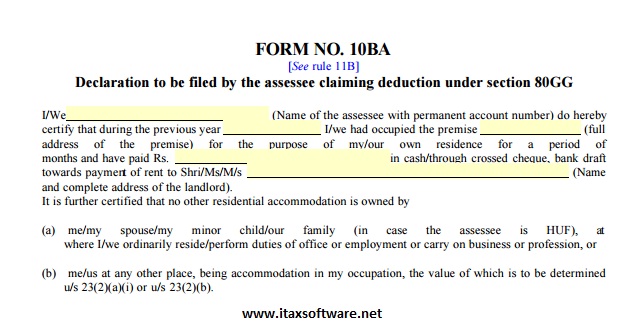 Note: The limit has changed to one lakh and eight thousand (1,80,000) by circular in 2011. Please don’t confuse Form 12BA with Form 12B, the difference is more than just the one letter. Form 12B comes into picture when people change job in the middle of the Financial year. Details of previous employment to the new employer are provided by the employee in Form 12B. Changing jobs often leads to a situation where an individual gets tax exemptions twice than what is due to him—from his earlier employer as well as from his new employer. The income earned from the previous job has to be clubbed with the income from the new job to compute the total tax payable for the year. Changing Jobs: Take Care Of Bank Account, Tax Liability discusses it in detail. 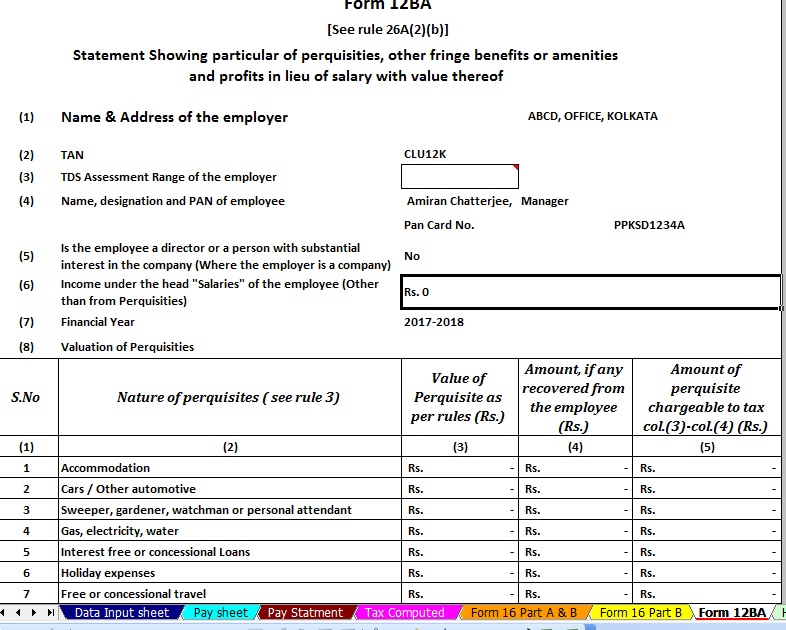 According to section 192, it is the option/discretion of the employee whether or not to file Form No 12B. The current employer can’t insist on the filing of Form No 12B. If the employee chooses not to file, then employers’ obligation is limited to compute TDS on salary payable by him. If Form 12B is filed, then the current employer can deduct the TDS on salary paid by the previous employer (in case no TDS was deducted by the previous employer). And if the TDS was deducted by the previous employer, any excess or shortfall can also be adjusted. It is always in the interest of an employee to furnish such details because otherwise there can be the duplication of exemptions and deductions and there can be a shortfall in tax deduction and as a result, the employee would become liable to deposit advance tax. Click to download Automated Master of Form 16 Part B with Form 12 BA for the FY 2017-18 [ This Excel Based Utility can prepare at a time 50 employees Form 16 Part B with 12 BA]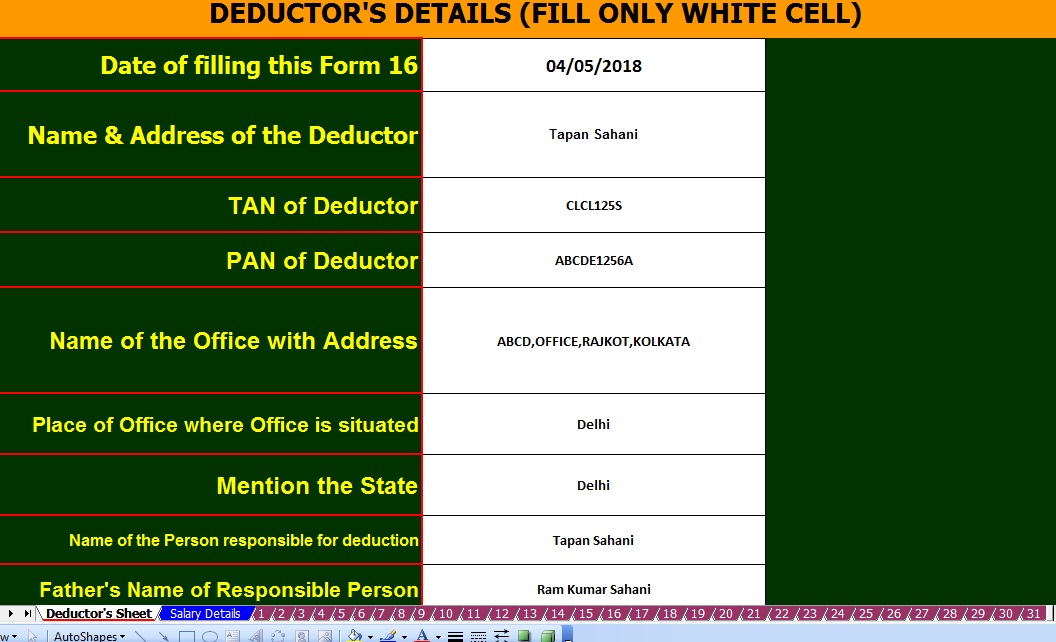 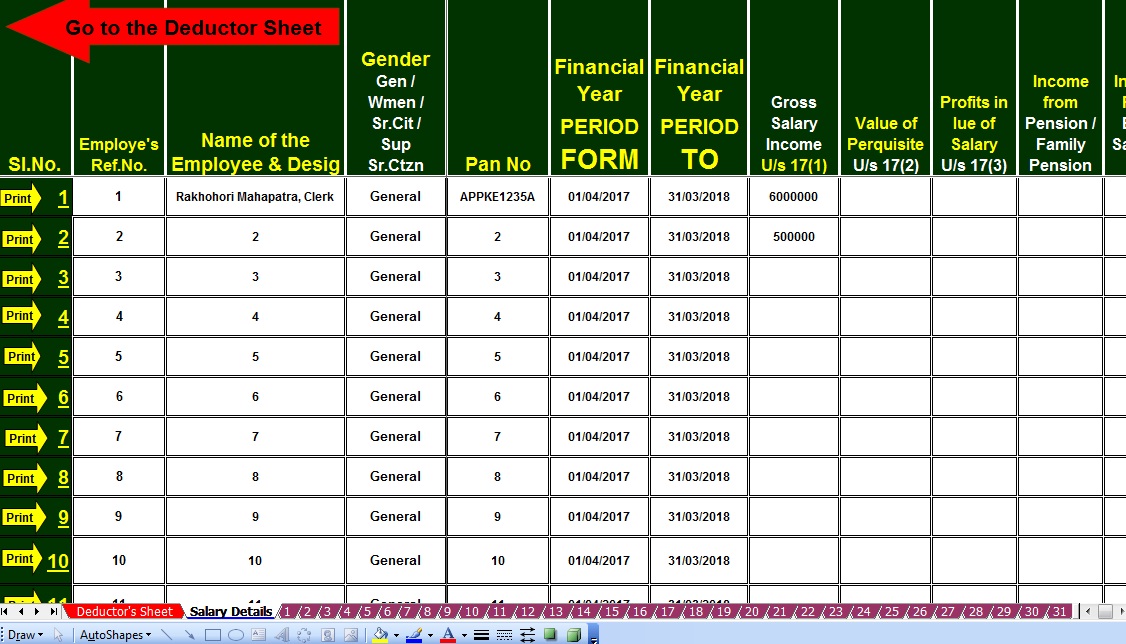 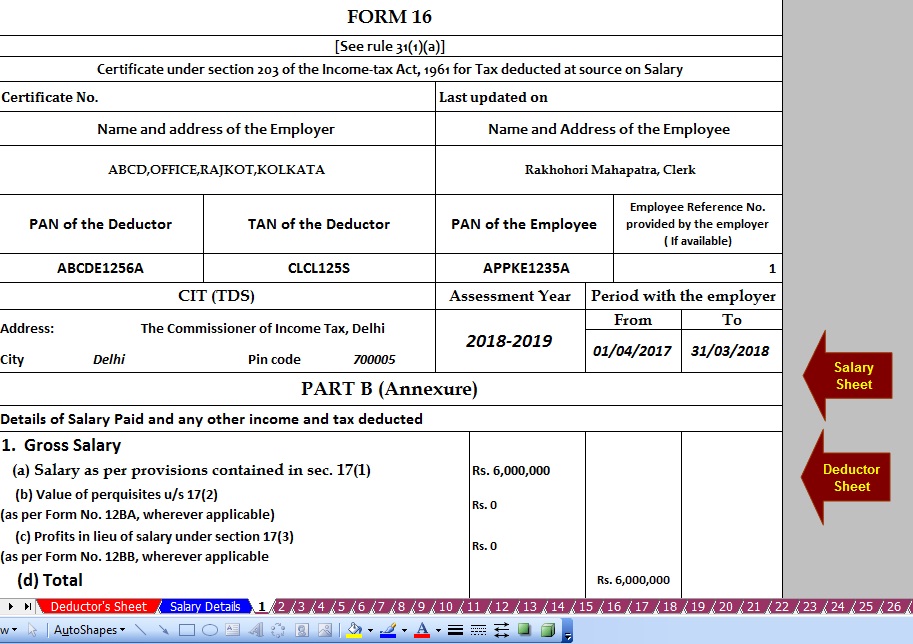 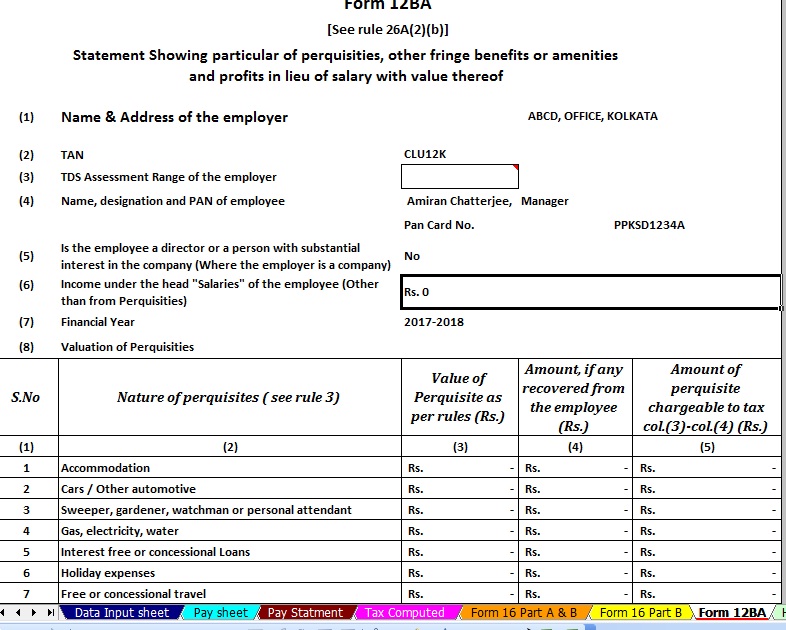     
 This posting includes an audio/video/photo media file: Download Now |
| You are subscribed to email updates from itaxsoftware.net. To stop receiving these emails, you may unsubscribe now. |
Email delivery powered by Google |
| Google, 1600 Amphitheatre Parkway, Mountain View, CA 94043, United States | |
itaxsoftware.net
Itaxsoftware.net |
|
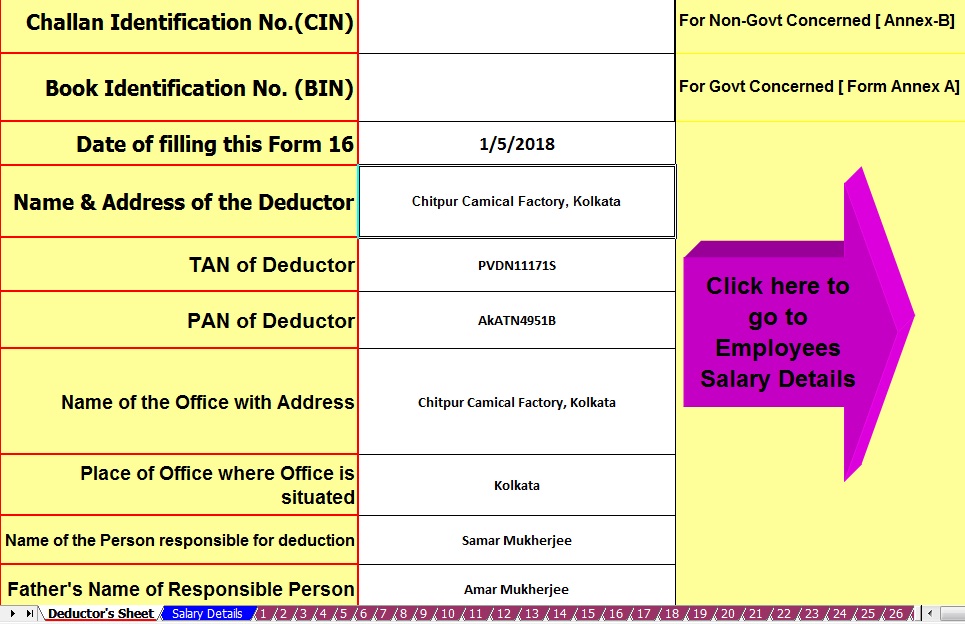
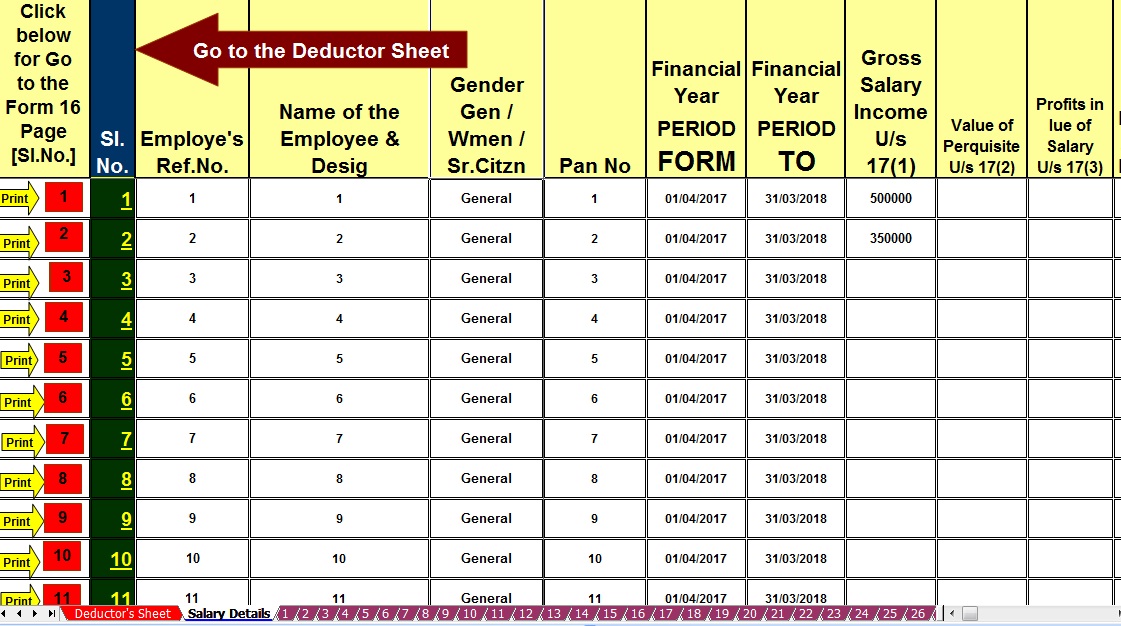
Posted: 25 Apr 2018 09:17 PM PDT Some of the Govt and Non-Govt Concerned have few employees who have need some of the Form 16 Part B or Part A&B for F.Y.2017-18. Some of the Concerned have not competent to download From 16 Part A from the TRACES PORTAL. Also, it appears that some of the Concerned have no Internet Facility to download the Form 16 Part A from the TRACES PORTAL as per the Income Tax Notification. In this concept below given Excel Based Software which can prepare both of Form 16 Part A&B and Form 16 Part B. If you have to need Form 16 Part B, you can print the Form 16 Part B or if you have to need Form 16 Part A&B you can print the Part A&B for F.Y.2017-18. Download Excel Based Software which can prepare at a time Income Tax Form 16 Part A&B and Form 16 Part B ( One by One). from the below link. A feature of this Excel Utility:-1) You can prepare both of Form 16 Part A&B and Form 16 Part B for F.Y.2017-18 ( One by One) 2) Automatic Calculation of Income Tax liability as per Finance Budget 2017-18 3) You can prepare more than 50 employees Form 16 Part A&B and Form 16 Part B ( One by One) 4) Easy to install in any computer and easy to generate just like as an Excel File 5) All Income Tax amended Section and limit of each section have in this Software 6) Automatic Convert the Amount into the In-Word Download Automated Form 16 Part A&B and Part B ( One by One) for F.Y.2017-18 [ This Excel Utility can prepare Form 16 One by One) |


itaxsoftware.net
Itaxsoftware.net |
|
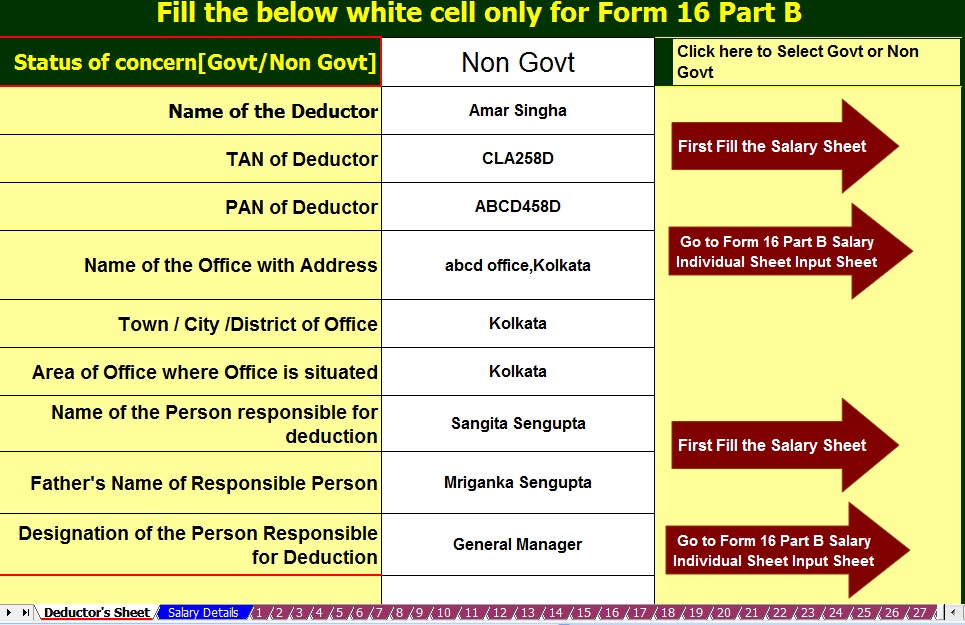
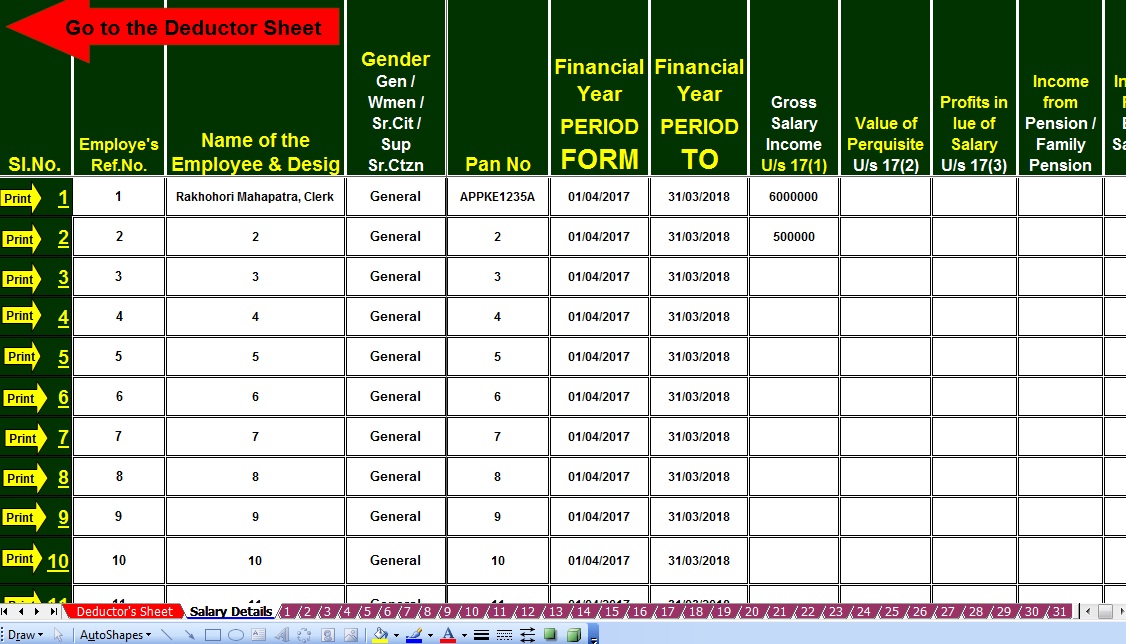
Download Automated Income Tax Form 16 Part B with 12 BA for F.Y.2017-18 Posted: 26 Apr 2018 05:25 AM PDT Click here to download the excel based Form 16 Part B with 12 BA for F.Y.2017-18. This Excel Utility can prepare at a time 50 employees Form 16 Part B with 12 BA.
|


itaxsoftware.net
Itaxsoftware.net |
|
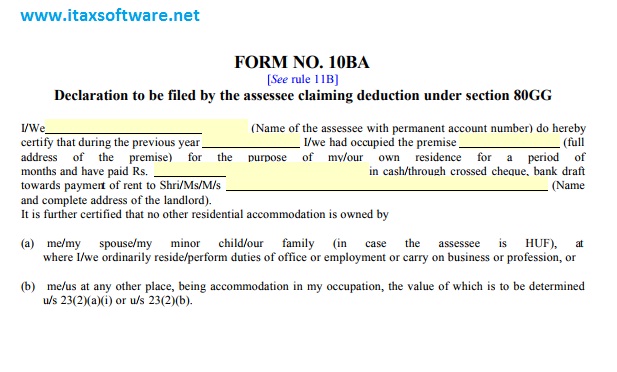
Posted: 27 Apr 2018 05:22 AM PDT  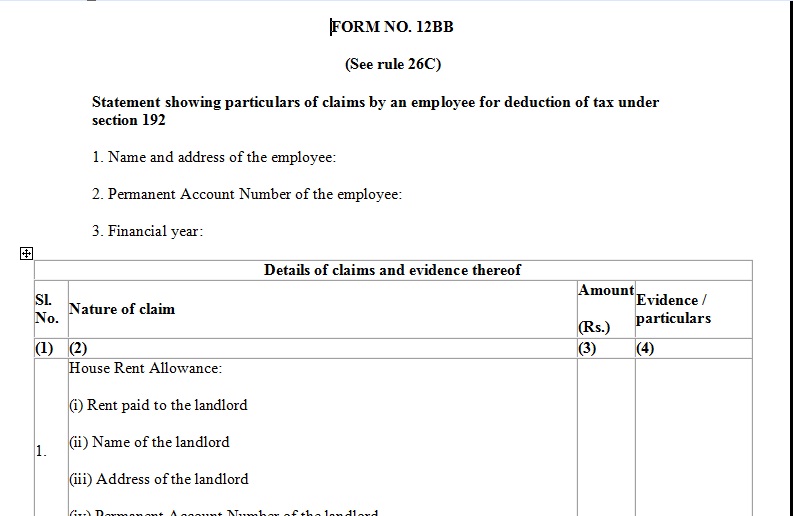 CBDT has recently notified new form 12BB to claim a tax deduction on LTA (Leave Travel Allowance), HRA (House Rent Allowance) and Interest paid on home loans. As per new rules, you need to submit your proof of travel in new form 12BB for claiming LTA benefits. In addition to this, you need to furnish detail of HRA and deduction of interest borrowing in the same form. This new notification is applicable from 1st June 2016. Earlier also employers were taking a declaration from an employee. However, there was no standard format for the same. Introduction for this new form will standardize the process. 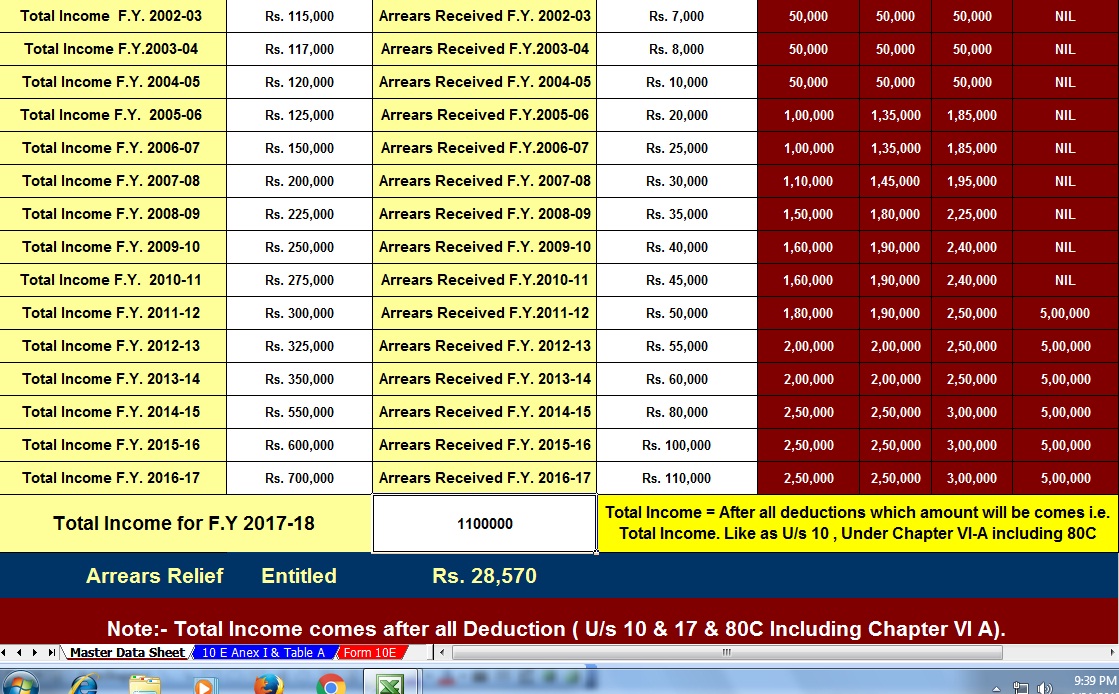 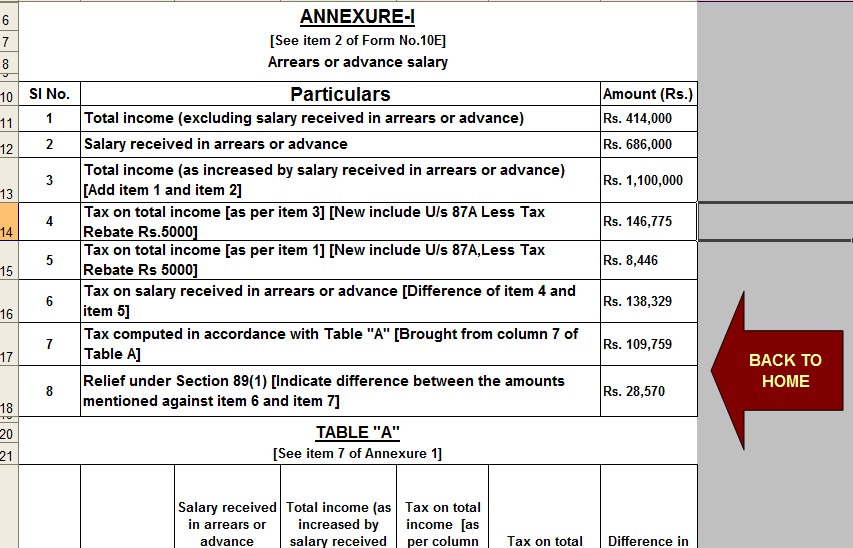  Download New Form 12BB for LTA, HRA & Interest DeductionDownload Form 12BB in Word FormatDownload Form 12BB in Excel Format How to fill up New Form 12BB? You need to first furnish your name, address, PAN card number and financial year in the form 12BB. After furnishing this information you need to go to the respective section and fill out information. |


itaxsoftware.net
Itaxsoftware.net |
|
Prepare Automated One by One Form 16 Part B for the Financial Year 2017-18 and A.Y.2018-19 Posted: 28 Apr 2018 05:30 AM PDT As per the CBDT notified that the Form 16 Part A must be download from the TRACES PORTAL and Form 16 Part B must be prepared by the Employer. In this recent time to prepare the Form 16 Part B for most of Govt and Private Concerned and hand over the Form 16 Part B to their employer in April 2019 for the Financial Year 2017-18. Most of the Concerned have the huge quantity of employees and give them the Form 16 Part B. In this regard, if the all concerned may start to prepare the Form 16 Part B so they can complete the total Employees Form 16 Part B in the stipulated time. Given an Excel Based Income Tax Form 16 Part B which can prepare One by One Form 16 Part B for F.Y.2017-18. The Feature of the Excel Utility:-1) You can prepare One by One Form 16 Part B for F.Y.2017-18 as per latest amended Tax Section. 2) Easy to install on any Computer and prepare the Form 16 Part B, just like as an Excel File. 3) You can prepare more than 100 employees Form 16 Part B One by One by this one Excel Utility. 4) All the Income Tax Section have in this Excel utility as per the Finance Bill 2017-18 5) Automatic Convert the Amount into the In-Words. Download the Automated Form 16 Part B for F.Y.2017-18 which can prepare One by One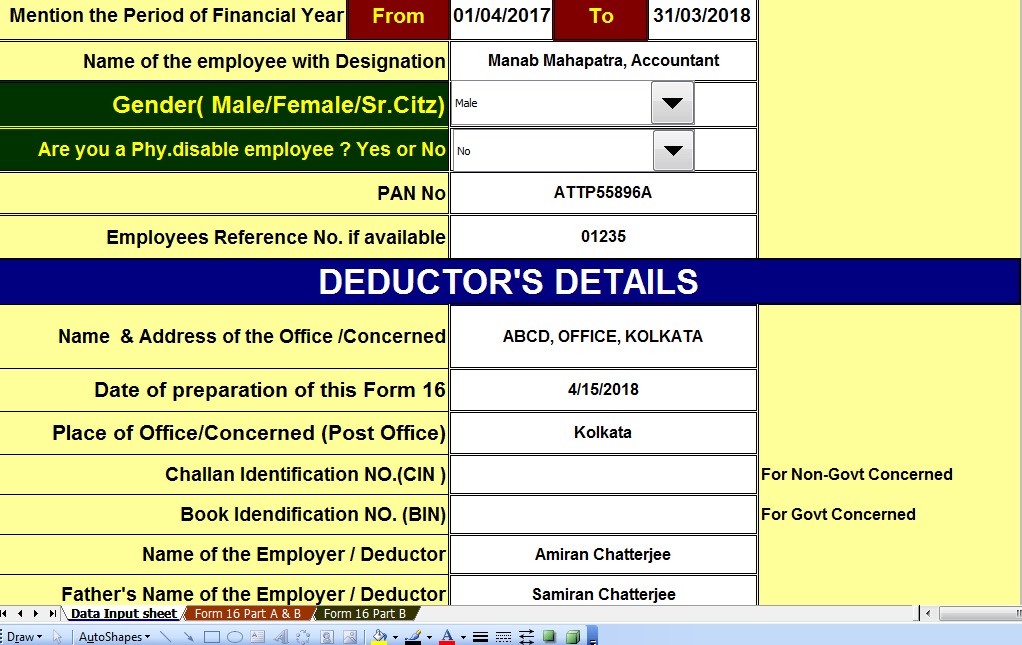 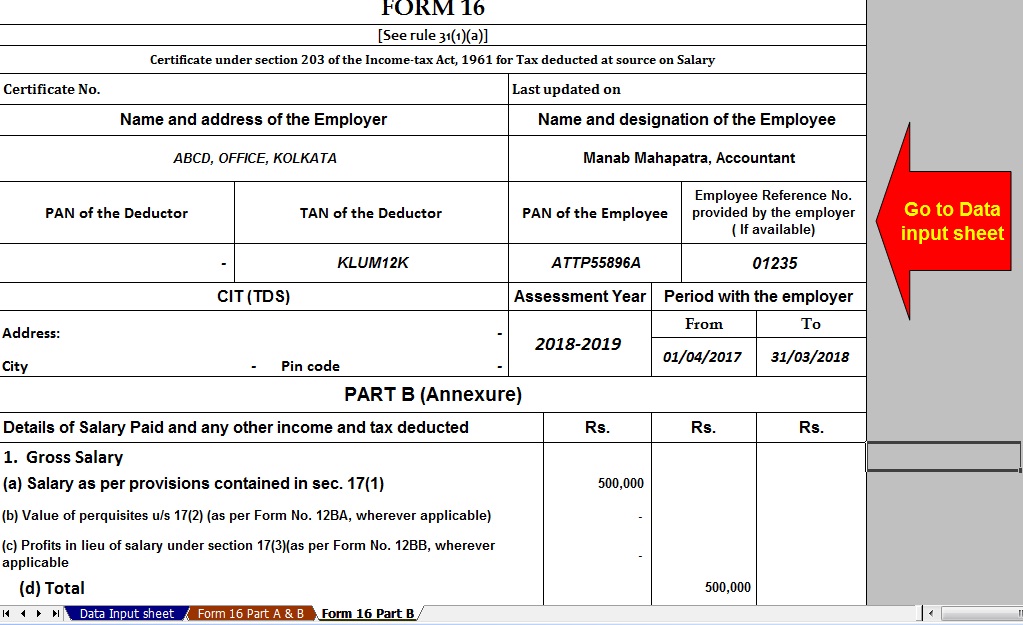 |


itaxsoftware.net
Itaxsoftware.net |
|
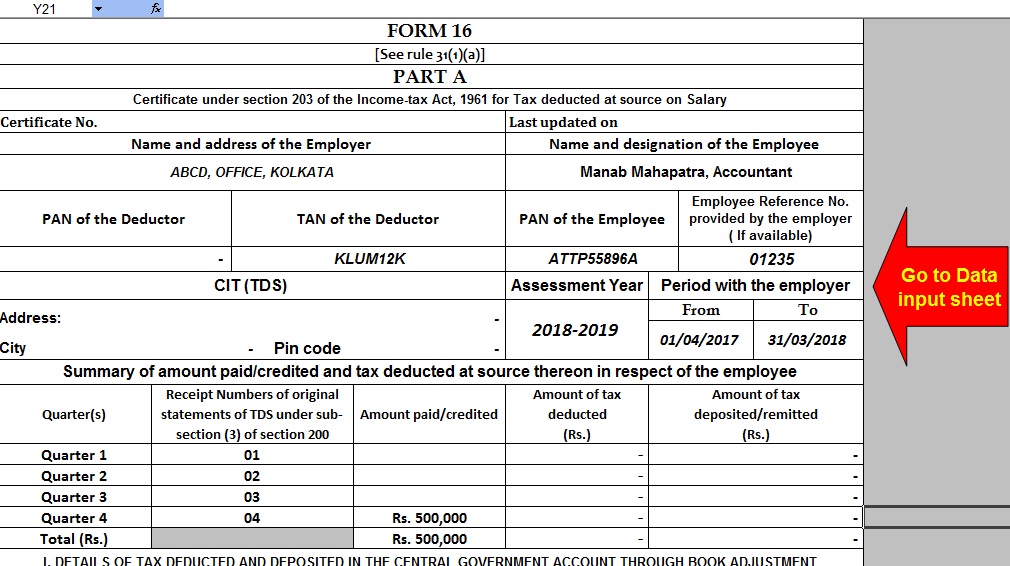
Posted: 29 Apr 2018 04:58 AM PDT The CBDT has already Circulate vide Circular No.4/2013 dated 17/4/2013 that the Part A(Annexure) of Salary Certificate Form 16 is mandatory to download from the Income Tax New Web Site TRACE and the Part B (Annexure) must be prepare by the Employer/Deductor. As per the New Amended Salary Certificate Form 16 has already Changed of Format of Form 16 vide Notification No. 11/2013, where the Form 16 made in two part. One Part -A and Part - B. The Part A has now mandatory to download from the Web Site TRACES Portal. Click here to download Form 16 Part B and Form 16 Part A&B for the Financial Year 2017-18 [ This Utility can prepare one by one employee Form 16 Part B & Part A&B for FY 17-18]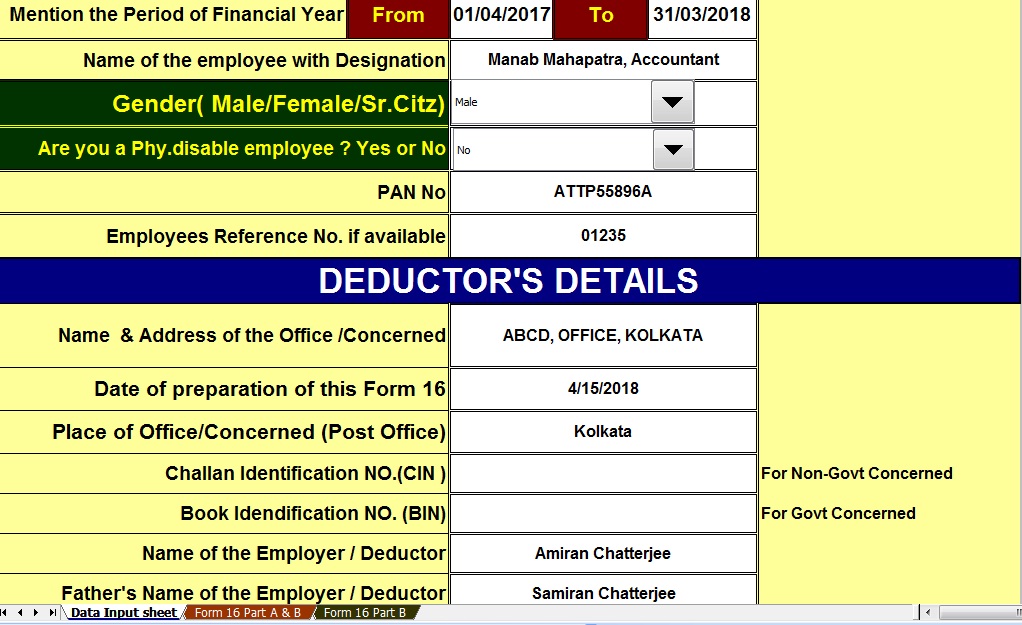 |


itaxsoftware.net
Itaxsoftware.net |
|
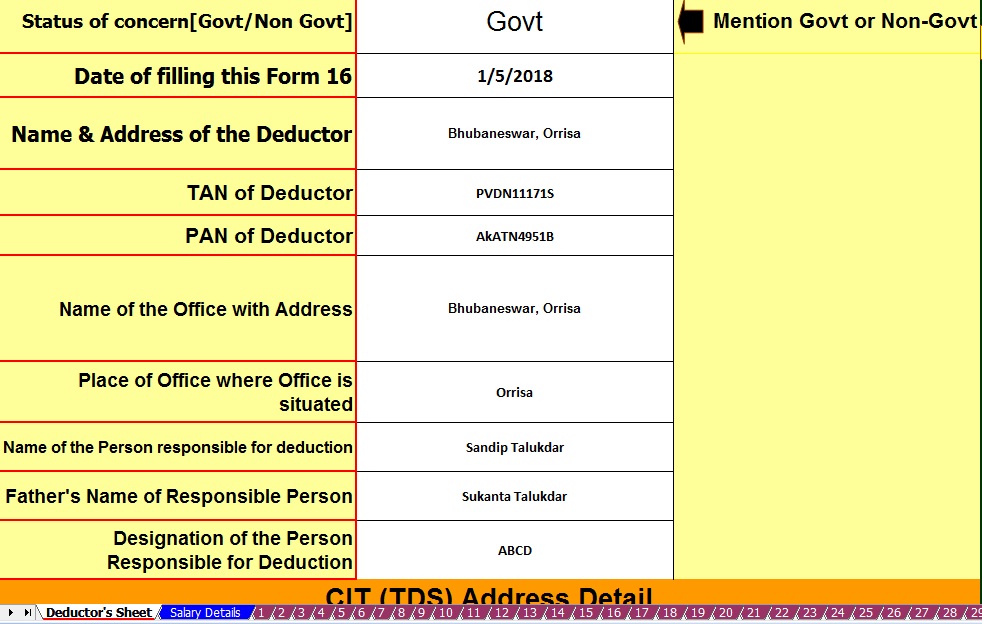
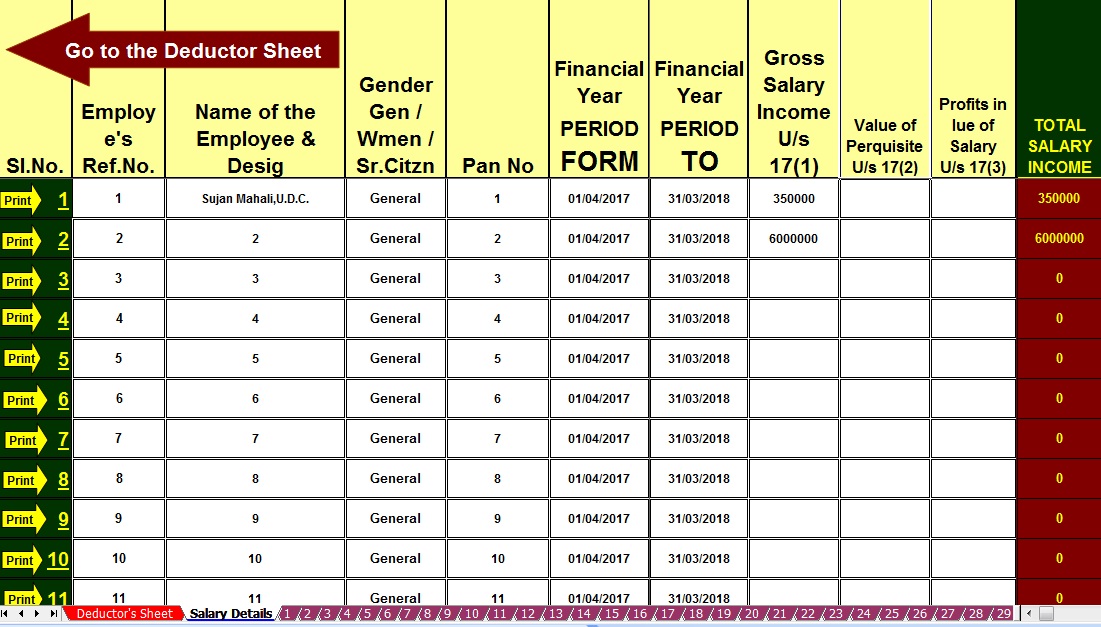
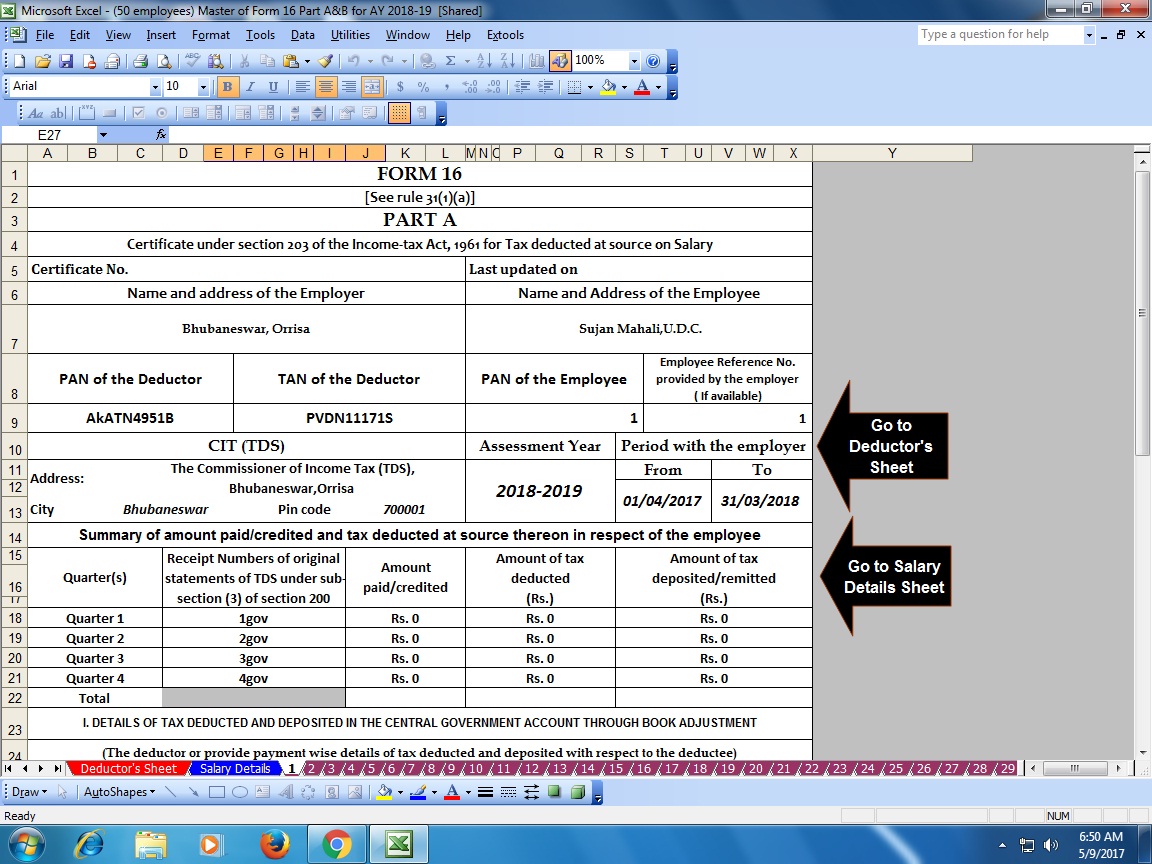
Download & Prepare at a time 50 employees Excel Based Master of Form 16 Part A&B for F.Y.2017-18 Posted: 30 Apr 2018 04:35 AM PDT Click here to Download Automated Income Tax Form 16 Part A&B which can prepare at a time 50 employees Form 16 Part A&B for Financial Year 2017-18 & Ass Year 2018-19.This Excel Utility most easy install to any computer just like as an Excel File and easy to generate with the New Income Tax Slab Rate for F.Y.2017-18
|


itaxsoftware.net
Itaxsoftware.net |
|
Posted: 01 May 2018 06:15 AM PDT Form 16 and Form 12 BA are provided by the employer which was details about the employee's Salary and Value of Perquisite U/s 17(1) and 17(2) of Income Tax Rules, these are used while calculating Tax Liability and filling Income Tax Return where we look in to the details of Salary in Form 16 and the details of Value of Perquisite U/s 17(2) which provided by the employer to the employee which is shown in this Form 12 BA. You can easily calculate the employee's Taxable Income and the Tax Payable or Refundable with the Automatic Form 16 Part B and also you can get more one step with this form 16 Part B, that the Form 12 BA. Below given the Excel Based Income Tax Salary Certificate Form 16 Part B with Form 12 BA, which most effective for the Financial Year 2017-18 and Assessment Year 2018-19. Click here to download this utility Automatic Form 16 with Form 12 BA for Ass year 2018-19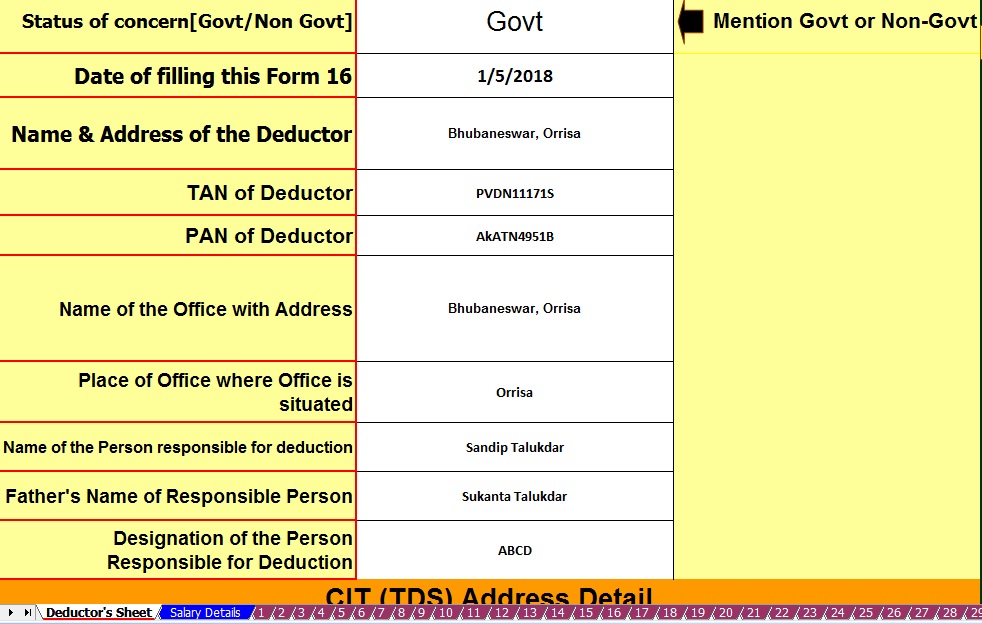 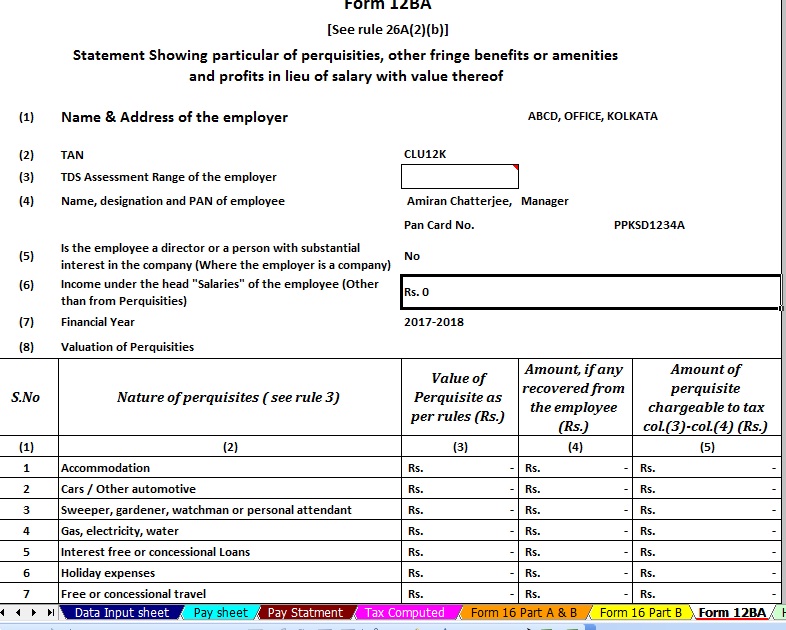 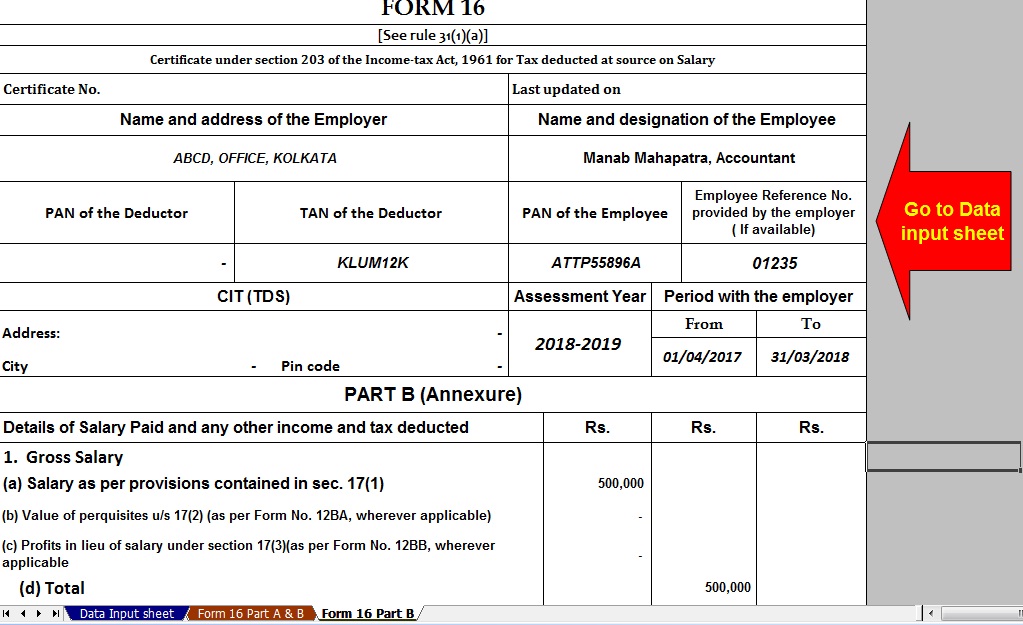 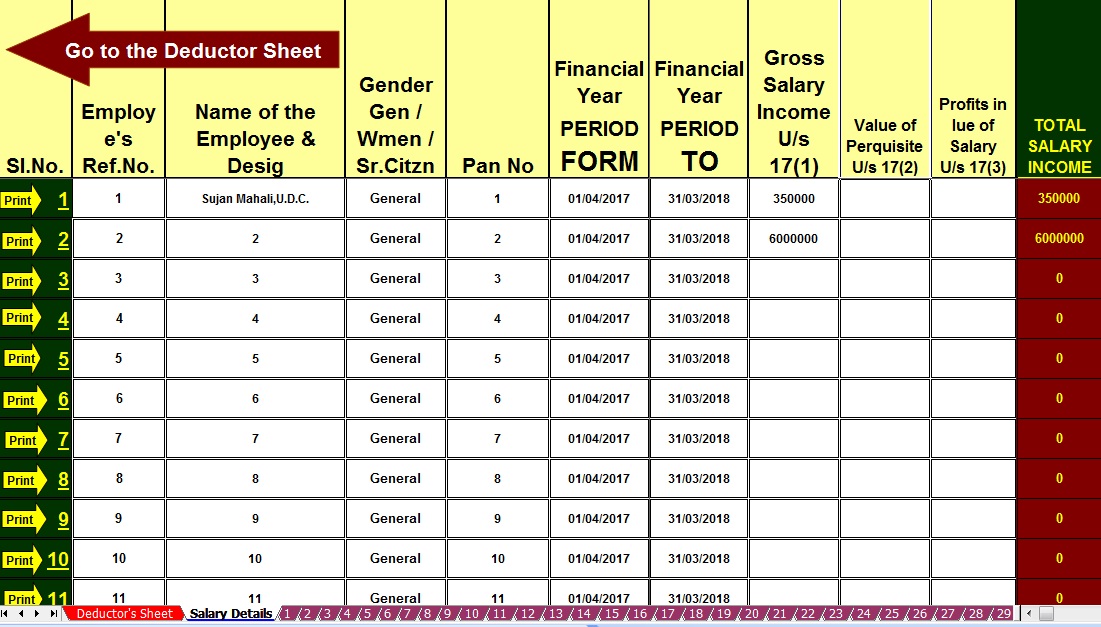 |


itaxsoftware.net
Itaxsoftware.net |
|
Prepare at a time 100 employees Excel Based Form 16 Part A&B For F.Y.2017-18 Posted: 02 May 2018 05:48 AM PDT Click here to download Automated Income Tax Form 16 Part A&B which can prepare at a time 100 employees Form 16 Part A&B for F.Y.2017-18.This Excel Utility can prepare at a time 100 employees Form 16 Part A&B for F.Y.2017-18, with the new Income Tax Slab for f.Y.2017-18.
|
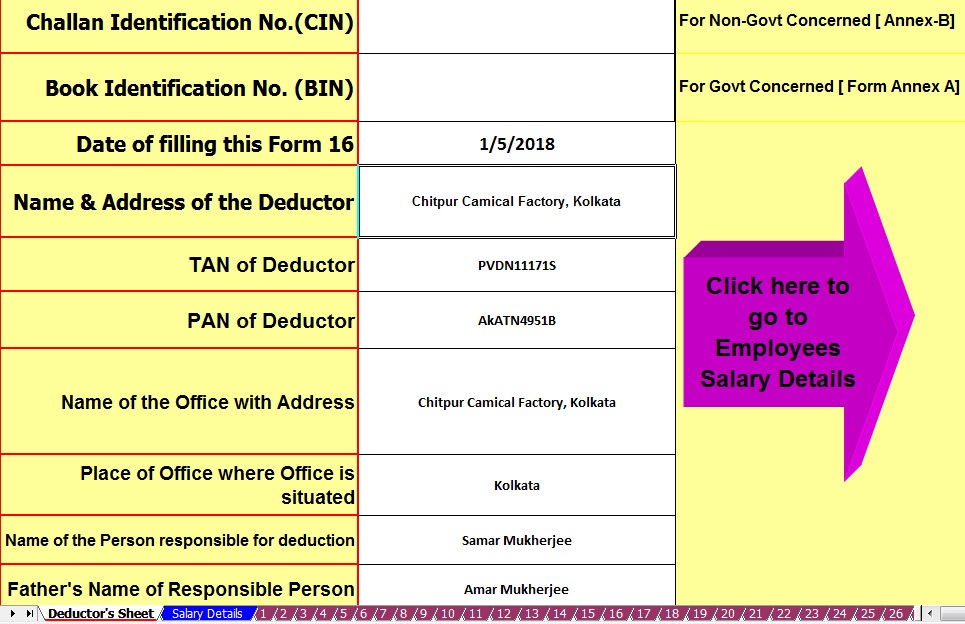
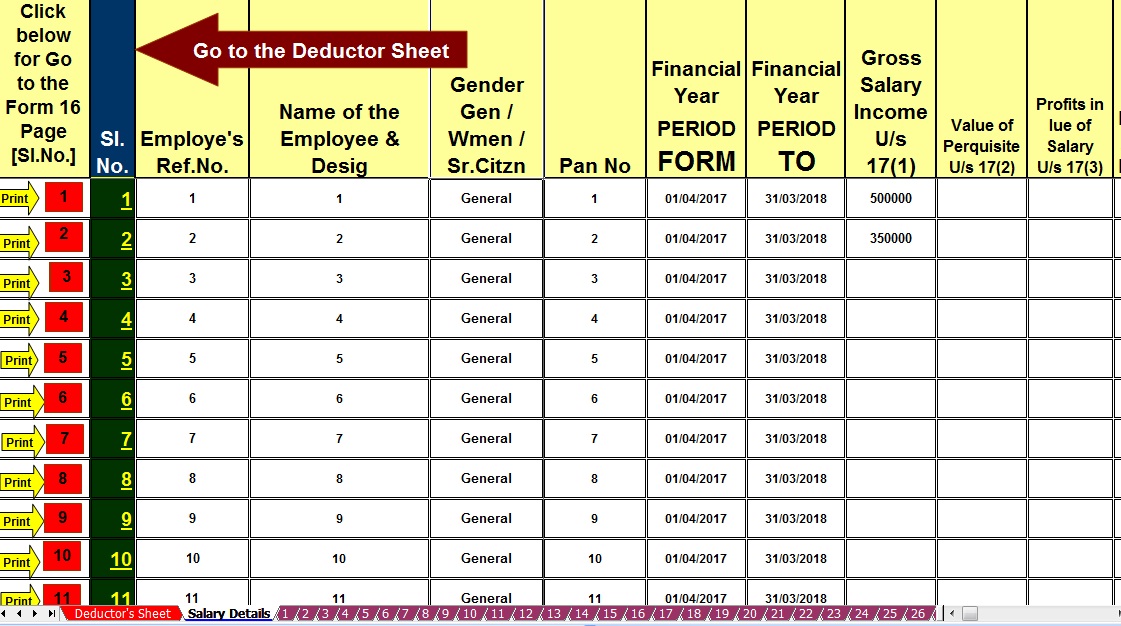
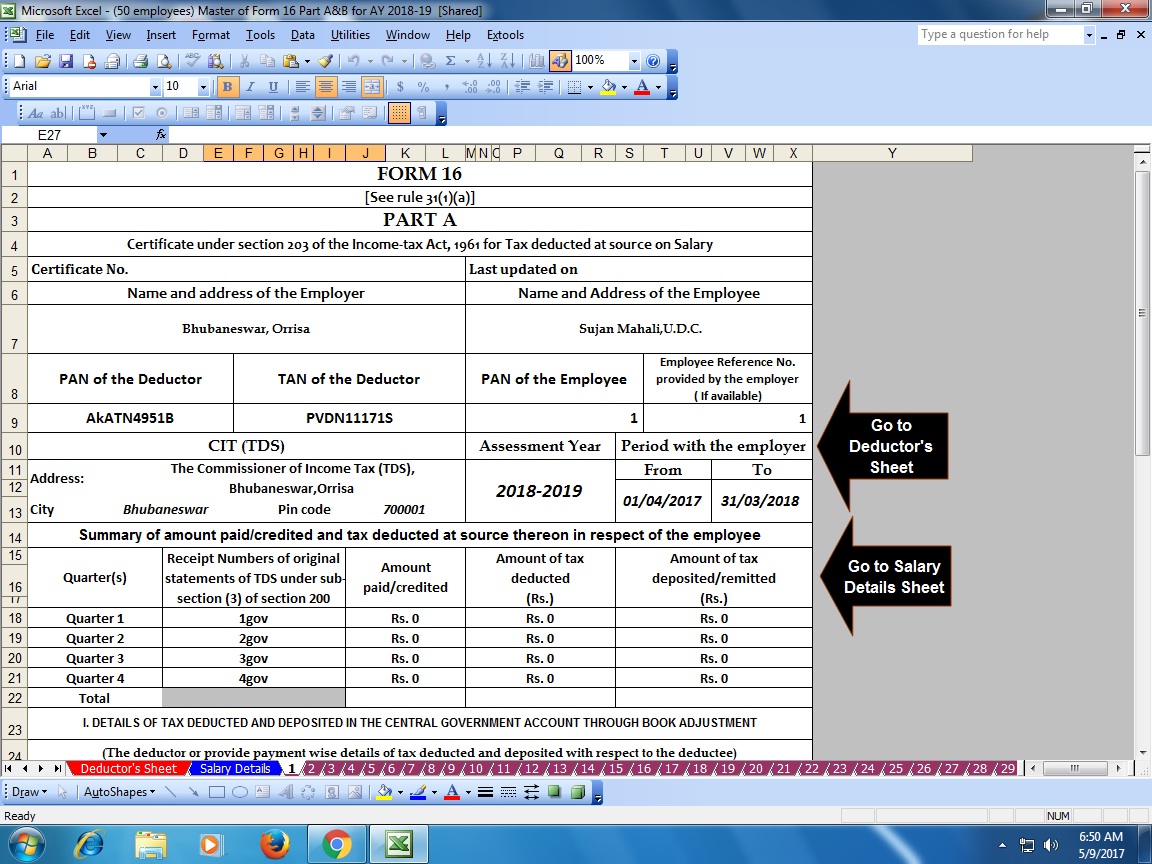
|


itaxsoftware.net
Itaxsoftware.net |
|
Posted: 03 May 2018 05:28 AM PDT Download Automated 100 employees Form 16 Part B For FY 2017-18 [This Utility Can Prepare at a time 100 employees Form 16 Part-B]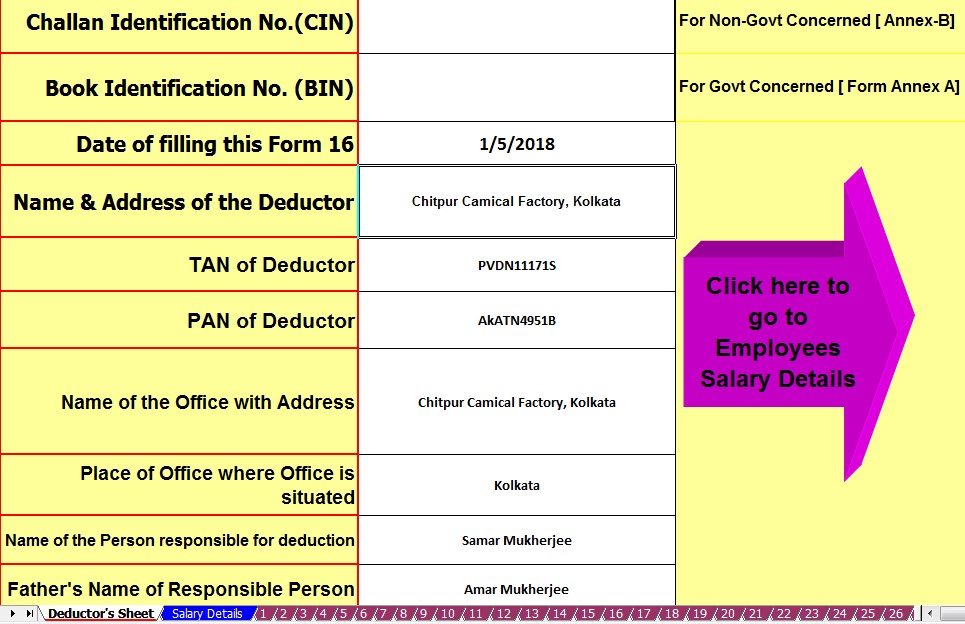 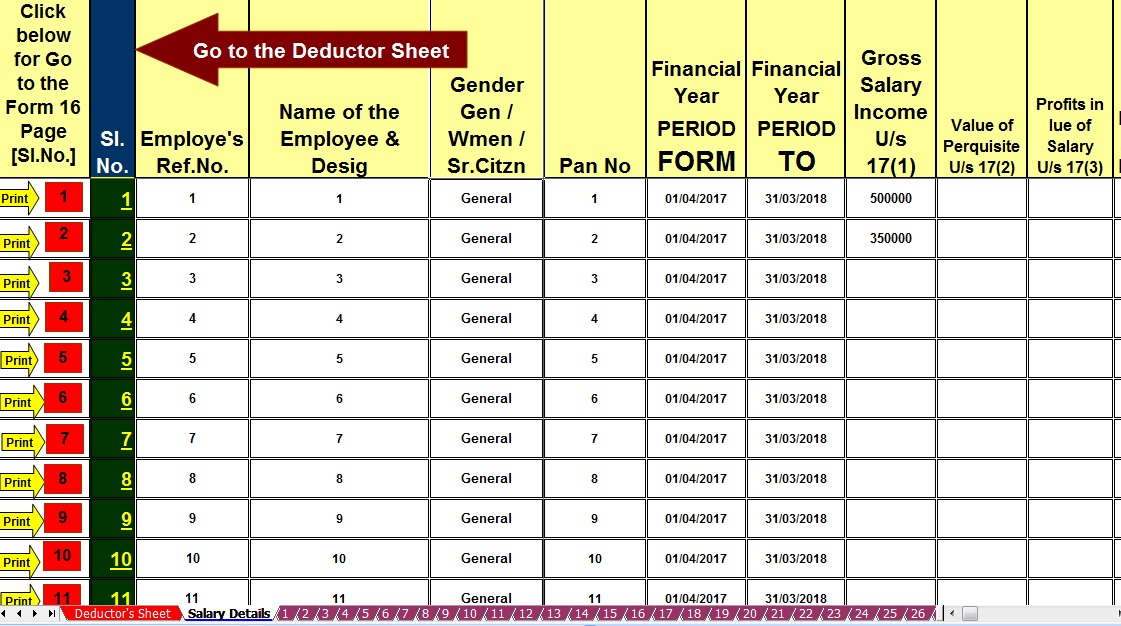 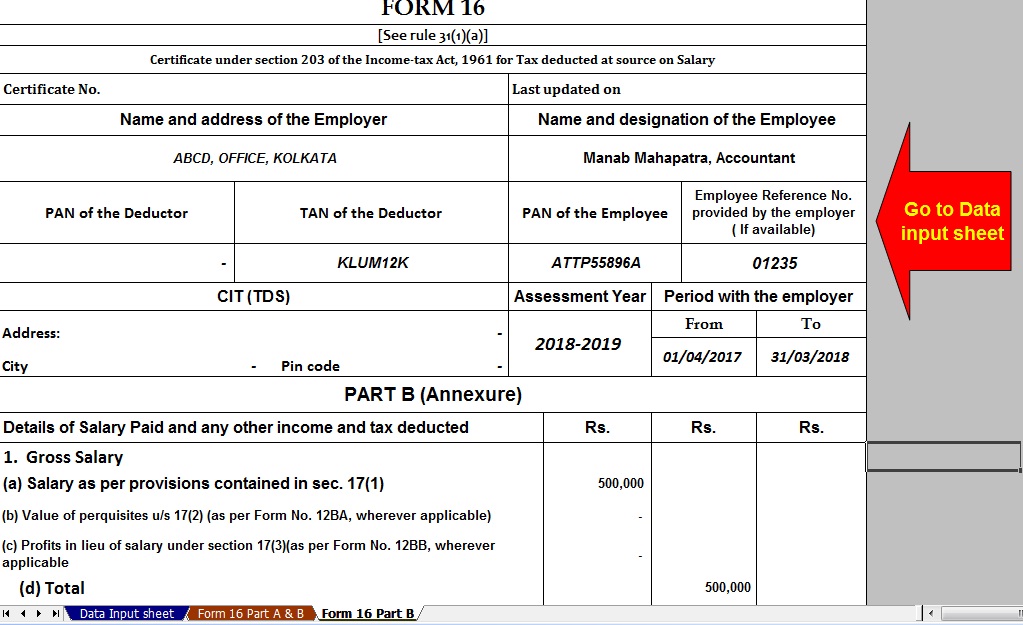 Download Automated 50 employees Form 16 Part B For FY 2017-18 [ This Utility can prepare at a time 50 employees Form 16 Part B]The main feature of this Excel Utility are :-1) Automatic prepare at a time 100 employees Form 16 Part A&B as per the latest Income Tax Slab F.Y.2017-182) All the Income Tax Amended Section have in this Utility as per the Finance Budget 2017-18.3) Automatic Convert the Amount in to the In-Word.4) This Utility can prepare more than 1000 employees Form 16 Part A&B[This Excel Utility can prepare at a time 100 or 50 employees Form 16 Part B with updated Tax Slab and Section]Rebate u/s 87A of the Income Tax Act 1961As per the Finance Budget 2017 amended the87A that the Tax Rebate Rs. 2,500/- U/s 87A is entitled in this financial year 2017-18 REBATE OF RS 2500/- FOR INDIVIDUALS HAVING TOTAL INCOME UPTO RS 3.5 LAKH [SECTION 87A] Finance Act 2013 provided relief in the form of rebate to individual taxpayers, resident in India, who are in lower income bracket, i. e. having total income not exceeding Rs 3,50,000/- Amount of rebate is Rs 2500/- or the amount of tax payable, whichever is lower. This rebate is available for A.Y. 2017-18 . Finance Act 2013, has introduced new section, namely Section 87A. This newly inserted section gives rebate up to maximum of Rs. 2500/- to the assesses having Net Total Income Less than Rs. 3,5,000/-. The rebate under this section is available to the resident Individuals w.e.f. A.Y. 2017-18.
Conditions required to be fulfilled: · The rebate is allowed only to the individual assesses (not to HUF/Firm/AOP/BOI) · The individual should be resident in India · Total income should be up to or less than Rs. 3,50,000/-. Total Income here means Income under all heads of Income (Salary, House property, Business & Profession, Capital Gain and Other sources) after deducting the deduction under chapter VI i.e. deduction from 80C to 80U. ·No deduction is available to Super Senior Citizens whose age is more than 80 years. Quantum of Rebate: The rebate will be the lower of · 100% of the tax payable on Total Income; or Rs.3,500/- The Tax Rebate Rs. 3,500/- U/s 87A is allowed in this financial year 2017-18. |


itaxsoftware.net
Itaxsoftware.net |
|
Posted: 04 May 2018 04:58 AM PDT Perquisites mean any casual emoluments, fees or profit attached to an office in addition to salary and wages. In simple words, it’s a personal advantage. It does not cover a mere reimbursement of any expenditure incidental to the employment. Download All in One Value of Perquisite U/s 17(2) [ All type of Value of Calculator U/s 17(2)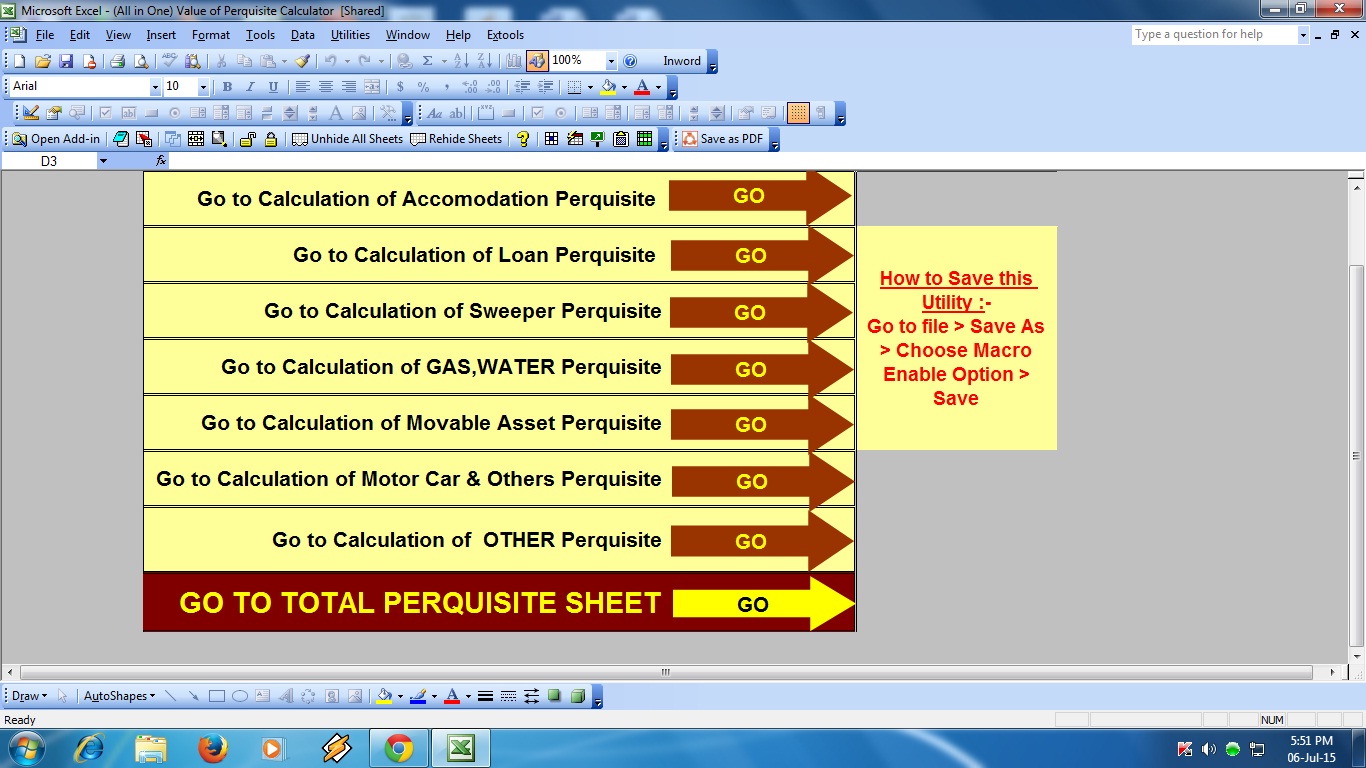  Like if an employee is provided with a watchman for official use there is no personal advantage to the employee, hence there are no perquisites. If the watchman is provided for personal as well as official use, the value of the perquisites only relating to personal use is taxable. Similarly, if the traveling bills for official duties are reimbursed to the employee, there is no advantage to the assessee, so it is not a prerequisite. The perquisites may be in cash or in kind or in the money or money’s worth and also in amenities which are not convertible to the money. All cash allowance is included in the ordinary meaning of perquisites: - all cash allowance is included and hence taxable under section 17(2) of income tax act. City compensatory allowance, bad climate allowance, shift allowance and incentive bonus are included as perquisites under section 17(2) of income tax act. A prerequisite is taxable as salary only when it is provided by the employer during the continuance of employment: - any perquisites allowed by a person other than the employer is taxable as income from other sources. For example, tips received by hotel waiters from customers are taxable as income from other sources The wide scope of the inclusive definition of perquisites: - the definition of the perquisites is inclusive but not limited to them only. The scope of an inclusive definition cannot be restricted only to those words which accrue in definition, but with extending to many other things not mentioned in it. Therefore, any other item not listed in the definition of perquisites will have to be evaluated in accordance with the general and commercial meaning of the word perquisites. Section 17(2) of income tax perquisites includes. 1- Rent free accommodation under section 17(2) 1 2- Accommodation in the concessional rate of rent under section 17(2) 2 3- Any benefit or amenity to the specified employee who is either a director or has a substantial interest in the company or whose income under salaries exceeds Rs. 50000 under section 17(2)3 4- Obligation of the employee paid or reimbursed by the employer under section 17(2)4 5- Any sum payable by the employer to effect an assurance on the life of the assets or to effect a contract of an annuity under section 17(2) 5 6- Prescribed fringe benefits or amenity under section 17(2)6 When an employee receives ‘perquisites’ from his job, Form 12BA is provided by his employer to the employee. Perquisites are the benefits derived from a job or a position and these are in addition to salary already being paid to the employee. This form is basically a detailed statement with information about perquisites, fringe benefits or amenities and profits in lieu of salary. The Income Tax Act has set out rules for calculation of a monetary value of these perquisites. The value of these payments is shown in the form and also the amount that is taxable to the employee towards these perquisites. Do note that this is form is added to the Form 16 you will receive from the employer. Value of Perquisites u/s17(2) of the Income Tax Act is already included in Part B of your Form 16. The TDS deducted on perquisites is also included in Form 16. Therefore Form 12BA is an additional detail meant only for perquisites. 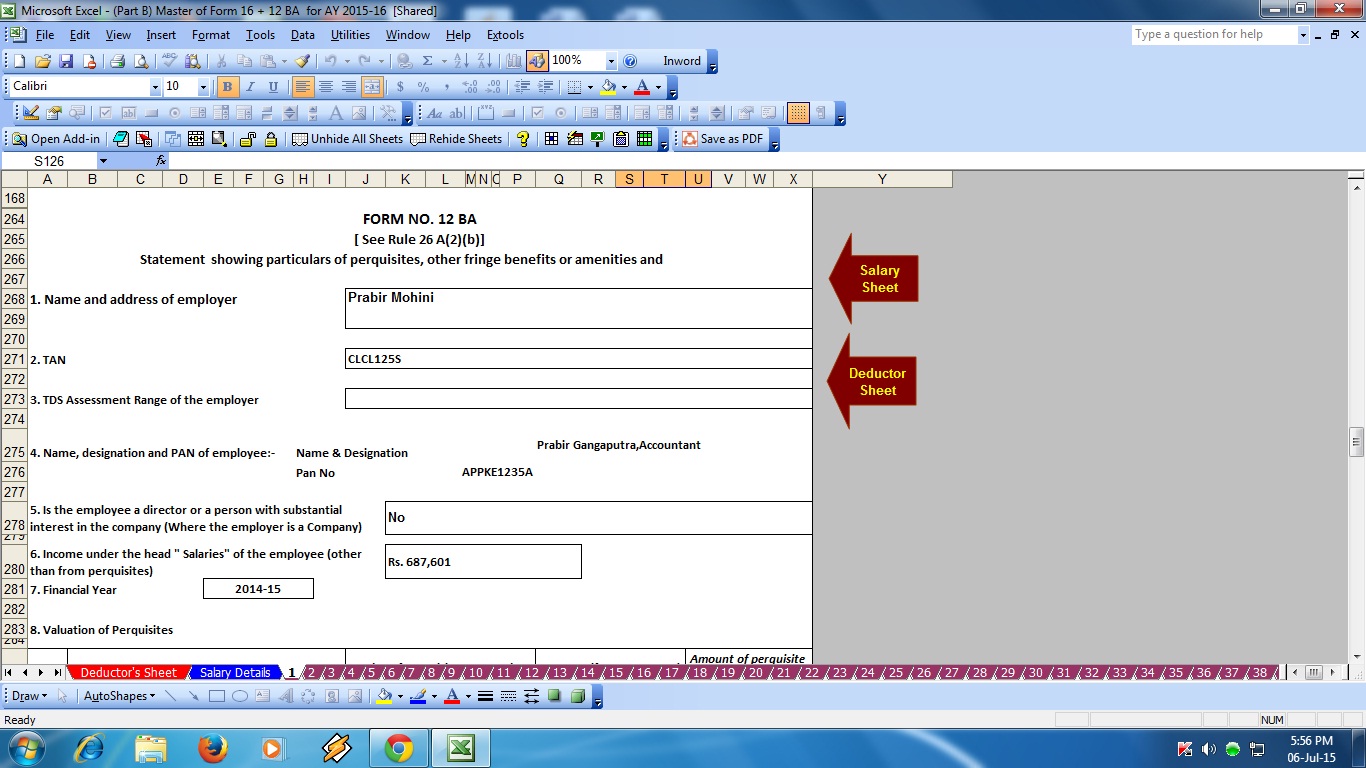 Download the Master of Form 16 Part B with 12 BA for F.Y.2017-18 [ This Excel Utility can prepare at a time 50 employees Form 16 Part B with 12 BA]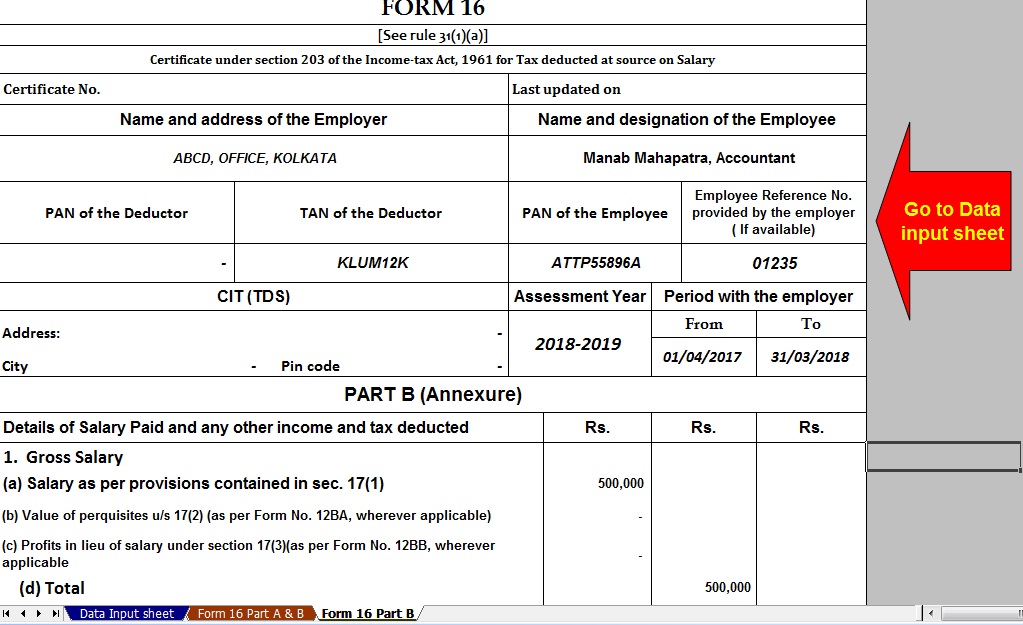 |


itaxsoftware.net
Itaxsoftware.net |
|
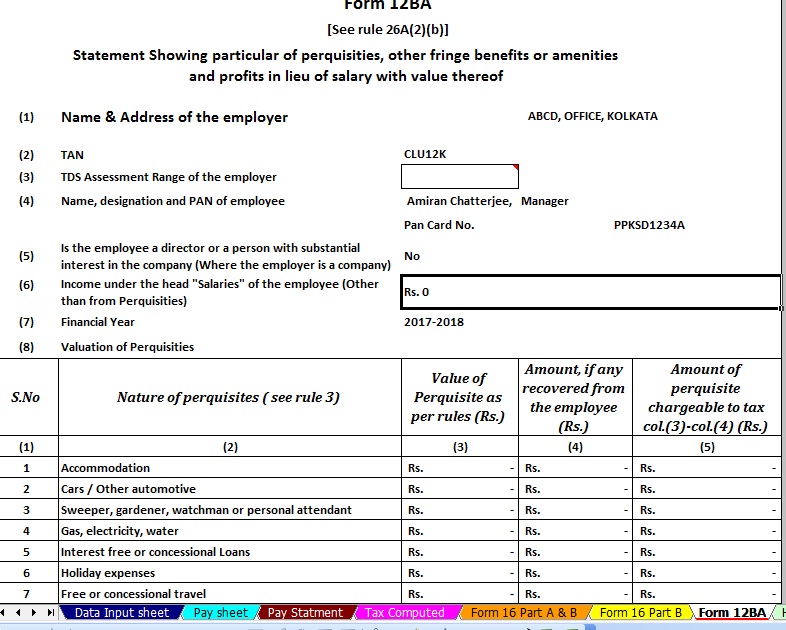
Download Automated Master of Form 16 Part B with Form 12 BA for the Financial Year 2017-18 Posted: 05 May 2018 06:02 PM PDT For the person earning income from Salary , documents Form 16, and Form 12BA are provided by an employer which has details about his salary, perquisites and tax deducted at source(TDS) by his employer.Looked into details of Form 16. Form 12BA give details of Perquisites given by the employer to the employee had looked into what are perquisites, what income tax laws apply to it, about the valuation of perquisites and the taxation with an example, which perquisites are exempted from tax, Difference between Perquisite, Allowance, and Fringe benefit. In this article, we shall see how Form 12BA shows the information about perquisites. Form 12BAForm 12BA is a statement showing particulars of perquisites, other fringe benefits or amenities, and profits in lieu of salary with value thereof. |
Form No. 12BA, if the amount of salary paid or payable to the employee is more than one lakh and fifty thousand rupees, which shall accompany the return of income of the employee. [Explanation : “Salary” for the purposes of this rule shall have the same meaning as given in rule 3.] |
Note:The limit has changed to one lakh and eight thousand (1,80,000) by circular in 2011. |
Download Automated Master of Form 16 Part B with Form 12 BA FY 2017-18 [ This Excel Utility can prepare at a time 50 employees Form 16 Part B with 12 BA for Assessment Year 2018-19]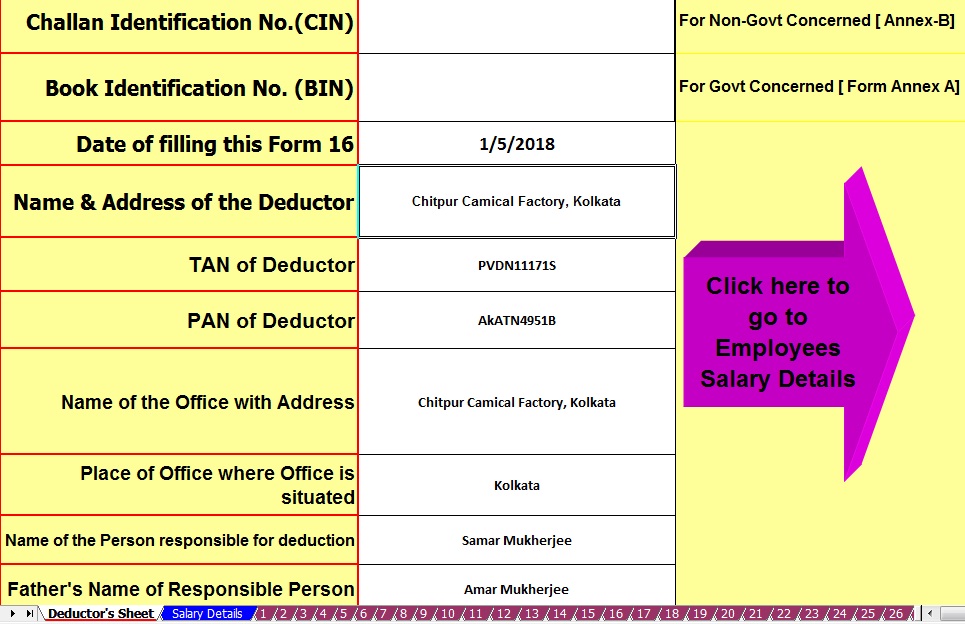 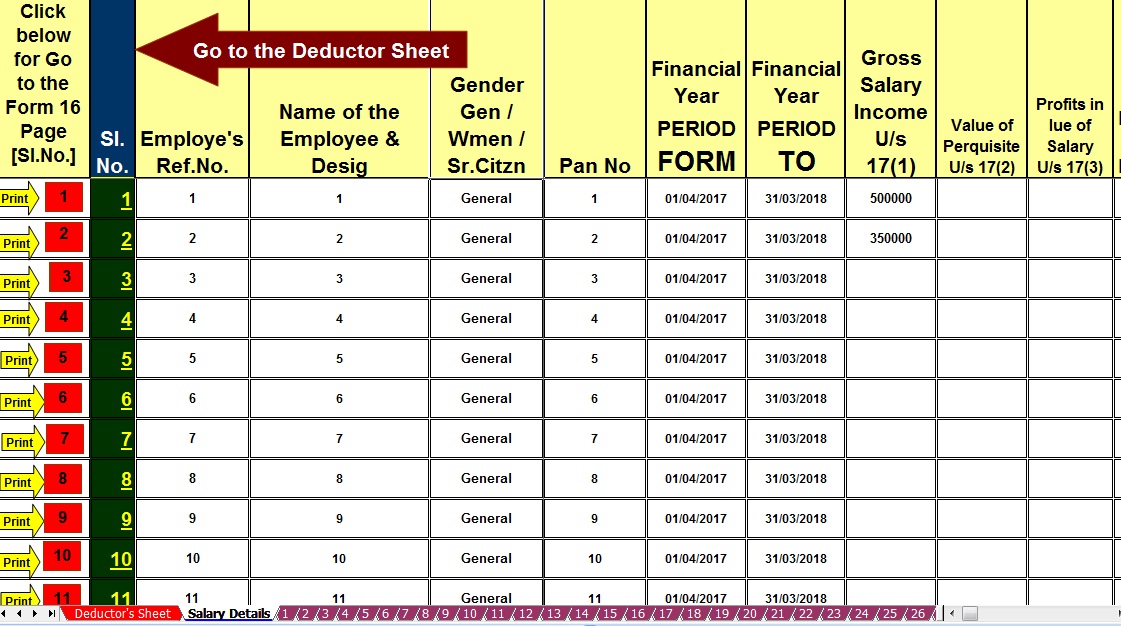 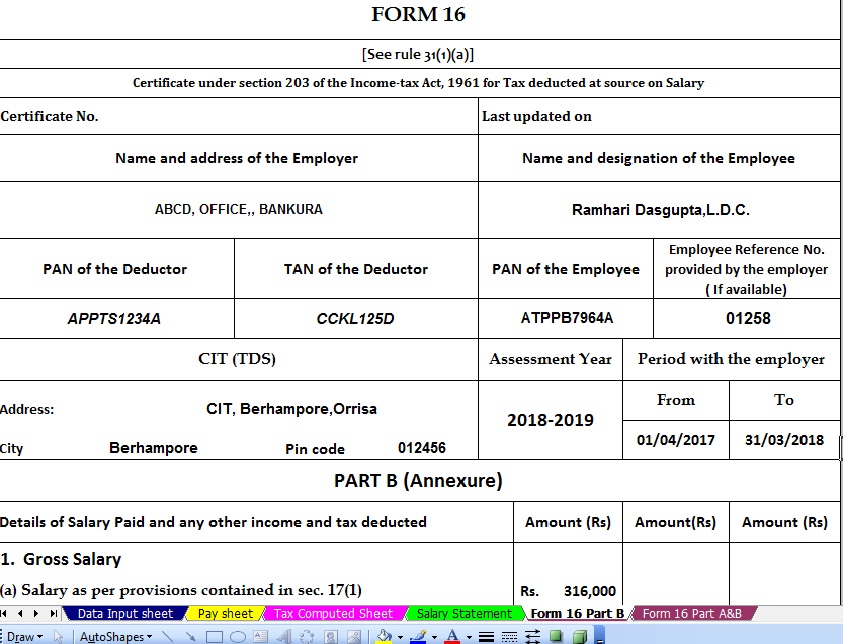 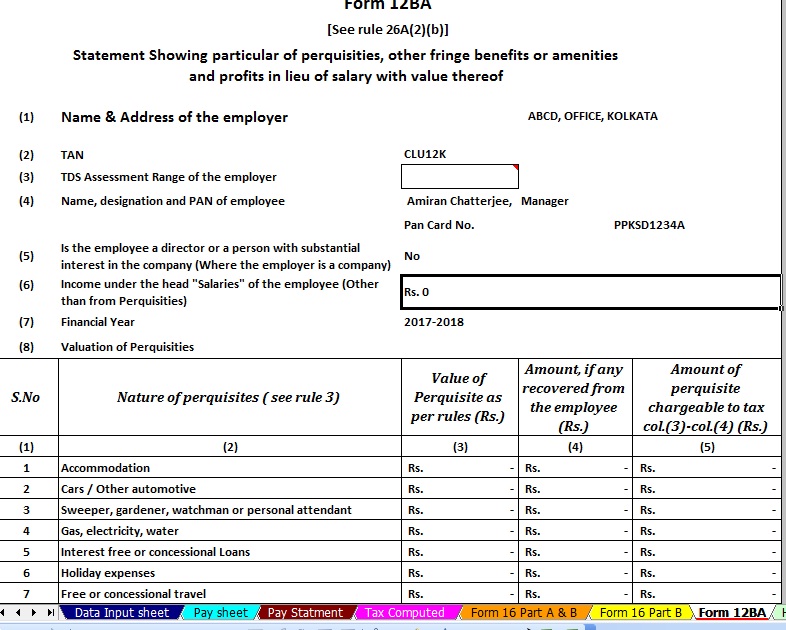 |


|
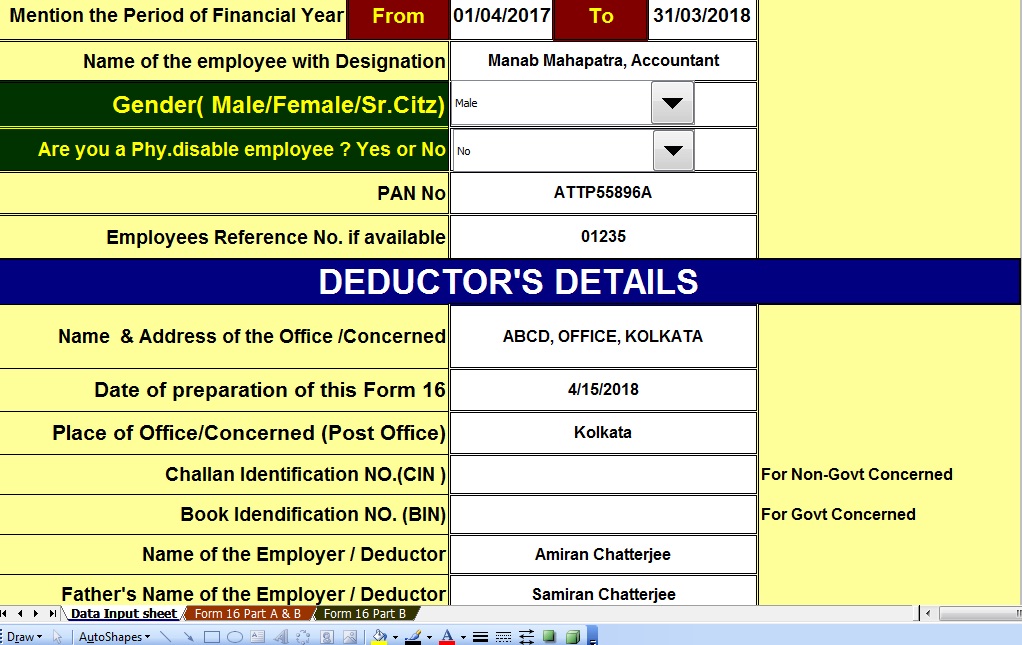
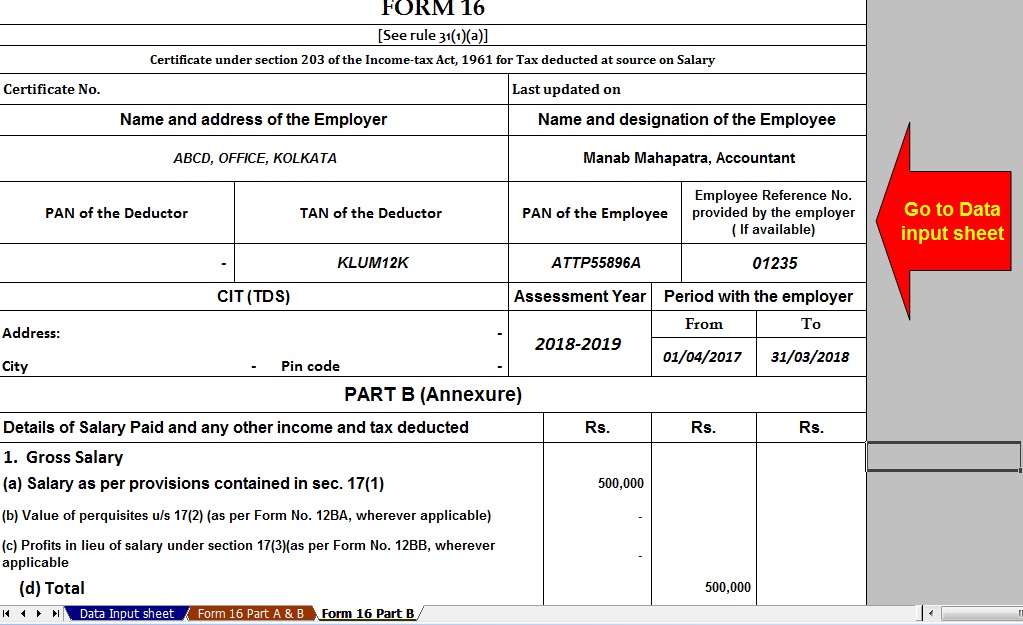
Posted: 05 May 2018 05:19 AM PDT Click here to Download the Automated Income Tax Form 16 Part B for Financial Year 2017-18 & Ass year 2018-19 with the new Tax Slab for F.Y.2017-18.This Excel Utility can prepare more than 100 employees Form 16 Part B ( One by One). Most easy to install just like an Excel File and most easy to generate. All the New Amended Income Tax Section have in this Excel Utility.
|


itaxsoftware.net
Itaxsoftware.net |
|
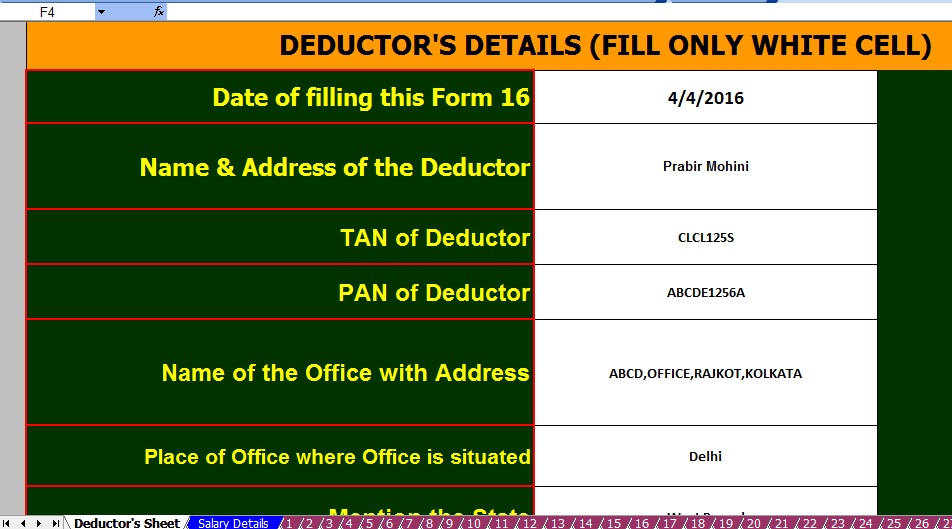
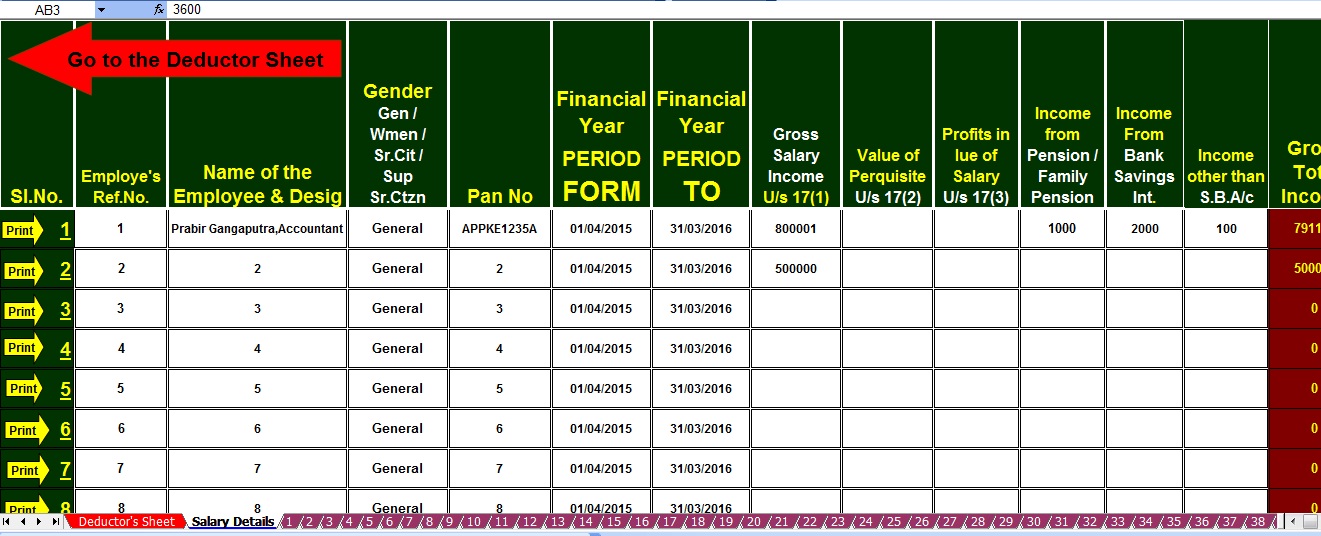
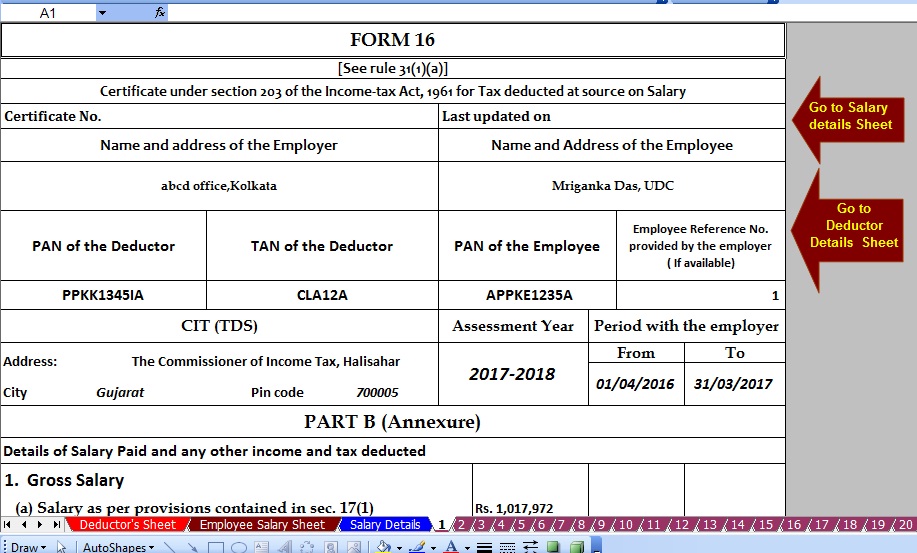
Posted: 06 May 2018 05:08 AM PDT Tax Deductions available under section 80 of Income Tax Act, 1961Section 80C (Individual & HUF) : - In all, total deductions under section 80C, 80CCC and 80CCD (1) cannot exceed Rs 1.50 lakh for the current assessment year. Which means total investments, expenses, and payments up to a limit of Rs 1.50 lakh are eligible for tax deductions mentioned in the above-mentioned sections. These sections cover many savings schemes like National Savings Certificates (NSCs), Public Provident Fund (PPF) and other pension plans, life insurance premiums, government bond investments. Here’s a section-wise breakup of deductions and exemptions available under the above-mentioned codes:Section 80CCC (Individual): - This section provides tax deductions for any investments made in an annuity plan or Life Insurance Corporation (LIC) or pension received under funds mentioned in Section 10(23AAB).Section 80CCD (1) (Individual): - The deductions under this section are aimed at encouraging people to save. These deductions are allowed to people who avail the National Pensions Savings Scheme (NPS). Under this, an individual can avail a deduction of up to 10 percent of his/her salary or Rs 1.50 lakh whichever is lower if the person has employed or the lower of Rs 1.50 lakhs or 10 percent of gross income, if the individual is self-employed.Download Automated Master of Form 16 Part B which can prepare at a time 100 Employees Form 16 Part B for F.Y.2016-17 |


itaxsoftware.net
Itaxsoftware.net |
|
Posted: 07 May 2018 05:19 AM PDT DEDUCTIONS FROM GROSS TOTAL INCOME (CHAPTER VI-A) UPDATED AS ON APRIL 1, 2017 1. DEDUCTION IN RESPECT OF INVESTMENTS IN SPECIFIED ASSETS (SECTION 80C) Section 80C provides for a deduction of savings in specified modes of Investments from gross total income. It is available only to an Individual or HUF. The Maximum permissible deduction is Rs.1.5 lakh along with deduction u/s 80CCC & 80CCD. Admissible Deductions:- 1. Premium paid on insurance on the life of the Individual or HUF only to the extent of such premium or other payment made not in excess of 10% (As amended by the Finance Act,2012) of Actual Capital Sum Assured. Explanation to Sec 80C (3A) has been introduced to provide that the Actual Capital Sum Assured in respect of the life insurance policies to be issued on or after 1st April, 2012 shall mean the minimum amount assured under the policy on happening of the event at any time during the term of the policy without taking into Account the following:- · The Value of Premium to be Returned or · Any Benefit by way of bonus or otherwise to be received over & above the sum actually assured. Download Automated Income Tax Master of Form 16 Part A&B and Part B for F.Y.2017-18 & A.Y. 2018-19 as per New Tax Slab as per the Finance Budget 2017-18 [ This Excel Utility can prepare One by One Form 16 Part A&B & Part B for F.Y.2017-18, with all amended Tax Section with Tax Slab for F.Y.2017-18]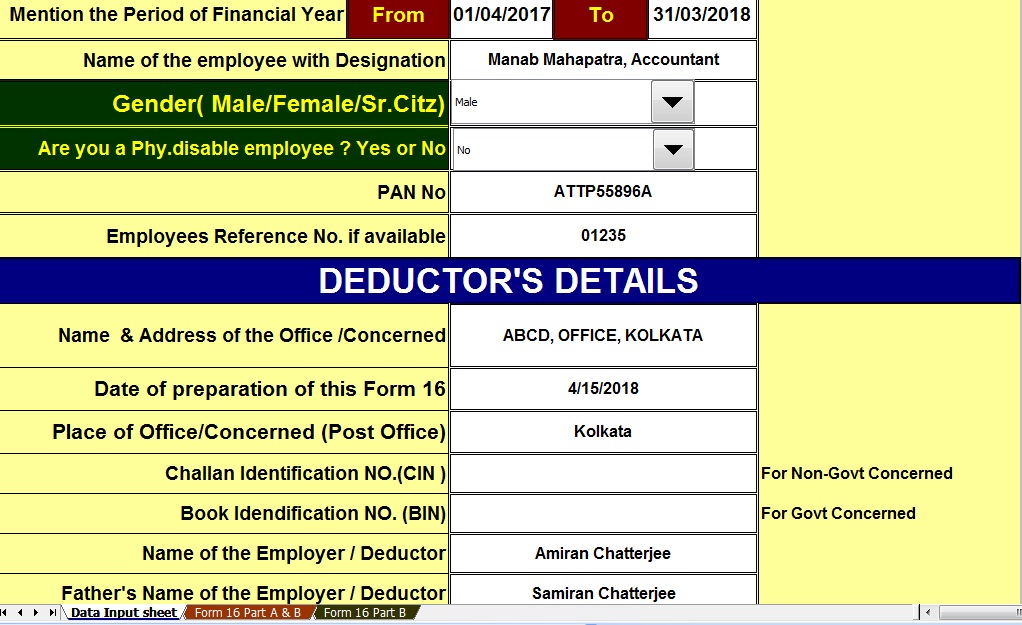 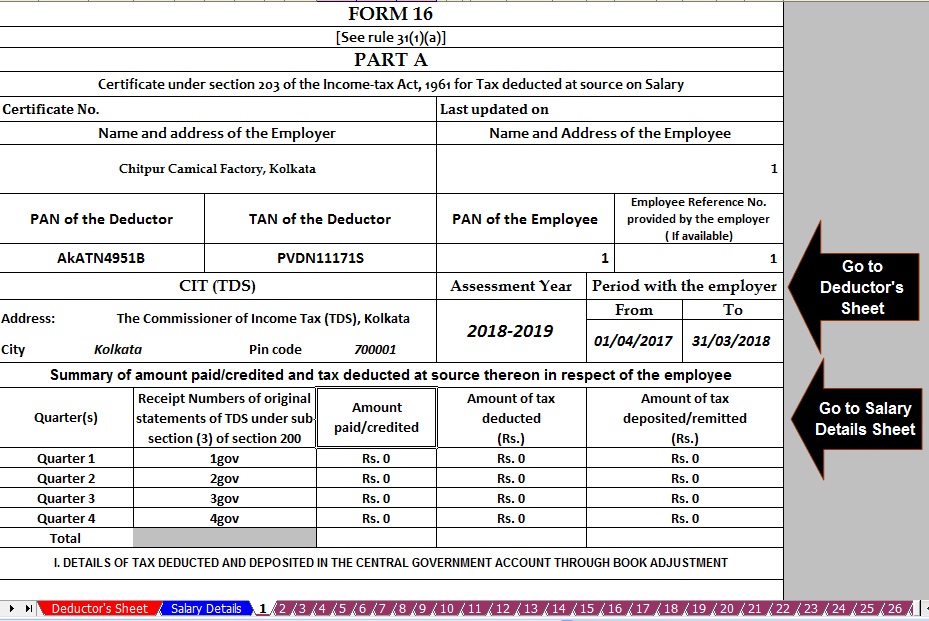 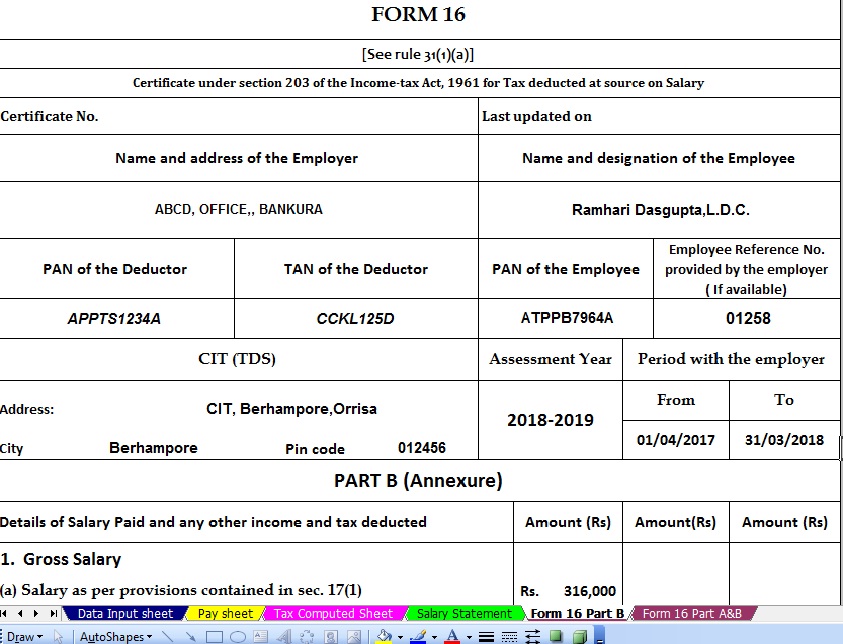 2. Sum paid under the contract for deferred on the life of the Assessee or his/her spouse or children. 3. Sum deducted by the government from the salary of an employee for securing a deferred annuity for self, spouse or children. 4. Contribution to any PPF. 5. Contribution by an employee to RPF. 6. Contribution by an employee to an Approved Superannuation Fund. 7. The contribution made to any PPF set up by the Central Government. 8. Subscription to any deposit scheme or contribution to any Pension fund set up by the National Housing Bank. 9. Payment of Tuition fees by an Individual Assessee at the time of admission to any university, college, school or other educational institutions within India for the purpose of full-time education of any two children. 10. Subscription to deposit scheme of Public Sector, engaged in providing housing finance. 11. Subscription to units of Mutual Funds notified u/s 10(23D). 12. Sum deposited in Fixed Deposits (FDs) with tenure of five years. 13. Sum deposited in 5 yrs Post Office Time Deposit (POTD) scheme. 2. DEDUCTION IN RESPECT OF CONTRIBUTION TO CERTAIN PENSION FUNDS (SECTION 80CCC) Deduction in respect of Payment of premium for annuity plan of LIC or any other Insurer is provided. The Premium must be deposited to keep in force a contract for annuity plan of LIC or any other insurer for receiving a pension from the fund. For this purpose, the Interest or Bonus accrued or credited to the Assessee’s Account shall not be reckoned as Contribution. The Maximum Deduction allowed is Rs.1.5 lakh. 3. DEDUCTION IN RESPECT OF CONTRIBUTION TO PENSION SCHEME OF CENTRAL GOVERNMENT (SECTION 80CCD) Contribution towards NPS by Employee[80CCD(1)]: Taxpayer is an individual and he is employed by the central government (on or after January 1, 2004), or employed by any other person or self-employed. He has in the previous year deposited any amount in his account under NPS. Under this, Employee is to contribute 10% of their salary or more and deduction is available under section 80CCD(1) which is restricted to 10% of the salary and for a person other than employee deduction is restricted to 10% of GTI. For the A.Y 2015-16 amount of deductible under section 80CCD(1) cannot exceed Rs. 1 Lacs. Contribution towards NPS by Employer [80CCD(2)]: Contribution by the employer to NPS is deductible under section 80CCD(2) in the hands of the concerned employee in the year in which contribution is made. However, no deduction is available in respect of employer’s contribution which is in excess of 10 percent of the salary of the employee. 4. LIMIT ON DEDUCTION U/S 80C, 80CCC, 80CCD The Limit for maximum deduction available u/s 80C, 80CCC, 80CCD (combined together) is Rs.1.5 Lakh only. 5. DEDUCTION IN RESPECT OF MEDICAL INSURANCE PREMIUM (SECTION 80D) This Section provides for a deduction of Rs. 25000 in respect of premium paid towards a health insurance policy for the Assessee or his family (spouse and dependent children) or any contribution made to the Central Government Health Scheme in aggregate and a further deduction of Rs. 30,000 is allowed of premium paid in respect of health insurance policy for parents. An increased deduction of Rs. 30000 shall be allowed in case any of the persons mentioned above are senior citizens (i.e. of age 60 years or above).Further, it is provided that for claiming such deduction u/s 80D the payment must be by any mode other than cash. Further Deduction of Rs. 5000 shall be allowed in respect of payment made on Account of preventive health check-up of self, spouse, children or parents made during the previous year. This deduction is within the overall limit of Rs. 25000 or Rs.30000, as the case maybe. For claiming this deduction payment can be by any mode including cash. 6. DEDUCTION IN RESPECT OF REHABILITATION OF HANDICAPPED DEPENDENT RELATIVE (SECTION 80DD) It provides for a deduction to an Assessee being an individual or HUF who is a resident in India. Deduction of Rs. 75,000 is available in respect of any Amount paid for the medical treatment (including nursing), training and rehabilitation of a dependent, or any amount paid or deposited under a scheme framed in this behalf. In the case of severe disability (i.e. a person with 80% or more disability), the deduction of Rs. 1,25,000 (Rs. 1,00,000 for the assessment year 2010 -11 to 2015-16 Rs. 75,000 up to the assessment year 2009-10) shall be available. Dependent means In the case of an Individual the spouse, children, parents, brothers, sisters, of the individual and in the case of HUF, any member who is wholly dependent on the assessee. 7. DEDUCTION IN RESPECT OF MEDICAL TREATMENT (SECTION 80DDB) The deduction of Rs. 40000 or Amount actually paid whichever is less shall be allowed to an Assessee who is resident in India being an Individual or HUF. A deduction shall be allowed of any amount paid for the medical treatment of such disease or ailment as may be specified in the rules. In case the Amount is paid in respect of a senior citizen (i.e. of age 60 years or above) then the deduction would be Rs.60000 or the Amount actually paid whichever is less. 8. DEDUCTION IN RESPECT OF INTEREST ON LOAN TAKEN FOR HIGHER EDUCATION (SECTION 80E) This section provides deduction to an Individual in respect of any interest paid on loan taken for the purpose of pursuing his higher education or the for the purpose of higher education [i.e all fields of studies (including vocational studies)pursued after passing the senior secondary examination] of his/her relative i.e. spouse or children of the Individual or the student for whom the Individual is the legal guardian. The loan must have been taken from any financial institution or approved charitable institution. The amount of deduction is amount is paid by the individual during the previous year and such amount is paid out of his income chargeable to income tax. 9. DEDUCTION IN RESPECT OF INTEREST ON LOAN TAKEN FOR RESIDENTIAL HOUSE PROPERTY APPLICABLE FORM a.y 2017-18 (SECTION 80EE) The following conditions should be satisfied in order to claim deduction under section 80EE:-
If above conditions are satisfied, the assess can claim deduction under section 80EE of the interest payable on the above loan or Rs. 50,000 whichever is less. This deduction is available for the assessment year 2017-18 and subsequent assessment years. 10. DEDUCTION IN RESPECT OF DONATIONS TO CERTAIN FUNDS, CHARITABLE INSTITUTIONS ETC. (SECTION 80G) The deduction under section 80G is available to any taxpayer (may be individual, company, firm or any other person, may be resident or non -resident). The various donations specified under this section are eligible for deduction up to either 50% or 100% with or without restrictions. Sub-Section 5D has been inserted in section 80G to provide that no deduction shall be allowed in respect of donation of any sum exceeding Rs.10000 unless such sum is paid by any mode other than cash. 12. DEDUCTION IN RESPECT OF RENT PAID (SECTION 80GG) Admissible deduction:- The deduction will be least of the following:- · Actual Rent paid less 10% of the total income before allowing such deduction, or · 25% of such total income or · Rs. 5000 per month Total income will not include long-term capital gains and any income referred to in sections 115A to 115D. Conditions to be satisfied:- · Assessee should not be in receipt of House Rent Allowance. · The expenditure incurred by him on rent of any furnished or unfurnished accommodation should exceed 10% of his total income arrived at after all deductions under Chapter VI-A except section 80GG. · The Accommodation should be occupied by the Assessee for the purpose of his own residence. · The Assessee should not have self-occupied residential premises in any other place. · Assessee should file a declaration in form 10BA, confirming the details of rent paid. |


itaxsoftware.net
Itaxsoftware.net |
|
Posted: 08 May 2018 06:30 AM PDT Before planning your taxes one should be aware of the total income and tax liability in order to be smart tax saver. The government has provided with many plans using which individuals can make better investment decision along with tax saving options. Individuals often get stuck with 80C tax benefits only during tax planning. While there is little doubt 80C investments are best for tax saving purposes, there are other investment options which can help you save tax if invested smartly. Here are some best tax saving options other than Sec 80C. 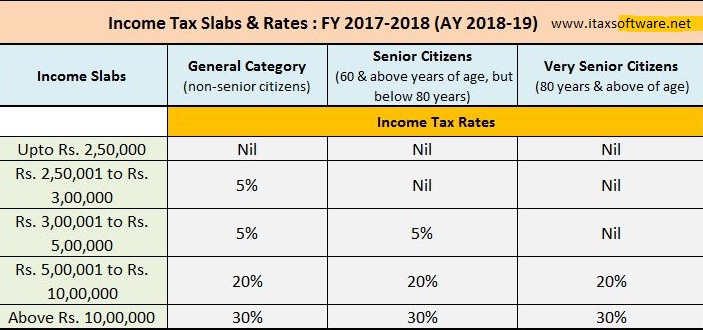 Download Automated Master of Form 16 Part B for Financial Year 2017-18 & Ass year 2018-19 with the all amended Income Tax Section including new Income Tax Slab Rate for F.Y.2017-18 [ This Excel-based software can prepare at a time 50 employees Form 16 Part B for F.Y. 2017-18 with the all amended Income Tax Section and Income Tax new Slab Rate for F.Y.2017-18]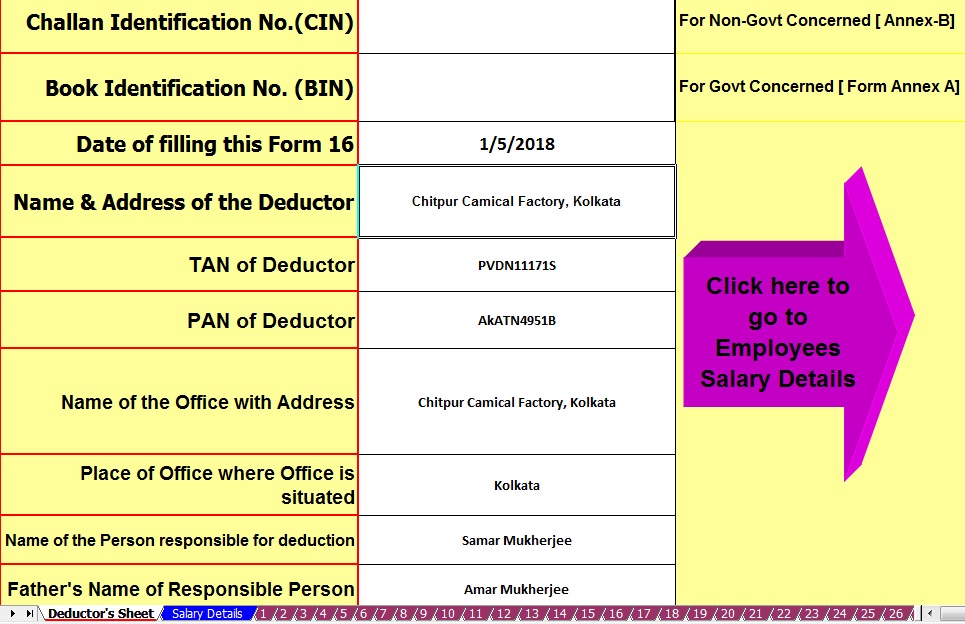 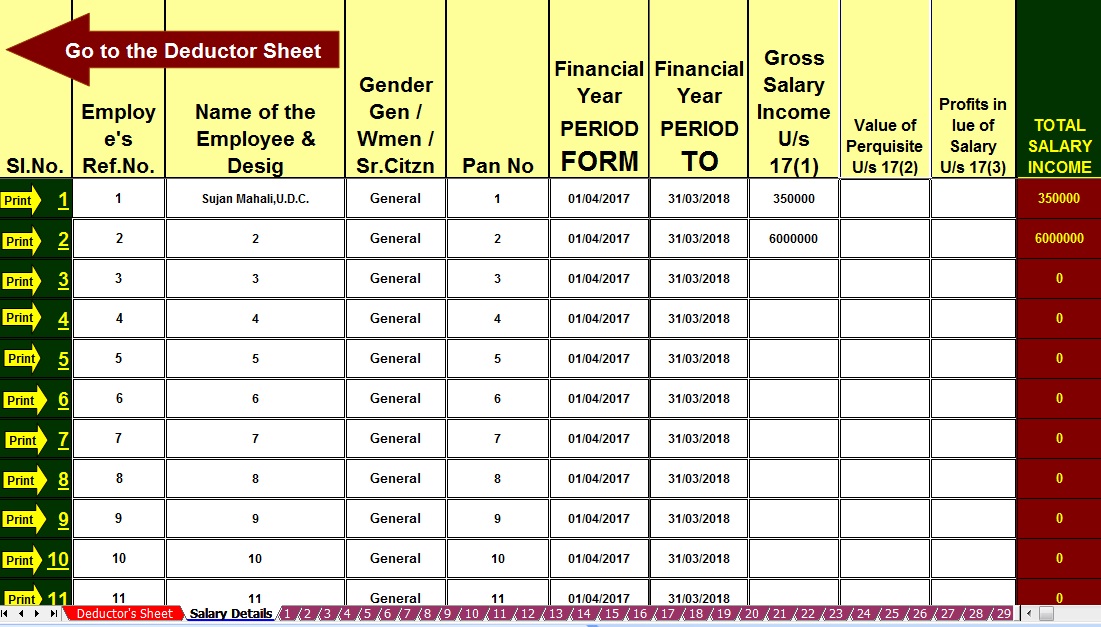 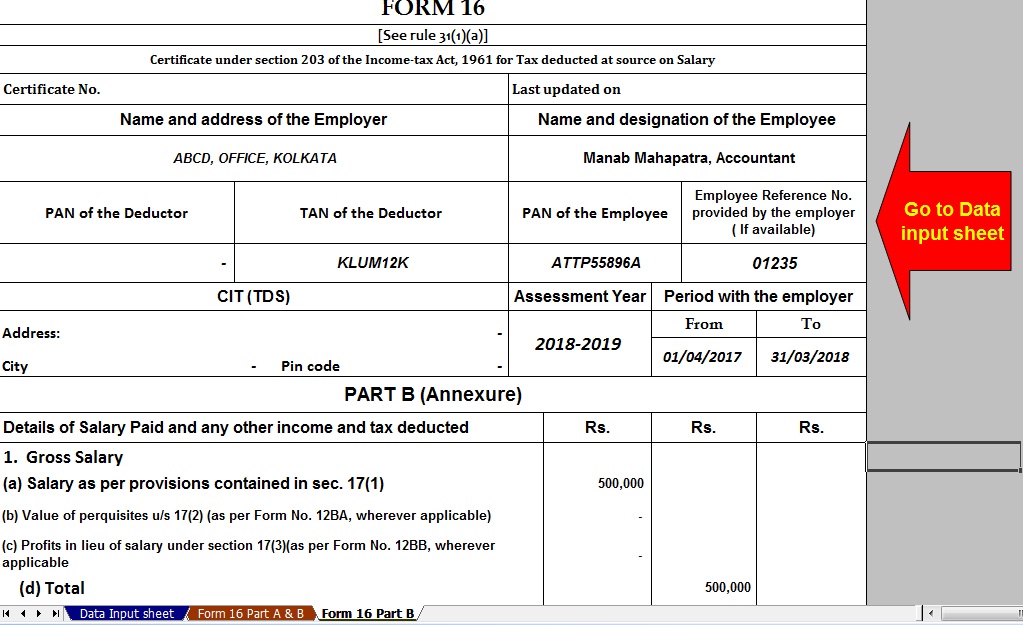 NPS The Government of India (GOI) launched the National Pension System for individuals in May of 2009. Under the NPS, each Subscriber will open an account with Central Recordkeeping Agency (CRA) which will be identified through unique Permanent Retirement Account Number (PRAN). The NPS offers you an additional tax deduction for the investment up to Rs. 50,000 in under subsection 80CCD (1B). This is over and above the deduction of Rs. 1.5 lakh available under sec 80C of Income Tax Act. 1961. Returns would depend on the asset class that you choose. For example, you could select equity, which is a high-risk instrument or corporate debt or government debt. Interest on education loan (Section 80E) The deduction is allowed only on the interest repayment part, not on the principal amount of education loan. Means that only interest repayment is available for the tax deduction while filing income tax return. This deduction is over and above the 80C limit and there is no maximum limit on claiming deduction under 80E. Not many are aware of the scheme, and one needs to educate people more on this section and its benefits. House rent allowance (Section 80GG) If you are staying in a rented apartment or house and paying rent, you can claim tax deduction under Sec 80GG of the Income Tax Act. The amount of deduction is based on the city that you are residing. Again, some cities need to be revamped to factor in an increased rental in this city, but that has not happened so far. More details and exact break-up cannot be sought from your company, so it is best talking to the HR department on the exact tax benefits that you would get. Home Loans In the Union Budget last year, Finance Minister Arun Jaitley increased the limit on deduction on home loan interest under Section 24 to Rs 2 lakhs. An additional deduction of Rs 50,000 on home loan interest can be claimed to start the financial year 2016-17 under Sec 80EE of the Income Tax Act. However, to be able to claim this deduction, you must meet certain conditions. The principal amount continues to be a part of the overall benefits under Sec 80C Max Rs. 1.5 Lakhs. Health Insurance (Section 80D) Individuals should take a health insurance policy, which would enable them to save tax up to Rs 25,000 in the case of ordinary citizens and Rs 30,000 in the case of senior citizens. So, one can go ahead and take a good health insurance policy. This is again a tax option that you have apart from the usual 80C benefits. The Sec 80D benefits also include the benefits on expenses incurred towards preventive health check-ups. Donations (Section 80G) Section 80G of income tax law provides tax benefits on the amount donated to NGO's. So, it maybe time to be a little more generous than before. However, the deduction can be made only if you are donating by cash or draft. The deduction can be either 50 per cent or 100 per cent. You have to claim this deduction when filing your tax returns and quoting of PAN number to the institution where you donated is a must. There is an entire list of institutions and establishments where you can donate. Medical treatment under Sec 80DDB For certain specific diseases, Income Tax Act offers tax benefits to an individual under section 80DDB on the basis of expenses incurred by him for the treatment of such diseases or ailment. This is not only for the person filing the tax returns but, also for individuals dependents of such an individual. However, this tax benefit is not available for Non-Resident Indians. In case it is a Hindu Undivided Family one can claim it for members of such an HUF. |


itaxsoftware.net
Itaxsoftware.net |
|
Free Download Amount to In Words Excel Tools Posted: 09 May 2018 05:44 AM PDT Most of Concerned have been used the Excel for their Account Matter. But it is not possible to Amount to In Words without any VB Code. Somewhere create the VB Code for Convert the Amount to In Words. When we have to need the Amount Rs.500 to In Words, most of Excel User manually the Five Hundred. But if you have a unique Excel Tools and install in your Computer, the Amount will Convert to the In Words automatically as your required Cell. For an example: - One Excel Sheet has 3 column with the amount of each column and willing to Sum to the Next Cell, Just type " words" the Amount will be Convert automatically as the amount of Sum.Below the Picture what is the Excel tools activity 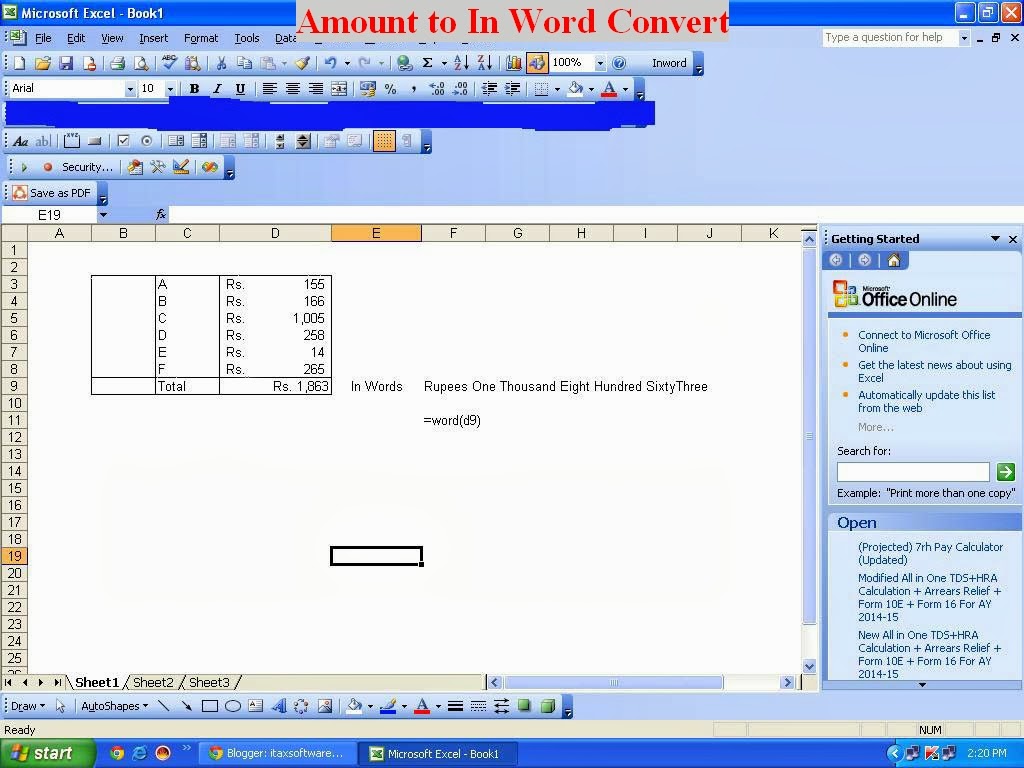 1) Unzip the file 2) Copy the Sword Tools 3) Paste it in your any Drive 4) Open a new Excel Work Sheet 5) Click to Tools Menu > Choose Add-Ins >Click Add-Ins > Browse and select the In word Tools > OK FOR OFFICE 2007 USERS: - Open a New Work Sheet > Go to Open menu > Click the Excel Option>Select Add-Ins > Browse the Excel Tool Menu ( where you paste Excel Tool) >Select > OK NOW CLOSE THIS EXCEL WORKSHEET OR BOOK AND RE-OPEN ANY EXCEL SHEET, PUT THE AMOUNT IN A-1 CELL > CLICK THE B1 CELL, PUT THE FORMULA =WORD(A1), CLICK ANYWHERE IN THIS WORKSHEET, LOOK THE B1 CELL. Click here to Download the Excel Utility |


itaxsoftware.net
Itaxsoftware.net |
|
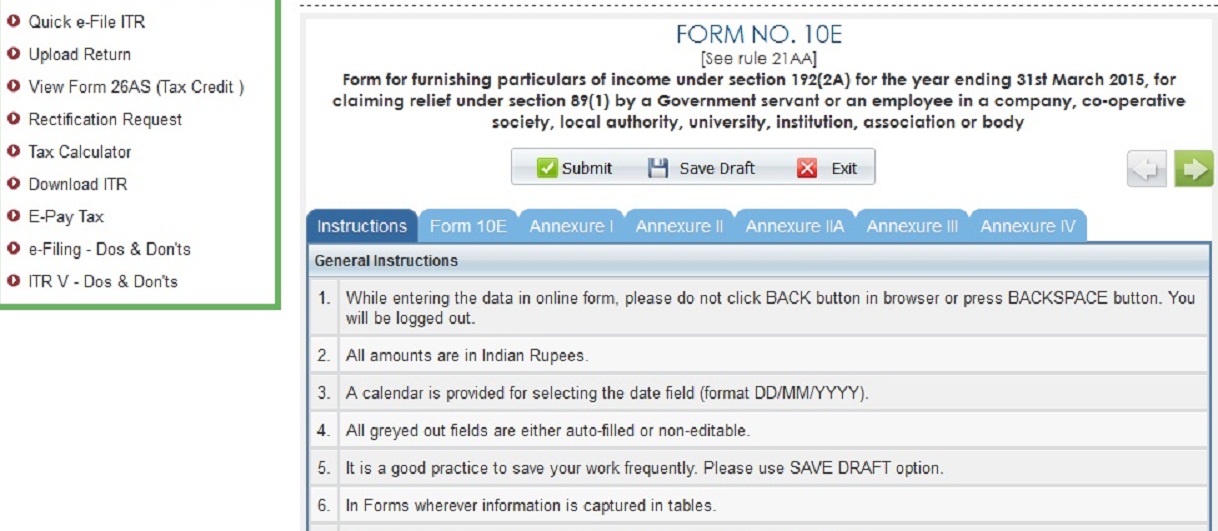
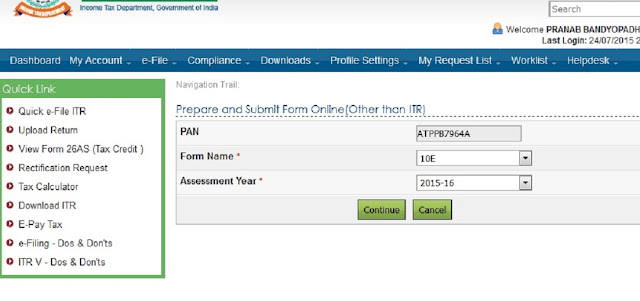
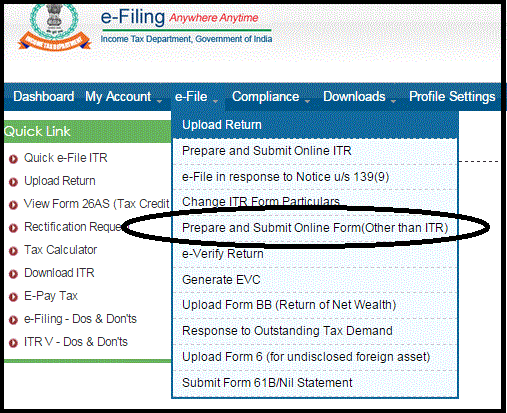
Posted: 10 May 2018 07:25 AM PDT Income Tax Department has disallowed relief u/s 89(1) which was claimed by Assessee during his/her filing of Income Tax Return for the Assessment Year 2017-18. Earlier there was no doubt in claiming such relief up to A.Y. 2017-18 from Income Tax Department. Simply Assessee claims in ITR form and Income Tax Department allows the same as claimed by Assessee. But now, w.e.f. Assessment Year 2015-16, It is compulsory to upload online 10E form otherwise claim will be rejected and demand will be raised by I.T. Department. All Assessees who had already claimed rebate u/s 89(1) in the A.Y. 2015-16 have been informed by Income Tax Department through intimation order under section 143(1) that claim amount of rebate has been rejected and raised demand along with interest for the same. Procedure to upload 10E Form It is clear without uploading 10E form, relief under section 89(1) cannot be claimed. Now the question is that how can we upload 10E Form along with ITR-1 (Sahaj), ITR-2 etc Forms. It has been found that 10E form is not ITR forms.The 10E form is other than ITR form which is available in income tax website after login for E-Filing of incometaxindiaefiling.gov.inas shown in below Snapshot:-
  Download Arrears Relief Calculator Since the Financial Year 2000-01 to 2017-18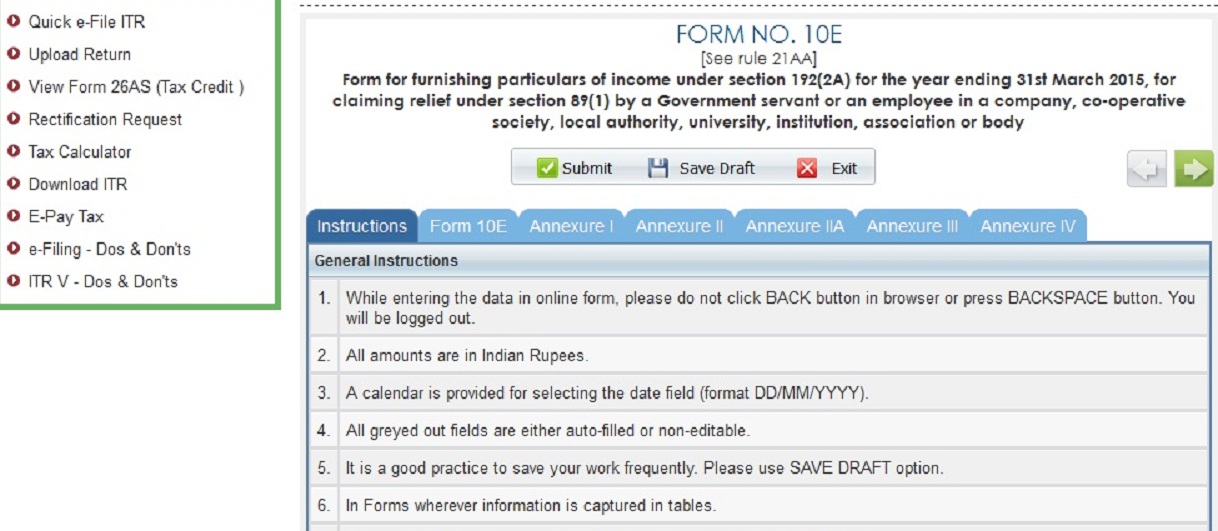 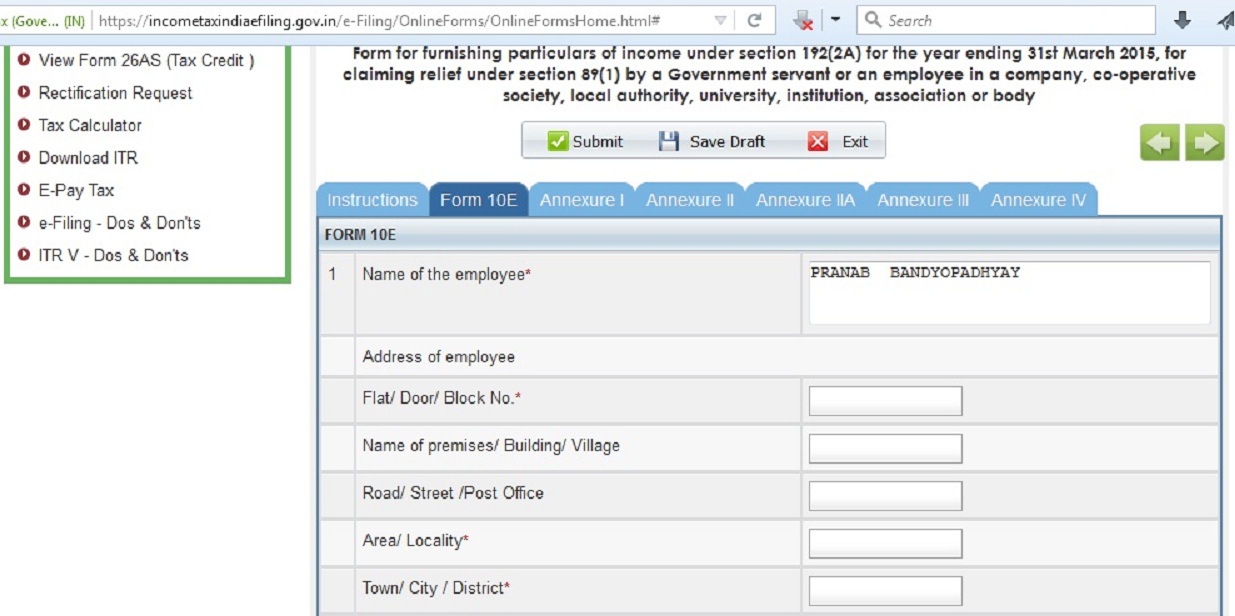 |


itaxsoftware.net
Itaxsoftware.net |
|
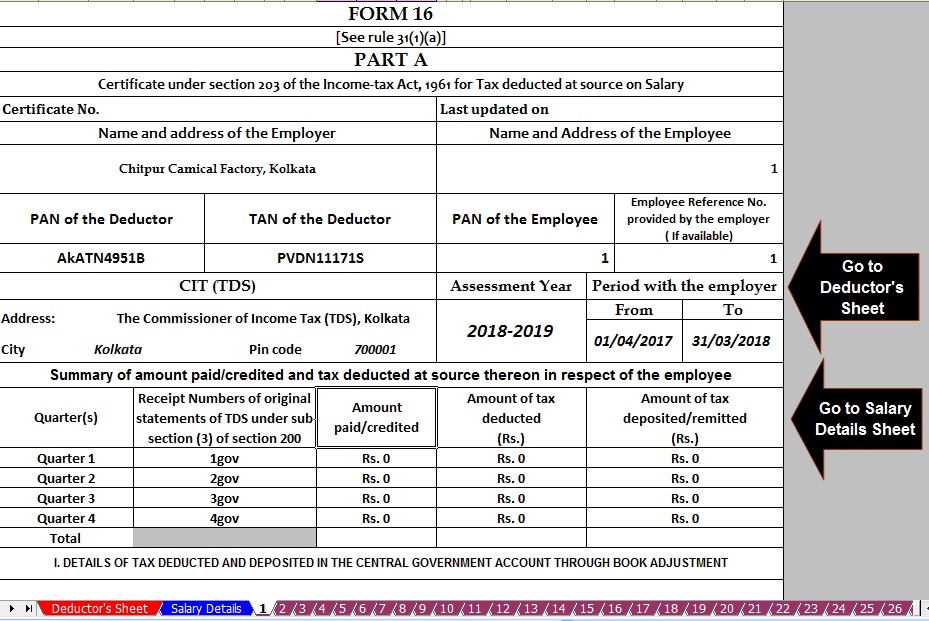
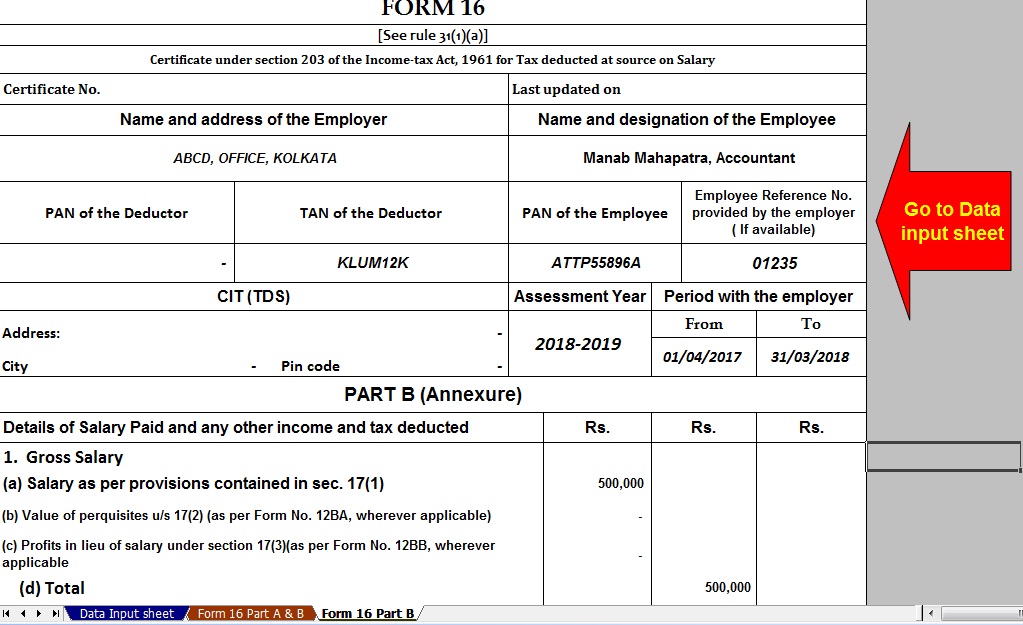
Posted: 11 May 2018 09:48 PM PDT The latest Income Tax Department Notified Vide Notification No 11/2013 that the Salary Certificate Form 16 Part A is now Mandatory to Download from the TRACES Portal and the Form 16 Part B must be prepared by the Employer or Deductor. This Notification with effect for the Financial Year 2012-13 and on words. You can easily download the Form 16 Part A from the TRACES portal after registering the TAN WHICH FREE OF COST. If you have not Download the Form 16 Part A from the TRACES Portal, you have to do this must. It is also observed that the various Concerned Govt and Non- Govt Concerned have not intimated about this Notification. In this Regard, various Concerned have already prepared the both of Part A and Part B ( Amended) New Form 16 which also Notify vide Notification No 11/2013. Below given the Excel-based Software can prepare both of Salary Certificate Form 16 Part A and Part B for Financial Year 2017-18( New Amended Format) in one software and you can also be prepared the Form 16 Part B in this one Software. This Excel Based Software is most handy. Download this utility from below:- Download Income Tax Form 16 Part A&B and part B for FY 2017-18 ( One by One Preparation Form 16 for F.Y.2017-18 )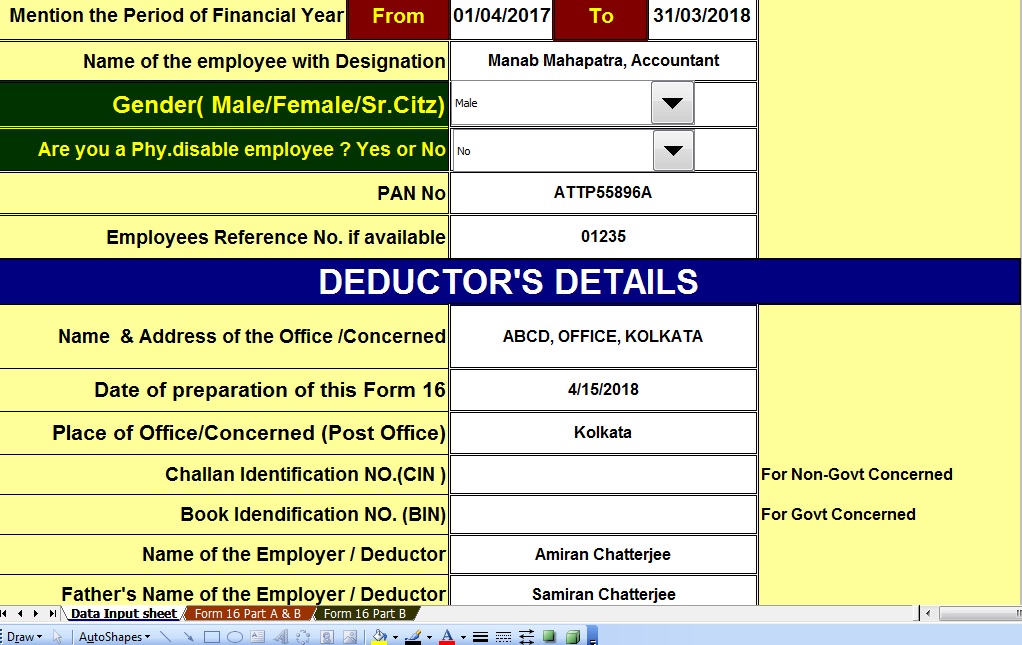 |


itaxsoftware.net
Itaxsoftware.net |
|
How to file ITR-1 Online ? – Income Tax 2016-17 (A.Y 2017-18) – Easy steps to file ITR-1 Online Posted: 12 May 2018 08:15 AM PDT The Calculation and TDS process of Income Tax liability of Salaried Employees for the year 2016-17 (The assessment year 2017-18) would have been over by this time. Now it’s time for Employees to receive Form-16 from the Employer and file their income tax return. Easy E-filing by entering the data directly on the Income Tax E-filing website. This is the most user-friendly method. As of now, ITR-1 and ITR-4S can be filed in this method 1. Go to this Income Tax Department’s Official online ITR filing Website. Register using your PAN and get username and password, if you have not already registered. 2. After successful registration, Click the “Quick Filing of E-Returns” hyperlink available in the left menu. 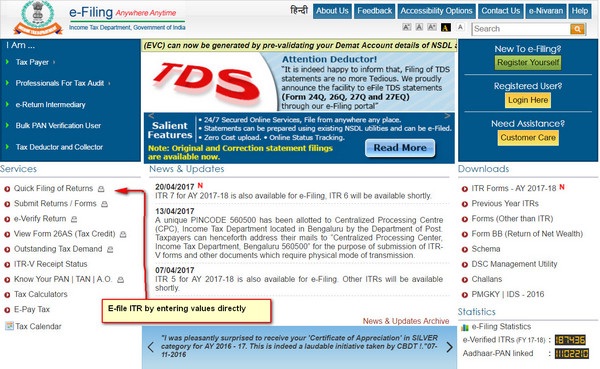 3. Once you have successfully logged in you will land in to following page. 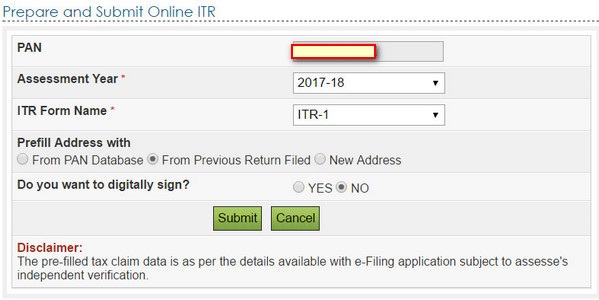 4. After you select the ITR type and relevant year for which ITR has to be filed, entry page of ITR will be shown. The first tab will be containing the instructions for filling the data. 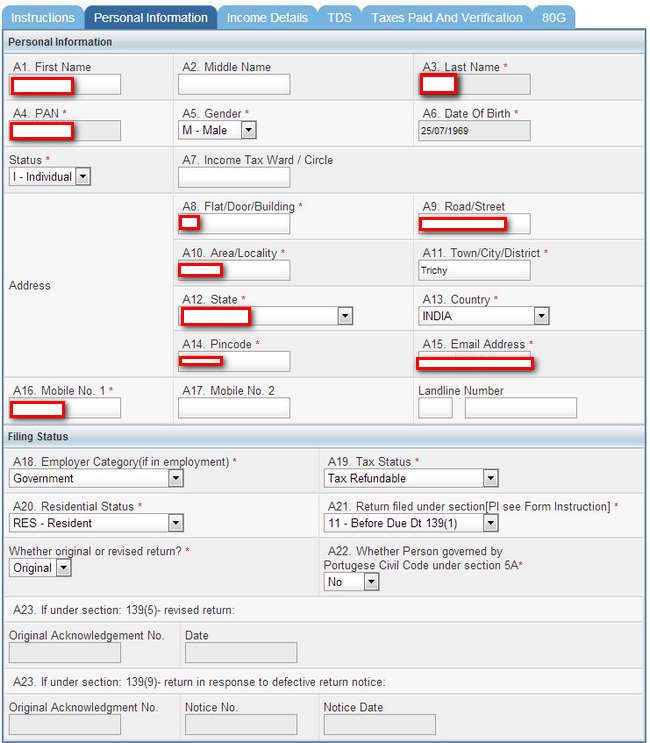 5. As you are in logged in session, it is better to save the data entered after each tab is completed. However, Submit Button has to be used only after entry of all the data. The following Screenshot is Personal Information entry tab. Once an entry is completed save the data as the draft and proceed to next tab.  6. Following Screenshots are relating to entry tabs for Income Tax details, Details of Income Tax Deducted by the employer, and Bank Account details. Enter the values in these fields as per Form-16 provided by the employer. Tax Deducted by the Employer and paid into Govt Account will be available under TDS tab. TDS details can also be verified through Form-26AS which is an online feature available in Income Tax Website to get the details of the Income Tax Paid in respect of a PAN. 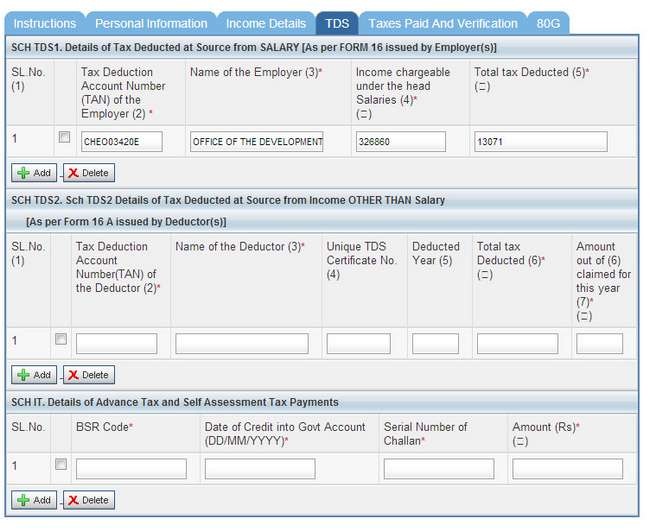 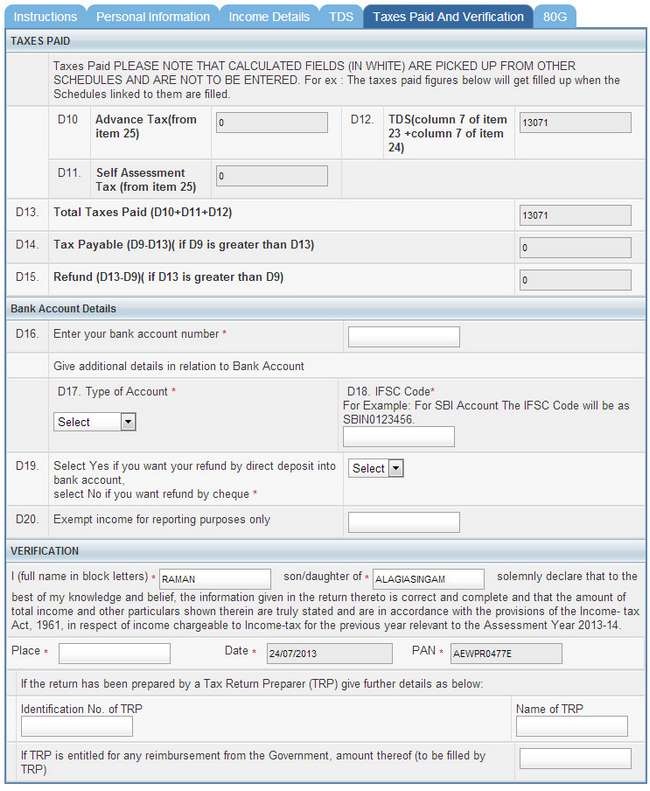 After entry of data in all these tabs are completed, click Submit button to generate ITR-V Button. ITR-V is a document which contains the summary of your income, deductions and income tax paid. This document has to be signed and sent to the Income Tax Central Processing Center at Bangalore. Address of this center will be available in the mail sent to you attaching filled up ITR-V form. Please note that Online E-filing will get completed only after receipt of this ITR-V at Central Processing Center at Bangalore. Alternatively, the taxpayer can also e-verify the return filed using his / her Aadhaar ID. In that case, there is no need to send the physical copy of ITR-5 to Income Tax Central Processing Center. |


itaxsoftware.net
Itaxsoftware.net |
|
Automated Advance Tax Calculator for F.Y.2018-19 & A.Y.2019-20 with Budget 2018 Highlights Posted: 13 May 2018 06:33 AM PDT Budget 2018 Highlights – some changes you must know1) No Change in Income Tax Slab Rates for FY 2018-19 or AY 2019-20There is no change in IT Slab Rates for individuals. Hence, the applicable tax slab will be as below. 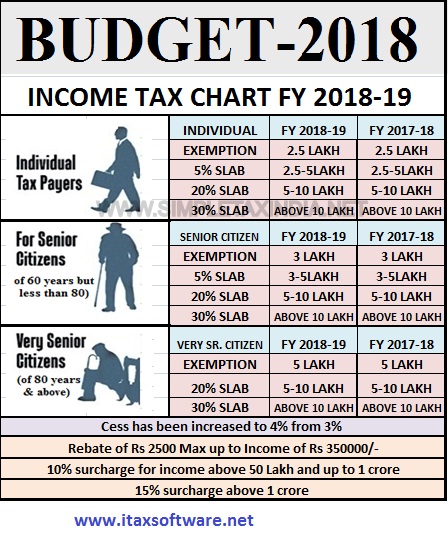 2) EPF Contribution by Government for new employees and womenThe government will contribute 8.33% of Employee Provident Fund (EPF) for new employees by the Government for three years. Women employees contribution to EPF now reduced to 8% from the earlier 12%. This reduced contribution will be for the first 3 years of employment. Both these moves will bring in more take home for both new employees and women. Along with this, Government will contribute 12% to EPF for new employees for three years by the Government in sectors employing the large number of people like textile, leather, and footwear. Also, paid maternity leave is now increased from 12 weeks to 26 weeks, along with the provision of crèches. 3) Rs.40,000 Standard Deduction for Salaried individuals and pensionersRs.40,000 standard deduction is available for all salaried individuals in lieu of the present exemption in respect of transport allowance and reimbursement of miscellaneous medical expenses. This is I think a big relief many as it will rejoice the salaried individuals. 4) TDS limit raised for Senior CitizensExemption of interest income on deposits with banks and post offices to be increased from Rs.10,000/- to Rs.50,000/- and TDS will not be required to be deducted on such income, under section 194A. This benefit shall be available also for interest from all fixed deposits schemes and recurring deposit schemes. But do remember one thing that AVOIDING TDS DOES NOT MEAN AVOIDING TAX. 5) Sec.80D limit raised to Rs.50,000 for Senior Citizenslimit of deduction for health insurance premium and or medical expenditure from Rs.30,000/- to Rs.50,000/-, under section 80D. All senior citizens will now be able to claim the benefit of the deduction up to Rs.50,000/- per annum in respect of any health insurance premium and/or any general medical expenditure incurred. This I think a much-awaited relief to many senior citizens. Because the premium of health insurance will increase as you grow older. Hence, by increasing Sec.80D limit, Government really helped this class. 6) Limit of deduction on medical expenditure critical illness for senior citizens raisedThe limit of deduction for medical expenditure in respect of certain critical illness from, Rs.60,000/- in case of senior citizens and from Rs.80,000/- in case of very senior citizens, to Rs.1 lakh in respect of all senior citizens, under section 80DDB. 7) Pradhan Mantri Vaya Vandana Yojana extended to March 2020Pradhan Mantri Vaya Vandana Yojana is the 10 years 8% guaranteed pension scheme meant for senior citizens. The earlier deadline for the closure of this scheme was 3rd May 2018. Now, this is extended to until March 2020. Also, the good news is that the earlier limit under this scheme was Rs.7,50,000, which is now increased to Rs.15,00,000. 8) Education and Health Cess increased to 4%Currently, there is 3% cess on personal income tax consisting of 2% for primary education and 1% for secondary and higher education. Now this 3% existing educational and higher education cess is replaced to 4% HEALTH AND EDUCATION CESS. Other important proposals of Budget 2018 Highlights are as below. a) National Health Protection SchemeThe government will launch the National Health Protection Scheme. In this scheme, each family will be covered for Rs.5 lakh of health insurance per year. This will be for secondary and tertiary care hospitalization. This will be the world’s largest government-funded health care programmed. This is mainly to the poor and vulnerable families. Along with this, Government will provide nutritional support to all TB patients at the rate of Rs.500 per month for the duration of their treatment. b) E-Assessment is made mandatoryNow no more paper filling IT return allowed. From now onward you have to file IT Returns only through online mode. This will actually reduce the time taken to process your IT returns. Click here to Download the Automated Advance Tax Calculator for F.Y. 2018-19 & Assessment Year 2019-20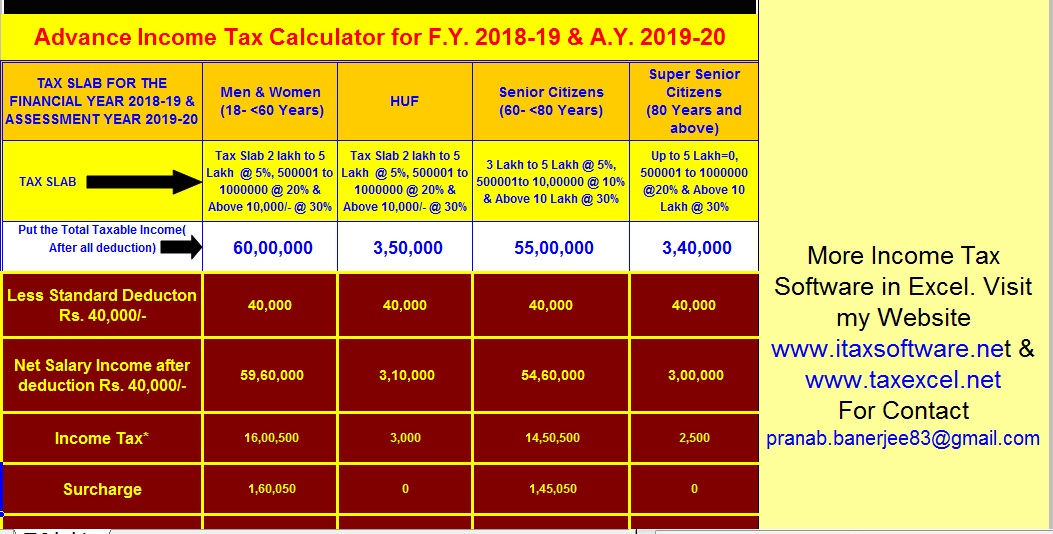 |


itaxsoftware.net
Itaxsoftware.net |
|
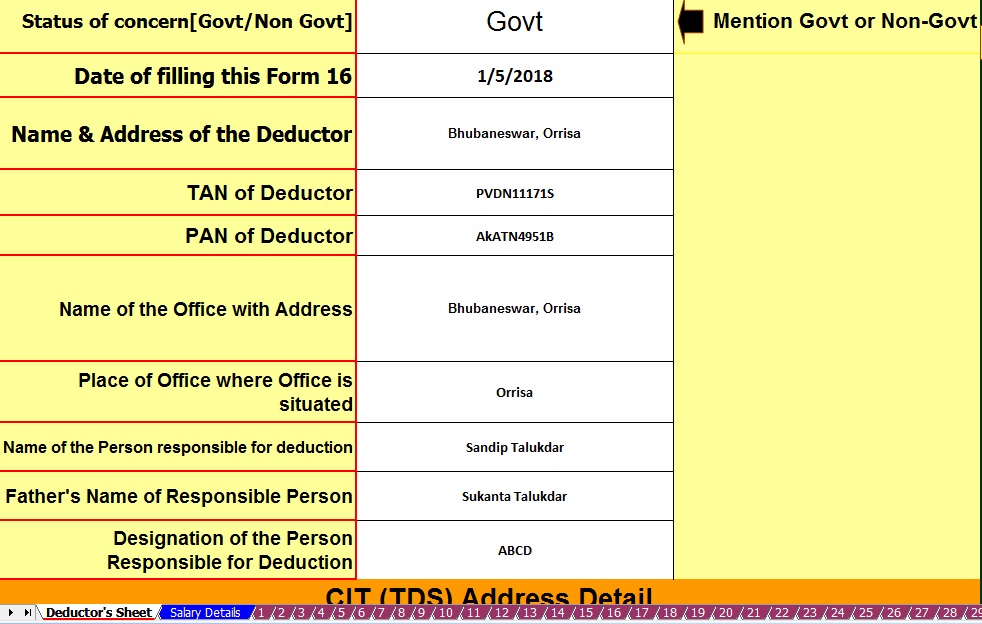
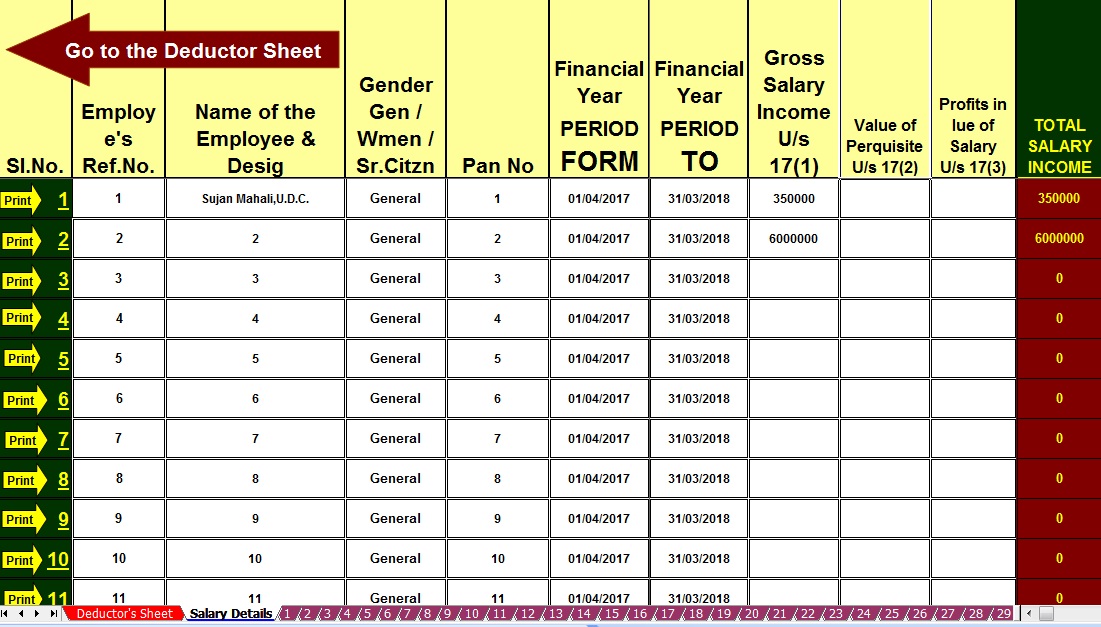
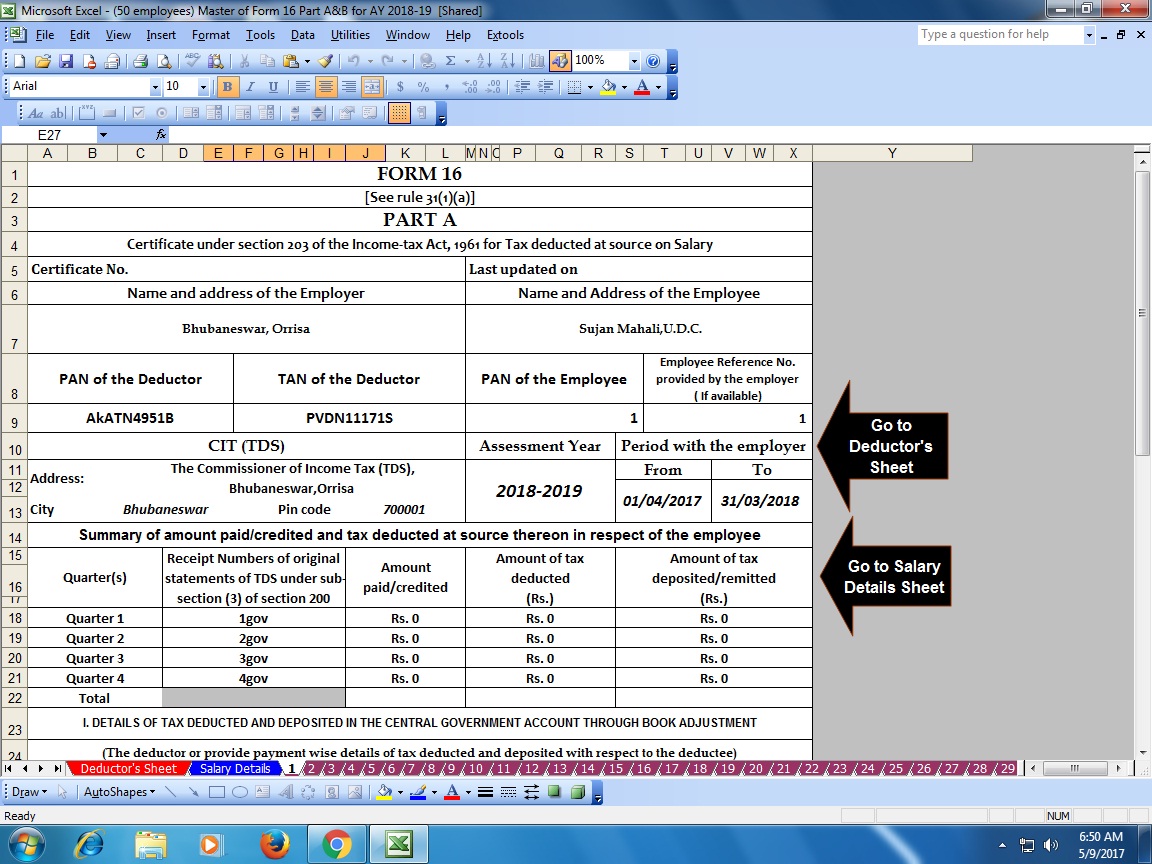
Posted: 14 May 2018 07:02 AM PDT What is Form 16? Every year your employer will issue this document. It is a certificate under section 203 of the Income-Tax Act, 1961, which gives information on the tax deducted at source (TDS) from income chargeable under the head “salaries”. Simply put, it gives details of the tax deducted by the employer. If you have not received your Form 16, you can use the worksheet that the income tax (I-T) department provides to calculate and declare the amount. Form 16 is useful in filing your income tax return (ITR). What’s inside it? Understanding the content of Form 16 helps you file your I-T returns; you may be able to do it yourself, without help from a chartered accountant or a financial planner, especially if your income comes entirely from your salary, and you have no other source of income. Click here to download Automatic Master of Form 16Part A & B [ Prepare at a time 50 employees Form 16 Part A & B for the Financial Year 2017-18 & Ass Year 2018-19]Main Feature of this Excel Utility :-
|
|
Form 16 has two sections—part A and part B. Part A consists of your personal details such as your name and address, your employer’s name and address, Permanent Account Number (PAN) of both, the employer’s Tax Deduction Account Number (TAN), and others. These details help the I-T department track the flow of money from your and your employer’s accounts. Part A also gives details such as the assessment year (AY)—the year in which your tax liability is calculated for the income earned the previous year. For example, for income earned between 1 April 2017 and 31 March 2018, AY will be 2018-19. This portion of the form also gives details of your period of employment with the current employer. For instance, if in the last financial year, you have worked from 1 April 2017 to 31 March 2018, it will be mentioned in the form. Next, it gives a summary of the TDS by the employer on behalf of the employee. This is the amount that the employer deducts from your salary as tax periodically and credits it to the I-T department. For instance, if every month your employer deducts Rs.3,000 as tax from your salary, it will be shown in the Form 16 Part A as deposited by your employer to the government. The summary space will be divided based on the periodicity of how your employer credits the tax to the I-T department. Part B of Form 16 is the one that gives most of the details that you need to file I-T return, such as salary paid, other income, tax deducted, and more. Your gross income is mentioned first. Those who need to pay professional tax should note that the tax is not considered on the gross income. Next, deductions are mentioned. These include those under sections 80C, 80CCC and 80CCD (contributions towards Public Provident Fund, life insurance policies, pension, among others). Remember, the aggregate amount deductible under these three sections should not exceed Rs.1.5 lakh. And additional exemption Rs. 50,000/- U/s 80CCD(1B) out of the limit of U/s 80C Rs.1.5 Lakh. Then come the deductions under other sections such as 80D (health insurance premium), 80E (interest on education loan), 80G (donations), and others. The total deductions are reduced from the gross income to arrive at the taxable income. Tax is calculated on this amount based on the new tax slab for the Financial Year 2017-18. How to use it? Form 16 is one of the documents that you need to keep handy before or while filing your ITR, which has to be done till 31 July. While all deduction related details are mentioned in Form 16. |


This posting includes an audio/video/photo media file: Download Now |
| You are subscribed to email updates from itaxsoftware.net. |
To stop receiving these emails, you may unsubscribe now. |
| Email delivery powered by Google |
itaxsoftware.net
Itaxsoftware.net |
|
Posted: 15 May 2018 07:40 AM PDT The New Pension System has generated a lot of interest ever since Budget 2015 announced additional tax benefits for investments in the scheme. For someone in the 30 percent tax bracket, this is a clear benefit of Rs 15,000 on investment of Rs 50,000 over and above the Rs 1.5 lakh allowed under Section 80 C. This article gives an overview of NPS, explains NPS tax benefits, answers frequently asked questions regarding NPS and tax. Download &Prepare at a time 100 employees Master of Form 16 Part B for Financial Year 2017-18 with new Tax Slab for F.Y.2017-18 |
Feature of this Excel Utility :- |
|
|
Overview of NPS National Pension Scheme is a government approved pension scheme for Indian citizens in the 18-60 age group.
The official site for NPS is npscra.nsdl.co.in and www.npstrust.org.in . Detailed explanation of the NPS is covered in our article Understanding National Pension Scheme – NPS 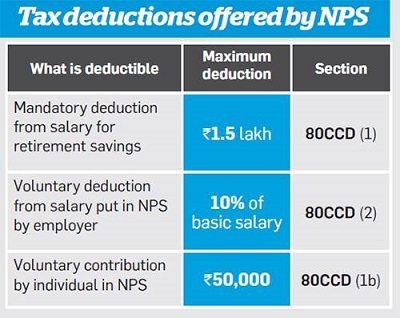 NPS Tax Benefits Tax benefits on NPS are available through 3 sections – 80CCD(1), 80CCD(2) and 80CCD(1B). All the tax benefits, annuity restrictions, exit and withdrawal rules are applicable to NPS Tier-I account only. NPS Tier-II account is liopen-ended ended mutual fund. You can take out the money at any time. Section 80CCD(1)
Section 80CCD(2)
Section 80CCD(1B) ,
Therefore, the total tax benefits that can be claimed for NPS under Section 80CCD(1) + Section 80CCD(1B) equals to 2 Lakhs for financial year 2017-18. If Employees have savings Rs. 1,50,000 under 80C excluding NPS Deductions, Then the Employee can show their NPS Deductions, under 80 CCD(1B), which is over the 1,50,000 Limit. If the Employee have less than 1.5 Lakh savings in 80C and exceeds 50,000 towards NPS, then the Employee can split their NPS Amount to 80CCD(1) and 80CCD(IB). |


itaxsoftware.net
Itaxsoftware.net |
|
Posted: 16 May 2018 05:23 AM PDT As per the Income Tax Department's New Notification Dated 19/2/2013 that the Salary Certificate Form 16 have already Changed the Format of Form 16. In this New Format of Form 16 have two parts one of Part A and another is Part B. In Part A have the details of Tax Deposited in to the Central Govt and in the Part B have the details of employee's Salary Details. As per the previous format of Form 16 have One Part but this new Amended Form 16 have two parts. Most of the Employer have not know about this new Notification of the CBDT. Click here to download Automated Form 16 Part B with Form 12 BA for the Financial Year 2017-18 and Assessment Year 2018-19 [This Excel Based Software can prepare at a time 50 employees Form 16 Part B with Form 12 BA for F.Y.2017-18]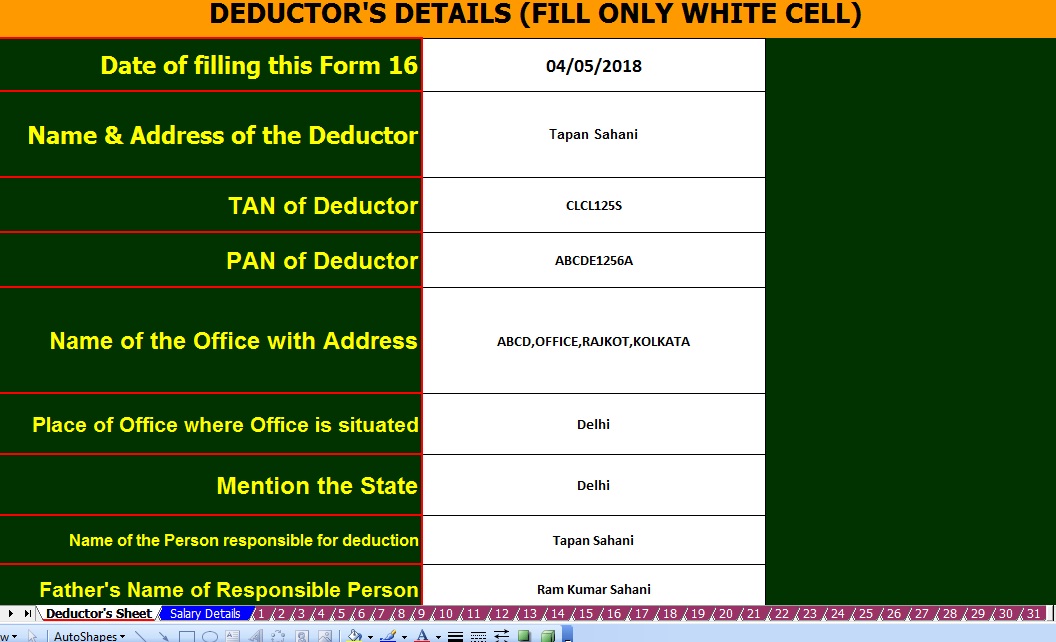 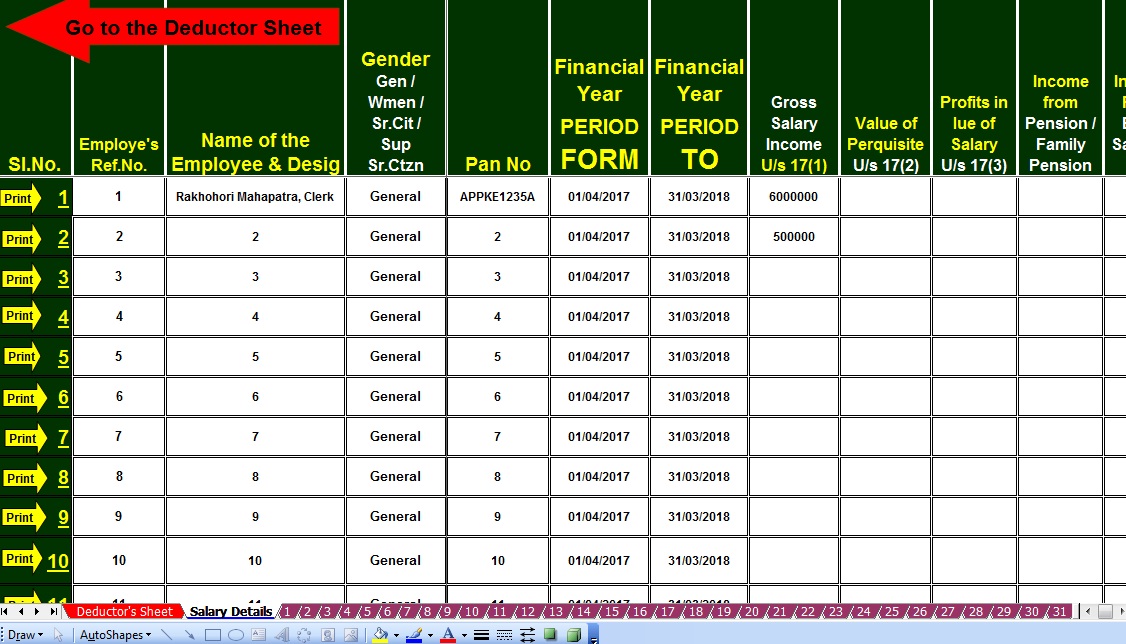 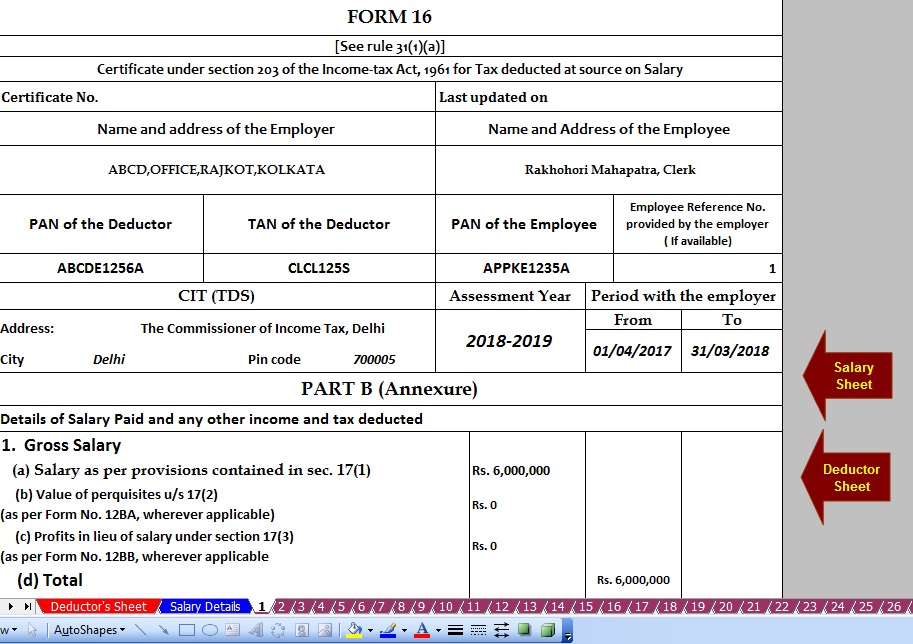 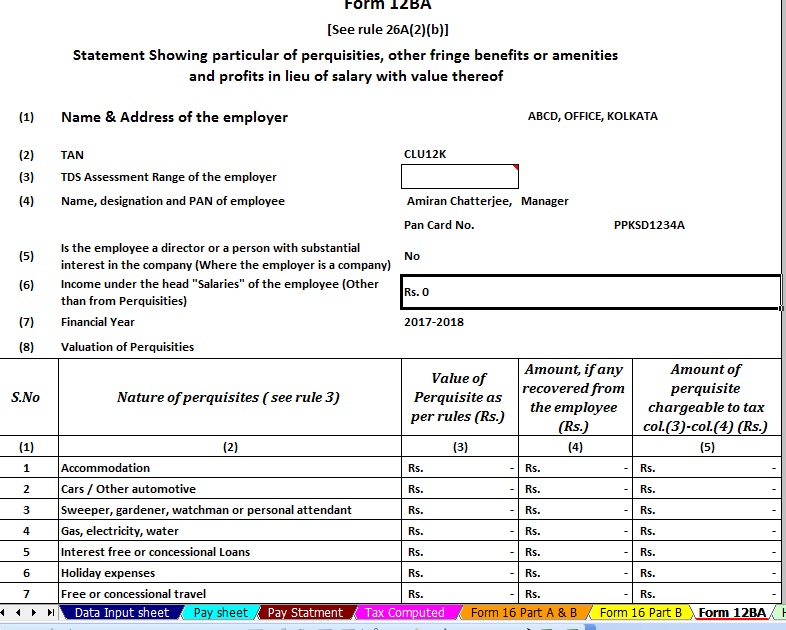 Click here to download Automated Form 16 Part B with Form 12 BA for the Financial Year 2017-18 and Assessment Year 2018-19 [This Excel Based Software can prepare at a time 50 employees Form 16 Part B with Form 12 BA for F.Y.2017-18] |


itaxsoftware.net
Itaxsoftware.net |
|
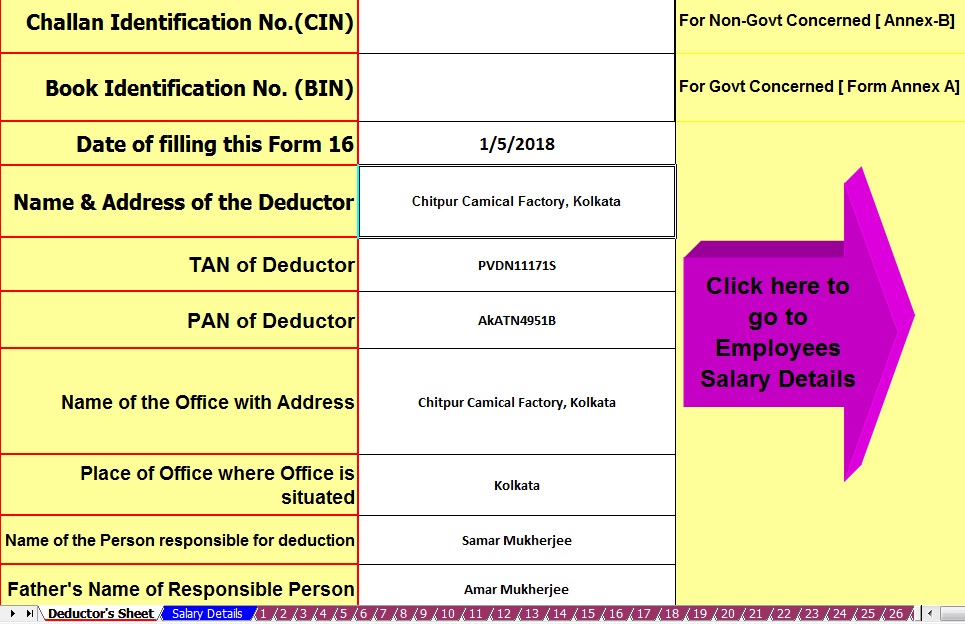
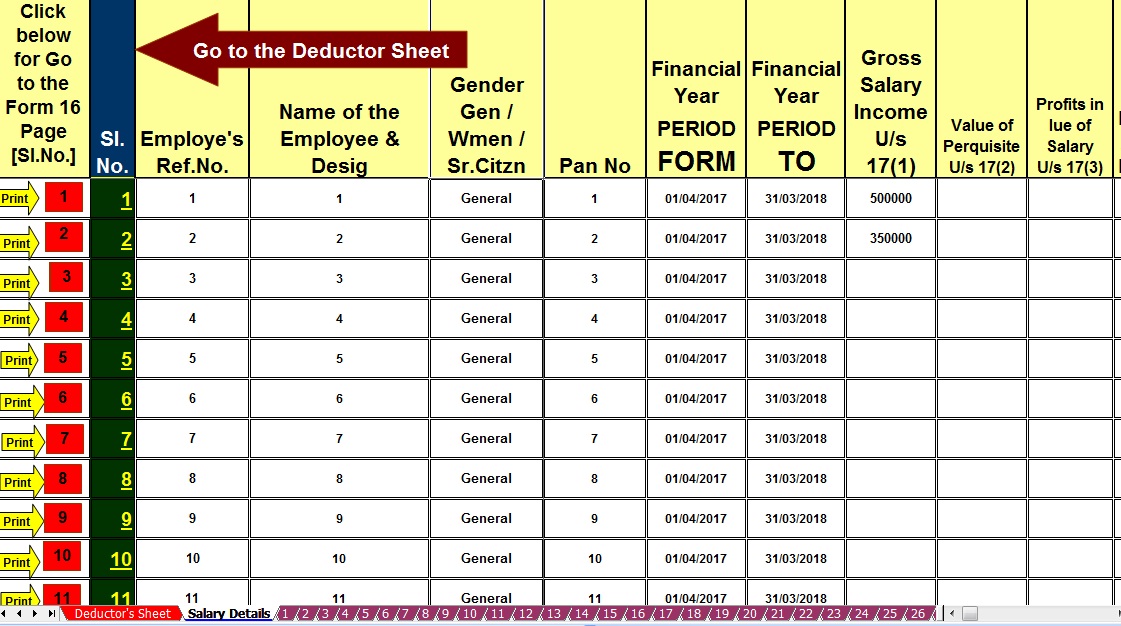
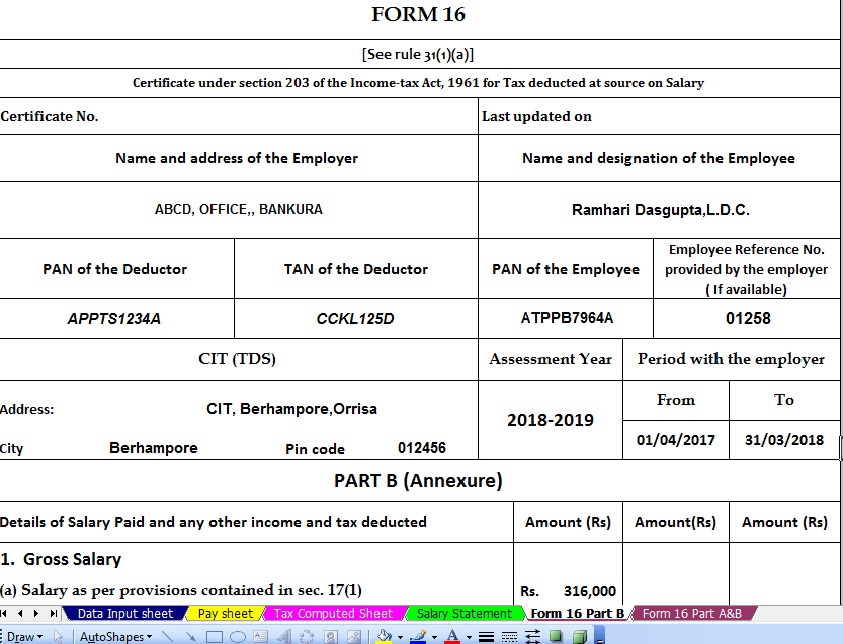
Prepare at a time 100 employees Form 16 Part B for F.Y.2017-18 & A.Y.2018-19 Posted: 17 May 2018 05:10 AM PDT |
Feature of this Excel Utility:- |
1) Automated Tax Calculate as per the New Income Tax Slab for F.Y.2017-18 2) Prepare at a time 100 employees Form 16 Part B for F.Y.2017-18 3) Automatic Convert the Amount into the In-Words ( Without any Excel Formula) 4) You can prepare more than 1000 employees Form 16 Part B by this one Software. 5) All the Income Tax Amended Section and siling of the Tax Section have in this Excel Utility as per the Finance Budget 2017-18.
|
|


itaxsoftware.net
Itaxsoftware.net |
|
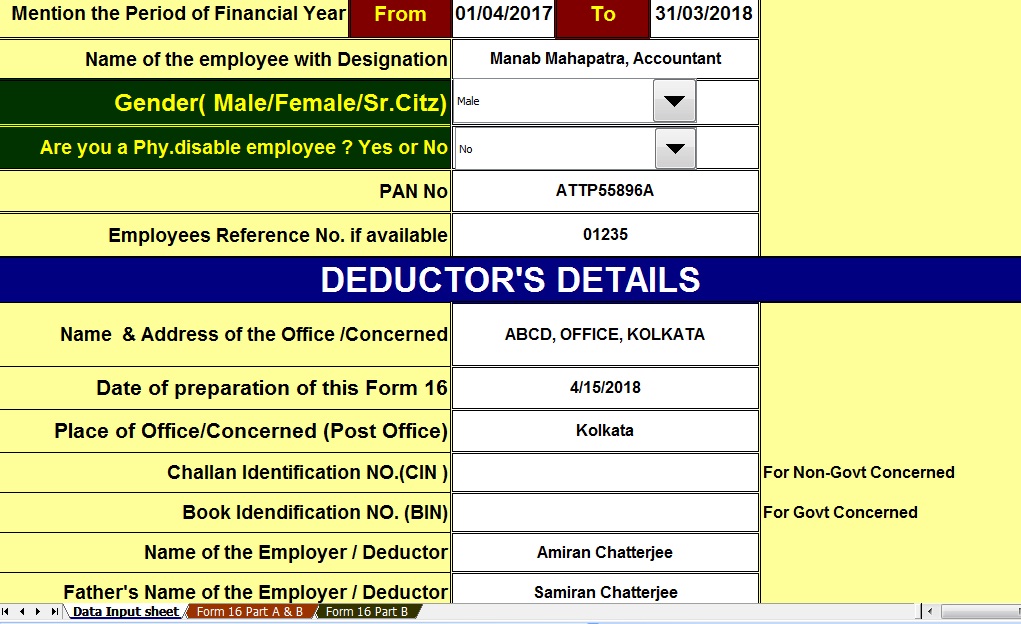
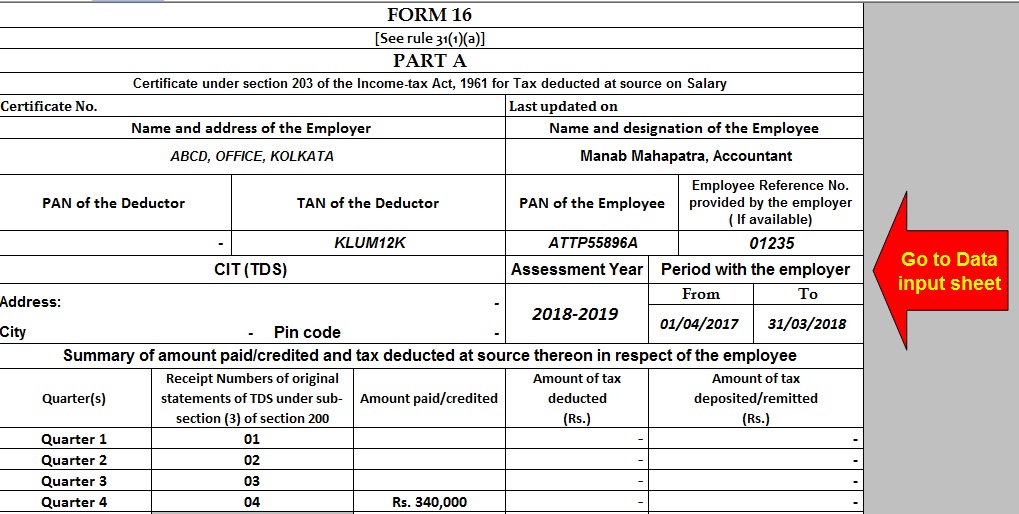
Automated Income Tax Form 16 A&B and Part B for F.Y.2017-18 Posted: 18 May 2018 05:26 AM PDT Click here to Download Automated One by One Preparation Excel Based Software Form 16 Part A&B for Financial Year 2017-18 & Ass Year 2018-19Main Feature of this Excel Utility:-1) Automatic calculates Income Tax as per New Tax Slab for F.Y. 2017-182) All the Income Tax Section have in this Excel Utility as per New Budget 2017-18 3) This Excel Utility can use both of Government & Non-Government Concerned 4) Easy to generate and easy to install on any computer 5) Automatic Convert Amount into the In-Words without any Excel Formula. 6) This Excel Utility can prepare more than 100 employees Form 16 Part A&B One by One.
|


itaxsoftware.net
Itaxsoftware.net |
|
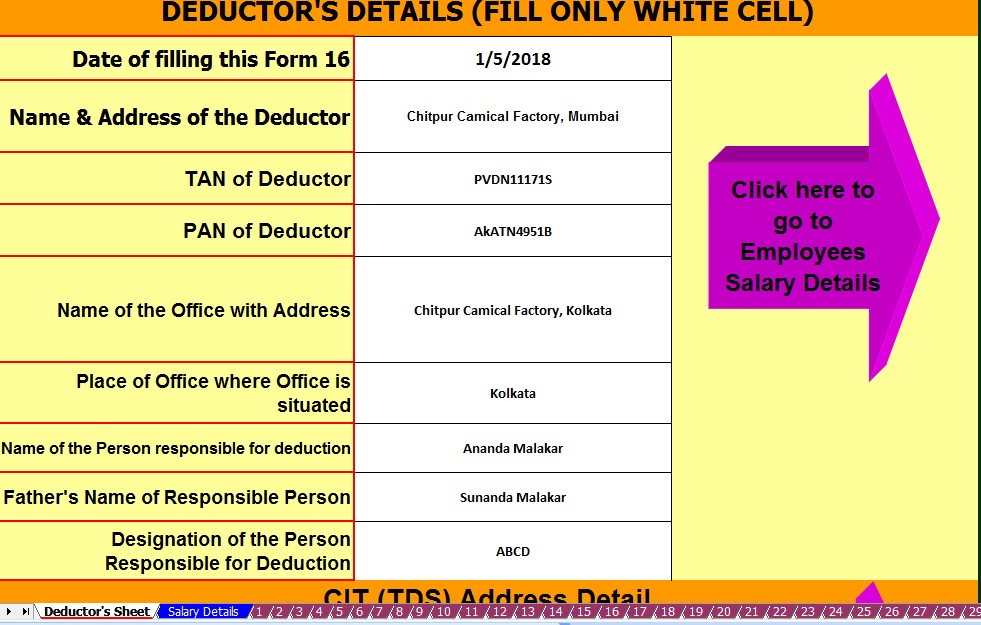
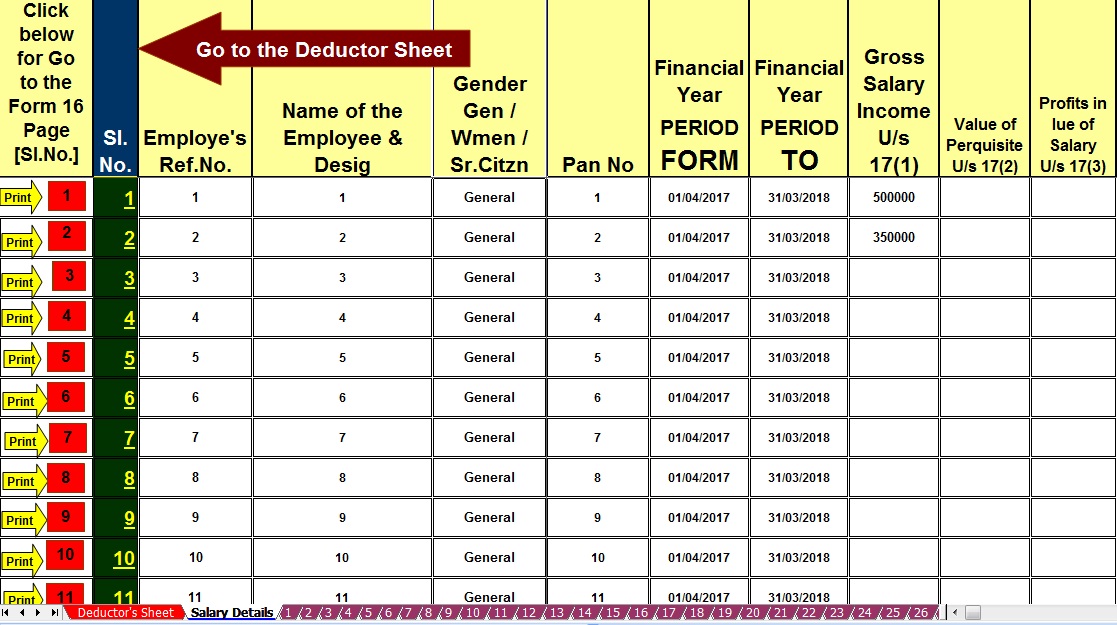
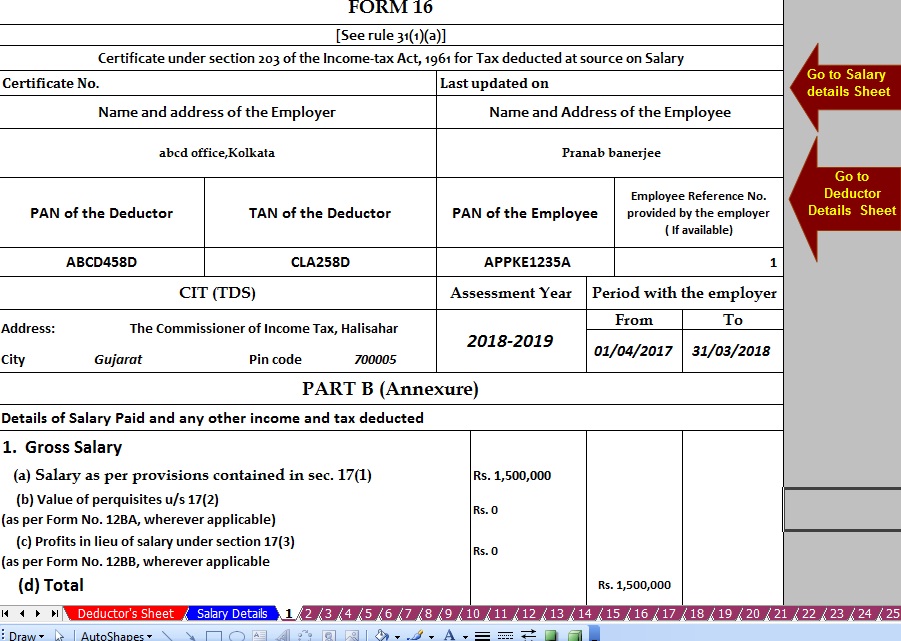
Prepare at a time 100 employees Form 16 Part B for F.Y.2017-18 Posted: 19 May 2018 06:37 AM PDT Click here to Download Master of Form 16 Part B for F.Y.2017-18, this Excel Utility can prepare at a time 100 employees Form 16 Part B with New Tax Slab and other Amended Tax Section as per Finance Budget 2017-18.
|


itaxsoftware.net
Itaxsoftware.net |
|
Download & Prepare at a time 100 employees Excel Based Form 16 Part A&B for F.Y.2017-18 Posted: 20 May 2018 05:05 AM PDT Click here to Download & Prepare at a time 100 employees Excel Based Form 16 Part A&B for F.Y.2017-18 [ This Excel Utility can prepare at a time 100 employees Form 16 Part A&B for F.Y.2017-18. Who have not competent to Download the Form 16 Part A from the Income Tax Traces Portal, they can use this Excel Utility.]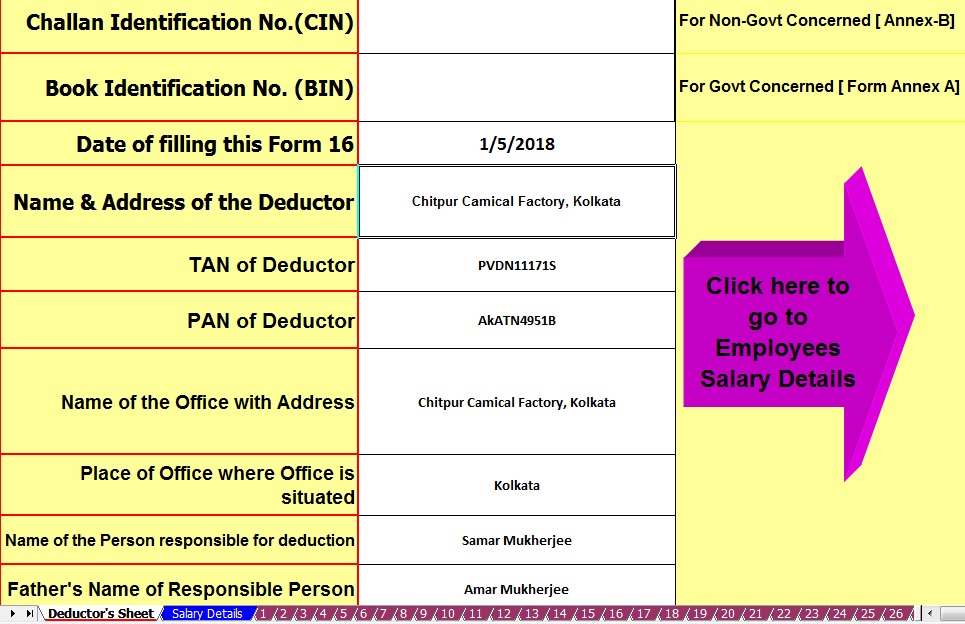 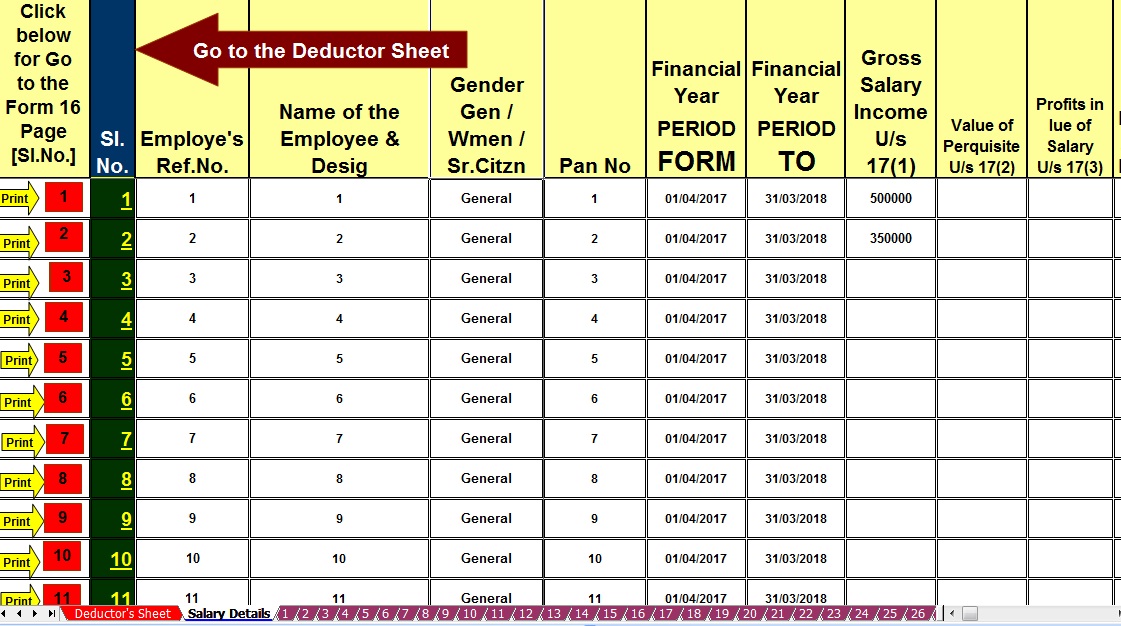 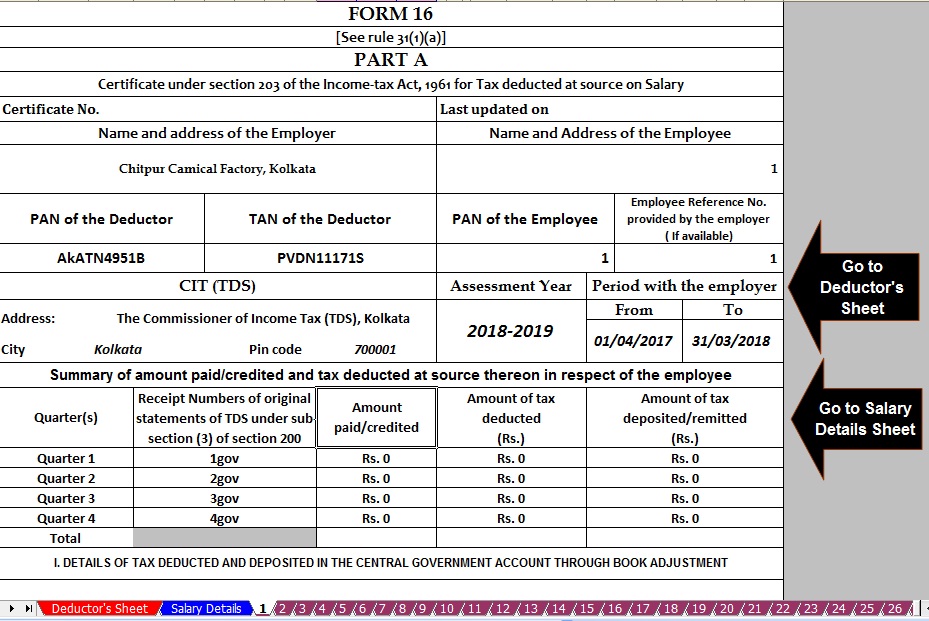 |


itaxsoftware.net
Itaxsoftware.net |
|
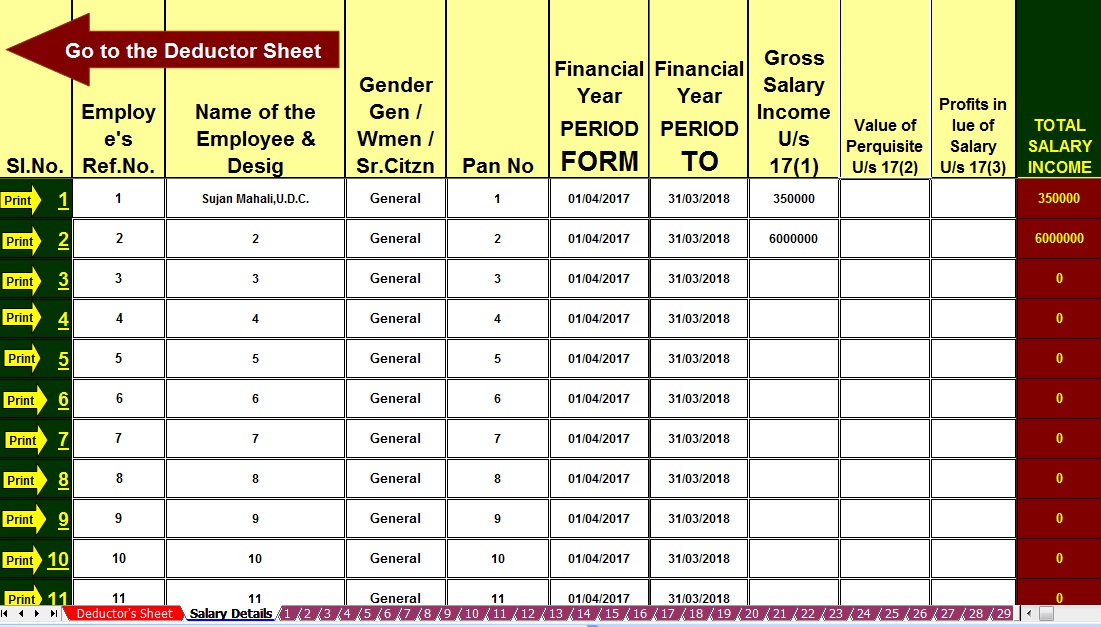
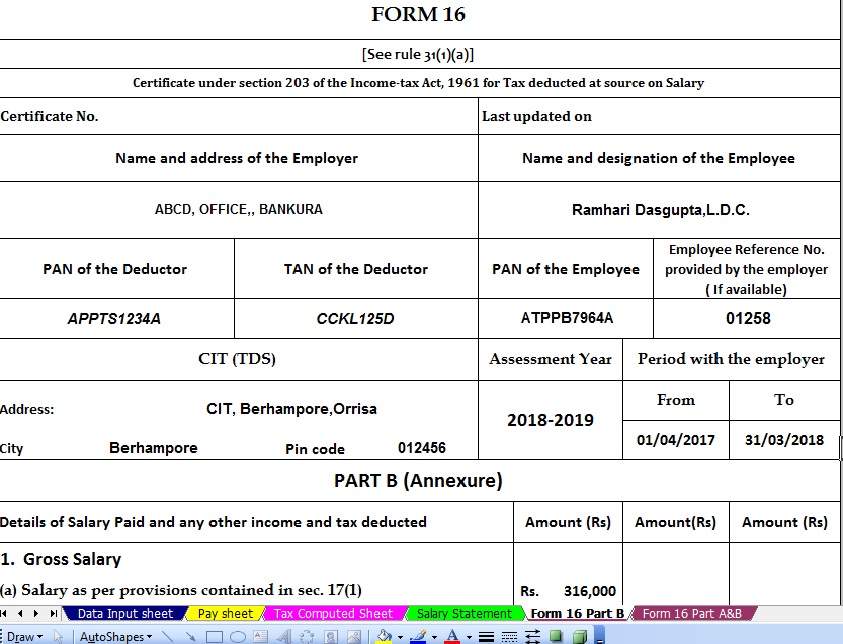
Download and prepare at a time 100 employees Form 16 Part B for F.Y.2017-18 & Ass Year 2018-19 Posted: 21 May 2018 05:26 AM PDT The Income Tax Department has already Circulate that the Salary Certificate Form 16 Part A must be download from the New Web Site TRACES vide Circular No.4/2013 dated 17/4/2013 and it is clear that the Part A(Annexure) of Salary Certificate Form 16 is mandatory to download from the Income Tax New Web Site TRACE and the Part B (Annexure) must be prepared by the Employer/Deductor. As per the New Amended Salary Certificate Form, 16 has already Changed of Format of Form 16 vide Notification No. 11/2013, where the Form 16 made in two part. One Part -A and Part - B. The Part A has now mandatory to download from the Web Site TRACES Portal. This Excel Utility have in a Zip file, and also have an Instruction about " How to prepare the limitless Form 16 Part-B for the Financial Year 2017-18. You can easily prepare limit less Form 16 Part-B by this one Excel Based Software. First prepare 100 employees Salary Certificate Form 16 Part B and save the same in another name and location, then you can again prepare another 100 employees Form 16 Part B and Save the same in another name and location, in this manner you can prepare to limitless Form 16 part B by this One Excel Based Software. |
Main Feature of this Excel Utility:- |
1) Prepare automatic at a time 100 employees Form 16 Part B for F.Y 2017-18 2) Inbuilt the Salary Structure with Tax Section as per Finance Budget 2017 3) New Tax Slab Rate for the Financial Year 2017-18 4) Income Tax Rebate reduced Rs.2,500/- who’s taxable income less than 3.5 Lakh. 5) Automatic Convert the Amount into the In-Words
|
|


itaxsoftware.net
Itaxsoftware.net |
|
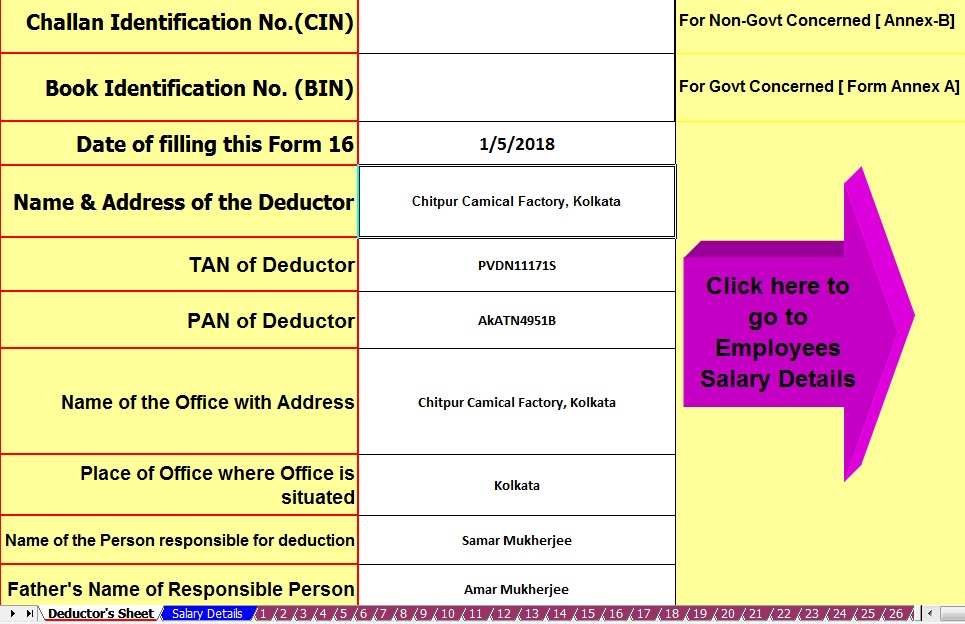
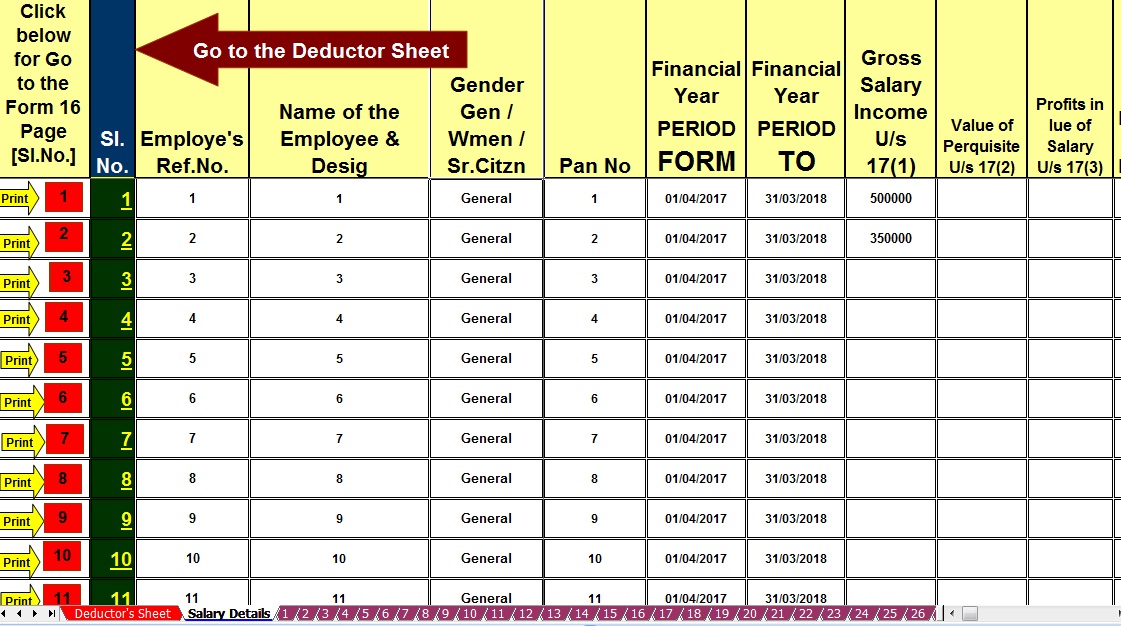
Posted: 22 May 2018 08:41 AM PDT Some of the Govt and Non-Govt Concerned yet not prepared the Salary Certificate Form 16 and they have yet not able to serve the Form 16 to their employees. Now it is the time of filing of Income Tax Return.But without the Form 16, they can not be able to File the Income Tax Return. In this regard, it is necessary to serve the Form 16 to the employees positively. HERE IS GIVEN BELOW ONE UNIQUE EXCEL BASED FORM 16 PART A 7 B PREPARATION SOFTWARE FOR THE FINANCIAL YEAR 2017-18 AND ASSESSMENT YEAR 2018-19. The CBDT has already changed the Format of Form 16 dated at 19/2/2013. In this Format have two part. Part A which found the Tax Deducted At Source and deposited into the Central Govt Account and another Part B which is found the details of employee's Salary. This Part B is mandatory to prepare by the employer. This Part A is mandatory to download from the Income Tax TRACES Portal. Most of the Employer or deductor yet not well known about this new Format of form 16. Also, most of the employer could not able to download the Form 16 Part A from the TRACES portal. Who has not able to download the Form 16 Part A from the TRACES Portal, they can use this below-given file Form 16 Part A&B in New Format of Form 16. This Excel Based Software can prepare at a time 100 employees Form 16 Part A&B for the Financial Year 2017-18 and Assessment Year 2018-19. This Utility can use both of Govt and Non Govt Concerned. |


itaxsoftware.net
Itaxsoftware.net |
|
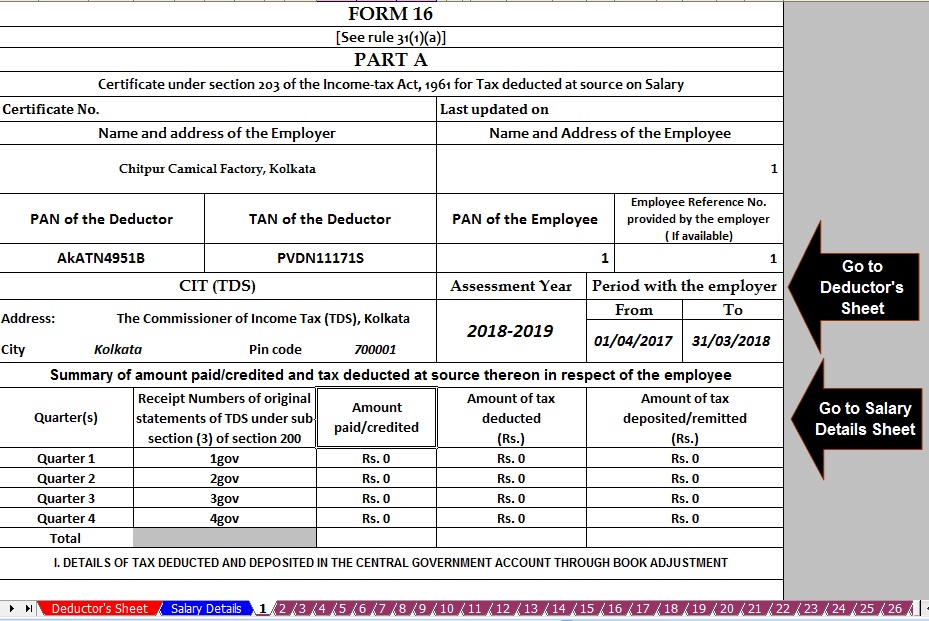
Posted: 23 May 2018 07:56 AM PDT Click here to download Automated 50 employees Excel Based Master of Form 16 Part B for F.Y.2017-18. [This Excel Utility can prepare at a time 50 Employees Form 16 Part B for f.Y.2017-18]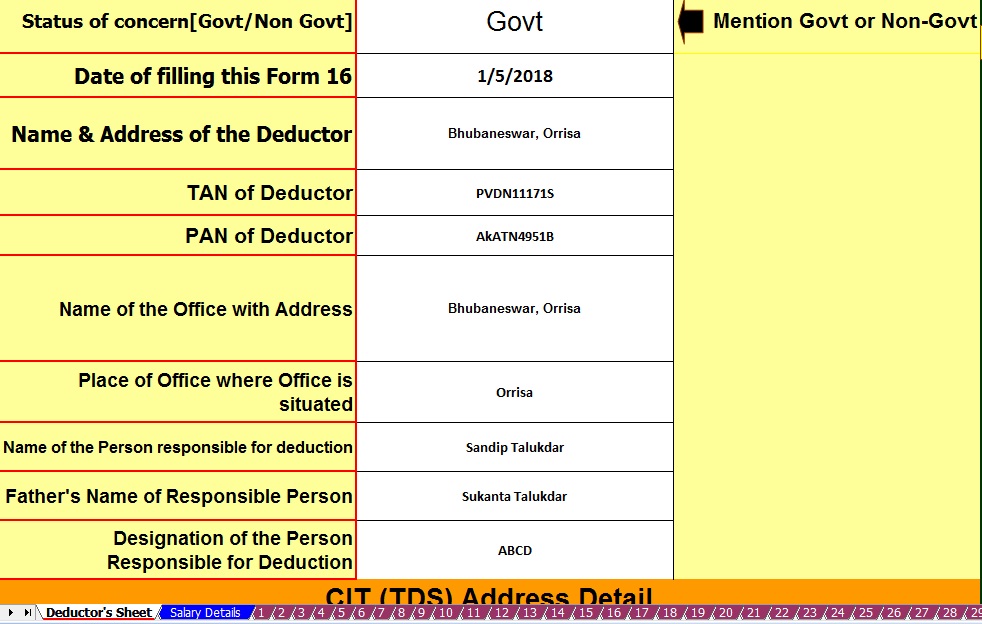 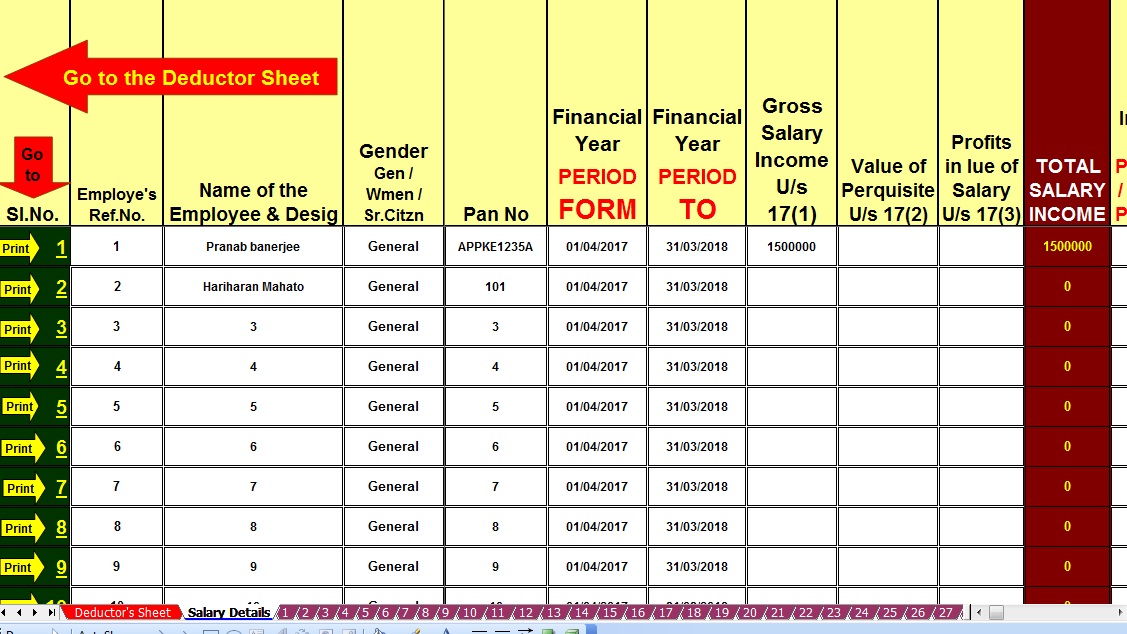 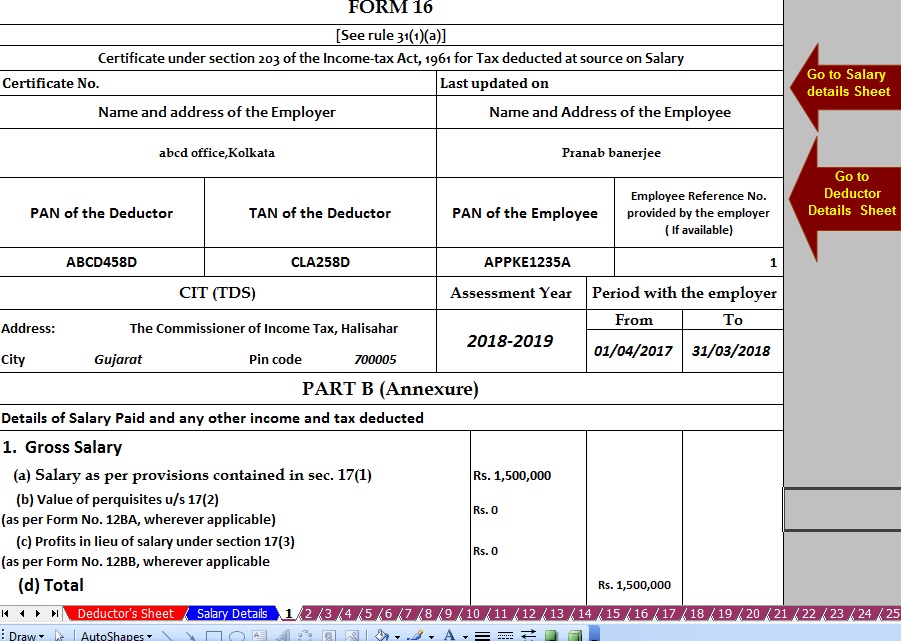 |


itaxsoftware.net
Itaxsoftware.net |
Feature of this Excel Utility:- |
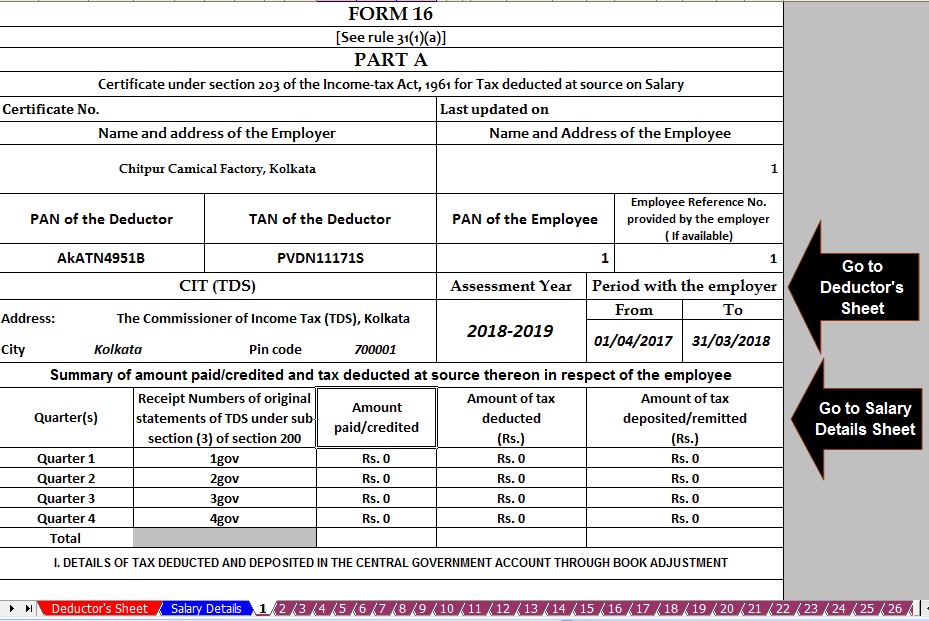
1. Automatic Calculate the Income Tax Liability of each employee 2. Automatic Calculate and prepare the Form 16 Part A&B for F.Y. 2017-18 3. Automatic prepare at a time 50 employees Form 16 Part A&B for F.Y. 2017-18 4. Prevent the double entry of PAN NO and Name of Employee 5. Easy to install and easy to generate 6. You can prepare more than 200 employees Form 16 Part A&B by this One Software 7. All the Income Tax Section have in this Excel Utility with the brief of each section 1) Click here to Download the Master of Form 16 Part B ( Prepare at a time 50 employees from 16 Part B ) |


itaxsoftware.net
Itaxsoftware.net |
|
Prepare One by One Automated Income Tax Form 16 Part B for F.Y.2017-18 Posted: 25 May 2018 07:53 AM PDT |
|
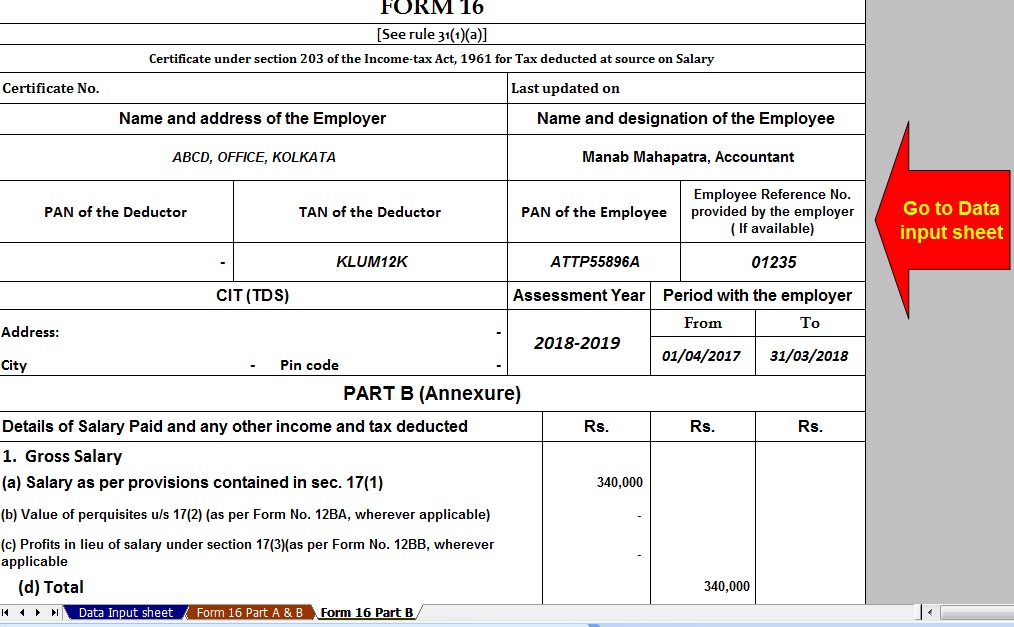
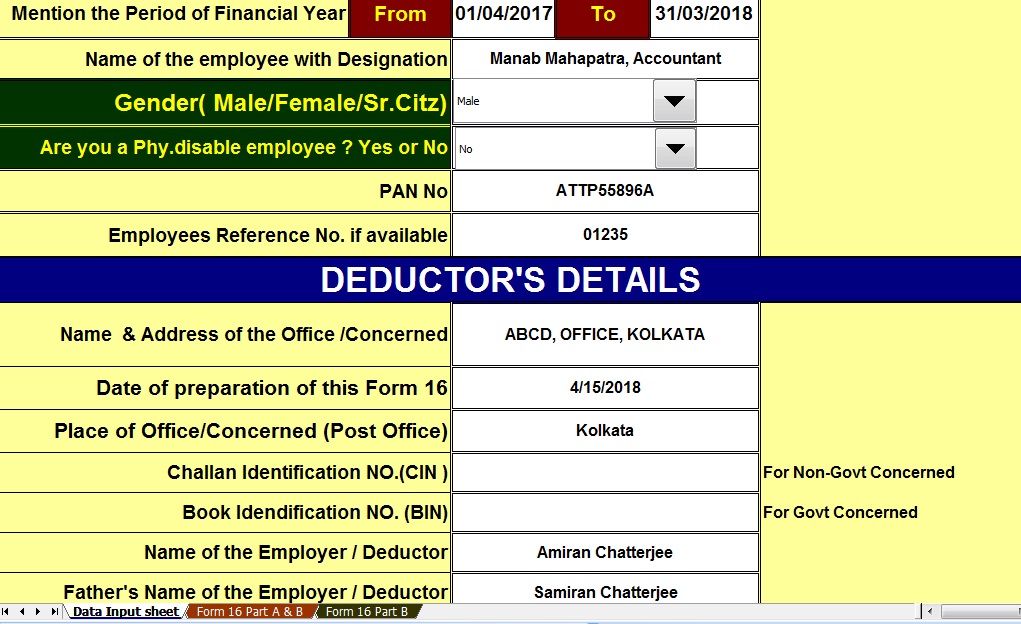
Main Feature of this Excel Utility:-1) Automatic calculates Income Tax as per New Tax Slab for F.Y. 2017-182) All the Income Tax Section have in this Excel Utility as per New Budget 2017-18 3) This Excel Utility can use both of Government & Non-Government Concerned 4) Easy to generate and easy to install on any computer 5) Automatic Convert Amount into the In-Words without any Excel Formula. |
6) This Excel Utility can prepare more than 100 employees Form 16 Part B One by One.
|


itaxsoftware.net
Itaxsoftware.net |
|
Prepare at a time 100 employees Automated Master of Form 16 Part B for F.Y.2017-18 Posted: 26 May 2018 06:01 AM PDT Download & Prepare at a time 100 employees Automated Excel Based Income Tax Master of Form 16 Part B for F.Y.2017-18 [This Excel Utility can prepare at a time 100 employees Form 16 Part B for F.Y. 2017-18]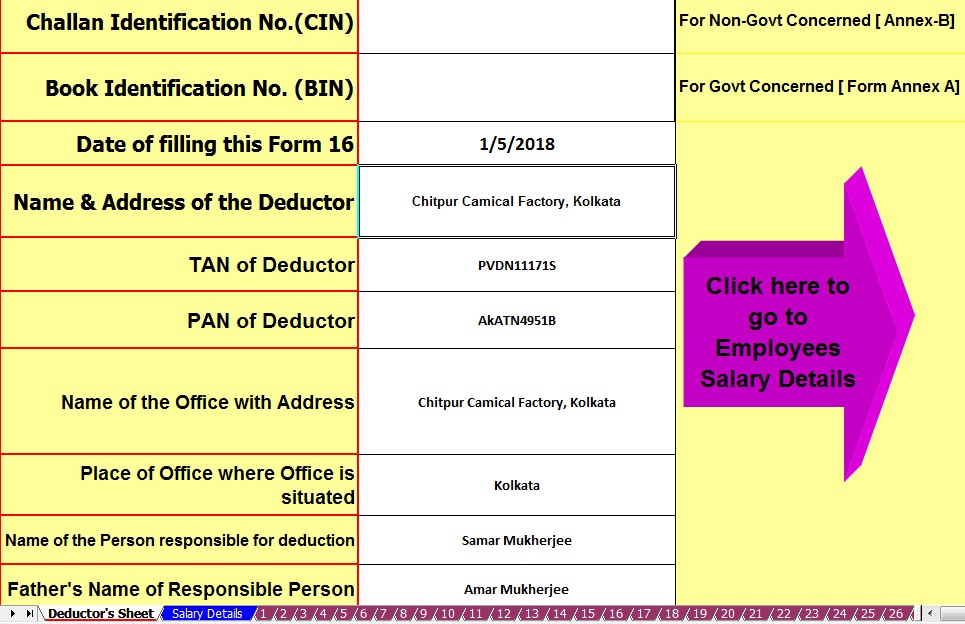 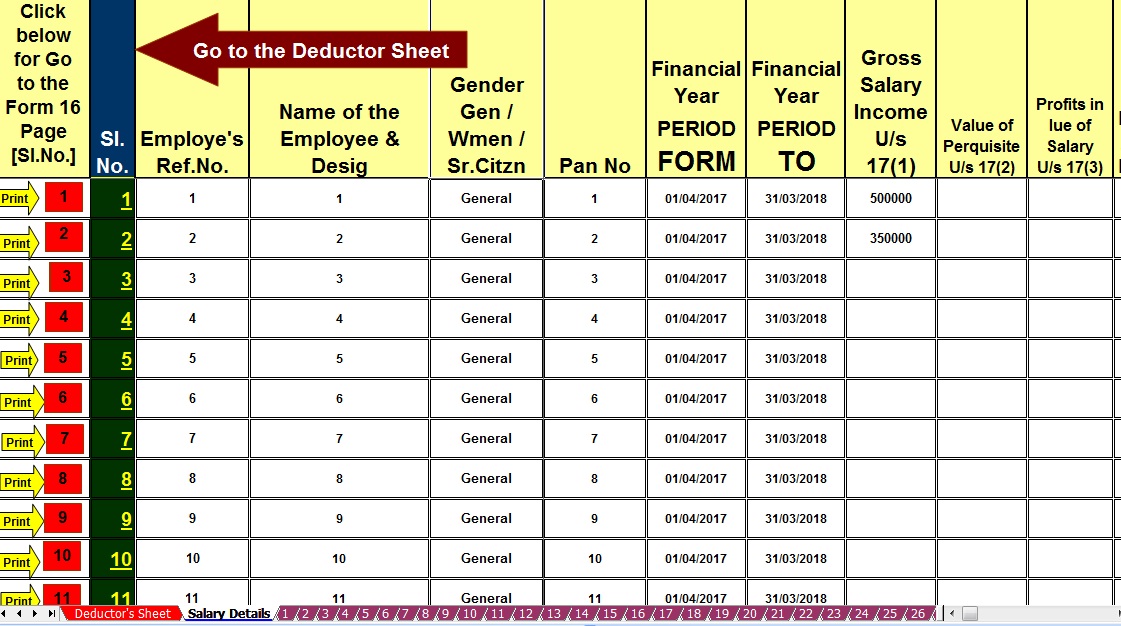 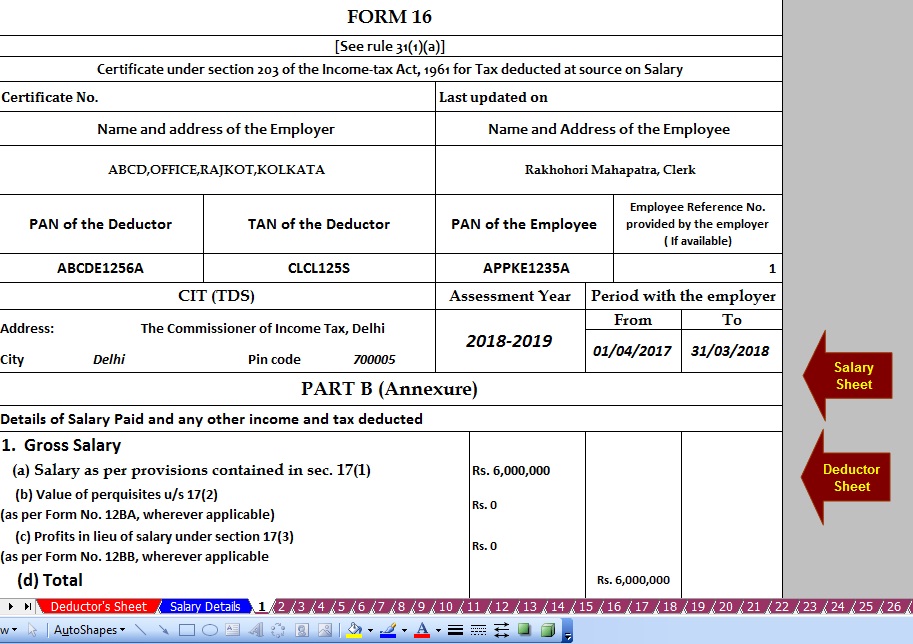 |


itaxsoftware.net
Itaxsoftware.net |
|
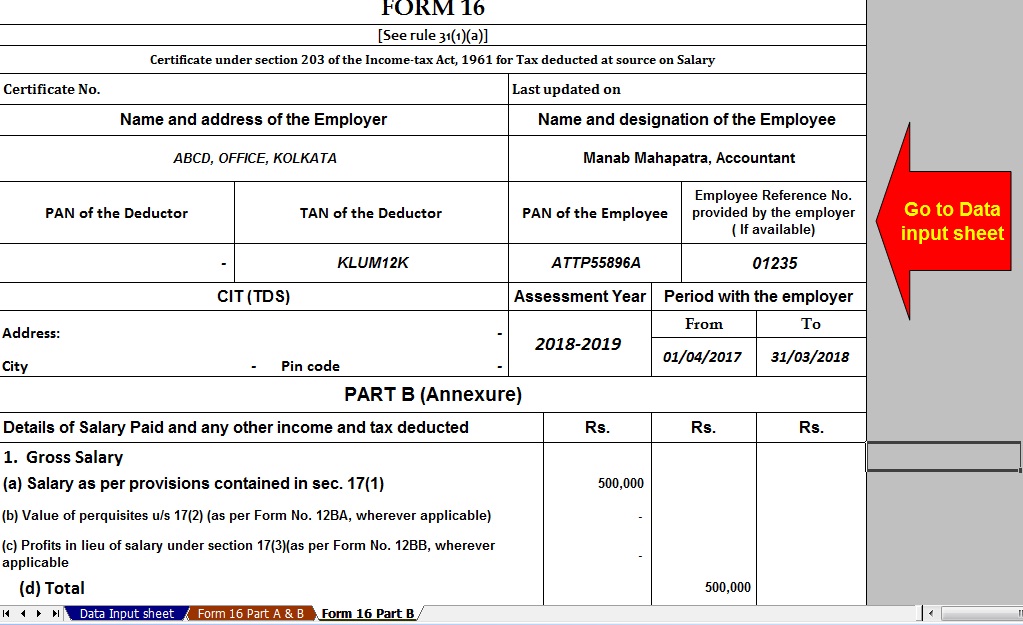
Posted: 27 May 2018 04:31 AM PDT Now this month is March 2018 is the end of the F.Y.2017-18 and Income Tax Preparation and submit the Tax Statement to the employer by the employee with their Tax Savings deposit. Also, it is time to prepare the Form 16 Part B by each employer/ Deductor for distributing the Form 16 Part B for the Financial Year 2017-18 and Assessment Year 2018-19. Some of concerned have less than 10 employees and also give the Form 16 Part B to the employees in this Financial Year. Below given Excel Based Software for prepare automated Form 16 Part B for FY 2017-18 with the all latest Tax Slab and Tax Section as per the Finance Budget 2017-18. The feature of this Excel Utility:-
Click here to download Automated Form 16 Part B for the Financial Year 2017-18 [This Excel Utility can prepare Form 16 Part B One by One] |


itaxsoftware.net
Itaxsoftware.net |
|
Posted: 28 May 2018 06:51 AM PDT
|
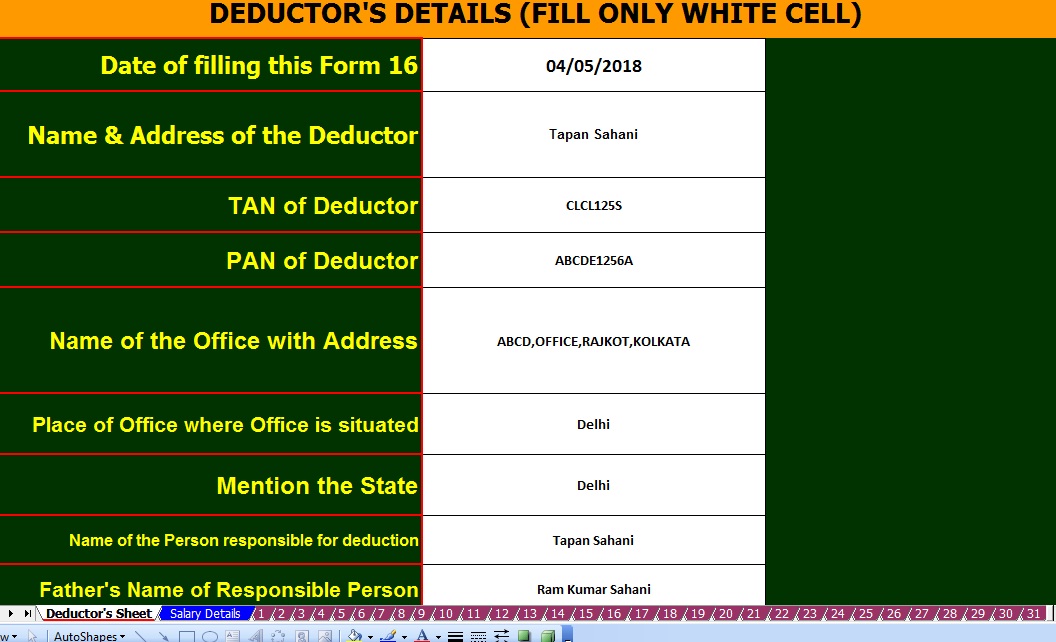 |
| Employer & Employees Details Sheet |
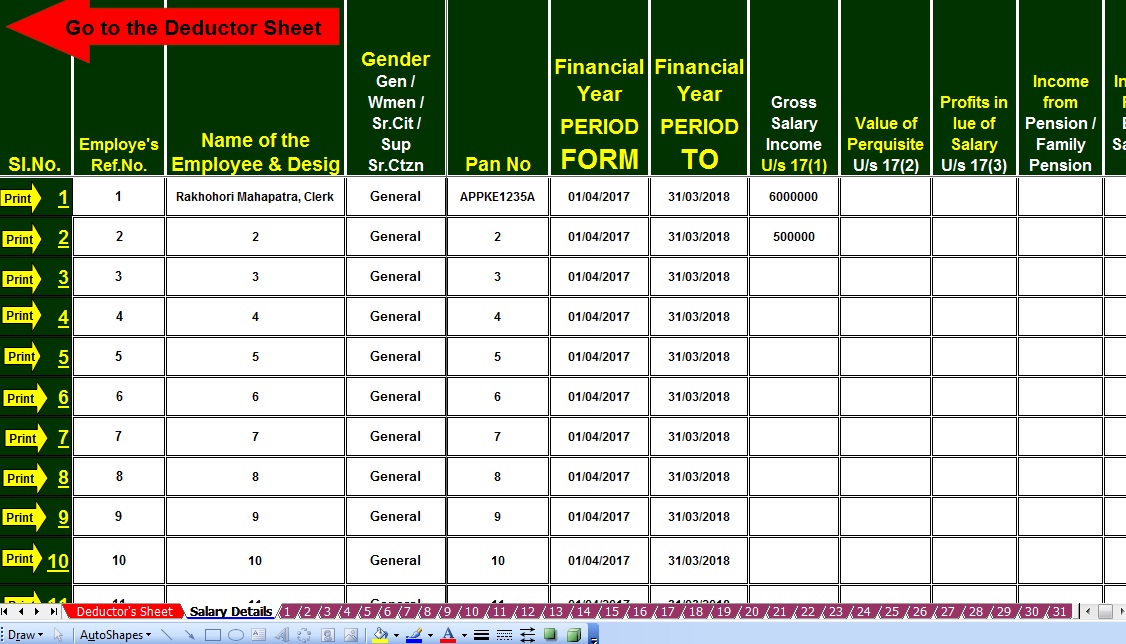 |
| Salary Structure with Tax Deduction All Section |
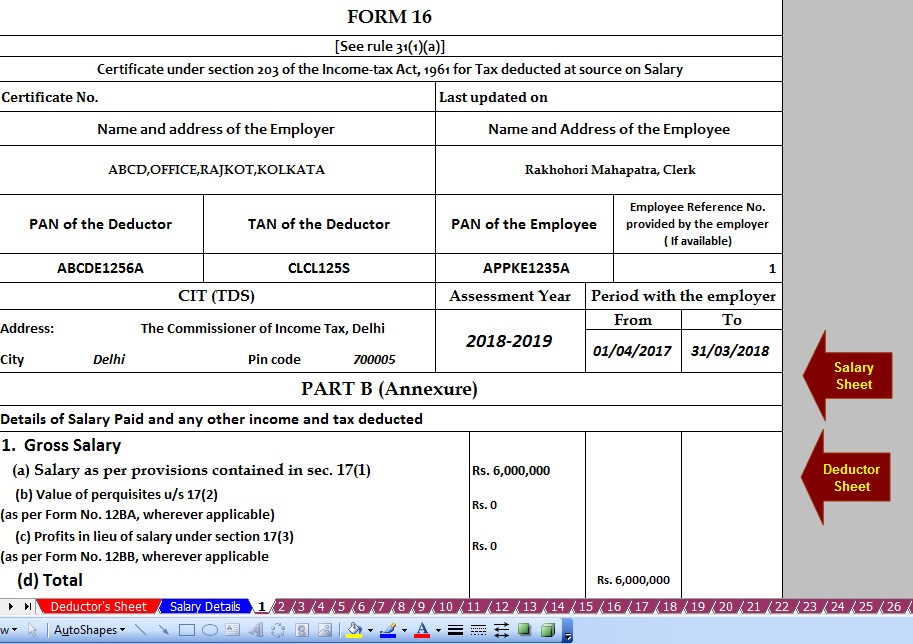 |
|
|


itaxsoftware.net
Itaxsoftware.net |
|
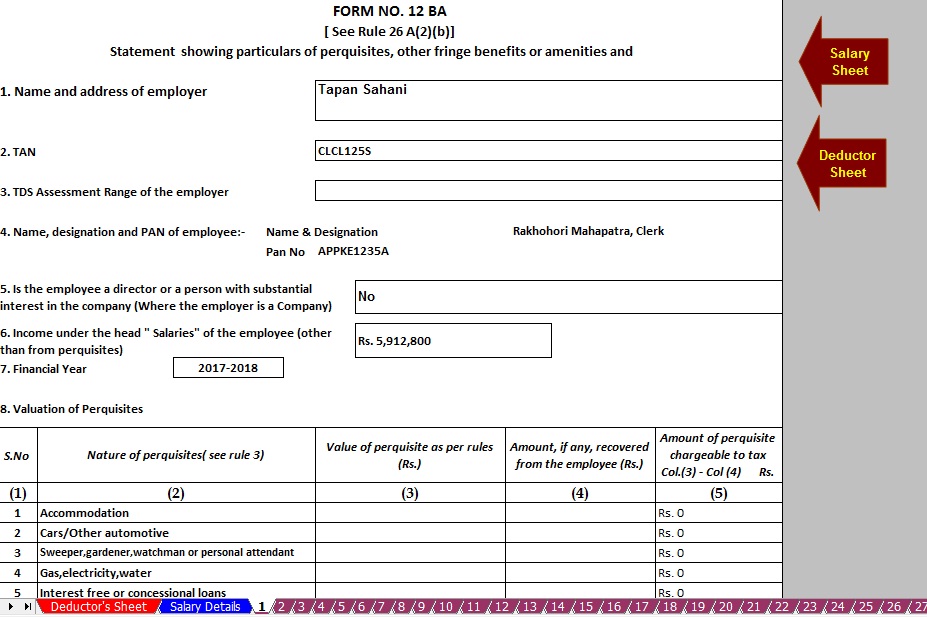
Posted: 29 May 2018 05:13 AM PDT And another Part Form 16 Part B is mandatory to prepare by the Employer of Govt or Non-Govt Concerned. In this Form 16 Part B has employee’s Salary details and all Deductions as per the Income Tax Section. Now in this time to prepare the Income Tax Form 16 Part B which will be given to the employee to the end of each financial year, and which will be prepared by the Employers in the different Govt and Non- Govt Cornered for the end of the Financial year 2017-18 and Assessment Year 2018-19. It appears from the various Concerned have the different Pay Structure and the various benefits which have given to the employees. Various Concerned has faced a problem to prepare the Huge Quantity of Form 16 Part B as manually or their own creation database. I have given below some Automatic Form 16 Part B preparation Excel utility which can prepare One by One Form 16 Part B, Prepare at a time 50 employees Form 16 Part B and Prepare at a time 100 employees Form 16 Part b just a moment without any help of Tax Expert. This all is Excel-based Software which can prepare the Form 16 Part B with all of the Income Tax Section with New Income Tax Slab for F.Y.2017-18, automatically convert the Amount into the Word. No need for the manual filling of Tax Form. All of the above mentioned Income Tax Form 16 Part B for F.Y. 2017-18 is given below with the link for Download. 1) Prepare One by One Form 16 Part B for F.Y. 2017-18 [ This Excel Utility can prepare one by one Form 16 Part B]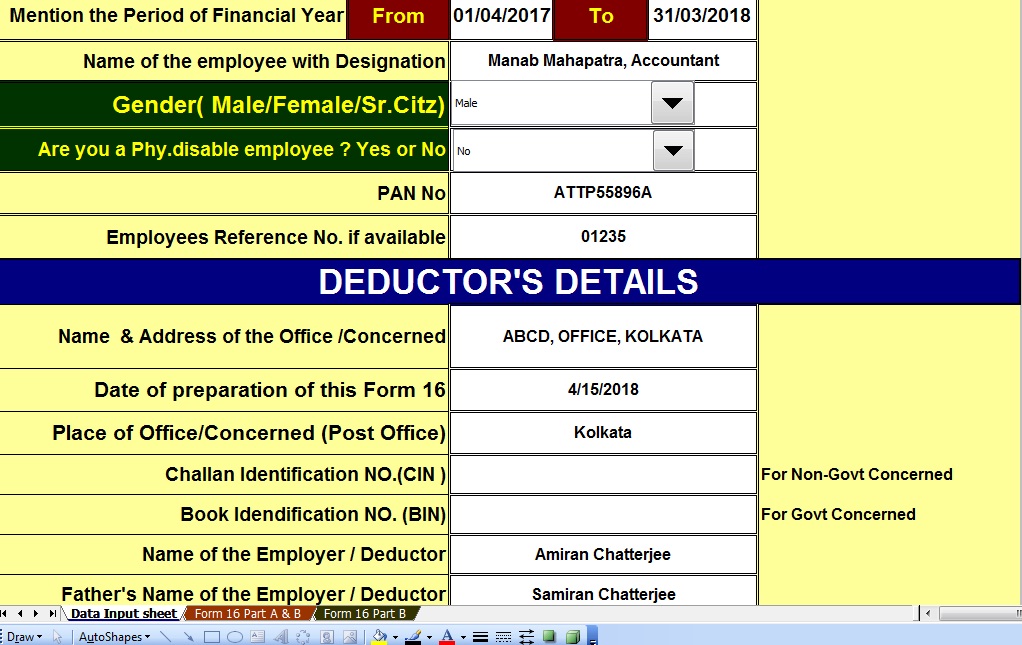 2) Prepare at time 50 employees Form 16 Part B for F.Y. 2017-18 [ This Excel Utility can prepare at a time 50 employees Form 16 Part B]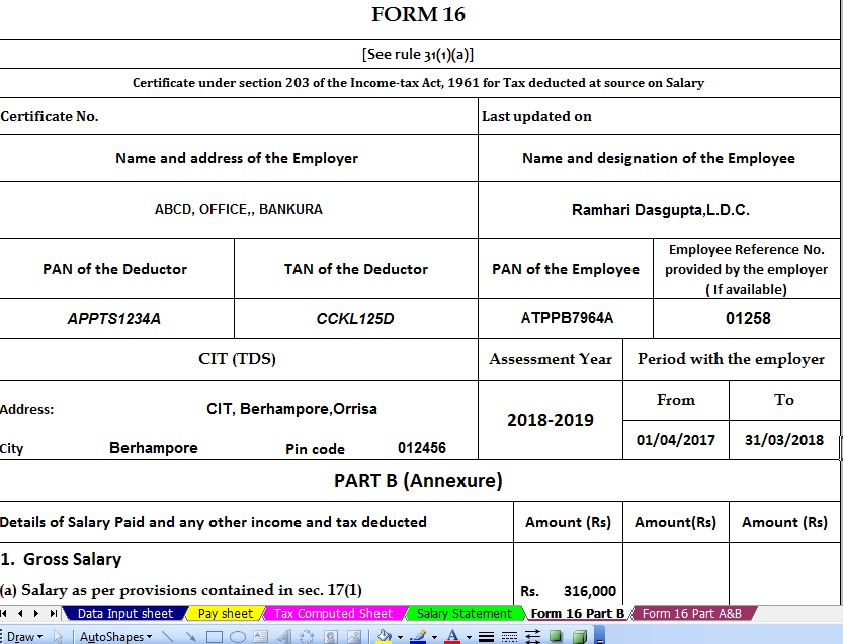 3) Prepare at time 100 employees Form 16 Part B[ This Excel Utility can prepare at a time 100 employees Form 16 Part B]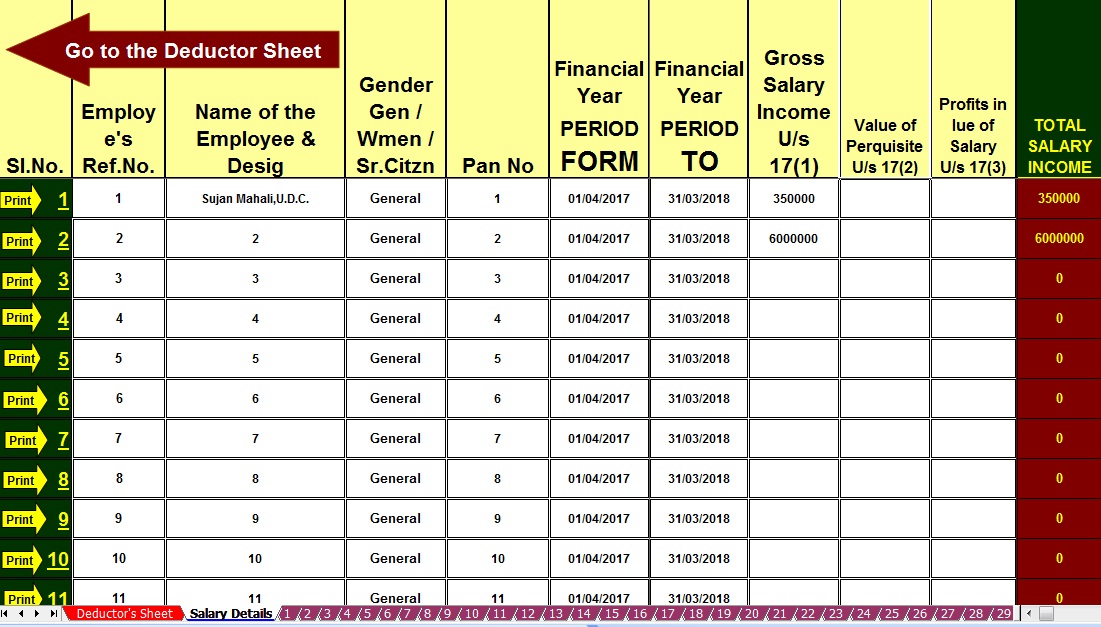 4) Prepare at a time 50 employees Form 16 Part B with 12 BA for f.Y. 2017-18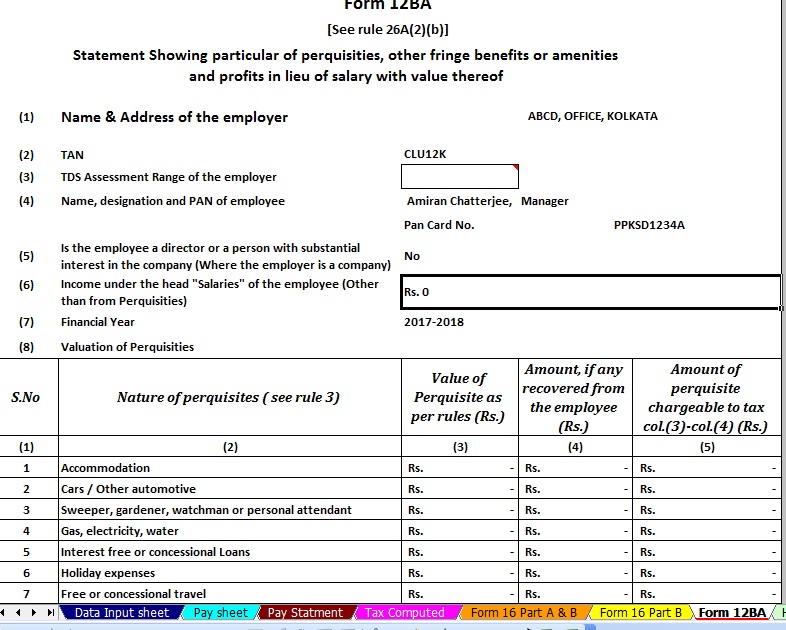 |


itaxsoftware.net
Itaxsoftware.net |
|
Posted: 30 May 2018 05:59 AM PDT The Income Tax Department (New Portal i.e. TRACES) had made compulsory to download Form No. 16 (Part-A) (TDS Certificate for Salaried Employee) from TRACES (New Website of TDS) from Assessment Year 2013-14 by its new circular 4/2013 dated 17.04.2012 for TDS Deductor on or after 01.04.2012. Download request for Form No. 16 Part A for a particular Fin Year & can be submitted only after Form 24Q statement for Q4 for the selected Financial Year is filed by dedicator and processed by TDS CPC. Until you have not submitted the Last Quarter Challan (24Q or 26Q), you can not download your Form 16 (Part-A) from TRACES portal. Procedure to Download Form No. 16 : 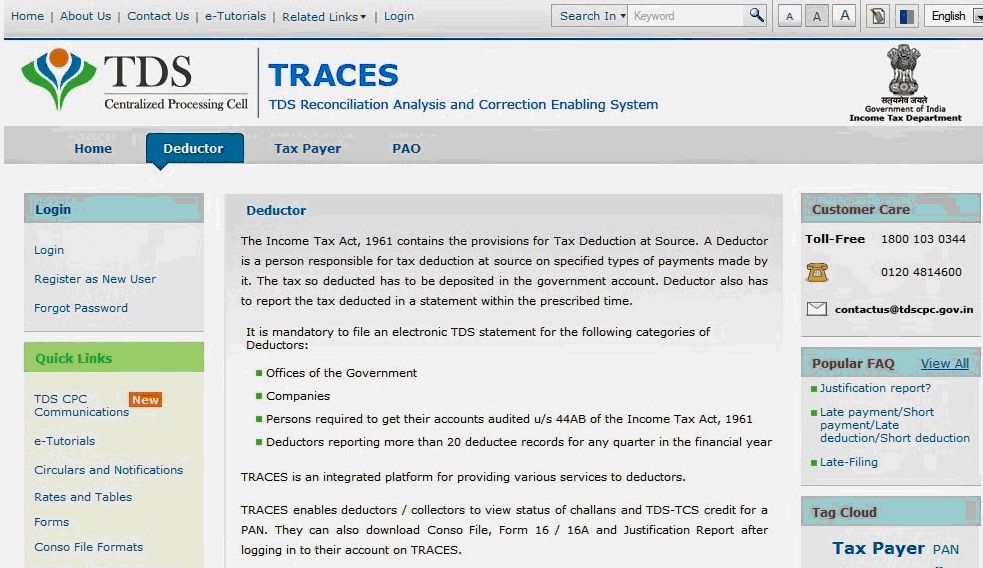 Select from Menu:
Enter Search Criteria
Token Number Details (Contd.)
Details to be printed on Form 16
Download File
Search File to Download
Search Results
Convert.ZIP File into PDF ZIP file downloaded from TRACES will contain Form 16 details for all requested PANs
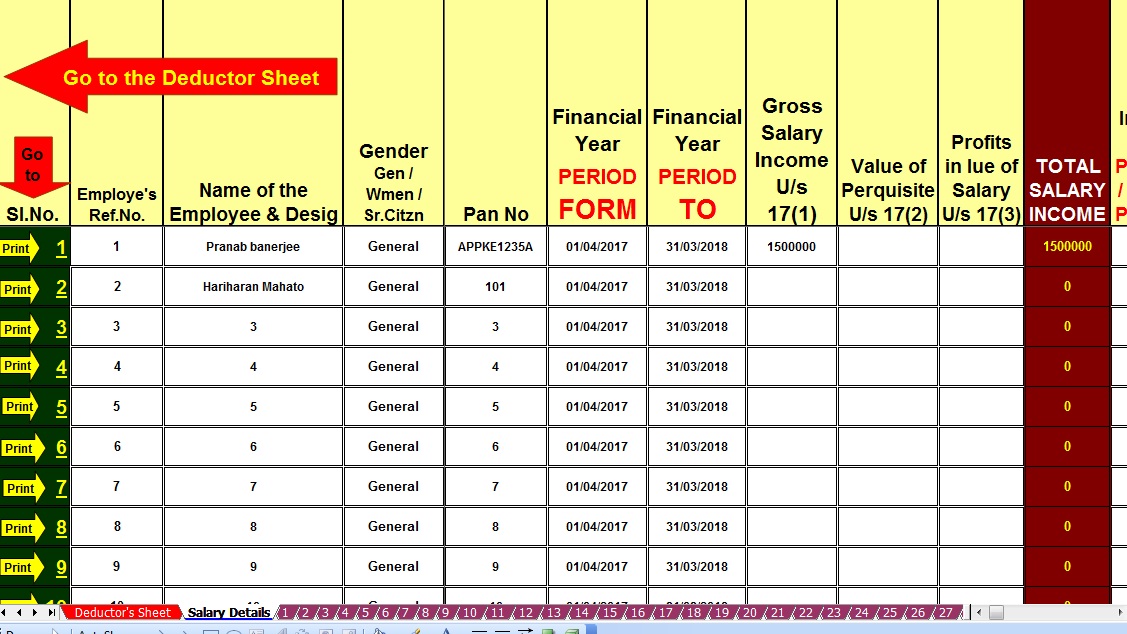
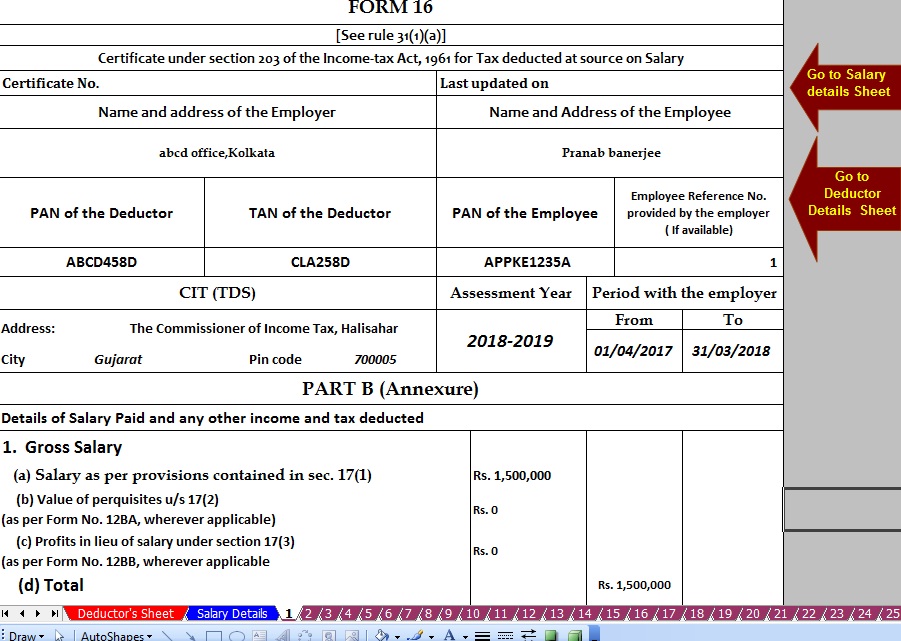
Download below the Automated Form 16 Part B1) Click here to Download the Master of Amended Form 16 Part B which can prepare at a time 50 employees Form 16 Part B for the F,Y 2017-18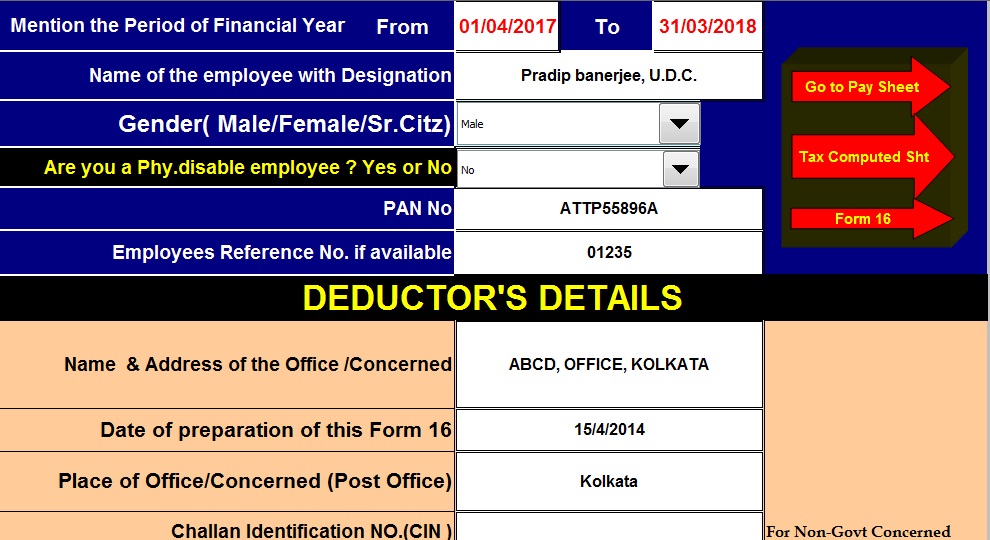 2) Click here to Download Master of Form 16 Part B with Form 12 BA, which can prepare at a time 50 employees Form 16 Part B with Form 12 BA for F.Y 2017-18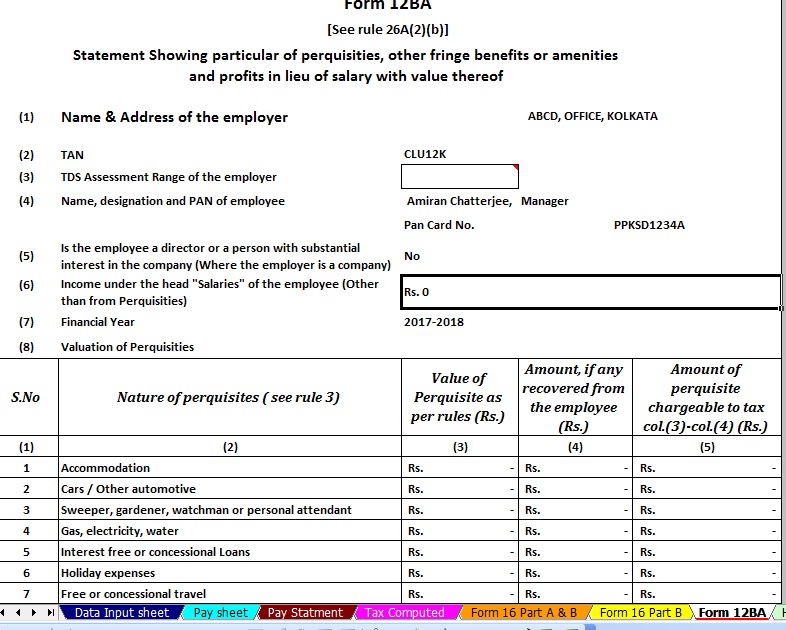 3) Click here to Download One by One Preparation Amended Version Form 16 Part B for FY2017-18 |


itaxsoftware.net
Itaxsoftware.net |
|
Posted: 31 May 2018 05:40 AM PDT Download & Prepare at a time 50 employees Automated Excel Based Income Tax Form 16 Part A&B For F.Y.2017-18 [ This Excel Utility can prepare at a time 50 employees Form 16 Part A&B for Financial Year 2017-18 ]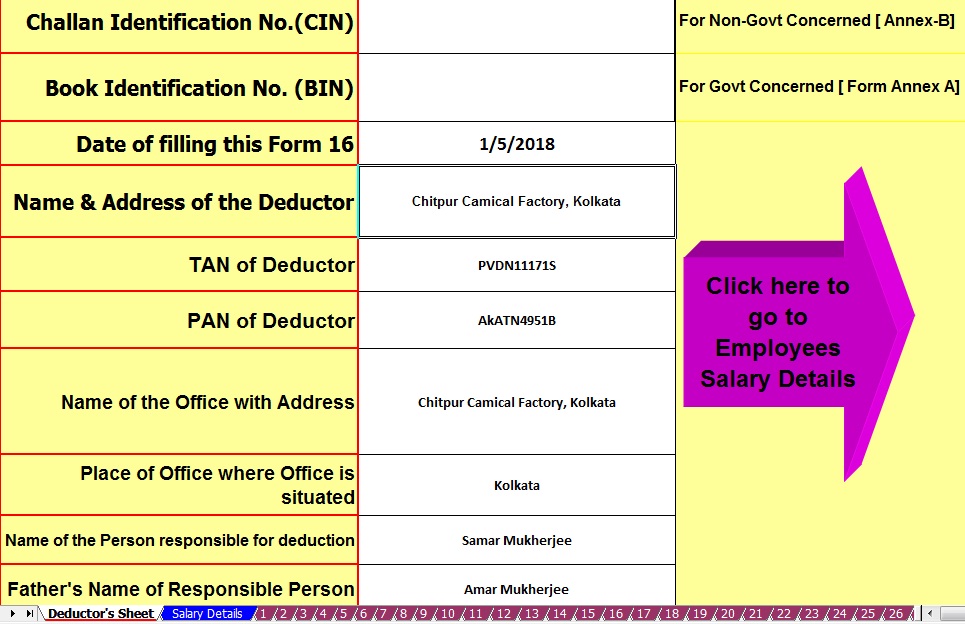 |


itaxsoftware.net
Itaxsoftware.net |
|
Posted: 01 Jun 2018 05:11 AM PDT Download and Prepare at a time 50 employees Excel Based Form 16 Part B with Form 12 BA for F.Y. 2017-18 [ This Excel Utility can prepare at a time 50 employees Form 16 Part B with 12 BA for the Financial Year 2017-18] |
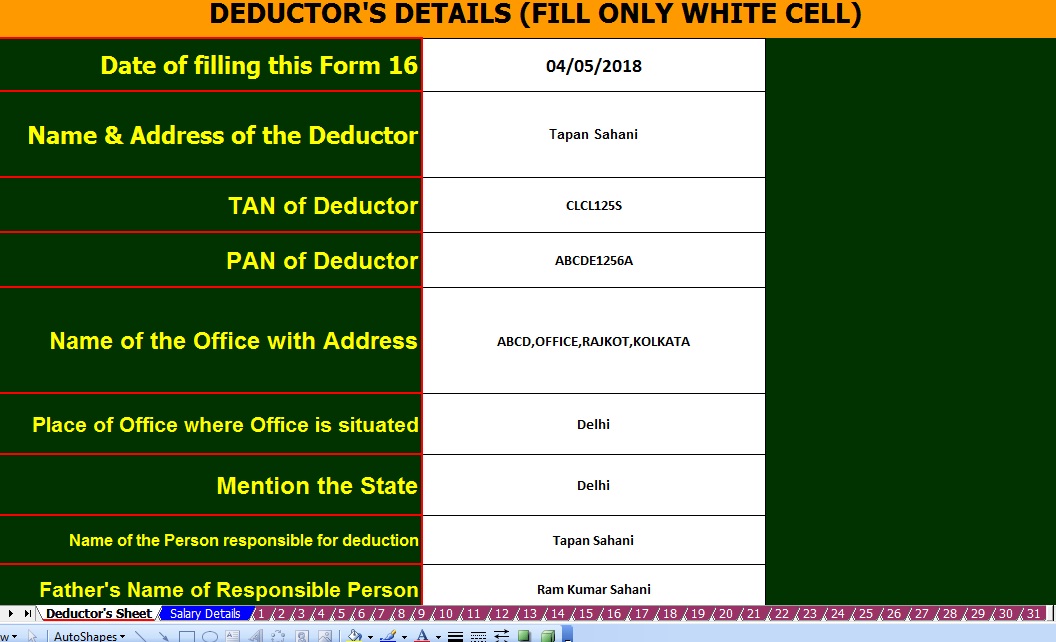


itaxsoftware.net
Itaxsoftware.net |
|
Posted: 02 Jun 2018 05:46 AM PDT Click here to Download the Automated HRA Exemption Calculator ( Updated) Snapshot of Excel Based HRA Calculator :- 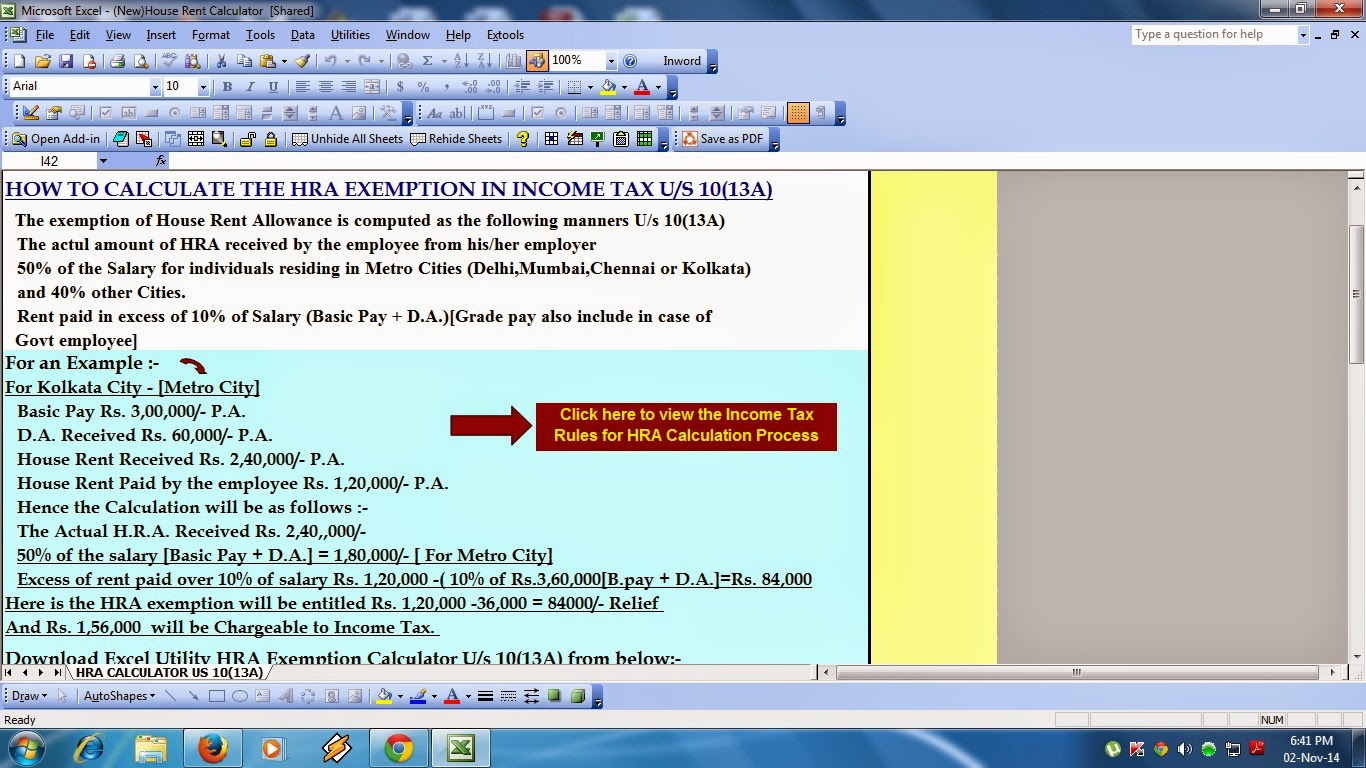 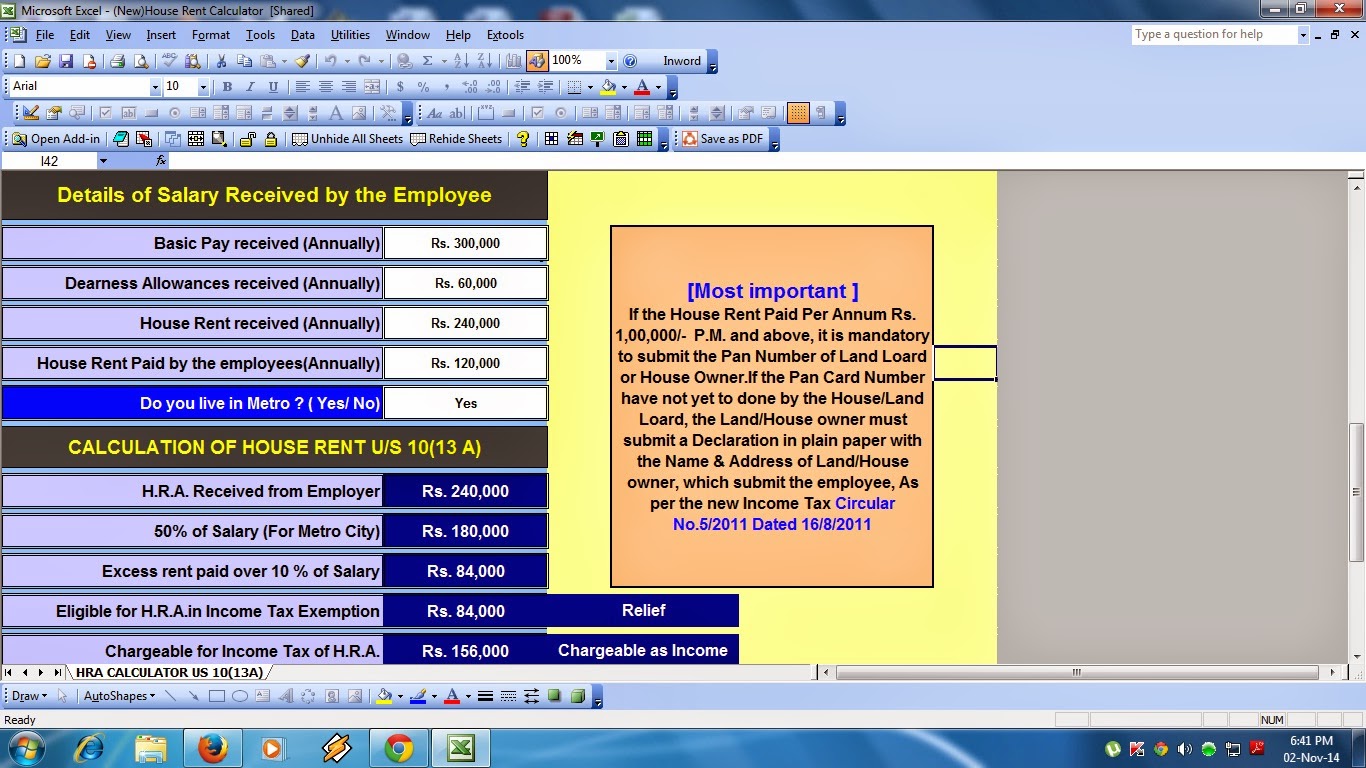 If you are a salaried taxpayer claiming HRA(house rent allowance) deduction, watch out. The central government has lowered the exemption limit for reporting the rent received. Salaried taxpayers claiming HRA exemption and paying a rent of over Rs 1 lakh per year have to give landlord’s PAN (permanent account number). Till now, if the total rent paid was less than Rs 15,000 a month there was no need to submit the landlord's PAN details. The new rule effectively lowers the rent limit from Rs 15,000 a month to Rs 8,333 per month for claiming HRA exemption without making any disclosures. "Further, if annual rent paid by the employee exceeds Rs 1,00,000 per annul, it is mandatory for the employee to report PAN of the landlord to the employer," the Central Board of Direct Taxes said in its latest circular. "In case the landlord does not have a PAN, a declaration to this effect from the landlord along with the name and address of the landlord should be filed by the employee," it said. Though incurring actual expenditure on payment of rent is a per-requisite for claiming deduction under section 10(13A) of the I-Tax Act, it has been decided as an administrative measure that salaried employees drawing HRA up to Rs 3,000 per month will be exempted from production of rent receipt. The new rule is aimed at people claiming HRA exemption for living in their own house. "It has to be noted that only the expenditure actually incurred on payment of rent in respect of residential accommodation occupied by the assessee subject to the limits laid down in Rule 2A, qualifies for exemption from income-tax," CBDT said in its circular. Thus, HRA granted to an employee who is residing in a house/flat owned by him is not exempt from income-tax. "The disbursing authorities should satisfy themselves in this regard by insisting on production of evidence of actual payment of rent before excluding the house rent allowance or any portion thereof from the total income of the employee," CBDT said. Click here to Download the Automated HRA Exemption Calculator ( Updated) |


itaxsoftware.net
Itaxsoftware.net |
|
Prepare Automated One by One Form 16 Part B for the Financial Year 2017-18 and A.Y.2018-19 Posted: 03 Jun 2018 05:20 AM PDT As per the CBDT notified that the Form 16 Part A must be download from the TRACES PORTAL and Form 16 Part B must be prepared by the Employer. In this recent time to prepare the Form 16 Part B for most of Govt and Private Concerned and hand over the Form 16 Part B to their employer in April 2019 for the Financial Year 2017-18. Most of the Concerned have the huge quantity of employees and give them the Form 16 Part B. In this regard, if the all concerned may start to prepare the Form 16 Part B so they can complete the total Employees Form 16 Part B in the stipulated time. Given an Excel Based Income Tax Form 16 Part B which can prepare One by One Form 16 Part B for F.Y.2017-18. The Feature of the Excel Utility:-1) You can prepare One by One Form 16 Part B for F.Y.2017-18 as per latest amended Tax Section. 2) Easy to install on any Computer and prepare the Form 16 Part B, just like as an Excel File. 3) You can prepare more than 100 employees Form 16 Part B One by One by this one Excel Utility. 4) All the Income Tax Section have in this Excel utility as per the Finance Bill 2017-18 5) Automatic Convert the Amount into the In-Words. Download the Automated Form 16 Part B for F.Y.2017-18 which can prepare One by One |


itaxsoftware.net
Itaxsoftware.net |
|
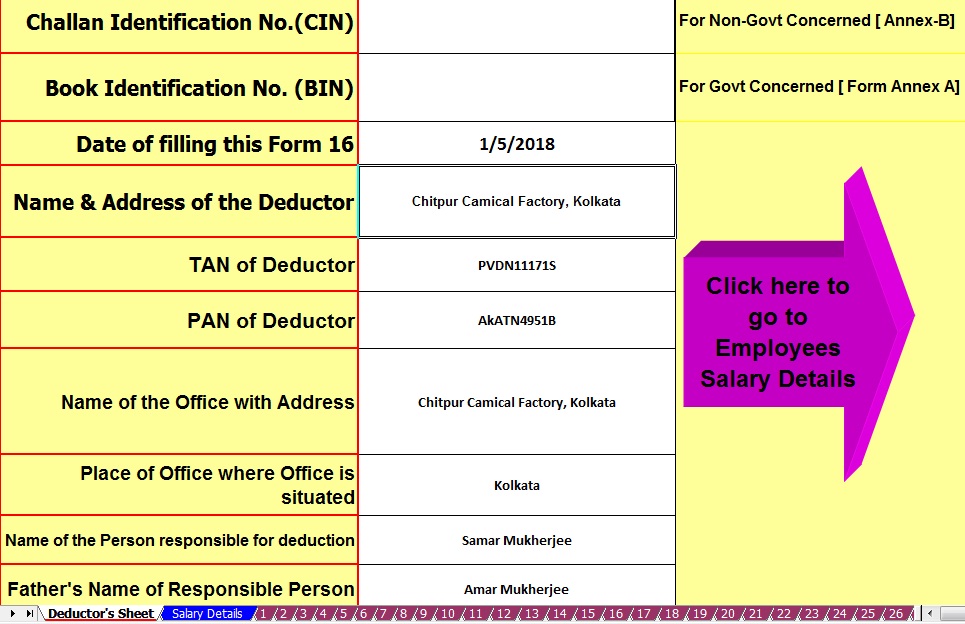
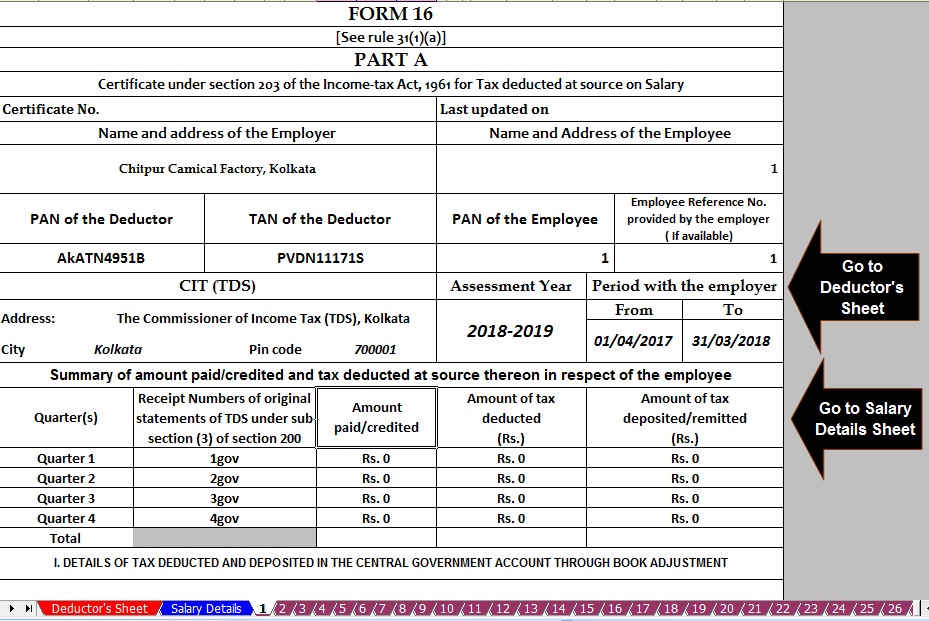
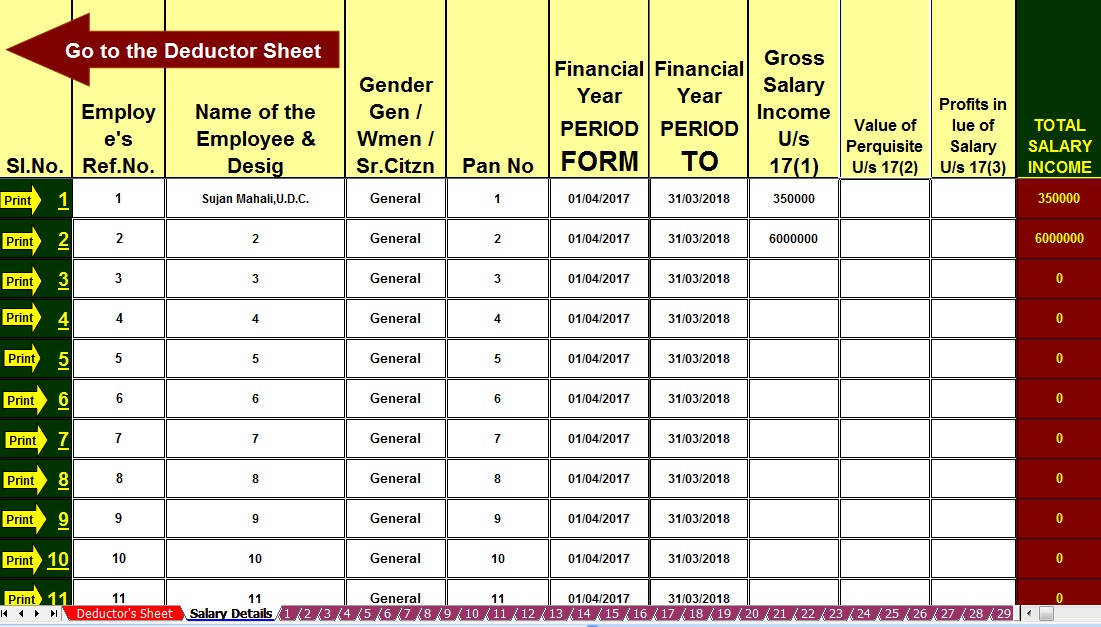
Prepare at a time 50 employees Form 16 Part A&B for F.Y.2017-18 & A.Y.2018-19 Posted: 04 Jun 2018 05:31 AM PDT Highlights of Income-tax Slab 2017-18· The Slab for Tax-free Income is the same. For FY 2017-18, No Tax on income up to Rs.2.5 lakhs. · The Government has reduced the tax rate for the income up to Rs 5 lakhs. The new tax rate for income between 2.5 lakhs to 5 lakhs is 5%. · The Upper limit to claim income tax deduction under section 80C is still at 1.5 lakhs. · The government has reduced the income tax rebate. Now, it is Rs 2,000 instead of Rs 5000. · The Upper limit to get the rebate is also reduced. Now, you would be eligible for the rebate if income is less than Rs 3.5 lakhs. Earlier this limit was at 5 lakhs. · The threshold for surcharge came down. Now, you have to pay a surcharge if your taxable income is more than 50 lakhs (5 million rupees). Earlier, this limit was 1 crore. Click here to Download Automated 50 employees, Master of Form 16 Part A&B For F.Y.2017-18 & Assessment Year 2018-19, |
Main Feature of this Excel Utility:- |
1) Automated Calculate Income Tax as per New Income Tax Slab for F.Y.2017-18 2) Inbuilt the Salary Structure with all deduction of all Income Tax Section as modified by the Finance Budget 2017-18 3) This Excel Utility can Use Both of Government & Non-Government Concerned 4) Automated Convert the Amount into the In-Words ( Without any Excel Formula) 5) You can prepare more than 1000 employees by this one Excel Utility ( One by One)
|


itaxsoftware.net
Itaxsoftware.net |
|
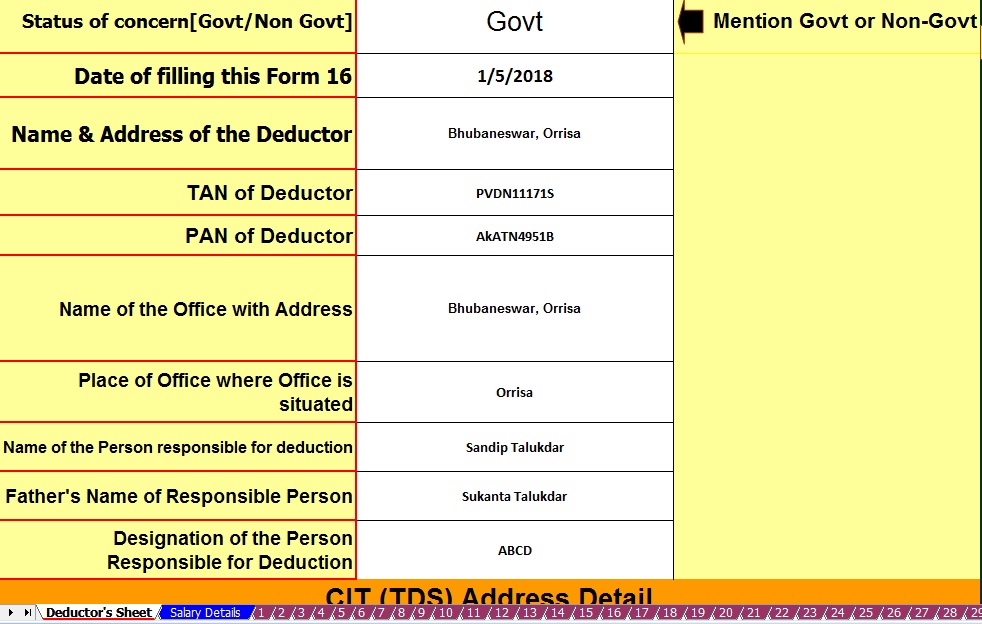
Prepare at a time 100 employees automatic Form 16 Part B for the Financial Year 2017-18 Posted: 05 Jun 2018 06:01 AM PDT Now the time of prepare Form 16 Part B where the all of the salary details have in this Form 16 Part B. As the CBDT already modified the Format of Form 16 and this Form 16 have in two parts One is Part A and Part B. As per the CBDT notification the Form 16 Part A is mandatory to download from the TRACES Portal and the Form 16 Part B must be prepared by the employer for each of their employees In Form 16, Part A has all details of employees Tax Deducted and deposited into the Central Govt as monthly or Quarterly.In the Form 16 Part B where the details of employees salary and this Form 16 is mandatory to prepare by the Employer. Below given the unique Excel Based Software which can prepare at a time 100 employees Form 16 Part B for the Financial Year 2017-18 and Assessment Year 2018-19. This Excel Utility can reduce your time to prepare of Form 16 Part B with the all modified Income Tax Section as per the Finance Budget 2017-18. The feature of this Excel Utility:-
Click to download Master of Form 16 Part B for FY 2017-18 [This Excel Utility can prepare at a time 100 employees Form 16 Part B with all amended Tax Section with Tax Slab for FY 2017-18]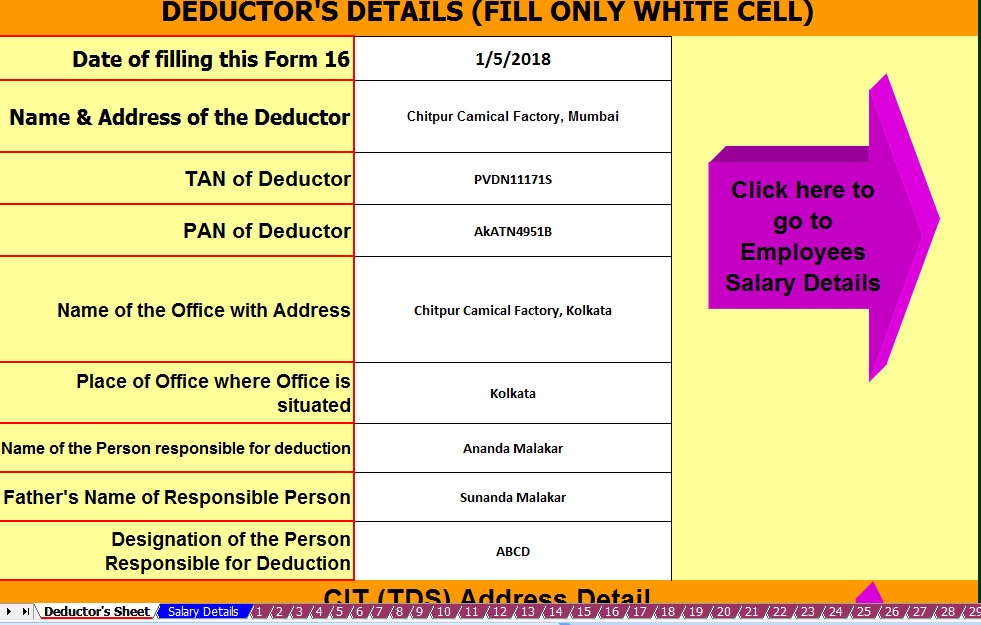 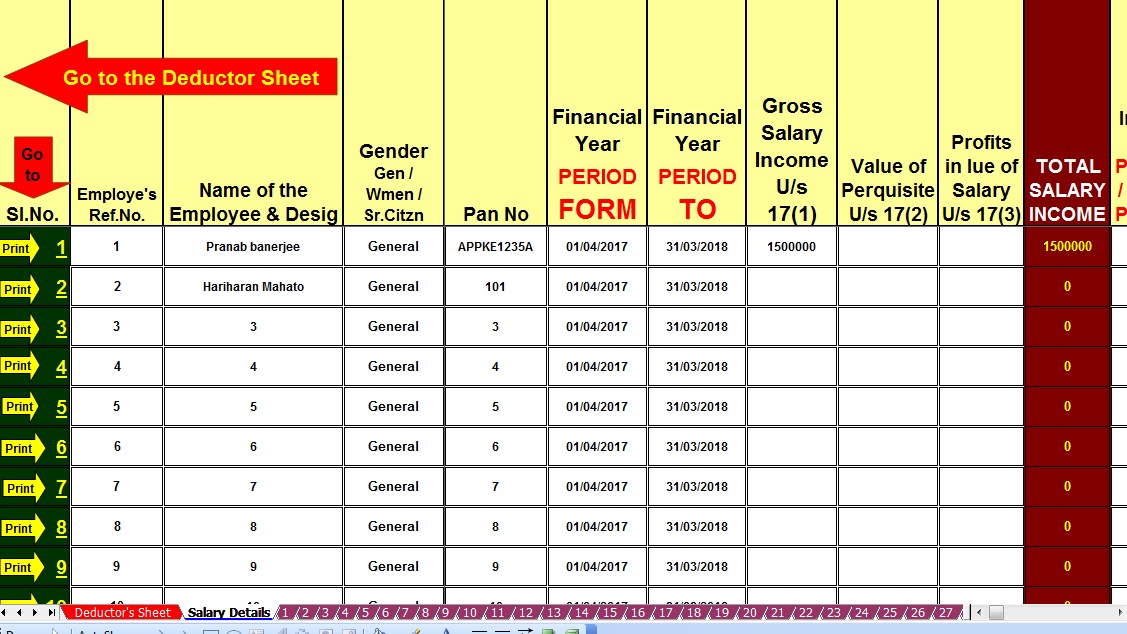 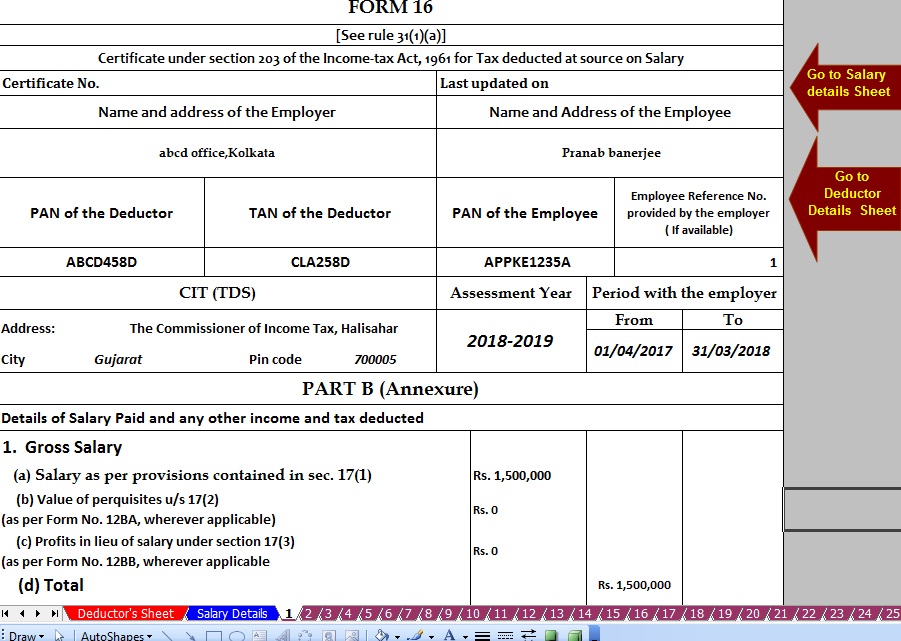 |


itaxsoftware.net
Itaxsoftware.net |
|
Posted: 06 Jun 2018 05:45 AM PDT Section 80C Deduction for AY 2018-19 (FY 2017-18) is Rs.1,50,000: Section 80C lists down arious options where an Individual can invest and claim exemption from income. For ay 2018-19, the deduction under section 80C is limited at Rs.1,50,000. The deduction under section 80C is allowed from your Gross Total Income. The deduction is allowed for various investments, expenses and payments. Section 80C Deduction for ay 2018-19 (FY 2017-18) is allowed to Individuals as well as Hindu Undivided Family business. Details of 80C Deduction for ay 2018-19 (FY 2017-18)
Life Insurance Premiums : Section 80C DeductionLife insurance premium on life of himself, spouse and children or paid by an HUF for any member of his family. Insurance premium is deductible subject to maximum ceiling given below. Provident Fund, Public Provident Fund and other superannuation funds : Section 80C DeductionContributing to recognized superannuation fund like Provident fund, Public provident fund and Mutual funds are eligible for deductions under section 80C. Usually the employer invests in such superannuation funds by deducting the investment amount from salary. ELSS constitute a type of Mutual fund which are sold with a lock in period of 3 years and returns obtained from the ELSS scheme are tax free. Any premium paid towards any annuity plan, whether deferred or immediate will give tax relief in that financial year. Click here to Download Automated 50 employees Master of Form 16 Part B for F.Y.2017-18 &Ass Year 2018-19Main feature of this Excel Utility :- 1) Automatic Income Tax Calculation as per the new Tax Slab for F.Y.2017-18 2) Automatic Prepare at a time 50 employees Form 16 Part B for F.Y.207-18 3) All Amended Income Tax Section have in this utility as per Budget 2017 4) Automatic Convert the Amount to In-Words 5) You can prepare more than 1000 employees Form 16 Part B by this One Excel Utility.
Investments in Infrastructure public Company : Section 80C DeductionAmount invested in deposit scheme of public company engaged in infrastructure facility or approved mutual fund. Bank Fixed Deposits : Section 80C DeductionBank fixed deposits which are deductible under section 80C are regular fixed deposits with interest being compounded quarterly with a lock in period of 5 years. National Savings Certificates (NSCs) : Section 80C DeductionInvestments in National Savings Certificate are also deductible under this section and these investments are available from the Indian postal services or post offices. Deposits in various types of accounts : Section 80C DeductionAny sum deposited in an account under the senior citizen Saving scheme, sum deposited as 5 years time deposit in an account under the post office time deposit, sum deposited in Sukanya Samriddi Account are all eligible for deduction under this section. Tuition fee : Section 80C DeductionAn Individual can claim deductions on children’s tuition fees only for two children and that too for the educational institutions situated in India only.
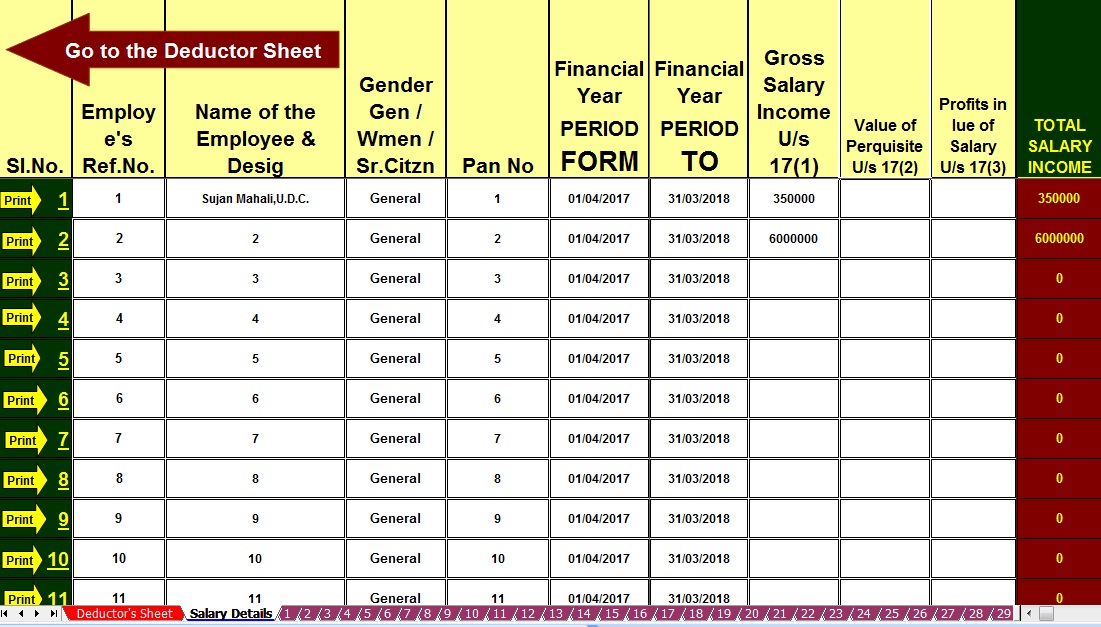
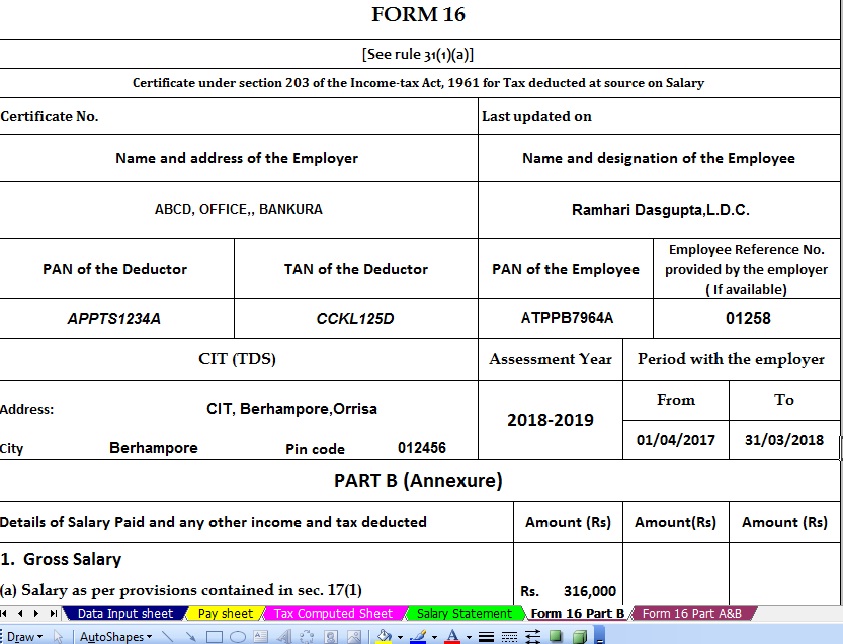
The deduction with respect to Home loan repayment can be claimed only if the loan has been taken from specified financial institutions or entities like your employer a public limited company, central or state government, or board, corporation, university established by law. In Computing the total income of an individual or Hindu Undivided family, the above contributions, expenses and investments shall be made available for deduction u/s 80c of the Income Tax Act 1961 capped up to Rs. 1,50,000/- . The legislator’s intention behind the section 80C is to boost investments and savings among the Tax Payers. |


itaxsoftware.net
Itaxsoftware.net |
|
Posted: 07 Jun 2018 05:37 AM PDT Some of the Govt and Non-Govt Concerned have few employees who have need some of the Form 16 Part B or Part A&B for F.Y.2017-18. Some of the Concerned have not competent to download From 16 Part A from the TRACES PORTAL. Also, it appears that some of the Concerned have no Internet Facility to download the Form 16 Part A from the TRACES PORTAL as per the Income Tax Notification. In this concept below given Excel Based Software which can prepare both of Form 16 Part A&B and Form 16 Part B. If you have to need Form 16 Part B, you can print the Form 16 Part B or if you have to need Form 16 Part A&B you can print the Part A&B for F.Y.2017-18. Download Excel Based Software which can prepare at a time Income Tax Form 16 Part A&B and Form 16 Part B ( One by One). from the below link. A feature of this Excel Utility:-1) You can prepare both of Form 16 Part A&B and Form 16 Part B for F.Y.2017-18 ( One by One) 2) Automatic Calculation of Income Tax liability as per Finance Budget 2017-18 3) You can prepare more than 50 employees Form 16 Part A&B and Form 16 Part B ( One by One) 4) Easy to install in any computer and easy to generate just like as an Excel File 5) All Income Tax amended Section and limit of each section have in this Software 6) Automatic Convert the Amount into the In-Word Download Automated Form 16 Part A&B and Part B ( One by One) for F.Y.2017-18 [ This Excel Utility can prepare Form 16 One by One)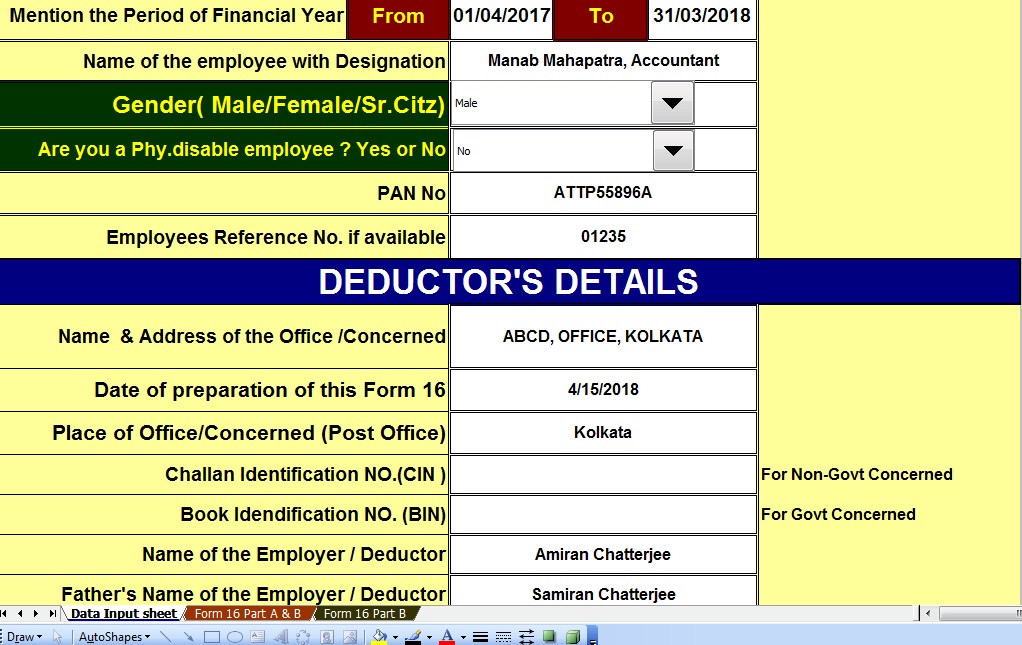 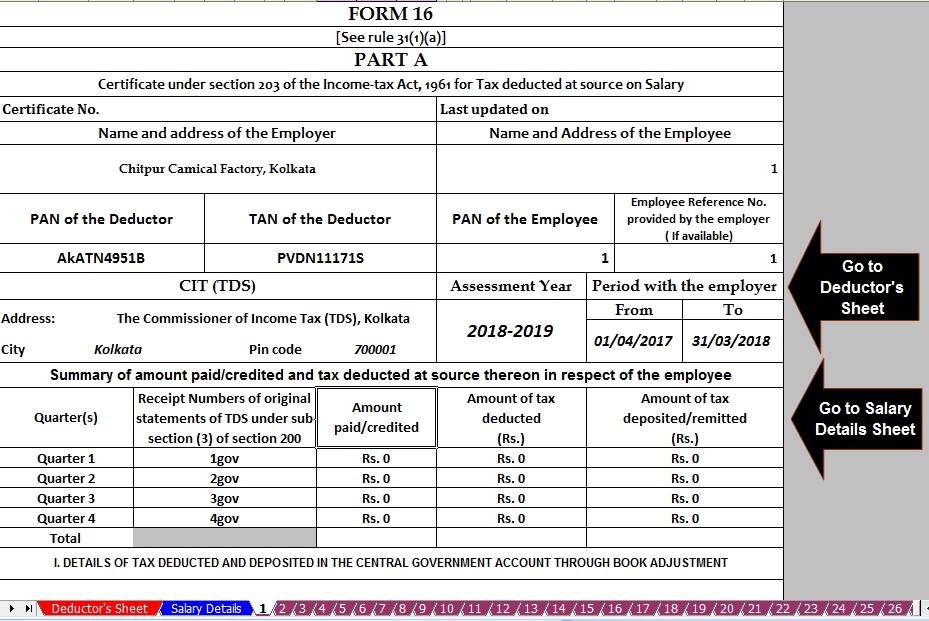 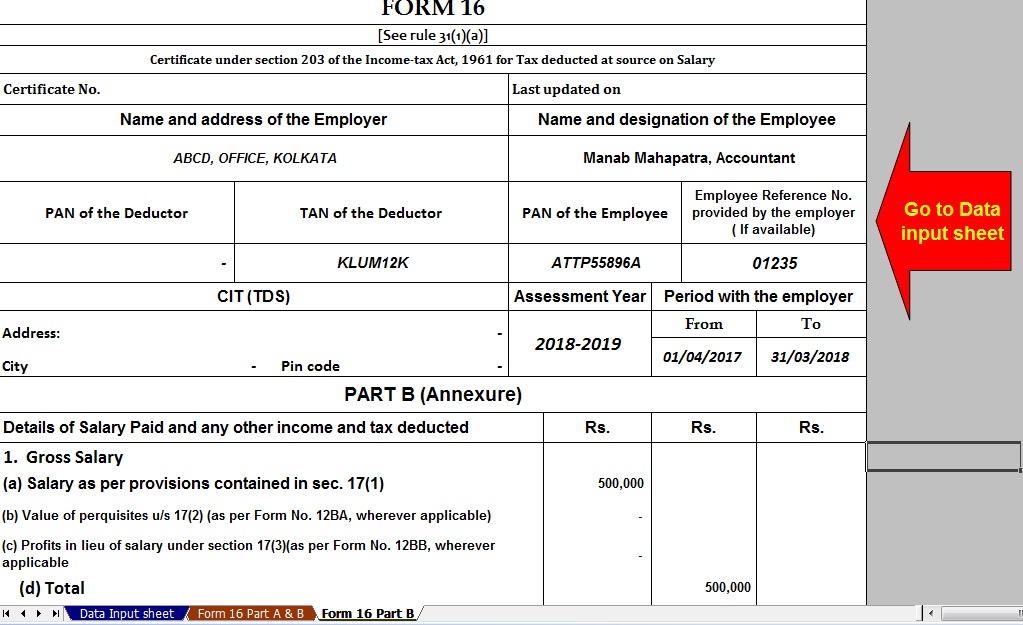 |


itaxsoftware.net
Itaxsoftware.net |
|
How to E-File through Online, Step by Step guide for A.Y. 2018-19 Posted: 08 Jun 2018 06:48 AM PDT 1. At first, you Get Form 16Employers give your income tax deduction details in form 16. It is mandatory to give form 16 if an employer deducts tax. Form 16 is given after the end of the financial years, normally in the month of May and June. Similarly, the bank gives you form 16A in case it has deducted TDS on your interest income. If your interest earning exceeds 10 thousand, banks deduct tax.  2. Retrieve Tax Payment DetailsYour next step should be the getting details of paid tax. You can get details of TDS on form 16 or form 16A. While details of advance tax or self-assessment tax should be available on respective challans. 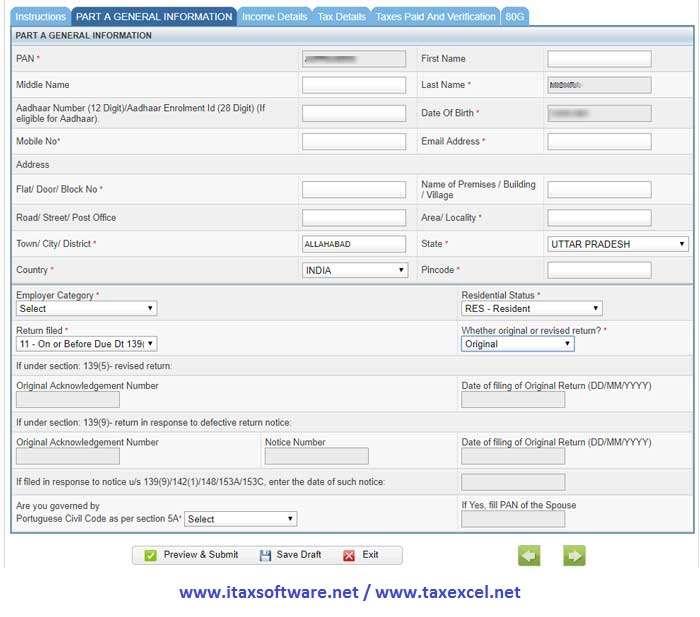 You should also verify your tax payment. It can be done through the form 26AS. This form contains all details of tax payment against your PAN. You can view form 26AS online. If you see any discrepancy, immediately contact your employer or bank for the rectification. 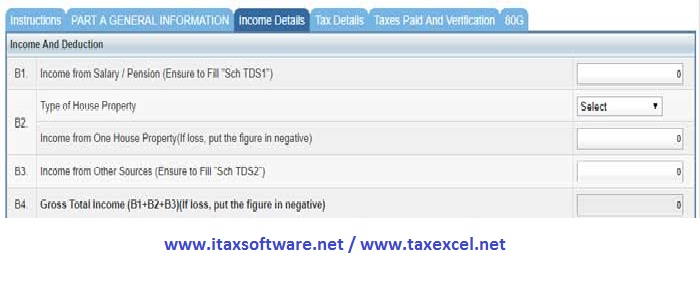 3. Choose Correct ITR FormThere are various income tax return forms for different types of income. You have to choose right ITR form considering your source of income. The simplest ITR form is for those who only earn from the salary. You can refer following tables while selecting ITR forms. These forms are for individuals and HUF. For others, there are different forms.
4. Calculate Total Income For the Financial YearNow you have to find out the total income for the financial year. To get it you can refer to form 16. It contains the gross income as well as the taxable income. You have to use the taxable income in the ITR form. 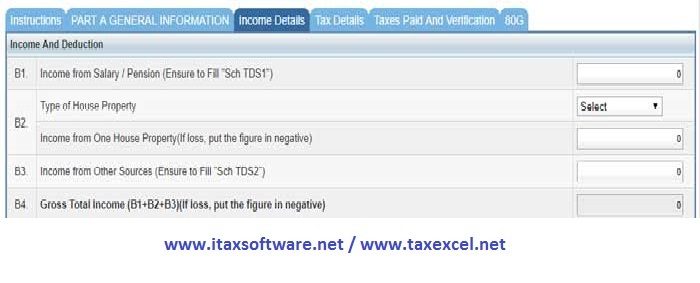 However, if you also earn from the bank deposit, you must enter the amount under ‘Extra Income’. For the income from capital gains, house rent or business, there are separate pages in the income tax return form. Your return form would become complex with the types of income. It is very easy to fill income return form if you only earn from the service. 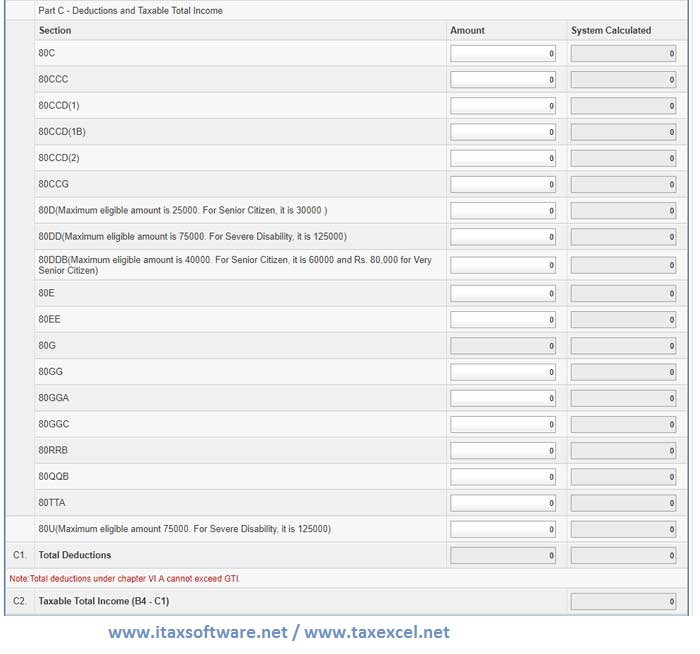 5. Get Tax exemption and Deduction DetailsThe government gives you many exemptions and deduction which save tax. Hence, to reach correct tax liability, you must factor in all the eligible exemption and deductions. The exemptions are House rent allowance, transport allowance, medical allowance, LTA etc. While you get a tax deduction by investing in ELSS, NSC, PPF, insurance, tax saving FD etc. 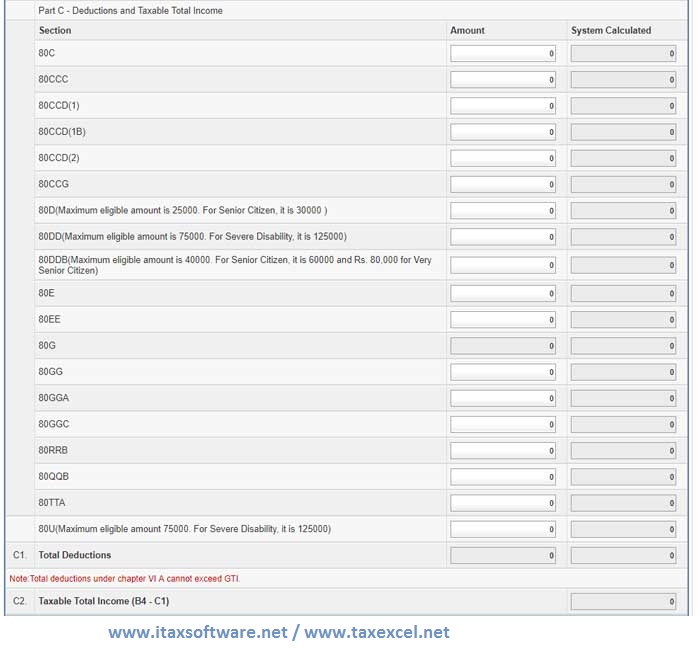 In the income tax return form, you have to fill the total taxable income after the exemptions. Whereas, you have to enter the deductions in the given field. Steps to e-File Income Tax Return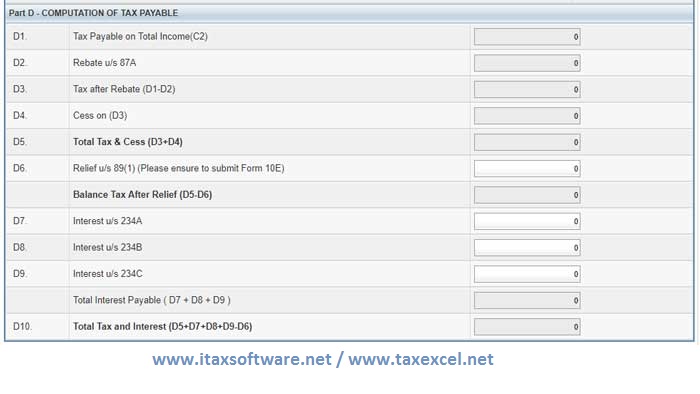 Register or Login to the income tax efiling websiteTo e-file income tax return, you have to register at incometaxindiaefiling.gov.in. If already registered, log in using your PAN and password. You can only register once using your PAN. If you forgot the password, you can reset it as well. 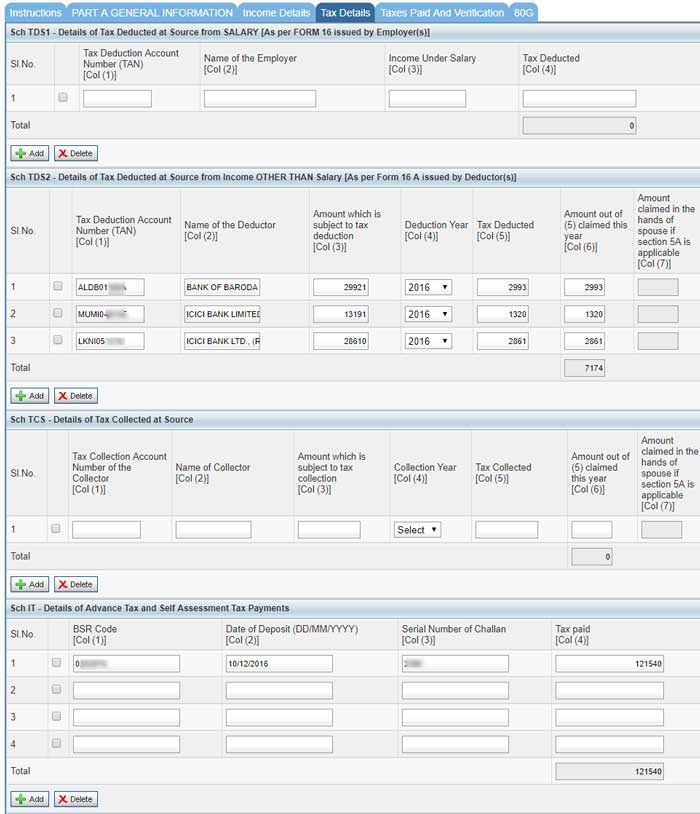 You have to also choose the right income tax return form (ITR form). There are four types of form for the individuals. Among these four, only ITR-1 and ITR-4 are available for online filing. For other two forms, you have to download, fill and upload. Give Personal DetailsThe income tax return form requires your personal details. The online form pre-fills some of your personal detail on the basis of PAN data. However, you would be able to edit the data. In the same page, you have to also give your employment details. You also tell whether you are efiling before the due date or after the due date. Whether efiling is original or revised. If you are efiling revised income tax return, you have to also give details of the original return. There is a column for those who are governed by the Portuguese civil code. There are many people in Goa which are governed by the Portuguese code. Give Income DetailsIn the next page, you have to give details of your income and deductions. The page also shows the total payable tax by you. In fact, It is the most important page of the income tax efiling. When you are entering the income from salary, fill your taxable income. It would be mentioned similarly in Form 16. This amount is reached after deduction all the applicable exemptions. It is not the gross salary. Rather it is gross salary minus exemptions. In the income from house Property, you can fill your rental income. If your house is self-occupied and you are paying EMI, You should enter the interesting part in this field. As it is not an income but an expense, you must enter the value in a negative (with minus sign). The bank interest income is entered in the field of income from other sources. Give Deductions DetailsThis section gives you the tax benefit. The entry of this section would reduce your tax outgo. You have to enter the amount which was invested to avail tax deduction. These include the 80 C deductions and other than 80C deductions. You can claim 80C deduction up to 1.5 lakh. The NPS investment can give you the further deduction of Rs.50,000. Other sections such as medical insurance can give you extra tax saving. If you have any confusion, it is better to read about 80C deductions and other tax deductions. Tax ComputationThis section gets auto-populated based on your entry of income and deductions. The system itself calculates your tax liability and rebate if any. However, you would have the option to enter the amount of interest and foreign income relief (section 89(1)), if any. Interest is charged if you did not pay advance tax on time. Tax Paid DetailsThis page contains all the details of your tax payments. If you are filing the ITR form online, all the details would be pre-filled. The system fetches tax payment details from the form 26AS. This form contains all the tax payment against your PAN. There are 4 schedules for different types of tax payment. 1 – First schedule contains your TDS deduction by the employer. Most of the people would see entry in this section. 2- the Second schedule contains TDS deducted by banks or any other deductor. 3- The third schedule contains detail about the tax collected at source. You would see it when you collect a tax on behalf of the seller. It happens property deals. 4- In the fourth schedule, there would be details of advance tax paid by you. If you don’t pay tax on the TDS and your tax liability exceeds 10 thousand, you have to pay advance tax. Taxes paid and verificationIn the fourth page of the ITR-1, there would be a tally of payable tax and paid tax. There can be 3 situations. 1. If you have paid exact tax as per the payable tax there would not be any refund or amount payable. 2. If you have paid excess tax, there would an amount in refund. You would get back the money. 3. If you have paid less tax, there would be an amount in amount payable field. Note, if you see any amount in this section, you must cross check all the details. If there is still an amount, pay that amount before submitting the income tax return. You can pay income tax immediately through the online mode. Give Bank Account detailsYou have to tell about all the bank accounts. First, you have to give details of the bank account into which you want the tax refund if any. After this, you have to mention all another bank account. Income tax department has made it mandatory to mention all of your bank accounts. You have to enter bank account number, the name of the bank and IFS code of the bank branch as bank account detail. Donation DetailsYou also get tax benefit against the donation. These donations are specified. If you want to take the tax benefit for such donation, fill the next page of the section 80G. You have to give the details of such donations. Otherwise, you can skip this page. Submit and Verify Income Tax ReturnOnce you have filled the ITR form, you can submit it. After the submission, A pop up would appear to e-verify the income tax return. You can easily e-verify if you have linked you Aadhaar with the PAN. Net banking user can also verify income tax return by logging into their account. |


itaxsoftware.net
Itaxsoftware.net |
|
How to file ITR-1 Online ? – Income Tax 2016-17 (A.Y 2017-18) – Easy steps to file ITR-1 Online Posted: 09 Jun 2018 05:10 AM PDT The Calculation and TDS process of Income Tax liability of Salaried Employees for the year 2016-17 (The assessment year 2017-18) would have been over by this time. Now it’s time for Employees to receive Form-16 from the Employer and file their income tax return. Easy E-filing by entering the data directly on the Income Tax E-filing website. This is the most user-friendly method. As of now, ITR-1 and ITR-4S can be filed in this method 1. Go to this Income Tax Department’s Official online ITR filing Website. Register using your PAN and get username and password, if you have not already registered. 2. After successful registration, Click the “Quick Filing of E-Returns” hyperlink available in the left menu. 3. Once you have successfully logged in you will land in to following page. 4. After you select the ITR type and relevant year for which ITR has to be filed, entry page of ITR will be shown. The first tab will be containing the instructions for filling the data. 5. As you are in logged in session, it is better to save the data entered after each tab is completed. However, Submit Button has to be used only after entry of all the data. The following Screenshot is Personal Information entry tab. Once an entry is completed save the data as the draft and proceed to next tab. 6. Following Screenshots are relating to entry tabs for Income Tax details, Details of Income Tax Deducted by the employer, and Bank Account details. Enter the values in these fields as per Form-16 provided by the employer. Tax Deducted by the Employer and paid into Govt Account will be available under TDS tab. TDS details can also be verified through Form-26AS which is an online feature available in Income Tax Website to get the details of the Income Tax Paid in respect of a PAN. After entry of data in all these tabs are completed, click Submit button to generate ITR-V Button. ITR-V is a document which contains the summary of your income, deductions and income tax paid. This document has to be signed and sent to the Income Tax Central Processing Center at Bangalore. Address of this center will be available in the mail sent to you attaching filled up ITR-V form. Please note that Online E-filing will get completed only after receipt of this ITR-V at Central Processing Center at Bangalore. Alternatively, the taxpayer can also e-verify the return filed using his / her Aadhaar ID. In that case, there is no need to send the physical copy of ITR-5 to Income Tax Central Processing Center. |


itaxsoftware.net
Itaxsoftware.net |
|
Posted: 10 Jun 2018 04:32 AM PDT Most Unique Form 16 Part B with 12 BA preparation Excel Based Software.You can prepare for a time 50 employees Automatic Form 16 with 12 BA in Excel Based Software for the Financial Year 2017-18 and Assessment Year 2018-19.This Excel Utility can prepare at a time 50 employees Form 16 Part-B with 12 BA just a moment.You can prepare more than 1000 employees Form 16 with 12 BA by this one Excel Based Software. First, you should prepare 50 employees Form 16 Part B with 12 BA and Save the same in another File Name and location, and again prepare the 50 employees to form 16 Part B with 12 BA. In this manner, you can prepare more than 1000 Form 16 Part B with 12 BA for the Financial Year 2017-18 and Assessment Year 2018-19. Feature of This Excel Utility are:- 1) Prepare at a time 50 employees Form 16 Part B with 12 BA for F.Y.2017-18 2) Follow up the new Income Tax Slab Rate for F.Y. 2017-18, with all amended Income The section as per the New Finance Budget 2017-18. 3) Automatic Convert the Amount into the In-Words 4) Easy to install in Computer and you can install this utility more than one Computer. 5) Easy to Generate just like as An Excel File.
Click here to Download the Automated Master of Form 16 Part B with 12 BA for F.Y.2017-18 |
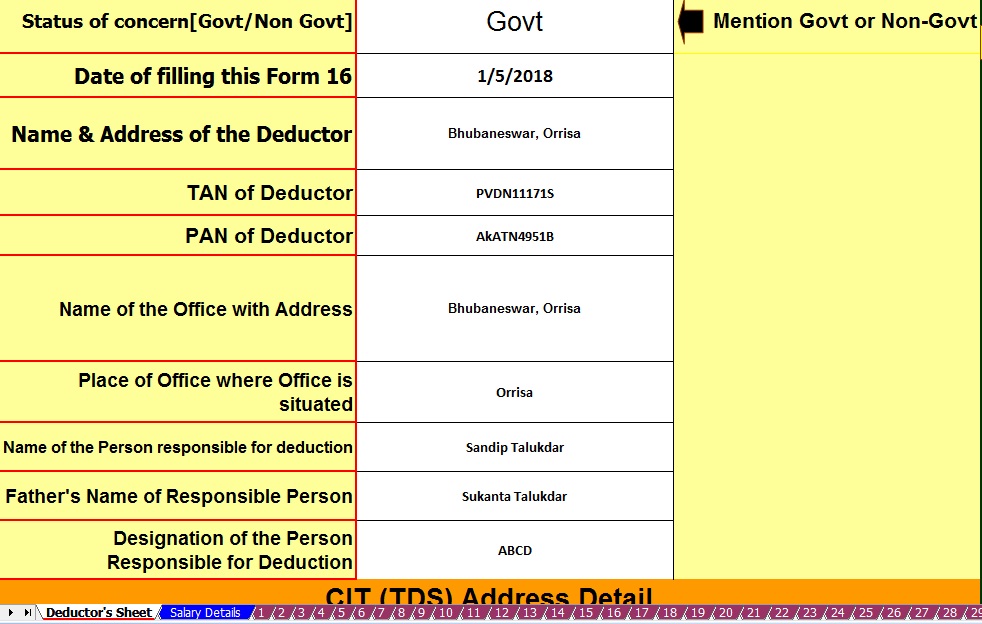
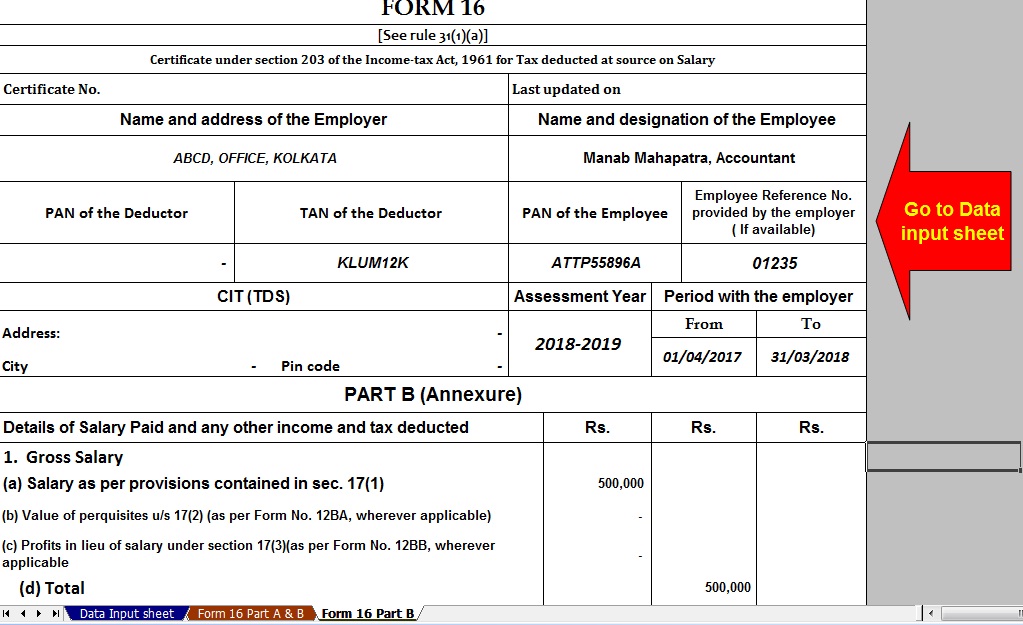
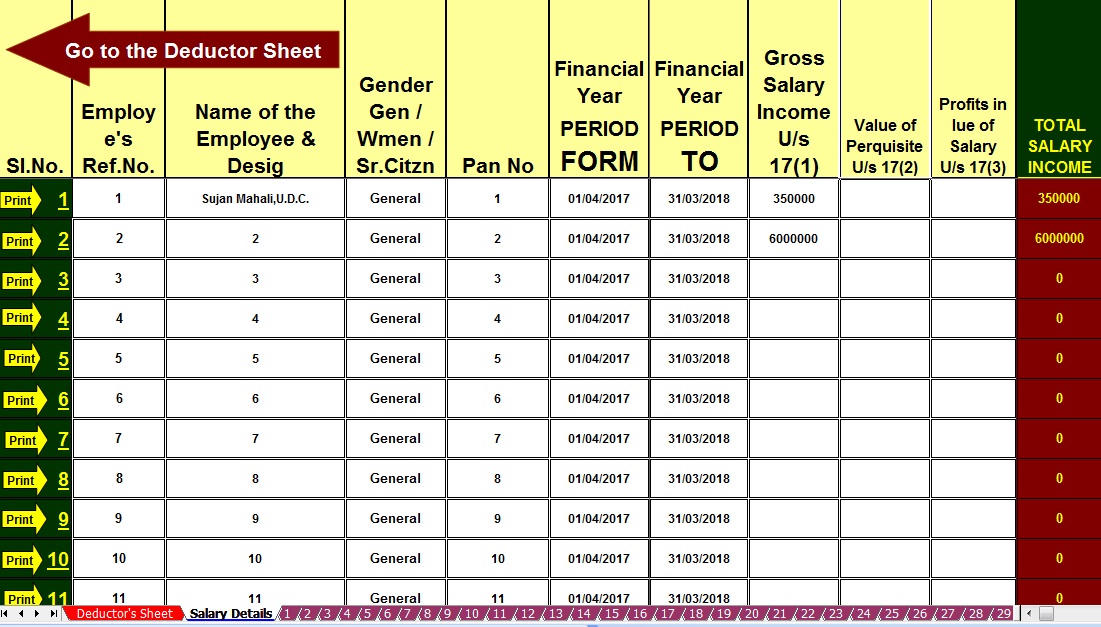
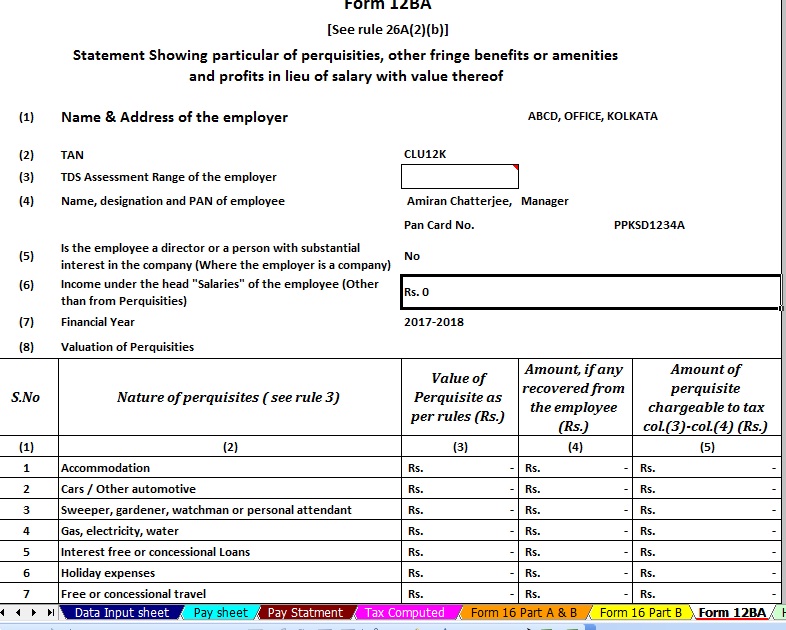


itaxsoftware.net
Itaxsoftware.net |
|
Posted: 11 Jun 2018 05:29 AM PDT The Central Finance Budget has already passed and the Income Tax Slab have 2.5 Lakhs for below 60 years Age and the Slab to the Sr.Citizen above 60 and below 80 years age is Rs.3 Lakh. The Tax Rebate Rs.2,500/- U/s 87A & Savings Bank Interest relief up to Rs. ten thousand U/s 80 TTA is still available in this financial year. Some of the Govt and Non Govt Concerned have above 100 employees working and most of the employees are in this Income Tax Slab, who's Income Tax Calculation and Preparation of Form 16 must be prepare and distribute to them after end of this Financial Year. As per the CBDT new notification that the format of Form 16 has already Changed and this Form 16 have in two parts. One is Part A and another is Part B. In the Form 16 Part A have the details of Tax Deducted and deposited to the Central Govt and the Part B of Form 16 have the details of employee's Salary Details including the Total Tax Deducted and deposited to the Central Govt. Another Notification by the CBDT it is mandatory to download the Form 16 Part A from the TRACES Portal ( http://www.tdscpc.gov.in) and the Form 16 Part B is mandatory to prepare by the employer/deductor of each Govt or Non Govt Concerned. Now it is question that the most of the Concerned have not know about this new CBDT notification and they could not able to download the Form 16 Part A from the TRACES Portal, as download the Part A from the Portal is most litigated. Who are able to download the Part A they can issue only the Form 16 Part B, but who are not able to download the same they have to need the both of Form 16 Part A&B for issue to their employees. Given below the Excel Based Software which can prepare at a time 50 employees Form 16 Part A&B (Both) for the Financial Year 2017-18 and Assessment Year 2018-19 Main feature of this Excel Utility :-
Click here to Download the Master of Form 16 Part A&B (For 100 employees) for Financial Year 2017-18( This Utility can prepare at a time 100 employees Form 16 Part A&B for FY 2017-18)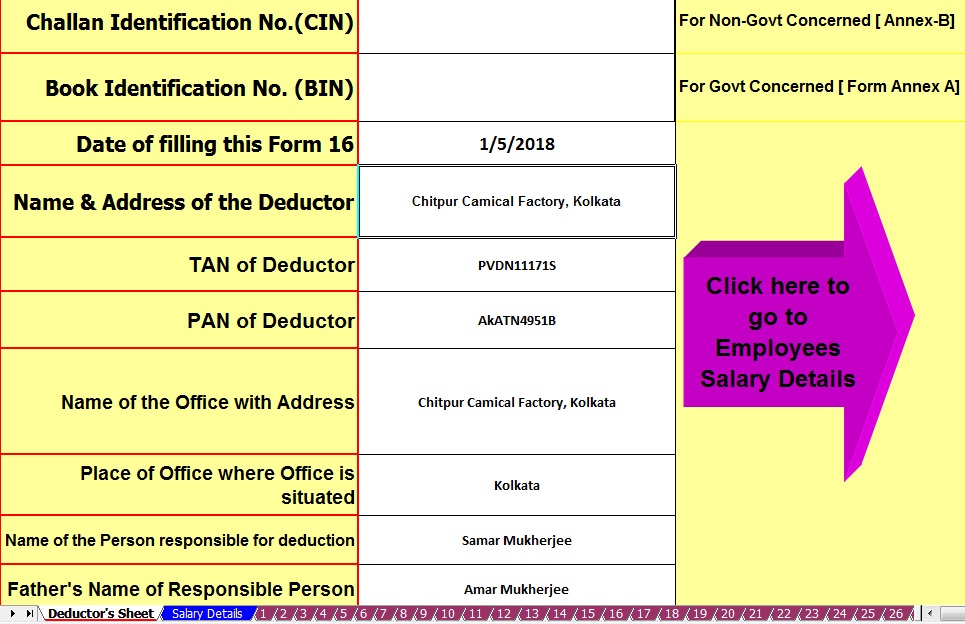 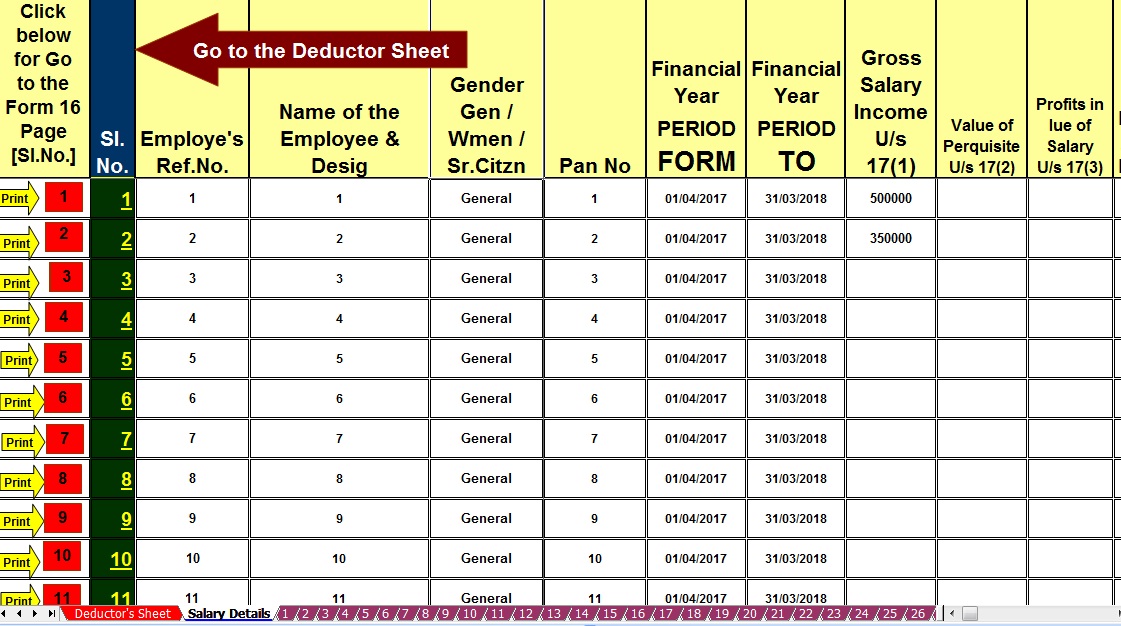 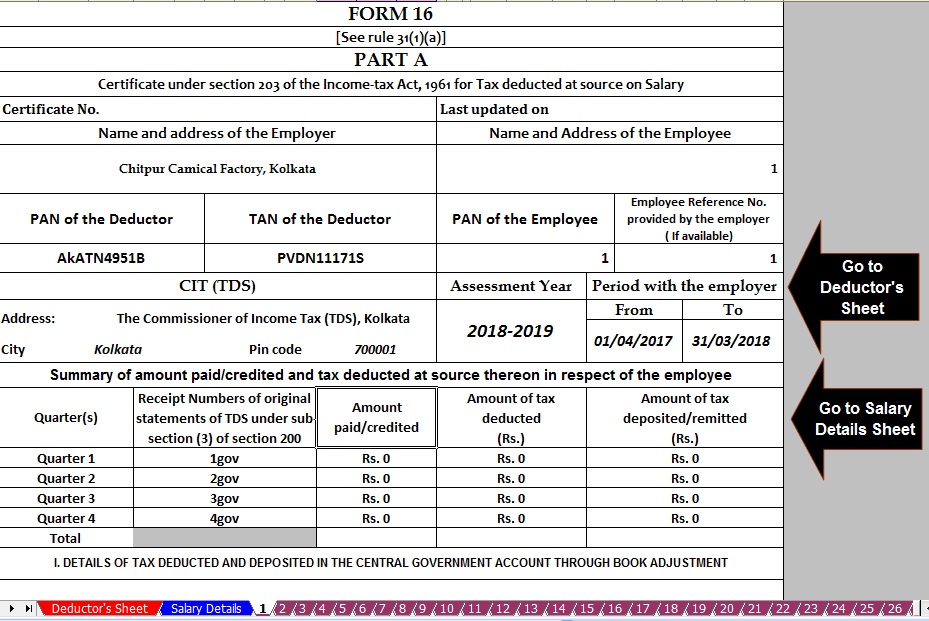 Click here to Download the Master of Form 16 Part A&B ( For 50 employees) for the Financial Year2017-18 ( This Utility can prepare at a time 50 employees Form 16 Part A&B for FY 2017-18) |


itaxsoftware.net
Itaxsoftware.net |
|
Download Automated One by One Preparation Form 16 Part A& B and Part B for F.Y.2017-18 Posted: 12 Jun 2018 04:24 AM PDT Where are few employees with any concern, they can use this One by One Preparation Excel Based Form 16 Part A&B and Part B both in the single file. Most easy to install just like an Excel File and easy to Generate. Govt & Non-Govt are Both Concerned can use this Excel Utility. Click here to download the Automated One by One Form 16 Part A&B and Part B for Financial Year 2017-18 & Ass Year 2018-19.
|
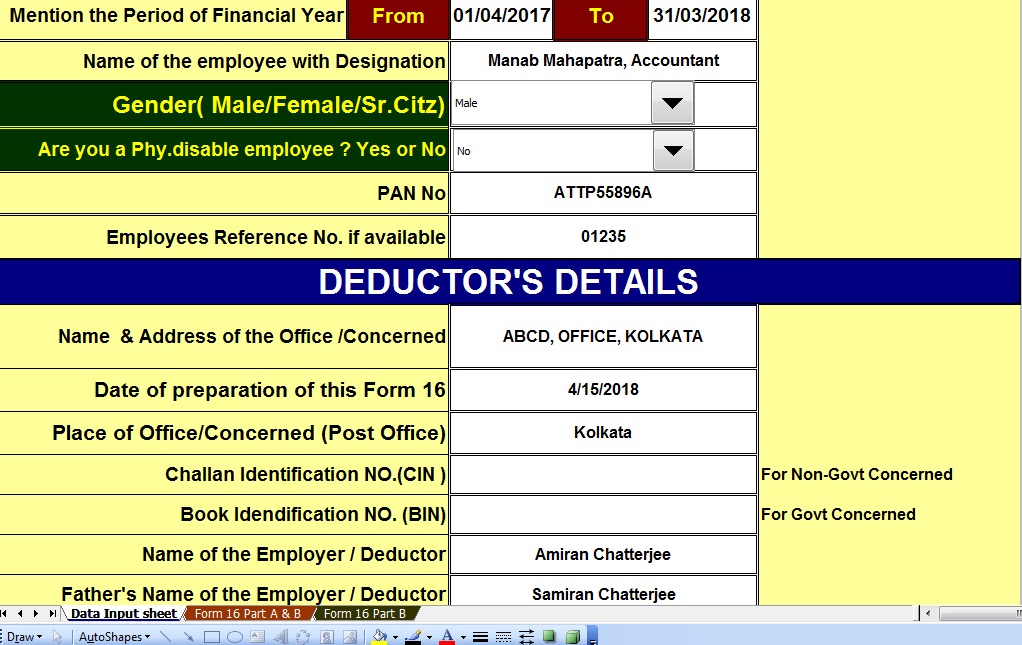
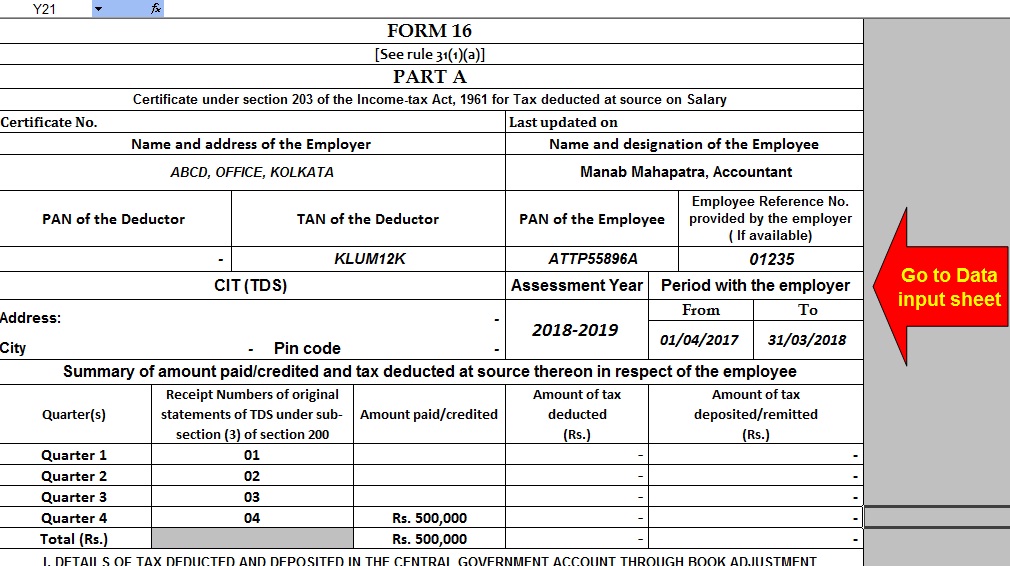
|


itaxsoftware.net
Itaxsoftware.net |
|
Posted: 13 Jun 2018 05:07 AM PDT What is Form 16?Form 16 is an Income Tax form used by companies to provide their salaried individuals in India. This form carries all the required details that help the employee in filing their tax returns with the Income Tax department in India. The Income Tax Act of 1961 and the Income Tax rules of 1962 are the laws that are prevailing in India. When Form 16 is provided to an employee by their employer it’s a source of proof of filing their Income Tax Returns, the form has various components such as Salary Income components of the employee. Every employer should provide their employees with the Form 16 who fall under the tax brackets set up the Finance Ministry of the Government of India. If an employee doesn’t fall under the tax brackets set, then he/she doesn’t receive the Form 16 as he/she will not need to pay taxes neither will they need to have Tax Deducted at source or TDS. Prepare at a time 100 employees Automated Income Tax Form 16 Part B for F.Y.2017-18 & A.Y.2018-19 [This Excel Utility can be prepared at a time 100 Employees Form 16 Part B for F.Y.2017-18Click to Download 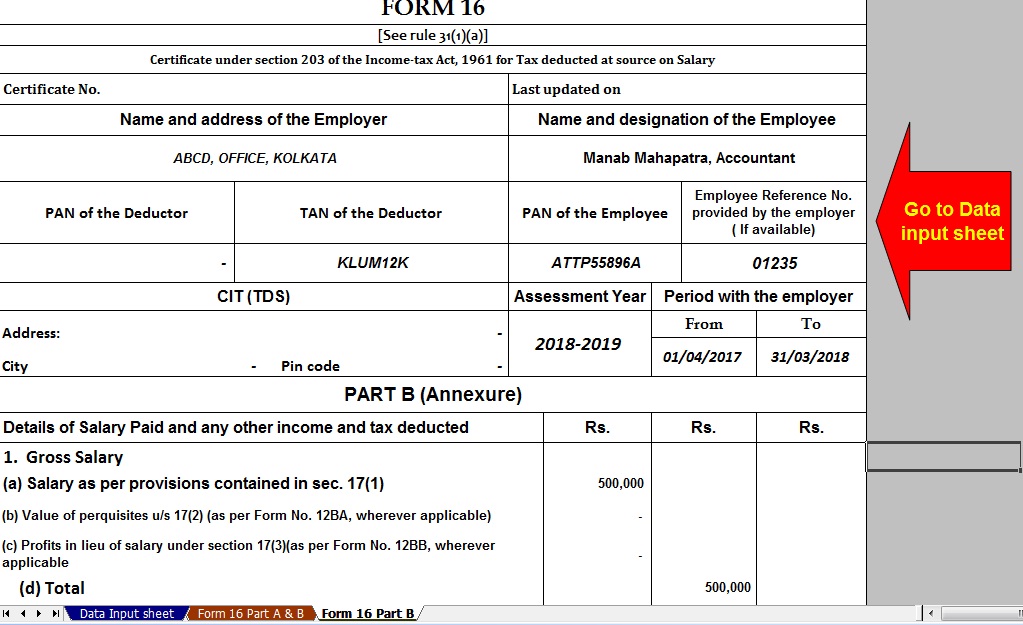 These components are: · The personal details of the employee, like name, Permanent Account Number (PAN) etc. · The employer details, name, PAN, Tax deduction and collection Account Number (TAN), etc. · An acknowledgment number of the taxes paid by the employer. · Details of the salary; Gross salary, net salary, deductions, perks etc. · Total income and tax deductions. · Education cess and surcharge details. · Taxes deducted as per sections 191A. · Declaration of tax payments from the employer. · Refunds in any to the employee, or balance of taxes payable by the employee. · Receipt of the TDS paid. · All details of the Tax Payment, like Challan number, cheque number, Demand Draft number etc. Prepare at a time 100 employees Automated Income Tax Form 16 Part A&B for F.Y.2017-18 & A.Y.2018-19 [This Excel Utility can be prepared at a time 100 Employees Form 16 Part A&B for F.Y.2017-18] Click to Download 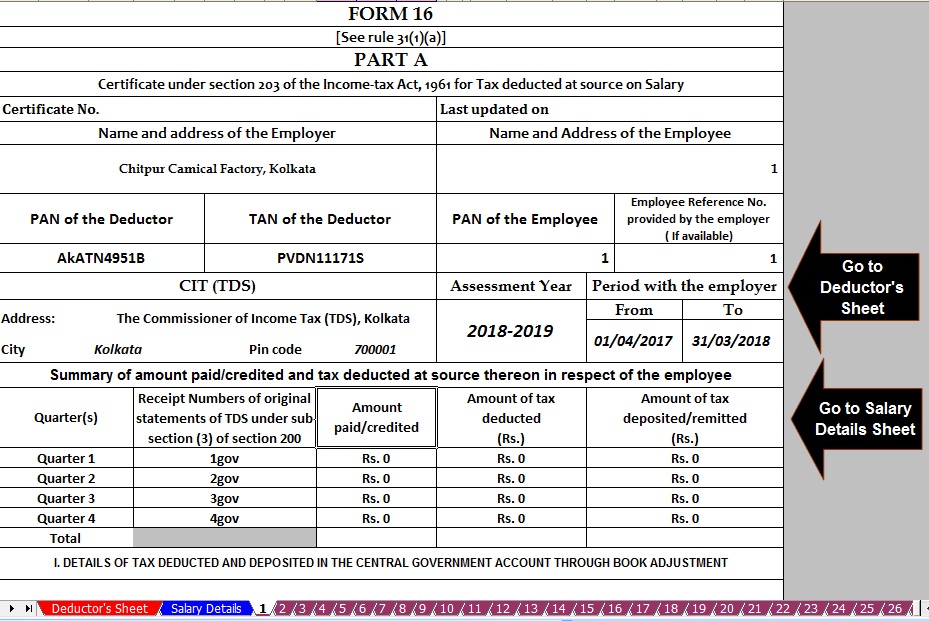 Form 16 has 2 parts, Part A and Part B:The Part A of Form 16 contains the TAN of the employer and PAN of the employer and the employee. The addresses of both the employee and employer. This will contains all details of the pay-outs from the employer and employee during the current financial assessment year. This part of Form 16 also contains the TDS filed by the employer, the taxes deducted from your income and paid to the government every quarter. This also contains a monthly statement of the same. The Part A of the Form must include: · TDS deducted by the employer. · PAN of the employer. · The current financial assessment year. · The employee PAN. · TAN of the employer. · The employee/tax payer's name, address etc. · Name and address of the employer. The Part B of Form 16 contains the consolidated details of the salaries paid to the employee during the financial assessment year. The salary must be broken down, with details of deductions made by the employee under section 80C. The deductions that can be made under this section is EPF, NSC, Life insurance premiums, PPF, etc. If in one financial assessment year employee has changed jobs then the employee needs to be provided Form 16 of both companies. Download Automated Income Tax Form 16 Part B with 12 BA for F.Y.2017-18 & A.Y.2018-19 [This Excel Utility can be prepared at a time 50 Employees Form 16 Part B with 12 BA for F.Y.2017-18 Click to Download 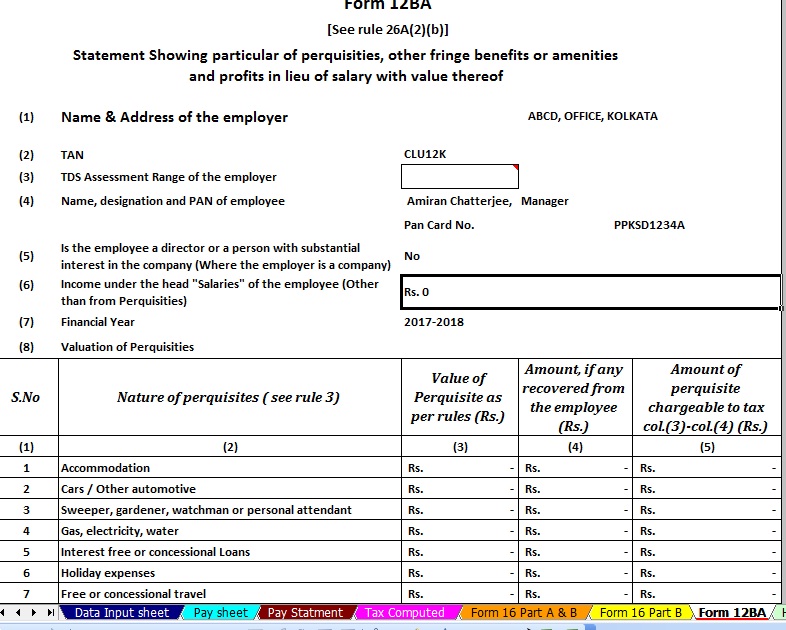 The Part B of the Form must include: · Taxable salary of the employee. · TDS by the employer. · Breakup of the deductions of sections 80C. · Aggregate of the section 80C with a gross and deductible amount. · Tax refund or any payables due. |


itaxsoftware.net
Itaxsoftware.net |
|
Posted: 14 Jun 2018 05:11 AM PDT Click here to Download Automated Income Tax Form16 Part B for F.Y.2017-18,This Excel Utility can prepare at a time 50 employees Form 16 Part B with New Income Tax Slab as per the Budget 2017-18.
|
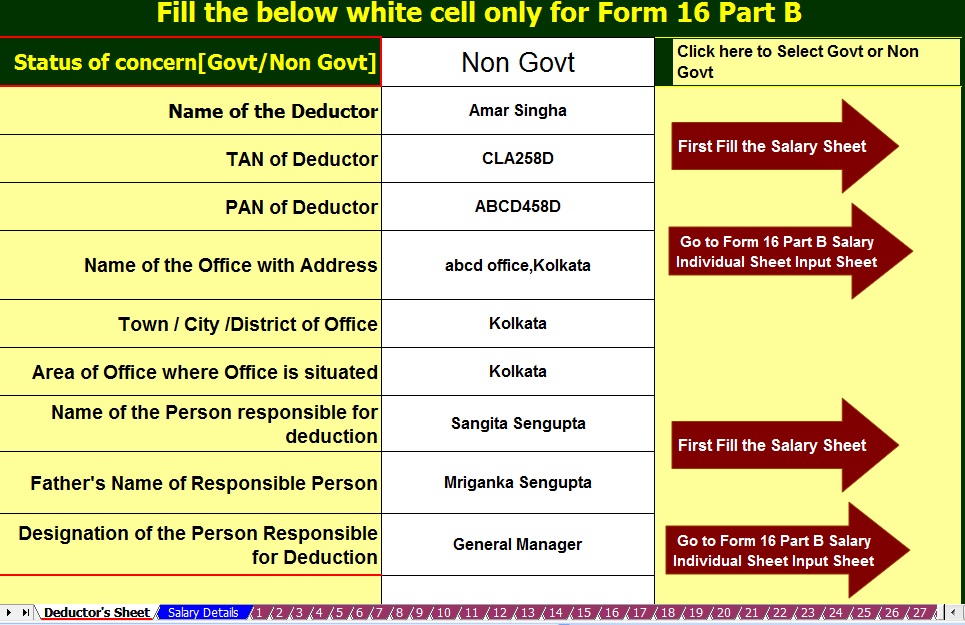
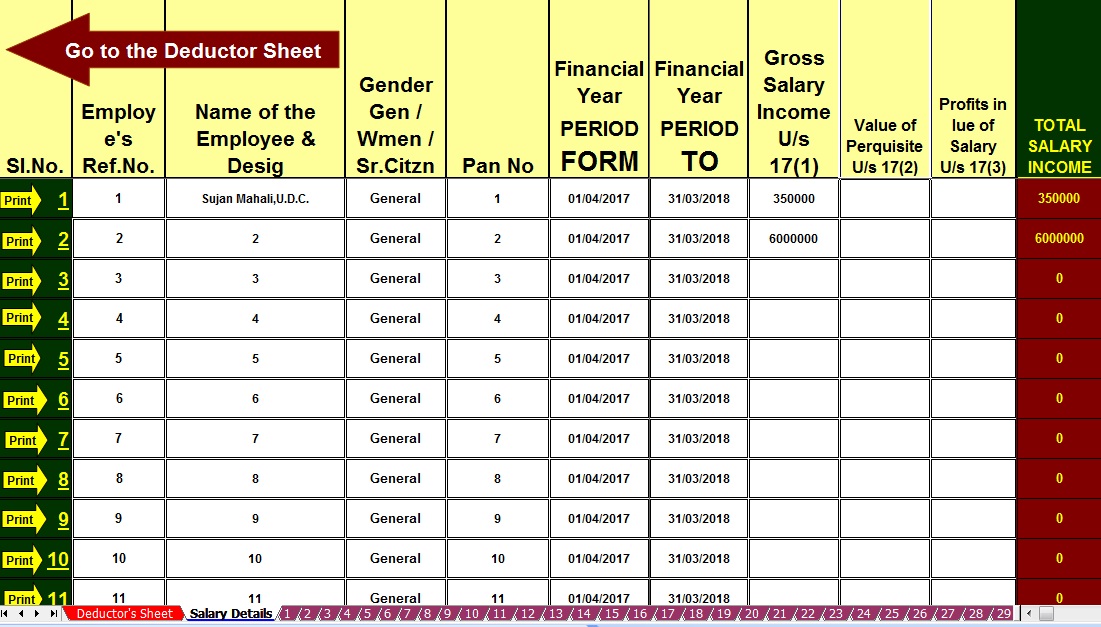
|
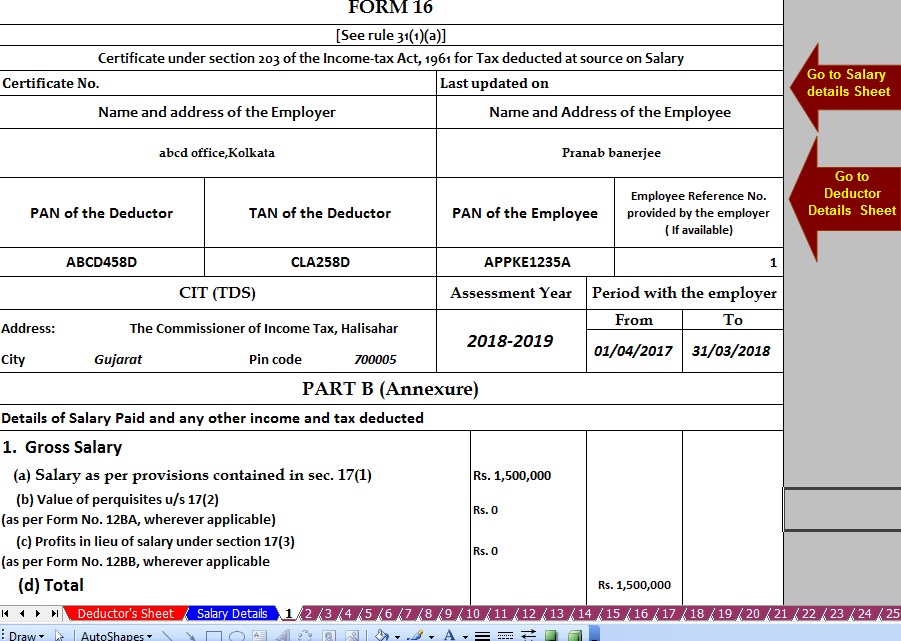


itaxsoftware.net
Itaxsoftware.net |
|
Download At a time 100 employees Form 16 Part A&B for F.Y.2017-18 & A.Y.2018-19 Posted: 15 Jun 2018 05:14 AM PDT As per the CBDT mandatory to download the Salary Certificate Form 16 Part A must be download from the TRACES Portal. But some of the concerned have yet not made out how to download Form 16 Part A from the Traces Portal. In this regard the given below the Automated Salary Certificate Form 16 Part A&B for F.Y.2017-18 & Assess Year 2018-19. Click here to Download the Automated 100 employees Income Tax Form 16 Part A&B for F.Y.2017-18 & Ass Year 2018-19. This Excel Utility can use both of Government & Non-Government Concerned Employees.Main Feature of this utility:- |
1) Automated Calculate Income Tax as per New Income Tax Slab for F.Y.2017-18 2) Inbuilt the Salary Structure with all deduction of all Income Tax Section as modified by the Finance Budget 2017-18 3) This Excel Utility can Use Both of Government & Non-Government Concerned 4) Automated Convert the Amount into the In-Words ( Without any Excel Formula) 5) You can prepare more than 1000 employees by this one Excel Utility ( One by One) |
|
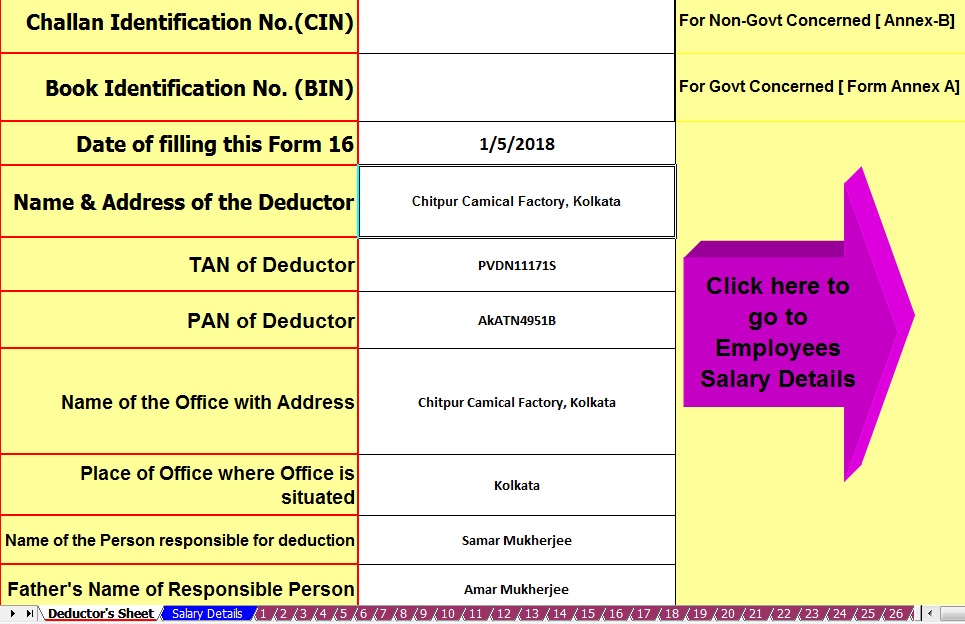
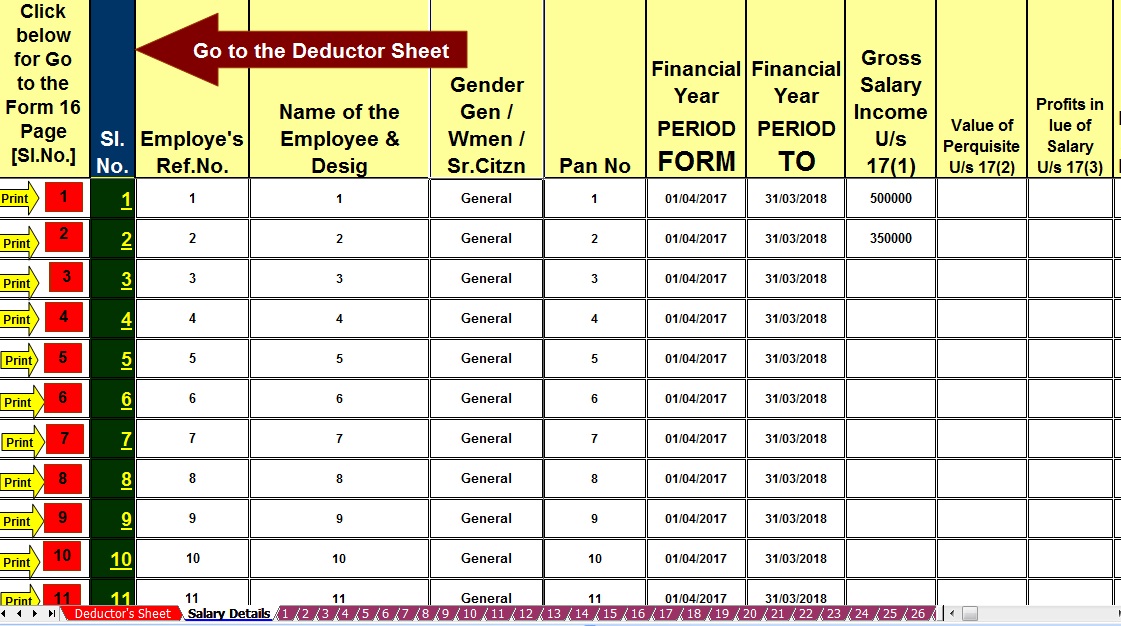
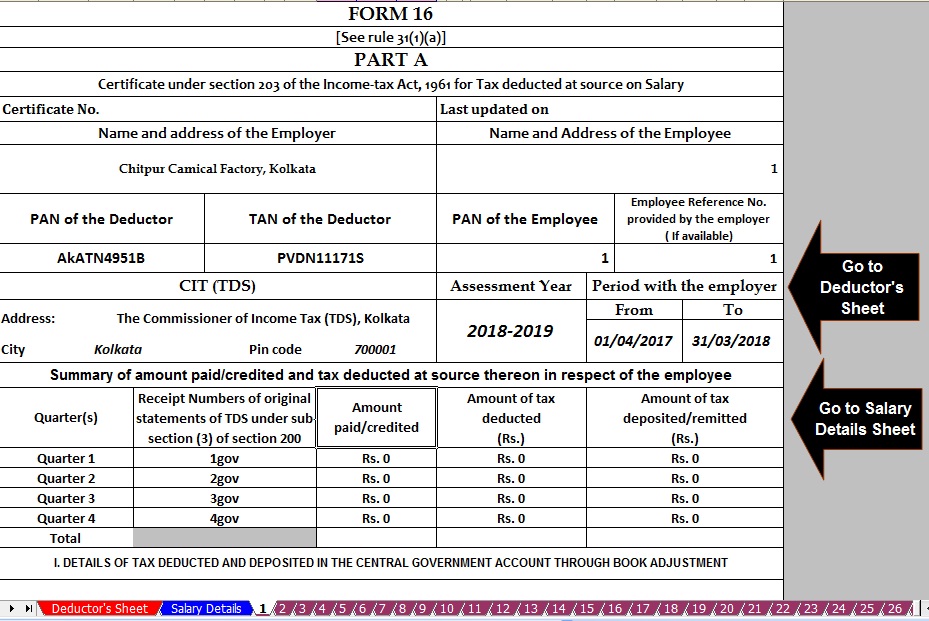


itaxsoftware.net
Itaxsoftware.net |
|
Posted: 16 Jun 2018 06:50 AM PDT Income Tax Department has disallowed relief u/s 89(1) which was claimed by Assessee during his/her filing of Income Tax Return for the Assessment Year 2017-18. Earlier there was no doubt in claiming such relief up to A.Y. 2017-18 from Income Tax Department. Simply Assessee claims in ITR form and Income Tax Department allows the same as claimed by Assessee. But now, w.e.f. Assessment Year 2015-16, It is compulsory to upload online 10E form otherwise claim will be rejected and demand will be raised by I.T. Department. All Assessees who had already claimed rebate u/s 89(1) in the A.Y. 2015-16 have been informed by Income Tax Department through intimation order under section 143(1) that claim amount of rebate has been rejected and raised demand along with interest for the same. Procedure to upload 10E Form It is clear without uploading 10E form, relief under section 89(1) cannot be claimed. Now the question is that how can we upload 10E Form along with ITR-1 (Sahaj), ITR-2 etc Forms. It has been found that 10E form is not ITR forms.The 10E form is other than ITR form which is available in income tax website after login for E-Filing of incometaxindiaefiling.gov.inas shown in below Snapshot:-
Download Arrears Relief Calculator Since the Financial Year 2000-01 to 2017-18 |


itaxsoftware.net
Itaxsoftware.net |
|
Posted: 17 Jun 2018 05:47 AM PDT CIRCULAR NO: 20/2015 F.No. 275/192/2015-IT(B) Government of India Ministry of Finance Department of Revenue |
Central Board of Direct Taxes |
North Block, New Delhi Dated the 2nd December 2015 SUBJECT: INCOME-TAX DEDUCTION FROM SALARIES DURING THE FINANCIAL YEAR 2015-16 UNDER SECTION 192 OF THE INCOME-TAX ACT, 1961. ***** Reference is invited to Circular No.17/2014 dated 10.12.2014 whereby the rates of deduction of income-tax from the payment of income under the head "Salaries" under Section 192 of the Income-tax Act, 1961 (hereinafter ‘the Act’), during the financial year 2014-15, were intimated. The present Circular contains the rates of deduction of income-tax from the payment of income chargeable under the head "Salaries" during the financial year 2015-16 and explains certain related provisions of the Act and Income-tax Rules, 1962 (hereinafter the Rules). The relevant Acts, Rules, Forms, and Notifications are available at the website of the Income Tax Department- www.incometaxindia.gov.in. Download and Prepare at a time 100 employees Form 16 Part-A&B for F.Y.2017-18 [This Excel Utility have all the amended section of Income Tax as per Finance Budget 2017-18]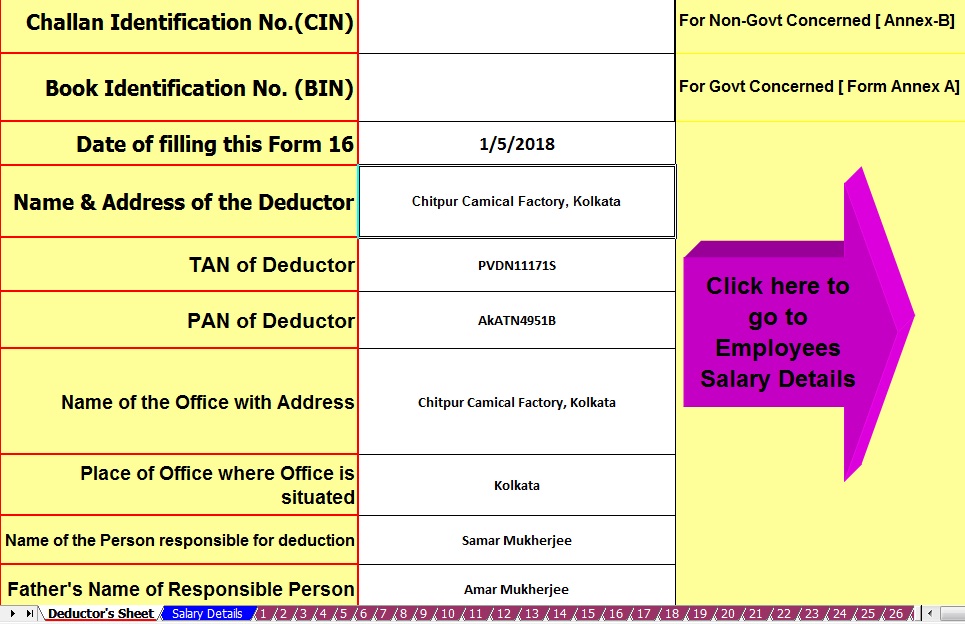 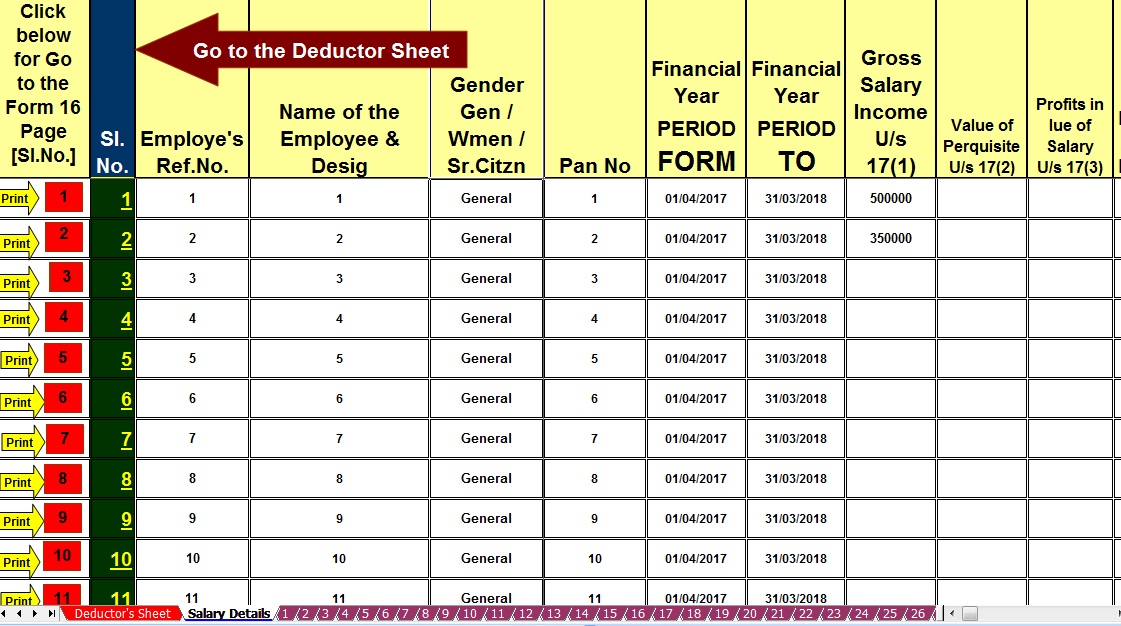 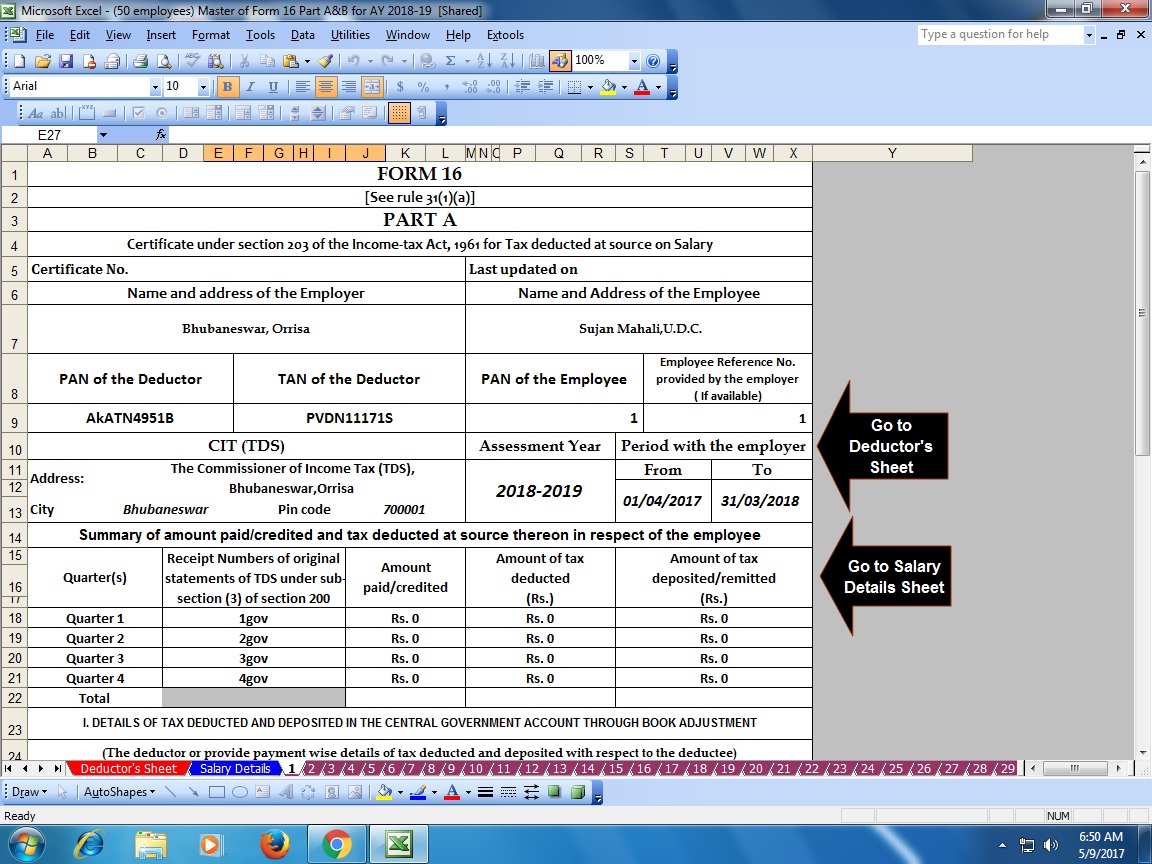 5.5.3 Deduction in respect of contribution to pension scheme of Central Government (Section 80CCD): Section 80CCD(1) allows an employee, being an individual employed by the Central Government on or after 01.01.2004 or being an individual employed by any other employer, or any other assessee being an individual, a deduction of an amount paid or deposited out of his income chargeable to tax under a pension scheme as notified vide Notification F. N. 5/7/2003- ECB&PR dated 22.12.2003 National Pension System-NPS or as may be notified by the Central Government. However, the deduction shall not exceed an amount equal to 10% of his salary (includes Dearness Allowance but excludes all other allowance and perquisites). As per section 80CCD(1B), an assessee referred to in 80CCD(1) shall be allowed a deduction in computation of his income, of the whole of the amount paid or deposited in the previous year in his account under the pension scheme notified or as may be notified by the Central Government, which shall not exceed Rs. 50,000. The deduction of Rs. 50,000 shall be allowed whether or not any deduction is allowed under sub-section(1). However, the same amount cannot be claimed both under sub-section (1) and sub-section (1B) of section 80CCD. As per Section 80CCD(2), where any contribution in the said pension scheme is made by the Central Government or any other employer then the employee shall be allowed a deduction from his total income of the whole amount contributed by the Central Government or any other employer subject to limit of 10% of his salary of the previous year. If any amount is standing to the credit of the employee in the pension scheme referred above and deduction has been allowed as stated above, and the employee or his nominee receives this amount together with the amount accrued thereon, due to the reason of (i) Closure or opting out of the pension scheme or (ii) Pension received from the annuity plan purchased and taken on such closure or opting out then the amount so received during the FYs shall be the income of the employee or his nominee for that Financial Year and accordingly will be charged to tax. Where any amount paid or deposited by the employee has been taken into account for the purposes of this section, a deduction with reference to such amount shall not be allowed under section 80C. Further, it has been specified that w.e.f 01.04.09 any amount received by the employee from the New Pension Scheme shall be deemed not to have been received in the previous year if such amount is used for purchasing an annuity plan in the same previous year. It is emphasized that as per the section 80CCE the aggregate amount of deduction under sections 80C, 80CCC and Section 80CCD(1) shall not exceed Rs.1,50,000/-. The deduction allowed under section 80 CCD(1B) is an additional deduction in respect of any amount paid in the NPS up to Rs. 50,000/-. However, the contribution made by the Central Government or any other employer to a pension scheme u/s 80CCD(2) shall be excluded from the limit of Rs.1,50,000/- provided under this section. 5.5.3 Deduction in respect of contribution to pension scheme of Central Government (Section 80CCD): Section 80CCD(1) allows an employee, being an individual employed by the Central Government on or after 01.01.2004 or being an individual employed by any other employer, or any other assessee being an individual, a deduction of an amount paid or deposited out of his income chargeable to tax under a pension scheme as notified vide Notification F. N. 5/7/2003- ECB&PR dated 22.12.2003 National Pension System-NPS or as may be notified by the Central Government. However, the deduction shall not exceed an amount equal to 10% of his salary (includes Dearness Allowance but excludes all other allowance and perquisites). As per section 80CCD(1B), an assessee referred to in 80CCD(1) shall be allowed a deduction in computation of his income, of the whole of the amount paid or deposited in the previous year in his account under the pension scheme notified or as may be notified by the Central Government, which shall not exceed Rs. 50,000. The deduction of Rs. 50,000 shall be allowed whether or not any deduction is allowed under sub-section(1). However, the same amount cannot be claimed both under sub-section (1) and sub-section (1B) of section 80CCD. As per Section 80CCD(2), where any contribution in the said pension scheme is made by the Central Government or any other employer then the employee shall be allowed a deduction from his total income of the whole amount contributed by the Central Government or any other employer subject to limit of 10% of his salary of the previous year. If any amount is standing to the credit of the employee in the pension scheme referred above and deduction has been allowed as stated above, and the employee or his nominee receives this amount together with the amount accrued thereon, due to the reason of (i) Closure or opting out of the pension scheme or (ii) Pension received from the annuity plan purchased and taken on such closure or opting out then the amount so received during the FYs shall be the income of the employee or his nominee for that Financial Year and accordingly will be charged to tax. Where any amount paid or deposited by the employee has been taken into account for the purposes of this section, a deduction with reference to such amount shall not be allowed under section 80C. Further, it has been specified that w.e.f 01.04.09 any amount received by the employee from the New Pension Scheme shall be deemed not to have been received in the previous year if such amount is used for purchasing an annuity plan in the same previous year. It is emphasized that as per the section 80CCE the aggregate amount of deduction under sections 80C, 80CCC and Section 80CCD(1) shall not exceed Rs.1,50,000/-. The deduction allowed under section 80 CCD(1B) is an additional deduction in respect of any amount paid in the NPS up to Rs. 50,000/-. However, the contribution made by the Central Government or any other employer to a pension scheme u/s 80CCD(2) shall be excluded from the limit of Rs.1,50,000/- provided under this section. |


itaxsoftware.net
The Central Finance Budget has already passed and the Income Tax Slab have 2.5 Lakhs for below 60 years Age and the Slab to the Sr.Citizen above 60 and below 80 years age is Rs.3 Lakh. The Tax Rebate Rs.2,500/- U/s 87A & Savings Bank Interest relief up to Rs. ten thousand U/s 80 TTA is still available in this financial year. Some of the Govt and Non Govt Concerned have above 100 employees working and most of the employees are in this Income Tax Slab, who's Income Tax Calculation and Preparation of Form 16 must be prepare and distribute to them after end of this Financial Year. As per the CBDT new notification that the format of Form 16 has already Changed and this Form 16 have in two parts. One is Part A and another is Part B. In the Form 16 Part A have the details of Tax Deducted and deposited to the Central Govt and the Part B of Form 16 have the details of employee's Salary Details including the Total Tax Deducted and deposited to the Central Govt. Another Notification by the CBDT it is mandatory to download the Form 16 Part A from the TRACES Portal ( http://www.tdscpc.gov.in) and the Form 16 Part B is mandatory to prepare by the employer/deductor of each Govt or Non Govt Concerned. Now it is question that the most of the Concerned have not know about this new CBDT notification and they could not able to download the Form 16 Part A from the TRACES Portal, as download the Part A from the Portal is most litigated. Who are able to download the Part A they can issue only the Form 16 Part B, but who are not able to download the same they have to need the both of Form 16 Part A&B for issue to their employees. Given below the Excel Based Software which can prepare at a time 50 employees Form 16 Part A&B (Both) for the Financial Year 2017-18 and Assessment Year 2018-19 Main feature of this Excel Utility :-
Click here to Download the Master of Form 16 Part A&B (For 100 employees) for Financial Year 2017-18( This Utility can prepare at a time 100 employees Form 16 Part A&B for FY 2017-18) |
Click here to Download the Master of Form 16 Part A&B ( For 50 employees) for the Financial Year2017-18 ( This Utility can prepare at a time 50 employees Form 16 Part A&B for FY 2017-18) |
itaxsoftware.net
Itaxsoftware.net |
|
All in One Income Tax for Non-Govt Employees for Financial Year 2018-19 & Ass Year 2019-20 Posted: 19 Jun 2018 09:00 AM PDT 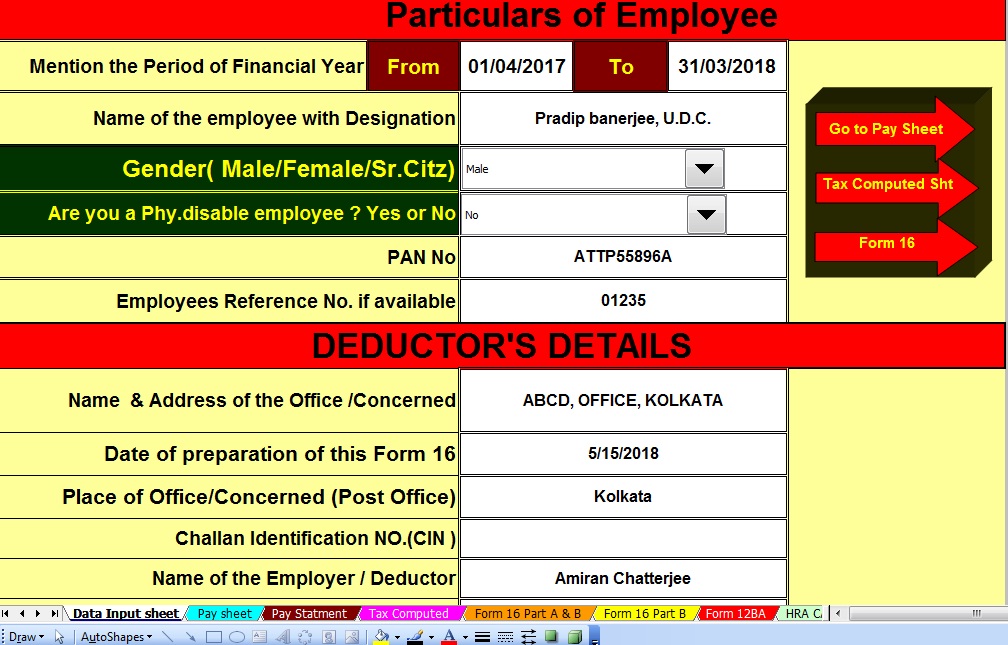 Download All in One Income Tax Preparation Excel Based Software for Non-Govt employees for FY 2018-19 [ This Excel Utility at a time Tax Computed Sheet + Individual Salary Structure + Individual Salary sheet + Automatic H.R.A. Calculation + Automated Form 12 BA + Automated Form 16 Part A&B and Form 16 Part B for F.Y. 2018-19 ]All in One Income Tax preparation Excel Based Software which most popularly known to all of the Taxpayers as well as all Govt and Non-Govt concerned. This All in One Specially designed for the Non-Govt employees in India. You can easily prepare your Income Tax computed sheet with the help of universal Salary Structure which Salary structure is fit for any Non-Govt concerned. The feature of this Utility:-
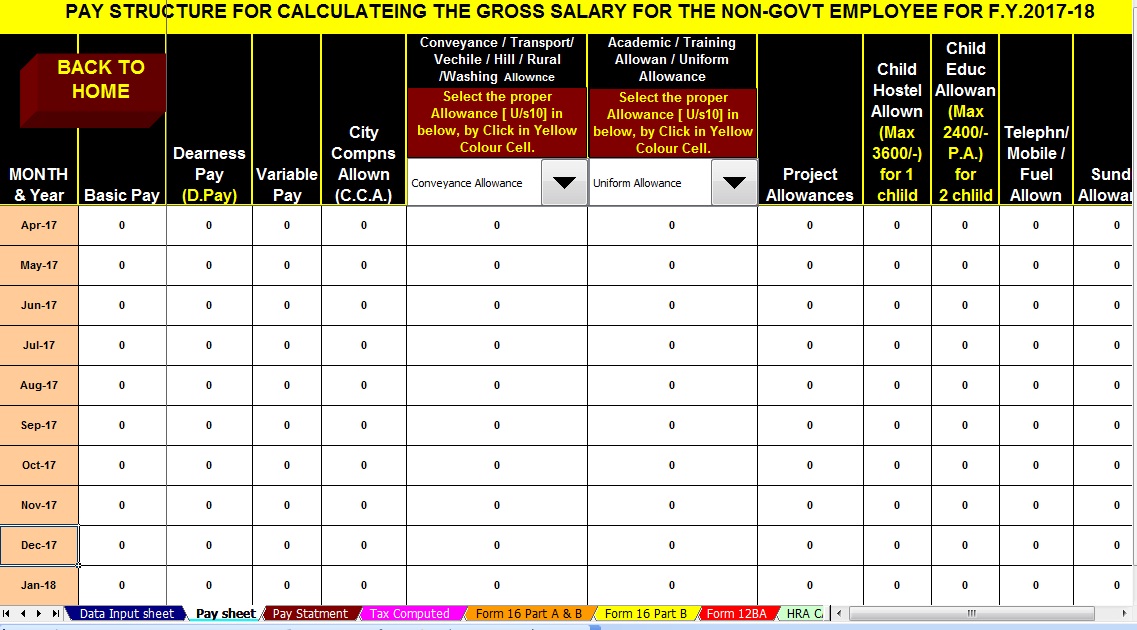 |


itaxsoftware.net
Now this month is March 2018 is the end of the F.Y.2017-18 and Income Tax Preparation and submit the Tax Statement to the employer by the employee with their Tax Savings deposit. Also, it is time to prepare the Form 16 Part B by each employer/ Deductor for distributing the Form 16 Part B for the Financial Year 2017-18 and Assessment Year 2018-19. Some of concerned have less than 10 employees and also give the Form 16 Part B to the employees in this Financial Year. Below given Excel Based Software for prepare automated Form 16 Part B for FY 2017-18 with the all latest Tax Slab and Tax Section as per the Finance Budget 2017-18. The feature of this Excel Utility:-
|
Click here to download Automated Form 16 Part B for the Financial Year 2017-18 [This Excel Utility can prepare Form 16 Part B One by One]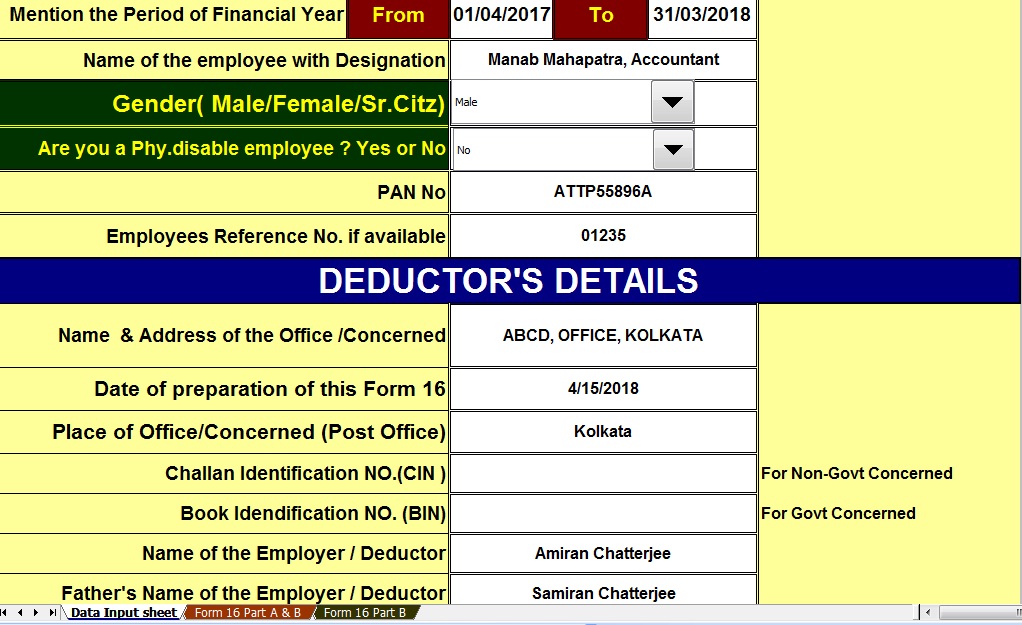 |


itaxsoftware.net
Itaxsoftware.net |
But now, w.e.f. Assessment Year 2015-16, It is compulsory to upload online 10E form otherwise claim will be rejected and demand will be raised by I.T. Department. |
All Assessees who had claimed rebate u/s 89(1) in the A.Y. 2017-18 have been informed by Income Tax Department through intimation order under section 143(1) that claim amount of rebate has been rejected and raised demand along with interest for the same.How to upload the Form 10E through e-Filling Tax Return for the A.Y.2017-18 as given below Step by Step.1) First Login to your e-Filling Site ( through income tax department of India)filingofincometaxIndiae-filing.gov.in2) After login, your Account just follows the below Snapshot for uploading Form 10E:-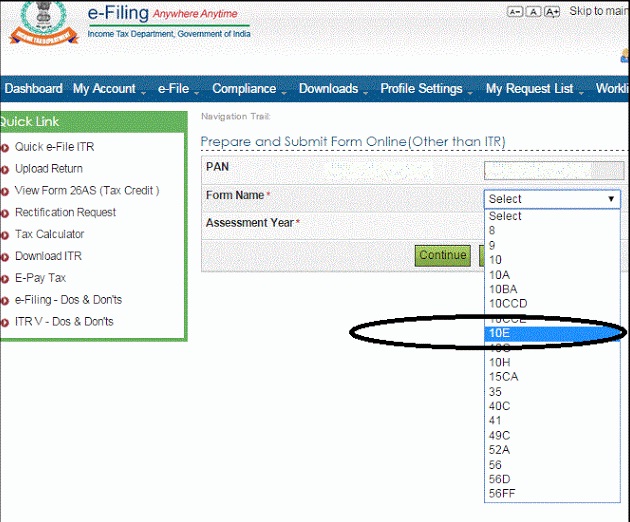 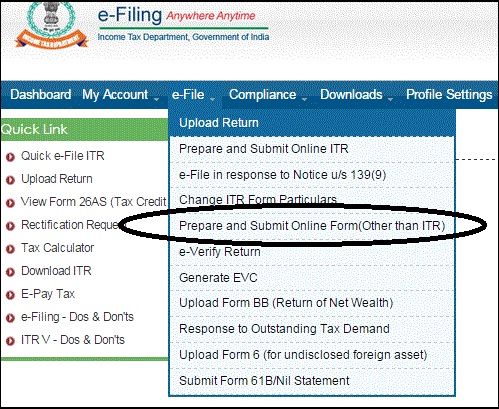 |
Procedure to upload 10E Form |
After reading above content it is clear without uploading 10E form, relief under section 89(1) cannot be claimed. Now the question is that how can we upload 10E Form along with ITR-1 (Sahaj), ITR-2 etc Forms. After a time gap, it has been found that 10E form is not ITR forms. The 10e form is other than ITR form which is available on income tax website after login for e-filingofincometaxIndiae-filing.gov.in as shown the above picture. Click here to download Arrears Relief Calculator relief u/s 89(1) with Form 10E From the Financial Year 2000-01 to Financial Year 2018-19 ( Updated )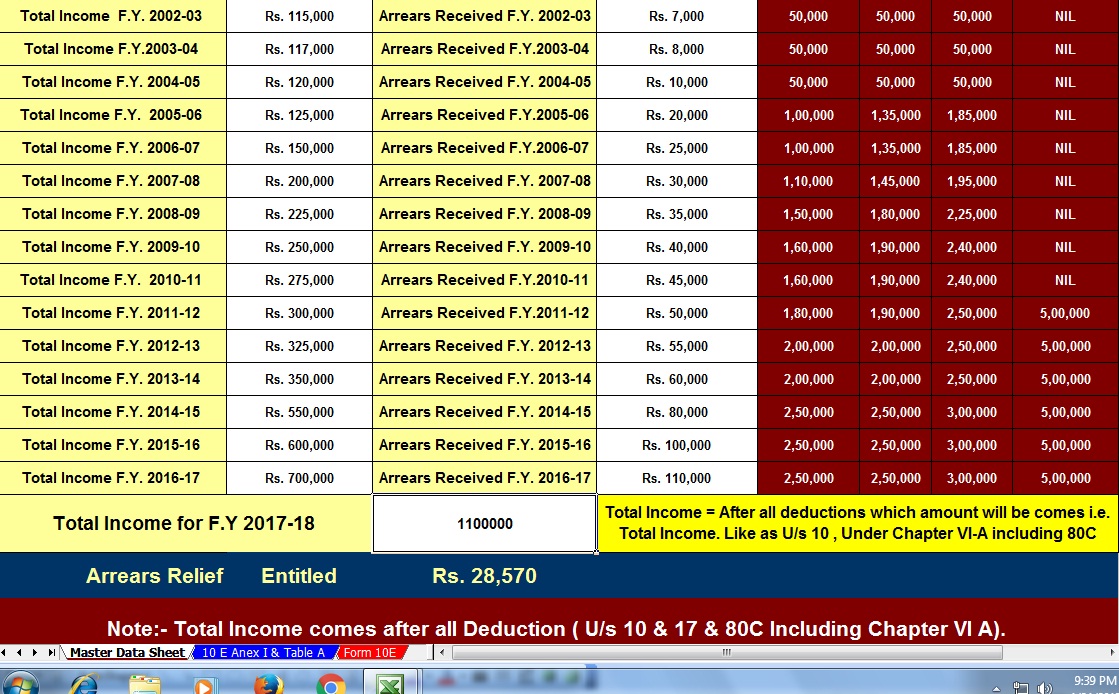 |
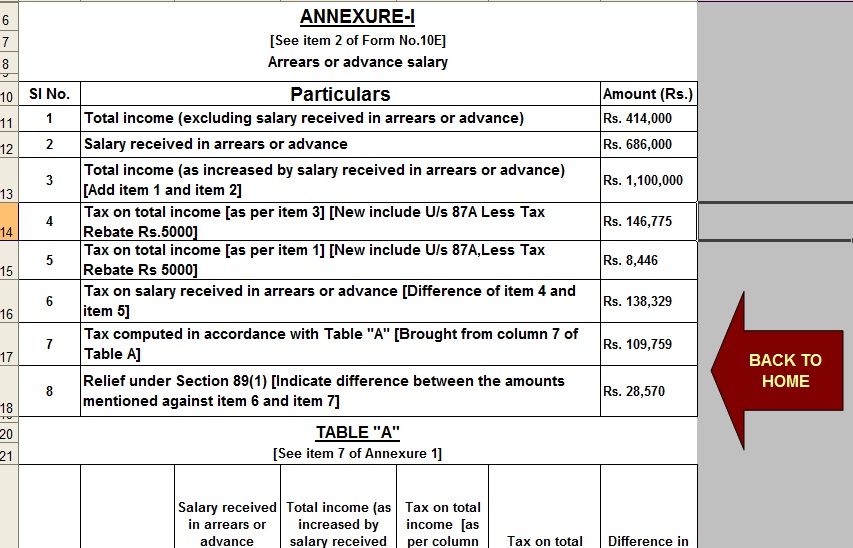
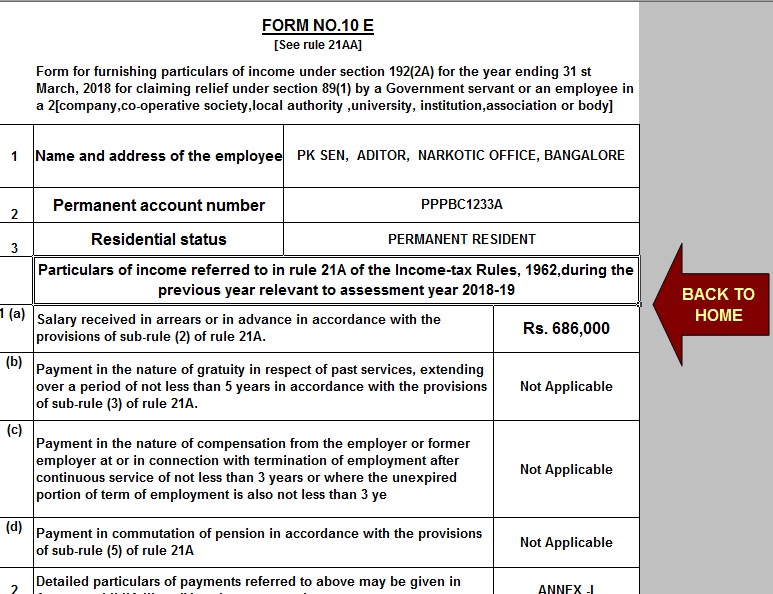


itaxsoftware.net
Itaxsoftware.net |
|
Posted: 22 Jun 2018 05:34 AM PDT The CBDT has already Circulate vide Circular No.4/2013 dated 17/4/2013 that the Part A(Annexure) of Salary Certificate Form 16 is mandatory to download from the Income Tax New Web Site TRACE and the Part B (Annexure) must be prepare by the Employer/Deductor. As per the New Amended Salary Certificate Form 16 has already Changed of Format of Form 16 vide Notification No. 11/2013, where the Form 16 made in two part. One Part -A and Part - B. The Part A has now mandatory to download from the Web Site TRACES Portal. Click here to download Form 16 Part B and Form 16 Part A&B for the Financial Year 2017-18 [ This Utility can prepare one by one employee Form 16 Part B & Part A&B for FY 17-18] |


itaxsoftware.net
Itaxsoftware.net |
|
Prepare at a time 100 employees Excel Based Form 16 Part A&B For F.Y.2017-18 Posted: 23 Jun 2018 05:09 AM PDT Click here to download Automated Income Tax Form 16 Part A&B which can prepare at a time 100 employees Form 16 Part A&B for F.Y.2017-18.This Excel Utility can prepare at a time 100 employees Form 16 Part A&B for F.Y.2017-18, with the new Income Tax Slab for f.Y.2017-18.
|
|


itaxsoftware.net
Itaxsoftware.net |
|
Prepare One by One Automated Income Tax Form 16 Part B for F.Y.2017-18 Posted: 24 Jun 2018 05:15 AM PDT
Click here to Download the Automated One by One preparation Excel Based Form16 Part B for Financial Year 2017-18 & Asss Year 2018-19.Main Feature of this Excel Utility:-1) Automatic calculates Income Tax as per New Tax Slab for F.Y. 2017-182) All the Income Tax Section have in this Excel Utility as per New Budget 2017-18 3) This Excel Utility can use both of Government & Non-Government Concerned 4) Easy to generate and easy to install on any computer 5) Automatic Convert Amount into the In-Words without any Excel Formula. 6) This Excel Utility can prepare more than 100 employees Form 16 Part B One by One.
|


itaxsoftware.net
Itaxsoftware.net |
|
New Amended Form 16 For Financial Year 2017-18 and Assessment Year 2018-19 Posted: 25 Jun 2018 08:01 AM PDT New Amended Automatic Form 16 in Excel Format for the Financial Year 2017-18 and Ass Year 2018-19As per the Income Tax Department's Notification Number 11/2013 dated 19/02/2013, have changed some Income Tax Form 16. The new Form 16 have some changes that previous Form 16, but the changes have made some format of Form 16 and some Column Head of Form 16.The New Amended Form 16 is given below in Excel Format as well as the Link for download the Notification of ITD about the changes of Form 16. This Excel-based Software can prepare the Automatic Form 16 for the Financial Year 2017-18 and Assessment Year 2018-19, this Utility can use the both of Govt and Non-Govt employees. CLICK HERE TO DOWNLOAD AUTOMATED INCOME TAX FORM 16 PART - B FOR F.Y.2017-18 [ This Excel Utility can prepare at a time 100 employees Form 16 Part B for f.Y.2017-18]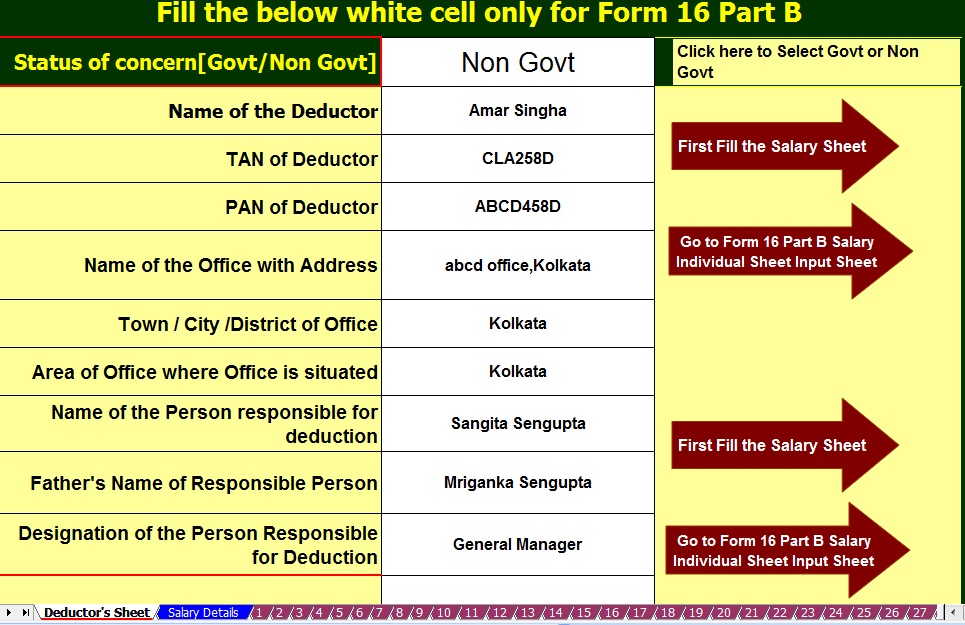 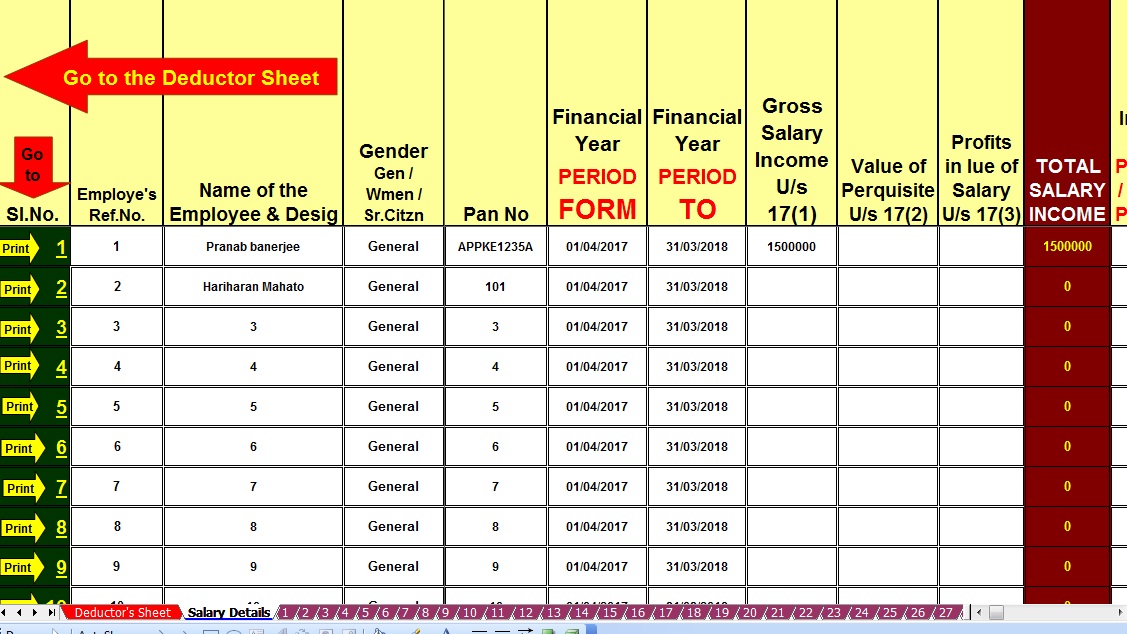 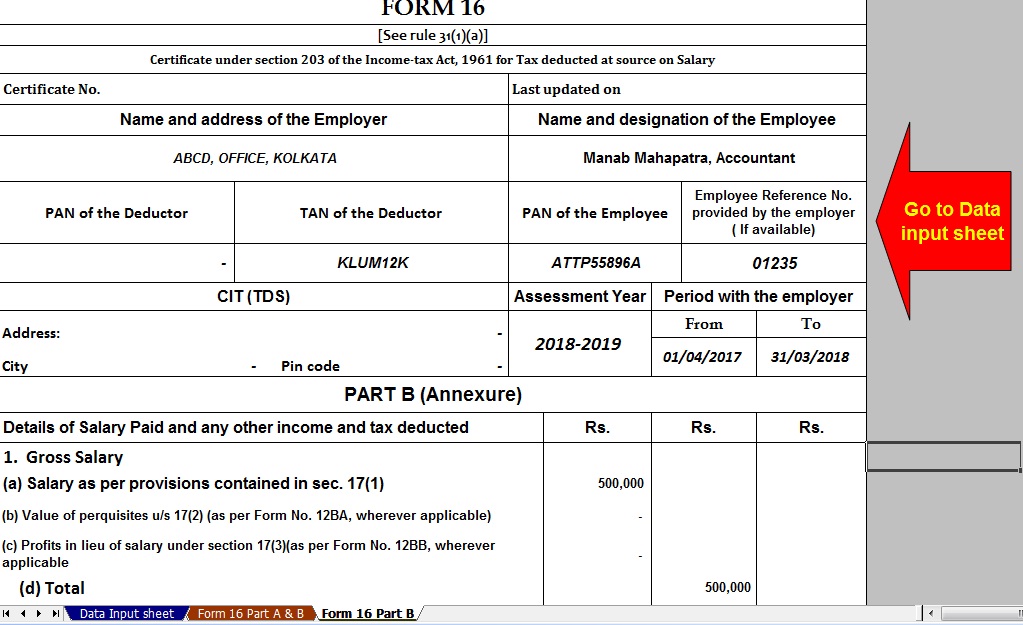 |


itaxsoftware.net
Itaxsoftware.net |
|
Posted: 26 Jun 2018 06:08 AM PDT Click here to download Automated 50 employees Excel Based Master of Form 16 Part B for F.Y.2017-18. [This Excel Utility can prepare at a time 50 Employees Form 16 Part B for f.Y.2017-18] |


itaxsoftware.net
Itaxsoftware.net |
|
Prepare at a time 100 employees Form 16 Part B for F.Y.2017-18 & A.Y.2018-19 Posted: 27 Jun 2018 08:41 AM PDT |
Feature of this Excel Utility:- |
1) Automated Tax Calculate as per the New Income Tax Slab for F.Y.2017-18 2) Prepare at a time 100 employees Form 16 Part B for F.Y.2017-18 3) Automatic Convert the Amount into the In-Words ( Without any Excel Formula) 4) You can prepare more than 1000 employees Form 16 Part B by this one Software. 5) All the Income Tax Amended Section and siling of the Tax Section have in this Excel Utility as per the Finance Budget 2017-18.
|


itaxsoftware.net
Itaxsoftware.net |
|
Posted: 28 Jun 2018 08:40 AM PDT How To Calculate Income Tax Benefit on Joint Home Loan? – In the latest budget speech finance minister has announced that tax incentives limit of deduction on interest paid on borrowed funds for a self-occupied house would be increased. If this is the case of Joint ownership, tax benefit also doubles. As per the Income Tax rule tax benefits on a joint home loan can be availed by all the joint owners based on the certain condition which are needed to be fulfilled. This is to remember that housing loan buyers can avail the combination of different deductions and exemptions i.e. deductions under section 80C, 80CCC, 80D, 24(b) for maximizing the income tax benefit. The EMI i.e. equated monthly installments (EMIs) of a home loan consist of two parts—interest and capital repayment. Income Tax benefit on capital repayment or principal parts comes under section 80C within the maximum limit of Rs.1.5 lakh a year. The interest portion comes under section 24(b) and the limit is Rs.2 lakh for the self-occupied house. Download Automated Income Tax 50 employees Form 16 Part A&B For F.Y.2017-18 [ This Excel Utility prepare at a time 50 employees Form 16 Part A&B for F.Y. 2017-18 ]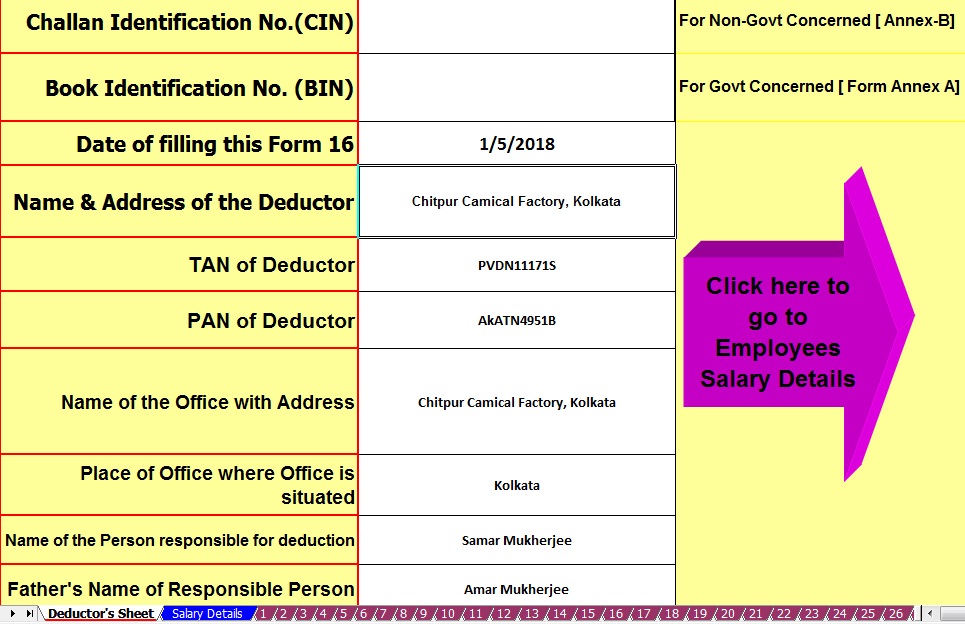 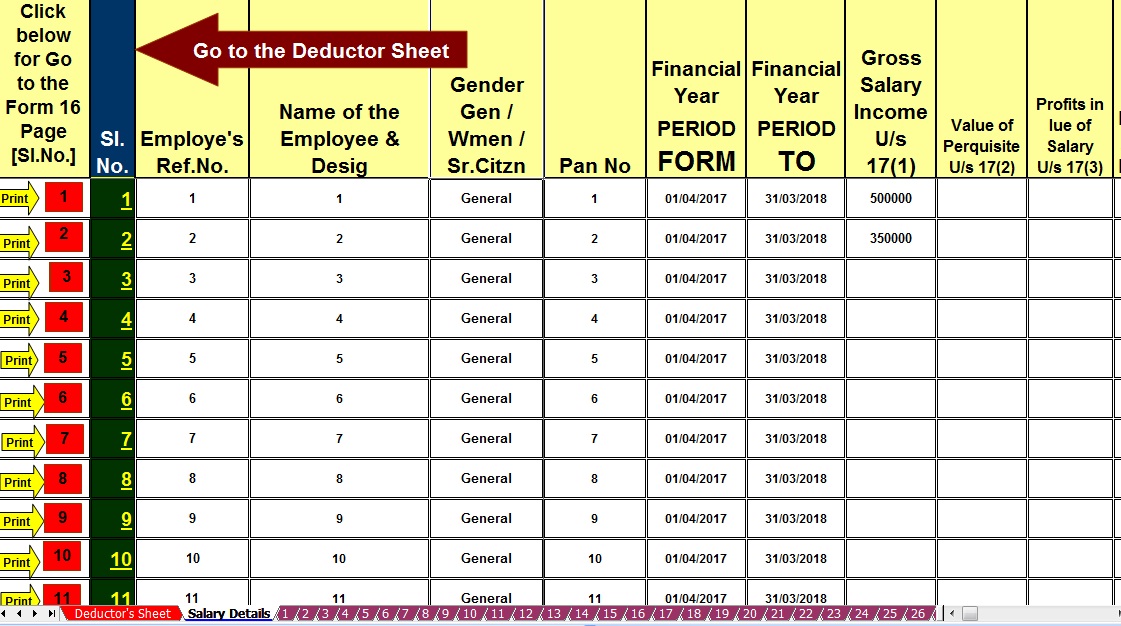 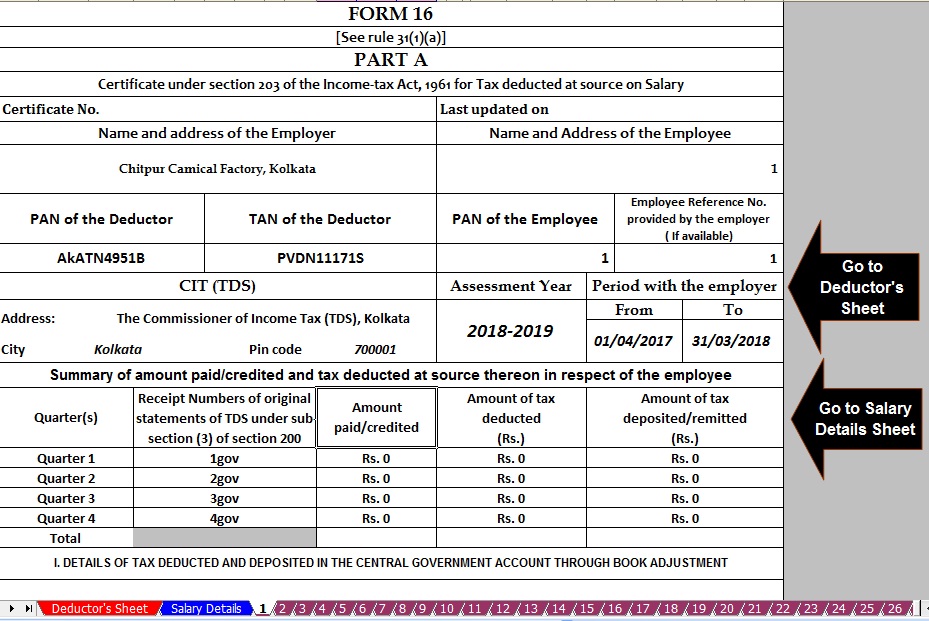 The benefit of Joint OwnershipAny housing loan may be availed in joint ownership as co-borrower. The joint borrower ship of housing loan allows both the borrowers to become eligible to claim tax benefit against the same house. For Example, Any housing loan of amounting Rs 40 lakh at the rate of 10% interest per annum, will accumulate the Interest of approx Rs.4 lakh in an initial financial year. As per the Income Tax law single borrower can have the tax benefit of Rs 2 lakh each year if self-occupied house but in case of joint borrowers, they can together claim Rs.4 lakh. A big saving for other investments.Important Condition to Met Before Claiming Tax Benefit in Joint NameThe following instruction must be fulfilled before claiming the Income tax benefit for joint ownership house. 1. The house should be registered in the name of both the borrowers. 2. The share of rights over the property should also be clearly mentioned in the registry papers. 3. Based on the share of the right of property the division of interest can be claimed in the same proportion by each co-applicant. Example : Suppose the ratio of ownership of a house is 50: 50, and housing loan of Rs 40 lacs in the joint name in such condition the loan amount would be split in the ratio of 20 lacs each and tax benefit on the interest paid can be claimed based on the loan amount against each co-applicant. |


itaxsoftware.net
Itaxsoftware.net |
|
Download and prepare at a time 100 employees Form 16 Part B for F.Y.2017-18 & Ass Year 2018-19 Posted: 29 Jun 2018 04:58 AM PDT The Income Tax Department has already Circulate that the Salary Certificate Form 16 Part A must be download from the New Web Site TRACES vide Circular No.4/2013 dated 17/4/2013 and it is clear that the Part A(Annexure) of Salary Certificate Form 16 is mandatory to download from the Income Tax New Web Site TRACE and the Part B (Annexure) must be prepared by the Employer/Deductor. As per the New Amended Salary Certificate Form, 16 has already Changed of Format of Form 16 vide Notification No. 11/2013, where the Form 16 made in two part. One Part -A and Part - B. The Part A has now mandatory to download from the Web Site TRACES Portal. This Excel Utility have in a Zip file, and also have an Instruction about " How to prepare the limitless Form 16 Part-B for the Financial Year 2017-18. You can easily prepare limit less Form 16 Part-B by this one Excel Based Software. First prepare 100 employees Salary Certificate Form 16 Part B and save the same in another name and location, then you can again prepare another 100 employees Form 16 Part B and Save the same in another name and location, in this manner you can prepare to limitless Form 16 part B by this One Excel Based Software. Main Feature of this Excel Utility:- 1) Prepare automatic at a time 100 employees Form 16 Part B for F.Y 2017-18 2) Inbuilt the Salary Structure with Tax Section as per Finance Budget 2017 3) New Tax Slab Rate for the Financial Year 2017-18 4) Income Tax Rebate reduced Rs.2,500/- who’s taxable income less than 3.5 Lakh. 5) Automatic Convert the Amount into the In-Words
|
|


itaxsoftware.net
Itaxsoftware.net |
|
Posted: 30 Jun 2018 05:30 AM PDT The Month of April 2018 have already gone, and the month of June 2018 just Started now for the financial Year Start with April -16 to March -2017. Most of the Govt and Non-Govt Concerned busy to prepare and Calculate the Income Tax and prepare the Form 16 Part B as the Form 16 Part A is now Mandatory to download from the TRACES Portal(http://www.tdscpc.gov.in). But the Form 16 Part B is also mandatory to prepare by the employer. Below given the Excel Based Automatic Form 16 Part B which can prepare One by One Form 16 Part B and Prepare Malty employees Form 16 Part B which can prepare at a time 50 employees Form 16 Part B for the Financial Year 2017-18 and Assessment Year 2018-19. · Feature of this Utility:-· Automatic Tax Calculate· In-built Salary Structure for Govt & Non-Govt employee's Salary Pattern· Prepare at a time 50 employees Form 16 Part B and you can prepare more than 500 Form 16 Part B by this One Software ( Save As > Save >)· Prevent the Duplicate or Double entry of Pan No and Name of Employee· Automatic Convert the Amount into the In word without an Excel FormulaDownload the Automatic Form 16 Part B from the Below link 1) One by One Preparation Form 16 Part B for f.Y. 2017-18 |


itaxsoftware.net
Itaxsoftware.net |
|
Automated Arrears Relief Calculator U/s 89(1) with Form 10E F.Y. 2000-01 to 2018-19 Posted: 01 Jul 2018 04:36 AM PDT If you received any arrears salary of previous years, in the Financial Year 2018-19, you should get Tax Benefits by the bifurcation of arrears amount to the difference previous years. This Excel Utility can calculate the Arrears Relief with Form 10E From F.Y.2000-01 to F.Y.2018-19. Click here to Download the Automated Arrears Relief Calculator with Form 10E form F.Y. 2000-01 to 2018-19. ( Updated Version)
|
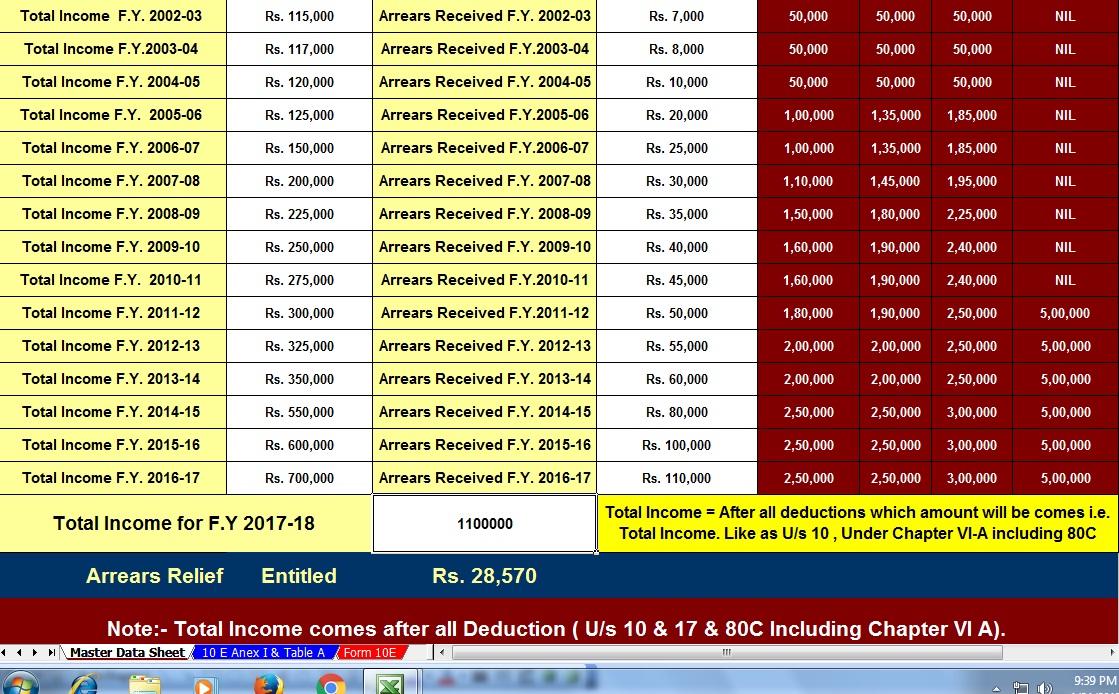
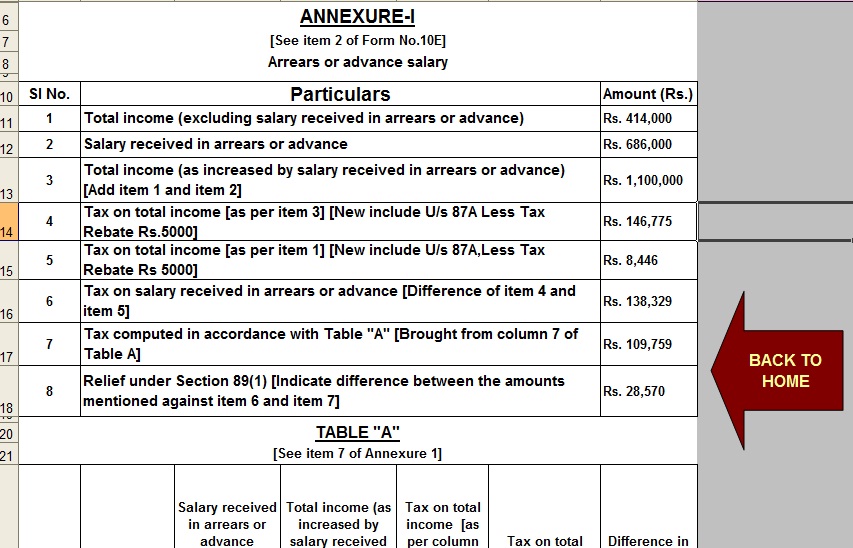
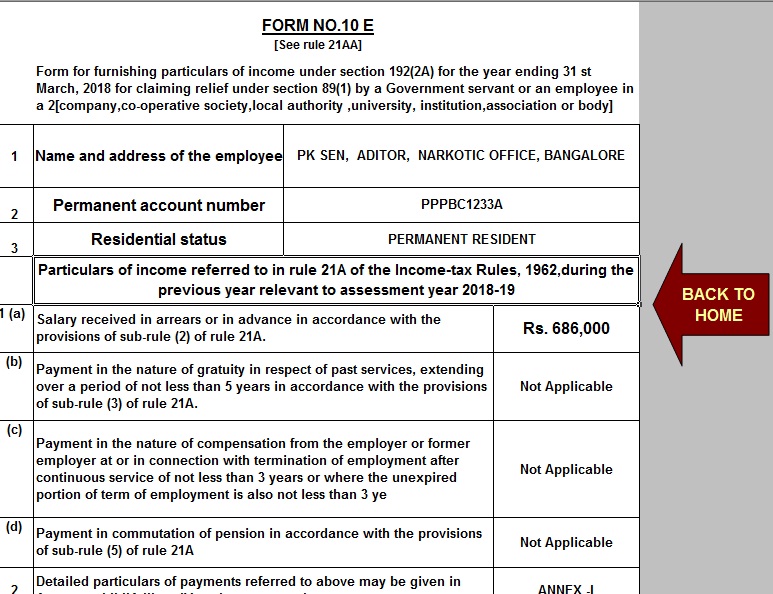


itaxsoftware.net
Itaxsoftware.net |
Feature of this Excel Utility:- |
1. Automatic Calculate the Income Tax Liability of each employee 2. Automatic Calculate and prepare the Form 16 Part A&B for F.Y. 2017-18 3. Automatic prepare at a time 50 employees Form 16 Part A&B for F.Y. 2017-18 4. Prevent the double entry of PAN NO and Name of Employee 5. Easy to install and easy to generate 6. You can prepare more than 200 employees Form 16 Part A&B by this One Software 7. All the Income Tax Section have in this Excel Utility with the brief of each section 1) Click here to Download the Master of Form 16 Part B ( Prepare at a time 50 employees from 16 Part B ) |


This posting includes an audio/video/photo media file: Download Now |
| You are subscribed to email updates from itaxsoftware.net. |
To stop receiving these emails, you may unsubscribe now. |
| Email delivery powered by Google |
itaxsoftware.net
Itaxsoftware.net |
|
Posted: 04 Jul 2018 06:14 AM PDT Budget Impact on the Salaried ClassBudget 2018 is rolled out and how! Mixed feelings for most people, except for the salaried class. The budget has not made any changes to the tax slabs of salaried individuals, leading them to sing the blues, in a chorus. Given the pattern from the last few years, there were similar expectations this year too. Even though that did not happen, the Finance Minister has proposed to reintroduce the “standard deduction” from the gross salary of individuals. The amount of standard deduction proposed to be Rs 40,000, will replace the existing transport allowance of Rs 1600 per month and medical allowance of Rs 15,000 per annum which are usually deducted from the gross salary and claimed as an exemption. So, no changes in tax slabs is not a total loss, since the standard deduction of Rs 40,000 will replace medical allowance of Rs 15,000 and transport allowance of Rs 1600 per month i.e. Rs. 19,200 per annum, so the effective additional benefit would be an additional income exemption of Rs 5,800. Furthermore, FM Jaitley proposed to hike the cess by 1%, in the name of Health Cess, making it effectively 4% ‘Health and Education Cess’. As of now, an education cess of 3% was levied on personal income tax, after the budget announcement it soared high to a 4%. While this move may help the government in meeting the healthcare and education needs of the rural families, it is certain that the tax liability of both individuals and corporate will increase. Let’s have a look at the tax proposals made in the Budget 2018 for the Salaried ClassThe Income Tax Slabs for the Assessment Year 2019-20 would continue to be as follows
Surcharge too has not undergone any change from that of AY 2018-19
In a nutshell:
Click here to Download Automated TDS on Salary for Govt & Non- Govt employees for F.Y.2018-19 and A.Y.2019-20 with Automated Arrears Relief Calculator with Form 10E from F.Y.2018-19 and A.Y. 2019-20 as per new Finance Budget 2018 [ This Excel Based Software can prepare at a time Tax Computed Sheet + Individual Salary Structure as per Govt & Non-Govt Salary Pattern + Automated H.R.A. Calculation U/s 10(13A) + Automated Form 16 Part B + Automated Form 16 Part A&B + Automated Arrears Relief Calculation from F.Y.2000-01 to F.Y.2018-19 with Form 10E]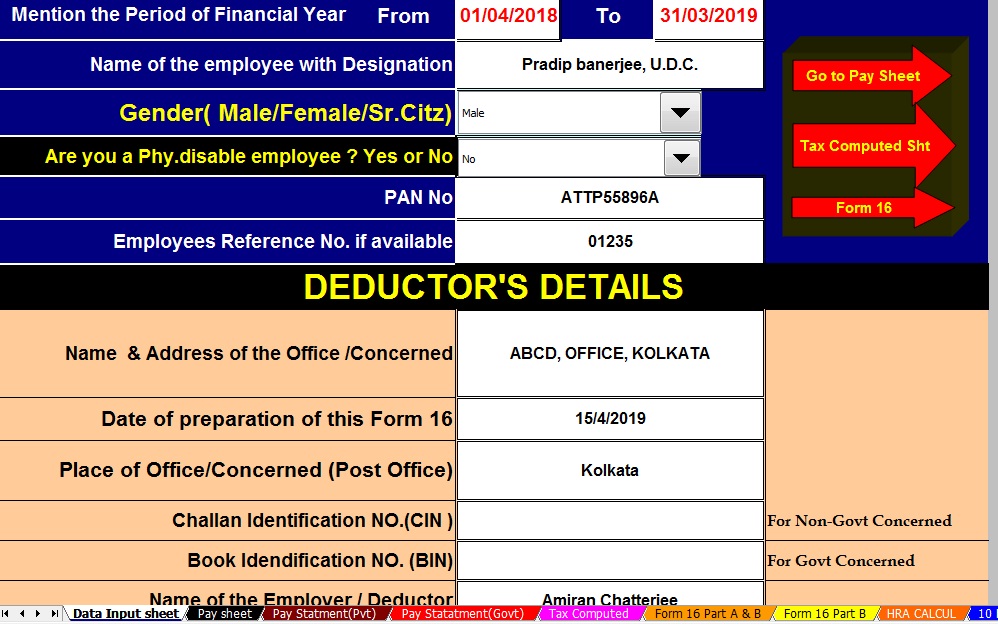 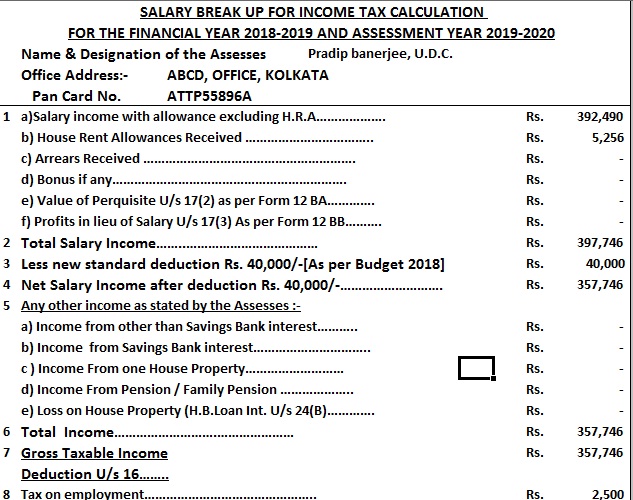 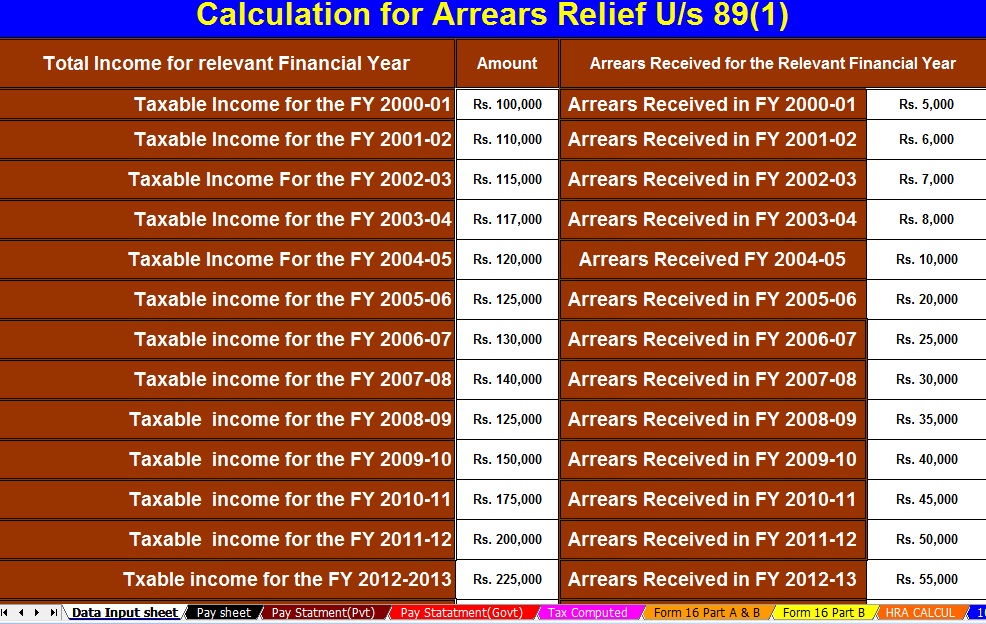 | ||||||||||||||||||||||||||||||||
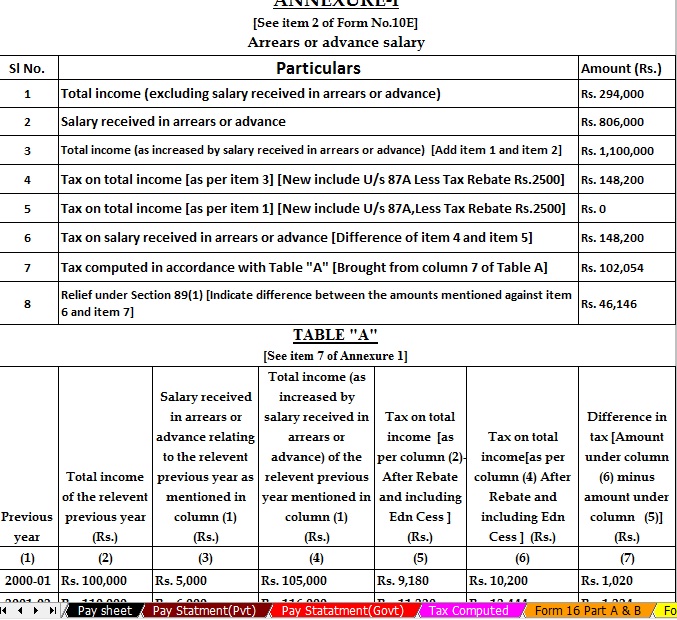


itaxsoftware.net
Itaxsoftware.net |
|
Posted: 05 Jul 2018 05:21 AM PDT April 1, the beginning of the new Financial Year 2018-19, brings in some major changes in the tax structure which were announced by Finance Minister Arun Jaitley while presenting the Union Budget 2018. The tax reforms will impact individual taxpayers in a number of ways, such as the standard deduction of Rs 40,000 instead of the transport allowance and medical expenses. Standard Deduction Though the tax slabs were not changed this year, the finance minister reintroduced the standard deduction method. A standard deduction of Rs 40,000 will be effective in lieu of transport allowance and medical reimbursement. Around 2.5 crore salaried employees and pensioners will gain from the new rule. The Central Board of Direct Taxes had previously said that the standard deduction can be claimed directly and would not require any proofs or bills to avail it. Medical, travel allowances will be taxed(Abolished) With the induction of standard deduction, medical and travel allowances will be taxed from next fiscal. Medical allowances up to Rs 15,000 and travel allowance till Rs 1,600 per month used to be tax-free and could be claimed by furnishing bills. Cess now 4% Finance Minister Arun Jaitley has hiked the educational cess on income tax and corporation tax to 4 percent. At present, individual taxpayers shell out a 3 percent cess – 2 percent cess for primary education and 1 percent cess for secondary and higher education. For senior citizens Tax exemptions were announced on deposits with banks and post offices for senior citizens only. Interest income will now be increased five times from Rs 10,000 to Rs 50,000. TDS (tax deducted at source) under section 194A will not be applicable to any fixed deposit scheme or recurring deposit schemes for the senior citizens. Breather for the senior citizen on medical expenses The deduction limit for health insurance premium or medical expenditure was increased from Rs 30,000 to Rs 50,000 under section 80D. The deduction limit for medical expenses for critical illness was also hiked from Rs 60,000 (for senior citizens) and Rs 80,000 (for very senior citizens) to Rs 1 lakh, under section 80DDB. Pradhan Mantri Vaya Vandana Yojana Pradhan Mantri Vaya Vandana Yojana was extended up to March 2020, under which senior citizens can invest up to Rs 15 lakh. The current limit is Rs 7.5 lakh per senior citizen. National Pension System is tax-free The withdrawal of pension money was made tax free for non-employee subscribers. There is no such provision at present. Download automated All in One for TDS on Salary for Non-Govt. employees for Financial Year 2018-19 and Ass Year 2019-20 [This Excel Utility can prepare at a time your Tax Computed Sheet + Individual Salary Sheet + Individual Salary Structure as per Private Employees Salary Pattern + Automated H.R.A. Exemption Calculation + Automated Arrears Relief Calculator from F.Y. 2000-01 to F.Y.2018-19 + Automated Form 16 Part A&B and Form 16 Part B + Automated 12 BA Form ] |


itaxsoftware.net
Itaxsoftware.net |
|
Download Automated One by One Preparation Excel Based Form 16 Part A&B and Part B for F.Y.2017-18 Posted: 06 Jul 2018 05:10 AM PDT Click here to Download Automated One by One Preparation Excel Based Form 16 Part A&B and Part B for Financial Year 2017-18 & Ass Year 2018-19 [ This Excel Utility can prepare One by One Form 16 Part A&B and Part B for f.Y.2017-18] |
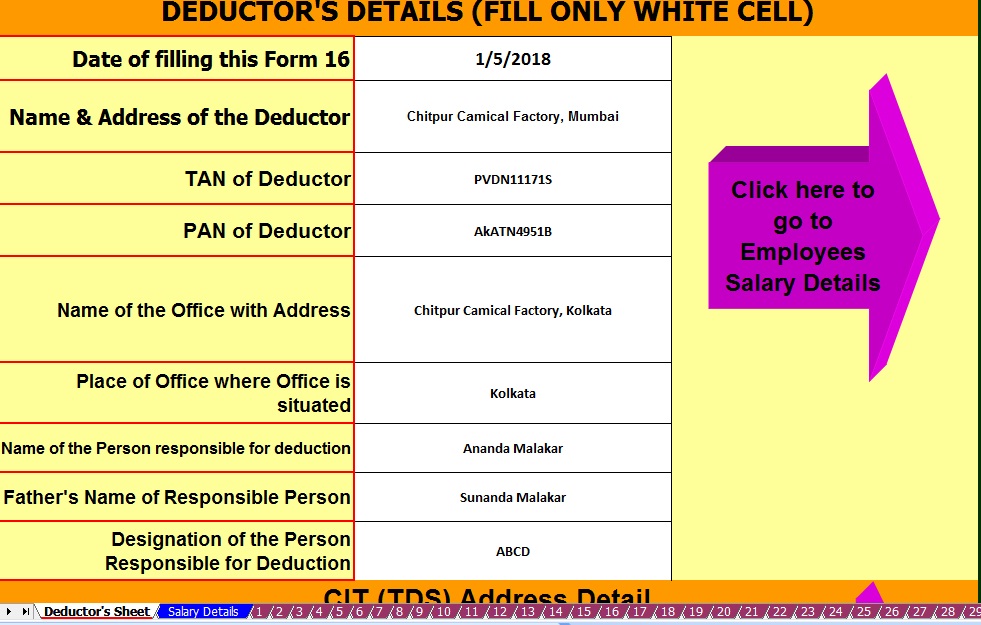
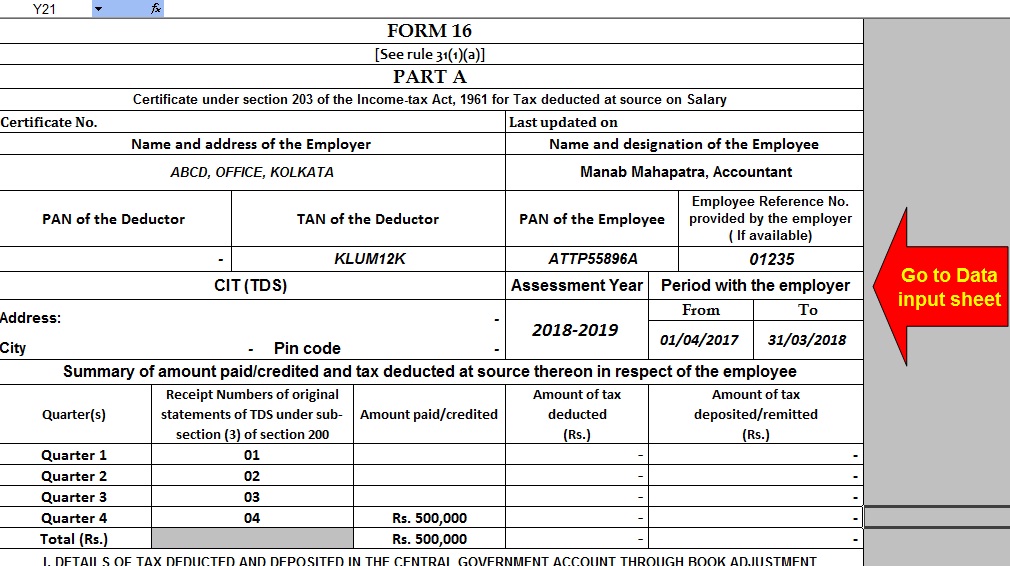


This posting includes an audio/video/photo media file: Download Now |
| You are subscribed to email updates from itaxsoftware.net. |
To stop receiving these emails, you may unsubscribe now. |
| Email delivery powered by Google |
itaxsoftware.net
Itaxsoftware.net |
|
Posted: 07 Jul 2018 05:35 AM PDT Income Tax Department has disallowed relief u/s 89(1) which was claimed by Assessee during his/her filing of Income Tax Return for the Assessment Year 2017-18. Earlier there was no doubt in claiming such relief up to A.Y. 2017-18 from Income Tax Department. Simply Assessee claims in ITR form and Income Tax Department allows the same as claimed by Assessee. |
But now, w.e.f. Assessment Year 2015-16, It is compulsory to upload online 10E form otherwise claim will be rejected and demand will be raised by I.T. Department. |
All Assessees who had already claimed rebate u/s 89(1) in the A.Y. 2015-16 have been informed by Income Tax Department through intimation order under section 143(1) that claim amount of rebate has been rejected and raised demand along with interest for the same. |
Procedure to upload 10E Form |
It is clear without uploading 10E form, relief under section 89(1) cannot be claimed. Now the question is that how can we upload 10E Form along with ITR-1 (Sahaj), ITR-2 etc Forms. It has been found that 10E form is not ITR forms.The 10E form is other than ITR form which is available in income tax website after login for E-Filing of incometaxindiaefiling.gov.inas shown in below Snapshot:-
|


itaxsoftware.net
Itaxsoftware.net |
|
What to do if your TDS is not deposited to the government by your employer Posted: 08 Jul 2018 05:09 AM PDT Tax deducted at source (TDS) from your salary or any other income must be deposited with the government within a certain specified time period. However, a recent scam of Rs 3,200 crore unearthed by the income tax department has highlighted the problems faced by many individuals and employees. As it may happen, your employer may have deducted the tax from your salary but has failed to deposit the same against your PAN with the government. If your employer is not paying heed to your complaints regarding the same, then you can approach the income tax department. Abhishek Soni, CEO, tax2win.in, a tax-filing website says that the Central Board of Direct Taxes (CBDT) has issued certain circulars with respect to this in the past. The circulars state that in cases where TDS is deducted by the employer or deductor and the same has not been deposited with the government, in those cases income tax officers must not harass the employees (deductee) and the same must be recovered from the employers/deductors. While filing your income tax returns, you have to calculate your total tax liability, then subtract the TDS from this and arrive at the balance tax payable which could be a refund, additional tax, or nothing at all. The TDS figure here is to be taken from your Form 16 or Form 16A (TDS certificates), as applicable. However, the tax deducted during the year (as shown in the TDS certificate) must also reflect in the department’s record in Form 26AS. Any mismatch in Forms 26AS and 16 allows the department to demand additional tax under section 143(1) of the Income-tax Act, 1961. This is because the TDS claimed as paid by you will not reflect in the department’s records. There may be cases where the employer does not issue TDS certificates at all and the employee comes to know of the TDS only via salary slip entries or short payment of salary. “This can lead to litigation as an employee will claim that his tax has already been deducted by the employer and the same should be recovered from the employer. On the other hand, the department will claim that since the dues are pending against the PAN of an employee, it is the employee’s duty to pay his dues,” says Soni. Check your Form 26AS before filing a complaint It is advisable for every person, whose income is subject to TDS, to check their Form 26AS regularly during the year to ensure that all the tax deducted against their PAN is reflected in the form. You should also ensure that you have provided your correct PAN details to your employer. Otherwise, the employer may have deposited your TDS against the wrong PAN, i.e., into the account of the person to whom that PAN belongs. A company files its TDS returns on a quarterly basis. The due date for filing TDS returns is one month after the end of a quarter, with the quarter ending March 31 being an exception. The due date for filing of TDS returns for the quarter ending March 31 is May 31. It is advisable that an individual checks his Form 26AS after 10 days of the expiry of the due date. Thus, before an individual approaches the tax department to complain about his employer not depositing the deducted TDS, it is important that he brings this mismatch to his employer’s notice and request the employer to correct the same. There is no specific timeline mentioned in the income tax laws which states by when such mistakes must be rectified. However, it can take 30-45 days to reflect the deposit of TDS in the Form 26AS, depending on the efficiency of the company’s (employer) accounts department, says Soni. However, even after repeated request, if your employer fails to take action regarding this, then you can file a written complaint to your assessing officer (AO). Locating your assessing officer 2. Enter your PAN and mobile number. An OTP will be sent to your mobile number. 3. Enter the OTP received. It will re-direct you to another page showing details such as the address of your AO, email ID etc. If you know the PAN of your employer, then you also have the option to file the complaint with your employer’s assessing officer. The above-mentioned link does not require the same mobile number to be entered which is registered with the PAN. Soni says, “There is no specific format on which compliant needs to be filed. A person can file his complaint on a plain piece of paper.” To support your grievance, you must also attach the following proofs: 1. Salary slip showing deduction of TDS; 2. Copy of Form 26AS not reflecting the deposit of TDS; 3. Copy of letter written to your employer pointing out the discrepancy; 4. Form 16, if available. What if TDS not deposited is discovered at the time of filing ITR? If you discover that there is a mismatch in Forms 16 and 26AS at the time of filing your ITR, then you can file it on the basis of the TDS deducted as shown in the salary slip or Form 16. Along with that, you must also bring the discrepancy to your employer’s notice. If the issue is not resolved, say within 30 days, you can write your grievance to your assessing officer to explain your case, says Soni. On administrative grounds, normally, the lower authorities will not give credit for the TDS not paid by the employer. As per the income tax rules, it is the duty of taxpayers to pay any shortfall in tax liability. Therefore, if the department does send you an additional tax demand notice, i.e., 143(1) after filing the ITR (despite you pointing out of non-deposit of your TDS by your employer), you will have the option to file an appeal to the Commissioner of Income Tax [Appeals]. The commissioner will decide the case on the basis of the facts of the case. If you do not wish to appeal, then your only other option is to pay the tax demand yourself, adds Soni. |


itaxsoftware.net
Itaxsoftware.net |
|
Prepare at a time 50 employees Form 16 Part B for F.Y.2017-18 As per New Tax Slab Rate F.Y.2017-18 Posted: 09 Jul 2018 05:46 AM PDT Download & Prepare at a time 50 employees Form 16 Part B for Financial Year 2017-18 & Ass Year 2018-9.The feature of this Excel Utility:-1) This Excel Utility Can prepare at a time 50 employees Form 16 Part B for F.Y.2017-18 2) Easy to calculate the Tax on each employee 3) Easy to Instal in any computer and more than one computer 4) You can prepare more than 1000 employees Form 16 Part B [ One by One] 5) Automatic Convert the Amount into the In-Words ( without any Excel Formula) 6) All amended Income Tax Section have in this Utility as per Budget 2017-18. 7) Easy to generate & easy to calculate Income Tax 8) This Excel Utility can use both of Government & Non-Government Concerned for their employees.
|
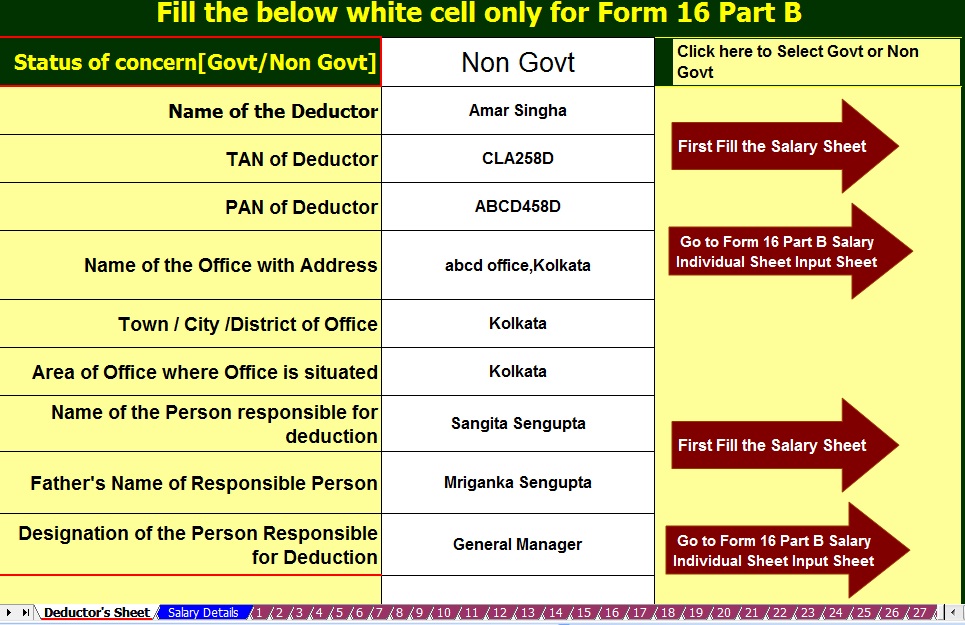
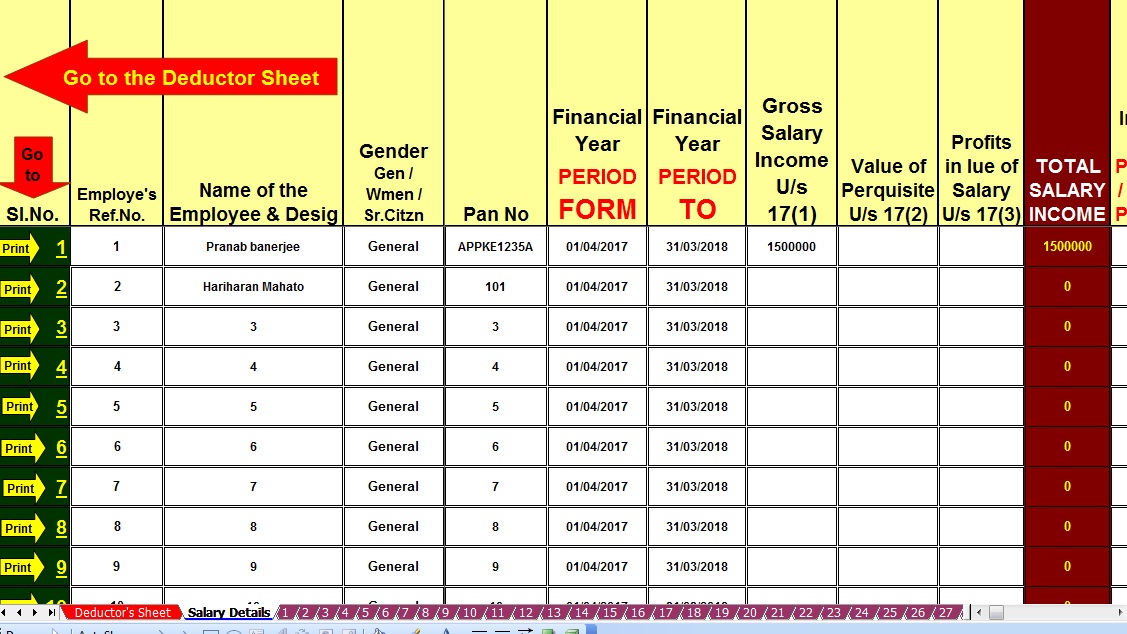
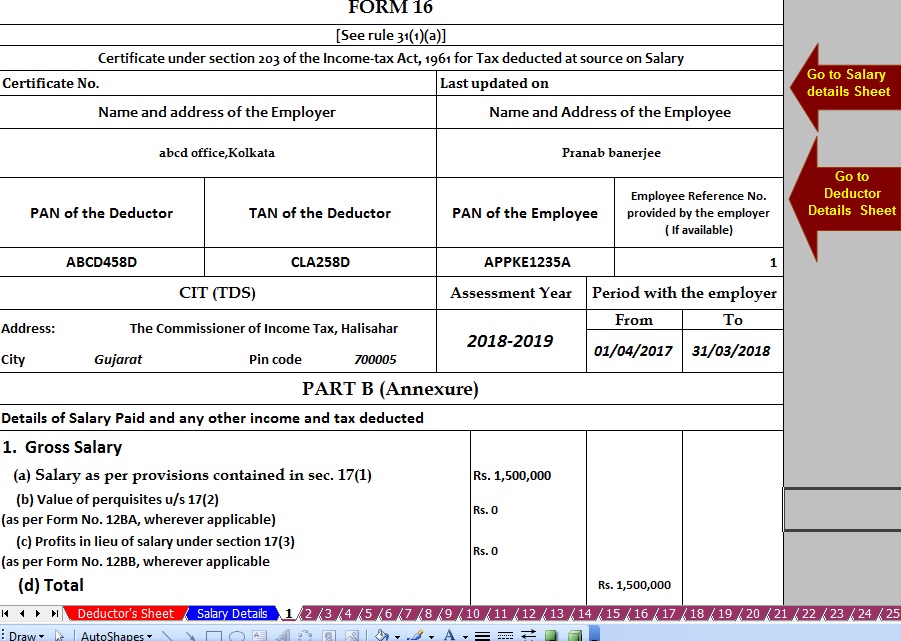
|


This posting includes an audio/video/photo media file: Download Now |
| You are subscribed to email updates from itaxsoftware.net. |
To stop receiving these emails, you may unsubscribe now. |
| Email delivery powered by Google |
itaxsoftware.net
Itaxsoftware.net |
|
Free download Convert Amount to In Words in Excel Posted: 10 Jul 2018 05:55 AM PDT Free download Amount to in word Converter in Excel ToolsMost of the Professional mainly in Accounts related persons and who are working in Computer mainly used in Excel, they have needed this Excel Tools, which can easily Convert the Amount to In Words automatically. This Excel Tolls mainly valuable for those, who are working in Accounts and where frequently need the Amount to in word manually typing in Computer. Hope this Utility can help and reduce the time and errors of the spelling of in word typing. For Download the Same first you should Register in My Blog where you can easily receive Free update Excel Utility which is all Accounts Related and Income Tax Related Excel Based Utility. Also, you can get this type of Excel Tools through mail delivery system by Feed Burner. After Registering this Blog you can get the Pass Word for Download this Excel Tools through Mail. This Excel Tools can download from the link Media Fire Link. When you click this link Asking a Password which will be supplied by you After REGISTER THIS BLOG.You should first Register this Blog post-Via Feed Burner Location and after registering this Blog you can get the Pass Word for Download this Utility.Instruction for install this Utility is given below :- Register forget this Excel tools "Amount to in words" You can use this Excel Tools for 2003 & 2007 & 2010 Users Instruction for install 1. save it in a Folder permanently.(do not change the location of file after installation) 2. Now open excel Go to Tools>add in >browse (browse the file where you have stored the downloaded the file and select the file>ok. [ For 2003 Users] For 2007 & 2010 Users - Go to File>Open>Excel Option>Add-ins>Manage Excel Add-in>Go>Browse where you have stored the downloaded file and select the file>OK Form 2010 Users - Same as 2007. Also, you should first enable Analyses tool pack before installing this tools. then press ok that's all Just type the Formula in below given in formula bar=word(Cell No) (cell number in which figure are given)It will be done |


itaxsoftware.net
Itaxsoftware.net |
|
Click here to Download the Automated Master of Form 16 Part B with 12 BA for F.Y.2017-18 |


itaxsoftware.net
Itaxsoftware.net |
|
Posted: 12 Jul 2018 08:52 AM PDT Before planning your taxes one should be aware of the total income and tax liability in order to be smart tax saver. The government has provided with many plans using which individuals can make better investment decision along with tax saving options. Individuals often get stuck with 80C tax benefits only during tax planning. While there is little doubt 80C investments are best for tax saving purposes, there are other investment options which can help you save tax if invested smartly. Here are some best tax saving options other than Sec 80C. Download Automated Master of Form 16 Part B for Financial Year 2017-18 & Ass year 2018-19 with the all amended Income Tax Section including new Income Tax Slab Rate for F.Y.2017-18 [ This Excel-based software can prepare at a time 50 employees Form 16 Part B for F.Y. 2017-18 with the all amended Income Tax Section and Income Tax new Slab Rate for F.Y.2017-18]NPS The Government of India (GOI) launched the National Pension System for individuals in May of 2009. Under the NPS, each Subscriber will open an account with Central Recordkeeping Agency (CRA) which will be identified through unique Permanent Retirement Account Number (PRAN). The NPS offers you an additional tax deduction for the investment up to Rs. 50,000 in under subsection 80CCD (1B). This is over and above the deduction of Rs. 1.5 lakh available under sec 80C of Income Tax Act. 1961. Returns would depend on the asset class that you choose. For example, you could select equity, which is a high-risk instrument or corporate debt or government debt. Interest on education loan (Section 80E) The deduction is allowed only on the interest repayment part, not on the principal amount of education loan. Means that only interest repayment is available for the tax deduction while filing income tax return. This deduction is over and above the 80C limit and there is no maximum limit on claiming deduction under 80E. Not many are aware of the scheme, and one needs to educate people more on this section and its benefits. House rent allowance (Section 80GG) If you are staying in a rented apartment or house and paying rent, you can claim tax deduction under Sec 80GG of the Income Tax Act. The amount of deduction is based on the city that you are residing. Again, some cities need to be revamped to factor in an increased rental in this city, but that has not happened so far. More details and exact break-up cannot be sought from your company, so it is best talking to the HR department on the exact tax benefits that you would get. Home Loans In the Union Budget last year, Finance Minister Arun Jaitley increased the limit on deduction on home loan interest under Section 24 to Rs 2 lakhs. An additional deduction of Rs 50,000 on home loan interest can be claimed to start the financial year 2016-17 under Sec 80EE of the Income Tax Act. However, to be able to claim this deduction, you must meet certain conditions. The principal amount continues to be a part of the overall benefits under Sec 80C Max Rs. 1.5 Lakhs. Health Insurance (Section 80D) Individuals should take a health insurance policy, which would enable them to save tax up to Rs 25,000 in the case of ordinary citizens and Rs 30,000 in the case of senior citizens. So, one can go ahead and take a good health insurance policy. This is again a tax option that you have apart from the usual 80C benefits. The Sec 80D benefits also include the benefits on expenses incurred towards preventive health check-ups. Donations (Section 80G) Section 80G of income tax law provides tax benefits on the amount donated to NGO's. So, it maybe time to be a little more generous than before. However, the deduction can be made only if you are donating by cash or draft. The deduction can be either 50 per cent or 100 per cent. You have to claim this deduction when filing your tax returns and quoting of PAN number to the institution where you donated is a must. There is an entire list of institutions and establishments where you can donate. Medical treatment under Sec 80DDB For certain specific diseases, Income Tax Act offers tax benefits to an individual under section 80DDB on the basis of expenses incurred by him for the treatment of such diseases or ailment. This is not only for the person filing the tax returns but, also for individuals dependents of such an individual. However, this tax benefit is not available for Non-Resident Indians. In case it is a Hindu Undivided Family one can claim it for members of such an HUF. |


itaxsoftware.net
Itaxsoftware.net |
|
Posted: 13 Jul 2018 08:58 AM PDT Download Automated 100 employees Form 16 Part B For FY 2017-18 [This Utility Can Prepare at a time 100 employees Form 16 Part-B]Download Automated 50 employees Form 16 Part B For FY 2017-18 [ This Utility can prepare at a time 50 employees Form 16 Part B]The main feature of this Excel Utility are :-1) Automatic prepare at a time 100 employees Form 16 Part A&B as per the latest Income Tax Slab F.Y.2017-182) All the Income Tax Amended Section have in this Utility as per the Finance Budget 2017-18.3) Automatic Convert the Amount in to the In-Word.4) This Utility can prepare more than 1000 employees Form 16 Part A&B[This Excel Utility can prepare at a time 100 or 50 employees Form 16 Part B with updated Tax Slab and Section]Rebate u/s 87A of the Income Tax Act 1961As per the Finance Budget 2017 amended the87A that the Tax Rebate Rs. 2,500/- U/s 87A is entitled in this financial year 2017-18 REBATE OF RS 2500/- FOR INDIVIDUALS HAVING TOTAL INCOME UPTO RS 3.5 LAKH [SECTION 87A] Finance Act 2013 provided relief in the form of rebate to individual taxpayers, resident in India, who are in lower income bracket, i. e. having total income not exceeding Rs 3,50,000/- Amount of rebate is Rs 2500/- or the amount of tax payable, whichever is lower. This rebate is available for A.Y. 2017-18 . Finance Act 2013, has introduced new section, namely Section 87A. This newly inserted section gives rebate up to maximum of Rs. 2500/- to the assesses having Net Total Income Less than Rs. 3,5,000/-. The rebate under this section is available to the resident Individuals w.e.f. A.Y. 2017-18.
Conditions required to be fulfilled: · The rebate is allowed only to the individual assesses (not to HUF/Firm/AOP/BOI) · The individual should be resident in India · Total income should be up to or less than Rs. 3,50,000/-. Total Income here means Income under all heads of Income (Salary, House property, Business & Profession, Capital Gain and Other sources) after deducting the deduction under chapter VI i.e. deduction from 80C to 80U. ·No deduction is available to Super Senior Citizens whose age is more than 80 years. Quantum of Rebate: The rebate will be the lower of · 100% of the tax payable on Total Income; or Rs.3,500/- The Tax Rebate Rs. 3,500/- U/s 87A is allowed in this financial year 2017-18. |


itaxsoftware.net
Itaxsoftware.net |
|
Posted: 14 Jul 2018 09:14 AM PDT The New Pension System has generated a lot of interest ever since Budget 2015 announced additional tax benefits for investments in the scheme. For someone in the 30 percent tax bracket, this is a clear benefit of Rs 15,000 on investment of Rs 50,000 over and above the Rs 1.5 lakh allowed under Section 80 C. This article gives an overview of NPS, explains NPS tax benefits, answers frequently asked questions regarding NPS and tax. Download &Prepare at a time 100 employees Master of Form 16 Part B for Financial Year 2017-18 with new Tax Slab for F.Y.2017-18Feature of this Excel Utility :-
|
|
|
|
Overview of NPS National Pension Scheme is a government approved pension scheme for Indian citizens in the 18-60 age group.
The official site for NPS is npscra.nsdl.co.in and www.npstrust.org.in . Detailed explanation of the NPS is covered in our article Understanding National Pension Scheme – NPS NPS Tax Benefits Tax benefits on NPS are available through 3 sections – 80CCD(1), 80CCD(2) and 80CCD(1B). All the tax benefits, annuity restrictions, exit and withdrawal rules are applicable to NPS Tier-I account only. NPS Tier-II account is liopen-ended ended mutual fund. You can take out the money at any time. Section 80CCD(1)
Section 80CCD(2)
Section 80CCD(1B) ,
Therefore, the total tax benefits that can be claimed for NPS under Section 80CCD(1) + Section 80CCD(1B) equals to 2 Lakhs for financial year 2017-18. If Employees have savings Rs. 1,50,000 under 80C excluding NPS Deductions, Then the Employee can show their NPS Deductions, under 80 CCD(1B), which is over the 1,50,000 Limit. If the Employee have less than 1.5 Lakh savings in 80C and exceeds 50,000 towards NPS, then the Employee can split their NPS Amount to 80CCD(1) and 80CCD(IB). |


itaxsoftware.net
Itaxsoftware.net |
|
Download & Prepare at a time 50 employees Excel Based Master of Form 16 Part A&B for F.Y.2017-18 Posted: 15 Jul 2018 05:48 AM PDT Click here to Download Automated Income Tax Form 16 Part A&B which can prepare at a time 50 employees Form 16 Part A&B for Financial Year 2017-18 & Ass Year 2018-19.This Excel Utility most easy install to any computer just like as an Excel File and easy to generate with the New Income Tax Slab Rate for F.Y.2017-18
|


itaxsoftware.net
Itaxsoftware.net |
|
All in One TDS on Salary for Central Govt employees for F.Y.2018-19 Posted: 16 Jul 2018 05:55 AM PDT All in One TDS on Salary for Central Govt employees for F.Y.2018-19 is the most unique Excel Based Software for the Financial Year 2017-18 including the Automated Arrears Relief Calculator from F.Y.2000-01 to F.Y.2018-19 This Excel Utility can prepare at a time your Tax Computed Sheet + Salary Structure as per the Central Govt Salary Structure + Automated H.R.A. Exemption U/s 10(13A) + Automated Form 16 Part A&B and Form 16 Part B + Automated Arrears Relief Calculator with Form 10E for the Financial Year 2018-19 Click here to Download the All in One TDS on Salary for Central Govt Employees for the Financial Year 2018-19 |
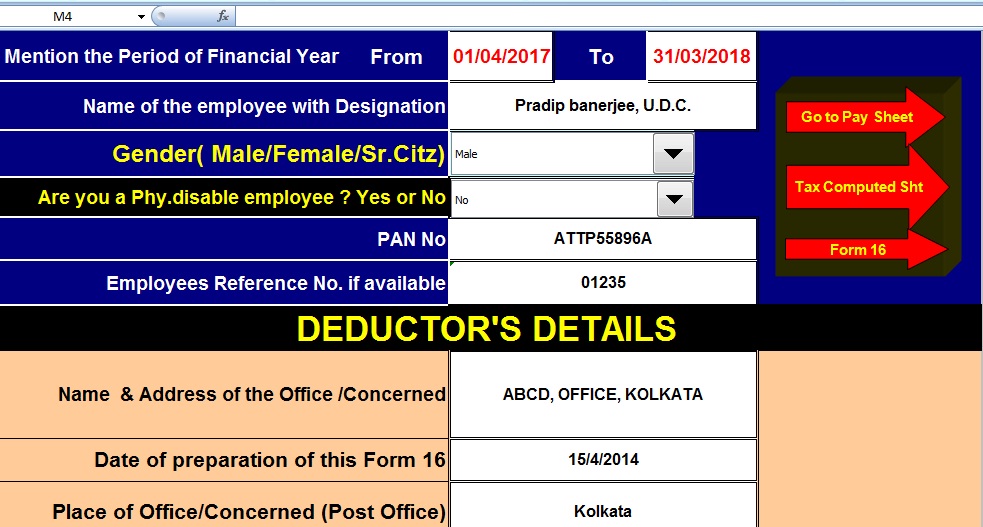
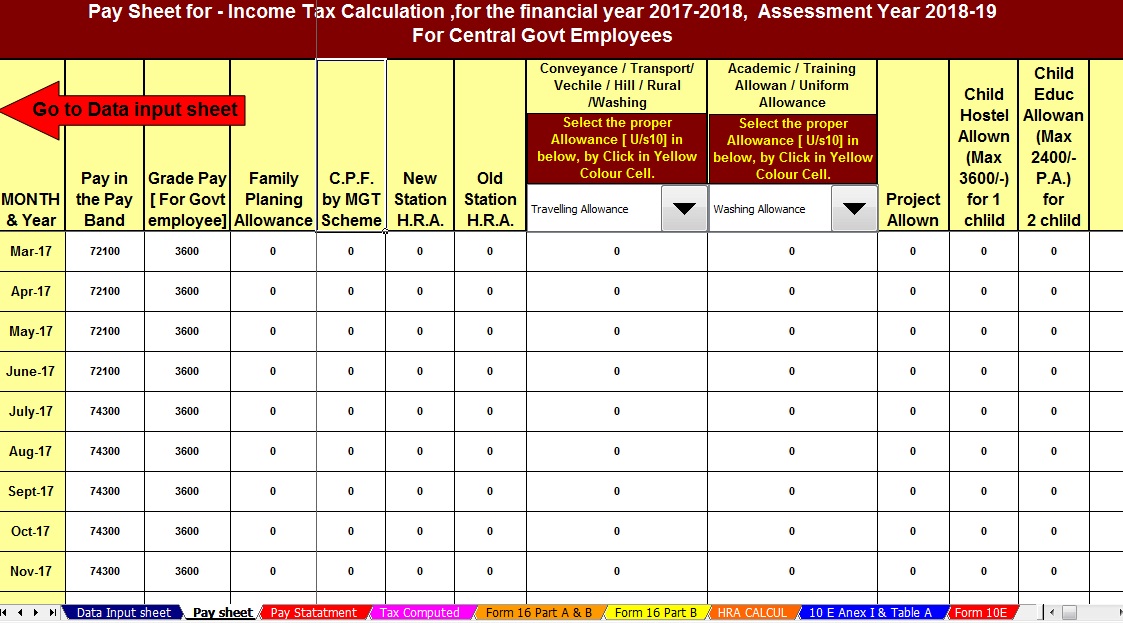
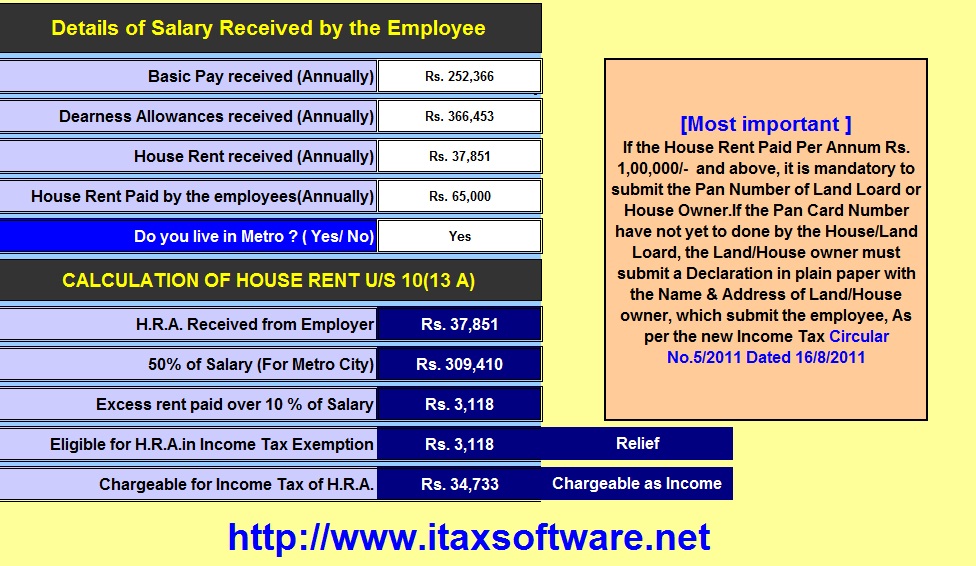
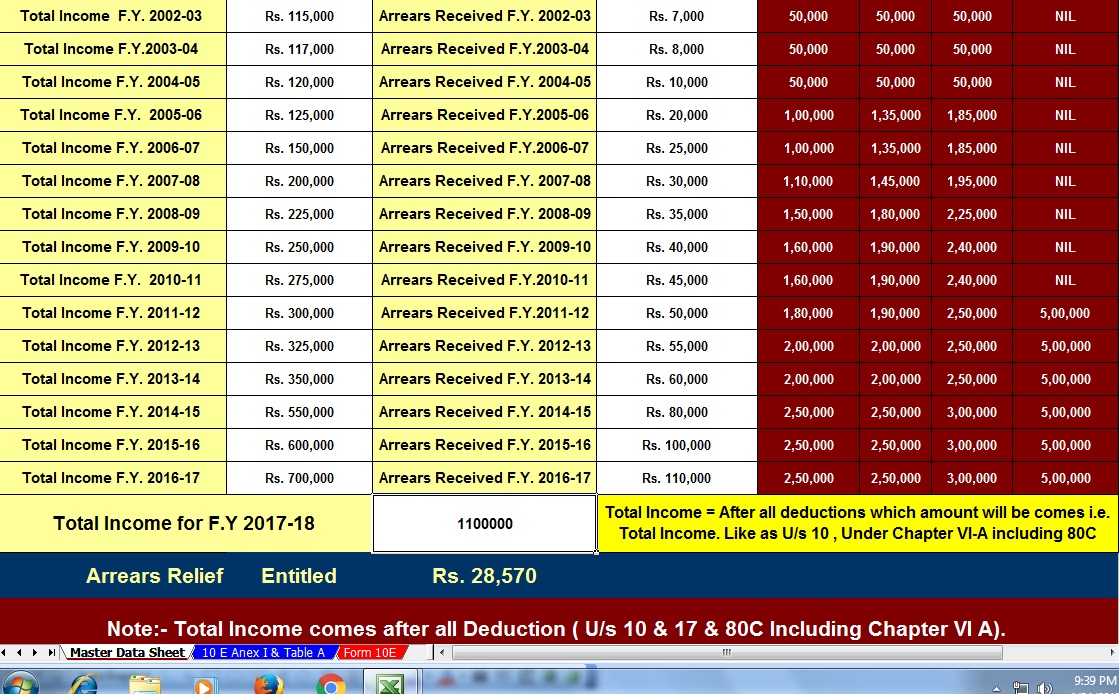
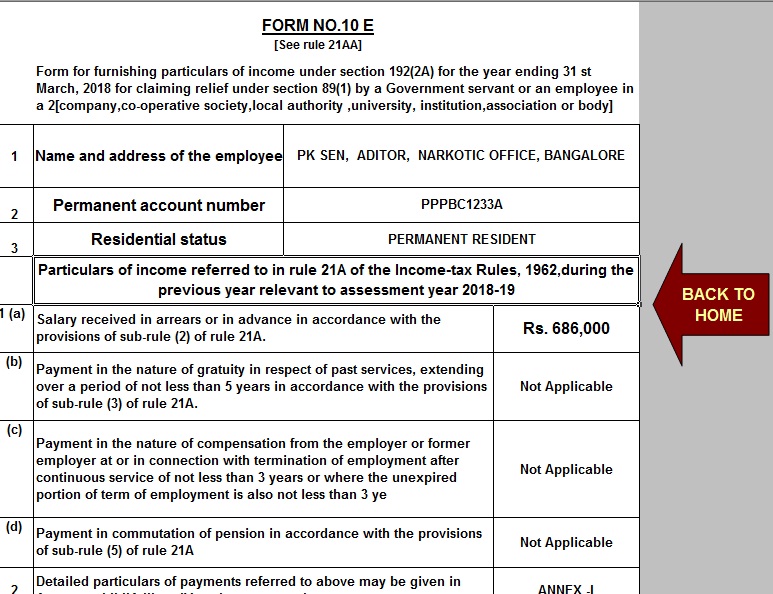
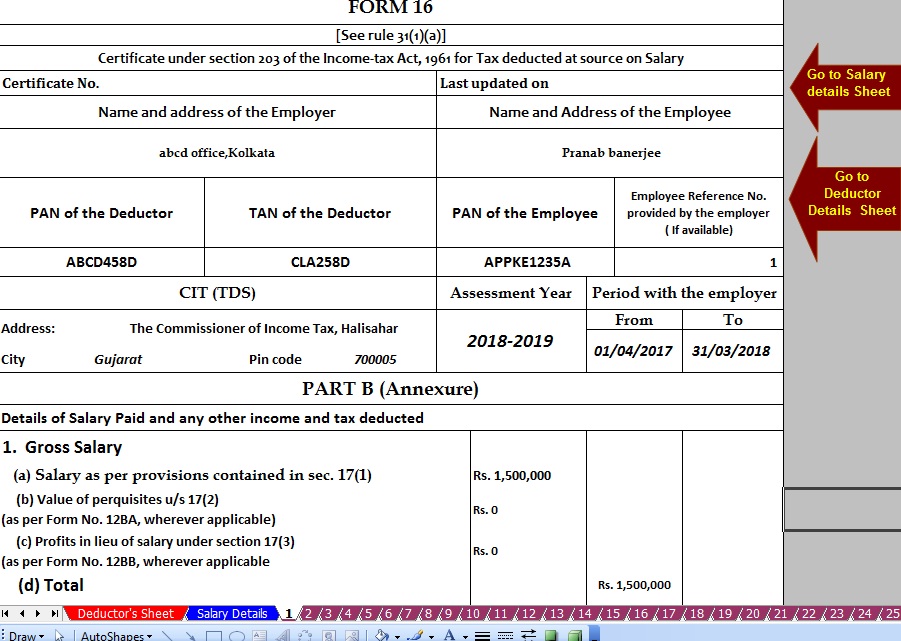


itaxsoftware.net
Itaxsoftware.net |
|
Posted: 17 Jul 2018 07:52 AM PDT
|
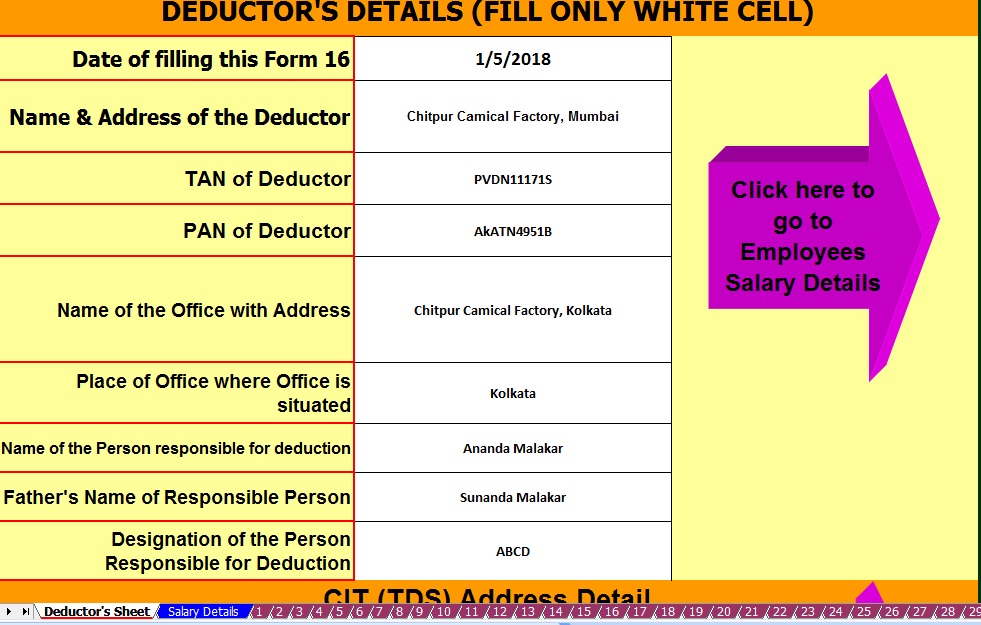
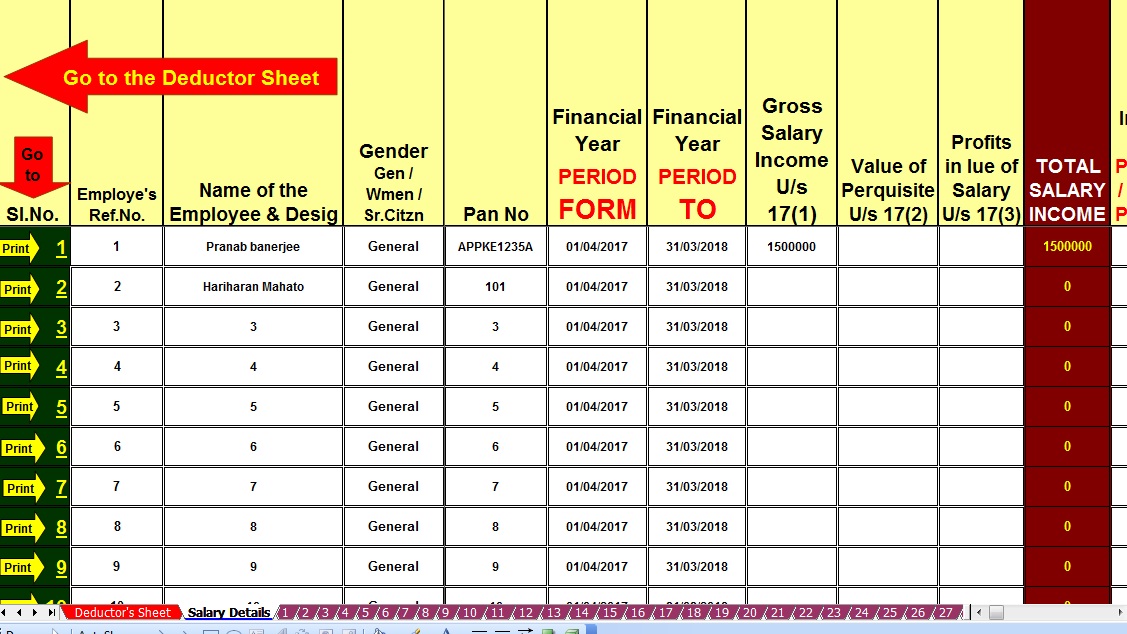
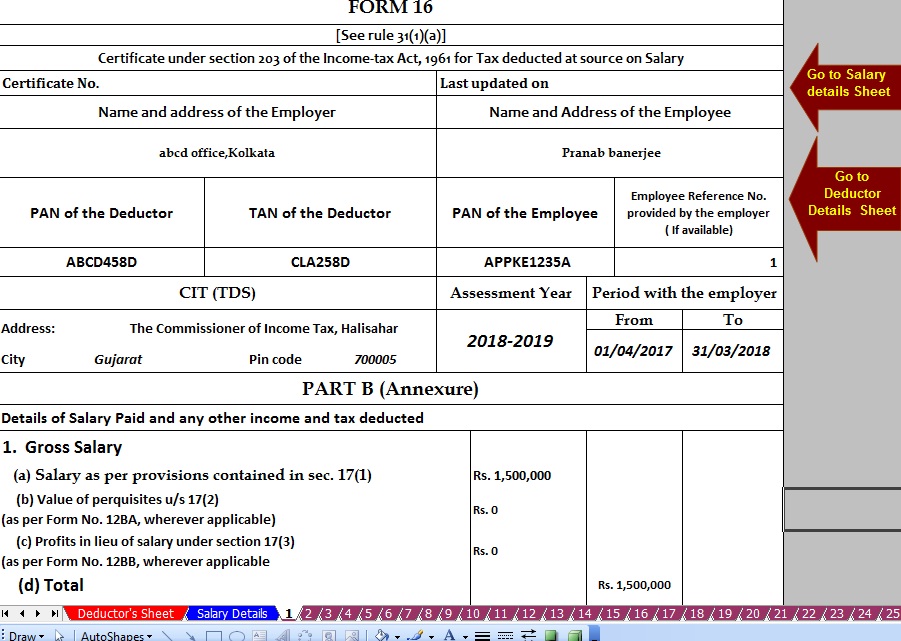


itaxsoftware.net
Itaxsoftware.net |
|
Download Automated One by One Preparation Excel Based Form 16 Part B for F.Y. 2017-18 Posted: 18 Jul 2018 09:14 AM PDT Click here to Download Automated Excel Based Income Tax Form 16 Part B for F.Y.2017-18[ This Excel Utility can prepare One by One Form 16 Part B for f.Y.2017-18]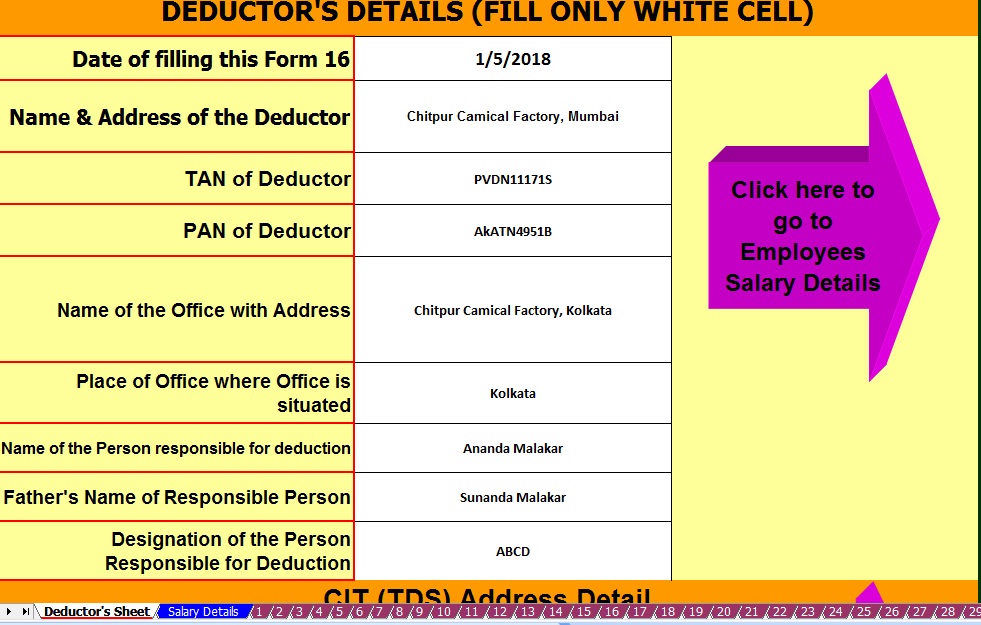 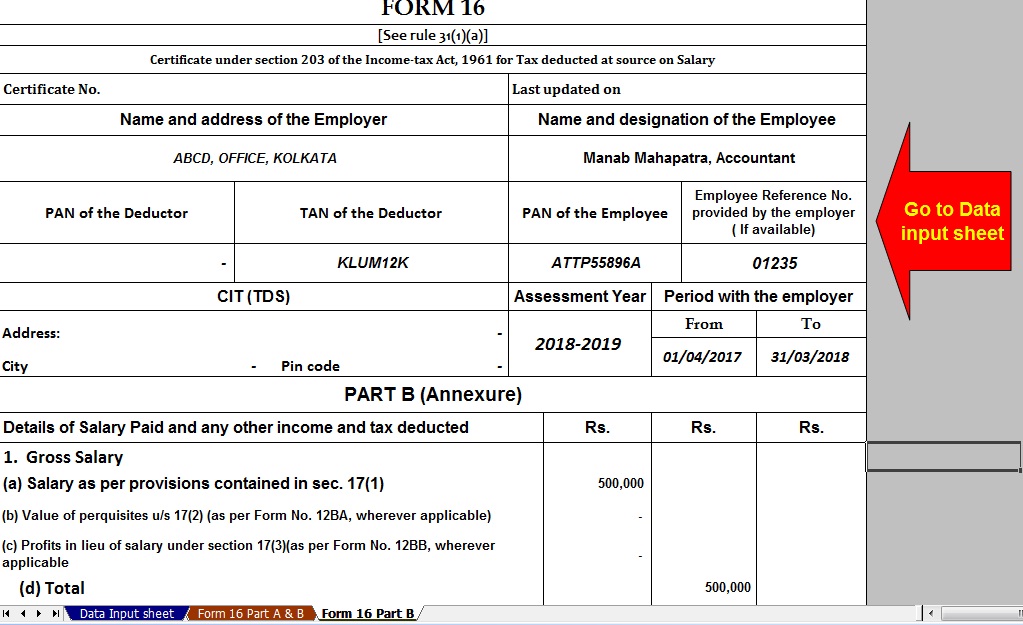 |


itaxsoftware.net
Itaxsoftware.net |
|
Posted: 19 Jul 2018 09:21 AM PDT What is Form 16? Every year your employer will issue this document. It is a certificate under section 203 of the Income-Tax Act, 1961, which gives information on the tax deducted at source (TDS) from income chargeable under the head “salaries”. Simply put, it gives details of the tax deducted by the employer. If you have not received your Form 16, you can use the worksheet that the income tax (I-T) department provides to calculate and declare the amount. Form 16 is useful in filing your income tax return (ITR). What’s inside it? Understanding the content of Form 16 helps you file your I-T returns; you may be able to do it yourself, without help from a chartered accountant or a financial planner, especially if your income comes entirely from your salary, and you have no other source of income. Click here to download Automatic Master of Form 16Part A & B [ Prepare at a time 50 employees Form 16 Part A & B for the Financial Year 2017-18 & Ass Year 2018-19]Main Feature of this Excel Utility :-
Form 16 has two sections—part A and part B. Part A consists of your personal details such as your name and address, your employer’s name and address, Permanent Account Number (PAN) of both, the employer’s Tax Deduction Account Number (TAN), and others. These details help the I-T department track the flow of money from your and your employer’s accounts. Part A also gives details such as the assessment year (AY)—the year in which your tax liability is calculated for the income earned the previous year. For example, for income earned between 1 April 2017 and 31 March 2018, AY will be 2018-19. This portion of the form also gives details of your period of employment with the current employer. For instance, if in the last financial year, you have worked from 1 April 2017 to 31 March 2018, it will be mentioned in the form. Next, it gives a summary of the TDS by the employer on behalf of the employee. This is the amount that the employer deducts from your salary as tax periodically and credits it to the I-T department. For instance, if every month your employer deducts Rs.3,000 as tax from your salary, it will be shown in the Form 16 Part A as deposited by your employer to the government. The summary space will be divided based on the periodicity of how your employer credits the tax to the I-T department. Part B of Form 16 is the one that gives most of the details that you need to file I-T return, such as salary paid, other income, tax deducted, and more. Your gross income is mentioned first. Those who need to pay professional tax should note that the tax is not considered on the gross income. Next, deductions are mentioned. These include those under sections 80C, 80CCC and 80CCD (contributions towards Public Provident Fund, life insurance policies, pension, among others). Remember, the aggregate amount deductible under these three sections should not exceed Rs.1.5 lakh. And additional exemption Rs. 50,000/- U/s 80CCD(1B) out of the limit of U/s 80C Rs.1.5 Lakh. Then come the deductions under other sections such as 80D (health insurance premium), 80E (interest on education loan), 80G (donations), and others. The total deductions are reduced from the gross income to arrive at the taxable income. Tax is calculated on this amount based on the new tax slab for the Financial Year 2017-18. How to use it? Form 16 is one of the documents that you need to keep handy before or while filing your ITR, which has to be done till 31 July. While all deduction related details are mentioned in Form 16. |


|
Posted: 19 Jul 2018 06:16 AM PDT Tax Deductions available under section 80 of Income Tax Act, 1961Section 80C (Individual & HUF) : - In all, total deductions under section 80C, 80CCC and 80CCD (1) cannot exceed Rs 1.50 lakh for the current assessment year. Which means total investments, expenses, and payments up to a limit of Rs 1.50 lakh are eligible for tax deductions mentioned in the above-mentioned sections. These sections cover many savings schemes like National Savings Certificates (NSCs), Public Provident Fund (PPF) and other pension plans, life insurance premiums, government bond investments. Here’s a section-wise breakup of deductions and exemptions available under the above-mentioned codes:Section 80CCC (Individual): - This section provides tax deductions for any investments made in an annuity plan or Life Insurance Corporation (LIC) or pension received under funds mentioned in Section 10(23AAB).Section 80CCD (1) (Individual): - The deductions under this section are aimed at encouraging people to save. These deductions are allowed to people who avail the National Pensions Savings Scheme (NPS). Under this, an individual can avail a deduction of up to 10 percent of his/her salary or Rs 1.50 lakh whichever is lower if the person has employed or the lower of Rs 1.50 lakhs or 10 percent of gross income, if the individual is self-employed.Download Automated Master of Form 16 Part B which can prepare at a time 100 Employees Form 16 Part B for F.Y.2016-17 |


itaxsoftware.net
Itaxsoftware.net |
|
Best Tax Saving Options for 2018-19 Financial Year as per Budget 2018 Posted: 20 Jul 2018 05:04 AM PDT Which are the Best Tax Saving Options for 2018-19? What are the Best Tax Saving Options for Salaried for 2018-19? Financial Year 2018-19 already started. However, many of us sadly get up at the end to look for best tax saving options. Instead, it is always best to start tax planning for the first day of the financial year. Hence, let us look at the options available. Tax Planning or Tax Saving is not a bad concept. But the bad concept is to invest JUST FOR SAVING TAX. Instead, you have to first identify your financial goals. Based on the time horizon of the goal, do the asset allocation between debt and equity. Within debt or equity, while finally investing, you may choose the product which also gives you an option to save tax. However, many of doing the reverse. We all in the asleep mode for the whole financial year. We get up during the financial year-end. In a hurry to save tax, we invest in bad products which in no way may help us to reach our financial goals. Tax Planning or Tax Saving must start from the first day of the financial year. This will give you the advantage to plan well and save tax. What is the difference between Exemption and deduction?If an income is exempt from tax, then it is not included in the computation of income. However, the deduction is given from income chargeable to tax. Exempt income will never exceed the amount of income. However, the deduct may be less than or equal to or more than the amount of income. Allowances available to save tax for F.Y.2018-191) Standard Deduction of Rs.40,000Actually, I have to put this under Deductions. However, this standard deduction replaced the existing allowances. Hence, I placed it here for better understanding. Earlier you used to claim Rs.15,000 under Medical Allowance and Travel Allowance. However, with effect from FY 2018-19, you can claim the direct Rs.40,000 deduction instead of these two allowances. This deduction obviously for salaried and pensioners. This is irrespective of the amount of taxable salary you will be receiving to get a deduction of Rs.40,000 or taxable salary, whichever is less. Hence, let us assume for FY 2018-19, you worked only for a few days. Your salary is taxable salary is Rs.50,000. In such a scenario, you can directly claim the deduction of Rs.40,000. However, if your salary is less than Rs.40,000 (say Rs.20,000), then you have to claim only Rs.20,000 but not Rs.40,000. 2) Leave Travel AllowanceThe bills for your travel against LTA can be claimed for exemption. It is allowed to be claimed twice in a block of four years. The current block is from 2014 to 2017. You can carry forward your unclaimed LTA to the next year. You can request your employer to not deduct tax on it and allow you to claim it next year. 3) Entertainment AllowancesYou may be getting this allowance. However, the exemption is available only for Government employees. The amount of exemption is least of the following. a) Rs 5,000 b) 1/5th of salary (excluding any allowance, benefits or other perquisites) c) Actual entertainment allowance received 4) House Rent Allowance (HRA)This is the famous exemption which is used by many salaried individuals. However, the wrong belief is that whatever the rent they pay is actually exempted from their income. The reality is different. The amount of exemption is least of the following. a) Actual HRA Received b) 40% of Salary (50%, if house situated in Mumbai, Calcutta, Delhi or Madras) c) Rent paid minus 10% of salary (Salary= Basic + DA (if part of retirement benefit) + Turnover based Commission) 5) Children Education AllowanceIf your employer providing this allowance, then you can take exemption up to Rs.100 per month per child (maximum of up to 2 children). Therefore, monthly you can save Rs.200 from this allowance. The exemption may seem so low. But why to pay the tax? # Hostel Expenditure Allowance-If your employer providing this allowance, then you can take exemption Up to Rs. 300 per month per child up to a maximum of 2 children is exempt. Therefore, you can save around maximum of Rs.600 from this allowance. 6) Conveyance AllowanceThis is the different allowance than transport allowance. It is the expenditure granted to an employee to meet the expenses on conveyance in performing of his official duties. There is no limit to this. If such conveyance allowance is Rs.5,000 a month, then the whole allowance is exempt. Hence, you may this may be exempt to the extent of expenditure incurred for official purposes. 7) Any Allowance to meet the cost of travel on tour or on transferHere also no limit. The employee can claim exempt to the extent of expenditure incurred for official purposes. 8) Allowance to meet the cost of travel on tour or on transferHere also no limit. The employee can claim exempt to the extent of expenditure incurred for official purposes. 9) Daily AllowanceIf you are not placed in normal duty place, then your employer may provide you such allowance. The employee can claim exempt to the extent of expenditure incurred for official purposes. These are the major allowances, which can be utilized to save tax on salary income. There are few other allowances also to claim the exemption. But many of such allowances are not so famous. Hence, I left them to list. 10) Section 80CThis is the famous section which often used by all of salaried. The maximum limit for the current year is Rs.1,50,000. Therefore, up to Rs.1,50,000, you can save tax on salary income from this section alone. The different investments you do and can also be claimed under Sec.80C are listed below.
$ Sec.80CCCDeduction under Sec.80CCC is available only for individuals. Contribution to an annuity plan of the LIC of India or any other insurer for receiving the pension. Do remember that the amount should be paid or deposited out of income chargeable to tax. The maximum amount deductible under Sec.80CCC is Rs.1.5 lakh. Do remember that this is also the part of the combined limit of Rs.1.5 lakh available under Sec.80C, Sec.80CCC, and Sec.80CCD(1). $ Sec.80CCD1
$ Sec.80CCD2
NPS Tax Benefits under Sec.80CCD (1B)
Best Tax Saving Options other than Sec.80C for 2018-1911) Sec.80DDeduction under this section is available if you satisfy the following conditions.
Changes from Budget 2018-
12) Sec.80DDA resident individual or HUF is allowed to claim the deduction under Sec.80DD. You can claim the deduction if you incurred an expenditure for medical treatment, training, and rehabilitation of dependent relative (being a person with a disability). A deduction can also be claimed if an individual or HUF deposited or paid for any approved scheme of LIC (or any other insurance) or UTI for the maintenance of such dependent relative. Here, dependent means spouse, children, parents, brothers, and sisters, who are wholly and mainly dependent upon the individual. You can claim a fixed duction of Rs.75,000 under this section. A higher deduction of Rs.1,25,000 is available if such dependent relative is suffering from severe disability. 13) Sec.80DDBAn Individual’s of HUFs expenses actually paid for medical treatment of specified diseases and ailments subject to certain conditions can be claimed under this section. The maximum deduction is Rs. 40,000. This can also be claimed on behalf of the dependents. The tax deduction limit under this section for Senior Citizens and very Senior Citizens (above 80 years) is now revised to Rs 1,00,000. With effect from the assessment year 2016-17, the taxpayer shall be required to obtain a prescription from a specialist doctor (not necessarily from a doctor working in a Government hospital) for availing this deduction. You can claim the deduction for the medical treatment of self, spouse, children, parents brothers, and sisters of the individual. The ailments covered under this section are as below. 14) Neurological Diseases where the disability level has been certified to be of 40% and above;(a) Dementia (b) Dystonia Musculorum Deformans (c) Motor Neuron Disease (d) Ataxia (e) Chorea (f) Hemiballismus (g) Aphasia (h) Parkinson’s Disease # Malignant Cancers # Full Blown Acquired Immuno-Deficiency Syndrome (AIDS) ; # Chronic Renal Failure # Hematological disorders a) Hemophilia b) Thalassemia # Sec.80EAn individual can claim deduction under Sec.80E. If the loan is taken by an individual for any study in India or outside India, then they can claim the deduction. The interest part of the loan on such education loan can be claimed for deduction for pursuing individual’s own education or for the education of his relatives (Spouse, children or any student for whom the individual is legal guardian). The entire interest is deductible in the year in which the individual starts to pay interest on the loan and subsequent 7 years or until interest is paid in full (i.e for total 8 years). But do remember that interest should be paid out of the income of chargeable to tax. 15) Sec.80EEFirst time Home Buyers can claim an additional Tax deduction of up to Rs.50,000 on home loan interest payments under this section. Below are the few conditions for this.
Do remember that if you claimed the interest under this section, then the same can’t be claimed under other sections for deductions. 16) Sec.80GDonations to certain approved funds, trusts, charitable institutions/donations for renovation or repairs of notified temples, etc can be claimed as a deduction under this section. This deduction can only be claimed when the contribution made by cheque or draft or in cash. In-kind contributions like food material, clothes, medicines etc. do not qualify for deduction under this section. The donations made to any Political party can be claimed under section 80GGC. From FY 2017-18, the limit of deduction under section 80G / 80GGC for donations made in cash is reduced from the current Rs 10,000 to Rs 2,000 only. 17) Sec.80GGThis section only applies to those who have not availed HRA in their salary or not claiming the deduction on their rent in any of the other sections of income tax. Below are a few conditions to avail the deduction under this section.
How much amount of deduction one can avail under Sec. 80GG? If the above five conditions are satisfied, the amount deductible under Section 80GG is LEAST OF THE FOLLOWING.
18) Sec.80TTAA deduction of up to Rs.10,000 can be claimed by an individual or HUB in respect of any income by the way of interest on deposits (not on FDs) in a savings account with a bank, co-operative society or post office. 19) Sec.80UTo claim tax benefits under Sec.80U, the taxpayer should be an individual and a resident of India. If he is suffering from 40% or more than 40% of any disability, then he can claim a tax deduction. You can claim the fixed deduction of Rs.75,000. a higher deduction of Rs.1,25,000 is allowed in respect of a person with a severe disability (i.e. having a disability of 80% or above). 20) Sec.24 (B)The interest part of your home loan EMI will be claimed under this section. The maximum limit for the self-occupied property is Rs.2,00,000 per year (even if you have multiple houses). For let-out property, earlier the entire interest payment of home loan (Loss from House Property) can be allowed to set off against any other income source without any limit. However, effective from FY 2017-18, this set-off now limited to Rs.2 lakh per individual (irrespective of the number of properties you are holding). The unclaimed loss if any will be carried forward to be set off against house property income of subsequent 8 years. In most of the cases, this can be treated as DEAD LOSS. 21) Rebate under Sec.87AThe tax rebate of Rs.2,500 for individuals with income of up to Rs 3.5 Lakh has been proposed in Budget 2017-18. To avail this benefit, there are certain conditions and they are as below.
|


itaxsoftware.net
Itaxsoftware.net |
|
Posted: 21 Jul 2018 05:48 AM PDT What is Form 16?Form 16 is an Income Tax form used by companies to provide their salaried individuals in India. This form carries all the required details that help the employee in filing their tax returns with the Income Tax department in India. The Income Tax Act of 1961 and the Income Tax rules of 1962 are the laws that are prevailing in India. When Form 16 is provided to an employee by their employer it’s a source of proof of filing their Income Tax Returns, the form has various components such as Salary Income components of the employee. Every employer should provide their employees with the Form 16 who fall under the tax brackets set up the Finance Ministry of the Government of India. If an employee doesn’t fall under the tax brackets set, then he/she doesn’t receive the Form 16 as he/she will not need to pay taxes neither will they need to have Tax Deducted at source or TDS. Prepare at a time 100 employees Automated Income Tax Form 16 Part B for F.Y.2017-18 & A.Y.2018-19 [This Excel Utility can be prepared at a time 100 Employees Form 16 Part B for F.Y.2017-18Click to Download These components are: · The personal details of the employee, like name, Permanent Account Number (PAN) etc. · The employer details, name, PAN, Tax deduction and collection Account Number (TAN), etc. · An acknowledgment number of the taxes paid by the employer. · Details of the salary; Gross salary, net salary, deductions, perks etc. · Total income and tax deductions. · Education cess and surcharge details. · Taxes deducted as per sections 191A. · Declaration of tax payments from the employer. · Refunds in any to the employee, or balance of taxes payable by the employee. · Receipt of the TDS paid. · All details of the Tax Payment, like Challan number, cheque number, Demand Draft number etc. Prepare at a time 100 employees Automated Income Tax Form 16 Part A&B for F.Y.2017-18 & A.Y.2018-19 [This Excel Utility can be prepared at a time 100 Employees Form 16 Part A&B for F.Y.2017-18] Click to Download Form 16 has 2 parts, Part A and Part B:The Part A of Form 16 contains the TAN of the employer and PAN of the employer and the employee. The addresses of both the employee and employer. This will contains all details of the pay-outs from the employer and employee during the current financial assessment year. This part of Form 16 also contains the TDS filed by the employer, the taxes deducted from your income and paid to the government every quarter. This also contains a monthly statement of the same. The Part A of the Form must include: · TDS deducted by the employer. · PAN of the employer. · The current financial assessment year. · The employee PAN. · TAN of the employer. · The employee/tax payer's name, address etc. · Name and address of the employer. The Part B of Form 16 contains the consolidated details of the salaries paid to the employee during the financial assessment year. The salary must be broken down, with details of deductions made by the employee under section 80C. The deductions that can be made under this section is EPF, NSC, Life insurance premiums, PPF, etc. If in one financial assessment year employee has changed jobs then the employee needs to be provided Form 16 of both companies. Download Automated Income Tax Form 16 Part B with 12 BA for F.Y.2017-18 & A.Y.2018-19 [This Excel Utility can be prepared at a time 50 Employees Form 16 Part B with 12 BA for F.Y.2017-18 Click to Download The Part B of the Form must include: · Taxable salary of the employee. · TDS by the employer. · Breakup of the deductions of sections 80C. · Aggregate of the section 80C with a gross and deductible amount. · Tax refund or any payables due. |


This posting includes an audio/video/photo media file: Download Now |
| You are subscribed to email updates from itaxsoftware.net. |
To stop receiving these emails, you may unsubscribe now. |
| Email delivery powered by Google |
itaxsoftware.net
Itaxsoftware.net |
|
Posted: 22 Jul 2018 09:31 AM PDT The Income Tax Department (New Portal i.e. TRACES) had made compulsory to download Form No. 16 (Part-A) (TDS Certificate for Salaried Employee) from TRACES (New Website of TDS) from Assessment Year 2013-14 by its new circular 4/2013 dated 17.04.2012 for TDS Deductor on or after 01.04.2012. Download request for Form No. 16 Part A for a particular Fin Year & can be submitted only after Form 24Q statement for Q4 for the selected Financial Year is filed by dedicator and processed by TDS CPC. Until you have not submitted the Last Quarter Challan (24Q or 26Q), you can not download your Form 16 (Part-A) from TRACES portal. Procedure to Download Form No. 16 : Select from Menu:
Enter Search Criteria
Token Number Details (Contd.)
Details to be printed on Form 16
Download File
Search File to Download
Search Results
Convert.ZIP File into PDF ZIP file downloaded from TRACES will contain Form 16 details for all requested PANs
Download below the Automated Form 16 Part B1) Click here to Download the Master of Amended Form 16 Part B which can prepare at a time 50 employees Form 16 Part B for the F,Y 2017-182) Click here to Download Master of Form 16 Part B with Form 12 BA, which can prepare at a time 50 employees Form 16 Part B with Form 12 BA for F.Y 2017-183) Click here to Download One by One Preparation Amended Version Form 16 Part B for FY2017-18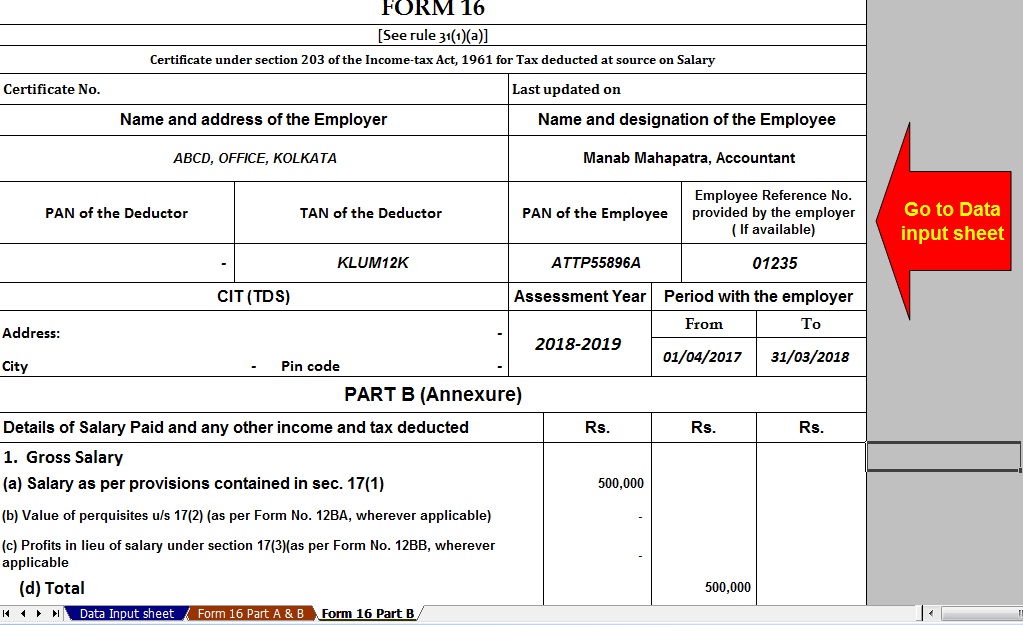 |


itaxsoftware.net
Itaxsoftware.net |
|
Posted: 23 Jul 2018 06:17 AM PDT The CBDT has already Circulate vide Circular No.4/2013 dated 17/4/2013 that the Part A(Annexure) of Salary Certificate Form 16 is mandatory to download from the Income Tax New Web Site TRACE and the Part B (Annexure) must be prepare by the Employer/Deductor. As per the New Amended Salary Certificate Form 16 has already Changed of Format of Form 16 vide Notification No. 11/2013, where the Form 16 made in two part. One Part -A and Part - B. The Part A has now mandatory to download from the Web Site TRACES Portal. Click here to download Form 16 Part B and Form 16 Part A&B for the Financial Year 2017-18 [ This Utility can prepare one by one employee Form 16 Part B & Part A&B for FY 17-18]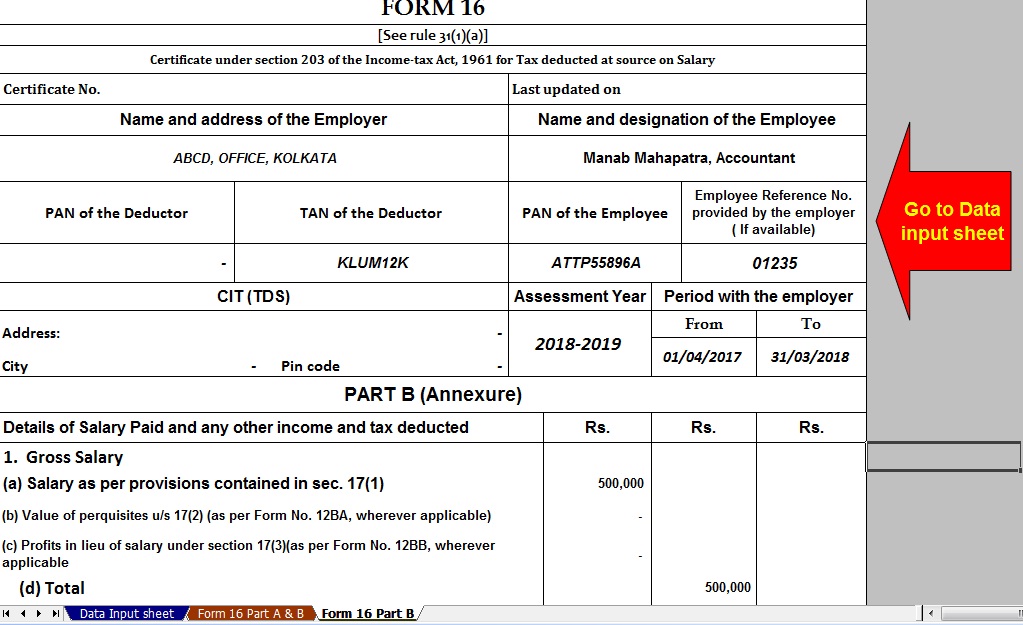 |


|
Posted: 23 Jul 2018 06:15 AM PDT As per section 89(1) of the Income Tax Act, 1961 relief for income tax has been provided when in a financial year an employee receives the salary in arrears or advance. As per Rule 21AA of the Income Tax Rules, 1962, Form 10-E has been prescribed for claiming the relief. According to the said rule, in case the employee is a Government servant or is an employee of a company, cooperative society, local authority, university, institution or association of body, he/she may for claiming the relief submit the form 10E to his/her employer who is responsible for making the payment of the salary as referred to in subsection (1) of section 192 of the Income Tax Act, 1961 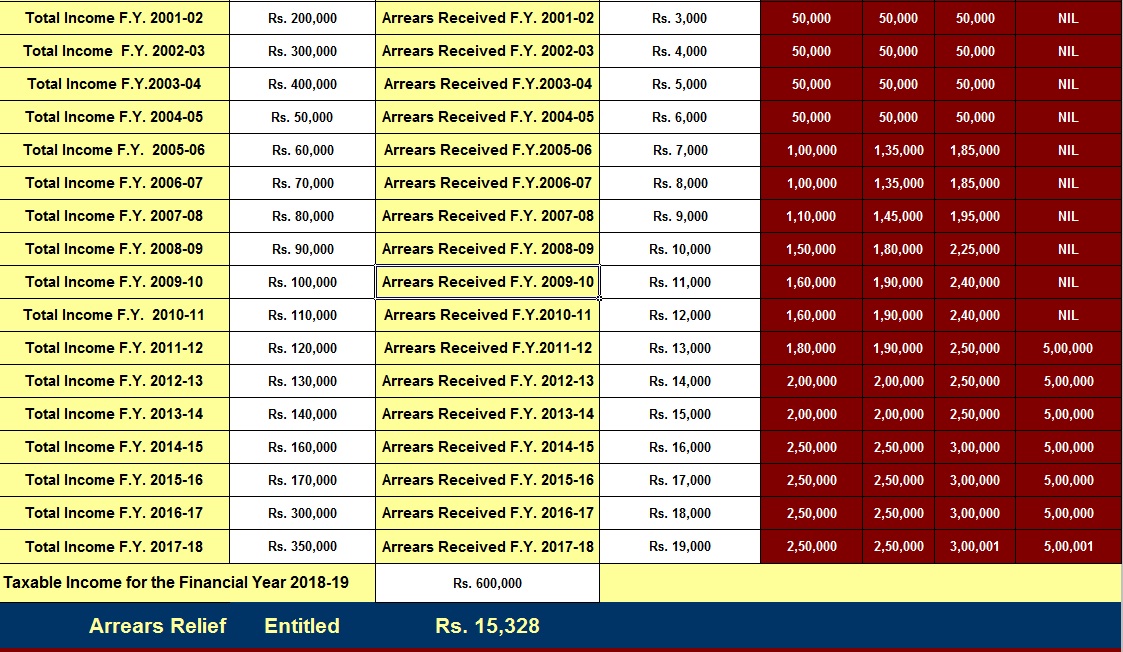 In all other cases, the assessee for claiming the relief should file an application in form 10E to his/her income tax assessing officer. The relief under section 89(1) is allowable in the assessment year in which the arrears or the advance is received by the employee. 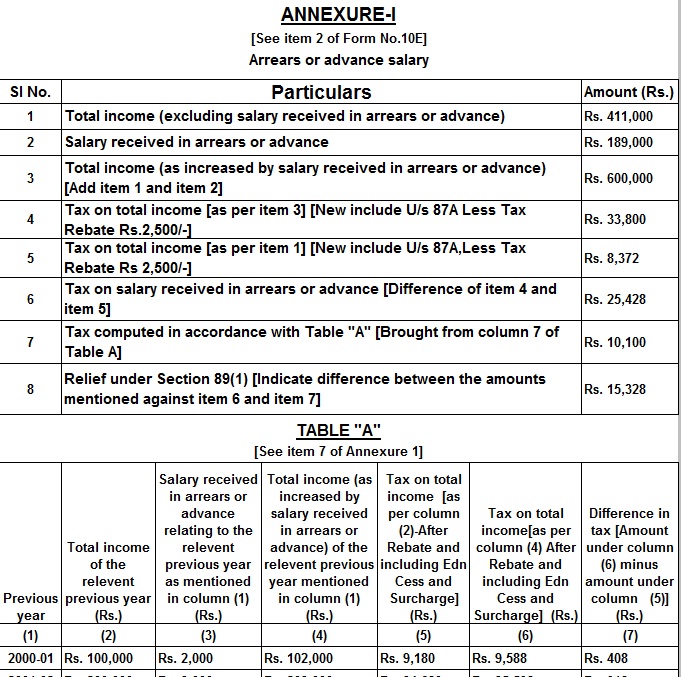 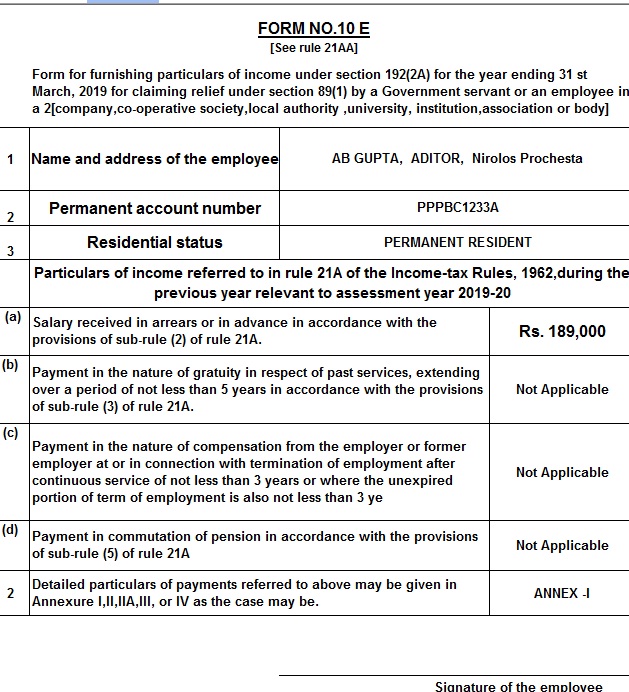 Pay revisions, particularly in the Government Sector, has become common. Since independence six Pay Commissions have been set up by the Government so far. Recommendations of each commission with retrospective effect have resulted in arrears of salaries. The rationale behind giving this relief under section 89 is that due to the payment of arrear or advance salary received in a given financial year, the income of the employee for that financial year gets increased due to the amount of the arrears or advances. As a result, the income of the employee attracts taxation at a higher rate than that rate at which his income would have been taxed had there been no such arrears or advances. Click here to Download Automated Arrears Relief Calculator U/s 89(1) with Form 10E From the F.Y. 2000-01 to F.Y.2018-19 & A.Y. 2019-20 ( Update Version) |


itaxsoftware.net
Itaxsoftware.net |
|
Posted: 24 Jul 2018 05:47 AM PDT DEDUCTIONS FROM GROSS TOTAL INCOME (CHAPTER VI-A) UPDATED AS ON APRIL 1, 2017 1. DEDUCTION IN RESPECT OF INVESTMENTS IN SPECIFIED ASSETS (SECTION 80C) Section 80C provides for a deduction of savings in specified modes of Investments from gross total income. It is available only to an Individual or HUF. The Maximum permissible deduction is Rs.1.5 lakh along with deduction u/s 80CCC & 80CCD. Admissible Deductions:- 1. Premium paid on insurance on the life of the Individual or HUF only to the extent of such premium or other payment made not in excess of 10% (As amended by the Finance Act,2012) of Actual Capital Sum Assured. Explanation to Sec 80C (3A) has been introduced to provide that the Actual Capital Sum Assured in respect of the life insurance policies to be issued on or after 1st April, 2012 shall mean the minimum amount assured under the policy on happening of the event at any time during the term of the policy without taking into Account the following:- · The Value of Premium to be Returned or · Any Benefit by way of bonus or otherwise to be received over & above the sum actually assured. Download Automated Income Tax Master of Form 16 Part A&B and Part B for F.Y.2017-18 & A.Y. 2018-19 as per New Tax Slab as per the Finance Budget 2017-18 [ This Excel Utility can prepare One by One Form 16 Part A&B & Part B for F.Y.2017-18, with all amended Tax Section with Tax Slab for F.Y.2017-18]2. Sum paid under the contract for deferred on the life of the Assessee or his/her spouse or children. 3. Sum deducted by the government from the salary of an employee for securing a deferred annuity for self, spouse or children. 4. Contribution to any PPF. 5. Contribution by an employee to RPF. 6. Contribution by an employee to an Approved Superannuation Fund. 7. The contribution made to any PPF set up by the Central Government. 8. Subscription to any deposit scheme or contribution to any Pension fund set up by the National Housing Bank. 9. Payment of Tuition fees by an Individual Assessee at the time of admission to any university, college, school or other educational institutions within India for the purpose of full-time education of any two children. 10. Subscription to deposit scheme of Public Sector, engaged in providing housing finance. 11. Subscription to units of Mutual Funds notified u/s 10(23D). 12. Sum deposited in Fixed Deposits (FDs) with tenure of five years. 13. Sum deposited in 5 yrs Post Office Time Deposit (POTD) scheme. 2. DEDUCTION IN RESPECT OF CONTRIBUTION TO CERTAIN PENSION FUNDS (SECTION 80CCC) Deduction in respect of Payment of premium for annuity plan of LIC or any other Insurer is provided. The Premium must be deposited to keep in force a contract for annuity plan of LIC or any other insurer for receiving a pension from the fund. For this purpose, the Interest or Bonus accrued or credited to the Assessee’s Account shall not be reckoned as Contribution. The Maximum Deduction allowed is Rs.1.5 lakh. 3. DEDUCTION IN RESPECT OF CONTRIBUTION TO PENSION SCHEME OF CENTRAL GOVERNMENT (SECTION 80CCD) Contribution towards NPS by Employee[80CCD(1)]: Taxpayer is an individual and he is employed by the central government (on or after January 1, 2004), or employed by any other person or self-employed. He has in the previous year deposited any amount in his account under NPS. Under this, Employee is to contribute 10% of their salary or more and deduction is available under section 80CCD(1) which is restricted to 10% of the salary and for a person other than employee deduction is restricted to 10% of GTI. For the A.Y 2015-16 amount of deductible under section 80CCD(1) cannot exceed Rs. 1 Lacs. Contribution towards NPS by Employer [80CCD(2)]: Contribution by the employer to NPS is deductible under section 80CCD(2) in the hands of the concerned employee in the year in which contribution is made. However, no deduction is available in respect of employer’s contribution which is in excess of 10 percent of the salary of the employee. 4. LIMIT ON DEDUCTION U/S 80C, 80CCC, 80CCD The Limit for maximum deduction available u/s 80C, 80CCC, 80CCD (combined together) is Rs.1.5 Lakh only. 5. DEDUCTION IN RESPECT OF MEDICAL INSURANCE PREMIUM (SECTION 80D) This Section provides for a deduction of Rs. 25000 in respect of premium paid towards a health insurance policy for the Assessee or his family (spouse and dependent children) or any contribution made to the Central Government Health Scheme in aggregate and a further deduction of Rs. 30,000 is allowed of premium paid in respect of health insurance policy for parents. An increased deduction of Rs. 30000 shall be allowed in case any of the persons mentioned above are senior citizens (i.e. of age 60 years or above).Further, it is provided that for claiming such deduction u/s 80D the payment must be by any mode other than cash. Further Deduction of Rs. 5000 shall be allowed in respect of payment made on Account of preventive health check-up of self, spouse, children or parents made during the previous year. This deduction is within the overall limit of Rs. 25000 or Rs.30000, as the case maybe. For claiming this deduction payment can be by any mode including cash. 6. DEDUCTION IN RESPECT OF REHABILITATION OF HANDICAPPED DEPENDENT RELATIVE (SECTION 80DD) It provides for a deduction to an Assessee being an individual or HUF who is a resident in India. Deduction of Rs. 75,000 is available in respect of any Amount paid for the medical treatment (including nursing), training and rehabilitation of a dependent, or any amount paid or deposited under a scheme framed in this behalf. In the case of severe disability (i.e. a person with 80% or more disability), the deduction of Rs. 1,25,000 (Rs. 1,00,000 for the assessment year 2010 -11 to 2015-16 Rs. 75,000 up to the assessment year 2009-10) shall be available. Dependent means In the case of an Individual the spouse, children, parents, brothers, sisters, of the individual and in the case of HUF, any member who is wholly dependent on the assessee. 7. DEDUCTION IN RESPECT OF MEDICAL TREATMENT (SECTION 80DDB) The deduction of Rs. 40000 or Amount actually paid whichever is less shall be allowed to an Assessee who is resident in India being an Individual or HUF. A deduction shall be allowed of any amount paid for the medical treatment of such disease or ailment as may be specified in the rules. In case the Amount is paid in respect of a senior citizen (i.e. of age 60 years or above) then the deduction would be Rs.60000 or the Amount actually paid whichever is less. 8. DEDUCTION IN RESPECT OF INTEREST ON LOAN TAKEN FOR HIGHER EDUCATION (SECTION 80E) This section provides deduction to an Individual in respect of any interest paid on loan taken for the purpose of pursuing his higher education or the for the purpose of higher education [i.e all fields of studies (including vocational studies)pursued after passing the senior secondary examination] of his/her relative i.e. spouse or children of the Individual or the student for whom the Individual is the legal guardian. The loan must have been taken from any financial institution or approved charitable institution. The amount of deduction is amount is paid by the individual during the previous year and such amount is paid out of his income chargeable to income tax. 9. DEDUCTION IN RESPECT OF INTEREST ON LOAN TAKEN FOR RESIDENTIAL HOUSE PROPERTY APPLICABLE FORM a.y 2017-18 (SECTION 80EE) The following conditions should be satisfied in order to claim deduction under section 80EE:-
If above conditions are satisfied, the assess can claim deduction under section 80EE of the interest payable on the above loan or Rs. 50,000 whichever is less. This deduction is available for the assessment year 2017-18 and subsequent assessment years. 10. DEDUCTION IN RESPECT OF DONATIONS TO CERTAIN FUNDS, CHARITABLE INSTITUTIONS ETC. (SECTION 80G) The deduction under section 80G is available to any taxpayer (may be individual, company, firm or any other person, may be resident or non -resident). The various donations specified under this section are eligible for deduction up to either 50% or 100% with or without restrictions. Sub-Section 5D has been inserted in section 80G to provide that no deduction shall be allowed in respect of donation of any sum exceeding Rs.10000 unless such sum is paid by any mode other than cash. 12. DEDUCTION IN RESPECT OF RENT PAID (SECTION 80GG) Admissible deduction:- The deduction will be least of the following:- · Actual Rent paid less 10% of the total income before allowing such deduction, or · 25% of such total income or · Rs. 5000 per month Total income will not include long-term capital gains and any income referred to in sections 115A to 115D. Conditions to be satisfied:- · Assessee should not be in receipt of House Rent Allowance. · The expenditure incurred by him on rent of any furnished or unfurnished accommodation should exceed 10% of his total income arrived at after all deductions under Chapter VI-A except section 80GG. · The Accommodation should be occupied by the Assessee for the purpose of his own residence. · The Assessee should not have self-occupied residential premises in any other place. · Assessee should file a declaration in form 10BA, confirming the details of rent paid. |


|
Prepare at a time 100 employees Automated Master of Form 16 Part B for F.Y.2017-18 Posted: 24 Jul 2018 05:46 AM PDT Download & Prepare at a time 100 employees Automated Excel Based Income Tax Master of Form 16 Part B for F.Y.2017-18 [This Excel Utility can prepare at a time 100 employees Form 16 Part B for F.Y. 2017-18] |


| You are subscribed to email updates from itaxsoftware.net. |
To stop receiving these emails, you may unsubscribe now. |
| Email delivery powered by Google |
itaxsoftware.net
Itaxsoftware.net |
|
Prepare at a time 100 employees Form 16 Part B for F.Y.2017-18 Posted: 25 Jul 2018 06:31 AM PDT Click here to Download Master of Form 16 Part B for F.Y.2017-18, this Excel Utility can prepare at a time 100 employees Form 16 Part B with New Tax Slab and other Amended Tax Section as per Finance Budget 2017-18.
|
|


itaxsoftware.net
Itaxsoftware.net |
|
DUE DATE TO FILE INCOME TAX RETURN EXTENDED UP TO 31ST AUGUST 2018 Posted: 26 Jul 2018 09:33 AM PDT Ministry of Finance has issued a press release according to which due date for filing of Income tax return has been extended from 31.07.2018 to 31.08.2018. In a brief statement, they have not mentioned any reason for extension .The extension of due date is applicable only for taxpayers which are required to file their return on 31.07.2018 for Financial Year 2017-18 Read the CBDT Circular about extended e-File tax return instead of last date of E-File on 31/7/2018 to 31st August 2018 for the Financial Year 2017-18. Click here to view or Download the Original Circular of CBDT.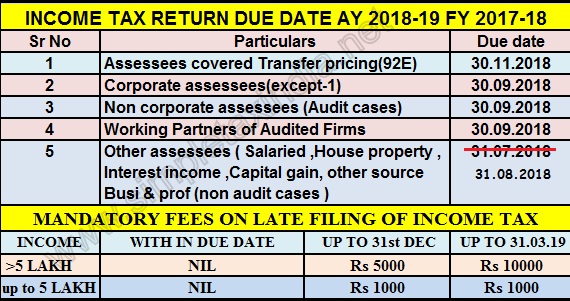 |


|
Posted: 26 Jul 2018 05:27 AM PDT Download & Prepare at a time 50 employees Automated Excel Based Income Tax Form 16 Part A&B For F.Y.2017-18 [ This Excel Utility can prepare at a time 50 employees Form 16 Part A&B for Financial Year 2017-18 ] |


itaxsoftware.net
Itaxsoftware.net |
|
Need A Refund Against Train Ticket Cancellation? Here Are The Latest Rules Posted: 27 Jul 2018 06:55 AM PDT Need A Refund Against Train Ticket Cancellation? Here Are The Latest Rules IRCTC, the ticketing arm of Indian Railways, allows refund on a booked train ticket under certain conditions. While IRCTC allows refund through online and offline modes in case of cancellation of a regular train ticket, no refund – or money back – is permitted in case of a confirmed Tatkal ticket. Tatkal tickets, introduced by the Railways in 1997, are meant for passengers who want to travel at a short notice. In the online mode, through its portal irctc.co.in, IRCTC enables train ticket holders – or passengers holding a regular train ticket, not Tatkal – to apply for a refund of money on ticket cancellations.  In online cancellation of tickets, the money is returned to the passenger through the same channel used for booking the railway ticket, according to IRCTC. In offline mode, the train ticket holder is required to visit a reservation counter. IRCTC only allows money back in case of Tatkal ticket in select conditions. IRCTC charges certain cancellation charges towards refund in case of cancellation of a train ticket (regular or Tatkal ticket) and refunds the remaining amount. 1. The Railways levies a clerk age fee of Rs. 30 per passenger for cancellation of unreserved, RAC (reservation against cancellation) and wait listed train tickets under the unreserved (second class) category. For the tickets of second class (reserved) and other classes, a fee of Rs. 60 per passenger is charged, according to Indian Railways’ website – Indianian.gov.in. 2. Cancellation charge per passenger on confirmed (reserved) tickets when done 48 hours before the scheduled departure of the train costs to Rs. 240 for 1st AC/executive class. For 2 AC/1st class, it costs to Rs. 200. The charges for 3AC/3A economy is Rs. 180 while for sleeper class, the charges are priced at Rs. 120. The cancellation charges for second class are Rs. 60. 3. Cancellation charge per passenger on confirmed (reserved) tickets when done in between 48 hours and 12 hours before the scheduled departure of the train costs 25 per cent subject to minimum charge mentioned above. Cancellation charge per passenger on confirmed (reserved) tickets when done in between 12 hours and 4 hours before the scheduled departure of the train costs 50 per cent, subject to minimum charge as mentioned above. No refund is given by Indian Railways after the above prescribed time limit. 4. Partially confirmed tickets can be cancelled up to half an hour before the scheduled departure of the train from the ticket counter, said Indian Railways. 5. Refund on unused RAC/WL (Wait listed) tickets is given up to half an hour before the scheduled departure of the train subject to deduction of clerk age charge. 6. In case of cancellation of trains for online tickets, automatic refund is granted. Filing of TDR (Ticket Deposit Receipt) is not required. The Railways provides an online facility to enable users to find the refund status of their cancelled tickets in real time. This facility can be accessed through the Indian rail website, refunds.indianrail.gov.in. If passengers have cancelled their tickets, they can key in the Passenger Name Record (PNR) numbers of the tickets to know the refund status. Refund in case of cancellation of Tatkal ticket The Railways does not permit a refund in case of cancellation of a confirmed Tatkal ticket. However, in case of “contingent cancellation and waitlisted Tatkal ticket cancellations”, refunds are allowed after deduction of charges as per the rules. “Partial cancellation of Tatkal e-tickets is allowed… If the train is marked as ‘CANCELLED’ due to breaches, floods, accidents etc. full refund is permissible in case the ticket is cancelled within three days of the scheduled departure of the train. In case of e-tickets, such cancellations can be done by the customer through Internet,” according to the IRCTC website. The Railways allows a full refund of fare and Tatkal charges on tickets booked under Tatkal scheme under the following conditions, according to the carrier’s website: 1. If the train is delayed by more than three hours at the journey originating point of the passenger and not the boarding point if the passenger’s journey originating point and boarding point are different. 2. If the train is to run on a diverted route and passenger is not willing to travel. 3. If the train is to run on diverted route and boarding station or the destination or both the stations are not on the diverted route. 4. In case of non attachment of coach in which Tatkal accommodation has been earmarked and the passenger has not been provided accommodation in the same class. 5. If the party has been accommodated in lower class and does not want to travel. In case the party travels in lower class, the passenger will be given refund of difference of fare and also the difference of Tatkal charges, if any. How to know the status of refund against cancelled train tickets 1. The user is required to log in to the website Indianrail Refunds website – refunds.indianrail.gov.in.  (The Railway Coaching Refund website also contains information on cancellation and refund rules) 2. The user is then required to select the ‘Check Refund Status’ option and enter his or her PNR details.  (The user is required to provide the PNR number as well as the date of train journey as given on the train ticket) 3. The website then displays the status of refund against cancellation of train tickets booked through either online or offline modes. Source:- ndtv |


itaxsoftware.net
Posted: 28 Jul 2018 06:32 PM PDT |
April 1, the beginning of the new Financial Year 2018-19, brings in some major changes in the tax structure which were announced by Finance Minister Arun Jaitley while presenting the Union Budget 2018. The tax reforms will impact individual taxpayers in a number of ways, such as the standard deduction of Rs 40,000 instead of the transport allowance and medical expenses. Standard Deduction Though the tax slabs were not changed this year, the finance minister reintroduced the standard deduction method. A standard deduction of Rs 40,000 will be effective in lieu of transport allowance and medical reimbursement. Around 2.5 crore salaried employees and pensioners will gain from the new rule. The Central Board of Direct Taxes had previously said that the standard deduction can be claimed directly and would not require any proofs or bills to avail it. Medical, travel allowances will be taxed(Abolished) With the induction of standard deduction, medical and travel allowances will be taxed from next fiscal. Medical allowances up to Rs 15,000 and travel allowance till Rs 1,600 per month used to be tax-free and could be claimed by furnishing bills. Cess now 4% Finance Minister Arun Jaitley has hiked the educational cess on income tax and corporation tax to 4 percent. At present, individual taxpayers shell out a 3 percent cess – 2 percent cess for primary education and 1 percent cess for secondary and higher education. For senior citizens Tax exemptions were announced on deposits with banks and post offices for senior citizens only. Interest income will now be increased five times from Rs 10,000 to Rs 50,000. TDS (tax deducted at source) under section 194A will not be applicable to any fixed deposit scheme or recurring deposit schemes for the senior citizens. Breather for the senior citizen on medical expenses The deduction limit for health insurance premium or medical expenditure was increased from Rs 30,000 to Rs 50,000 under section 80D. The deduction limit for medical expenses for critical illness was also hiked from Rs 60,000 (for senior citizens) and Rs 80,000 (for very senior citizens) to Rs 1 lakh, under section 80DDB. Pradhan Mantri Vaya Vandana Yojana Pradhan Mantri Vaya Vandana Yojana was extended up to March 2020, under which senior citizens can invest up to Rs 15 lakh. The current limit is Rs 7.5 lakh per senior citizen. National Pension System is tax-free The withdrawal of pension money was made tax free for non-employee subscribers. There is no such provision at present. Download automated All in One for TDS on Salary for Non-Govt. employees for Financial Year 2018-19 and Ass Year 2019-20 [This Excel Utility can prepare at a time your Tax Computed Sheet + Individual Salary Sheet + Individual Salary Structure as per Private Employees Salary Pattern + Automated H.R.A. Exemption Calculation + Automated Arrears Relief Calculator from F.Y. 2000-01 to F.Y.2018-19 + Automated Form 16 Part A&B and Form 16 Part B + Automated 12 BA Form ]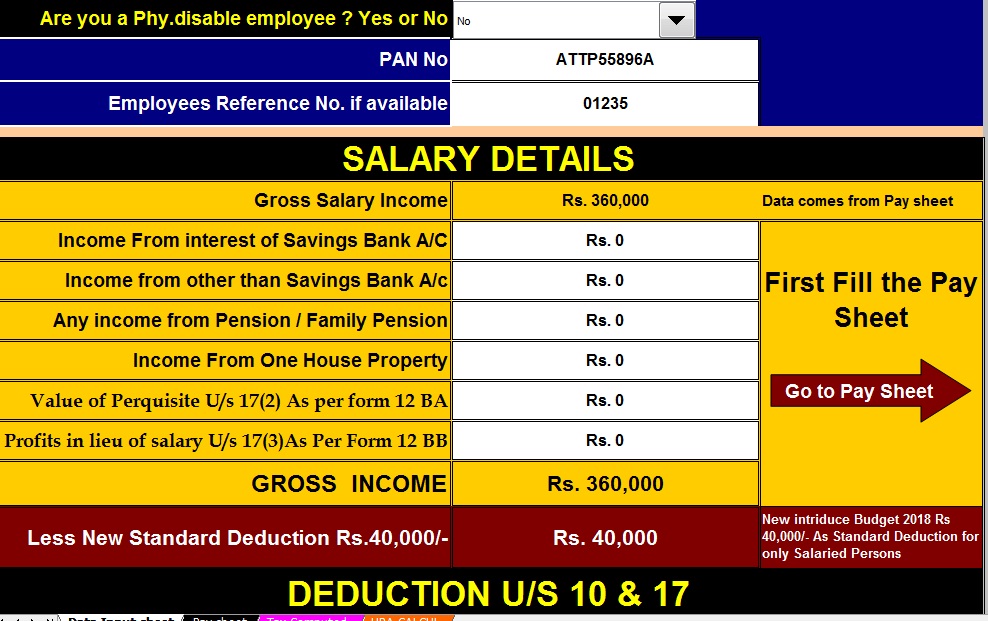 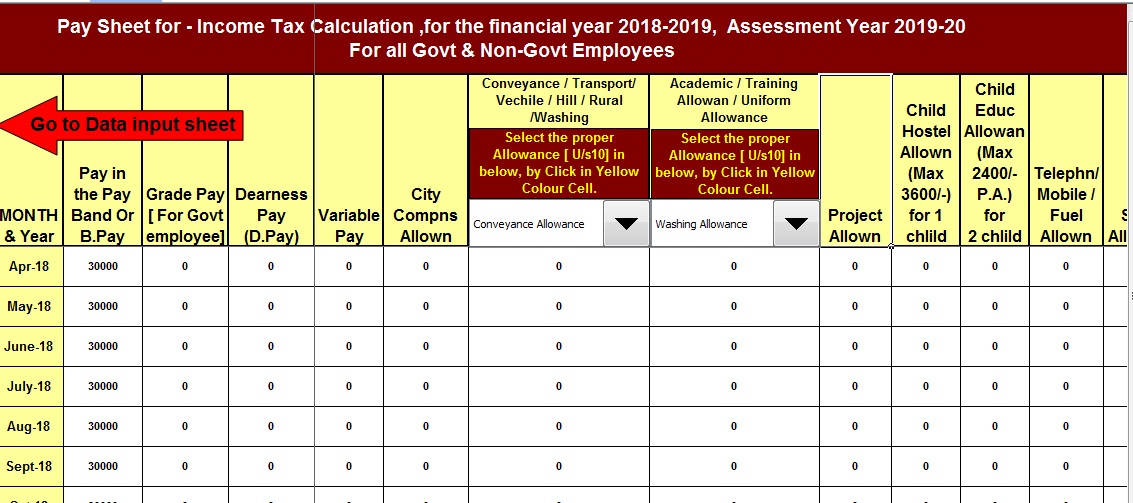 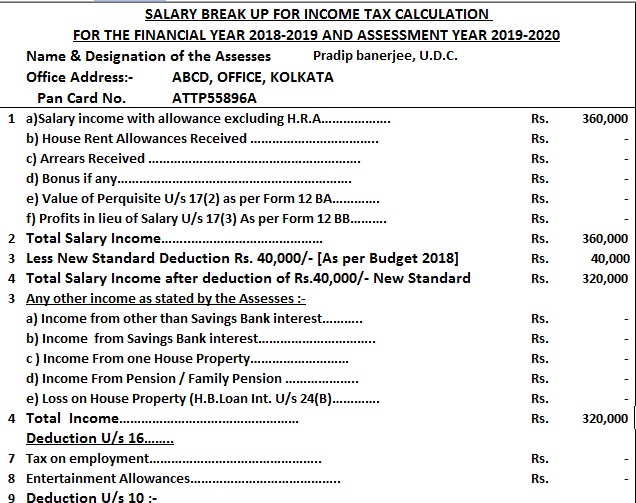 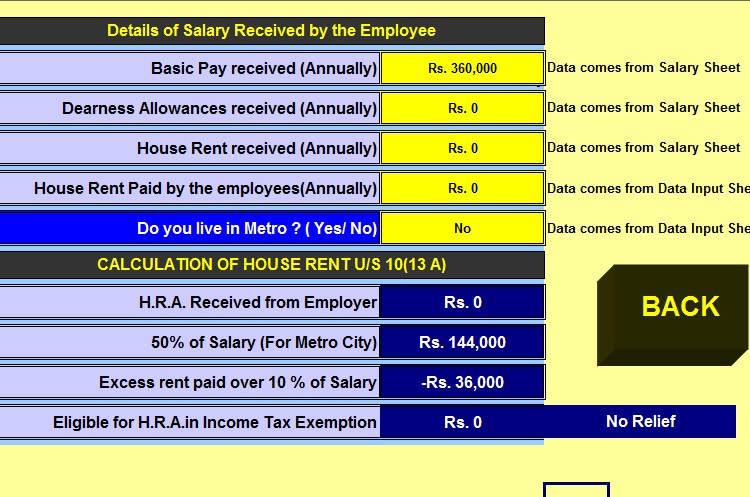 |
itaxsoftware.net
Itaxsoftware.net |
|
Posted: 29 Jul 2018 05:43 AM PDT The latest Income Tax Department Notified Vide Notification No 11/2013 that the Salary Certificate Form 16 Part A is now Mandatory to Download from the TRACES Portal and the Form 16 Part B must be prepared by the Employer or Deductor. This Notification with effect for the Financial Year 2012-13 and on words. You can easily download the Form 16 Part A from the TRACES portal after registering the TAN WHICH FREE OF COST. If you have not Download the Form 16 Part A from the TRACES Portal, you have to do this must. It is also observed that the various Concerned Govt and Non- Govt Concerned have not intimated about this Notification. In this Regard, various Concerned have already prepared the both of Part A and Part B ( Amended) New Form 16 which also Notify vide Notification No 11/2013. Below given the Excel-based Software can prepare both of Salary Certificate Form 16 Part A and Part B for Financial Year 2017-18( New Amended Format) in one software and you can also be prepared the Form 16 Part B in this one Software. This Excel Based Software is most handy. Download this utility from below:- Download Income Tax Form 16 Part A&B and part B for FY 2017-18 ( One by One Preparation Form 16 for F.Y.2017-18 ) |


This posting includes an audio/video/photo media file: Download Now |
| You are subscribed to email updates from itaxsoftware.net. |
To stop receiving these emails, you may unsubscribe now. |
| Email delivery powered by Google |
itaxsoftware.net
Itaxsoftware.net |
|
How to e-file Income Tax Return For AY 2018-19 step by step Posted: 30 Jul 2018 06:03 AM PDT Here is a step by step guide to filing income tax return (ITR1) for AY 2018-19. Please consider forwarding this to a person who is going to file returns for this first time
b)If you have income specified in a) and income from selling Real Estate, Stocks, Mutual fund units, derivatives, gold etc, or you have withdrawn EPF/PPF, it is ITR2 (individual or HUF with no business income) If in addition to the above, you (or HUF) have income from a business or proprietorship, ITR3 e) For people having a presumptive business, it is ITR4 (no capital gains allowed) For all others, it is ITR5 (other than an individual) Log in using the PAN number and password created above. You will see this image 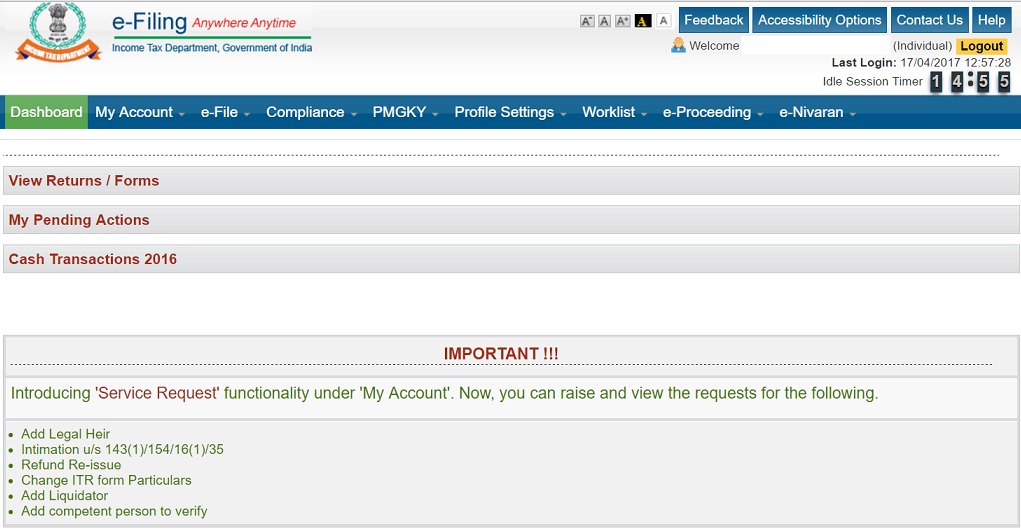 First click on “View Form 26AS” under “my account”. This will take you to the TDS-CPC website to find out your tax credit by your employers and banks. If your return type is ITR1 or ITR4, then you can submit the return online. For others, you will have to use the java utility and upload the XML file. f your return type is other than those mentioned in 3 above, get them from here Download ITR. Note that you can see both excel and Java utilities for ITR1, ITR2, ITR3, and ITR4S, If you have java runtime Environment 1.7 or above installed, or you are willing to install, it is advisable to use java utility. The reason is it is neater and easier to use with a Graphical User Interface (GUI) than excel utility. You will get a zip file. Java can run on Linux as well. Windows batch file and Linux script files are provided for running. Now that you have all the tools ready, here is how you go about filling the form. Choose e-file —> ITR 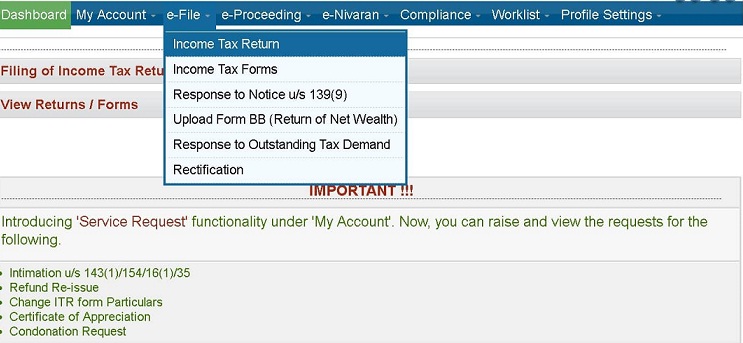 1) Select the form named as ITR1 and Assessment year as 2018-19 (that is the financial year 2017-18), this is where new byes get confused first. You will get this screen. You can opt for Aadhaar OTP or email/mobile/ATM-based e-verification. Aadhaar would be better. 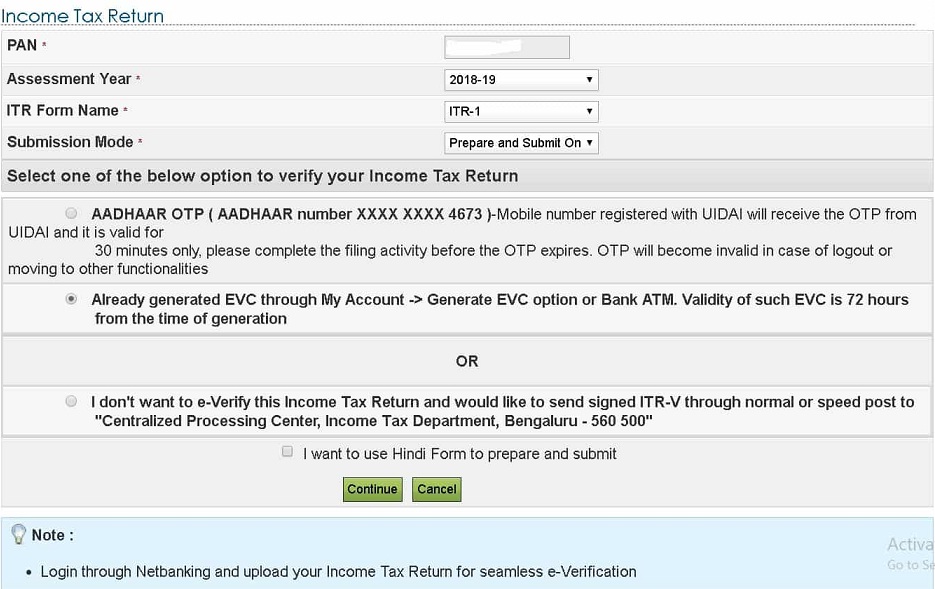 Next, a web interface appears which will have tabs equal to the number of sheets in ITR1 excel sheet utility or number of tabs in java utility. There is a one-one correspondence between all these 3 options. With the quick e-file option, you are doing now, most of the personal information, and tax details would have got filled automatically. Note that you can fill only white cells and not grey cells. Keep saving the work often. Check the personal information tab that will be pre-filled. 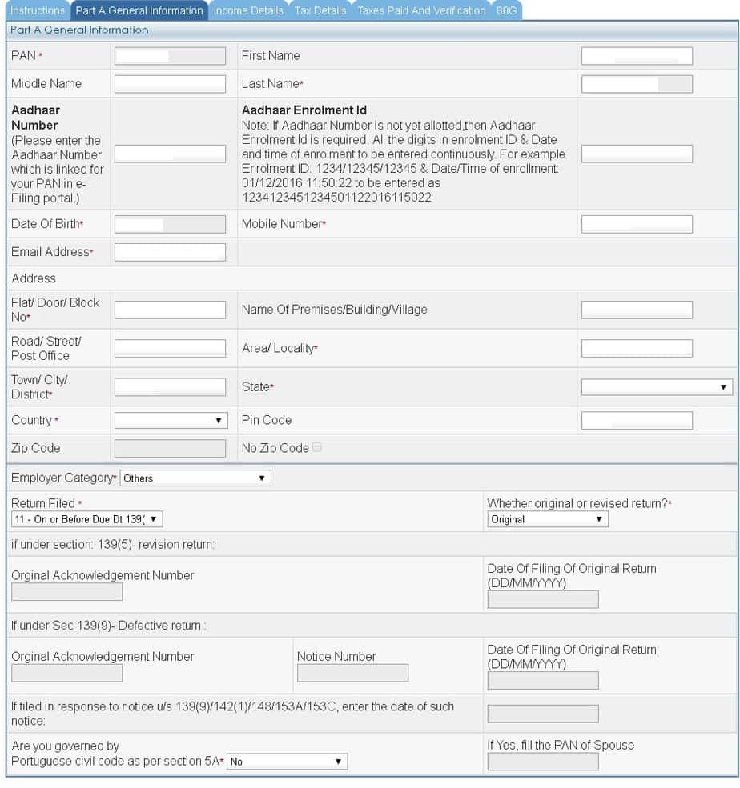 Filing Status: Entries here are fairly easy to fill. In A21, choose option 11 if you are filing before July 31st or option 12 if you are filing afterward 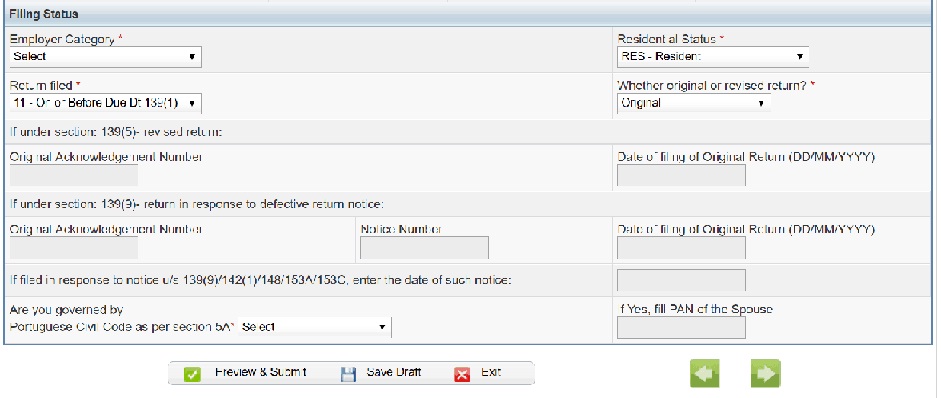 Now move to the Tax Details tab. Your TDS information as in Form 16 provided by the employer and TDS information if any tax got deducted by the bank where you hold FDs should be there already. If not, it is time to contact the bank and check why they have not deposited the tax. 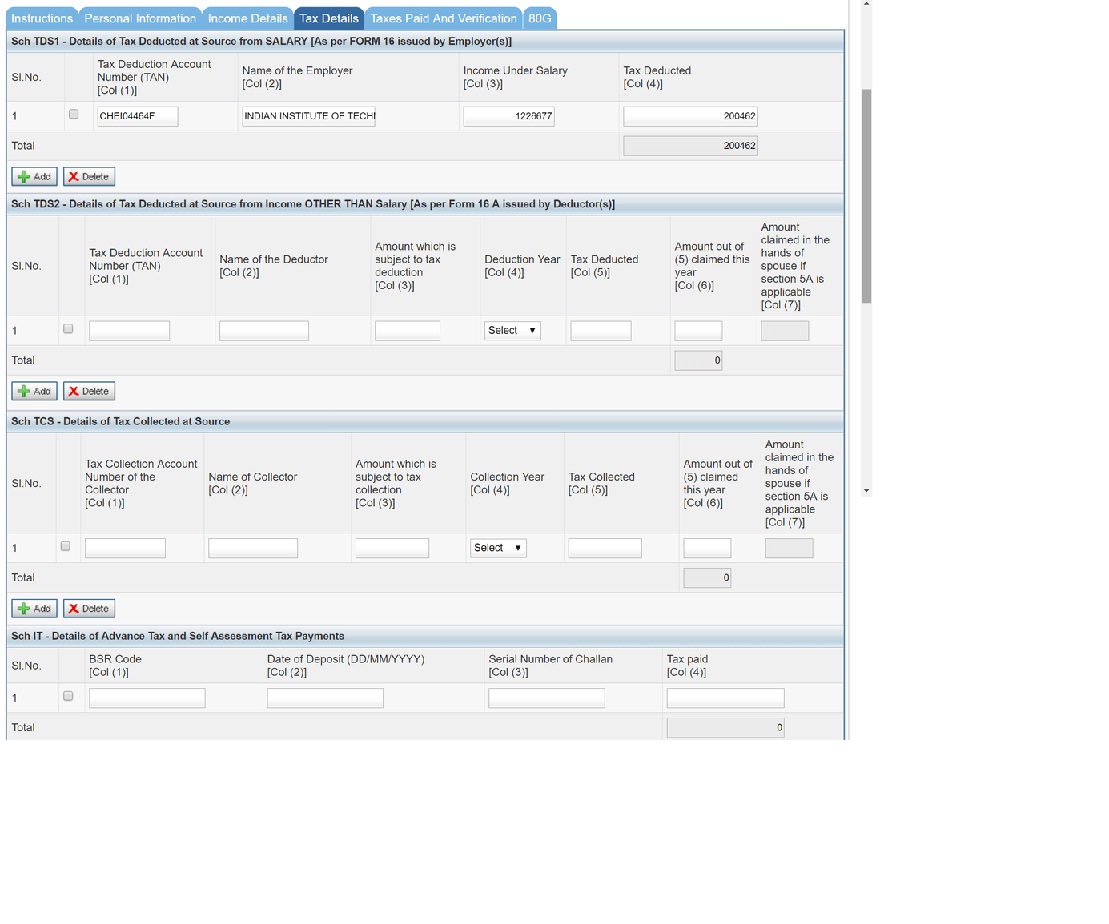 Now, go to Income details tab. Fill income under salary as per the Form 16, point 3. 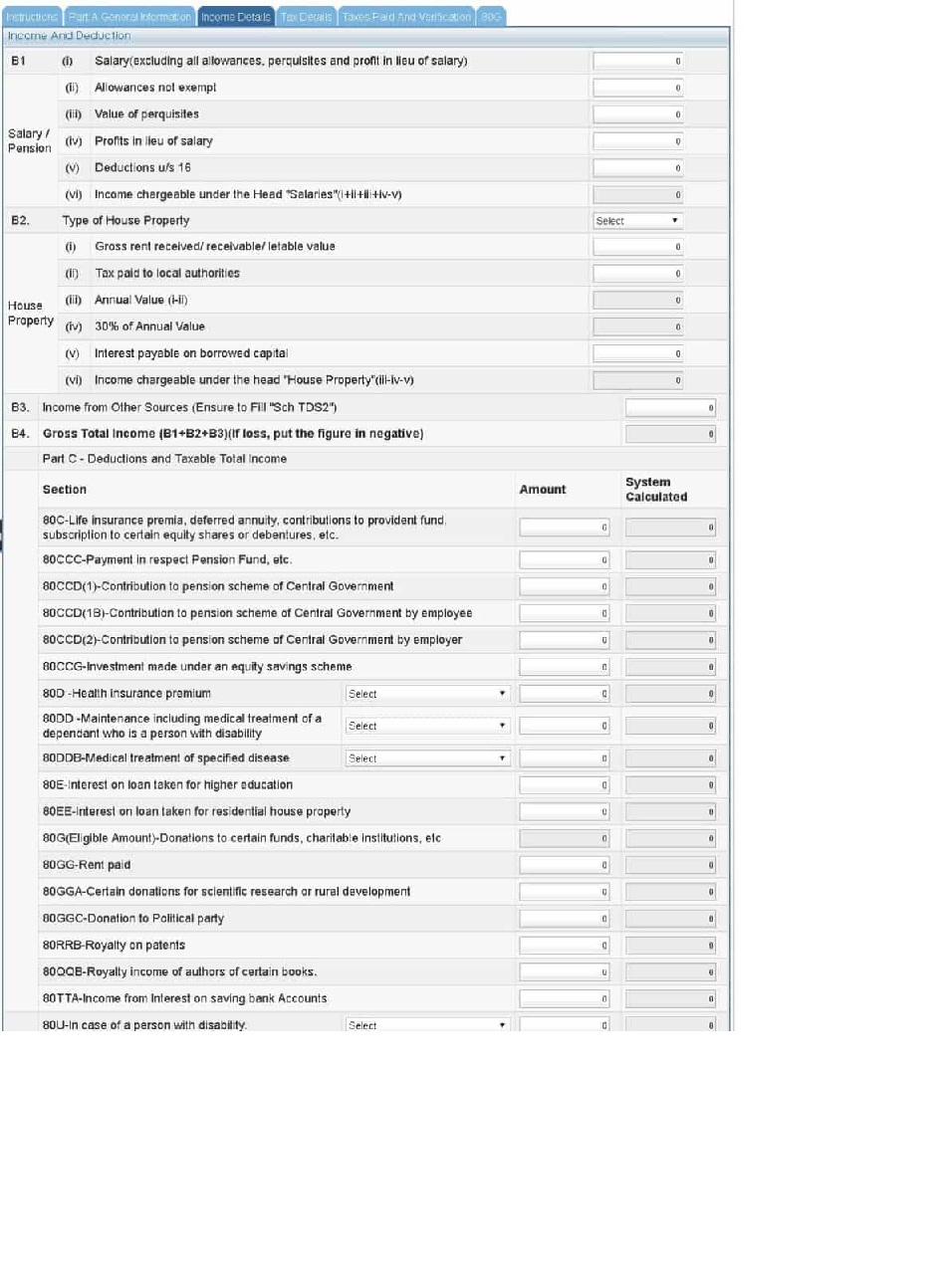 Select house property if you have. Note that if it is self-occupied, you cannot claim HRA under section 10. If it is let out, declare the rental income in the next row. Enter the income from other sources. This should include accrued income under Savings bank account, FD and RDs across all banks. Accrued means not necessarily credited, in the case of FD and RDs. Start filling section 80 under B4. You can claim exemption up to 1,50,000 under. 80C Claim health insurance premium under 80D. Self+ spouse+ children (all < 60Y of age) 25000 + parents: 25000 (<60Y of age) Self+spouse+children (all < 60Y of age) 25000 + parents: 30000 (>60Y of age) Self+spouse+children (one or more > 60Y of age) 30000 + parents: 30000 (>60Y of age) For parents who are 80 years or more with no health insurance, than a deduction of medical expenses up to Rs.30,000/- is allowed Claim exemption up to Rs 10,000 on savings bank portion of B3, under C17. 80TTA If you have made any donations that are qualified for income tax exemptions, go to the last tab 80G and enter the details. You can do this, only if you have received a certificate with the details of the donee. 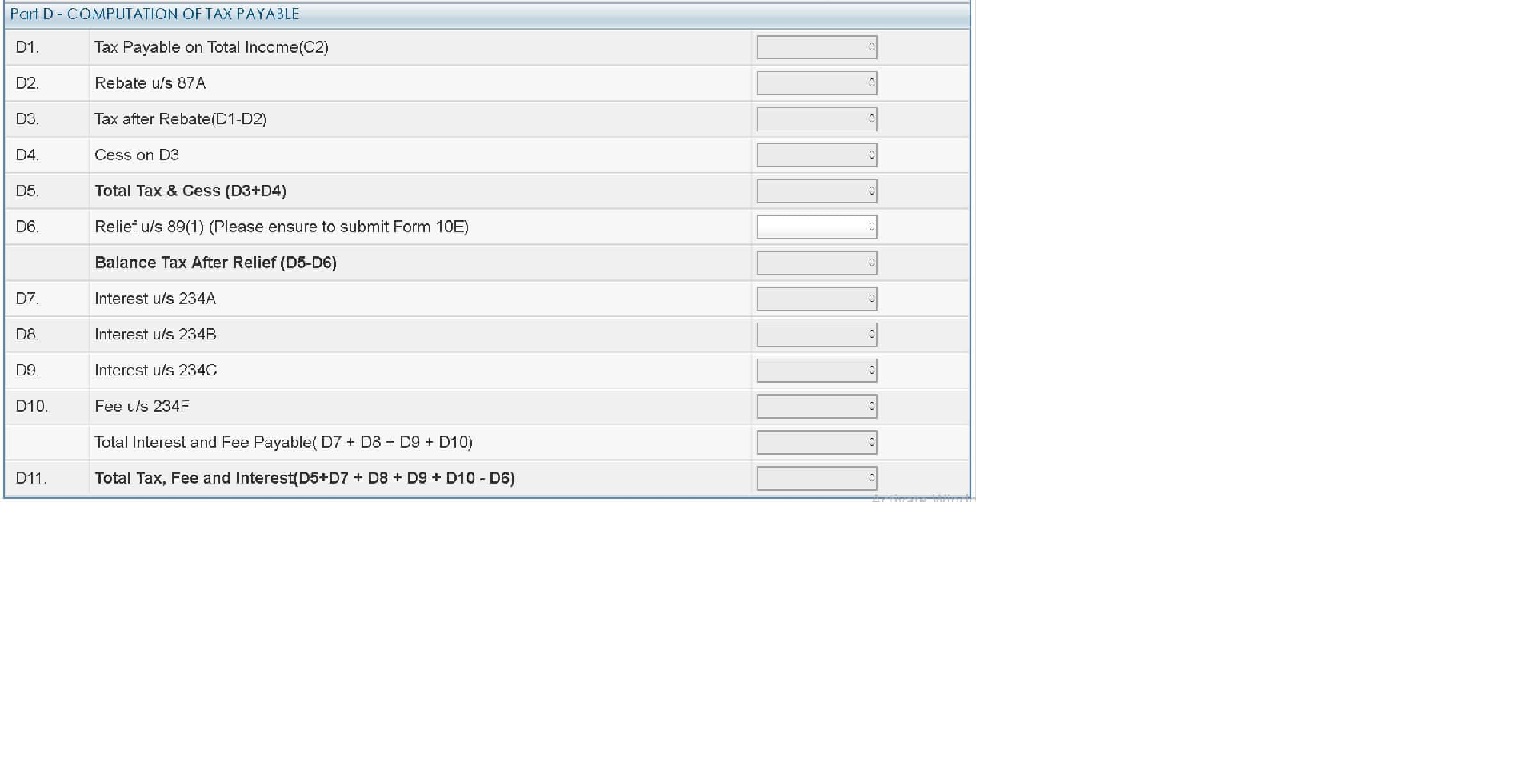 Come back to the Income Details tab. 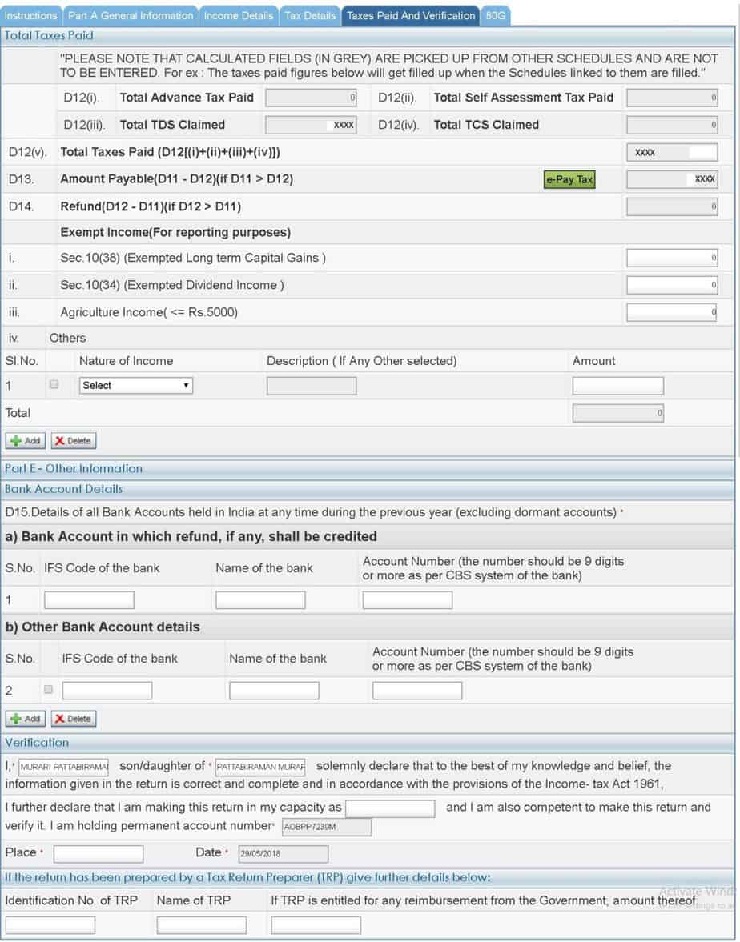 · Have a look at D1…D10 See if D6 is applicable to you. Try to understand all of them. If D10 is a positive number, you need to pay “Self-assessment tax”(SAT). Do this by clicking on “E-Pay Tax” on the left. One way to avoid this would have been by paying “Advance Tax” before March 31st. No interest needs to be paid in that case. · After Paying SAT, my guess is, it would appear automatically under Tax paid tab, if not, manually fill it. · Go to Taxes paid and Verification tab. 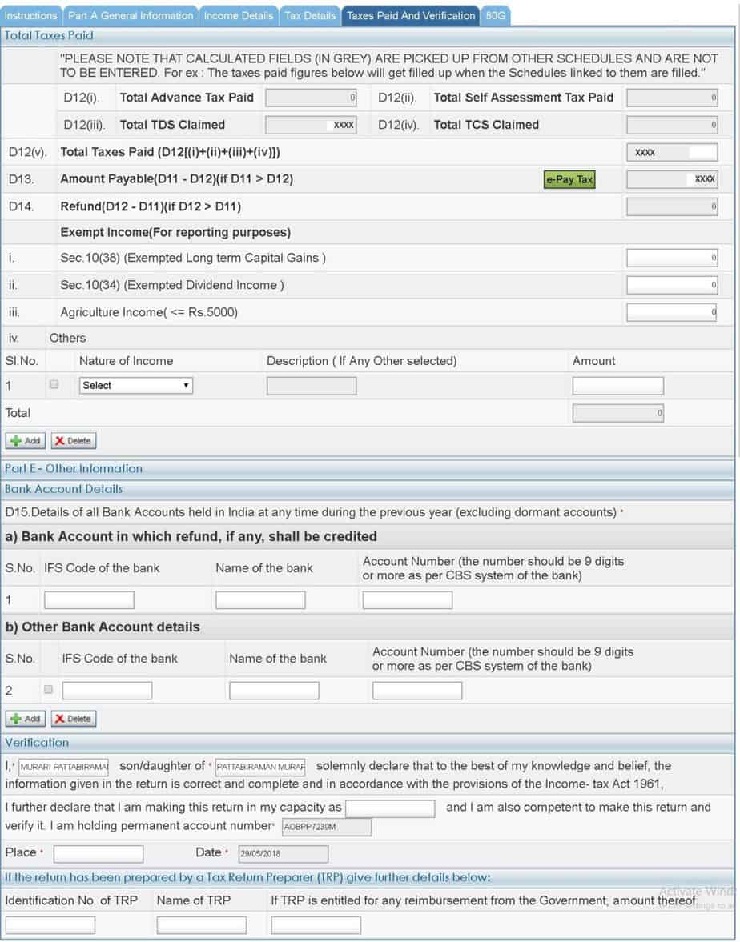 · It should show ‘zero’ under D13. Else pay the necessary tax to add the challan no under “Tax details” · Fill all the bank details carefully. Report any small exempted income (less than or equal to Rs. 5000) in D22, for example, equity gains by selling shares or units older than a year. · Check once again all the tabs and press submit. You can e-verify the return by obtaining the OPT from the mobile no registered with Aadhaar. |


itaxsoftware.net
Itaxsoftware.net |
|
Prepare at a time 100 employees Form 16 Part B for F.Y.2017-18 & A.Y.2018-19 Posted: 31 Jul 2018 05:30 AM PDT Click here to Download the Automated Income Tax Salary Certificate Form 16 Part B which can prepare at a time 100 employees Form 16 Part B for Financial Year 2017-18 & Ass Year 2018-19.The feature of this Excel Utility:-1) Automated Tax Calculate as per the New Income Tax Slab for F.Y.2017-18 2) Prepare at a time 100 employees Form 16 Part B for F.Y.2017-18 3) Automatic Convert the Amount into the In-Words ( Without any Excel Formula) 4) You can prepare more than 1000 employees Form 16 Part B by this one Software. 5) All the Income Tax Amended Section and siling of the Tax Section have in this Excel Utility as per the Finance Budget 2017-18.
|
|


This posting includes an audio/video/photo media file: Download Now |
| You are subscribed to email updates from itaxsoftware.net. |
To stop receiving these emails, you may unsubscribe now. |
| Email delivery powered by Google |
itaxsoftware.net
Itaxsoftware.net |
|
Govt says No more electricity bills to your home! Here is why Posted: 01 Aug 2018 07:34 AM PDT Electricity bills reaching homes will be a history soon as the government is currently planning to revolutionise the entire billing system by making all meters smart prepaid in the next three years. “In next three years metering will go smartly prepaid, and gone will be the days of bills reaching your house. So need of the hour is to scale up manufacturing of smart prepaid meters and to bring down their prices.” an official release reported citing R K Singh, Minister of State(IC) for Power and New & Renewable Energy. During an interaction with smart meter manufacturers, the minister also said that there is a need to scale up the manufacturing of these meters as the coming few years will pose huge demand for them. The smart prepaid meters should be made mandatory after a particular date, the minister also advised the officials of the power ministry.  The plan of the government to fast introduce smart meters in the country will not only revolutionise the power sector but also reduce AT&C losses, ensure better health of DISCOMs, incentives energy conservation, and ease bill payments and also generate skilled employment for the youth, the minister said. It was also decided in the meeting that the technical aspects will be further deliberated into in consultation with meter manufacturers, DISCOMs and system integrators. Meanwhile, the government announced Rs 1.4 lakh crore KUSUM scheme to promote the use of solar power among farmers. The scheme will be implemented from next month. According to the government, 4 crore families targeted under the SAUBHAGYA scheme would get electricity connections by December, ahead of the March 2019 deadline. “The KUSUM (Kisan Urja Suraksha Evam Utthaan Mahaabhiyan) will be implemented in July. Under this scheme farmers would be provided with solar water pumps,” the minister of power and new & renewable energy said at a press conference. Under the scheme, the government has planned to provide 27.5 lakh solar pumps (17.50 lakh standalone + 10 Lakh Grid-connected). |


itaxsoftware.net
Itaxsoftware.net |
|
Posted: 02 Aug 2018 08:21 AM PDT Tax Benefit on NPS Tier 1 and/or 2?NPS has two Tiers – 1 and 2. NPS Tier 1 is the long-term investment, which has restricted withdrawals and meant primarily for retirement planning. On maturity, you can withdraw a maximum of 60% of the corpus as lump sum and rest has to be used for annuity purchase. NPS Tier 2 is for managing short to medium term investment. You can invest and withdraw anytime as per your wish. This is an optional feature and you are asked if you need Tier 2 account while opening NPS. All the tax benefit related to NPS is available to invest in NPS Tier 1 account only. NPS Tax Benefits:NPS tax benefits are available through 3 sections – 80CCD(1), 80CCD(2) and 80CCD(1B). We discuss each below: 1. Section 80CCD(1) Employee contribution up to 10% of basic salary and dearness allowance (DA) up to 1.5 lakh is eligible for tax deduction. [This contribution along with Sec 80C has 1.5 Lakh investment limit for tax deduction]. Self-employed can also claim this tax benefit. However, the limit is 10% of their annual income up to a maximum of Rs 1.5 Lakhs. 2. Section 80CCD(1B) Additional exemption up to Rs 50,000 in NPS is eligible for income tax deduction. This was introduced in Budget 2015. 3. Section 80CCD(2) Employer’s contribution up to 10% of basic plus DA is eligible for deduction under this section above the Rs 1.5 lakh limit in Sec 80CCD(1). This is also beneficial for the employer as it can claim tax benefit for its contribution by showing it as a business expense in the profit and loss account. Self-employed cannot claim this tax benefit. 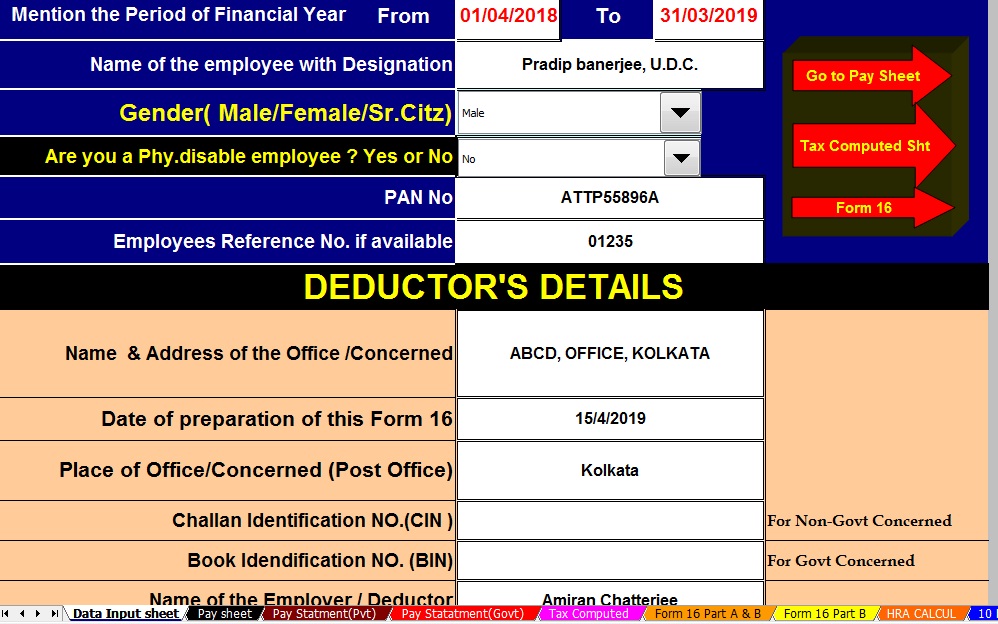 Click to Download the Automated All in One TDS on Salary for Govt & Non-Govt Employees for the Financial Year 2018-19 & Ass Year 2019-20 [ This Excel Utility can prepare at a time your Tax Computed sheet + Individual Salary Statement + Individual Salary Structure as per Salary Pattern of Govt and Non-Govt Concerned + Automated Arrears Relief Calculation U/s 89(1) with Form 10E from F.Y.2000-2001 to F.Y.2018-19 +Automated Income Tax Form 16 Part A&B and Form 16 Part B for as per the Finance Budget 2018-19]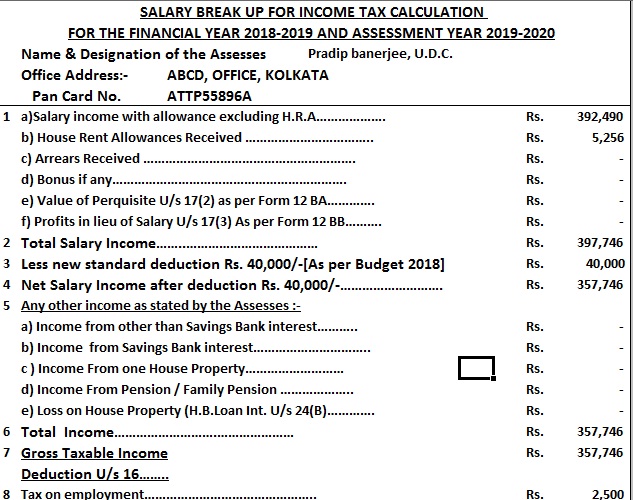 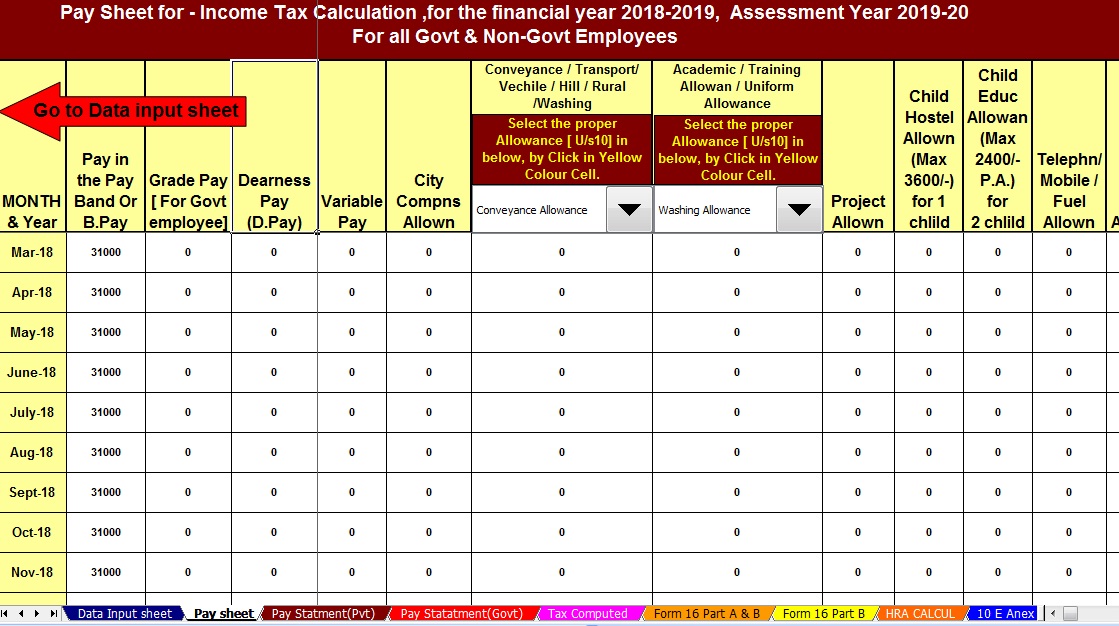 Tax Benefit for Compulsory NPS deduction:The earlier pension structure was replaced by NPS in most central and state government jobs since 2004. So anyone who joined after that has a compulsory deduction for NPS. The deduction is 10% of basic salary and dearness allowance (DA) and the employer to contributes the matching amount. The confusion for most employees is how they take tax benefit on their compulsory NPS deduction? The employee has a choice as to which section [80CCD(1) or 80CCD(1B)] he wants to show his contribution. Ideally he should show Rs 50,000 investment in NPS u/s 80CCD(1B). The tax deduction on rest Rs 12,000 can be claimed u/s 80CCD(1). The section 80CCD(1) along with Section 80C has investment limit eligible for tax deduction as Rs 1.5 lakhs. So he should make an additional investment of Rs 1,38,000 in Section 80C to save maximum tax. In all, he can save Rs 2 lakhs tax u/s 80C and 80CCD(1B). |


|
Posted: 02 Aug 2018 05:52 AM PDT What is the Maximum Income Tax I can save for this Year (FY 2018-19)?A question I am often asked. Tax laws keep changing year on year, especially in Budget. In this post, we summarize all the tax saving sections. S. No.Tax Sections Description Maximum Tax Exemption Limit (Rs.)180C/ 80CCC/ 80CCDInvestment in EPF, ELSS, PPF, FD, NPS, NSC, Pension Plans, Life Insurance, SCSS, SSA and NPS. Also includes Home Loan Principal repayment, Tuition Fees, Stamp Duty. Best Tax Saving Investments u/s 80C 150,000280CCD(1B)Investment in NPS Should you Invest Rs 50,000 in NPS to Save Tax u/s 80CCD (1B)? 50,000324Interest paid on Home Loan for Self occupied homes. You can claim Tax Benefit on both HRA & Home Loan – Know How? 200,000480EInterest paid on Education Loan. No Limit – Rs 50,000 is just an assumed value. 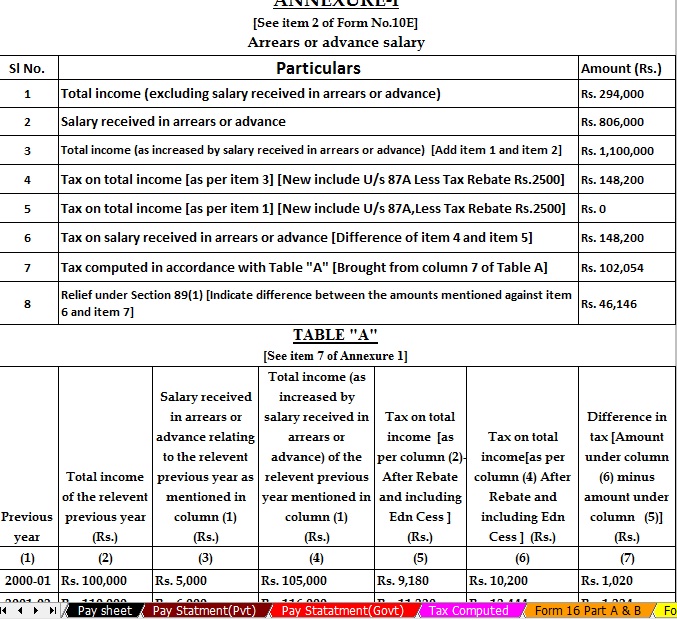 Download the Automated Income Tax Arrears Relief Calculator U/s 89(1) with Form 10E from Financial Year 2018-19 and Assessment Year 2019-20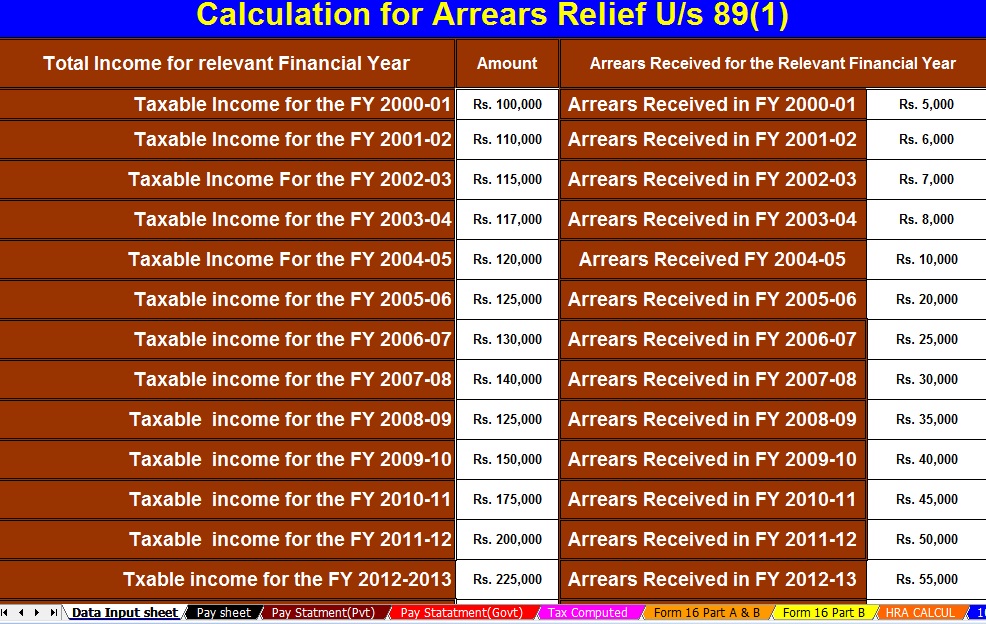 Tax Benefit on Education Loan (Sec 80E) 50,000580DPremium payment for medical insurance for self and parents. Includes Rs 5,000 limit for the preventive health checkup Making Sense of Tax Benefit on Health Insurance u/s 80D 60,000680DDB Treatment of Serious illness for self and dependents (Limit of Rs 1,00,000 for Senior Citizens and Rs 40,000 for others)80,000780UPhysically Disabled Taxpayer (Rs 75,000 for 40% to 80% disability and Rs 1,25,000 for more than 80%)125,000880DDPhysically Disabled Dependent (Rs 75,000 for 40% to 80% disability and Rs 1,25,000 for more than 80%)125,000980GDonation to approved charitable funds like Prime Minister Relief Fund, etc (assumed value)50,0001080GGA Donations for scientific research or rural development (assumed value)50,0001180GGCDonations to political parties (assumed value)50,00012 A80TTAInterest received in Savings Account Which bank offers the highest interest rate on the savings account? 10,00012 B80TTBInterest Income for Senior Citizens Only 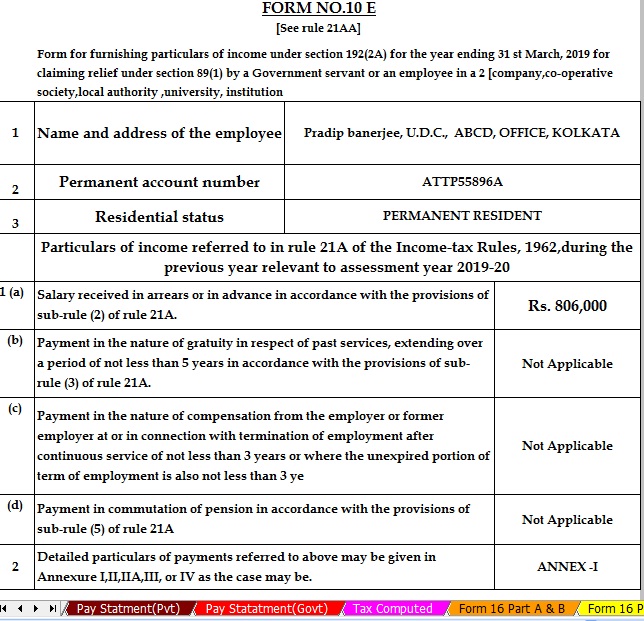 How to Claim Tax Benefit for Rent Paid u/s 80GG? 60,000 Maximum Tax Exemption Possible (Rs.)1,117,000 |

