
ANN: Couchbase Lite Viewer app
764 views
Skip to first unread message

Jens Alfke
Sep 25, 2013, 1:40:14 AM9/25/13
to mobile-c...@googlegroups.com
I’ve updated the old TouchDB Viewer app to support Couchbase Lite; it’s here. This is a Mac OS application that can open “.cblite” database files and display them with a GUI; sort of a native version of Futon. You can use it with iOS apps running in the simulator, by descending into the directory where the simulator stores an app’s files. You can even use it on apps running on a real iOS device by using a tool like iExplorer that can mount the device’s filesystem.
You can download a build from here:
—Jens

Jens Alfke
Sep 25, 2013, 6:59:59 PM9/25/13
to mobile-c...@googlegroups.com
I’ve added a database browser window to the viewer app, to make it easy to find the database files hiding down inside the iOS Simulator (as well as native OS X apps).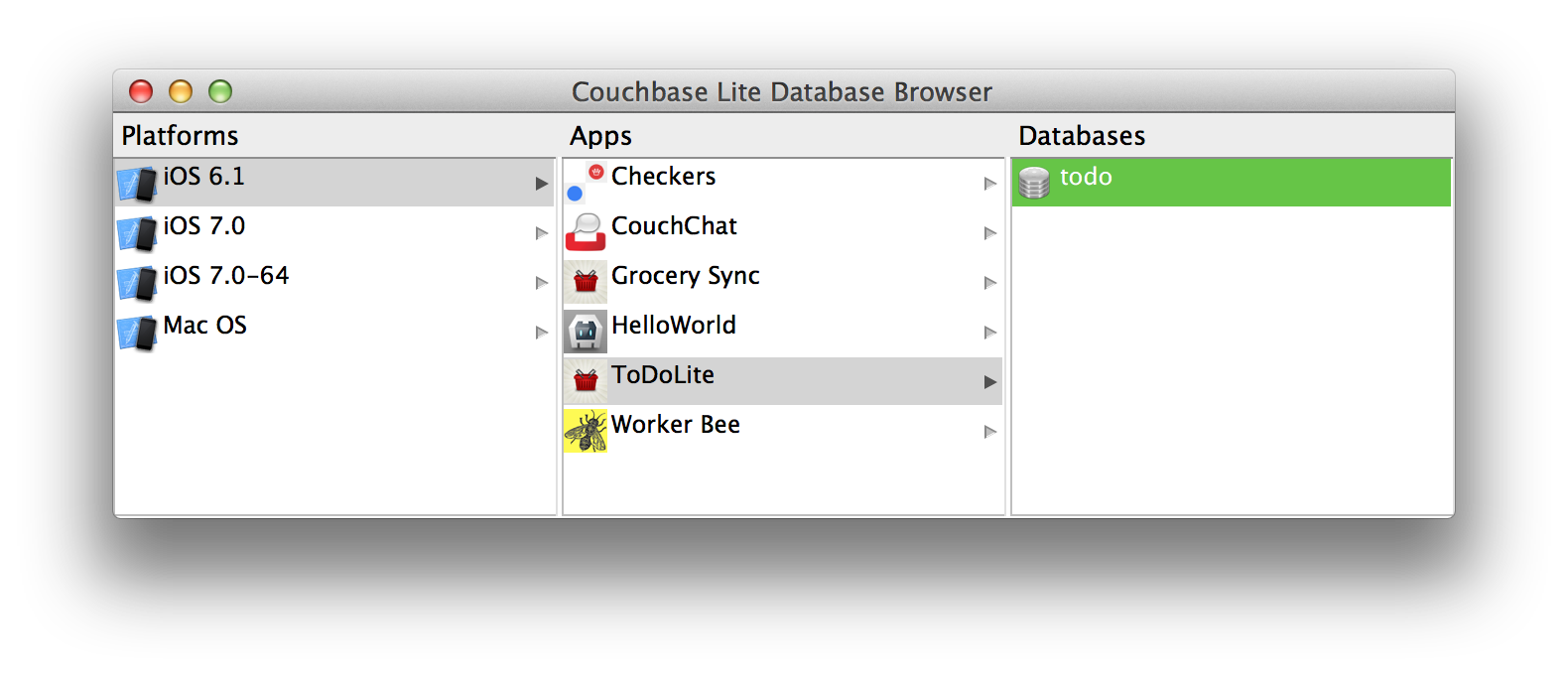

Scott Ahten
Sep 26, 2013, 11:24:02 AM9/26/13
to mobile-c...@googlegroups.com
This will be very helpful. Thanks Jens!

Paul Capestany
Sep 26, 2013, 2:20:35 PM9/26/13
to mobile-c...@googlegroups.com
The Simulator shortcuts are a great addition.
Databases loaded from those shortcuts don't refresh/update in the Viewer app though, right?
I'd actually asked about refreshing/updating data live on TouchDBViewer a while ago... and I just now noticed that in your answer you'd mentioned opening the DB as an http URL. I'd totally missed that. Is that the best way to be using the Viewer app?
Jens Alfke
Sep 26, 2013, 2:50:05 PM9/26/13
to mobile-c...@googlegroups.com
On Sep 26, 2013, at 11:20 AM, Paul Capestany <cape...@gmail.com> wrote:
Databases loaded from those shortcuts don't refresh/update in the Viewer app though, right?
Yeah. This would be great to add, but I’m not sure how to do it. Multiple contexts on different threads in the same app will update when one of them makes changes, but that’s done by sending intra-app notifications. There isn’t a mechanism to look at the on-disk database and figure out what’s changed and then perform all the necessary updates and notifications, which is what the viewer would need. (Short of closing and re-opening the database.)
I'd actually asked about refreshing/updating data live on TouchDBViewer a while ago... and I just now noticed that in your answer you'd mentioned opening the DB as an http URL. I'd totally missed that. Is that the best way to be using the Viewer app?
I had to take out support for opening HTTP URLs. CouchCocoa handled that pretty transparently, but the Couchbase Lite API talks to the database directly instead of through REST. One of the few ways in which the new API is a drawback.
—Jens

a...@mangohealth.com
Apr 7, 2014, 5:17:18 PM4/7/14
to mobile-c...@googlegroups.com
Hi, Jens!
Great work on the viewer app. Could you please explain how to load the iOS simulator DB? I have the CouchBase Lite Viewer open as well as the simulator.
Many thanks,
Ari
Jens Alfke
Apr 7, 2014, 5:52:07 PM4/7/14
to mobile-c...@googlegroups.com
On Apr 7, 2014, at 2:17 PM, a...@mangohealth.com wrote:
Great work on the viewer app. Could you please explain how to load the iOS simulator DB? I have the CouchBase Lite Viewer open as well as the simulator.
In the viewer, open the app browser window (Cmd-B), then choose the appropriate platform and app name, and then double-click the database.
Be aware that the viewer app currently won’t update when the database is changed by your app. You’ll have to close and re-open the database window to see changes.
—Jens
Reply all
Reply to author
Forward
Message has been deleted
0 new messages