Melissa Avina

Enis
Melissa Avina

Taifun
Trying to push the limits of App Inventor!
Snippets and
Tutorials from
Pura Vida Apps by
 Taifun.

Enis
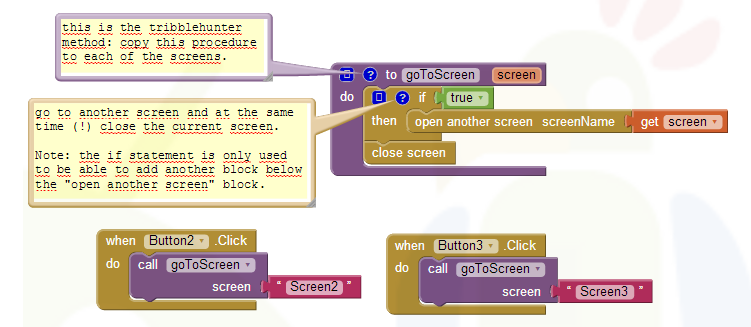
Take out that close screen. You use that in the screen you've opened when you want to close it.
Screen1 never closes until the end.
Use a password textbox.
Get the value.
Verify the value.
If the value is good, then open the screen.
Once the screen's open, do whatever you need to do there.
Then, in that opened screen, close it.
You need something to compare the password to. You'll probably have to save that in a TinyDB or on the web using a TinyWebDB.
Is this a school project?
Melissa Avina

Enis
Melissa Avina
Enis
A box for entering passwords. This is the same as the ordinary TextBox component except this does not display the characters typed by the user.
The value of the text in the box can be found or set through the Text property. If blank, the Hint property, which appears as faint text in the box, can provide the user with guidance as to what to type.
Text boxes are usually used with the Button component, with the user clicking on the button when text entry is complete.
Then, you check the textbox's value to something that will allow you to verify if it's correct.
If it's correct, open the other screen. If not correct, put up a notifier message to try again.
I'm NOT going to do your schoolwork for you.
Have you done the tutorials? You can easily research everything on the site. If you haven't done the tutorials, then you haven't done your homework. If your school project is to do the programming portion of the password textbox, start by doing the tutorials, and then search the site for the answers.
You are working with a textbox, but one that just doesn't show the characters as they're typed.

Melissa Avina
Taifun