
play random sounds with one button
1,234 views
Skip to first unread message

Caifa Caifa
Apr 23, 2014, 3:23:47 AM4/23/14
to mitappinv...@googlegroups.com
hello there im making the practice app from mit called magic 8 ball and i got it done with the text to speech i will like to record my self and have the app play back random sounds when i shake the phone or when i press a button i try all kinds of way and none seem to work please also if you will like to help me can you please post an image of what you are trying to explain im very very new to this and i get confuse rely fast , thanks in advance.

Taifun
Apr 23, 2014, 10:00:53 AM4/23/14
to mitappinv...@googlegroups.com
first do the tutorials http://appinventor.mit.edu/explore/ai2/tutorials.html to learn the basics of App Inventor, then try something and if you get stuck, post a screenshot of your relevant blocks
Taifun
Trying to push the limits of App Inventor!
Snippets and
Tutorials from
Pura Vida Apps by
 Taifun.
Caifa Caifa
Apr 23, 2014, 1:36:19 PM4/23/14
to mitappinv...@googlegroups.com
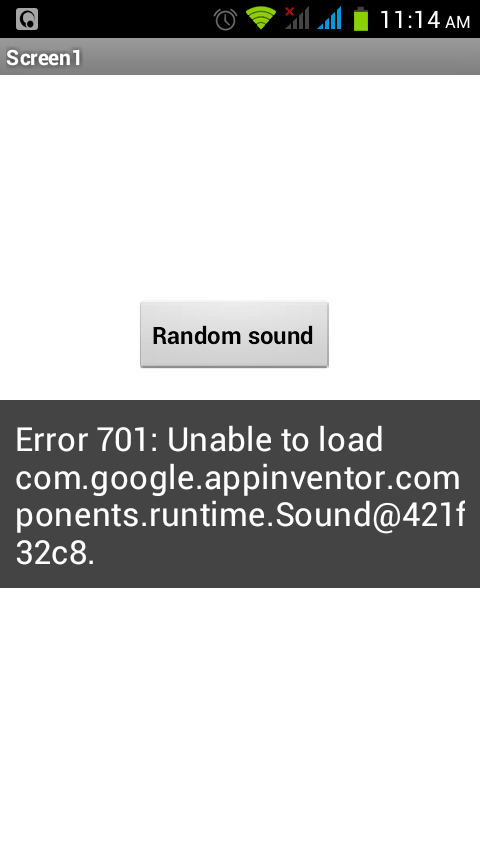
ok i have actually successfully completed alot of the MIT tutorials especially the MAGIC 8 BALL now im trying to make it so that when i press the button it plays sounds i loaded to app inventor what i have done is i put a button and also added 4 sounds each sound is in a sound component i then do this the error message was from random_1 image please help


Taifun
Apr 23, 2014, 5:18:32 PM4/23/14
to
the first screenshot does not make sense.
the 2nd screenshot is fine if you have short sound snippets, only the Sound.Play block is missing...
the 3rd screenshot is fine, if you have larger sound files, but here the Player.Play block is missing...
hope that helps
Taifun
Caifa Caifa
Apr 23, 2014, 5:04:39 PM4/23/14
to mitappinv...@googlegroups.com
Thank you i knew i had it right i was just missing the player.play thank you sooo soo much this really helped i love MIT app inventor and i love how there are people like you to help us out thank you .
here is a screen shot of the working blocks
I added an accelerometer component and also a player component then i loaded all the sounds and to make it easier I named them 1-18 since i had 18 sound files I also put the player component to source none and take a look at the blocks it really works im doing this for future new comers
El miércoles, 23 de abril de 2014 13:07:22 UTC-6, Taifun escribió:
El miércoles, 23 de abril de 2014 13:07:22 UTC-6, Taifun escribió:
the first screenshot oes not make sense.

Reply all
Reply to author
Forward
0 new messages