
Fusion Tables UPDATE by App Inventor
696 views
Skip to first unread message

alexxan...@gmail.com
Jun 30, 2014, 10:15:19 AM6/30/14
to mitappinv...@googlegroups.com
I have created an app by App Inventor to store data in a Fusion Table but I need to UPDATE some cells in a specific row. I want to scan a barcode and manually enter the new data. After that, I need to sum the old data and the new data in the row orded by barcode. How can I do it?
Thanks.
Alessandro.

Taifun
Jun 30, 2014, 10:44:59 AM6/30/14
to mitappinv...@googlegroups.com
a good start is the Pizza Party with Fusion Tables for App Inventor 2
see also the SQL reference https://developers.google.com/fusiontables/docs/v1/sql-reference#updateRow
and here an example of an UPDATE statement https://puravidaapps.com/fusionDB.php#update
this also may help
 Fusiontables and how to fix them
Taifun
alexxan...@gmail.com
Jun 30, 2014, 10:49:44 AM6/30/14
to mitappinv...@googlegroups.com
Thank You for the fast answer but I've seen that tutorial about 3 weeks ago and It can't help me. Now I can insert data, but I can't update it. That's my problem. Do You know something about it?
Taifun
Jun 30, 2014, 11:09:08 AM6/30/14
to mitappinv...@googlegroups.com
the tutorial helps you to learn how to work with fusiontables
now it's your turn
I sent you several links, did you check all of them?
just try something, and if you get stuck, post a screenshot of your relevant blocks
Taifun
Message has been deleted
alexxan...@gmail.com
Jun 30, 2014, 12:03:28 PM6/30/14
to mitappinv...@googlegroups.com
Ok, ok. Thank You again. Now I try to explain (if I can) with some screenshots.
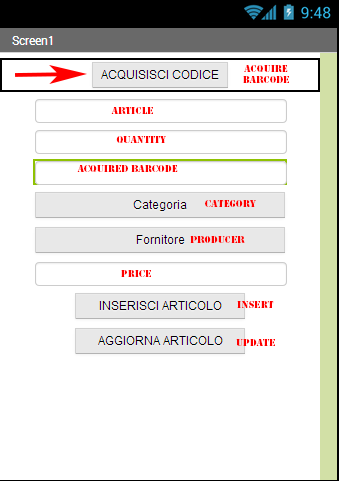
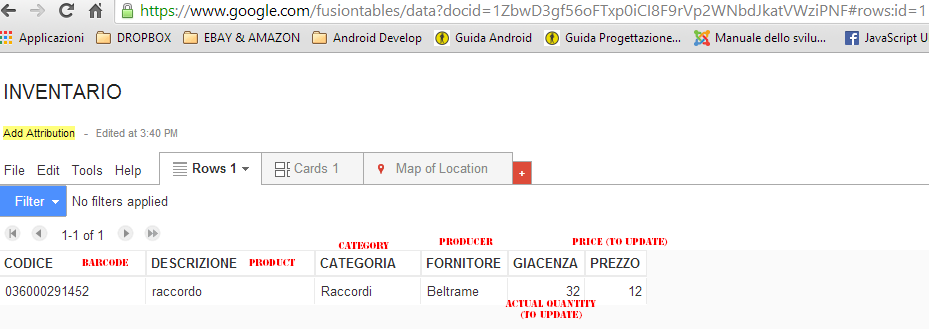
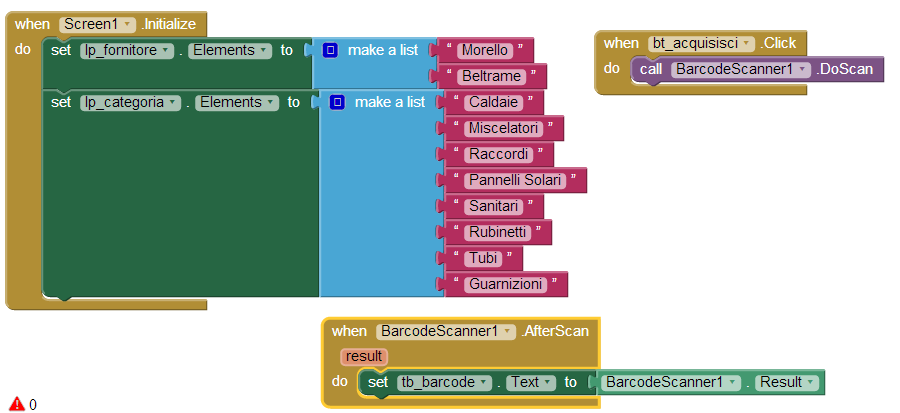
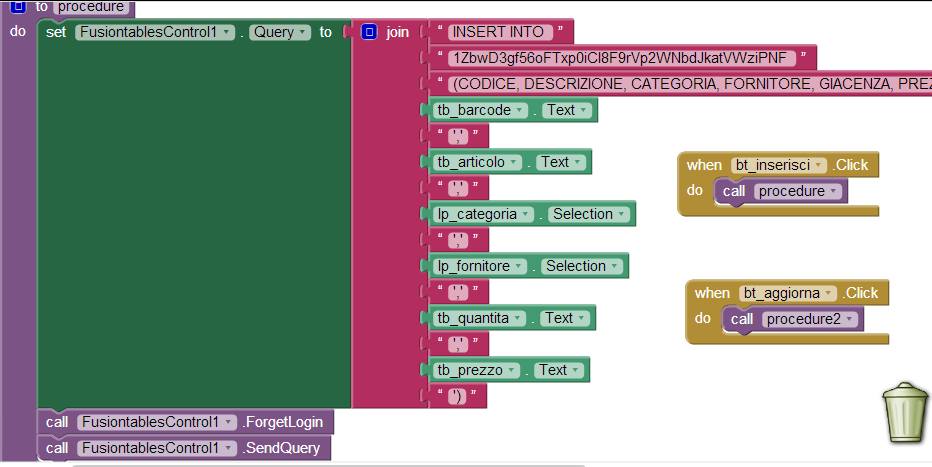
The INSERT TO function works and the dropdown menus too. But now I need to update QUANTITY and PRICE choosing product by barcode scanner.
Taifun
Jun 30, 2014, 12:12:45 PM6/30/14
to mitappinv...@googlegroups.com
For UPDATE statements the first step to be done is to get the ROWID of the row to be updated with a SELECT statement.
The second step is to do the UPDATE.
you can find the syntax in the documentation https://developers.google.com/fusiontables/docs/v1/sql-reference
btw. you probably like to rename your procedures? for example rename "procedure" to "insert"
what is "procedure2" doing?
Taifun
alexxan...@gmail.com
Jun 30, 2014, 12:21:02 PM6/30/14
to mitappinv...@googlegroups.com
Yes, You're right!. Rename functions is better then default names.
I've found that page too, but I think my sintax is incorrect. Can You verify it, please?
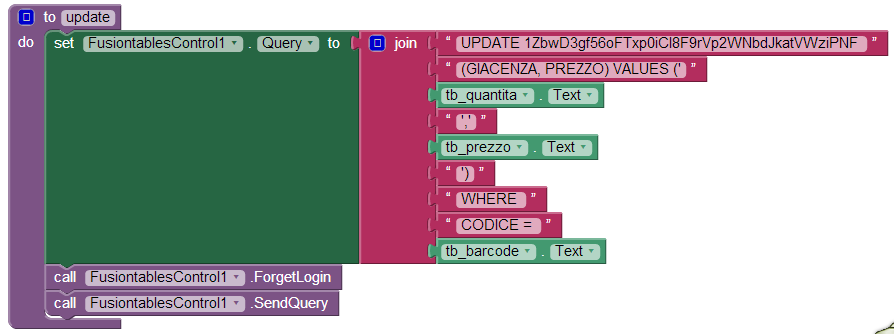
Taifun
Jun 30, 2014, 12:26:40 PM6/30/14
to
Taifun
Jun 30, 2014, 12:31:07 PM6/30/14
to mitappinv...@googlegroups.com
1. SELECT ROWID FROM <tableid>
WHERE CODICE = '<tb_barcode.Text>'
2. UPDATE <tableid>
SET GIACENZA = '<tb_quantita_text>',
PREZZO = <tb_prezzo_text>
WHERE rowid = '<rowid from step 1>'
and yes, it helps to read the reference documentation to find out the correct syntax...
Taifun
alexxan...@gmail.com
Jun 30, 2014, 12:43:29 PM6/30/14
to mitappinv...@googlegroups.com
Now I suppose I undestood. I never thought to need to use SELECT instruction. Can I use them in the same "join" element?
Taifun
Jun 30, 2014, 12:52:01 PM6/30/14
to mitappinv...@googlegroups.com
no
first do the select
then you get back the rowid in the fusiontablecontrols.Gotresult event
then do the update
Taifun
Reply all
Reply to author
Forward
Message has been deleted
0 new messages