
Emulator opens but will not run
42 views
Skip to first unread message

Julia Clark
Jan 9, 2016, 2:50:24 PM1/9/16
to mitappinv...@googlegroups.com
Hi,
I just recently started using the MIT App Inventor. I tried downloading the Emulator so I could view my first app, however it opens but then gets stuck on either a blank white screen or the "waiting for blocks" screen seen below. I have tried uninstalling and reinstalling several times. I also keep getting a message saying that my Companion App is out of date however I have gone through the steps and updated it several times within the past two days. I really appreciate any advice on how to fix this problem!
Best Regards,
Julia Clark

Waiting to get blocks screen

Out of date Companion App Error

Taifun
Jan 9, 2016, 4:16:45 PM1/9/16
to MIT App Inventor Forum
for solutions see one of these threads https://groups.google.com/forum/#!searchin/mitappinventortest/emulator$20companion$20out$20of$20date%7Csort:date
It does not look like you have used the forums yet, as a search using the search box above would have returned several threads about this topic.
Taifun
Trying to push the limits of App Inventor! Snippets and Tutorials from Pura Vida Apps by  Taifun.
Advice: Before posting, it's a good idea to search in this forum. Many others have likely run into problems similar to yours. How to search see screenshot.
 App Inventor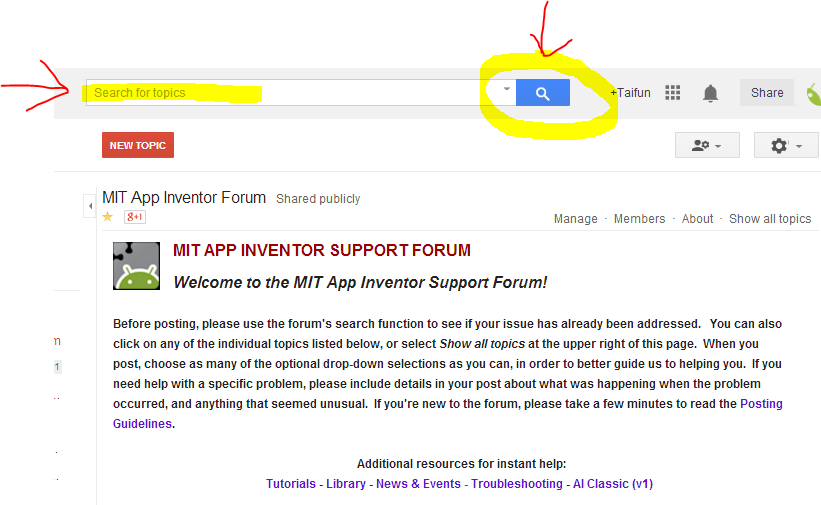
Reply all
Reply to author
Forward
0 new messages