
Problem How to use a Google Drive Google Spreadsheet as Database

Marino Nardio
In the example I used the following query: select C,D where B matches 'Taifun'"

Taifun
Trying to push the limits of App Inventor!
Snippets,
Tutorials and
Extensions from
Pura Vida Apps by
 Taifun.
Marino Nardio
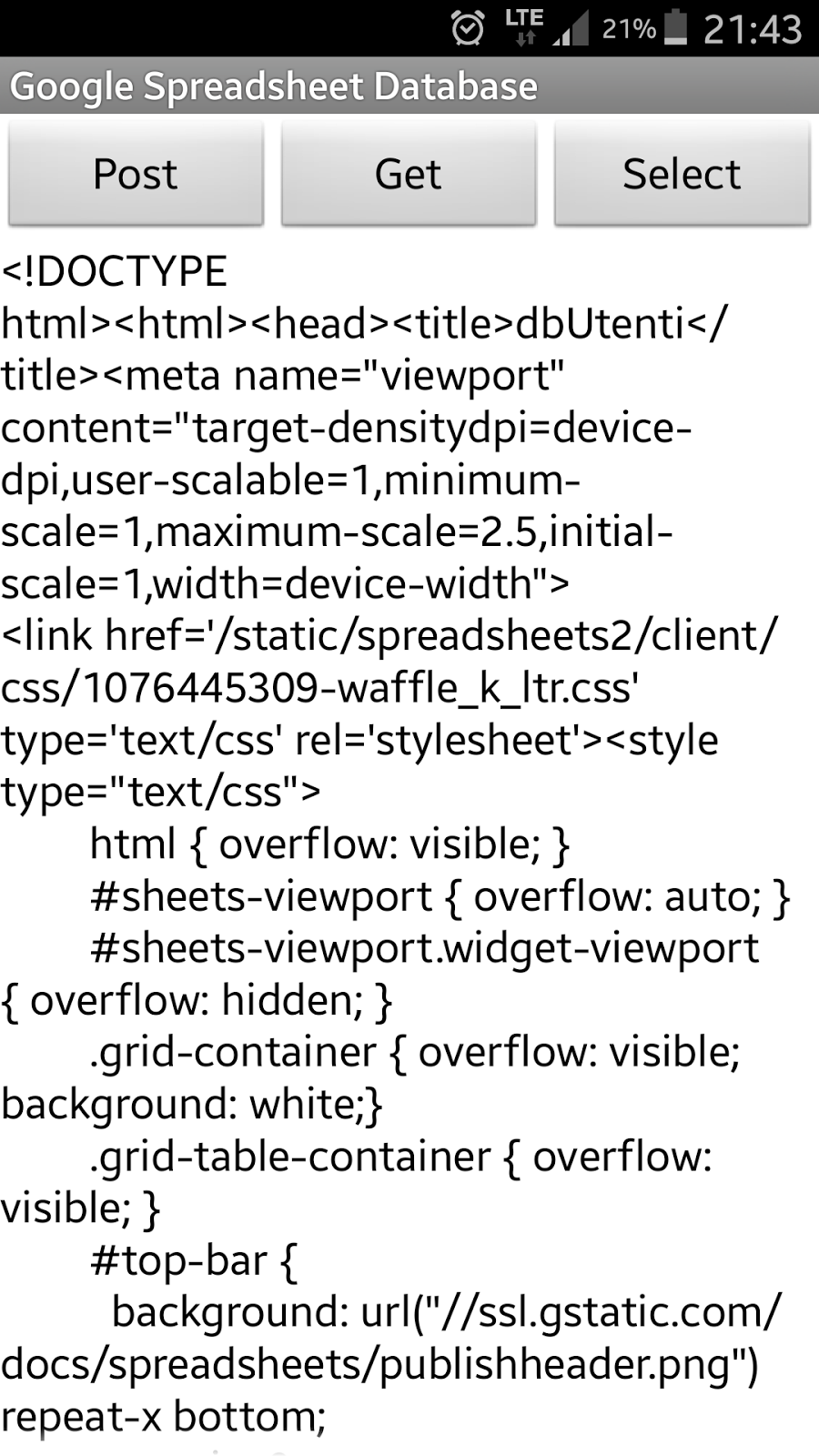

This is the spreadsheet

Taifun

Marino Nardio


Taifun
How does the UPDATE and DELETE work?
I used some lines of  Google Apps Script
to enable UPDATE and DELETE statements. The example spreadsheet had 3 columns: name, email and message text.
I now added another column ACTION to the spreadsheet. Depending on that column,
an UPDATE or DELETE will be triggered by the Google Apps Script. The name column is used as key.
Of course you also can update or delete multiple rows!
Google Apps Script
to enable UPDATE and DELETE statements. The example spreadsheet had 3 columns: name, email and message text.
I now added another column ACTION to the spreadsheet. Depending on that column,
an UPDATE or DELETE will be triggered by the Google Apps Script. The name column is used as key.
Of course you also can update or delete multiple rows!
UPDATE example
Define the 4 columns: name="Taifun2", email="my updated
email", message="let's update", ACTION="UPDATE" and click "POST" in the
App Inventor example app.
The script will be triggered and executes the following
statement (pseudo code):
UPDATE spreadsheet SET email="my updated email", message="let's update" WHERE name="Taifun2"
DELETE example
Define the 2 columns: name="Taifun", ACTION="DELETE" and click "POST" in the App Inventor example app.
The script will be triggered and executes the following statement (pseudo code):
DELETE FROM spreadsheet WHERE name="Taifun2"
Preparation
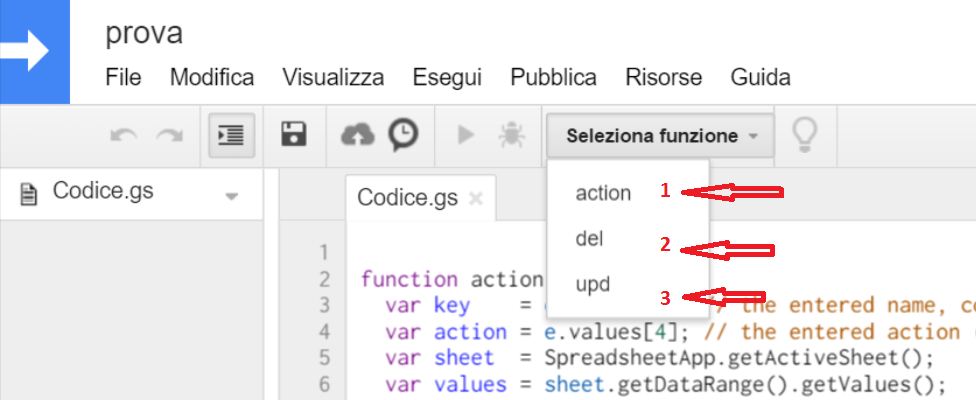
- In your Google Spreadsheet open the Script Editor via Tools - Script Editor and copy the 3 functions from the source code below.
- Add a trigger via Ressources - Current Project
Triggers. Click the "Add a new trigger" link.
In column "Run" select the function "action" from the
dropdown list. In column "Events" select "on form submit" and click
save.

- In case this is your first trigger, you additionally have to authorize its use.
- Ready!
Script Source Code
//  author: puravidaapps.com
//
// reference documentation
// sheet: https://developers.google.com/apps-script/reference/spreadsheet/sheet
// range: https://developers.google.com/apps-script/reference/spreadsheet/range
function action(e) {
  var key    = e.values[1]; // the entered name, column 2
  var action = e.values[4]; // the entered action (UPDATE or DELETE), column 5
  var sheet  = SpreadsheetApp.getActiveSheet();
  var values = sheet.getDataRange().getValues();
  Logger.clear();
  Logger.log('action=' + action);

  if (action == "DELETE"){
    del(key, sheet, values);
  }
  if (action == "UPDATE") {
    upd(key, sheet, values);
  }
}

function del(key, sheet, values){
  Logger.log('DELETE ' + key);
  // http://stackoverflow.com/a/13410486/1545993
  for(var row = values.length -1; row >= 0; --row){
    if (values[row][1] == key){
      sheet.deleteRow(parseInt(row)+1); // loop is 0-indexed, deleteRow is 1-indexed
    }
  } // end: for
}

function upd(key, sheet, values){
  var lastRow = sheet.getLastRow();
  for(i in values){
    if (values[i][1] == key){
      Logger.log('UPDATE i=' + i);
      var rangeToCopy = sheet.getRange(lastRow, 1, 1, 4); // getRange(row, column, numRows, numColumns), do not copy action column
      rangeToCopy.copyTo(sheet.getRange(parseInt(i)+1, 1));
    }
  } // end: for
  sheet.deleteRow(lastRow); // delete last row: this is the update statement
}
Marino Nardio

sorry, I have another question

Pablo Zjaria
Taifun
Marino Nardio
on your page:https://puravidaapps.com/spreadsheet.php
with image printing to help better those hindered like me : )
I made other tests and not greater mistake but still does not work
Perhaps the page (Script Editor) I also have to put the item Action?

Marino Nardio
unfortunately I can not try it with my Spreadsheet because it does not work
Taifun
Marino Nardio

tolga sevim
I'm trying to make an inventory app using spreadsheet as database. No problem with posting entries to spreadsheet file but I can't fetch a list from the file which is in a different page, to my app. I want to use the list in a listpicker. I can fetch the inventory entries on the main page to my list but not the list on page2.
Briefly, I want to fetch a list on a specific page in the spreadsheet file.
How can I do that?
I wish I could express myself :)
Thanks in advance.
Taifun
I want to fetch a list on a specific page in the spreadsheet file.

Kelly Powers
Taifun
I didn't think that I had to set up a script
I am confused by the call to getAction from the When butnPost Click event occurs.
However, what makes the form get submitted?