
Swiping images in App Inventor 2
962 views
Skip to first unread message

Dea Avega Editya
Jan 13, 2016, 10:37:45 PM1/13/16
to mitappinv...@googlegroups.com
Hi everyone,

I want to add images swiping-feature in my app, and in order to do that i just followed the guidance from Taifun on his puravidaapps website. His snippet is just as follow:

(In my own app, i dont need the top or bottom swiping, so i dont use the correlated blocks)
The problem is, i can't find a procedure block that contain Call [left or right] Direction. As you can see below, i just have 2 procedure blocks but not the Direction blocks:

Does anybody know what i have missed here?
Your comments is really appreciated guys.

SteveJG
Jan 14, 2016, 9:05:55 AM1/14/16
to MIT App Inventor Forum
The following tutorial uses a modification of Taifun's example swiping images but only left to right; right to left
Back in Time .. an unusual Talking Clock with App Inventor
The example might help you.Regards,
Steve

Abraham Getzler
Jan 14, 2016, 12:26:42 PM1/14/16
to MIT App Inventor Forum
From what I see in the blocks image,
the lesson here is on how to decide
which of 8 or so directions
is being swiped, based on the tests in
the example.
The procedures being called are not necessary for the
sample, just the identification of which of the 8 directions each would handle.
ABG

Taifun
Jan 14, 2016, 2:01:44 PM1/14/16
to MIT App Inventor Forum
the procedure leftOrRight is a custom procedure and you also can copy it from my example snippet How to Swipe left/right and top/bottom to trigger something
but as ABG said, to detect only left or right swipe, the xvel parameter would be sufficient, see also my App Inventor Classic snippet here https://puravidaapps.com/snippets1.php#flung
if xvel < 0
then <do something for seft swipe>
else <do something else for right swipe>
Taifun
Dea Avega Editya
Jan 14, 2016, 11:10:25 PM1/14/16
to MIT App Inventor Forum
Great, i can copy the direction procedure from your snippet.
If i want to make a text appeared under the image which is swiped, do you have any suggestion to do that?
For example under Image 1 there will be name "The Image 1" automatically, then if image 2 appears, thus the text under it will be changed to "The Image 2".
Taifun
Jan 15, 2016, 7:39:33 AM1/15/16
to MIT App Inventor Forum
use a list to store the image names and a label to display the current image name
Taifun
Dea Avega Editya
Jan 16, 2016, 12:46:45 PM1/16/16
to MIT App Inventor Forum
To be honest, that web's explanation is too complicated for me. What i have in my mind is to add Label under the Canvas, when the canvas is swiped left or right, the Label will be automatically changed to the name of image that shown by canvas.

I tried to make my blocks, modified from your snippet, but apparently it doesnt succeed. The label only changed once to name1 (i have 4 list of the images names)


I understood that the Label is unable to response to touch/swipe. Do you have any alternative/advice to do that?
Taifun
Jan 16, 2016, 3:20:59 PM1/16/16
to MIT App Inventor Forum
you only need one index
Taifun

Abraham Getzler
Jan 16, 2016, 5:28:47 PM1/16/16
to MIT App Inventor Forum
I did a simple left-right swipe example in this thread recently.
The if/then/else block test is the relevant part for you, to tell you right or left.
You probably have the rest of the code working by now.
If you have trouble keeping the text and images in sync,
consider switching to a list of pairs ((image1.jpg,image1 text), (image2.jpg,image2 text),...)
and use the lookup in pairs block to translate image file name into label text value.
ABG
Dea Avega Editya
Jan 17, 2016, 1:34:29 AM1/17/16
to MIT App Inventor Forum
The swiping images feature works, but not with the text label.
Dea Avega Editya
Jan 17, 2016, 3:58:22 AM1/17/16
to MIT App Inventor Forum
ABG, I have followed your example. But, I dont understand with your advice by switching to a list of pairs and use the lookup in pairs block to translate image file name into label text value.
Dea Avega Editya
Jan 17, 2016, 4:13:04 AM1/17/16
to MIT App Inventor Forum
Dear all, Alhamdulillah-praise to God! finally i succeed to make dynamic images and label by using some modifications from Taifun snippet. I just added call LeftorRight2 to trigger the label change.
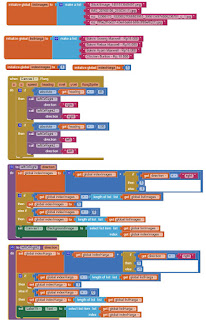
The blocks are as follow:
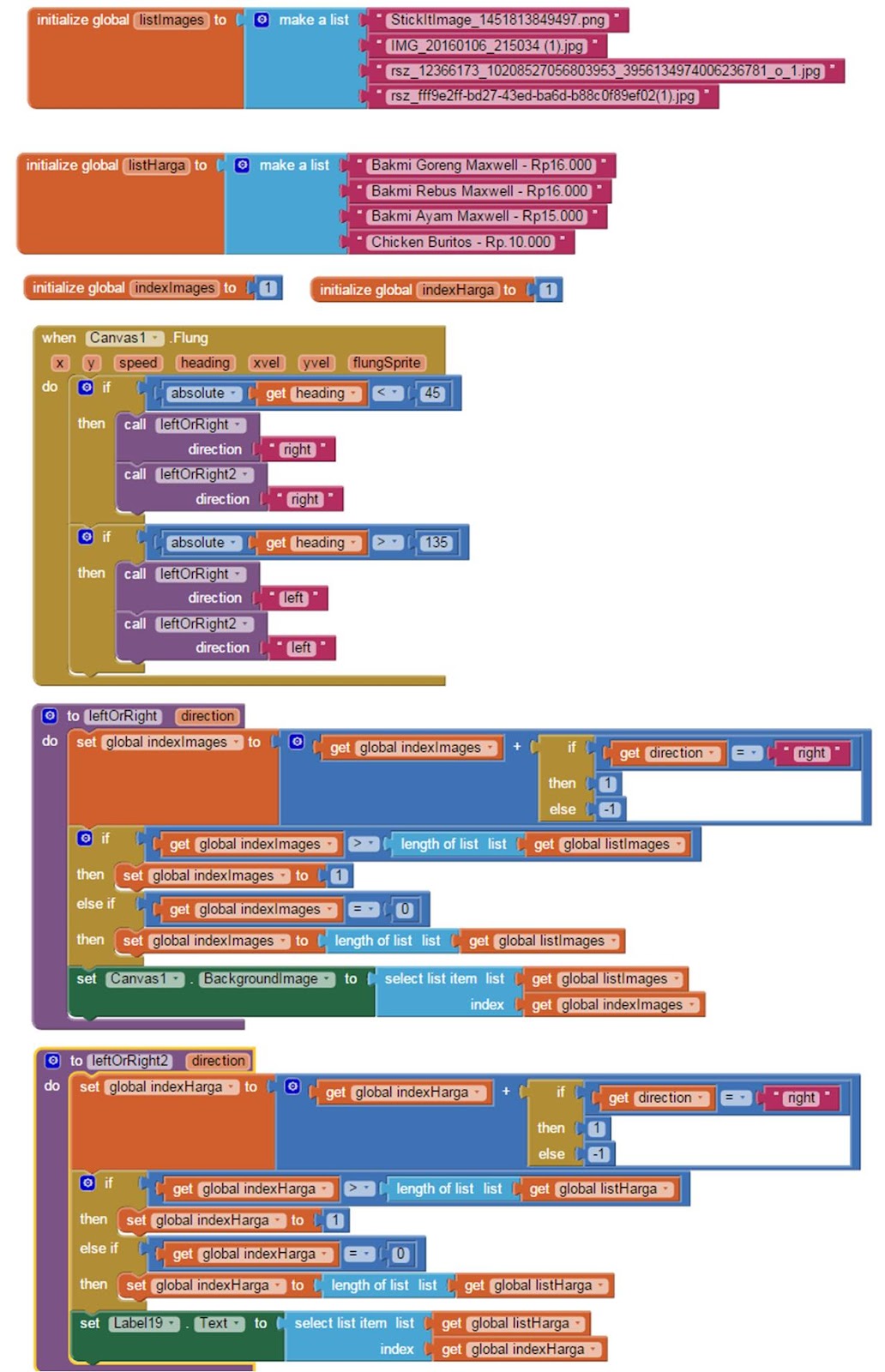
Now I am so happy, thank you Taifun, ABG, and Scott for your great suggestion. You all are my great mentors!
Taifun
Jan 17, 2016, 10:20:02 AM1/17/16
to MIT App Inventor Forum
as already said earlier, you only need one index, which would avoid redundancy
Taifun

Dea Avega Editya
Jan 17, 2016, 10:31:44 AM1/17/16
to MIT App Inventor Forum
Thank you Steve for your advice. Really kind of you guys!
Reply all
Reply to author
Forward
0 new messages