
Help! .OSM convert to .map problem

kevin...@gmail.com
Hello everybody,
Help!
I was trying to convert .osm map file to .map map file.
I was followed the follow below guide link: How to create your own offline maps
https://github.com/cgeo/cgeo/wiki/How-to-create-your-own-offline-maps
Download the latest version of Osmosis , and put in folder c:\osmosis
Download the mapsforge-map-writer-0.4.0-SNAPSHOT-jar-with-dependencies.jar, and put in folder C:\osmosis2\lib\default
Download a map file (.osm.bz2) from cloudmade guangdong.osm.bz2, and unzip in folder C:\osmosis
Created file osmosis-plugins.conf (org.mapsforge.map.writer.osmosis.MapFileWriterPluginLoader) in folder C:\osmosis\config
Cmd input
I am working on a Windows 7 machine.
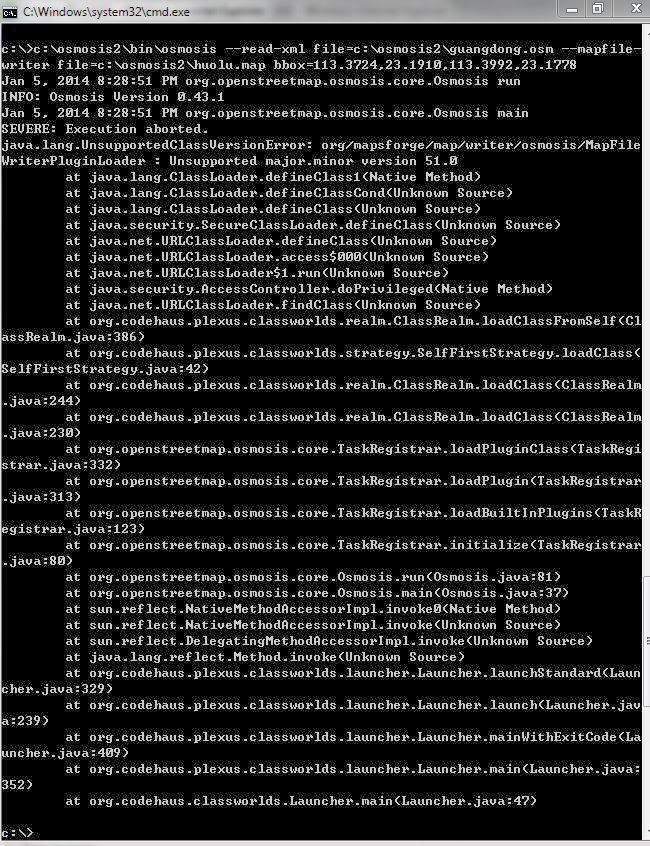
I’ll appreciate if anybody can help to point me to the workable Osmosis software and mapsforge-map-writer jar. Details how-to or a detail convert example will be the best.
My email address: kevin...@gmail.com

emux
This exception indicates lower Java during run than Java during compile.
Which Java are you using for running osmosis?
From its Notes: The minimum supported Java version is 1.6
Best regards, Emux
https://play.google.com/store/apps/details?id=gr.talent.cruiser
kevin...@gmail.com
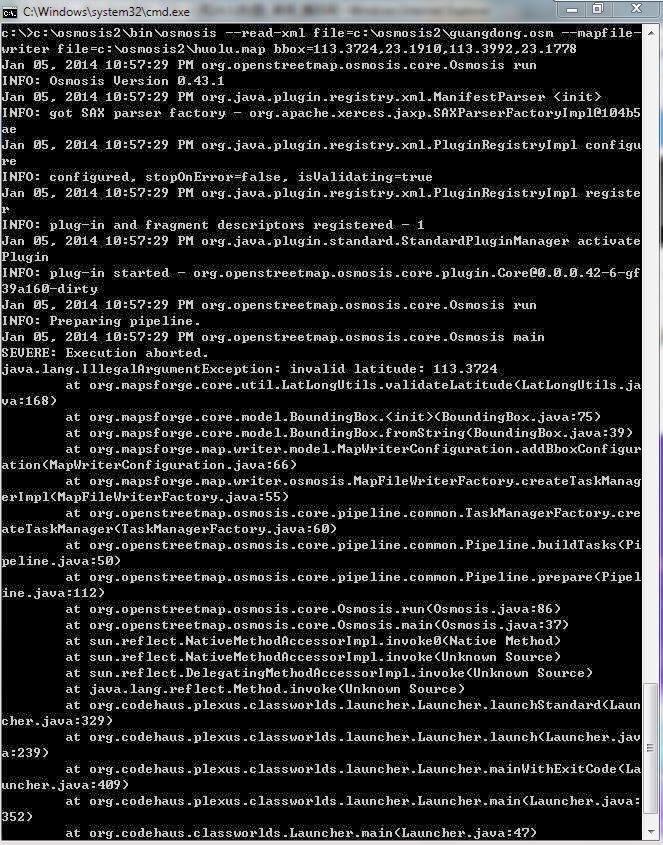
在 2014年1月5日星期日UTC+8下午10时07分52秒,emux写道:
emux
The correct coordinates order is bbox=minLat,minLon,maxLat,maxLon
http://code.google.com/p/mapsforge/wiki/GettingStartedMapWriter
kevin...@gmail.com
Thank you very much.
Done.
One more question.
I was tried to add my trail line and point information into openstreetmap cycle map, and download .OSM file, and then convert to .map file.
Checked for the .map file, the cycle line contour (line) and trail line were disappear.
How to convert the .osm file to .map, including contour (line) and trail line?

Best regards, Kelvin
emux
If I understand correctly you have already added some custom vector data to OSM file and then you want to convert it to map file?
This new data has OSM typical tags, or your own ones?
In that case you have to use a custom tag-mapping.xml file, just copy the original and add your new custom tags.
Then of course you have also to use a custom render theme, again copying the original and adding your custom tags.
kevin...@gmail.com
emux
A valid osmosis command is:
osmosis --rx file=country.osm --s --mw file=country.map type=hd bbox=minLat,minLon,maxLat,maxLon map-start-position=lat,lon map-start-zoom=zoom preferred-language=language tag-conf-file=tag-mapping.xml
where you change the country name with your preferable area with the relative bbox, map-start=position, map-start-zoom parameters.
And depending on your input vector type (osm / pbf) you use --rx=country.osm or --rb=country.osm.pbf as input parameter.
You can read more at: http://code.google.com/p/mapsforge/wiki/GettingStartedMapWriter
specifically the "Defining a Custom Tag Mapping via XML" where you can find the default tag mapping
http://code.google.com/p/mapsforge/source/browse/mapsforge-map-writer/src/main/config/tag-mapping.xml.
The role of tag-mapping.xml is to guide map writer to what map objects from the osm/pbf file to include and at what zoom levels.
If you don't specify a tag-mapping.xml then the default one is used. That's sufficient for official OpenStreetMap osm/pbf files.
But if you have a custom osm file for input then probably there are in it some custom vector objects with tags that are not described by OpenStreetMap.
Then you must feed the map writer with a custom tag-mapping.xml file describing in it also that tags, else the custom vector objects will be omitted at map creation.
After that you have also to use a new render theme, like the default one adding in it your previous custom tags.
You can read more at: http://code.google.com/p/mapsforge/wiki/RenderThemeAPI
and the default render theme at http://code.google.com/p/mapsforge/source/browse/mapsforge-render-theme/src/main/resources/osmarender/osmarender.xml