
Installing ReplicatorG0040r10 Sailfish and PYPY on Windows XP32 SP3
449 views
Skip to first unread message

Enginwiz
Mar 9, 2013, 8:11:02 AM3/9/13
to make...@googlegroups.com
Today I downloaded ReplicatorG0040r10 for Windows (Thing 32084) from Thingiverse.

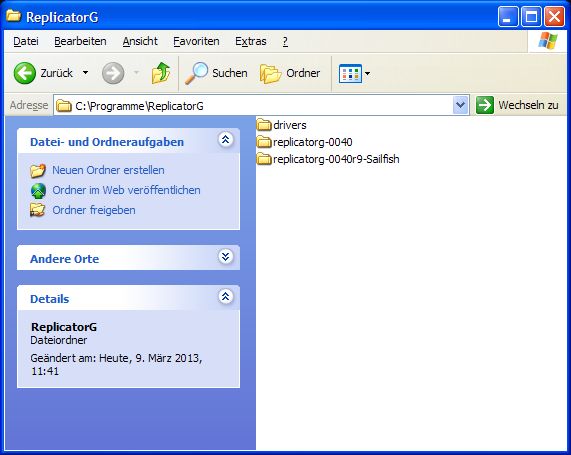
After unpacking the ZIP-File I found ReplicatorG0040r9 instead of r10 inside.
Is this a wrong link or an old package on Thingiverse?
Anyway I copied the complete folder replicatorg-0040r9-Sailfish into
C:\Programme\ReplicatorG where different versions of ReplicatorG
sit in different subfolders.
After clicking on ReplicatorG.exe I get the following Java error:
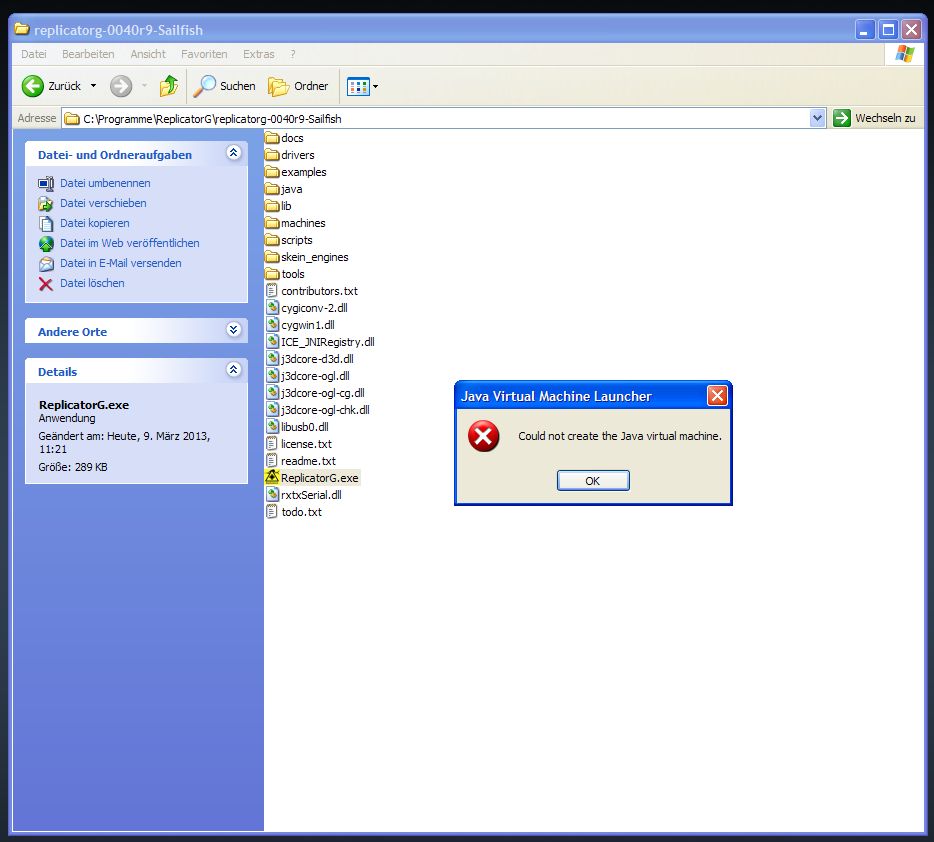
The standard version of ReplicatorG0040 in the parallel folder C:\Programme\ReplicatorG\replicatorg-0040 just starts up normally and works perfectly.
I used ReplicatorG0040r5 from the Sailfish project previously and never had a problem with it. Anybody having an idea?
To speed up slicing I installed Repetier Host for windows, which includes an installation of Pypy. Repetier host runs without a problem.
Then I switched ReplicatorG0040 (non Sailfish) to pypy.exe in the Repetier host directory via the advanced preferences menue.

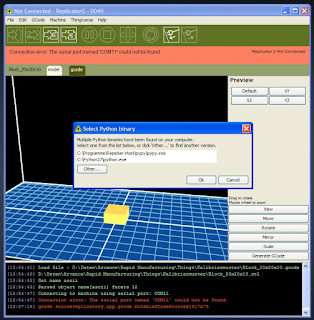
ReplicatorG0040 accepts this setting. After starting slicing the next part ReplicatorG asks to select the Python version
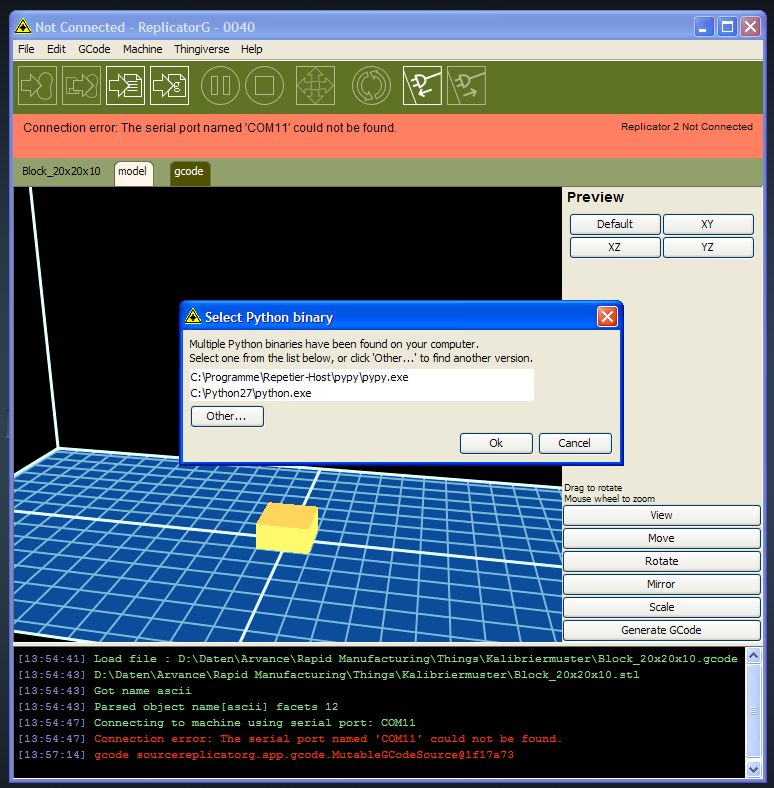
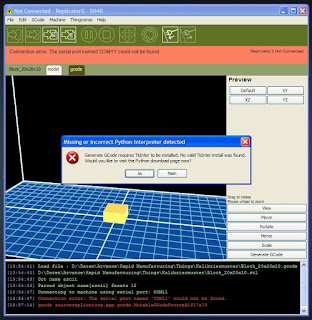
Selecting Pypy leads to an error message requiring to install Tkinter, the GUI of Python.

After I downloading and installing Tkinter I still get the same error message.
How and where do I have to install Tkinter to get rid of this error message?
Message has been deleted

Dan Newman
Mar 9, 2013, 10:55:37 AM3/9/13
to make...@googlegroups.com
On 9 Mar 2013 , at 5:11 AM, Enginwiz wrote:
> Today I downloaded ReplicatorG0040r10 for Windows (Thing 32084) from
> Thingiverse.
>
> After unpacking the ZIP-File I found ReplicatorG0040r9 instead of r10
> inside.
> Is this a wrong link or an old package on Thingiverse?
main window title that it is r10.
The Java error is an environmental issue of some sort on your machine.
I don't know what exactly; I don't use windows. However, it's preventing
Java from running with the switch "-Xmx 1.4g" specified. It'll allow Java
to run with "-Xmx 750m". (1.4 GB vs. 750 MB.) My guess is that it has
something to do with the maximum page file size your system is configured
to have. It certainly works fine on the XP SP3 - Win 7 64bit systems I've
tried but they all have at least 2GB of page file.
You can try the RepG 40r11 build I posted the URL to in the jetty-firmware
group (where questions such as this belong). It has two RepG executables:
one for 750MB and one for 1.4GB. (And the folder name may say r10 even though
it's r11.)
As to setting up pypy, I'll leave that for Windows users to answer.
Dan
Dan Newman
Mar 9, 2013, 10:59:31 AM3/9/13
to make...@googlegroups.com
On 9 Mar 2013 , at 7:25 AM, Jetguy wrote:
> You kinda of missed it the NOBODY has gotten PYPY on WINDOWS working
> with REP-G.
>
> WE ALL WOULD LOVE TO DO THIS, but it simply does not works and lots of
> people have tried.
>
> It's most likely, a hard coding in Replicator-G somewhere that does
> not dynamically update to look in the pypy installation for Tkinter.
> In other words, the major link to a python interpreter works but for
> whatever reason, the path is wrong for Tkinter.
> In order to fix it, likely, you must custom compile rep-g from source
> after fixing this hard link in the code. FYI Tkinter is what makes the
> gui interfaces come up when using SF to generate gcode. It's all about
> relative paths.
If anyone actually find something which needs be done different in
RepG, be sure to post it. Neither Jetty nor myself use Windows so it's
not something we're going to be in a position to figure out.
Dan
Enginwiz
Mar 9, 2013, 11:10:20 AM3/9/13
to make...@googlegroups.com
Hello Jetguy,
obviously ReplicatorG and Pypy work together quite well on on a Mac.
I just wanted to give Pypy and ReplicatorG another try on Windows.
Repetier Host includes Pypy in its installation package and
after a super easy installation skeinforge gets turbo boosted by Pypy.
Why not ReplicatorG?
Maybe someone with better programming skills than me
might be able to fix the wrong path settings for Pypy in ReplicatorG for Windows.
A lot of RepG users running windows would very much appreciate it.
Enginwiz
Mar 9, 2013, 11:43:30 AM3/9/13
to make...@googlegroups.com
Hello Dan,
On the same Windows machine RepG 40r05 worked quite well.
It is an old Dell Precision CAD workstation with a lot of
engineering software on it. Might easily be some conflict.
I will try out RepG 40r11 and post the results in the Jetty firmware group.
Thank you for your advice and all the software improvements.

xenogea...@gmail.com
Mar 19, 2013, 5:23:29 PM3/19/13
to make...@googlegroups.com
I just came across these instructions today hoping to find a solution. Nice to know at least one person has done this successfully. Has anyone else tried this? I think I'll try it tonight to see if it works.
I was also thinking of making an Ubuntu VM on my Win 7 machine using VirtualBox so I could use pypy with tkinter and replicatorg, but if this works I might not need to. (But I may as well do that anyway for fun!)
On Sunday, March 10, 2013 2:13:26 PM UTC-7, Kyle Scholz wrote:
I was also thinking of making an Ubuntu VM on my Win 7 machine using VirtualBox so I could use pypy with tkinter and replicatorg, but if this works I might not need to. (But I may as well do that anyway for fun!)
On Sunday, March 10, 2013 2:13:26 PM UTC-7, Kyle Scholz wrote:
I use pypy and ReplicatorG on Windows 7. You'll need to compile Tkinter. Good instructions at the bottom of this post:

DronE Pump
Mar 19, 2013, 7:29:37 PM3/19/13
to make...@googlegroups.com
You have a better chance of getting pypy and RepG working on Ubuntu than Win7. I run a dual boot machine and I currently use Pypy on my Kubuntu install anturally enough, since it is a linux base, there are no issues with geeting it to run.
Now on the Win7 64b install - I installed Python 2.7.2 and I have numerouus diostributions of C++ (including the necessary 2008 for these purposes which will contain a batch file you will need) I followed the original Stack overflow problem solution and ended up using the Activestate packages together with the pypy files to cover of the necessary TKInter/Tclk addons - To cut the story short you will find that when you try to generate Gcode (after successfully going through all the installation steps to get pypy running on the Win7 install - and I did) RepG will issue an input box asking you to point it to the python interpreter you want to use. You will be offered two choices (ususally) 1) the python install 2) the pypy install. When you chose he pypy option, RepG will invariably float off to never never land and keep you waiting indefinately. So when you restart RepG and choose the python option, well you are back to using the original setup so nothing gained here.
I have all the available (and supposedly appropriate) python/pypy/tclk/tkinter files and these (as Jetguy pointed out) do not constitute a working combination.
I have not entirely given up on assembling a reliable Windows suite for pypy - I am currently preparing a "clean" install for Win7 as a forced experiment because RepG crashed during a 6 hour slicing exercise and pretty much trashed itself to the point that no amount of re-installation would get it going again (some file handle got left on and would not clear). Even after precautionary re-installs of JRE and C. I guess when you end up with 16 versions of C redistributablesyou start to get a little twitchy about the stability of the environment(s). So when I sort the problem out with pypy and RepG I will post the package that actually works for windows in a single Zip.
Enginwiz
Mar 20, 2013, 10:00:28 AM3/20/13
to make...@googlegroups.com
Hello Kyle,
CONGRATULATIONS !
What you just posted is a major milestone for the windows version of ReplicatorG !
Would you be willing to Zip your compiled version of PyPy together with Tkinter and the modified ini-files and post it as a Thing on Thingiverse?
The Mac version of PyPy initially required the same complicated procedure with Tkinter in fall 2012.
Then somebody put together a pre-compiled package and since then we have a one step solution for Mac users.
A lot of people in this user group would appreciate to use a simmilar easy-to-install solution for Windows.
Robert
Reply all
Reply to author
Forward
0 new messages