
CAD (Inventor) Question
489 views
Skip to first unread message

Hammerhead
Sep 22, 2013, 11:10:02 AM9/22/13
to make...@googlegroups.com
Hey, guys. Need a quick bit of help.
Managed to get a copy of Autodesk Product Design Suite Ultimate 2013 which includes Inventor Pro.
I'd like to manipulate a few .STLs from Thingiverse by applying different functions such as stretching in one or two dimensions, smoothing/simplifying the model and in one case, boring a hole through a model.
For some reason, I can't seem to get the program to do what I want. For example when attempting to apply a hole through a given model in question, the program returns an error saying: "Unable to create hole. The selected model has no volume." I thought that it might be because the model in question needs to be 'repaired', but I can't seem to find or apply that function to the .STL file, either.
Hope one of y'all can help.
Thanks in advance!
Managed to get a copy of Autodesk Product Design Suite Ultimate 2013 which includes Inventor Pro.
I'd like to manipulate a few .STLs from Thingiverse by applying different functions such as stretching in one or two dimensions, smoothing/simplifying the model and in one case, boring a hole through a model.
For some reason, I can't seem to get the program to do what I want. For example when attempting to apply a hole through a given model in question, the program returns an error saying: "Unable to create hole. The selected model has no volume." I thought that it might be because the model in question needs to be 'repaired', but I can't seem to find or apply that function to the .STL file, either.
Hope one of y'all can help.
Thanks in advance!

DHeadrick
Sep 22, 2013, 1:56:40 PM9/22/13
to make...@googlegroups.com
STL files cannot be modified in most CAD programs (solidworks also won't do it). It shows you the part but it is more like a 3D picture of it. You can't even measure features.
DHeadrick
Sep 22, 2013, 2:01:16 PM9/22/13
to make...@googlegroups.com

Wingcommander whpthomas
Sep 22, 2013, 2:05:21 PM9/22/13
to make...@googlegroups.com
STL files cannot be modified in most CAD programs (solidworks also won't do it). It shows you the part but it is more like a 3D picture of it. You can't even measure features.
This is a good reason to learn OpenSCAD, with it you can import STL files, and slice and dice and then export - sometimes you need to clean up the output with Netfabb, but it works pretty well, and its free =)
DHeadrick
Sep 22, 2013, 2:32:21 PM9/22/13
to make...@googlegroups.com
I admit, I tried to use OpenSCAD and gave up too quickly.
Wingcommander whpthomas
Sep 22, 2013, 2:50:03 PM9/22/13
to make...@googlegroups.com
I admit, I tried to use OpenSCAD and gave up too quickly.
One trick - plan your basic geometry in a CAD program of your choosing, then translate the coordinates (by hand, of from reading the output from a DXF export) into your SCAD script. This is often the quickest way to get started. The thing I like about SCAD is that you write modular functions, and then embed them in larger objects. All these modules can have input parameters, so you can re-use a lot of your work if you put the time into designing them properly. Its nowhere as fast as GUI CAD software to work with, but for some projects the time invested in writing the procedural stuff in OpenSCAD can really pay off. Even if you do the rest of it in you regular CAD software. Its just another tool in your arsenal, but well worth the time needed to learn it.

Enginwiz
Sep 22, 2013, 3:24:32 PM9/22/13
to make...@googlegroups.com
Hello Hammerhead,
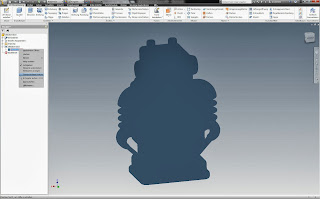
there is a free Inventor App on AUTODESK LABS to convert imported STLs into Inventor solids.
I use the Autodesk Mesh Enabler in Inventor Pro 2013 to convert STL mesh to solids.
Search for AutodeskMeshEnabler in Google and download the free app from AUTODESK LABS.
After installing the app you get an additional menu item for the conversion from stl to solid
if you right-click on a mesh.
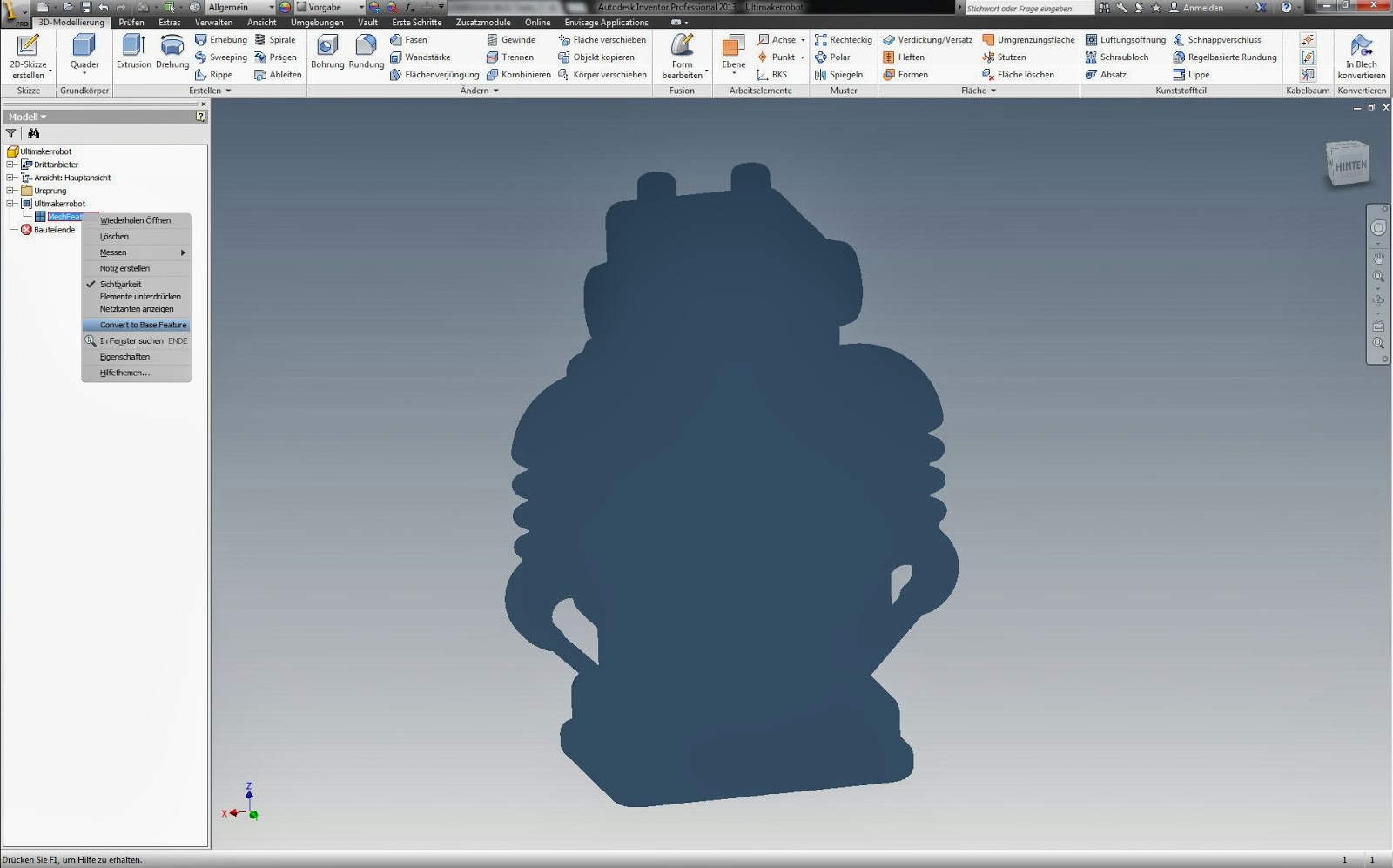
The base feature is a dumb solid that can be modified like any other solid in Inventor.
Have patience - the mesh to solid conversion takes some time.
Maybe you have to wait two or three minutes if the stl has a lot of triangles.
.
Enginwiz
Sep 22, 2013, 3:39:59 PM9/22/13
to make...@googlegroups.com
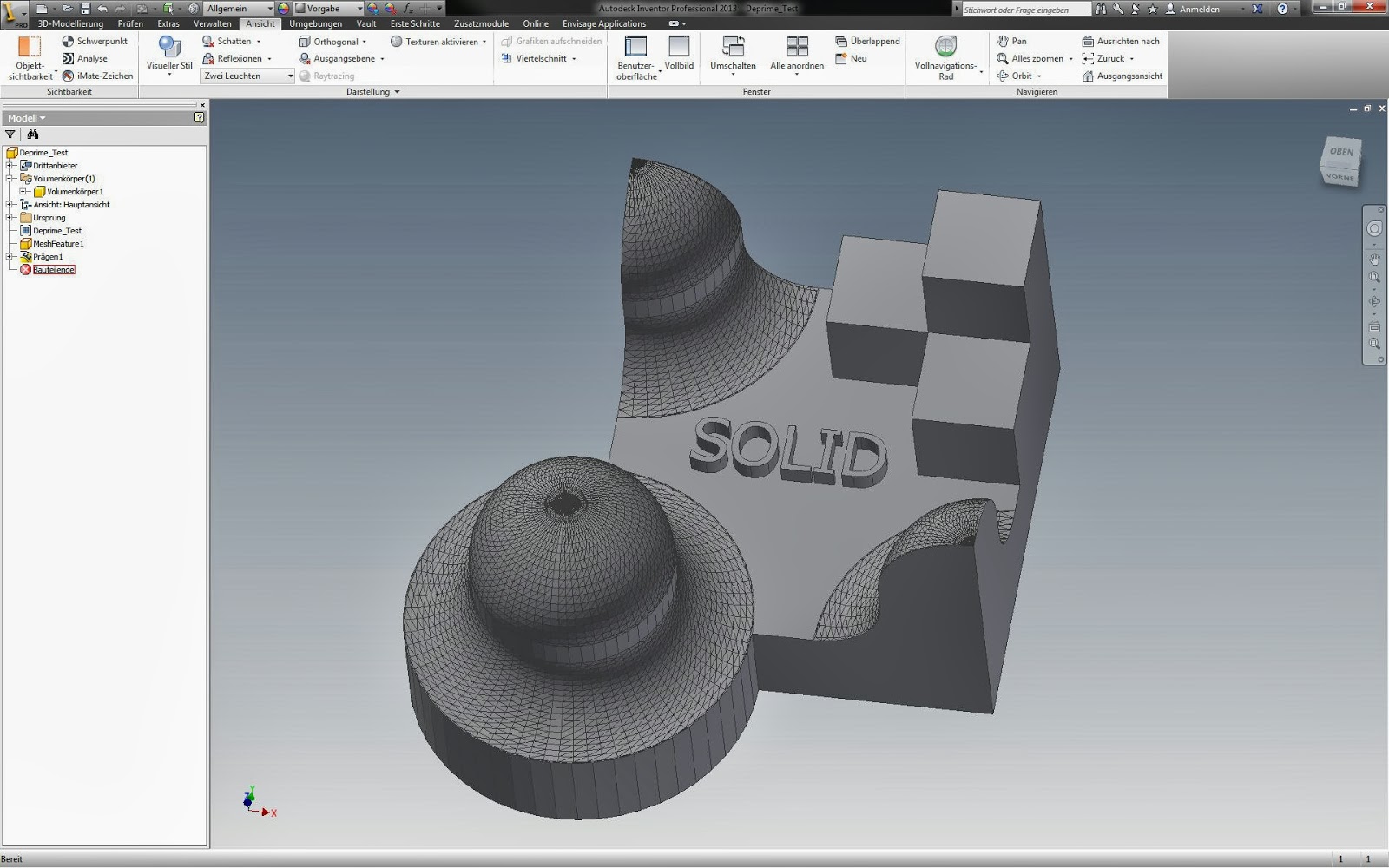
This is Wingcommanders deprime test as an Inventor .ipt file.

In the browser tree on the left side you can see the original mesh and the converted solid.
I added an extruded text on the top surface as an example for a modification.
DHeadrick
Sep 22, 2013, 10:40:36 PM9/22/13
to make...@googlegroups.com
Using a modern parametric CAD package will let you make a design table to make literally hundreds (if not thousands) of permutations effortlessly. OpenSCAD can't compare to that. The only thing I can think of where OpenSCAD might be better at is if you took input from a website (or other scripting/programming source) and dumped it into OpenSCAD to generate models.
Otherwise, if you have a CAD package, none of that is necessary. The problem is not everyone has access to this software.
Otherwise, if you have a CAD package, none of that is necessary. The problem is not everyone has access to this software.

PrettySmallThings
Sep 22, 2013, 10:48:47 PM9/22/13
to make...@googlegroups.com
Stretching a design in one or two dimensions, and boring a hole, you can tackle in tinkercad for free. Smoothing - no - but if the former are more important, fire up your web browser instead of the pro software.
Wingcommander whpthomas
Sep 23, 2013, 2:17:26 AM9/23/13
to make...@googlegroups.com
On Monday, 23 September 2013 12:40:36 UTC+10, DHeadrick wrote:
Using a modern parametric CAD package will let you make a design table to make literally hundreds (if not thousands) of permutations effortlessly. OpenSCAD can't compare to that. The only thing I can think of where OpenSCAD might be better at is if you took input from a website (or other scripting/programming source) and dumped it into OpenSCAD to generate models.
I do actually know this - and do it all the time with my professional work :| but I still find that sometimes being able to write scripts can make some stuff that is complicated to do in practice a lot easier - as I said, its a useful tool, and if you like to program, well worth the time spent learning it - there only a hand full of primitives - so its not that hard =)

bigjosh
Sep 23, 2013, 9:13:56 AM9/23/13
to make...@googlegroups.com
Any specific recommendations?
I'd love to have a tool that was a cross between TinkerCAD and OpenSCAD where you could modify either code or visual and the other would instantly update - sort of like what Visual Studio does for C#.
I am also starting to get frustrated with OpenSCAD's language limitations on complex models. I'd love to have a tool with a real language where you could, say, pass functions or objects as parameters (rather than just numbers like in OpenSCAD).
Know any tool like this?
What do you use?
Thanks!
I'd love to have a tool that was a cross between TinkerCAD and OpenSCAD where you could modify either code or visual and the other would instantly update - sort of like what Visual Studio does for C#.
I am also starting to get frustrated with OpenSCAD's language limitations on complex models. I'd love to have a tool with a real language where you could, say, pass functions or objects as parameters (rather than just numbers like in OpenSCAD).
Know any tool like this?
What do you use?
Thanks!
Hammerhead
Sep 23, 2013, 9:34:29 AM9/23/13
to make...@googlegroups.com
This sounded like the ticket, but it's not working for me with the model I had in mind.
http://www.thingiverse.com/thing:29349/#files
I open the file, attempt to apply the 'convert to base feature' and Inventor freezes up. The window goes black, and I get the 'thinking' cursor spinnning. Eventually I have to use task manager to quit the program. Another thing that's troubling is that this utility doesn't appear in the Exchange Apps manifest, so I wonder if something went wrong somewhere. I just hope I didn't muck up my install with this thing.
Anyway, I guess I'll try something else in the meantime.
http://www.thingiverse.com/thing:29349/#files
I open the file, attempt to apply the 'convert to base feature' and Inventor freezes up. The window goes black, and I get the 'thinking' cursor spinnning. Eventually I have to use task manager to quit the program. Another thing that's troubling is that this utility doesn't appear in the Exchange Apps manifest, so I wonder if something went wrong somewhere. I just hope I didn't muck up my install with this thing.
Anyway, I guess I'll try something else in the meantime.
DHeadrick
Sep 23, 2013, 10:04:21 AM9/23/13
to make...@googlegroups.com
I'll have to give it another try :)
Enginwiz
Sep 23, 2013, 12:55:19 PM9/23/13
to make...@googlegroups.com
Hello Hammerhead,


the Inventor App just adds the conversion option to the right click menu.
On Autodesk Labs I read that this app has been developed for Stls up to 100.000 triangles.
The model you tried to import is this detailed alien skull designed in Zbrush.

Inventor or Tinkercad are not the right tools for this kind of mesh-based organic model.
In addition the STL is not one single closed mesh hull (manifold). See the red warning in Netfabb.

You have to repair it in Netfabb or Meshlab before you can print it.
The right tools to modify a highly organic model like this would
be Zbrush (the native file is on Thingiverse), Blender, Meshmixer
or 3D Studio max (you have a licence in your Design Suite Ultimate).
Meshmixer is maybe the easiest to use. I opened your model with it
and used the analyse function. This is the result.

Meshmixer has the right tools to help you close these gaps in the mesh.
Hammerhead
Sep 23, 2013, 1:44:34 PM9/23/13
to make...@googlegroups.com
Well, interestinly enough I decided to give it another try, and while doing so got a phone call. About a half hour later, the conversion was complete, so I guess I just didn't allow enough time. That said, I hear what you're saying on the repair. Is that something that 3DS would do, or am I looking at having to download and install Meshimixer or Netfabb? I try to limit the amount of stuff I install on any machine, and prefer to use what I have over additional tools.
BTW, just one last thing... getting back to the Exchange app not being present in the manifest, is that anything I need to worry about? Will there be any negative performance impact to Inventor by having this in there, or should I revert to a previously saved drive image just to be on the safe side?
Thanks!!!
BTW, just one last thing... getting back to the Exchange app not being present in the manifest, is that anything I need to worry about? Will there be any negative performance impact to Inventor by having this in there, or should I revert to a previously saved drive image just to be on the safe side?
Thanks!!!
Enginwiz
Sep 23, 2013, 4:27:32 PM9/23/13
to make...@googlegroups.com
I am using this Inventor app for three month now and had no problems with it.
The conversion takes some time, but I like to have a solid in Inventor that
can be integrated into assemblies or modified as needed with every tool available in Inventor.
The conversion takes some time, but I like to have a solid in Inventor that
can be integrated into assemblies or modified as needed with every tool available in Inventor.
Unfortunately a lot of STLs on Thingiverse are non-manifold or have holes in the surface.
Your slicing engine may produce random results or may even crash if you try to print bad models.
Netfabb Basic or the Netfabb Webservice are more or less the standard for checking and fixing STLs.
You could use the Webservice if you don't want to install Netfabb in your PC.
Hammerhead
Sep 27, 2013, 6:00:41 PM9/27/13
to make...@googlegroups.com
Just wanted to revisit this for a second.
I'm wondering what the impact will be to my system (and the Inventor app) if I install and use the Autodesk 'Mesh Enabler' after the expiration of the utility in January and what options I'd have after that expiration. If experience has taught me anything it's that 'less is more' when installing stuff on my PC is in question, and Inventor is 'demanding', so I'm reluctant to use the utility if it's going to muck up my system. Can one of youze guyz set me straight on this?
Thanks!
I'm wondering what the impact will be to my system (and the Inventor app) if I install and use the Autodesk 'Mesh Enabler' after the expiration of the utility in January and what options I'd have after that expiration. If experience has taught me anything it's that 'less is more' when installing stuff on my PC is in question, and Inventor is 'demanding', so I'm reluctant to use the utility if it's going to muck up my system. Can one of youze guyz set me straight on this?
Thanks!
Enginwiz
Sep 28, 2013, 1:14:44 AM9/28/13
to make...@googlegroups.com
There is a forum for the Mesh Enabler on Autodesk.com.
http://forums.autodesk.com/t5/Inventor-Mesh-Enabler/bd-p/501
You might get an official answer from Autodesk there.
Reply all
Reply to author
Forward
0 new messages