
Slicer Comparison - Makerware 2.2.0 vs KISSlicer pro 1.1.014 vs Simplify3D Creator 1.1.5 printing on a Replicator 2
5,335 views
Skip to first unread message

Enginwiz
Sep 21, 2013, 4:38:07 PM9/21/13
to make...@googlegroups.com
To compare the slicing and print times of these three slicers at high quality settings

I selected Wingcommanders FAST SUPER FINE profile in KISSlicer. This profile slices at
a layer height of 0,09 mm (90 micron) and uses stacked infill at 0,27 mm (270 micron).
Printing three sets of perimeter and shell at 90 micron and then one pass of 270 micron infill
speeds up printing considerably. The downside is that PLA has very little cooling time
when subsequently three layers of perimeter and shell are printed onto each other.
Makerware 2.2.0 and Simplify3D Creator 1.1.5 currently don't offer stacked infill.
In both slicers a 90 micron profile with 20% infill printed each layer was set up.
All three slicers were configured for one outer perimeter and one shell inside the perimeter.
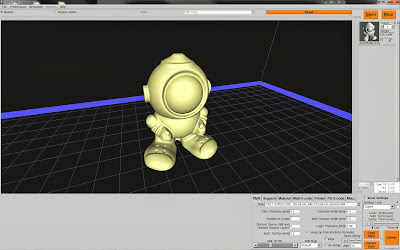
The test model sliced and printed is an Astrobot http://www.thingiverse.com/thing:30420
Comparison of slicing speed and X3G file creation time:
Simplify3D Creator 1.1.5 + GPX 1.2: Slicing 5 seconds / X3G file creation 19 seconds / total: 24 seconds
KISSlicer pro 1.1.014 + GPX 1.2: Slicing 13 seconds / X3G file creation 15 seconds / total: 28 seconds
Makerware 2.2.0 + Conveyor: 28 seconds / X3G file creation 45 seconds / total: 73 seconds
KISSlicer and Simplify3D Creator use all cores on a multicore cpu for parallel slicing. This really cuts down the slicing time.
GPX converted Gcode to X3G about three times is faster than Conveyor.
Comparison of print time:
Simplify3D Creator 1.1.5 + GPX 1.2: 139 minutes
KISSlicer pro 1.1.014 + GPX 1.2: 55 minutes
Makerware 2.2.0 + Conveyor: 118 minutes
The speed settings for the perimeter was 40 mm/s in all the three slicers.
Infill, bottom layers and inner shell were slightly different. The speed settings
in Simplify3D Creator 1.1.5 for infill were a bit lower and this shows in a
longer printing time compared to Makerware. KISSlicer finished first due to
the very efficient stacked infill printed only every third layer.
Comparison of print quality:
left: KISSlicer / middle: Makerware / right: Simplify3D Creator

On the left KISSlicer print some ringing and a bit of stringing is visible on the helmet.
also the bottom of the belly is a bit rough. The radial fan blowing onto the model
nearly reached its limit to get the rapidly printed PLA cool. I will consider slowing
down simmilar prints to 90% or 95% with the speed change function in sailfish
to ensure proper layer cooling during the print. The KISSlicer print has a nearly invisible
zipper on the back. For the short print time the print quality is pretty good.
The 270 micron infill is very rigid. This could be an advantage for high quality parts that also have
requirements for increased mechanical stability.
The Makerware print in the middle came out quite beautiful. It has a nearly invisible zipper on the left
front side. You have to know where to look for it. Linear infill printed reliably at 90 microns.
The Simplify3D Creator print on the left side has no zipper. The random start option in
Simplify3D Creator evenly distributes the start and end point of the visible outer perimeter
around the whole body. The surface of the helmet is very smooth and looks slightly better
than in the other two prints. The longer print time indicates that the overall print speed was
the lowest of the three. The speed settings in my profiles for Simplify3D Creator are
obviously lower than in Makerware and could need some tuning to improve the print time.
Linear infill also printed reliably at 90 microns.
Summary:
Simplify3D Creator has the fastest slicing engine.
KISSlicer pro wins the print speed challenge with stacked infill.
Makerware provides a good balance of print speed and print quality.
GPX converts gcode to X3G faster than the Conveyor service of Makerware.

funmakerbart
Sep 21, 2013, 11:06:33 PM9/21/13
to make...@googlegroups.com
Very nice test! Thanks!
As Kisslicer fan, I was wondering about that seam. On the Style tab there are two settings: one to random start each layer on a different spot (when set to 360 degrees), and one to influence the depth of that seam.
Have you tweaked that setting as well? I never tested that myself, so I was curious about it.
You probably know already, Skeinforge, used with ReplicatorG has a similar function for stacking. Same for Slic3r (Infill every N layers).
Maybe you don't use Slic3r, but I'm curious as well how Slic3r compares to the other slicers.
And not the least: which firmware did you use? I assume Sailfish?
Bart

Wingcommander whpthomas
Sep 22, 2013, 2:39:38 AM9/22/13
to make...@googlegroups.com
Thanks Enginwiz,
that is a great comparison test, I think with some tuning, you can bump the quality of Kisslicer, I am still experimenting =)

Clinton Hoines
Sep 22, 2013, 3:06:16 AM9/22/13
to make...@googlegroups.com
You guys should throw Cura into your tests, I've been getting pretty nice prints with it.
As long as you don't need support, it also has the option of repairing files in a few ways which works really nice.
As long as you don't need support, it also has the option of repairing files in a few ways which works really nice.
Enginwiz
Sep 22, 2013, 4:41:06 AM9/22/13
to make...@googlegroups.com
The printer used for this test is a Replicator 2 running Sailfish 7.4 (r1062).
Bottleworks aluminium arms and a massive 3/8" glass plate provide a solid print surface.
All print files were on a SD-card. No USB cable was pluged in during the tests.
For some of my large prints skeinforge needs one hour or more for slicing.
This is the reason I am testing the high speed slicers that can create x3g-files
the Replicators simply will print off the SD-card without futher trouble.
There is always a tight deadline when I recieve a print job from a customer.
For my last print job I recieved the CAD file around 5 p.m. and they needed
the printed part the next morning for a presentation.
Cura could also be a promising canidate. Daid has been developing his
new slicing engine for Ultimaker quite a while. By the way - the new Ultimaker 2
officially released last Friday looks really nice. Nevertheless I am still sceptical
about the retraction precision of a bowden type extruder. This led to the decision
to buy a Replicator type printer with a direct driven extruder on top of
the gantry instead of an Ultimaker last year. What I really didn't expect
was that Makerbots plunger based extruder drive did not work reliably for PLA ...
Funmakerbart - where can I find the switch for random perimeter start on the style tab in KISSlicer?

Somehow there is Seam hiding and Jitter but no random start option in my KISSlicer pro version.
funmakerbart
Sep 22, 2013, 10:17:28 AM9/22/13
to make...@googlegroups.com
Actually I thought it's the jitter setting. The tooltip says something about " randomly spreading the start point of each loop". So with 0 degrees it's on the same spot (shortest travel I presume) and with 360 degrees it can be on each spot of the loop.
But I never tested it with two objects, so maybe you have other findings.
Bart
funmakerbart
Sep 22, 2013, 10:45:57 AM9/22/13
to make...@googlegroups.com
Henri, I never reacted on your great post-process GPX converter, but a HUGE thank-you for it, not the least because it makes the step for a lot of people easier to try other slicers!
Enginwiz, great you did this test using GPX! When I try to help people with Kisslicer, there are a lot of them not fully understanding how and why Gcode have to be copied to ReplicatorG. Using GPX makes it a lot easier.
As for Replicator 1 (dual) users, I try to help on the Kisslicer forum with some tips and settings:
http://kisslicer.com/forum/index.php?topic=443.msg3231#msg3231 (tips and some older settings)
http://kisslicer.com/forum/index.php?topic=863.0 (updated settings and more tips about dual printing with different materials)
I have being trying to get a Beaglebone Black working as a 3D printer host (first step: with LinuxCNC), not so easy as a LinuxNOOB: Henri: can't you do it, you have the skills and the looks ;-)
Bart
funmakerbart
Sep 22, 2013, 10:47:04 AM9/22/13
to make...@googlegroups.com
Clinton, do you have some settings for Cura and the Replicator to share?
Bart
funmakerbart
Sep 22, 2013, 11:53:25 AM9/22/13
to make...@googlegroups.com
Thanks!
Worked great! I didn't Know Cura does 'instant' real time rendering when the view set on 'layers'? Looks amazing! That overhang detection too! I thought it was a slicer from the dark Middle Ages ;-)
For a first impression: it's really fast, even faster then Kisslicer: when you load a model in Cura it's actually sliced before you even have the change to touch a setting.
Do I understand correctly that there is no support generation and no dual extruder possibility?
About the Cura settings: in the start Gcode you use the old coordination system? I saw there is a token like KS:
M109 S<BEDTEMP> T0 (set HBP temperature)
Are there more Cura tokens, or is it a KS copy?
I thought there is now a dual extruder setup for Ultimaker: I don't see any extruder Change Gcode, or is that standard Reprap T0 / T1 without M108? Or do I need another Cura for dual prints?
But thanks for pointing to Cura!
Bart
funmakerbart
Sep 22, 2013, 12:15:36 PM9/22/13
to make...@googlegroups.com
Sorry, in a posting mood ;-)
I just found the Cura setting in the Preferences for the number of extruders. It gives extended possibilities to define the support with the other extruder. Only: it's not generating Gcode anymore with me anymore (nothing to see under the view 'layers'). Even when returning to your settings and the same model leaves the 'layer' view empty. So it seems I was able to brake this nice slicer within the hour...
Restarting the Mac as if it was a Windows box now...
Bart
Clinton Hoines
Sep 22, 2013, 1:12:35 PM9/22/13
to make...@googlegroups.com
Broke it already? Lol
Yes the start and end gcode is just a copy paste paste from Kisslicer,, just easy that. ;)
You can generate support structure just isn't very good IMO. If you go into the advanced or expert settings you can define all the support,brim etc settings.
Yes the start and end gcode is just a copy paste paste from Kisslicer,, just easy that. ;)
You can generate support structure just isn't very good IMO. If you go into the advanced or expert settings you can define all the support,brim etc settings.
funmakerbart
Sep 22, 2013, 1:33:22 PM9/22/13
to make...@googlegroups.com
I found it ;-)
BTW, it turned out that Cura is sensitive about stl's. When letting it convert to amf files it started to generate the toolpath again. The support can be generated for the second extruder apparently.
I found the dual printing function as well (after setting it in preferences and: after loading two stl's , right click on the platform let it merge for dual extrusion. Of course convert it to amf and reload it.
After that it generates the dual Gcode, only just with T0 and T1 extruder change. The replicator needs M108 T0/1, maybe there is a setting somewhere to change it, but otherwise it has to be postprocesd (Henry?)
But probably more problematic: it's not bookkeeping the E values for the extruders separately like RepG, KS and Slic3r, so the E value is adding up regardless the extruder change.
Maybe Dan has an idea about it, but I assume that's not working with Makerbot/Sailfish firmware. OTOH it's a good thing Cura isn't producing G92 commands everywhere like KS and Slic3r at the beginning.
But I'm hijacking this tread with my dual print fobie, sorry...
Bart
Clinton Hoines
Sep 22, 2013, 1:48:13 PM9/22/13
to make...@googlegroups.com
If anyone will figure out the dual print setup for our bots it'll be you. ;)
I still haven't had a real need to do dual prints so I haven't even looked into it yet. But as always post your findings if you get anywhere with it.
BTW make sure and run the start up wizard before you actually print with my profile if your using it. My settings are for 250mm Z travel.
I still haven't had a real need to do dual prints so I haven't even looked into it yet. But as always post your findings if you get anywhere with it.
BTW make sure and run the start up wizard before you actually print with my profile if your using it. My settings are for 250mm Z travel.
Enginwiz
Sep 22, 2013, 2:01:14 PM9/22/13
to make...@googlegroups.com
Hello Bart,

setting Jitter in KISSlicer to 360 degrees indeed leads to random start of the perimeter

and the zipper on the back of the astrobot is gone. Thank you for this tip.
Wingcommander whpthomas
Sep 22, 2013, 2:02:00 PM9/22/13
to make...@googlegroups.com
I have being trying to get a Beaglebone Black working as a 3D printer host (first step: with LinuxCNC), not so easy as a LinuxNOOB: Henri: can't you do it, you have the skills and the looks ;-)
Bart,
Not quite sure what you mean here?
Enginwiz
Sep 22, 2013, 2:07:18 PM9/22/13
to make...@googlegroups.com
Hello Clinton,
Thank you for your Cura settings. I downloaded your settings and can't open the .7z file.
Is this a compressed file format like a ZIP-file?
Do you use GPX with Cura or do you copy the Cura generated gcode back into ReplicatorG?
funmakerbart
Sep 22, 2013, 2:10:37 PM9/22/13
to make...@googlegroups.com
Nothing serious ;-) Just that I have problems even to understand Debian wheezy on the Beaglebone with an Plug and Play image provided by Charles Steinkuhler. It seems to me that you with your programming skills have it running in no time and even port Sailfish to it over the weekend. Don't you?
I find the project extremely interesting, but for now mostly experts are working on it, trying to understand what they are doing is shrinking my already tiny brain.
Bart
funmakerbart
Sep 22, 2013, 2:19:11 PM9/22/13
to make...@googlegroups.com
Hi Enginwiz,
I saved the same settings as ini file and zipped as separate file (attached) , maybe you can load it with " open profile" I assume you can unpack a zip.
Google has problems with posting of ini files it turnes out.
Bart
Clinton Hoines
Sep 22, 2013, 2:19:43 PM9/22/13
to make...@googlegroups.com
It is a Zip file just 7Zip is freeware that does the same job as WinZip or WinRar
http://www.7-zip.org/
I haven't bothered with GPX since I'm not that technically minded in software, it seems like the long way around for me. I'm sure it's not but ReplicatorG works for me and always has so I stuck with it. :)
http://www.7-zip.org/
I haven't bothered with GPX since I'm not that technically minded in software, it seems like the long way around for me. I'm sure it's not but ReplicatorG works for me and always has so I stuck with it. :)
Enginwiz
Sep 22, 2013, 2:52:39 PM9/22/13
to make...@googlegroups.com
Hello Clinton,

after installing 7zip I could open your 7z-archive and extract the gcode-file with your settings.
Slicing the UltimakerRobot in CURA worked well. The Gcode file generated by Cura created some error
messages in the GPX converter. It seems that Cura expects a heated build plate in my Replicator 2.
Unfortunately this is not the case until now, but Bottleworks already has an order from me.
So I copied the working start.gcode from KISSlicer into CURA and generated the gcode for the
UltimakerRobot again in CURA. GPX still comes up with some error messages and the
resulting x3g-file does not heat up the extruder at the start of the print. In addition the origin of
the print is not in the middle of the build plate but in the right back edge and the
X-axis reference switch gets hit during the print.
I made a screenshot of the GPX error messages and a ZIP-file with the Gcode and the X3G-file.

Do you have an idea what is going wrong here?
Clinton Hoines
Sep 22, 2013, 3:34:32 PM9/22/13
to make...@googlegroups.com
Sorry I can't help you out as I am running a Replicator dual with heated bead and dual extruders, not a Rep2. And I don't use GPX at all so I know nothing about the error your getting.
What I would do if I wanted to try this on a Rep2 is
Start with a new unedited profile.
Run the start wizard in Cura and put in your Rep2 settings, no heated bed 1 extruder etc.
Copy and paste your start and end Gcode from any other working Gcode you have generated.
Then just put in your slicing settings as you would like or try mine from the gcode file. I can take screen shots if you are unable to see the settings.
What I would do if I wanted to try this on a Rep2 is
Start with a new unedited profile.
Run the start wizard in Cura and put in your Rep2 settings, no heated bed 1 extruder etc.
Copy and paste your start and end Gcode from any other working Gcode you have generated.
Then just put in your slicing settings as you would like or try mine from the gcode file. I can take screen shots if you are unable to see the settings.
Wingcommander whpthomas
Sep 22, 2013, 3:42:33 PM9/22/13
to make...@googlegroups.com
So the
M104 T<EXT+0> S<TEMP> (set extruder temperature)
is specific to KISSlicer, it basically substitutes the temp and ext variables, so you will need to change this to
M104 T0 S230
Or some variant that Cura understands.
At the end of the script Cura is also adding a comment that contains its slicing parameters, which GPX is choking on for some reason. Probably because the line length exceeds the line length limit in the GCode standard - which GPX adheres to. GPX is complaining, but will just ignore the lines that it doesn't understand - I should probably check that it flushes to the EOL for lines where the input buffer is overrun - may be a bug.
Wingcommander whpthomas
Sep 22, 2013, 4:13:37 PM9/22/13
to make...@googlegroups.com
There was an input overflow bug - if you could call it that - in that non non-compliant gcode that exceeds the 256 character line limit in the NIST standard (I actually use 1024 bytes) was bing parsed by GPX rather than being ignored - leading to the long list of error messages you are seeing at the end of the file. I have fixed this by adding buffer overflow detection, which just reports a warning and skips the rest of the line. This bug fix will be in the next release.
Wingcommander whpthomas
Sep 22, 2013, 4:16:33 PM9/22/13
to make...@googlegroups.com
Also, you can ignore the M109 error messages, GPX checks to see if you have an HBP in your machine definition, and if you don't it doesn't include those commands in the output, but it warns you what its doing, so that at least you know what is going on.
Enginwiz
Sep 22, 2013, 4:45:42 PM9/22/13
to make...@googlegroups.com
Hello Henry,
Thank you for analyzing the error messages created by the CURA gcode.
I will wait with using CURA until the next version of GPX is available.
My next item on the tryout list is the support modification technology in
Simplify3D Creator. Getting at least some manual control over the support structure
would be a big advantage. I want to reduce waste and cleanup after printing
as far as possible.
Wingcommander whpthomas
Sep 26, 2013, 1:48:32 AM9/26/13
to make...@googlegroups.com
I managed to sort the issues with slicing with Cura out, the solution is posted here https://groups.google.com/forum/#!topic/gpx-converter/LBFZgCDg6yg
Clinton Hoines
Sep 26, 2013, 2:02:09 AM9/26/13
to make...@googlegroups.com
Good to hear you worked it out, never heard back from my email on that. ;)
The plugins go in the Cura plugin folder for Windows located in the Cura install directory, if it's a true plugin for Cura?
The plugins go in the Cura plugin folder for Windows located in the Cura install directory, if it's a true plugin for Cura?
BruceA
Jan 23, 2014, 8:18:27 PM1/23/14
to make...@googlegroups.com
I have the same problem with Cura. I notice that there was not a reply to this problem. Does any body have any Ideas as to why this might be happening?. I wiuld like to try Cura but until it wants to print on my bed plate and not off it in the corner this I can not give it a go.
In addition the origin of the print is not in the middle of the build plate but in the right back edge and theX-axis reference switch gets hit during the print.
Clinton Hoines
Jan 23, 2014, 8:36:33 PM1/23/14
to make...@googlegroups.com
I had to set Cura to think the replicator was a Rostock 0,0. I'm guessing because the home offsets are part of the Sailfish firmware, not 100% on that but it worked perfectly once I did that so left it alone.

Dan Newman
Jan 23, 2014, 8:40:55 PM1/23/14
to make...@googlegroups.com
On 23/01/2014, 5:18 PM, BruceA wrote:
>
> I have the same problem with Cura. I notice that there was not a reply to
> this problem. Does any body have any Ideas as to why this might be
> happening?. I wiuld like to try Cura but until it wants to print on my bed
> plate and not off it in the corner this I can not give it a go.
Have you posted over in the Cura forum in Ultimaker-land,
>
> I have the same problem with Cura. I notice that there was not a reply to
> this problem. Does any body have any Ideas as to why this might be
> happening?. I wiuld like to try Cura but until it wants to print on my bed
> plate and not off it in the corner this I can not give it a go.
http://umforum.ultimaker.com/
Daid, the author of Cura is fairly responsive and reads those forums as
well as the Ultimaker group at groups.google.com. About a year ago, he
tried responding to some Cura questions in this forum, makerbot-...@groups.google.com.
However, MBI never approved his postings and so he gave up. (Daid works for
Ultimaker since ~October 2012. Presumably, MBI didn't want Ultimaker employees
posting here, even if to help Makerbot owners use open source software.)
Dan
Dan Newman
Jan 23, 2014, 8:43:47 PM1/23/14
to make...@googlegroups.com
plane. Makerbot slicers use (0,0) as the origin (center of your build
plate). Some other slicers assume that one extreme corner of your build
plate is (0,0) and make the center be the point (width / 2, height / 2).
For example slic3r assumes a 200 mm by 200 mm build plate and makes the
center of the build plate be (100 mm, 100 mm). To get slic3r to play
well with Makerbots, you have to tell it that the center is (0, 0).
Dan
Bruce A
Jan 24, 2014, 2:44:52 AM1/24/14
to make...@googlegroups.com
I posted the same as the message I posted here Every time I try it says I have banned words in my post and will not accept it ????
On 24 January 2014 12:40, Dan Newman <dan.n...@mtbaldy.us> wrote:
On 23/01/2014, 5:18 PM, BruceA wrote:Have you posted over in the Cura forum in Ultimaker-land,
I have the same problem with Cura. I notice that there was not a reply to
this problem. Does any body have any Ideas as to why this might be
happening?. I wiuld like to try Cura but until it wants to print on my bed
plate and not off it in the corner this I can not give it a go.
http://umforum.ultimaker.com/
Daid, the author of Cura is fairly responsive and reads those forums as
well as the Ultimaker group at groups.google.com. About a year ago, he
tried responding to some Cura questions in this forum, makerbot-operators@groups.google.com.
However, MBI never approved his postings and so he gave up. (Daid works for
Ultimaker since ~October 2012. Presumably, MBI didn't want Ultimaker employees
posting here, even if to help Makerbot owners use open source software.)
Dan
--
You received this message because you are subscribed to a topic in the Google Groups "MakerBot Operators" group.
To unsubscribe from this topic, visit https://groups.google.com/d/topic/makerbot/12F0Iyvoark/unsubscribe.
To unsubscribe from this group and all its topics, send an email to makerbot+unsubscribe@googlegroups.com.
For more options, visit https://groups.google.com/groups/opt_out.

Scottbee
Jan 25, 2014, 12:02:34 PM1/25/14
to make...@googlegroups.com
I've been reading through the posts and trying to educate myself before (possibly) procuring SImplify3D for my Makerbot 2X.
Reading through the forum on the SImplify3D site, I gather that the slicer doesn't have native support for "purgewalls" when running dual extrusion. Is that true, or is there a plug-in, add-on, or obscure setting that has to be used? Or perhaps a work-around?

Jetguy
Jan 25, 2014, 12:09:47 PM1/25/14
to make...@googlegroups.com
Currently, purge walls are a Makerware only option.
That said, I'm sure the s3D developer is willing to entertain adding that feature. I have a small list of suggestions I was going to send off to him after more testing this weekend anyway and I think this would be near the top of the list.
Cura is also working on adding a similar feature but I don't think it's quite there.
And in fairness, even MakerBot has recently in the latest release changed the shape of the walls in Makerware from the first release.
What I'm saying is that it's an evolving feature even with Makerware. Everyone is trying to figure out the best implementation.
At the same time, S3D has the ability to add manual support of your choosing and that's all the purge wall is anyway. Adding support walls would give the same effect and while it's not 100 percent automatic, maybe the skirt option could be used to auto build a taller wall as well?
Jetguy
Jan 25, 2014, 12:19:34 PM1/25/14
to make...@googlegroups.com
I guess more my point to you is, if you think you would like S3D, support the company and buy it.
The logic is that Makerware is really hard to get motivated to fix anything and for every fix, they seem to break something else.
On the other hand, S3D is quickly gaining a reputation for being responsive and adding features and fixing bugs. We recently asked for a change in the way 5D was calculated and that was a major implementation they put into the current release. The folks using it have been very impressed out of the box with the stock profiles showing a lot of effort and testing goes into releases.
MakerBot has taken a bad turn IMO trying to change too many things at once and are working on adding features that have nothing to do with printing They lost focus on what was important.
Again, look at it this way, you can ALWAYS go to Makerware for free if you need that one feature. On the other hand, for the rest of the complex prints you do the only way to get S3D is to buy it.
Motivation in the name of $ accelerates development.
Dan Newman
Jan 25, 2014, 12:21:45 PM1/25/14
to make...@googlegroups.com
On 25/01/2014, 9:09 AM, Jetguy wrote:
> Currently, purge walls are a Makerware only option.
Cura has it as well with two different flavors: the "wipe tower" and
> Currently, purge walls are a Makerware only option.
the "ooze shield". The "ooze shield" is similar to what MakerWare
uses and the "wipe tower" is the older wipe method.
I've not used Cura myself for dualstrusion.
Dan

3DwannaB
Jan 25, 2014, 12:43:10 PM1/25/14
to make...@googlegroups.com
If Purge walls is an important feature to you then I'd say you should not be overly dependent on MW or anything from MBI for it. All 3 of the new machines are single extruder, PLA only. I would seriously doubt in the long term that the purge wall feature will be supported in new software.
Scottbee
Jan 25, 2014, 12:50:41 PM1/25/14
to make...@googlegroups.com
I'm sorry... but I personally feel that is a nonsensical statement and assumption.
The new machines aren't dual-extrusion machines either.... so you believe MB is going to drop support for that capability too? They've got a large installed-base of dual extrusion and ABS machines. Dropping support for those customers would be a very poor business decision, and think-what-you-may, MB is much smarter than that.
3DwannaB
Jan 26, 2014, 2:13:52 PM1/26/14
to make...@googlegroups.com
I see no reason to remove it but I also see no reason why they would continue working and spending money on it. Why would they continue developing the capability when all their products no longer support it? How is that a bad biz decision? Seems sound to me! Also... MW is not the only SW solution available to Rep1 and Rep2X owners that will support for dual extrusion. I'd bet that's what they will say a year from now! But... developing dual extrusion into the new SW app that they showed at CES does not make sense. It adds complication and a lot of COST. Continuing updates on MW for only the Rep1 and the Rep2/2X... why? Notice they no longer say MW is beta?
funBart
Jan 26, 2014, 5:45:58 PM1/26/14
to make...@googlegroups.com
I found some other test regarding slice speed and quality of Simplify3D and Kisslicer, maybe nice to read:
Rob has a page on his blog as well with a more general comparison regarding Slic3r, Kisslicer, Cura and Simplify3D:
Enjoy!
Bart
3DwannaB
Jan 26, 2014, 6:04:37 PM1/26/14
to make...@googlegroups.com
No date for when this was done nor versions of the SW. The last update on S3D was kinda significant. Since the review states the price for S3D was $125 I have to infer from that this was the previous version.
BruceA
Jan 26, 2014, 7:01:39 PM1/26/14
to make...@googlegroups.com
FOUND THE ANSWER TO THIS PROBLEM
Under the machine setting tab make sure the machine center is checked


Bryon Miller
Jan 27, 2014, 11:30:57 AM1/27/14
to make...@googlegroups.com
$125 was the price I was quoted almost a year ago. That review is definately old. I didn't buy it then because it did not work well with the replicator 2, but fast forward to today and MANY reputable members of this community are praising this software. I'm going to pick this up now that others have confirmed that the profiles for rep 2 are included and the over extrusion of plastic is no longer a problem on default settings.
Scottbee
Jan 31, 2014, 3:25:03 PM1/31/14
to make...@googlegroups.com
Well I went ahead and popped for Simplify3D to see what all of the fuss is about!
So far we're not getting along, so I'm pouring though this and other threads trying to figure out what I missed. Running this on a 2X.... not sure how many others have tried this.
Configured the firmware (I believe properly) for the 2X (stock firmware), and used nothing but canned profiles for my machine.
Noticed right off that the Machine Control Panel was jinky when trying to talk to the 2X via USB. There would be "hangs" and a disconnect/reconnect was required to get things to happen. Trying to print via the USB wasn't going to happen either... communication window would show an issued string, and then nothing.
Wrote the X3G off to the SD card (actually, to the HD, then copied to the SD) and tried to do the build off of that. The machine didn't go through the homing routine that I'm used to from MW, but the machine started its preheat (just the BP and left extruder for this particular print). Platform and the extruder will come up to temp and then it just sits there at 0%.
When I go back on the LCD to cancel the print I see three "Waiting for Homing" messages.
So I'm guessing that I brain-pharted and missed something in the setup.
Scottbee
Jan 31, 2014, 5:41:58 PM1/31/14
to make...@googlegroups.com
^^^^ OK, I got through that initial hurdle
Found a post on the S3D forum regarding a problem with GPX and "long file names". The symptoms sounded vaguely familiar, so I renamed my STL with a classic 8.3 filename and tried again.
Presto. Communications didn't hang, the machine homed, the heaters worked properly and ultimately the print started (running off of the USB). I will of course try this all again with the SD.
Hopefully this information will be of help to somebody else in the future.

Darrell jan
Jan 31, 2014, 11:33:43 PM1/31/14
to make...@googlegroups.com
That is definitely useful information!
Dan Newman
Jan 31, 2014, 11:44:02 PM1/31/14
to make...@googlegroups.com
GPX release. (It was allowing the s3g packet to be too long; it should
truncate the length of the file name.)
Dan

lasda
Feb 1, 2014, 10:49:05 AM2/1/14
to make...@googlegroups.com
I popped for Simplify3D as well to run on my heavily upgraded Cupcake. The profiles did not work for me right out of the box either and while I eventually got it working, there are issues.
- I cannot get the x3g files to work -- Z axis turns just a tiny amount and all the layers end up being squished onto each other.
- I can open the gcode file in Replicatorg and print from there which tells me the gcode is okay. Something is going on with the making of the x3g file.
- My firmware settings in Simplify3D match the settings in my machine file for Replicatorg, so I'm confused. If someone can point me to how we come up with 94, 94 and 2560 for the machine file values, I would appreciate it.
- I printed one of the minions on Thingiverse with Simplify3D and it is hands down better than what Replicatorg did. The Simplify3D print was noticeably careful in surface detail as it printed and took about twice as long to print.
- Some of the gcode files from Simplify3G aren't nice. I made [in Sketchup] a threaded ring for connecting to ketchup bottles together. In Replicatorg the gcode traces inside and outside circles filled in all the way to the top which is a reasonable way to print the ring. Simplify3D starts with a nice outer circle and then starts jumping around filling in short strokes until the center circle is built. Not a good way to print the ring...
Jetguy
Feb 1, 2014, 11:04:51 AM2/1/14
to make...@googlegroups.com
Ok guys you are going about this completely wrong.
Creator can make many styles of gcode but keep in mind MakerBot consumes a specific X3G that compiles against specific machine parameter for a give profile.
Because MakerBot closed the source of Makerware, we are lucky that fellow community member whpthomas created GPX, a command line tool to convert a VERY SPECIFIC style of gcode to a proper X3G.
That format is not compatible with Replciator-G style gcode. Further, GPX has built in "profiles" for the newer bots but not T-O-M.
So, you MUST follow GPX instructions to build a custom ini file, and then in the script window the FFF profile, you would enter the string to call GPX with that INI file specified.
OR, you can edit to do more of a Replicator-G style code and EXPORT ONLY the gcode from S3D Creator and import that into Rep-G and then export across it's method of making the X3G.
Or, you could do the same thing with Makerware and use all Makerware style gcode and export gcode only, then "make from file" in Makerware to then export an X3G
Keep in mind, whatever style you choose, the gcode commands vary widely. You CANNOT MIX gcode style and then method of exporting X3G.
Dan Newman
Feb 1, 2014, 11:27:08 AM2/1/14
to make...@googlegroups.com
On 01/02/2014, 8:04 AM, Jetguy wrote:
> Ok guys you are going about this completely wrong.
>
> Creator can make many styles of gcode but keep in mind MakerBot consumes a
> specific X3G that compiles against specific machine parameter for a give
> profile.
> Because MakerBot closed the source of Makerware, we are lucky that fellow
> community member whpthomas created GPX, a command line tool to convert a
> VERY SPECIFIC style of gcode to a proper X3G.
> That format is not compatible with Replciator-G style gcode. Further, GPX
> has built in "profiles" for the newer bots but not T-O-M.
FWIW, the most current GPX sources have the ToM and four flavors of cupcakes.
> Ok guys you are going about this completely wrong.
>
> Creator can make many styles of gcode but keep in mind MakerBot consumes a
> specific X3G that compiles against specific machine parameter for a give
> profile.
> Because MakerBot closed the source of Makerware, we are lucky that fellow
> community member whpthomas created GPX, a command line tool to convert a
> VERY SPECIFIC style of gcode to a proper X3G.
> That format is not compatible with Replciator-G style gcode. Further, GPX
> has built in "profiles" for the newer bots but not T-O-M.
However, I don't know what version of GPX is in Simplify3D.
Most current GPX sources support the following values for the -m switch,
c3 = Cupcake Gen3 XYZ, Mk5/6 + Gen4 Extruder
c4 = Cupcake Gen4 XYZ, Mk5/6 + Gen4 Extruder
cp4 = Cupcake Pololu XYZ, Mk5/6 + Gen4 Extruder
cpp = Cupcake Pololu XYZ, Mk5/6 + Pololu Extruder
t6 = TOM Mk6 - single extruder
t7 = TOM Mk7 - single extruder
t7d = TOM Mk7 - dual extruder
r1 = Replicator 1 - single extruder
r1d = Replicator 1 - dual extruder
r2 = Replicator 2 (default)
r2h = Replicator 2 with HBP
r2x = Replicator 2X
Presumably this upgraded Cupcake would use -m cp4 in conjunction with the most
current GPX. The machine def for "cp4" is
static Machine cupcake_P4 = {
{9600, 500, 94.13970462, ENDSTOP_IS_MIN}, // x axis
{9600, 500, 94.13970462, ENDSTOP_IS_MIN}, // y axis
{450, 450, 2560, ENDSTOP_IS_MIN}, // z axis
{7200, 50.235478806907409, 400, 1}, // a extruder
{7200, 50.235478806907409, 400, 0}, // b extruder
1.75, // nominal filament diameter
0.85, // nominal packing density
0.4, // nozzle diameter
1, // extruder count
20, // timeout
3,
};
which looks like X, Y steps/mm of 94.13970462 and a Z steps/mm of 2560.
> Or, you could do the same thing with Makerware and use all Makerware style
> gcode and export gcode only, then "make from file" in Makerware to then
> export an X3G
for MakerWare since it does not have Cupcake machine definitions. So, if
you go outside of Simplify3D + GPX to make the x3g, RepG is the simpler
approach as regards machine definitions: it already has them for quite
a few Cupcake setups.
> Keep in mind, whatever style you choose, the gcode commands vary widely.
> You CANNOT MIX gcode style and then method of exporting X3G.
Dan

John Armbruster
Feb 1, 2014, 11:43:31 AM2/1/14
to make...@googlegroups.com
Just so I'm clear, S3D does not export in .x3g format? And that GPX must be used to post process S3D files before using? Even though the S3D website states that their software works with Makerbots?
Dan Newman
Feb 1, 2014, 12:02:28 PM2/1/14
to make...@googlegroups.com
On 01/02/2014, 8:43 AM, John Armbruster wrote:
> Just so I'm clear, S3D does not export in .x3g format? And that GPX must be
> used to post process S3D files before using? Even though the S3D website
> states that their software works with Makerbots?
They include GPX with their distribution. Out of the box, S3D knows to
> Just so I'm clear, S3D does not export in .x3g format? And that GPX must be
> used to post process S3D files before using? Even though the S3D website
> states that their software works with Makerbots?
use GPX to generate x3g once you go through their setup tutorial (which
seems straightforward).
Dan
John Armbruster
Feb 1, 2014, 12:13:30 PM2/1/14
to make...@googlegroups.com
awesome. thank you!

Greg Fisk
Feb 1, 2014, 5:10:56 PM2/1/14
to make...@googlegroups.com
I thought S3D DOES have variable height infill - it one of the things I was really looking forward to.
A lot of the things I make would benefit hugely from 0.1 outside. 0.27 inside.
A lot of the things I make would benefit hugely from 0.1 outside. 0.27 inside.

jason carlisle
Feb 1, 2014, 11:33:31 PM2/1/14
to make...@googlegroups.com
I just purchased S3D last night and I already love it. tried printing a part with the base layer at 0.3mm and the rest at 0.1mm. That feature alone makes me very happy. I was also very interested in their version of stacked infill, or variable height infill. They list it as a new feature added in their update last december, but I'll be darned if I can figure out how to do it. They dont have a tutorial or anyone on their forums that has said how. I registered on their forums so I can ask the question, but I'm still waiting for the forum "activation" link to show up in my email so I can post.

Jimc
Feb 1, 2014, 11:42:55 PM2/1/14
to make...@googlegroups.com
jason and greg, i havent messed with it much but they call it sparse infill. 1 would be normal infill. if you set that at 2 then it will do infill every 2 layers and double the thickness of the infill.
jason carlisle
Feb 1, 2014, 11:53:09 PM2/1/14
to make...@googlegroups.com
Thanks, I'll give that a try, I looked at that option earlier, but I missuderstood the explanation.
lasda
Feb 2, 2014, 4:46:53 PM2/2/14
to make...@googlegroups.com
Thanks for the explanation. Regarding Simplify3d printing on a Cupcake running Sailfish firmware, here is what I know that might be helpful:
- In the Firmware configuration file under the FFF tab, I changed the Set Bed Temperature to M109 instead of M140 for the bed temperature to work
- Under the X3G tab, I selected the Cupcake Pololu XYZ, Mk5/6 + Gen4 extruder, so to Mr. Newman, it appears they have a later version of GPX
- I rewrote the start and end scripts to something more like what I use in Replicatorg.
- Creating a gcode file in Simplify3d and loading it in Replicatorg allows me to print on my Cupcake. Note: I'm running Simplify3d on my big Windows machine and my bots are connected to an old / slow Ubuntu laptop computer across the room. That is why I'm using Replicatorg to run the Simplify3d gcode file.
- Copying their X3G file to the Cupcake and trying to print from it does not work in that the Z axis is wrong -- it barely moves between each layer and ends up printing everything mashed together on top of itself.
On Saturday, February 1, 2014 11:04:51 AM UTC-5, Jetguy wrote:
Dan Newman
Feb 2, 2014, 6:25:21 PM2/2/14
to make...@googlegroups.com
On 02/02/2014, 1:46 PM, lasda wrote:
> Thanks for the explanation. Regarding Simplify3d printing on a Cupcake
> running Sailfish firmware, here is what I know that might be helpful:
>
> 1. In the Firmware configuration file under the FFF tab, I changed the
> Thanks for the explanation. Regarding Simplify3d printing on a Cupcake
> running Sailfish firmware, here is what I know that might be helpful:
>
> Set Bed Temperature to M109 instead of M140 for the bed temperature to work
> 2. Under the X3G tab, I selected the Cupcake Pololu XYZ, Mk5/6 + Gen4
> extruder, so to Mr. Newman, it appears they have a later version of GPX
And they have to pass the correct command line switch to GPX. That is, they may know
of the -m cp4 variant, but if there's an error in the S3D source code, they may be
telling GPX the wrong machine type (e.g., sending -m cpp instead of -m cp4). That
would then make you see the wrong steps/mm for the Z axis. (I'm here assuming that
you're still seeing the problem with the squashed Z axis.)
Dan
Scottbee
Feb 4, 2014, 1:54:55 PM2/4/14
to make...@googlegroups.com
One thing that I have noticed with Simplify3D is that it appears to handle the math and compensation for interior features and holes better than Makerware.
When I'm using Makerware I adjust my scaling to compensate for the ABS "shrink". When I get that number dialed-in and my exterior dimensions are accurate, I notice that interior features and hole diameters have "shrunk". I then adjust my model design to get those back where they belong.
In S3D I typically end up using the exact same "shrink" scaling to get the exterior dimensions correct. After this is done the interior features and holes are dimensionally accurate and I don't have to modify the design model.
I don't know if this "issue" is hard-coded into Makerware, or if there are profile changes that I can make to avoid the problem. Haven't dug into it that far.

Pierre Puck
Feb 6, 2014, 4:04:02 PM2/6/14
to make...@googlegroups.com
Hello, I use makerbot Replicator dual and Simplify3D and Sailfish.
Op dinsdag 4 februari 2014 19:54:55 UTC+1 schreef Scottbee:
I have sliced an object with two profiles, to make a part with smaller layers.
You have to be carefull to tweak the second profile not to insert skirts, not using bottom layers, not tweak first layer height etc.
I tried a print with x3g output, copied it to Sd and printed. Than the print stopped exactly were the second profile was starting.
I searched the Gcode and found the folowing lines:
G1 X5.54 Y-17.332 E1.624
G1 X5.974 Y-17.048 E1.6288
G1 E1.1288 F800
; layer 877, Z = 87.6
M126 ;S255
G0 X-7.943 Y-5.929 F9000
G0 Z87.6 F1200
G1 E1.6288 F800
G1 X-8.072 Y-6.419 E1.6335 F2091
G1 X-8.18 Y-6.902 E1.6381
Can it be it's wrong translated by GPX? M126 is on/M127 off, and the S255 command is to be ignored (I put a ":" for the S at the firmware tab).
Or do I have to use the default M126 S$ at the firmware tab?
I tried dual object with Simple3D, but that's no good, because of support of first object is also in the second object. Placing hand support is not working good also. Only when exporting dual object as one object, importing it in S3D again, make auto support for the joined object, and export only that support for the joined object is working. Then loading the dual object again and importing the generated support for the merged object.
I think the system with multi processes for a object is not so clever yet. It just split's the object and tread it as seperate stl's
Pierre
Op dinsdag 4 februari 2014 19:54:55 UTC+1 schreef Scottbee:

Jamesarm97
Feb 7, 2014, 8:21:53 AM2/7/14
to make...@googlegroups.com
Funny, I had a similar issue. I added an M126 command to my start code (I have always had it on the replicatorg settings) but put it in a slightly different part and with simplify3d / gpx it would get to that point and stop just like yours. I just moved the M126 back where I had it before and it works. I still have a slight issue were I can't use the gpx conversion directly yet. I have to load the gcode into repg and print from there.
lasda
Feb 7, 2014, 9:00:46 AM2/7/14
to make...@googlegroups.com
Out of curiosity -- what is M126/M127? My old G-code sheet says open/close valve. What is "valve" on a printer?
Jetguy
Feb 7, 2014, 10:07:49 AM2/7/14
to make...@googlegroups.com
Turn On/OFF the "extra" MOSFET on the mightyboards often conneted to a print cooling fan (NOT the extruder fans, a separate fan blowing at the printed part).
Dan Newman
Feb 7, 2014, 11:15:40 AM2/7/14
to make...@googlegroups.com
On 07/02/2014, 5:21 AM, Jamesarm97 wrote:
> Funny, I had a similar issue. I added an M126 command to my start code (I
> have always had it on the replicatorg settings) but put it in a slightly
> different part and with simplify3d / gpx it would get to that point and
> stop just like yours. I just moved the M126 back where I had it before and
> it works. I still have a slight issue were I can't use the gpx conversion
> directly yet. I have to load the gcode into repg and print from there.
Interesting that there's an M126 there at all. M126 enables acceleration
> Funny, I had a similar issue. I added an M126 command to my start code (I
> have always had it on the replicatorg settings) but put it in a slightly
> different part and with simplify3d / gpx it would get to that point and
> stop just like yours. I just moved the M126 back where I had it before and
> it works. I still have a slight issue were I can't use the gpx conversion
> directly yet. I have to load the gcode into repg and print from there.
for all subsequent segments. M127 disables it for all subsequent segments.
It's a toggle on/off operation and primarily used by RepG's altshell plugin.
Since acceleration is on by default, a lone M126 is superfluous and can
be omitted entirely. And if it were to be translated to some unknown s3g/x3g
command, then yes the bot would stop dead since that is the behavior MBI
decided for unknown s3g commands.
Dan
Dan Newman
Feb 7, 2014, 11:22:07 AM2/7/14
to make...@googlegroups.com
On 07/02/2014, 6:00 AM, lasda wrote:
> Out of curiosity -- what is M126/M127? My old G-code sheet says open/close
> valve. What is "valve" on a printer?
http://replicat.org/mcodes
> Out of curiosity -- what is M126/M127? My old G-code sheet says open/close
> valve. What is "valve" on a printer?
Dan
Dan Newman
Feb 7, 2014, 11:40:07 AM2/7/14
to make...@googlegroups.com
Then in Sailfish, we changed it to M320/M321. So, those M126/127 are being
put in to turn the print cooling fan on (M126) or off (M127).
Dan
Message has been deleted
Dan Newman
Feb 7, 2014, 4:32:43 PM2/7/14
to make...@googlegroups.com
On 07/02/2014, 12:13 PM, funBart wrote:
> Mr Newman, you are new with 3D printing? you can always ask me for help if
> you want for Mcodes and so.
> Pierre
Thanks Pierre,
How much do you charge for mcodes? Do you ever have sales on them? ;) ;)
Dan
> Mr Newman, you are new with 3D printing? you can always ask me for help if
> you want for Mcodes and so.
> Pierre
Thanks Pierre,
How much do you charge for mcodes? Do you ever have sales on them? ;) ;)
Dan
Bruce A
Feb 7, 2014, 6:56:28 PM2/7/14
to make...@googlegroups.com
Another question about MCodes M126:S255 if the M126 turns the fan on what is the S255 for?
Dan
--
You received this message because you are subscribed to a topic in the Google Groups "MakerBot Operators" group.
To unsubscribe from this topic, visit https://groups.google.com/d/topic/makerbot/12F0Iyvoark/unsubscribe.
To unsubscribe from this group and all its topics, send an email to makerbot+unsubscribe@googlegroups.com.
For more options, visit https://groups.google.com/groups/opt_out.
Dan Newman
Feb 7, 2014, 7:06:54 PM2/7/14
to make...@googlegroups.com
On 07/02/2014, 3:56 PM, Bruce A wrote:
> Another question about MCodes M126:S255 if the M126 turns the fan on
> what is the S255 for?
Duty cycle.
> Another question about MCodes M126:S255 if the M126 turns the fan on
> what is the S255 for?
Dan
Dan Newman
Feb 7, 2014, 11:03:17 PM2/7/14
to make...@googlegroups.com
On 07/02/2014, 3:56 PM, Bruce A wrote:
> Another question about MCodes M126:S255 if the M126 turns the fan on
> what is the S255 for?
P.S. That duty cycle isn't even put into the s3g. Other firmwares accept a duty
> what is the S255 for?
cycle on the fan ON command. They then use PWM control to achieve that duty
cycle. It's a digital way of getting speed control.
S0 == off 100% on 0%
S255 == off 0% on 100%
Snnn == off 100 x (255 - n)/255 %; on == 100 x n / 255 %
Dan

Wingcommander
Feb 8, 2014, 4:11:14 AM2/8/14
to make...@googlegroups.com
IIRC ReplicatorG and GPX handle it like this...
S0 = off
S1 to S255 = on
because x3g has no support for PWM output.
S0 = off
S1 to S255 = on
because x3g has no support for PWM output.
Reply all
Reply to author
Forward
0 new messages