
QtQuickVcp Cetus tutorial with Beaglebone

Jo sias
Prepare Machinekit
To enable remote communication you have to set REMOTE variable to 1 in the ini-file:
sudo nano /etc/linuxcnc/machinekit.ini
NOTE: Enable remote communications only in a secured private network. At the moment Machinetalk has no security layer.
Prepare your Configs
To use mkwrapper and Machinetalk for your existing configurations you have to do 3 modifications.
Modify the INI-file
Linuxcnc needs to know which user-inferface it should use. For mkwrapper you need to edit following in the DISPLAY section:
DISPLAY = mkwrapper
INTRO_GRAPHIC =
INTRO_TIME = 0
Modify the HAL-file
For some user-interface you need a running Haltalk server. You can add one to you existing configuration by adding following in the end of the HAL file:
# start haltalk server
loadusr -W haltalk
so now, how do i link cetus with my config?
https://github.com/machinekit/Cetus
i made that:
Using Cetus
To use Machineface you have to clone the repository on your Machinekit computer:
cd ~/
git clone https://github.com/qtquickvcp/Cetus.git
Next, you have to supply the path to the directory to the configserver.
configserver -n 'My Machine' ~/Cetus
The UI is then automatically deployed to the Machinekit Client
but i can't see anything in my qt


Aurelien
Jo sias
Aurelien
Jo sias

but i cant connect jet:
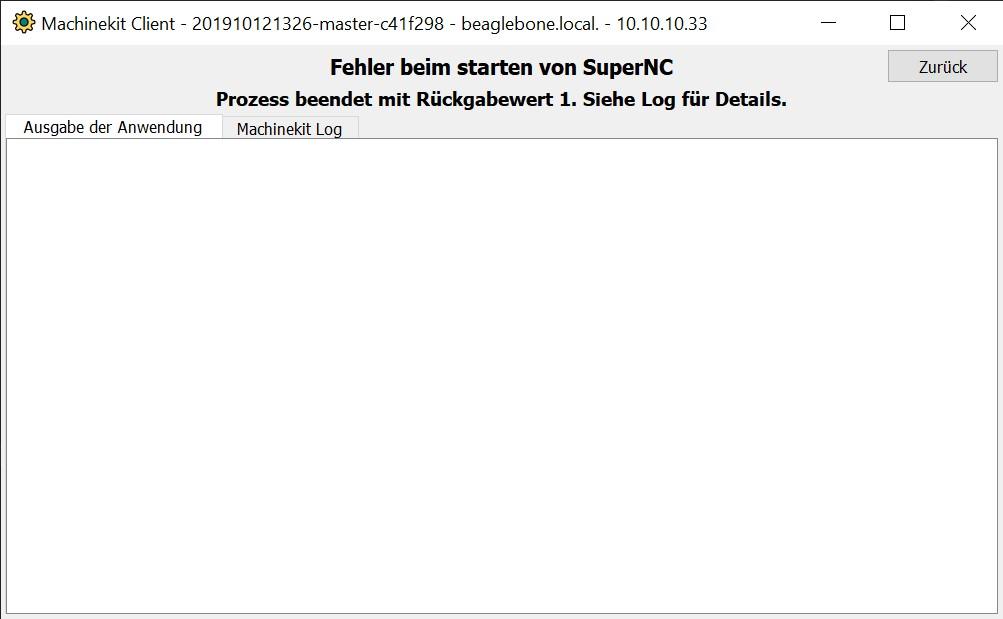
how can i link now Cetus with the MKlauncher?
my Config is here:
/home/machinekit/machinekit/configs/ARM.BeagleBone.Panther-1/
and I have Cetus here:
/home/machinekit/Cetus/
Aurelien
#!/usr/bin/python

import sys
import os
import subprocess
import time
from machinekit import launcher
from machinekit import config

launcher.register_exit_handler()
#launcher.set_debug_level(5)
os.chdir(os.path.dirname(os.path.realpath(__file__)))

mkconfig = config.Config()
if 'MACHINEKIT_INI' not in os.environ:  # export for package installs
    os.environ['MACHINEKIT_INI'] = mkconfig.MACHINEKIT_INI

if 'HAL_RTMOD_DIR' not in os.environ:  # export for package installs
    os.environ['HAL_RTMOD_DIR'] = '/usr/lib/linuxcnc'

#if 'DISPLAY' not in os.environ:  # export for connecting to display
#    os.environ['DISPLAY'] = ':0.0'

try:
    launcher.check_installation()
    launcher.cleanup_session()
#    launcher.load_bbio_file('furaday_stepgen.bbio')
###REALLY UNSURE ABOUT YOUR BBIO file name
    launcher.start_process('machinekit SuperNC.ini')
###REALLY UNSURE ABOUT YOUR ini file name
launcher.register_exit_handler() # enable on ctrl-C, needs to executed after HAL files
launcher.ensure_mklauncher() # ensure mklauncher is started
launcher.start_process("configserver -n SuperNC ../Cetus")
while True:
launcher.check_processes()
time.sleep(1)
except subprocess.CalledProcessError:
launcher.end_session()
sys.exit(1)
sys.exit(0)Aurelien
update
#!/usr/bin/python

import sys
import os
import subprocess
import time
from machinekit import launcher
from machinekit import config

launcher.register_exit_handler()
#launcher.set_debug_level(5)
os.chdir(os.path.dirname(os.path.realpath(__file__)))

mkconfig = config.Config()
if 'MACHINEKIT_INI' not in os.environ:  # export for package installs
    os.environ['MACHINEKIT_INI'] = mkconfig.MACHINEKIT_INI

if 'HAL_RTMOD_DIR' not in os.environ:  # export for package installs
    os.environ['HAL_RTMOD_DIR'] = '/usr/lib/linuxcnc'

#if 'DISPLAY' not in os.environ:  # export for connecting to display
#    os.environ['DISPLAY'] = ':0.0'

try:
    launcher.check_installation()
    launcher.cleanup_session()
#    launcher.load_bbio_file('furaday_stepgen.bbio')
###REALLY UNSURE ABOUT YOUR BBIO file name
    launcher.start_process('machinekit Panther-3-Axis.ini')
###REALLY UNSURE ABOUT YOUR ini file name
launcher.register_exit_handler() # enable on ctrl-C, needs to executed after HAL files launcher.ensure_mklauncher() # ensure mklauncher is started launcher.start_process("configserver -n SuperNC /home/machinekit/Cetus")
    while True:
        launcher.check_processes()
        time.sleep(1)
except subprocess.CalledProcessError:
    launcher.end_session()
    sys.exit(1)

sys.exit(0)
Jo sias

Jo sias
Jo sias
Jo sias

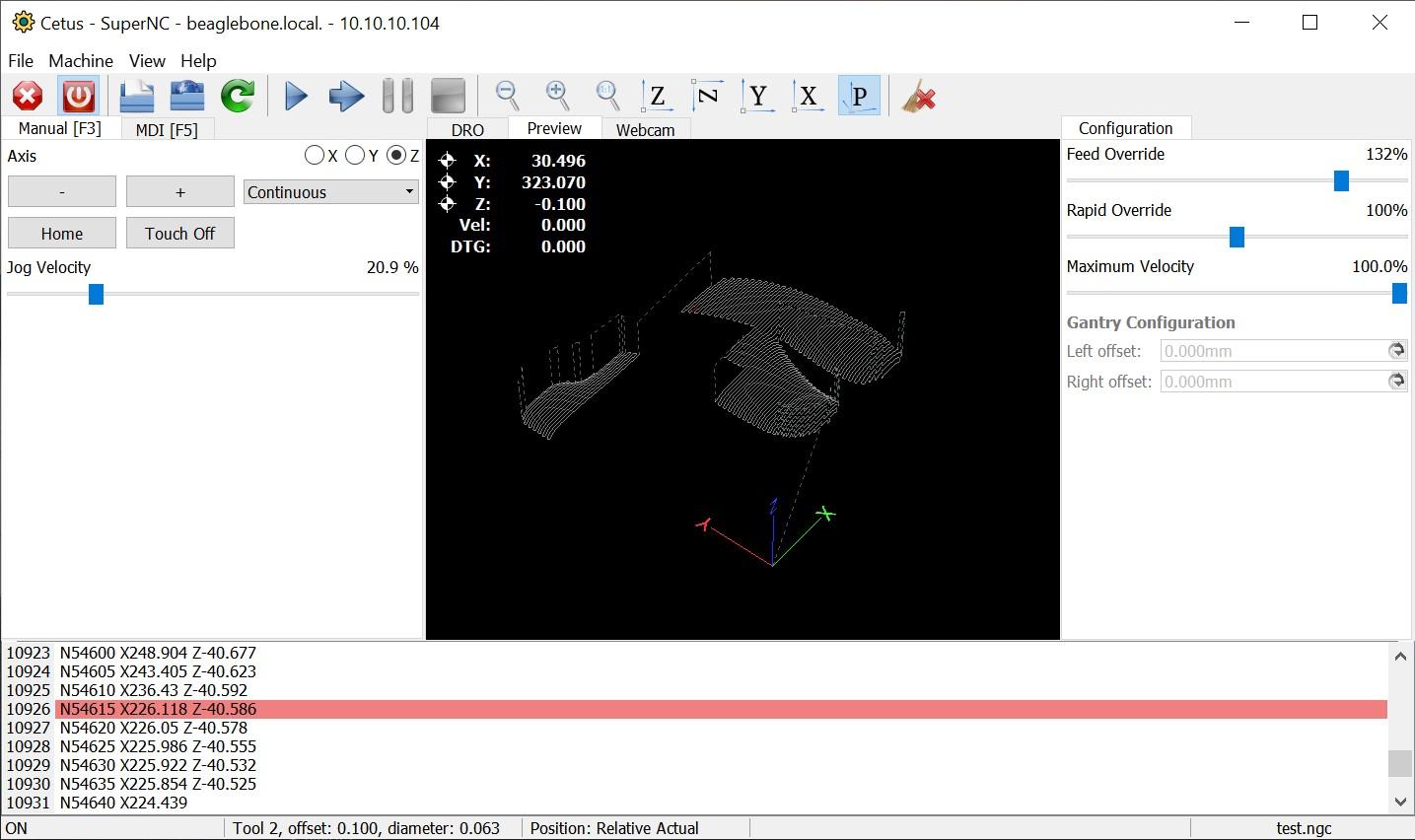
but next to that its great!
Aurelien


XQ Zhou
Hello, I also encountered the same problem as yours. I am using the default axis.ini. How can I modify it? Or can you share your configuration file and run.py?